Page 4 - Table of Contents
Table of Contents Introduction . . . . . . . . . . . . . . . . . . . . . . . . . . . . . . . . . . . . . .iYour Phone’s Menu . . . . . . . . . . . . . . . . . . . . . . . . . . . . . . . .iiGetting Started . . . . . . . . . . . . . . . . . . . . . . . . . . . . . . . . . . .1 Setting Up Service . . ...
Page 9 - Introduction; User Guide
i Introduction This User Guide introduces you to your wireless service and all the features of your new phone. It’s divided into foursections: l Section 1: Getting Started l Section 2: Your Phone l Section 3: Service Features l Section 4: Safety and Warranty Information Throughout this guide, you’ll...
Page 10 - ii; Your Phone’s Menu
ii Your Phone’s Menu The following list outlines your phone’s menu structure. Formore information about using your phone’s menus, see“Navigating Through Phone Menus” on page 25. 1. Web2. Messages 1. Voicemail 1. Call Voicemail / 2. Voicemail Details / 3. Clear Icon 2. Send Message 1. Text Message / ...
Page 11 - iii
iii 7. Photos 1. Camera2. Picture Messaging Inbox/ Sent Mail/ Saved Mail/ Pending Messages 3. My Albums In Phone / Memory Card / Online Albums 4. Settings & Info Auto-Save to / Status Bar / Location Account Info/ Help 8. Calculator9. Settings 1. Display 1. Main Screen 1. Screen Saver / 2. Slide ...
Page 12 - iv
iv 2. Out of Service / 3. Connect / 4. Signal Fade/Call Drop 5. Keytones 1. Tone Length / 2. Tone Volume 3. Airplane/Music Mode4. Bluetooth 1. On/Off On / Off 2. Visibility Hidden / Visible for 3 Min / Always Visible 3. My Device Name4. My Device Info5. Exchange Folder6. Voice Priority 5. Messages 1...
Page 15 - Getting Started; Sec tion 1
Page 16 - Section 1A: Setting Up Service; Setting Up Service; In This Section
2 Section 1A: Setting Up Service Setting Up Service In This Section l Getting Started l Setting Up Your Voicemail l Getting Help Setting up service on your new phone is quick and easy. This section walks you through the necessary steps tounlock your phone, set up your voicemail, establishpasswords, ...
Page 17 - Unlocking Your Phone; Follow these easy steps to unlock your phone:; Press and hold; UNLOCK; tti
Section 1A: Setting Up Service 3 Getting Started Unlocking Your Phone If your phone is locked, the main display will say "-Locked-"after it is powered on. Follow these easy steps to unlock your phone: 1. Press and hold to turn the phone on. 2. Press UNLOCK (right softkey). Note: To select a ...
Page 18 - Setting Up Your Voicemail; To set up your voicemail:; Voicemail Passcode
4 Section 1A: Setting Up Service Setting Up Your Voicemail All unanswered calls to your phone are automaticallytransferred to your voicemail, even if your phone is in use orturned off. Therefore, you will want to set up your voicemailand personal greeting as soon as your phone is activated. To set u...
Page 19 - Getting Help; Directory Assistance; To call your wireless Directory Assistance:; Press; Operator Services; To access your wireless Operator Services:; For more information, call your service provider.
Section 1A: Setting Up Service 5 Getting Help Directory Assistance You have access to a variety of services and informationthrough Directory Assistance, including residential,business, and government listings; assistance with local orlong-distance calls; movie listings; and hotel, restaurant,shoppin...
Page 21 - Sec tion 2; Your Phone
Page 22 - Your Phone: The Basics; This section will
8 Section 2A: Your Phone: The Basics Your Phone: The Basics In This Section l Front View of Your Phone l Viewing the Display Screen l Features of Your Phone l Turning Your Phone On and Off l Using Your Phone’s Battery and Charger l Navigating Through Phone Menus l Displaying Your Phone Number l Maki...
Page 23 - Front View of Your Phone; Ph
Section 2A: Your Phone: The Basics 9 Front View of Your Phone Ph on e B as ics 17. BACK Key 16. Navigation Key 2. Signal Strength Indicator 1. Earpiece 10. Microphone 11. Charger/Accessory Jack 3. Display Screen 5. Softkeys 4. Side Volume Keys 12. Speaker 6. Speakerphone Key 8. TALK Key 9. Camera Ke...
Page 24 - Key Functions
10 Section 2A: Your Phone: The Basics Key Functions 1. Earpiece lets you hear the caller and automated prompts. 2. Signal Strength Indicator represents the signal strength by displaying bars. The more bars displayed, the betterthe signal strength. 3. Display Screen displays all the information neede...
Page 28 - Viewing the Display Screen
14 Section 2A: Your Phone: The Basics Viewing the Display Screen Your phone’s display screen provides a wealth of informationabout your phone’s status and options. This list identifies thesymbols you’ll see on your phone’s display screen: Note: To view a list of your phone’s icons and descriptions, ...
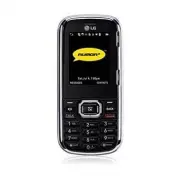
Page 31 - Features of Your Phone; Congratulations on the purchase of your phone. The Rumor
Section 2A: Your Phone: The Basics 17 Features of Your Phone Congratulations on the purchase of your phone. The Rumor 2 by LG is an easy-to-use, lightweight and reliable phone thatoffers many significant features and service options. Thefollowing list previews some of those features and providespage...
Page 34 - Turning Your Phone On and Off; Turning Your Phone On; To turn your phone on:
20 Section 2A: Your Phone: The Basics Turning Your Phone On and Off Turning Your Phone On To turn your phone on: © Press and hold for approximately two seconds. Once your phone is on, it may display “Looking for Service”,which indicates that your phone is searching for a signal.When your phone finds...
Page 35 - Turning Your Phone Off; To turn your phone off:; Using Your Phone’s Battery and Charger; Battery Capacity
Section 2A: Your Phone: The Basics 21 Turning Your Phone Off To turn your phone off: © Press and hold for two seconds until you see the powering-down animation on the display screen. Your screen remains blank while your phone is off (unless thebattery is charging). Using Your Phone’s Battery and Cha...
Page 36 - Installing the Battery
22 Section 2A: Your Phone: The Basics Note: Long backlight settings, searching for service, vibrate mode, and browser use affect the battery’s talk and standby times. Tip: Be sure to watch your phone’s battery level indicator and charge the battery before it runs out of power. Installing the Battery...
Page 37 - Removing the Battery; To remove the battery:; Charging the Battery
Section 2A: Your Phone: The Basics 23 Removing the Battery To remove the battery: © To remove, push gently the cover of the battery up, anduse your fingernail to take the battery out of theopening on the back of the phone. Put the cover backon. (2). Charging the Battery Your phone’s Li-Ion battery i...
Page 38 - the phone sounds a warning tone.; Using the Charger; To use the travel charger provided with your phone:; on the phone lets you know the; green indicator light; lets you know that the
24 Section 2A: Your Phone: The Basics Keeping track of your battery’s charge is important. If yourbattery level becomes too low, your phone automaticallyturns off and you will lose all the information you were justworking on. For a quick check of your phone’s battery level,glance at the battery char...
Page 39 - Navigating Through Phone Menus; Settings; Selecting Menu Items
Section 2A: Your Phone: The Basics 25 Navigating Through Phone Menus The navigation key on your phone allows you to scroll throughmenus quickly and easily. The scroll bar at the right of themenu keeps track of your position in the menu at all times. To navigate through a menu, simply press the navig...
Page 40 - History; Backing Up Within a Menu; To go to the previous menu:; Displaying Your Phone Number; To display your phone number:
26 Section 2A: Your Phone: The Basics For example, if you want to view your last incoming call : 1. Press to access the main menu. 2. Select History by pressing or by highlighting it and pressing . 3. Select a call history and press . Backing Up Within a Menu To go to the previous menu: © Press . To...
Page 41 - Making and Answering Calls; Making Calls; To make a call using your keypad:
Section 2A: Your Phone: The Basics 27 Making and Answering Calls Making Calls Placing a call from your phone is as easy as making a call fromany landline phone. Just enter the number and press , and you’re on your way to clear calls. To make a call using your keypad: 1. Make sure your phone is on. 2...
Page 42 - Dialing Options; When you enter numbers in standby mode and press; OPTIONS; options appear on the phone’s display screen.; Save; allows you to enter a seven- or ten-digit number; Contact Details; SEND MSG; (left softkey) to access a menu which you
28 Section 2A: Your Phone: The Basics Dialing Options When you enter numbers in standby mode and press OPTIONS (right softkey), you will see a variety of dialing options appear on the phone’s display screen. Tip: To speed dial a phone number from standby mode, press and hold the speed dial number. I...
Page 43 - Answering Calls; To answer an incoming call:
Section 2A: Your Phone: The Basics 29 Answering Calls To answer an incoming call: 1. Make sure your phone is on. (If your phone is off,incoming calls go to voicemail.) 2. Press to answer an incoming call. (Depending on your phone’s settings, you may also answer incomingcalls by pressing any number k...
Page 44 - to send the call to your voicemail box.; Ending a Call; To disconnect from a call when you are finished:; Missed Call Notification; To display a Missed Call entry from the notification screen:; Highlight the entry and press; To display a Missed Call entry from standby mode:; Select
30 Section 2A: Your Phone: The Basics v Silence to mute the ringer. v Ignore to send the call to your voicemail box. Note: When your phone is off, incoming calls go directly to voicemail. Ending a Call To disconnect from a call when you are finished: © Press . Missed Call Notification When an incomi...
Page 45 - Making an Emergency Call
Section 2A: Your Phone: The Basics 31 Making an Emergency Call You can place calls to 911 (dial ), even if your phone is locked or your account is restricted. Note: When you place an emergency call, your phone automatically enters Emergency mode. During an emergency call, a list of menu options is d...
Page 46 - Pressing; (right softkey) during a call displays a list of; to save a phone number in your Contacts. (See
32 Section 2A: Your Phone: The Basics Enhanced 911 (E911) Information This phone features an embedded Global Positioning System(GPS) chip necessary for utilizing E911 emergency locationservices where available. When you place an emergency 911 call, the GPS feature ofyour phone begins to seek informa...
Page 47 - to add the new number to your
Section 2A: Your Phone: The Basics 33 v Contact Details to display the contact details. (If the contact is saved in the Contacts.) v Main Menu to display the phone’s main menu. v 3-Way Call to initiate a three-way call. v Contacts to display your Contacts list. v Voice Memo to record the current con...
Page 48 - Saving a Phone Number; To save a number from standby mode:
34 Section 2A: Your Phone: The Basics Note: Not all End-of-Call options are displayed for calls identified as No ID or Restricted. Saving a Phone Number You can store up to 7 phone number entries per Contact and600 Contacts entries in your phone. Each entry’s name cancontain 64 characters. Your phon...
Page 49 - DONE; Finding a Phone Number; CONTACTS; Dialing and Saving Phone Numbers With Pauses
Section 2A: Your Phone: The Basics 35 – or – Search for an existing contact name and press to save the new number. 6. Press DONE (left softkey) to save the new entry. Finding a Phone Number You can search Contacts for entries by name. 1. While in Standby Mode, press CONTACTS (right softkey) and ente...
Page 50 - To dial or saved phone numbers with pauses:; Using Abbreviated Dialing
36 Section 2A: Your Phone: The Basics There are two types of pauses available on your phone: v Hard Pause sends the next set of numbers only after you press left softkey SEND TONES . v 2-sec Pause automatically sends the next set of numbers after two seconds. Note: You can have multiple pauses in a ...
Page 52 - Dialing From Contacts; Using Speed Numbers
38 Section 2A: Your Phone: The Basics Dialing From Contacts Shortcut : From standby mode, press Contacts (right softkey) to list entries. 1. Press Menu > Contacts . 2. Select the entry you want to call and press to dial the entry’s default phone number.– or –To dial another number from the entry,...
Page 53 - Entering Text; Entering Text With the Alphanumeric Keypad; To change the character input mode:
Section 2A: Your Phone: The Basics 39 To use Two-Touch Dialing for speed dial locations 10-99: 1. Press the first digit. 2. Press and hold the second digit for approximately twoseconds. The display confirms that the number hasbeen dialed when it shows “Connecting...”. Entering Text Entering Text Wit...
Page 54 - Entering Characters Using Predictive Text; To enter a word using Predictive Text:; Select the
40 Section 2A: Your Phone: The Basics n Predictive Text to enter text using a predictive text entering system that reduces the amount of keysthat need to be pressed while entering a word. n 123 to enter numbers by pressing the numbers on the keypad. n Symbols to enter symbols. n Emoticons to enter c...
Page 55 - Adding a Word to the Predictive Text Database; To add a word to the Predictive Text, database:
Section 2A: Your Phone: The Basics 41 2. Press the corresponding keys once per letter to enter a word. (For example, to enter the word “Bill,” press .) (If you make a mistake, press to erase a single character. Press and hold to delete an entire entry.) If the word you want is not selected after you...
Page 56 - Entering Characters Using ABC Mode; Abc
42 Section 2A: Your Phone: The Basics Entering Characters Using ABC Mode 1. Select Abc Mode. (See "To change the character input mode:" on page 39.) 2. Press the corresponding keys repeatedly until thedesired letter appears. (For example, to enter the word“Bill,” press twice, three times, th...
Page 58 - Entering Text With the QWERTY Keyboard; To enter text with the QWERTY keyboard:; Use your thumbs to enter text.
44 Section 2A: Your Phone: The Basics Note: Preset messages make composing text messages even easier by allowing you to enter preset messages. You can add a preset message ofyour own. (For more information on preset messages, please see“Managing Preset Messages”on page 59.) Entering Text With the QW...
Page 59 - and select
Section 2A: Your Phone: The Basics 45 n For additional text entry options, includingPredictive Text, Symbols, and Settings, press Options (right softkey), select Text Mode and select an option. Ph on e B as ics
Page 60 - Section 2B: Controlling Your Phone’s Settings; Controlling Your Phone’s Settings; . This section describes how you can
46 Section 2B: Controlling Your Phone’s Settings Controlling Your Phone’s Settings In This Section l Sound Settings l Display Settings l Location Settings l Messages Settings l Airplane/Music Mode l TTY Use l Phone Setup Options Using the menu options available on your phone, you cancustomize your p...
Page 61 - Sound Settings; Ringer Types; Selecting Ringer Types for Incoming Calls; To select a ringer type for Incoming calls:
Section 2B: Controlling Your Phone’s Settings 47 Sound Settings Ringer Types Ringer types help you identify incoming calls and messages.You can assign ringer types to individual Contact entries,types of calls, and types of messages. Selecting Ringer Types for Incoming Calls Your phone provides a var...
Page 62 - Assigning Ringers to Contacts; To select a ringer type for messages:
48 Section 2B: Controlling Your Phone’s Settings n Unknown #s n You can set a ringer type for anonymous calls. 3. Select a category, and then use your navigation key toscroll through the available ringers. A sample ringerwill sound as you highlight each option. 4. Press to assign the desired ringer....
Page 63 - Selecting a Key Tone; To select a tone volume:
Section 2B: Controlling Your Phone’s Settings 49 3. Use your navigation to scroll through the availableringer types. To select a specific tone, highlight Customand press . 4. Scroll through the available tones; a sample ringer willsound as you highlight each option. 5. Press to assign the ringer. Se...
Page 64 - Adjusting the Phone’s Volume Settings; To adjust your phone’s volume settings:
50 Section 2B: Controlling Your Phone’s Settings Adjusting the Phone’s Volume Settings You can adjust your phone’s volume settings to suit yourneeds and your environment. To adjust your phone’s volume settings: 1. Select Menu > Settings > Sounds > Volume . 2. Select Ringer, Earpiece, Speake...
Page 65 - Alert Notification; To enable or disable alert sounds:; Silence All; To activate Silence All:
Section 2B: Controlling Your Phone’s Settings 51 Alert Notification Your phone can alert you with an audible tone when youchange service areas, once a minute during a voice call, orwhen a call has been connected. To enable or disable alert sounds: 1. Select Menu > Settings > Sounds > Alerts...
Page 66 - Display Settings; Changing the Text Greeting; To display or change your greeting:; Custom; . To erase the entire greeting, press and
52 Section 2B: Controlling Your Phone’s Settings Display Settings Changing the Text Greeting The text greeting can be up to 12 characters and is displayedon your phone’s screen in standby mode. You may choose tokeep the phone’s default greeting, or you may enter yourown custom greeting. To display o...
Page 67 - Changing the Backlight Time Length; To change the display backlight setting:; Changing the Display Screen; To change the display image :
Section 2B: Controlling Your Phone’s Settings 53 Changing the Backlight Time Length The backlight setting lets you select how long the displayscreen and keypad are backlit after any keypress is made. To change the display backlight setting: 1. Press Menu > Settings > Display > Main Screen &...
Page 68 - Use the navigation key to select an image and press; ASSIGN; Changing the Phone’s Menu Style; To select the display’s menu style:; Menu Styles; Use left/right on the directional keypad to select; Grid; to view the main menu as a list, and
54 Section 2B: Controlling Your Phone’s Settings 3. Use the navigation key to select an image and press to view the image. (Once an image is displayed, you can use your navigation key to scroll through andview the other default images.) 4. Press ASSIGN (left softkey) to assign the desired image. Cha...
Page 69 - Changing the Clock Display; To change the clock’s appearance on the standby screen:; Changing the Text Input Font; To change the text input font:
Section 2B: Controlling Your Phone’s Settings 55 Changing the Clock Display Choose whether you want your phone’s clock to be displayedin analog mode, digital mode, or with time and date. To change the clock’s appearance on the standby screen: 1. Press Menu > Settings > Display > Main Screen...
Page 70 - Changing the Status Light Mode; To change the status light mode:; Display Language; To assign a language for the phone’s display:
56 Section 2B: Controlling Your Phone’s Settings Changing the Status Light Mode This feature shows your phone status by blinking a statuslight to the right of the display screen. To change the status light mode: 1. Select Menu > Settings > Display > Status Light . 2. Select On or Off and pr...
Page 71 - Location Settings; To enable your phone’s Location feature:; On; or; Off; and press
Section 2B: Controlling Your Phone’s Settings 57 Location Settings Your phone is equipped with a Location feature for use inconnection with location-based service. The Location feature allows the network to detect yourposition. Turning Location off will hide your location fromeveryone except 911. No...
Page 72 - the; Messages Settings; Setting Message Notification; Icon Only
58 Section 2B: Controlling Your Phone’s Settings When the Location feature is on, your phone’s standbyscreen will display the icon. When Location is turned off, the icon will be displayed. Messages Settings Staying connected to your friends and family has never beeneasier. With your phone’s advanced...
Page 73 - Callback Number; None; Adding a Customized Signature; To add a customized signature to each sent message:; Managing Preset Messages
Section 2B: Controlling Your Phone’s Settings 59 Callback Number 1. Press Menu > Settings > Messages > Callback Number . 2. Select None , My Phone Number , or Other and press . (If you select Other , enter a number and press .) Adding a Customized Signature Each message you send can have a ...
Page 76 - TTY Use; To turn TTY Mode on or off:; Enable TTY; to turn TTY mode on or select; Disable; to turn TTY mode off.
62 Section 2B: Controlling Your Phone’s Settings TTY Use A TTY (also known as a TDD or Text Telephone) is atelecommunications device that allows people who are deaf, hard-of-hearing, or who have speech or languagedisabilities, to communicate by telephone. Your phone is compatible with select TTY dev...
Page 78 - Phone Setup Options; Shortcuts Using the Navigation Key; To assign your shortcut keys:
64 Section 2B: Controlling Your Phone’s Settings Phone Setup Options Shortcuts Using the Navigation Key Your phone offers you the option of assigning shortcut keysto favorite or often-used functions. Pressing the navigationkey left, right, up, or down in standby mode will launch yourpersonally desig...
Page 79 - to answer calls automatically when the; To set your abbreviated dialing options:; Abbreviated Dialing
Section 2B: Controlling Your Phone’s Settings 65 Auto-Answer Mode You may set your phone to automatically pick up incomingcalls when connected to an optional hands-free car kit orheadset. To set Auto-Answer mode: 1. Select Menu > Settings > More... >Call Setup > Auto-Answer . 2. To selec...
Page 80 - Call Answer Mode; To set call answer mode:; Contacts Match; To set your contacts match options:
66 Section 2B: Controlling Your Phone’s Settings 2. Select On and enter a five- or six-digit number (for example, area code and prefix) and press . Call Answer Mode You can determine how you would like to answer incomingcalls on your phone. To set call answer mode: 1. Select Menu > Settings > ...
Page 81 - Text Entry; This allows you to customize text entry.
Section 2B: Controlling Your Phone’s Settings 67 Text Entry This allows you to customize text entry. 1. Select Menu > Settings > Text Entry . 2. Select Auto-Capital , Auto-Space , Word Choice List , Word Prediction , Word Completion , Use My Words , My Words , or Help and press . Yo u r P h on...
Page 82 - Section 2C: Setting Your Phone’s Security; Setting Your Phone’s Security
68 Section 2C: Setting Your Phone’s Security Setting Your Phone’s Security In This Section l Accessing the Security Menu l Using Your Phone’s Lock Feature l Using Special Numbers l Erasing Phone Content l Resetting Your Picture Messaging Account l Resetting Default Settings l Resetting Your Phone By...
Page 83 - Accessing the Security Menu; To access the Security menu:; Using Your Phone’s Lock Feature; Locking Your Phone; Lock My Phone>Lock Now
Section 2C: Setting Your Phone’s Security 69 Accessing the Security Menu All of your phone’s security settings are available throughthe Security menu. You must enter your lock code to view theSecurity menu. To access the Security menu: 1. Select Menu > Settings > More... > Security . 2. Ent...
Page 84 - To unlock your phone:; Enter your lock code.; Changing the Lock Code; To change your lock code:; Change Lock Code; Calling in Lock Mode; To place an outgoing call in lock mode:
70 Section 2C: Setting Your Phone’s Security Unlocking Your Phone To unlock your phone: 1. From standby mode, press UNLOCK (right softkey). 2. Enter your lock code. Changing the Lock Code To change your lock code: 1. Select Menu > Settings > More... > Security , and then enter your lock cod...
Page 85 - Using Special Numbers; To add or replace a special number:; Special Numbers; Select a location for your entry.
Section 2C: Setting Your Phone’s Security 71 Using Special Numbers Special numbers are important numbers that you havedesignated as being “always available.” You can call andreceive calls from special numbers even if your phone islocked.You can save up to 10 special numbers in addition to yourContac...
Page 86 - Erasing Phone Content
72 Section 2C: Setting Your Phone’s Security Erasing Phone Content Use the Security menu to quickly erase all the content youhave created or stored in your phone. 1. Select Menu > Settings > More... > Security and enteryour lock code. 2. Select Delete/Reset . 3. To select an option, highlig...
Page 87 - Resetting Your Picture Messaging; This option resets your Picture Messaging account.; To reset your Picture Messaging account:; Yes
Section 2C: Setting Your Phone’s Security 73 Resetting Your Picture Messaging Account This option resets your Picture Messaging account. To reset your Picture Messaging account: 1. Select Menu > Settings > More... > Security and enteryour lock code. 2. Select Delete/Reset> Reset Picture ...
Page 88 - Resetting Default Settings; To reset default settings:
74 Section 2C: Setting Your Phone’s Security Resetting Default Settings Resetting the current default settings restores all the factorydefaults, including the ringer types and display settings. YourContacts, Call History, Calendar, and Messaging items arenot affected. To reset default settings: 1. S...
Page 89 - Resetting Your Phone; Reset Phone; Read the disclaimer and press
Section 2C: Setting Your Phone’s Security 75 Resetting Your Phone Resetting the phone restores all the factorydefaults,including the ringer types and display settings. Alldata from Contacts, Messaging, Pictures, My Content,Tools,and Settings will be deleted, and preference settingswill be set to fac...
Page 90 - Section 2D: Controlling Your Roaming Experience; Understanding Roaming; Your new dual-band Rumor
76 Section 2D: Controlling Your Roaming Experience Controlling Your RoamingExperience In This Section l Understanding Roaming l Setting Your Phone’s Roam Mode l Using Call Guard l Using Data Roam Guard Roaming is the ability to make or receive calls when you’re offthe available network. Your new dua...
Page 91 - Recognizing the Roaming Icon on the Display Screen; – Digital Roaming –; Roaming on Other Digital Networks; am
Section 2D: Controlling Your Roaming Experience 77 Understanding Roaming Recognizing the Roaming Icon on the Display Screen Your phone’s display screen always lets you know whenyou’re off the available network. Anytime you are roaming,the phone displays the roaming icon ( ). If you are roaming on a ...
Page 92 - Checking for Voicemail Messages While Roaming; To check your voicemail while roaming:; When you hear your voicemail greeting, press
78 Section 2D: Controlling Your Roaming Experience Checking for Voicemail Messages While Roaming When you are roaming off the available network, you maynot receive on-phone notifications of new voicemailmessages. Callers can still leave messages, but you will needto periodically check your Voicemail...
Page 93 - Setting Your Phone’s Roam Mode; Roaming; Set Mode; To set your phone’s roam mode:
Section 2D: Controlling Your Roaming Experience 79 Setting Your Phone’s Roam Mode Your phone allows you to control your roaming capabilities.By using the Roaming menu option, you can set your Roaming preferences. Set Mode Choose from three different settings on your dual- bandphone to control your r...
Page 94 - Using Call Guard; To turn Call Guard on or off:
80 Section 2D: Controlling Your Roaming Experience Using Call Guard Your phone has two ways of alerting you when you areroaming off the available network: the onscreen roamingicon and Call Guard. Call Guard makes it easy to manage yourroaming charges by requiring an extra step before you canplace or...
Page 96 - Using Data Roam Guard; To turn Data Roam Guard on or off:; Default; Never Ask
82 Section 2D: Controlling Your Roaming Experience Using Data Roam Guard When Data Roam Guard is enabled, you will be asked if youwant to continue using your browser or other onlineapplications when you are in a data roaming area. WhenData Roam Guard is turned off, your phone will establish ormainta...
Page 97 - Section 2E: Managing Call History; Managing History; This section guides you; ist
Section 2E: Managing Call History 83 Managing History In This Section l Viewing History l History Options l Making a Call From History l Viewing History Thread l Saving a Phone Number From History l Prepend a Phone Number From History l Erasing History Call History keeps track of incoming calls, cal...
Page 98 - Viewing History; To view a Call History entry:
84 Section 2E: Managing Call History Viewing History You’ll find the Call History feature very helpful. It is a list ofphone numbers (or Contact entries) for the last 60 calls youplaced, accepted, or missed. Call History makes redialing anumber fast and easy. It is continually updated as newnumbers ...
Page 99 - History Options; This feature displays; Call
Section 2E: Managing Call History 85 History Options For additional information and options on a particular call,highlight a Call History and press . This feature displays the date and time of the calls the phone number (ifavailable), and the caller’s name (if the number is already inyour Contacts)....
Page 100 - Making a Call From History; To place a call from Call History:; Viewing History Thread
86 Section 2E: Managing Call History Making a Call From History To place a call from Call History: 1. Press > History . 2. Highlight an entry and press . Note: You cannot make calls from Call History to entries identified as No ID or Restricted . Viewing History Thread To view the History Thread ...
Page 101 - Saving a Phone Number From History; To save a phone number from History:; ll H
Section 2E: Managing Call History 87 Saving a Phone Number From History Your phone can store up to 600 Contact entries. Contactentries can store up to a total of seven phone numbers each.Each entry’s name can contain 64 characters. To save a phone number from History: 1. Press Menu > History , th...
Page 102 - Prepend a Phone Number From History; To prepend a phone number from History:
88 Section 2E: Managing Call History 7. Press Done (left softkey) to save the entry. After you have saved the number, the new Contact entry isdisplayed. (See “Contact Entry Options” on page 93.) Note: You cannot save phone numbers already in your Contacts or from calls identified as No ID or Restric...
Page 103 - Erasing History
Section 2E: Managing Call History 89 Erasing History To erase individual History entries, see “History Options” onpage 85. To erase the all History items, follow the stepsbelow: To erase History: 1. Press > History . 1. Press OPTIONS (right softkey) > Delete All . 1. If you are certain you wan...
Page 104 - Section 2F: Using Contacts; Using Contacts; This section explains
90 Section 2F: Using Contacts Using Contacts In This Section l Adding a New Contact Entry l Finding Contact Entries l Contact Entry Options l Adding a Phone Number to a Contact Entry l Editing a Contact Entry’s Phone Number l Assigning Speed Dial Numbers l Send All Contacts l Editing a Contact Entry...
Page 105 - Adding a New Contact Entry; New Contact; Co
Section 2F: Using Contacts 91 Adding a New Contact Entry Your phone can store up to 600 Contact entries. Contactentries can store up to a total of seven phone numbers, andeach entry’s name can contain 64 characters. To add a new entry: 1. Select Menu > Contacts > Add New . 2. Scroll to New Con...
Page 106 - Finding Contact Entries; Finding Group Entries; To find entries designated as part of a group:
92 Section 2F: Using Contacts After you have saved the number, the new Contact entry isdisplayed. (See “Contact Entry Options” on page 96.) Finding Contact Entries There are several ways to find your Contact entries. Follow the steps outlined in the sections below to findentries from the Contacts me...
Page 107 - Contact Entry Options; Options
Section 2F: Using Contacts 93 Contact Entry Options To access a Contact entry’s options, press Menu > Contacts , highlight the contact, press Options (right softkey), highlight Edit Contact and press . v [Add Name] to edit the contact name on the entry. v [Add Number] to add a phone number to the...
Page 108 - Adding a Phone Number to a Contact Entry; To add a phone number to an entry:
94 Section 2F: Using Contacts Adding a Phone Number to a Contact Entry To add a phone number to an entry: 1. Open a Contacts entry. (See “Finding Contact Entries”on page 92.) 2. Press Options (right softkey), highlight Edit and press . 3. Scroll to the [Add Number] field and press . 4. Enter the new...
Page 109 - Editing a Contact Entry’s Phone Number; To edit an entry’s phone number:
Section 2F: Using Contacts 95 Editing a Contact Entry’s Phone Number To edit an entry’s phone number: 1. Open a Contact entry. 2. Highlight the number entry and press OPTIONS (right softkey) > Edit . 3. Enter the changes to the number. Press to clear one digit at a time, or press and hold to eras...
Page 110 - Assigning Speed Dial Numbers; To assign a speed dial number to a new phone number:; Highlight; Set Speed Dial; Select an available speed dial location and press .; (left softkey) to save the new speed dial; To assign a speed dial number to an existing phone number:
96 Section 2F: Using Contacts Assigning Speed Dial Numbers Your phone can store up to 98 phone numbers in speed diallocations. For details on how to make calls using speed dialnumbers, see “Using Speed Dialing” on page 38. Speed dial numbers can be assigned when you add a newContacts entry, when you...
Page 111 - Send All Contacts; To access Send All Contacts:
Section 2F: Using Contacts 97 3. Highlight Set Speed Dial and press . 4. Select an available speed dial location and press . 5. Scroll to Set Speed Dial and press . (A confirmation will be displayed.) 6. Press Done (left softkey) to save the new speed dial number. Note: If you attempt to assign an a...
Page 112 - Editing a Contact Entry; To make changes to an entry:; Selecting a Ringer Type for an Entry; To select a ringer type for an entry:
98 Section 2F: Using Contacts Editing a Contact Entry To make changes to an entry: 1. Go to the Contact List and highlight a Contact entry. 2. Press Options (right softkey) > Edit Contact . 3. Highlight the part of the entry you wish to edit ( Name , Group , Ringer , etc.) and press . 4. Add or e...
Page 113 - Dialing Services; To dial a service from your Contacts:
Section 2F: Using Contacts 99 6. Highlight a ringer and press . 7. Press DONE (left softkey) to save the new ringer type. Dialing Services Your Contact list is preprogrammed with contact numbersfor various Services. To dial a service from your Contacts: 1. Select Menu > Contacts > Option (righ...
Page 114 - Section 2G: Using the Phone’s Calendar and Tools; Using Your Phone’s Calendar; . This section shows you how to use these features
100 Section 2G: Using the Phone’s Calendar and Tools Using the Phone’s Calendar and Tools In This Section l Using Your Phone’s Calendar l Using Your Phone’s Alarm Clock l Using Your Phone’s Notepad l Using Your Phone’s Tools Your phone is equipped with several personal informationmanagement features...
Page 115 - Adding an Event to the Calendar; ADD; Select a title for the event by highlighting; le
Section 2G: Using the Phone’s Calendar and Tools 101 Using Your Phone’s Calendar Adding an Event to the Calendar Your Calendar helps organize your time and reminds you ofimportant events. To add an event: 1. Select Menu > Tools > Calendar . 2. Using your navigation key, highlight the day to wh...
Page 116 - Event Alerts
102 Section 2G: Using the Phone’s Calendar and Tools 5. Select a repetition type for the event by highlightingthe repeat field and pressing . n Highlight None , Daily , Mon - Fri , Select days, Weekly , Monthly , or Yearly and press . 6. Select an alarm time for the event by highlighting thealarm fi...
Page 117 - Event Alert Menu; When the alert goes off, press the appropriate softkey.; Dismiss; (left softkey) silences the alarm and schedules it; Viewing Events; To view your scheduled events:
Section 2G: Using the Phone’s Calendar and Tools 103 Event Alert Menu When your phone is turned on and you have an event alarmscheduled, your phone can alert you and display the eventsummary. To silence the alarm and view the Alert, press . When the alert goes off, press the appropriate softkey. v D...
Page 118 - Going to Today’s Calendar Date; To go to the Calendar menu for today’s date:; Go to Today; Erasing a Day’s Events; To erase a day’s scheduled events:
104 Section 2G: Using the Phone’s Calendar and Tools Going to Today’s Calendar Date To go to the Calendar menu for today’s date: © Select Menu > Tools > Calendar > Options (right softkey) > Go to Today . Erasing a Day’s Events To erase a day’s scheduled events: 1. Select Menu > Tools ...
Page 119 - Purging Events; To delete events scheduled before a specific time and date:; Purging All Events; To delete all scheduled events:
Section 2G: Using the Phone’s Calendar and Tools 105 Purging Events To delete events scheduled before a specific time and date: 1. Select Menu > Tools > Calendar > Options (right softkey) > Delete Old . 2. Select the option to erase events older than One Day , One Week , One Month , or O...
Page 120 - Using Your Phone’s Alarm Clock; To use the alarm clock:
106 Section 2G: Using the Phone’s Calendar and Tools Using Your Phone’s Alarm Clock Your phone comes with a built-in alarm clock with multiple alarm capabilities. To use the alarm clock: 1. Select Menu > Tools > Alarm Clock . 2. Select Alarm 1 , Alarm 2 , Alarm 3 , Alarm 4 , Alarm 5 , Walk the...
Page 121 - Using Your Phone’s Notepad; To read a saved note:
Section 2G: Using the Phone’s Calendar and Tools 107 Using Your Phone’s Notepad Your phone comes with a notepad you can use to composeand store reminders and notes to help keep you organized. To compose a note: 1. Select Menu > Tools > Notepad > Add (left softkey). 2. Type your note using t...
Page 122 - Using Your Phone’s Tools; Using EZ Tip Calculator; To quickly and easily calculate tip amounts:; Using the Calculator; To use the calculator:
108 Section 2G: Using the Phone’s Calendar and Tools Using Your Phone’s Tools In addition to helping you be more efficient and organized,your phone offers useful and entertaining tools. Using EZ Tip Calculator To quickly and easily calculate tip amounts: 1. Select Menu > Tools > Ez Tip Calcula...
Page 123 - Using the World Clock; To view the time in over 50 different locations:; Using the D-Day Counter; To set a countdown timer for an upcoming event:
Section 2G: Using the Phone’s Calendar and Tools 109 n Press Clear (left softkey) to clear all numbers. 3. Press for the total. © Navigation Key Function : Up(+)/ Down(-)/ Left(÷)/Right(x) Using the World Clock To view the time in over 50 different locations: 1. Select Menu > Tools > World Clo...
Page 124 - Using the Unit Converter
110 Section 2G: Using the Phone’s Calendar and Tools 3. Select a date for the event by highlighting the date fieldand pressing . n Use the directional keys and/or keypad to set a dateand press . 4. Select a title for the event by highlighting [Content] and pressing . n Enter the event title and pres...
Page 125 - Section 2H: Using Your Phone’s Voice Services; Using Your Phone’s Voice Services; Managing Voice Memos; oic
Section 2H: Using Your Phone’s Voice Services 111 Using Your Phone’s Voice Services In This Section l Managing Voice Memos This section includes easy-to-follow instructions on usingmanaging voice memos. V oic e S er vic es
Page 126 - Recording Voice Memos; To record a voice memo:
112 Section 2H: Using Your Phone’s Voice Services Managing Voice Memos You can use your phone’s recording capability to record briefmemos to remind you of important events, phone numbers, orgrocery list items. Recording Voice Memos To record a voice memo: 1. Press Menu>Tools>Voice Memo> REC...
Page 127 - Voice Memo Options; To play the voice memos you have recorded:
Section 2H: Using Your Phone’s Voice Services 113 Voice Memo Options To play the voice memos you have recorded: 1. Press Menu > Tools > Voice Memo . 2. Scroll to the voice memo you wish to hear press . Or, for more options press OPTIONS (right softkey). n Set As to assign the recording as a de...
Page 128 - Erasing Voice Memos; To erase all voice memos:; YES; (left softkey) to confirm that you want to
114 Section 2H: Using Your Phone’s Voice Services Erasing Voice Memos To erase all voice memos: 1. Select Menu > Tools > Voice Memo . 2. Scroll to the voice memo you wish to delete and press OPTIONS (right softkey) > Delete This, Delete Multiple, Delete All . 3. Press YES (left softkey) to ...
Page 129 - Section 2I: Using the microSDTM Card; Using the microSDTM Card; Using Your Phone’s microSDTM Card and Adapter; This highly secure
m icr oS D ™ C ar d Section 2I: Using the microSD™ Card 115 Using the microSD™ Card In This Section l Using Your Phone’s microSD™ Card and Adapter l microSD™ Settings l microSD™ Folders l Connecting Your Phone to Your Computer Your phone lets you use a microSD™ card and an adapter toexpand the avail...
Page 130 - Using the microSD; Card; Card; Removing the microSDTM Card; Push in to eject the microSDTM card.
116 Section 2I: Using the microSD™ Card Using Your Phone’s microSD™ Card andAdapter Using the microSD TM Card Your phone is not equipped with memory card. So youpurchase your own memory card to enjoy music on. Inserting the microSD TM Card 1. Open the microSD™ access panel located on the rightside o...
Page 131 - icr; microSDTM Icon Indicators; The following icon will be displayed on your phone’s display
Section 2I: Using the microSD™ Card 117 m icr oS D ™ C ar d microSD™ Icon Indicators The following icon will be displayed on your phone’s display screen when a microSD™ card is properly inserted into the microSD™ card slot: Indicates that a microSD™ card has been inserted into your phone. DO NOT: re...
Page 132 - microSDTM Settings; Creating Folders in the microSDTM Card; Viewing Memory in the microSDTM Card; With the microSDTM inserted, press; Formatting the microSDTM Card
118 Section 2I: Using the microSD™ Card microSD™ Settings Creating Folders in the microSD™ Card The following steps allow your phone to create defaultfolders for storing files in your microSD™ card. 1. With the microSD™ inserted, press Menu > Tools > Memory Card Manager . 2. Press OPTIONS (rig...
Page 133 - microSDTM Folders; Browsing Your microSDTM Folders
Section 2I: Using the microSD™ Card 119 m icr oS D ™ C ar d 1. With the microSD™ inserted, press Menu > Tools > Memory Card Manager . 2. Press OPTIONS (right softkey) and select Format Memory Card . 3. If you are sure you wish to remove all the files from yourmicroSD™ card, select Format (left...
Page 134 - Phone as Modem; To remove the connection:
120 Section 2I: Using the microSD™ Card Connecting Your Phone to YourComputer Before using your phone’s mass storage capabilities, youneed to prepare your phone’s USB connection with yourdesktop or laptop computer. Once the phone is connected tothe computer, you can transfer your data to or from the...
Page 136 - Using the Built-in Camera; Taking Pictures; It’s fun, and it’s as easy
122 Section 2J: Using the Built-in Camera Using the Built-in Camera In This Section l Taking Pictures l Storing Pictures l Sending A Picture Message Your phone’s built-in camera gives you the ability to take full-colordigital pictures, view your pictures using the phone’s display, andinstantly send ...
Page 137 - CAPTURE; or the side camera
B u ilt -in C am er a Section 2J: Using the Built-in Camera 123 Taking Pictures Taking pictures with your phone’s built-in camera is assimple as choosing a subject, pointing the lens, and pressinga button. To take a picture: 1. Press Menu > Photos > Camera to activate Camera mode. (Additional ...
Page 138 - Camera Mode Options
124 Section 2J: Using the Built-in Camera 4. Press OPTIONS (right softkey) for more options: n Send to send your picture. n Upload to upload the picture to your service provider's web site. n Assign to assign the picture to a phone task. Select an option: n Screen Saver to use the picture as a wallp...
Page 139 - Setting the Self-timer
B u ilt -in C am er a Section 2J: Using the Built-in Camera 125 v Image Controls to select from the following options: n Brightness to select the Auto or Manual brightness control. If you select Manual , press the navigation key right (increase) or left (decrease) to select asetting, and press to ap...
Page 140 - START; (left softkey) when you are ready to start; To cancel the Self-timer after it has started:; CANCEL; Using the Zoom
126 Section 2J: Using the Built-in Camera 3. Press START (left softkey) when you are ready to start the timer. (A countdown is displayed in themiddle ofthe screen.) 4. Get ready for the picture. (When the timer is down tothree seconds, the Self-timer counter will turn red.) Note: While the Self-time...
Page 141 - Selecting Camera Settings
B u ilt -in C am er a Section 2J: Using the Built-in Camera 127 3. Press CAPTURE (left softkey), , or the side camera button to take the picture. (The picture willautomatically be saved in your selected storage area.) Note: The Zoom function is not available when the Resolution setting is 1.3M (960*...
Page 142 - Viewing Your Camera’s Status Area Display
128 Section 2J: Using the Built-in Camera Viewing Your Camera’s Status Area Display Camera mode Resolution Camera StorageRemaining Storage Location Camera Options Viewfinder Capture
Page 143 - Storing Pictures; Setting Storage Options; To review your pictures stored in the In Phone folder:
B u ilt -in C am er a Section 2J: Using the Built-in Camera 129 Storing Pictures Your phone’s picture storage area is called My Albums . There are three folders in My Albums: v In Phone . v Memory Card . v Online Albums . Setting Storage Options 1. Press Menu > Photo > Settings & Info >...
Page 144 - Memory Card Folders; To review your pictures stored in the microSDTM:; In Phone Folder and Memory Card Options
130 Section 2J: Using the Built-in Camera Memory Card Folders You can save pictures directly to the microSD™ card usingyour phone’s pictures settings. To review your pictures stored in the microSD™: 1. Press Menu > Photo > My Albums > Memory Card . 2. Use your Navigation key to scroll throu...
Page 146 - Online Albums
132 Section 2J: Using the Built-in Camera v Effects to display the following options: n Image Effects to apply effects such as Antique, Emboss, Fog, Gray Sketch, Posterize, Paint, Glow,Stamp, Cartoon and Mirror. n Face Warp to apply effects such as Up Nose, Twister, Small Nose, Wide Smile, Grit, Big...
Page 148 - Sending a Picture Message
134 Section 2J: Using the Built-in Camera n Copy All to copy all pictures in the current album to another album. n Move This to move the selected pictures to another album. n Move All to move all pictures in the current album to another album. v Text Caption to edit the selected item's caption. v Ro...
Page 151 - Section 2K: Using Bluetooth; Using Bluetooth; Turning Bluetooth On and Off; sin
Section 2K: Using Bluetooth 137 Using Bluetooth In This Section l Turning Bluetooth On and Off l Using the Bluetooth Settings Menu l Bluetooth Profiles l Pairing Bluetooth Devices Your phone features built-in Bluetooth technology, allowingyou to share information more easily than ever before. Blueto...
Page 152 - To turn Bluetooth on:; Bluetooth Status Indicators
138 Section 2K: Using Bluetooth Turning Bluetooth On and Off By default, your device’s Bluetooth functionality is turned off. Turning Bluetooth on makes your phone“available” to other in-range Bluetooth devices. To turn Bluetooth on: 1. Select Menu > Bluetooth > More... > Settings > On/O...
Page 153 - Using the Bluetooth Settings Menu; Bluetooth Settings
Section 2K: Using Bluetooth 139 Using the Bluetooth Settings Menu The Bluetooth Settings menu allows you to set up many of the characteristics of your phone’s Bluetooth service,including: v Entering or changing the name your phone uses forBluetooth communication. v Setting your phone’s visibility (o...
Page 154 - Bluetooth Settings: Visibility
140 Section 2K: Using Bluetooth n Select Exchange Folders to display your phone's Bluetooth® destination for files communicatedbetween your phone and a Bluetooth-enableddevice using the FTP transfer protocol. n Select Voice Priority to display your phone's Bluetooth® preferences for incoming calls. ...
Page 155 - Bluetooth Settings: My Device Name; Device Name; Bluetooth Settings: My Device Information; To view your phone's Bluetooth® address and information:; Bluetooth Audio Transfer Function; To use the Bluetooth Audio Transfer function during a call:
Section 2K: Using Bluetooth 141 Bluetooth Settings: My Device Name The Device Name section of the Bluetooth settings menu allows you to select a Bluetooth name for your phone. Yourphone’s Bluetooth name will appear to other in-rangeBluetooth devices, depending on your visibility settings. To set a B...
Page 156 - Bluetooth Profiles; This profile functions as a wireless
142 Section 2K: Using Bluetooth 2. During the call, transfer the phone's sound outputfrom the phone to the headset (select Transfer to Bluetooth ); or from the headset to the phone (select Transfer to Phone ). Bluetooth Profiles Your phone has different Bluetooth® profiles available.Details can be f...
Page 158 - Pairing Bluetooth Devices; Add Device; To pair your phone with another Bluetooth device:
144 Section 2K: Using Bluetooth Pairing Bluetooth Devices Add Device The Bluetooth pairing process allows you to establishtrusted connections between your phone and anotherBluetooth device. When devices are paired, a passkey isshared between devices, allowing for fast, secureconnections while bypass...
Page 159 - Sec tion 3; Service Features
Page 160 - Service Features: The Basics; This section outlines your basic service
146 Section 3A: Service Features: The Basics Service Features: The Basics In This Section l Using Voicemail l Using SMS Text Messaging l Using Caller ID l Responding to Call Waiting l Making a Three-Way Call l Using Call Forwarding Now that you’ve mastered your phone’s fundamentals, it’s time to exp...
Page 161 - Using Voicemail; rv
Section 3A: Service Features: The Basics 147 Using Voicemail Setting Up Your Voicemail All unanswered calls to your phone are automaticallytransferred to your voicemail, even if your phone is in use orturned off. Therefore, you will want to set up your Voicemailand personal greeting as soon as your ...
Page 162 - To call your voicemail:
148 Section 3A: Service Features: The Basics Voicemail Notification There are several ways your phone can alert you to a newmessage: v By displaying a message on the screen. v By sounding the assigned ringer type. v By the LED blinking red. v By displaying at the top of your screen. New Voicemail Me...
Page 163 - Retrieving Your Voicemail Messages; Using One-Touch Message Access; Using the Phone Menus to Access Your Messages
Section 3A: Service Features: The Basics 149 Retrieving Your Voicemail Messages You can review your messages directly from your phone orfrom any other touch-tone phone. To dial from your phone,you can either speed dial your voicemail or use the phonemenus. Using One-Touch Message Access © Press and ...
Page 164 - Using Another Touch-Tone Phone to Access Messages; Dial your wireless phone number.; Voicemail Button Guide
150 Section 3A: Service Features: The Basics Using Another Touch-Tone Phone to Access Messages 1. Dial your wireless phone number. 2. When your voicemail answers, press . 3. Follow the voice prompts to access your mailbox. Tip: When you call into voicemail, you first hear the header information (dat...
Page 165 - Voicemail Options; Using Expert Mode; To turn Expert Mode on or off:
Section 3A: Service Features: The Basics 151 Voicemail Options Your phone offers several options for organizing andaccessing your voicemail. Using Expert Mode Using the Expert Mode setting for your personal voicemailbox helps you navigate through the voicemail system morequickly by shortening the vo...
Page 167 - Voicemail-to-Voicemail Message Forwarding
Section 3A: Service Features: The Basics 153 Voicemail-to-Voicemail Message Record and send a voice message to other Voicemail users. 1. From the main voicemail menu, press to send a message. 2. Follow the voice prompts to enter the phone number. 3. Follow the voice prompts to record and send your v...
Page 169 - Clearing the Message Icon; To clear the icon from the display screen:; Voicemail Menu Key
Section 3A: Service Features: The Basics 155 2. Press for Greetings. 3. Press to record an Extended Absence Greeting and follow the voice prompts to save. Clearing the Message Icon Your phone may temporarily continue to display the NewVoicemail icon after you have checked your voice and textmessages...
Page 171 - Using SMS Text Messaging; Composing SMS Text Messages; Go to Contacts; to select a recipient from your internal; NEW ADDR
Section 3A: Service Features: The Basics 157 Disconnect Using SMS Text Messaging With SMS Text Messaging, you can send instant textmessages from your phone to other people's messaging-ready wireless phones -- and they can send messages to you.When you receive a new message, you will be notified(acco...
Page 172 - Accessing SMS Text Messages; To read an SMS Text message:
158 Section 3A: Service Features: The Basics 3. Highlight OPTIONS and highlight and select Mark As Urgent/Mark Not Urgent to set the outgoing message's priority. 4. If you wish to change your callback number, highlightand select Callback# and press , then select None , My Phone Number , or Other , a...
Page 174 - Using Preset Messages; To add or edit preset messages:; Enter your new message or changes and press; Using Caller ID
160 Section 3A: Service Features: The Basics Using Preset Messages Preset messages make sending text messages to yourfriends, family, and coworkers easier than ever. To add or edit preset messages: 1. Press Menu > Settings > Messages > Preset Messages > ADD (left softkey). 2. Enter your ...
Page 175 - Responding to Call Waiting; To respond to an incoming call while you’re on a call:; To switch back to the first caller:; Making a Three-Way Call
Section 3A: Service Features: The Basics 161 Responding to Call Waiting When you’re on a call, Call Waiting alerts you to incomingcalls by sounding two beeps. Your phone’s screen informsyou that another call is coming in and displays the caller’sphone number (if it is available and you are in digita...
Page 177 - Using Call Forwarding; To activate Call Forwarding:; To deactivate Call Forwarding:
Section 3A: Service Features: The Basics 163 Using Call Forwarding Call Forwarding lets you forward all your incoming calls toanother phone number – even when your phone is turnedoff. You can continue to make calls from your phone whenCall Forwarding is activated. To activate Call Forwarding: 1. Pre...
Page 178 - Section 3B: Data Services; Data Services; Data Service Applications; These services – including messaging, games,
164 Section 3B: Data Services Data Services In This Section l Data Service Applications l Getting Started With Data Services l Downloading Content l Exploring the Web l Data Services FAQs Data service offers easy and amazing features you will reallyuse. These services – including messaging, games, d...
Page 179 - Games; at
Section 3B: Data Services 165 Data Service Applications Here is a brief list of the application types available throughyour phone. For more information, please contact yourservice provider. Games – Download exciting games with full-color graphics and sound. Ringers – Personalize your phone by downlo...
Page 180 - Getting Started With Data Services; Your User Name; Finding Your User Name
166 Section 3B: Data Services Getting Started With Data Services This section will help you learn the basics of using your data service, including managing your user name, launchinga data connection, and navigating the Web with your phone. Your User Name When you buy a phone and sign up for service,...
Page 181 - You can find your user name under the; Phone Information; option in your phone’s; Launching the Web Browser; To launch the Web Browser; While connecting, the following will appear on the screen:
Section 3B: Data Services 167 To find your user name: v You can find your user name under the Phone Information option in your phone’s Settings menu ( Menu > Settings > Phone Information > Version ). Launching the Web Browser To launch the Web Browser © Select Menu >Web . (Your data serv...
Page 182 - Net Guard; when the Net Guard is displayed.; To change your Net Guard settings:; to activate the Net Guard.; to deactivate the Net Guard.
168 Section 3B: Data Services Net Guard When you first launch data services, the Net Guard willappear to confirm that you want to connect. This featurehelps you avoid accidental connections. You can disable theNet Guard in the future by selecting Always Auto-Connect when the Net Guard is displayed. ...
Page 183 - Connection Status and Indicators
Section 3B: Data Services 169 Connection Status and Indicators Your phone’s display lets you know the current status of yourdata connection through indicators which appear at the topof the screen. The following symbols are used: Your data connection is active (data is beingtransferred); the transmit...
Page 184 - Navigating Data Services; Softkeys; Scrolling
170 Section 3B: Data Services Navigating Data Services Navigating data services is easy once you’ve learned a fewbasics. For more information on Web browsing, go to"Exploring the Web on page 174". Here are some tips forgetting around: Softkeys While using data services, the bottom line of yo...
Page 185 - Press the navigation key up and down.; To scroll page by page:; Press the volume buttons on the side of the phone.; Selecting; To select onscreen items:; Links appear as underlined text.
Section 3B: Data Services 171 To scroll line by line: © Press the navigation key up and down. To scroll page by page: © Press the volume buttons on the side of the phone. Selecting Once you've learned how to use the softkeys and scroll, youcan start navigating through the Web. To select onscreen ite...
Page 186 - Going Back; Press the; Going Home; To return to the home page:; Downloading Content; Accessing the Download Menus; To access the download menus:
172 Section 3B: Data Services Going Back To go back one page: © Press the key on your phone. Note: The BACK key is also used for deleting text (like a BACKSPACE key) when you are entering text. Going Home To return to the home page: © Press and hold . – or –Press OPTIONS (right softkey) and select H...
Page 187 - then select; To access the download menus from the Web browser:; From the home page, select; Downloading an Item; . You will see a summary page for; To download a selected item:; Select an option to continue:
Section 3B: Data Services 173 2. Select the type of content you wish to download( Games , Ringers , Screen Savers , or Applications ), and then select Get New . (Data Services will start and take you to the corresponding download menu.) To access the download menus from the Web browser: 1. From the ...
Page 188 - Exploring the Web
174 Section 3B: Data Services n Select Use/Run/View to assign the downloaded item (or to start it, in the case of a game orapplication). Your data session will end and you willbe redirected to the appropriate phone menuscreen. n Select Set as to assign a ringer or screen saver to a phone function. n...
Page 189 - and; Tools; , as well as other useful options such as; Search; Using the Browser Menu; Opening the Browser Menu; To open the browser menu:; Options available under the browser menu include:; BACK; to go back to the most recent web page.
Section 3B: Data Services 175 In addition to the features already covered in this section, theData service home page offers access to these colorful,graphically rich Web categories, which may include News, Weather, Entertainment, Sports, Money, Travel, Shopping, and Tools , as well as other useful o...
Page 190 - Going to a Specific Web site; Resetting the Browser
176 Section 3B: Data Services v FORWARD to move to a previously viewed page (after having used BACK option). v MY HOMEPAGE to go back to the home page. v MY PAGES to view your favorites and recently viewed pages. v SEARCH to search the Internet. v OPTIONS to choose font size, privacy settings, etc. ...
Page 191 - RESET; Data Services FAQs; How will I know when my phone is ready for data service?; Your user name will be displayed when you access; How do I sign in for the first time?
Section 3B: Data Services 177 To reset the browser: 1. Press OPTIONS (right softkey) to open the browser menu. 2. Select OPTIONS > Advanced > Reset browser. Note: A warning pop up message will appear stating that your data (including favorites) will be deleted. 3. Press RESET (left softkey) to...
Page 193 - Section 3C: Music and Your Player; Music and Your Player; Playing Music on Your Phone; The Music Manager works hand in hand with Rumor
Section 3C: Music and Your Player 179 Music and Your Player In This Section l Playing Music on Your Phone With Rumor 2 you have your music in the palm of your hand. The Music Manager works hand in hand with Rumor 2 to help keep your music files organized and in your phone.
Page 195 - Sec tion 4
Page 196 - Section 4A: Important Safety Information; Important Safety Information; Failure
182 Section 4A: Important Safety Information Important Safety Information In This Section l General Precautions l Maintaining Safe Use of and Access to Your Phone l Using Your Phone With a Hearing Aid Device l Caring for the Battery l Radiofrequency (RF) Energy l Owner’s Record l Phone Guide Proprie...
Page 197 - General Precautions
Section 4A: Important Safety Information 183 General Precautions There are several simple guidelines to operating your phone properly andmaintaining safe, satisfactory service. v Hold the phone with the antenna raised, fully extended, and over yourshoulder. v Try not to hold, bend, or twist the phon...
Page 199 - Turning Off Your Phone Before Flying
Section 4A: Important Safety Information 185 signals. Also check with the manufacturer regarding any equipment thathas been added to your vehicle. Consult the manufacturer about any personal medical devices, such aspacemakers and hearing aids, to determine if they are adequatelyshielded from externa...
Page 200 - Restricting Children’s Access to Your Phone
186 Section 4A: Important Safety Information v Areas where the air contains chemicals or particles such as grain, dust, or metal powders. v Any other area where you would normally be advised to turn off your vehicle’s engine. Note: Never transport or store flammable gas, flammable liquid, or explosi...
Page 201 - Caring for the Battery; Protecting Your Battery
Section 4A: Important Safety Information 187 that have been rated have a label located on the box. Your Rumor 2 has an M3 and a T3 rating. These ratings are not guarantees. Results will vary depending on theuser’s hearing device and individual type and degree of hearing loss. If ahearing device is p...
Page 204 - Specific Absorption Rate (SAR) for Wireless Phones; FCC Radiofrequency Emission
190 Section 4A: Important Safety Information For more information about RF exposure, visit the FCC Web site at www.fcc.gov . Specific Absorption Rate (SAR) for Wireless Phones The SAR is a value that corresponds to the relative amount of RF energyabsorbed in the head of a user of a wireless handset....
Page 205 - Owner’s Record; Phone Guide Proprietary Notice
Section 4A: Important Safety Information 191 Note: Bluetooth QD ID (Qualified Design ID) is mandatory marking by Bluetooth SIG (Bluetooth Special Interest Group) for all models supportingBluetooth. Bluetooth QD ID B014503 Owner’s Record The model number, regulatory number and serial number are locat...
Page 206 - Section 4B: Manufacturer’s Warranty; Manufacturer’s Warranty; If for any reason you have a problem
192 Section 4B: Manufacturer’s Warranty Manufacturer’s Warranty In This Section l Manufacturer’s Warranty Your phone has been designed to provide you with reliable,worry-free service. If for any reason you have a problem with your equipment, please refer to the manufacturer’swarranty in this section...
Page 207 - ra
Section 4B: Manufacturer’s Warranty 193 Manufacturer’s Warranty 1. WHAT THIS WARRANTY COVERS: LG offers you a limited warranty that the enclosed subscriber unit, and itsenclosed accessories, will be free from defects in material andworkmanship, according to the following terms and conditions: (1) Th...
Page 211 - Index; Adding a New Contacts; In
Index 197 A Adding a New Contacts Entry 91 Adding a Phone Number 94Airplane/Music Mode 61Alarm Clock 106Answering Calls 29Assigning Speed Dial Numbers 96 B Battery 21-24 Capacity 21Charging 23Installing 22Removing 22 Bluetooth 137-144 Pairing 144Turning Bluetooth On and Off 138 Bluetooth Profiles 14...
Page 213 - Selecting a RingerType for an
Index 199 Selecting a RingerType for an Entry 98 Send All Contacts 97Sending a Picture Message 134 Setting Up Service 2Setting Up Your Voicemail 4Setting Your Phone’s Roam Mode 79 SMS Text Messaging 157- 163 Sound Settings 47Special Numbers 71Storing Pictures and Videos 129 T Taking Camera 123The Ba...
Page 214 - MEMO
Page 217 - Tabla de contenidos
Tabla de contenidos Introducción . . . . . . . . . . . . . . . . . . . . . . . . . . . . . . . . . . . . . .iEl menú de su teléfono . . . . . . . . . . . . . . . . . . . . . . . . . . . . .iiPara empezar . . . . . . . . . . . . . . . . . . . . . . . . . . . . . . . . . . . . .1 Configuración del ser...
Page 222 - Introducción; Esta; Guía del teléfono; lo introduce al servicio y todas las
i Introducción Esta Guía del teléfono lo introduce al servicio y todas las funciones de su nuevo teléfono. Está dividida en cuatrosecciones: l Sección 1: Para empezar l Sección 2: Su teléfono l Sección 3: Características del servicio l Sección 4: Lineamientos de seguridad e información de lagarantía...
Page 223 - El menú de su teléfono; La lista siguiente delinea la estructura de menús de su
ii El menú de su teléfono La lista siguiente delinea la estructura de menús de su teléfono. Para obtener más información sobre el uso de los menús de su teléfono, vea “Navegación por los menús del teléfono” en la página 25. 1. Web2. Mensajes 1. Correo de Voz 1. Llamar Correo de Voz /2. Correo de Voz...
Page 228 - Para empezar; Sección 1
Page 229 - Sección 1A: Configuración del servicio; Configuración del servicio; En esta sección
2 Sección 1A: Configuración del servicio Configuración del servicio En esta sección l Para empezar l Configuración de su correo de voz l Para obtener ayuda Configurar el servicio en su nuevo teléfono es rápido y fácil. Esta sección lo lleva por los pasos necesarios paradesbloquear el teléfono, confi...
Page 230 - Desbloqueo del teléfono; Para desbloquear el teléfono, siga estos sencillos pasos:; Mantenga oprimido; DESBLOQUEAR
Sección 1A: Configuración del servicio 3 Para empezar Desbloqueo del teléfono Para desbloquear el teléfono, siga estos sencillos pasos: Si enciende su teléfono y su teléfono esta bloqueado, lapantalla principal mostrará "-Bloqueado-". 1. Mantenga oprimido para encender el teléfono. 2. Oprima...
Page 231 - Configuración de su correo de voz; Para configurar su correo de voz:; Código de paso del correo de voz
4 Sección 1A: Configuración del servicio Configuración de su correo de voz Todas las llamadas a su teléfono no respondidas se transfierenautomáticamente a su correo de voz, incluso si está usando elteléfono o lo tiene apagado. Por tanto, le recomendamosconfigurar su correo de voz y su saludo persona...
Page 232 - Para obtener ayuda; Asistencia de directorio; Para llamar a la Asistencia de directorio:; Servicios de operadora; Para acceder a los servicios de operadora :
Sección 1A: Configuración del servicio 5 Para obtener más información sobre el uso de su correo devoz, vea "Uso del correo de voz" en la página 155. Para obtener ayuda Asistencia de directorio Tiene acceso a una variedad de servicios e informaciónmediante Asistencia de directorio, incluidas ...
Page 234 - Sección 2; Su teléfono
Page 235 - Sección 2A: Su teléfono: aspectos básicos; Su teléfono: aspectos básicos
8 Sección 2A: Su teléfono: aspectos básicos Su teléfono: aspectos básicos En esta sección l Vista frontal de su teléfono l Ver la pantalla de visualización l Características de su teléfono l Apagar y encender el teléfono l Uso de la batería y cargador de su teléfono l Navegación por los menús del te...
Page 236 - Vista frontal de su teléfono
Sección 2A: Su teléfono: aspectos básicos 9 Vista frontal de su teléfono A sp ec to s b ás ico s 17. Tecla BACK 16. Tecla de navegación 2. Indicador de potencia de la señal 1. Auricular 10. Micrófono 11. Enchufe del cargador/ accesorios 3. Pantalla de visualización 5. Teclas Suaves 4. Teclas lateral...
Page 237 - Funciones de las teclas
10 Sección 2A: Su teléfono: aspectos básicos Funciones de las teclas 1. Auricular le permite escuchar a quien le llama e indicaciones automatizadas. 2. Indicador de potencia de la señal representa la potencia de la señal mostrando barras. Mientras más barras semuestren, mejor será la potencia de la ...
Page 241 - Ver la pantalla de visualización
14 Sección 2A: Su teléfono: aspectos básicos Ver la pantalla de visualización La pantalla del teléfono proporcionar gran cantidad de información acerca del estado de su teléfono y sus opciones. Esta lista identifica los símbolos que verá en la pantalla de visualización de su teléfono: Nota: Para ver...
Page 244 - Características de su teléfono
Sección 2A: Su teléfono: aspectos básicos 17 indica Tono de Color. indica Marcos de diversión. indica Guardando para Tarjeta de Memoria. indica Guardando para En Teléfono. indica Configuracion de Modo de la Noche. Características de su teléfono Enhorabuena por la compra de su teléfono. El Rumor 2 de...
Page 247 - Apagar y encender el teléfono; Encender el teléfono; Para encender el teléfono:; Mantenga oprimida
20 Sección 2A: Su teléfono: aspectos básicos Apagar y encender el teléfono Encender el teléfono Para encender el teléfono: © Mantenga oprimida durante aproximadamente dos segundos. Una vez que su teléfono esté encendido, puede mostrar"Buscando Servicio", lo que indica que su teléfono estábus...
Page 248 - Apagar el teléfono; Para apagar el teléfono:; Capacidad de la batería
Sección 2A: Su teléfono: aspectos básicos 21 Apagar el teléfono Para apagar el teléfono: © Mantenga oprimida durante dos segundos hasta que vea la animación de apagado en la pantalla. La pantalla permanecerá en negro mientras esté apagado elteléfono (a menos que se esté cargando la batería). Uso de ...
Page 249 - Instalación de la batería
22 Sección 2A: Su teléfono: aspectos básicos minutos de tiempo de conversación restantes, el teléfonohace sonar una alerta sonora y se apaga. Nota: Las configuraciones de luz de fondo prolongadas, la búsqueda de servicio, el modo de vibración y el uso del navegador afectarán los tiemposde conversaci...
Page 250 - Extracción de la batería; Para quitar la batería:; Carga de la batería
Sección 2A: Su teléfono: aspectos básicos 23 Extracción de la batería Para quitar la batería: © Asegúrese de que esté apagado el teléfono para noperder ningún número o mensaje almacenado. © Empuje y deslice la tapa hacia arriba hasta que la bateríase libere del teléfono(2). Carga de la batería La ba...
Page 251 - Uso del cargador; Para usar el cargador de viaje incluido con su teléfono:
24 Sección 2A: Su teléfono: aspectos básicos pantalla del teléfono. Si la carga de la batería está demasiadobaja, el icono de batería ( ) parpadea y el teléfono hace sonar un tono de advertencia. Use siempre un cargador de escritorio, cargador de viaje oadaptador de corriente del vehículo aprobados ...
Page 252 - Navegación por los menús del teléfono; Configuración; Selección de elementos de menú; Historial
Sección 2A: Su teléfono: aspectos básicos 25 Navegación por los menús del teléfono La tecla de navegación de su teléfono le permite desplazarsepor los menús de manera rápida y sencilla. La barra dedesplazamiento a la derecha del menú hace el seguimientode su posición en el menú en todo momento. Para...
Page 253 - Seleccione una llamada del historial y oprima; Regresar dentro de un menú; Para ir al menú anterior:; Para mostrar su número de teléfono; Para mostrar su número de teléfono:; Oprima; Número de Teléfono
26 Sección 2A: Su teléfono: aspectos básicos 3. Seleccione una llamada del historial y oprima . Regresar dentro de un menú Para ir al menú anterior: © Oprima . Para volver al modo de espera: © Oprima . Para mostrar su número de teléfono Sólo en caso de que olvide su número de teléfono, suteléfono se...
Page 254 - Hacer y recibir llamadas; Para hacer llamadas; hacer llamadas nítidas.; Para hacer una llamada con el teclado:; Asegúrese de que el teléfono esté encendido.
Sección 2A: Su teléfono: aspectos básicos 27 Hacer y recibir llamadas Para hacer llamadas Hacer una llamada desde su teléfono es tan fácil comohacela desde cualquier teléfono de línea terrestre. Sólo tieneque introducir el número y oprimir , y va en camino de hacer llamadas nítidas. Para hacer una l...
Page 255 - Opciones de marcado; Al introducir números en modo de espera, oprima; OPCIONES; Guardar; guarda el número de teléfono en sus contactos,; Detalles de Contacto; el contacto esta guardado en su lista de contactos).; Pausa 2 seg; inserta una pausa de 2 segundos, vea; ENVIAR MSJ
28 Sección 2A: Su teléfono: aspectos básicos llamadas, vea "Hacer una llamada des de el Historial" en lapágina 87. Opciones de marcado Al introducir números en modo de espera, oprima OPCIONES (tecla suave derecha) y vera diversas opciones de marcado enla pantalla de teléfono. Sugerencia: Par...
Page 256 - Para contestar llamadas; Para contestar una llamada entrante:
Sección 2A: Su teléfono: aspectos básicos 29 Para contestar llamadas Para contestar una llamada entrante: 1. Asegúrese de que el teléfono esté encendido. (Si elteléfono está apagado, las llamadas entrantes van alcorreo de voz.) 2. Oprima para responder a una llamada entrante. (En función de los ajus...
Page 257 - Finalizar una llamada; Para desconectar una llamada cuando haya terminado:
30 Sección 2A: Su teléfono: aspectos básicos Si la llamada entrante es de un número almacenado en suscontactos, se muestra el nombre de la entrada de la libreta deteléfonos. También puede mostrarse el número de teléfonode quien llama, si está disponible. Si Responder Llamada está configurado en Cual...
Page 258 - Notificación de Llamada perdida; Resalte la entrada y oprima; Para mostrar una Llamada perdida desde el modo de espera:; Iniciando llamada de emergencia; Puede hacer llamadas al 911 (marque; están disponibles mediante el menú Acciones.
Sección 2A: Su teléfono: aspectos básicos 31 Notificación de Llamada perdida Cuando no se contesta una llamada entrante, el registro deLlamada perdida aparece en la pantalla. Para mostrar la Llamada perdida desde la pantalla denotificación: © Resalte la entrada y oprima . (Para marcar el número, opr...
Page 260 - Opciones durante la llamada
Sección 2A: Su teléfono: aspectos básicos 33 emergencia designados, que se llaman Puntos de Contestación deSeguridad Pública (PSAP) pueden no estar equipados para recibirinformación de ubicación por GPS desde su teléfono. Opciones durante la llamada Si presiona OPCIONES (tecla suave derecha) durante...
Page 261 - Opciones al finalizar las llamadas; para; Guardar un número de teléfono
34 Sección 2A: Su teléfono: aspectos básicos ¡Advertencia! Debido a los más elevados niveles de volumen, no coloque el teléfono cerca de su oído al utilizar el altavoz. Opciones al finalizar las llamadas Después de recibir una llamada o de llamar a un número deteléfono que no está entre sus contacto...
Page 263 - Encontrar un número de teléfono; CONTACTOS; Marcado de números de teléfono con pausas; Pausa Fija
36 Sección 2A: Su teléfono: aspectos básicos Encontrar un número de teléfono Puede buscar entradas entre los contactos por nombre. 1. En el modo de espera, presione CONTACTOS (tecla suave derecha) e introduzca la primera o las primeras letrasde una entrada. (Cuantas más letras introduzca, másconcret...
Page 265 - Uso de marcación abreviada; Encontrar Contactos
38 Sección 2A: Su teléfono: aspectos básicos Uso de marcación abreviada Marcación abreviada es similar a la función de marcaciónrápida. Puede utilizar cualquiera de las siguientescaracterísticas de marcación abreviada. v Encontrar Contactos – Recupera cualquier número guardado en sus contactos intro...
Page 266 - Marcar desde Contactos; Atajo; Presione
Sección 2A: Su teléfono: aspectos básicos 39 Para realizar una llamada mediante marcación abreviada : 1. Introduzca los últimos cuatro o cinco dígitos delnúmero. 2. Presione . Marcar desde Contactos Atajo : De modo de espera, oprima Contactos (tecla suave derecha) para ver la lista de entradas. 1. P...
Page 267 - Uso del marcado rápido de una o dos teclas; Oprima la primera cifra.
40 Sección 2A: Su teléfono: aspectos básicos Uso del marcado rápido de una o dos teclas Usted puede almacenar hasta 98 números en la función demarcado rápido de su teléfono para que comunicarse con susamigos y familiares sea tan sencillo como oprimir un botón odos. Con esta función, puede marcar las...
Page 268 - Introducción de texto; Introducción de texto con el teclado numérico; Para cambiar el modo de introducción de caracteres:
Sección 2A: Su teléfono: aspectos básicos 41 Introducción de texto Introducción de texto con el teclado numérico Su teléfono le proporciona formas convenientes deintroducir palabras , letras, signos de puntuación y númerossiempre que se le pida que introduzca texto (por ejemplo, alagregar una entrad...
Page 269 - para entrar en la configuración de los; Texto predictivo; Seleccione el modo de introducción de caracteres; Texto; para borrar un
42 Sección 2A: Su teléfono: aspectos básicos n Configuración para entrar en la configuración de los mensajes. Sugerencia: Al introducir texto, oprima la tecla *(Mayús) para cambiar de mayúscula/minúscula y viceversa de las letras ( Abc > ABC > abc ). Introducción de caracteres con la entrada d...
Page 270 - para desplazarse; Agregar una palabra a la base de datos de Texto Predictivo; Para agregarle una palabra a la base de datos de entrada de texto T9:; Borre la entrada actual y escriba la palabra deseada.; GUARDAR
Sección 2A: Su teléfono: aspectos básicos 43 Si la palabra que desea no se muestra después de haberintroducido todas las letras, oprima para desplazarse por opciones de palabras adicionales. Para aceptar unapalabra e introducir un espacio, oprima . Agregar una palabra a la base de datos de Texto Pre...
Page 271 - Introducción de caracteres usando el modo ABC
44 Sección 2A: Su teléfono: aspectos básicos Introducción de caracteres usando el modo ABC 1. Seleccione el modo Abc , vea "Introducción de texto" en la página 41. 2. Oprima las teclas correspondientes repetidamentehasta que aparezca la letra deseada (por ejemplo, paraintroducir la palabra &...
Page 273 - Seleccione el modo; Mensajes preestablecidos; Introducción de texto con el teclado QWERTY; Para introducir texto con el teclado QWERTY
46 Sección 2A: Su teléfono: aspectos básicos Para introducir mensajes pregrabados: 1. Seleccione el modo Mensajes preestablecidos , vea "Introducción de texto" en página 41. 2. Desplácese al mensaje preprogramado que desea yoprima . Nota: Los mensajes preestablecidos hacen aún más fácil la r...
Page 275 - Sección 2B: Control de la configuración de su teléfono; Control de la configuración de su
48 Sección 2B: Control de la configuración de su teléfono Control de la configuración de su teléfono En esta sección l Configuración de sonido l Configuración de pantalla l Configuración de la ubicación l Configuración de mensajería l Modo de Avión/Música l Uso de TTY con el servicio l Opciones de c...
Page 276 - Configuración de sonido; Tipos de timbre; Selección de tipos de timbre para llamadas de voz; Para seleccionar un tipo de timbre para llamadas de voz:; Timbre > Llamadas Entrantes; Seleccione; Entradas de Contacto
Sección 2B: Control de la configuración de su teléfono 49 Configuración de sonido Tipos de timbre Los tipos de timbre le ayudan a identificar las llamadasentrantes y los mensajes. Puede asignarle tipos de timbre aentradas individuales de la libreta de teléfonos, tipos dellamadas, y tipos de mensajes...
Page 277 - Asignar timbres a los contactos
50 Sección 2B: Control de la configuración de su teléfono n Todos los contactos permite establecer un tipo de timbre para todas las llamadas provenientes detodos los contactos. n Un contacto permite establecer un tipo de timbre específico para las llamadas de un contacto enparticular. n #s desconoci...
Page 278 - Selección de tipos de timbre para mensajes; Para seleccionar un tipo de timbre para mensajes:; Selección de la longitud de un tono de tecla; Para seleccionar un volumen de tono:
Sección 2B: Control de la configuración de su teléfono 51 Selección de tipos de timbre para mensajes Para seleccionar un tipo de timbre para mensajes: 1. Oprima Menú > Configuración > Sonidos > Tipo de Timbre > Mensajes . 2. Seleccione Correo de Voz , Mensaje de Texto o Correo de Imagen ...
Page 279 - para seleccionar una longitud de; Volumen de tonos; para seleccionar un nivel de; Para ajustar la configuración de volumen de su teléfono:
52 Sección 2B: Control de la configuración de su teléfono n Longitud de tonos para seleccionar una longitud de clave de tono. (Más largas longitudes de tonopuede ser mejor para el reconocimiento, cuandomarcan el tono de voz u otros sistemasautomatizados.) n Volumen de tonos para seleccionar un nivel...
Page 280 - Notificación de alertas; Para habilitar o deshabilitar los sonidos de alerta:; Silenciar todo; Para activar Silenciar todos:
Sección 2B: Control de la configuración de su teléfono 53 Notificación de alertas Su teléfono puede alertarle con un tono audible cuandocambie de área de servicio, una vez cada minuto cuando seha conectado una llamada o cuando se esté desvaneciendola señal de su teléfono. Para habilitar o deshabilit...
Page 281 - Configuración de pantalla; Cambiar el saludo de texto; Para mostrar o cambiar su saludo:
54 Sección 2B: Control de la configuración de su teléfono Configuración de pantalla Cambiar el saludo de texto El saludo de texto puede ser de hasta 12 caracteres y semuestra en la pantalla de su teléfono en modo deinactividad. Puede elegir conservar el saludopredeterminado del teléfono, o puede int...
Page 282 - Cambio del tiempo de luz de fondo; Para cambiar la configuración de luz de fondo:; Principal > Luz de Fondo; Para cambiar el teclado de luz:; Teclado; Seleccione una configuración y oprima; Cambiar la pantalla de visualización
Sección 2B: Control de la configuración de su teléfono 55 Cambio del tiempo de luz de fondo La configuración de luz de fondo le permite seleccionarcuánto tiempo tendrán iluminación de fondo la pantalla y elteclado después de que se oprima cualquier tecla. Para cambiar la configuración de luz de fond...
Page 283 - Principal > Salvapantalla; Mis Cosas; ASIGNAR; Cambiar el estilo de menús del teléfono; To select the display’s Menú style:; Principal > Estilo de Menú
56 Sección 2B: Control de la configuración de su teléfono Para cambiar las imágenes de la pantalla: 1. Oprima Menú > Configuración > Pantalla > Pantalla Principal > Salvapantalla . 2. Seleccione Preloaded, Mis Álbumes, Medios Asignados, Mis Cosas o Nueva foto. 3. Oprima la tecla de naveg...
Page 284 - Cambiar la presentación del reloj; Para cambiar el aspecto del reloj en la pantalla de espera:; Cambiar la fuente de entrada de texto
Sección 2B: Control de la configuración de su teléfono 57 2. Seleccione Cuadrícula para ver el menú principal como icono animado o Lista para ver el menú principal como lista y oprima . Atajo : Para acceder rápidamente a la opción de Estilo de Menú desde la pantalla de el menú principal. Cambiar la ...
Page 285 - Cambiar el modo de Estado de la Luz; Para cambiar el modo de Estado de la Luz:; Idioma de pantalla; Para cambiar el idioma de la pantalla:
58 Sección 2B: Control de la configuración de su teléfono Para cambiar la fuente de introducción de caracteres: 1. Oprima Menú > Configuración > Pantalla > Tamaño de Fuente . 2. Seleccione Mensajes , Navegador , o Bloc de Notas . 3. Seleccione el tamaño deseado y oprima GUARDAR (tecla suave...
Page 286 - Configuración de la ubicación; Para habilitar la función Ubicación de su teléfono:; Encender; y oprima
Sección 2B: Control de la configuración de su teléfono 59 Configuración de la ubicación Su teléfono está equipado con una función de Ubicación parausarse con servicios basados en la ubicación que pueden estardisponibles en su sevicio. La función Ubicación le permite a la red detectar su posición.Des...
Page 287 - desactiva Ubicación, aparecerá el icono; Configuración de mensajes; Establecer la notificación de mensajes; Notificación; Sólo Icono
60 Sección 2B: Control de la configuración de su teléfono Cuando está activada la función Ubicación, la pantalla deespera de su teléfono mostrará el icono . Cuando se desactiva Ubicación, aparecerá el icono . Configuración de mensajes Los recursos avanzados de mensajería del teléfono permitenenviar ...
Page 288 - Número de devolución de llamada
Sección 2B: Control de la configuración de su teléfono 61 Número de devolución de llamada 1. Seleccione Menú > Configuración > Mensajes > Número de Devolución . 2. Seleccione Ninguno , Mi núm teléfono , u Otro y oprima . (Si selecciona Otro , introduzca un número y oprima .) Agregar una fir...
Page 291 - Uso de TTY con el servicio; Para activar o desactivar el modo TTY:
64 Sección 2B: Control de la configuración de su teléfono Uso de TTY con el servicio Un TTY (también conocido como TDD o Teléfono de texto) es undispositivo de telecomunicaciones que permite comunicarsepor teléfono a personas sordas o con problemas de audición, delhabla o del lenguaje. Su teléfono e...
Page 292 - Activa; Desactivar; para apagar la función TTY.
Sección 2B: Control de la configuración de su teléfono 65 3. Seleccione Activa y oprima para activar el modo TTY o seleccione Desactivar para apagar la función TTY. Nota: En modo TTY, su teléfono mostrará el icono de acceso TTY. Nota: Si está habilitado el modo TTY, puede verse disminuida la calidad...
Page 293 - Opciones de configuración del teléfono; Para asignar su tecla de atajo:
66 Sección 2B: Control de la configuración de su teléfono Opciones de configuración del teléfono Atajo Su teléfono le ofrece la opción de asignar un atajo de tecla denavegación para una función favorita que use confrecuencia. Una vez que haya asignado tecla puede oprimir latecla de navegación en mod...
Page 294 - Modo de contestación automática; Para configurar el modo de Contestación automática:; Apagar; para deshabilitar la Contestación; Equipo del Auricular; para contestar llamadas
Sección 2B: Control de la configuración de su teléfono 67 Modo de contestación automática Puede configurar su teléfono para que contesteautomáticamente a las llamadas entrantes al estarconectado a un kit opcional de manos libres para automóvil. Para configurar el modo de Contestación automática: 1. ...
Page 295 - Marca Abreviado; Para configurar sus opciones de marcado abreviado:; Modo de Contestación de llamadas; Cualquier tecla
68 Sección 2B: Control de la configuración de su teléfono Marca Abreviado Esto le permite marcar un número usando sólo cinco o seisdígitos, asi usted solo tiene que marcar los últimos cinco ocuatro dígitos de un teléfono. Para configurar sus opciones de marcado abreviado: 1. Seleccione Menú > Con...
Page 296 - Para configurar sus opciones de coincidencia de marcado:; Entrada de texto
Sección 2B: Control de la configuración de su teléfono 69 Encontrar Contactos Esto le permite activar o desactivar la función decoincidencia de contactos. Para configurar sus opciones de coincidencia de marcado: 1. Seleccione Menú > Configuración > Más... > Config. de Llamada > Encontrar...
Page 297 - Sección 2C: Configuración de la seguridad de su teléfono; Esta sección
70 Sección 2C: Configuración de la seguridad de su teléfono Configuración de la seguridad de suteléfono En esta sección l Acceder al menú Seguridad l Uso de la función de bloqueo del teléfono l Uso de números especiales l Borrar contenido de teléfono l Restablecer la cuenta de correo de imagen l Res...
Page 298 - Acceder al menú Seguridad; Para acceder al menú Seguridad:
Sección 2C: Configuración de la seguridad de su teléfono 71 Acceder al menú Seguridad Todos los ajustes de seguridad de su teléfono estándisponibles mediante el menú Seguridad. Debe introducir sucódigo de bloqueo para ver el menú Seguridad. Para acceder al menú Seguridad: 1. Seleccione Menú > Con...
Page 299 - Uso de la función de bloqueo del teléfono; Bloqueo del teléfono; Bloquear Mi Teléfono > Bloquear Ahora; Para desbloquear el teléfono:; En modo de espera, oprima; Introduzca su código de bloqueo.
72 Sección 2C: Configuración de la seguridad de su teléfono Uso de la función de bloqueo del teléfono Bloqueo del teléfono Cuando el teléfono está bloqueado, sólo puede recibirllamadas entrantes o hacer llamadas al 911, o a númerosespeciales. 1. Presione Menú > Configuración > Más > Segurid...
Page 300 - Cambiar el código de bloqueo; Para cambiar su código de bloqueo:; Cambiar Código de Bloqueo; e introduzca y; Llamadas en modo de bloqueo; Para hacer una llamada saliente en modo de bloqueo:
Sección 2C: Configuración de la seguridad de su teléfono 73 Cambiar el código de bloqueo Para cambiar su código de bloqueo: 1. Seleccione Menú > Configuración > Más... > Seguridad y introduzca su código de bloqueo. (Aparecerá el menúSeguridad.) 2. Desplácese a Cambiar Código de Bloqueo e in...
Page 301 - Uso de números especiales; Para agregar o reemplazar un número especial:; Números Especiales; Seleccione una ubicación para su entrada.
74 Sección 2C: Configuración de la seguridad de su teléfono Uso de números especiales Los números especiales son números importantes que hadesignado para que estén "siempre disponibles". Puedehacer y recibir llamadas de números especiales incluso so suteléfono está bloqueado.Puede guardar ha...
Page 302 - Borrar contenido de teléfono
Sección 2C: Configuración de la seguridad de su teléfono 75 Borrar contenido de teléfono Utilice el menú Seguridad para borrar rápidamente todo elcontenido creado o almacenado en el teléfono. Para borrar todos los nombres y números de teléfono de suscontactos: 1. Seleccione Menú > Configuración &...
Page 303 - Restablecer la cuenta de correo de imagen; Para restablecer Picture Messaging:
76 Sección 2C: Configuración de la seguridad de su teléfono Restablecer la cuenta de correo de imagen Esta opción permite restablecer Picture Messaging. Para restablecer Picture Messaging: 1. Seleccione > Configuración > Más... > Seguridad e introduzca el código de bloqueo. 2. Seleccione Bo...
Page 304 - Restaurar el teléfono; Sí
Sección 2C: Configuración de la seguridad de su teléfono 77 2. Seleccione Borrar/Reajustar > Reajustar Configuración . (Aparecerá la exención de responsabilidad). 3. Lea la exención de responsabilidad y presione . 4. Si está seguro de que desea restablecer todos losvalores de fábrica, seleccione ...
Page 305 - Control de su experiencia en roaming; Comprensión de roaming; Su nuevo Rumor
78 Section 2D: Controlling Your Roaming Experience Control de su experiencia en roaming En esta sección l Comprensión de roaming l Configuración del modo roaming de su teléfono l Control de los cargos por roaming con Protección de llamada l Uso de Protección de Roaming de Datos Roaming es la capacid...
Page 306 - Seleccione el icono de Roaming en la pantalla principal; – Digital Roaming –; Roaming en otras redes digitales
Section 2D: Controlling Your Roaming Experience 79 Comprensión de roaming Seleccione el icono de Roaming en la pantalla principal La pantalla de su teléfono siempre le informa cuando hasalido de la red suya. En cualquier momento en que esté enroaming, el teléfono muestra el icono de roaming ( ). Si ...
Page 307 - Sección 2D: Control de su experiencia en roaming; Comprobación de mensajes de correo de voz en roaming; Para llamar a su correo de voz en roaming:; Cuando escuche su saludo de correo de voz, oprima
80 Sección 2D: Control de su experiencia en roaming Comprobación de mensajes de correo de voz en roaming Cuando esté roaming fuera de la red suya, no recibirá avisosde nuevos mensajes de correo de voz por el teléfono. Quienesle llaman podrán seguir dejando mensajes, pero ustedtendrá que llamar perió...
Page 308 - Configurar el modo
Sección 2D: Control de su experiencia en roaming 81 Configuración del modo roaming de suteléfono Su teléfono le permite controlar sus capacidades de roaming.Usando la opción de menú Roaming , puede determinar qué señales aceptará su teléfono. Configurar el modo Elija entre tres configuraciones disti...
Page 309 - Guardia de Llamada; Desplácese a
82 Sección 2D: Control de su experiencia en roaming Control de los cargos por roaming conProtección de llamada Su teléfono tiene dos formas de alertarle cuando está enroaming fuera de la red suya: el icono de roaming en pantallay Guardia de llamada. Guardia de llamada le hace sencilla laadministraci...
Page 310 - Uso de Protección de Roaming de Datos; Para activar o desactivar Protección de Roaming de Datos:
Sección 2D: Control de su experiencia en roaming 83 Para contestar llamadas entrantes de roaming con Guardia dellamada activada: 1. Oprima . (Aparecerá un mensaje informándole que se aplicarán cargos por roaming.) 2. Seleccione Sí . Uso de Protección de Roaming de Datos Cuando está habilitada la Pro...
Page 311 - Sección 2E: Administración del historial de llamadas; Administración del historia; Esta sección lo lleva por los pasos
84 Sección 2E: Administración del historial de llamadas Administración del historia En esta sección l Ver el historial l Opciones del historial l Hacer una llamada desde el Historial l Ver la secuencia del historial l Guardar un número de teléfono del Historial l Agregar prefijo a un número de teléf...
Page 312 - Ver el historial; Para ver una entrada del Historial de llamadas:
Sección 2E: Administración del historial de llamadas 85 Ver el historial Encontrará muy útil la función de Historial de llamadas. Esuna lista de los últimos 50 números de teléfono (o entradasde contactos) de las llamadas que usted hizo, recibió o perdió.El Historial de llamadas hace que volver a mar...
Page 313 - Opciones del historial; Resalte una entrada del historial y presione
86 Sección 2E: Administración del historial de llamadas Opciones del historial Resalte una entrada del historial y presione . para mostrar la fecha y hora de la llamada, el número de teléfono(si está disponible) y el nombre de quien llamó (si el númeroya está en los contactos). O, también puede pres...
Page 314 - Hacer una llamada desde el Historial; Para hacer una llamada desde el Historial de llamadas:; Ver la secuencia del historial
Sección 2E: Administración del historial de llamadas 87 Hacer una llamada desde el Historial Para hacer una llamada desde el Historial de llamadas: 1. Seleccione > Historial . 2. Resalte una entrada y presione . Nota: No puede hacer llamadas desde el Historial de llamadas a entradas identificadas...
Page 316 - HECHO
Sección 2E: Administración del historial de llamadas 89 4. Use la tecla de navegación para resaltar un tipodenúmero de teléfono ( Móvil, Casar, Trabajo, Biper, Fax u Otro ) y presione . 5. Use el teclado disponible para ingresar un nombre ypresione . – o – Use la tecla navegación para seleccionar un...
Page 318 - Borrar el historial; Para borrar el Historial de llamadas:; CANCELAR
Sección 2E: Administración del historial de llamadas 91 Borrar el historial Para borrar entradas individuales del Historial de llamadas,vea "Opciones del historial" en la página 86. Para borrar el Historial de llamadas: 1. Oprima > Historial . 2. Presione OPCIONES (tecla suave derecha) &g...
Page 319 - Sección 2F: Uso de los contactos; Uso de los contactos; Esta sección le explica cómo usar los contacto de
92 Sección 2F: Uso de los contactos Uso de los contactos En esta sección l Agregar una nueva entrada de contactos l Búsqueda de contactos de las entradas l Opciones de entradas de contactos l Agregar un número a una entrada de contactos l Editar los números de una entrada de contactos l Asignación d...
Page 320 - Agregar una nueva entrada de contactos; Para agregar una nueva entrada:
Sección 2F: Uso de los contactos 93 Agregar una nueva entrada de contactos El teléfono puede almacenar hasta 600 entradas decontactos. Las entradas de contactos pueden almacenar untotal de siete números de teléfono, y el nombre de cadaentrada puede contener 64 caracteres. Para agregar una nueva entr...
Page 321 - Búsqueda de contactos de las entradas; Encontrar Entradas de Grupo; Para encontrar entradas designado como parte de un grupo:
94 Sección 2F: Uso de los contactos Búsqueda de contactos de las entradas Hay varias maneras de encontrar las entradas de contacto.Siga los pasos descritos en las siguientes secciones paraencontrar entradas en el menú Contactos. Encontrar Entradas de Grupo Para encontrar entradas designado como part...
Page 322 - Opciones de entradas de contactos; Opciones
Sección 2F: Uso de los contactos 95 Opciones de entradas de contactos Para acceder a las opciones de una entrada de contacto,oprima Menú> Contactos , resalte el contacto, oprima Opciones (tecla suave derecha), resalte Editar Contacto y oprima . v [Agregar Nombre] para agregar un nombre de contact...
Page 325 - Resalte el; Asignar Marcacion Rápida
98 Sección 2F: Uso de los contactos Asignación de números de marcadorápido El teléfono puede almacenar hasta 98 números de teléfonoen ubicaciones de marcado rápido. (Para obtener detallessobre cómo hacer llamadas con números de marcado rápido,consulte “Marcado rápido" en la página 40). Puede asi...
Page 327 - Enviar todos los contactos; Para acceder a enviar todos los contactos:
100 Sección 2F: Uso de los contactos Enviar todos los contactos Después de buscar los dispositivos Bluetooth disponibles,esta función le permite enviar todos los registros guardadosen la lista de contactos a la dispositivo seleccionado. Para acceder a enviar todos los contactos: 1. Presione Menú >...
Page 328 - Edición de una entrada de contacto; Para realizar cambios en una entrada:; Vaya a Contactos y sobresalte una entrada.; Agregue o edite información y presione
Sección 2F: Uso de los contactos 101 Edición de una entrada de contacto Para realizar cambios en una entrada: 1. Vaya a Contactos y sobresalte una entrada. 2. Presione OPCIONES (tecla suave derecha) > Editar Contacto . 3. Resalte la información que desea editar (Nombre,Numero, Timbre, etc.) y pre...
Page 330 - Marcación a Servicios; Para marcar a un servicio desde sus contactos.
Sección 2F: Uso de los contactos 103 Marcación a Servicios Su lista de contactos está preprogramada con números decontacto para varios servicios. Para marcar a un servicio desde sus contactos. 1. Seleccione Menú > Contactos > OPCIONES (tecla suave derecha) > Configuración > Servicios . 2...
Page 331 - Sección 2G: Uso del calendario y herramientas del teléfono; Uso del calendario del teléfono; Esta sección le
104 Sección 2G: Uso del calendario y herramientas del teléfono Uso del calendario y herramientasdel teléfono En esta sección l Uso del calendario del teléfono l Despertador l Bloc de notas l Uso de las herramientas del teléfono Su teléfono está equipado con varias funciones deadministración de la in...
Page 332 - Agregar un evento al calendario; Para agregar un evento:; AGREGAR; Seleccione un título para el evento resaltando
Sección 2G: Uso del calendario y herramientas del teléfono 105 Uso del calendario del teléfono Agregar un evento al calendario El calendario le ayuda a organizar su tiempo y le recuerda deeventos importantes. Para agregar un evento: 1. Seleccione Menú > Herramientas > Calendario . 2. Con la te...
Page 333 - Alertas de eventos
106 Sección 2G: Uso del calendario y herramientas del teléfono 5. Seleccione un estado de repetición para el sucesoresaltando el campo de repetición y oprimiendo . n Resalte Ningún , Diario , Lun -Vie, Seleccione días, Semanalmente, Mensualmente, o Anualmente y oprima . 6. Seleccione una hora de ala...
Page 334 - Menú de alertas de eventos; Ignorar; (tecla suave derecha) muestra la pantalla de; Ver los eventos; Para ver los eventos programados:
Sección 2G: Uso del calendario y herramientas del teléfono 107 Menú de alertas de eventos Cuando su teléfono está encendido y tiene programada unaalarma de evento, el teléfono le alerta y muestra el resumendel evento. Para silenciar la alarma y restaurar laprogramación, oprima . Cuando suena la alar...
Page 335 - Ir al menú de calendario de hoy; Para ir al menú de Calendario de la fecha de hoy:; Borrar los eventos de un día; Para borrar los eventos programados para un día:
108 Sección 2G: Uso del calendario y herramientas del teléfono 3. Para mostrar los detalles de un evento incluido en laagenda, resáltelo y oprima . Ir al menú de calendario de hoy Para ir al menú de Calendario de la fecha de hoy: © Seleccione Menú > Herramientas > Calendario > OPCIONES (tec...
Page 336 - Borrar eventos; Para borrar todos los eventos programados:
Sección 2G: Uso del calendario y herramientas del teléfono 109 Borrar eventos Para borrar los eventos programados antes de una hora y fechadeterminados: 1. Seleccione Menú > Herramientas > Calendario > OPCIONES > Borrar antiguo. 2. Seleccione la opción para borrar los eventos másantiguos...
Page 337 - Despertador; Para usar el reloj de alarma:
110 Sección 2G: Uso del calendario y herramientas del teléfono Despertador Su teléfono viene con un reloj de alarma que tiene múltiplescapacidades de alarma. Para usar el reloj de alarma: 1. Seleccione Menú > Herramientas > Despertador . 2. Seleccione Alarma 1, Alarma 2, Alarma 3, Alarma 4,Ala...
Page 338 - Bloc de notas
Sección 2G: Uso del calendario y herramientas del teléfono 111 Bloc de notas El teléfono viene con un bloc de notas que puede usar paracrear y almacenar recordatorios y notas para ayudarlo amantenerse organizado. Para crear una nota: 1. Seleccione Menú > Herramientas > Bloc de Notas > AGREG...
Page 339 - Uso de las herramientas del teléfono; Uso de Calculadora de Propina; Para calcular rápida y fácilmente los importes de las propinas:; Propina; Si está dividiendo la cuenta, resalte; Dividir; e introduzca
112 Sección 2G: Uso del calendario y herramientas del teléfono Uso de las herramientas del teléfono Además, para ayudarle a ser más eficiente y estar mejororganizado, su teléfono le ofrece herramientas útiles yentretenidas. Uso de Calculadora de Propina Para calcular rápida y fácilmente los importes...
Page 340 - Uso de la calculadora; Para usar la calculadora:
Sección 2G: Uso del calendario y herramientas del teléfono 113 Uso de la calculadora Su teléfono viene con una calculadora interconstruida. Para usar la calculadora: 1. Seleccione Menú > Calculadora . 2. Introduzca números con el teclado. n Oprima para introducir puntos decimales. n Oprima para c...
Page 341 - Usando el reloj mundial; Para ver la hora en más de 50 lugares distintos:; El uso de la Día-D Contador; Contador
114 Sección 2G: Uso del calendario y herramientas del teléfono Usando el reloj mundial Para ver la hora en más de 50 lugares distintos: 1. Seleccione Menú > Herramientas > Reloj Mundial . 2. Oprima CIUDADS (tecla suave derecha) para seleccionar una ciudad. – o – Oprima la tecla de navegación a...
Page 342 - Utilizando el Conversor de Unidad; Unidad
Sección 2G: Uso del calendario y herramientas del teléfono 115 5. Resalte el campo de visualización y seleccione (usandola tecla direccional) si desea ver el contador en lapantalla de espera. 6. Oprima Guardar (tecla suave izquierda). Utilizando el Conversor de Unidad 1. Presione Menu > Herramien...
Page 343 - Sección 2H: Uso de los servicios de voz de su teléfono; Administración de los memorándums de voz
116 Sección 2H: Uso de los servicios de voz de su teléfono Uso de los servicios de voz de suteléfono En esta sección l Administración de los memorándums de voz Esta sección incluye instrucciones fáciles de seguir parausar el marcado activado por voz y para administrar losmemorándums de voz.
Page 344 - Grabación de memorándums de voz; Para grabar un memorándum de voz:
Sección 2H: Uso de los servicios de voz de su teléfono 117 Administración de los memorándums de voz Puede usar los Servicios de voz de su teléfono para grabar brevesmemorándums con el objetivo de recordarle eventos importantes,números de teléfono o artículos de la lista de la compra. Grabación de me...
Page 345 - Opciones de memorándum de voz; Para reproducir los memorándums de voz que ha grabado:
118 Sección 2H: Uso de los servicios de voz de su teléfono Opciones de memorándum de voz Para reproducir los memorándums de voz que ha grabado: 1. Seleccione Menú > Herramientas > Memo de Voz . 2. Resalte el memorándum de voz que desea ver ypresione OPCIONES (tecla de función derecha) para ele...
Page 346 - Borrar memorándums de voz; Para borrar todos los memorándums de voz:; SÍ; (tecla suave izquierda) paraconfirmar que
Sección 2H: Uso de los servicios de voz de su teléfono 119 Borrar memorándums de voz Para borrar todos los memorándums de voz: 1. Seleccione Menú > Herramientas > Memo de Voz . 2. Presione OPCIONES (tecla suave derecha) > Borrar Este, Borrar Múltiple, Borrar todos. 3. Presione SÍ (tecla sua...
Page 347 - Sección 2I: Uso de la Tarjeta microSDTM; Uso de la Tarjeta microSDTM; Uso del teléfono y la tarjeta microSDTM Adapter
120 Sección 2I: Uso de la Tarjeta microSD™ Uso de la Tarjeta microSD™ En esta sección l Uso del teléfono y la tarjeta microSD™ Adapter l Configuración microSD™ l Carpetas microSD™ l Conexión del teléfono a su ordenador Su teléfono le permite usar una tarjeta microSD™ yadaptador para ampliar el espac...
Page 348 - Inserción de la Tarjeta microSDTM
Sección 2I: Uso de la Tarjeta microSD™ 121 Uso del telefono y la tarjeta microSD™Adapter Uso de la Tarjeta microSD™ El teléfono no está equipado con tarjeta de memoria. Así quecompre su propia tarjeta de memoria para disfrutar de lamúsica. Inserción de la Tarjeta microSD™ 1. Abra la ranura de acceso...
Page 349 - Extracción de la Tarjeta microSDTM; Extraiga la tarjeta microSDTM de teléfono.; Icono de Indicadores microSDTM; Indica que una tarjeta microSDTM se ha insertado
122 Sección 2I: Uso de la Tarjeta microSD™ Extracción de la Tarjeta microSD™ 1. Abra la ranura de acceso microSD™ situada en la partederecha del teléfono. 2. Empuje hacia adentro y luego suelte la tarjetamicroSD™ para expulsar. 3. Extraiga la tarjeta microSD™ de teléfono. Nota: La tarjeta microSD™ y...
Page 350 - Configuración microSDTM; Creación de carpetas en la tarjeta microSDTM; Herramientas > Memoria Tarjeta Administrador; Visualización de la memoria en la tarjeta; Herramientas > Memoria Tarjeta Administrador.
Sección 2I: Uso de la Tarjeta microSD™ 123 Configuración microSD™ Creación de carpetas en la tarjeta microSD™ Los siguientes pasos permiten crear carpetas por default ensu teléfono. para almacenar los archivos en su tarjetamicroSD™. 1. Con la microSD™ inserta, presione Menú > Herramientas > Me...
Page 351 - Formatear la Tarjeta microSDTM; Pulse; Carpetas microSDTM; Viendo las carpetas en el microSDTM.; Con la microSDTM inserta, presione; Herramientas > Memoria Tarjeta Administrador.
124 Sección 2I: Uso de la Tarjeta microSD™ Formatear la Tarjeta microSD™ Al formatear una tarjeta microSD™ permanentementeelimina todos los archivos almacenados en la tarjeta. 1. Con la microSD™ inserta, presione Menú > Herramientas > Memoria Tarjeta Administrador . 2. Pulse OPCIONES (tecla su...
Page 352 - Seleccione la carpeta y pulse; Conexión del teléfono a su ordenador; Transferir Música, Memoria de Gran; y presione; Para eliminar la conexión:
Sección 2I: Uso de la Tarjeta microSD™ 125 2. Seleccione la carpeta y pulse . Conexión del teléfono a su ordenador Antes de utilizar su teléfono para la capacidad dealmacenamiento masivo, necesita preparar la conexión USBde su teléfono para sincronizar con su PC. Una vez que elteléfono está conectad...
Page 354 - Sección 2J: Uso de la Cámara; Uso de la Cámara; Tomando Fotos; Es divertido, y es tan
Us o d e la Cá m ara Sección 2J: Uso de la Cámara 127 Uso de la Cámara En esta sección l Tomando Fotos l El almacenamiento de fotos l Envío de mensajes de foto La cámara del teléfono le da la capacidad de tomar fotos digitales atodo color, ver sus imagenes en la pantalla del telefono, y enviarlasins...
Page 355 - CAPTURAR
128 Sección 2J: Uso de la Cámara Tomando Fotos Tomar fotografias con el teléfono es tan simple como elegirun objetivo, apuntar la lente, y presionar un botón. Para tomar una foto: 1. Presione Menú > Fotos> Cámara para activar el modo de cámara. Presione OPCIONES (tecla suave derecha) para más ...
Page 356 - Us
Sección 2J: Uso de la Cámara 129 Us o d e la Cá m ara n Cargar para subir la imagen a su proveedor de servicios del sitio web . n Asignar Para asignar la imagen. Seleccione una opción: n Salvapantalla Usar la imagen como fondo de pantalla. n ID de imagen Para asignar la imagen a un Contactos Entrada...
Page 357 - Opciones de modo de camara
130 Sección 2J: Uso de la Cámara Opciones de modo de camara Cuando el telefono esta abierto y en modo de camara, pulse Opciones (tecla suave derecha) para visualizar opciones adicionales de la camara: v Temporizador Para activar el temporizador de la camara. v Tono de Color : Presione la tecla de na...
Page 358 - Ajustar el temporizador
Sección 2J: Uso de la Cámara 131 Us o d e la Cá m ara v Marcos de diversión para tomar una fotografía con un cuadro divertido. v Configuración Para seleccionar Resolucion, Calidad, Son. Obturador, Barra de Estado , o Modo Nocturno v Revisar/Enviar Medios Para visualizar las imagenes guardadas en el ...
Page 359 - Para cancelar el temporizador despues de que ha comenzado:; Usando el zoom; o en
132 Sección 2J: Uso de la Cámara Nota: Cuando el temporizador se activa, todas las teclas estan deshabilitadas, excepto las teclas BACK , END , y la tecla suave derecha (Cancelar). Para cancelar el temporizador despues de que ha comenzado: © Presione CANCELAR (tecla suave derecha). Usando el zoom Es...
Page 360 - Seleccion de los ajustes de la camara
Sección 2J: Uso de la Cámara 133 Us o d e la Cá m ara Nota: El indicador de zoom no se muestran cuando la resolución seleccionada es la de 1.3M (960 * 1280). Seleccion de los ajustes de la camara 1. Desde el modo de camara, oprima OPCIONES (tecla suave derecha) > Configuración. 2. Seleccione una ...
Page 362 - El almacenamiento de fotos; El telefono de imagen y video que se llama area de; Configuracion de opciones de almacenamiento; Memoria Tarjeta; En teléfono; Para revisar su fotos almacenados en la carpeta En Telefono:
Sección 2J: Uso de la Cámara 135 Us o d e la Cá m ara El almacenamiento de fotos El telefono de imagen y video que se llama area de almacenamiento Mis albumes. Hay tres carpetas en MiAlbumes: v En teléfono v Tarjeta de Memoria v Álbumes en Línea Configuracion de opciones de almacenamiento 1. Presion...
Page 363 - Carpetas de tarjetas de memoria; Para revisar su fotos almacenados en el microSDTM:
136 Sección 2J: Uso de la Cámara Carpetas de tarjetas de memoria Puede guardar imagenes y videos directamente a la tarjetamicroSD™. Para revisar su fotos almacenados en el microSD™: 1. Presione Menú > Fotos > Mis Álbumes > Tarjeta de Memoria . 2. Use su tecla de navegacion para desplazarse ...
Page 366 - Álbumes en Línea
Sección 2J: Uso de la Cámara 139 Us o d e la Cá m ara Álbumes en Línea Picture Mail te permite guardar tus imágenes y vídeos aálbumes en línea que lo hacen fácil de guardar, organizar ycompartir todas tus imágenes. 1. Abra Álbumes en Línea ( Menú > Fotos > Mis Álbumes > Álbumes en Línea ) y...
Page 367 - Envío de mensajes de foto
140 Sección 2J: Uso de la Cámara v Editar para mostrar las opciones siguientes: n Copiar/Mover Para copiar o mover imágenes entre la carpeta seleccionada actualmente y otra carpetaen álbumes en línea. n Subtitulo de texto para editar la nota del elemento seleccionado. n Girar para girar la imagen y ...
Page 369 - Si desea incluir un asunto, seleccione
142 Sección 2J: Uso de la Cámara 6. Si desea incluir un asunto, seleccione Subj : ypresione ADD (Agregar) (tecla suave derecha) o . Introduzca el asunto con el teclado y presione GUARDAR (tecla suave izquierda) para guardar y salir. 7. Si desea incluir un mensaje de texto, resalte Text: ypresione AD...
Page 371 - Sección 2K: Uso de Bluetooth; Uso de Bluetooth; Apagar y encender Bluetooth; Bluetooth es una tecnología de comunicación
144 Sección 2K: Uso de Bluetooth Uso de Bluetooth En esta sección l Apagar y encender Bluetooth l Uso del menú de configuración de Bluetooth l Perfiles de Bluetooth l Emparejar dispositivos Bluetooth Su teléfono incluye tecnología Bluetooth interconstruida,que le permite compartir información más fá...
Page 372 - Para encender Bluetooth:; so
Sección 2K: Uso de Bluetooth 145 Apagar y encender Bluetooth De manera predeterminada, la funcionalidad Bluetooth desu dispositivo está desactivada. Al activar Bluetooth, suteléfono se coloca como “disponible” para otros dispositivosBluetooth que estén en el rango. Para encender Bluetooth: 1. Selecc...
Page 373 - Indicadores de estado de Bluetooth; El menú; Configuración de Bluetooth; le permite configurar
146 Sección 2K: Uso de Bluetooth Indicadores de estado de Bluetooth Los iconos siguientes muestran el estado de su conexión deBluetooth de una mirada: indica que Bluetooth está oculto (el color del iconoreal es gris). Uso del menú de configuración deBluetooth El menú Configuración de Bluetooth le pe...
Page 375 - Configuración de Bluetooth: Visibilidad; Visibilidad
148 Sección 2K: Uso de Bluetooth Configuración de Bluetooth: Visibilidad La sección Visibilidad del menú de Configuración de Bluetooth le permite administrar la disponibilidad de suteléfono para otros dispositivos de Bluetooth. Para configurar la visibilidad de su teléfono para otrosdispositivos de ...
Page 377 - Función de transferencia de audio de Bluetooth; Transfer to BT; Perfiles de Bluetooth; Perfil de audífonos –; Este perfil funciona como entrada de
150 Sección 2K: Uso de Bluetooth Función de transferencia de audio de Bluetooth Para usar la función de transferencia de audio de Bluetoothdurante una llamada: 1. Compruebe que esté conectado un auricular Bluetootha su teléfono. 2. Durante la llamada, transfiera la salida de sonido delteléfono desde...
Page 379 - Perfil de acceso a la libreta de teléfonos (PBAP) –; Este perfil; Emparejar dispositivos Bluetooth; Agregar Aparato; Para emparejar su teléfono con otro dispositivo Bluetooth:; Buscar; > Seleccione el aparato con cual quiere emparejar.
152 v Perfil de acceso a la libreta de teléfonos (PBAP) – Este perfil activa el intercambio de información de Contactos entredispositivos. Probablemente se utilice entre el kit de unautomóvil y un teléfono móvil para permitir que el kit delautomóvil muestre el nombre de quien está llamando. Empareja...
Page 380 - Sección 3; Características del servicio
Page 381 - Sección 3A: Características del servicio: aspectos básicos; Esta sección delinea las funciones
154 Sección 3A: Características del servicio: aspectos básicos Características del servicio: aspectosbásicos En esta sección l Uso del correo de voz l Uso de la mensajería de texto SMS l Uso de Id. de Llamada l Responder a llamada en espera l Hacer una llamada a tres (Convocatoria de tres vías) l Us...
Page 382 - Uso del correo de voz
Sección 3A: Características del servicio: aspectos básicos 155 Uso del correo de voz Configuración de su correo de voz Todas las llamadas no respondidas a su su teléfono setransfieren automáticamente a su correo de voz, incluso siestá usando el teléfono o lo tiene apagado. Por tanto, lerecomendamos ...
Page 383 - Notificación de correo de voz; Para llamar a su correo de voz:
156 Sección 3A: Características del servicio: aspectos básicos Notificación de correo de voz Hay varias formas en que su teléfono le alerta de un nuevomensaje: v Mostrando un mensaje en la pantalla. v Haciendo sonar el tipo de timbre asignado. v Haciendo destellar el LED en rojo. v Mostrando en la p...
Page 384 - Recuperación de sus mensajes de correo de voz
Sección 3A: Características del servicio: aspectos básicos 157 Recuperación de sus mensajes de correo de voz Puede revisar sus mensajes directamente desde su teléfono odesde cualquier otro teléfono de tonos. Para marcar desde suteléfono, puede marcar su correo de voz con marcado rápido ousar las tec...
Page 385 - Marque su número de teléfono.; Guía de los botones del correo de voz
158 Sección 3A: Características del servicio: aspectos básicos Uso de un teléfono distinto de su teléfono para acceder alos mensajes 1. Marque su número de teléfono. 2. Cuando responda su correo de voz, oprima . 3. Introduzca su código de pase. Tip: Al llamara a correo de voz, escuchará primero la i...
Page 386 - Opciones de correo de voz; Uso del modo Experto; Para activar o desactivar el modo Experto:
Sección 3A: Características del servicio: aspectos básicos 159 Opciones de correo de voz Su teléfono ofrece varias opciones para organizar su correode voz y acceder a él. Uso del modo Experto El uso de la configuración de modo Experto para su buzón decorreo de voz personal le ayuda a navegar más ráp...
Page 387 - Configuración de listas de distribución de grupo
160 Sección 3A: Características del servicio: aspectos básicos Configuración de listas de distribución de grupo Crea hasta 20 listas de grupos independientes, cada unahasta con 20 clientes. 1. Mantenga oprimida para acceder a su correo de voz. (Si su buzón de correo de voz contiene cualquiermensaje ...
Page 388 - Respuesta a mensajes de Correo de voz-a-Correo de voz; Después de escuchar el mensaje de voz, oprima; Reenvío de mensajes de Correo de voz-a-Correo de voz; Después de escuchar un mensaje, oprima
Sección 3A: Características del servicio: aspectos básicos 161 Mensaje de Correo de voz-a-Correo de voz Grabe y envíe un mensaje de voz a otros usuarios de Correode voz. 1. Desde el menú principal de correo de voz, oprima para enviar un mensaje 2. Siga las indicaciones de voz para introducir el núme...
Page 389 - Seguir grabando
162 Sección 3A: Características del servicio: aspectos básicos 2. Siga las indicaciones de voz para introducir el númerode teléfono. 3. Siga las indicaciones de voz para grabar supresentación y reenviar el mensaje de voz. Solicitud de recepción de Correo de voz-para-Correo devoz Reciba confirmación ...
Page 390 - Saludo de ausencia prolongada; Borrado del icono de mensaje; Para eliminar el icono de la pantalla:
Sección 3A: Características del servicio: aspectos básicos 163 Saludo de ausencia prolongada Cuando se apaga su teléfono o está fuera de la Red duranteun período prolongado, este saludo puede reproducirse enlugar de su saludo personal normal. 1. Desde el menú principal de correo de voz, oprima para ...
Page 391 - Teclas del menú de correo de voz
164 Sección 3A: Características del servicio: aspectos básicos Teclas del menú de correo de voz Siguiendo las indicaciones del sistema de correo de voz,puede usar el teclado para navegar por el menú de correo devoz. La lista siguiente delinea la estructura de menús decorreo de voz de su teléfono. Es...
Page 392 - Uso de la mensajería de texto SMS
Sección 3A: Características del servicio: aspectos básicos 165 Cambiar código de paseLista de distribución de grupo Páginas numéricas. Volver al menú de opciones personales Saludos Saludos personalesAnuncio de nombre Saludo de ausencia prolongadaVolver al menú de opciones personales Modo experto (En...
Page 393 - Redacción de mensajes de texto SMS
166 Sección 3A: Características del servicio: aspectos básicos Redacción de mensajes de texto SMS 1. Presione Menu > Mensajes > Enviar Mensaje > Mensaje de Texto y seleccionar el método que prefiera: n Ir a contactos Para seleccionar un destinatario de su interior Contactos. (Beneficiarias ...
Page 394 - Acceso a mensajes SMS de texto; Para leer un mensaje SMS de texto:; de Texto; y seleccione la reciente lista.; NUEV DIRC
Sección 3A: Características del servicio: aspectos básicos 167 Acceso a mensajes SMS de texto Para leer un mensaje SMS de texto: © Al recibir un mensaje de texto, éste apareceráautomáticamente en la pantalla principal de suteléfono, en función de la configuración. Use la tecla denavegación para desp...
Page 395 - Use el teclado para introducir su mensaje.; ENVIAR; Uso de MensajesPreestablecidos; Para agregar o editar mensajes preestablecidos:
168 Sección 3A: Características del servicio: aspectos básicos – o – n Use la tecla de navegación para seleccionar uncontacto y pulse . 4. Use el teclado para introducir su mensaje. 5. Presione ENVIAR (tecla suave izquierda) Uso de MensajesPreestablecidos Mensajes preestablecidos hace más sencillo q...
Page 396 - Uso de Id. de Llamada
Sección 3A: Características del servicio: aspectos básicos 169 Uso de Id. de Llamada Id. de llamada le permite a la gente identificar a quien llamaantes de contestar el teléfono mostrando el número de lallamada entrante. Si no desea que se muestre su número cuandohace una llamada, sólo tiene que seg...
Page 397 - Responder a Llamada en espera; Para volver a la primera llamada:
170 Sección 3A: Características del servicio: aspectos básicos Responder a Llamada en espera En el transcurso de una llamada, Llamada en espera le avisade llamadas entrantes haciendo sonar dos pitidos. Lapantalla de su teléfono le informa de que está entrando otrallamada y muestra el número de teléf...
Page 398 - Introduzca un número al que desee llamar y oprima
Sección 3A: Características del servicio: aspectos básicos 171 Hacer una Llamada a tres (Convocatoria detres vías) Con las llamadas de conferencia, puede hablar con dospersonas al mismo tiempo. Al usar esta función, se cargará latarifa de tiempo de aire normal por cada una de las dosllamadas. Para h...
Page 399 - Uso de desvío de llamadas; Para activar el Desvío de llamadas:; Para desactivar el Desvío de llamadas:
172 Sección 3A: Características del servicio: aspectos básicos Uso de desvío de llamadas El desvío de llamadas le permite desviar todas las llamadasentrantes a otro número de teléfono, incluso cuando suteléfono esté apagado. Puede seguir haciendo llamadasdesde su teléfono cuando se activa Desvío de ...
Page 400 - Sección 3B: Servicio de datos; Servicio de datos; Servicio de Aplicación de datos
Sección 3B: Servicio de datos 173 Servicio de datos En esta sección l Servicio de Aplicación de datos l Para empezar l Descarga de contenido de servicios Premium l Exploración de la Web l Preguntas frecuentes sobre Servicio de datos le trae claridad que puede ver y escucharcon avanzados servicios de...
Page 401 - – Participe en emocionantes juegos con gráficos a; Ringers; – Personalice su teléfono descargando distintos; Screen Savers; – Descargue imágenes únicas para usarlas; Web; – Experimente versiones de sitios Web populares,
174 Sección 3B: Servicio de datos Servicio de Aplicación de datos Ésta es una breve lista de los tipos de aplicacionesdisponibles mediante su teléfono. Games – Participe en emocionantes juegos con gráficos a todo color, sonido y vibración. Elija de entre más de 250juegos para jugar en cualquier mome...
Page 402 - Su nombre de usuario; Para encontrar su nombre de usuario
Sección 3B: Servicio de datos 175 Para empezar Esta sección le ayudará a conocer los aspectos básicos del usode sus servicios, entre ellos la administración de su nombrede usuario, el inicio de una conexión de datos y navegar laWeb con su teléfono. Su nombre de usuario Al comprar un teléfono e inscr...
Page 403 - Inicio de una conexión de el Navegador; Para iniciar una conexión de el Navegador:
176 Sección 3B: Servicio de datos Para encontrar su nombre de usuario: v Info de teléfono Puede encontrar su nombre de usuario bajo la opción Información del teléfono en el menú Configuración de su teléfono ( Menú > Configuración > Info de teléfono > Versión ). Inicio de una conexión de el ...
Page 404 - Siempre hacer; cuando se muestre Net Guard.; Para cambiar su configuración de Net Guard:; Guardia de Red; para activar Net Guard.; para desactivar Net Guard.
Sección 3B: Servicio de datos 177 Net Guard Cuando se conecta por primera vez a la Web, Net Guardaparecerá para confirmar que desea conectarse. Esta funciónle ayuda a evitar conexiones accidentales. Puede deshabilitarNet Guard más adelante seleccionando Siempre hacer conexión automática cuando se mu...
Page 405 - Navegación de la Web
178 Sección 3B: Servicio de datos Su conexión de Servicio de datos está activa (se estántransfiriendo datos); el símbolo de transmitir y recibirdestellará para indicar transmisión de datos. Lasllamadas de voz entrantes van directamente al correode voz; se pueden hacer llamadas salientes, pero sedará...
Page 406 - Teclas suaves; Para usar las teclas suaves:; Desplazamiento; Para desplazarse línea a línea por los sitios Web:
Sección 3B: Servicio de datos 179 Teclas suaves Durante una sesión de Servicio de datos, la línea inferior de lapantalla de su teléfono contiene una o más teclas suaves.Estas teclas son controles de atajo para navegar por la Web, yse corresponden con los botones de tecla suave que estándirectamente ...
Page 407 - Selección; Para seleccionar elementos en pantalla:
180 Sección 3B: Servicio de datos Para desplazarse página a página por los sitios Web: © Oprima los botones de volumen que están en un ladodel teléfono. Selección Una vez que haya aprendido cómo usar las teclas suaves ydesplazarse, puede empezar a navegar por la Web. Para seleccionar elementos en pa...
Page 408 - Resalte el enlace y oprima la tecla suave correspondiente.; Regresar; Para regresar una página:; Oprima la tecla; Ir al inicio; Descarga de contenido de servicios Premium
Sección 3B: Servicio de datos 181 Para seleccionar enlaces: © Resalte el enlace y oprima la tecla suave correspondiente. Regresar Para regresar una página: © Oprima la tecla de su teléfono. Nota: La tecla ATRÁS también se usa para borrar texto (como una tecla Retroceso) cuando introduce texto. Ir al...
Page 409 - Acceso a los menús de descarga; Para acceder a los menús de descarga de Servicio de datos:; Descarga de un elemento
182 Sección 3B: Servicio de datos Los pasos básicos necesarios para acceder a contenido deservicio Premium y descargarlo se delinean abajo. Acceso a los menús de descarga Para acceder a los menús de descarga de Servicio de datos: 1. Seleccione Menú > Mis Cosas. 2. Seleccione el tipo de archivo qu...
Page 411 - Exploración de la Web; negocios, así como útiles opciones de administración como; Uso del menú del navegador
184 Sección 3B: Servicio de datos Exploración de la Web Con acceso a la Web en su teléfono Servicio de datos, puedever versiones gráficas a todo color de sus sitios Web favoritos,haciendo más sencillo que nunca mantenerse informadocuando está en movimiento. Siga los marcadores deportivos,las últimas...
Page 412 - Abrir el menú del navegador; Para abrir menú del navegador:
Sección 3B: Servicio de datos 185 Abrir el menú del navegador El menú del navegador puede abrirse en cualquier momentoen que tenga una sesión activa, desde cualquier página queesté viendo. Para abrir menú del navegador: © Oprima la tecla suave izquierda. (El menú delnavegador se mostrará en una list...
Page 413 - Ir a un sitio Web determinado; Ir para URL; Reinicio del Navegador Web; Para reiniciar el Navegador Web:
186 Sección 3B: Servicio de datos Ir a un sitio Web determinado Para ir directamente a un sitio Web introduciendo su URL(dirección de sitio Web): 1. Seleccione Ir para URL y oprima . 2. Use su teclado para introducir la URL del sitio Web alque desea ir y oprima . 3. Presione para ir al sitio. Nota: ...
Page 414 - Preguntas frecuentes sobre; Su nombre de Usuario se mostrará cuando acceda a
Sección 3B: Servicio de datos 187 Preguntas frecuentes sobre Cómo sé cuando mi teléfono está listo para los servicios ? Su nombre de Usuario se mostrará cuando acceda a Menú > Configuración/Herram.> Configuración > Info de teléfono > Número de Teléfono . Cómo inicio sesión la primera vez...
Page 415 - destella en la pantalla; Cuándo está latente mi conexión de datos?; en el menú de su teléfono.
188 Sección 3B: Servicio de datos Cuándo está activa mi conexión de datos? Su conexión está activa cuando se están transfiriendo datos.Llamadas entrantes van directamente al correo de voz.Cuando está activo, el indicador destella en la pantalla del teléfono. Cuándo está latente mi conexión de datos?...
Page 416 - Sección 3C: Música y su reproductor; Música y su reproductor; Reproducción de música en tu teléfono; El Music Manager trabaja de la mano con Rumor
Sección 3C: Música y su reproductor 189 Música y su reproductor En esta sección l Reproducción de música en tu teléfono Con Rumor 2 tienes toda tu música en la palma de tu mano. El Music Manager trabaja de la mano con Rumor 2 para ayudar a mantener sus archivos de música organizado y enla sincroniza...
Page 418 - Sección 4
Sección 4 Lineamientos deseguridad e informaciónde la garantía
Page 419 - Sección 4A: Lineamientos de seguridad; Lineamientos de seguridad; Esta sección delinea las
192 Sección 4A: Lineamientos de seguridad Lineamientos de seguridad En esta sección l Precauciones generales l Mantener el uso seguro y el acceso a su teléfono l Uso del teléfono con un audífono Dispositivo l Cuidado de la batería l Energía de Radiofrequencia (RF) l Registro del propietario l Aviso ...
Page 420 - Precauciones generales
Sección 4A: Lineamientos de seguridad 193 Precauciones generales Hay varios lineamientos sencillos para operar correctamente su teléfono ymantener un servicio seguro y satisfactorio. v Sostenga el teléfono con la antena levantada, totalmente extendida ypor encima de su hombro. v Intente no tocar, do...
Page 423 - Restricción del acceso de los niños a su teléfono
196 Sección 4A: Lineamientos de seguridad incluso la muerte. Estas áreas están marcadas con frecuencia, pero nosiempre. Incluyen: v Las áreas de abastecimiento de combustible, tales como las gasolineras. v Bajo cubierta en embarcaciones. v Instalaciones de transferencia o almacenamiento de combustib...
Page 425 - Cuidado de la batería; Protección de su batería
198 Sección 4A: Lineamientos de seguridad mejor / mayor de las dos puntuaciones.) T-Valoración: Telefonos valoradosT3 o T4 satisfacer los requisitos de la FCC y es probable que Ser más fácil deusar, con una audiencia del dispositivo telefónica ( "T Switch" o "TeléfonoSwitch") de los ...
Page 426 - Entender cómo funciona su teléfono
Sección 4A: Lineamientos de seguridad 199 v Es mejor reemplazar la batería cuando ya no tenga un desempeño aceptable. Puede recargarse cientos de veces antes de que seanecesario reemplazarla. v No almacene la batería en áreas de alta temperatura durante períodos prolongados de tiempo. Es mejor segui...
Page 428 - Emisión de radiofrecuencias de la FCC
Sección 4A: Lineamientos de seguridad 201 El valor SAR de un teléfono es resultado de un amplio proceso de pruebas,mediciones y cálculos. No representa cuánta RF emite el teléfono. Todoslos modelos de teléfonos se prueban a su valor más alto en condicionesestrictas de laboratorio. Pero al estar en f...
Page 429 - Registro del propietario; Aviso exclusivo de la guía del teléfono
202 Sección 4A: Lineamientos de seguridad Registro del propietario El número de modelo, el número regulatorio y el número de serie seubican en una placa dentro del compartimiento de la batería. Anote elnúmero de serie en el espacio que tiene abajo. Esto será útil si tiene quecomunicarse con nosotros...
Page 430 - Garantía del fabricante; Si por cualquier motivo; an
Sección 4B: Garantía 203 Garantía del fabricante En esta sección l Garantía del fabricante Su teléfono se ha diseñado para proporcionarle un servicioconfiable y libre de preocupaciones. Si por cualquier motivo tiene un problema con su equipo, consulte la garantía delfabricante en esta sección. G ar ...
Page 434 - CÓMO OBTENER SERVICIO POR LA GARANTÍA:
Sección 4B: Garantía 207 exclusiones no se le apliquen a usted. Esta garantía le concede derechoslegales concretos y es posible que tambien tenga otros derechos, quevarian de estado a estado. 5. CÓMO OBTENER SERVICIO POR LA GARANTÍA: Para obtener servicio de esta garantía llame al siguiente Teléfono...
Page 435 - Índice
208 Índice A Agregar un númeroa una entrada de contactos 96 Apagar el teléfono 21Atajo 66 B Bloc de notas 111Bluetooth 144-152 Apagar y encender Bluetooth 145 Configuración 146Emparejar 152Perfiles 150 Borrar contenido de teléfono 75 C Calculadora 113Calculadora de Propina 112calendario 105Configura...
Page 436 - Ín
Índice 209 Introducción de texto 41-47 123 45Abc 44Mensajes preestablecidos 46 Símbolos 45 L Lista Llam 84-91 Borrar 91Guardar 88Hacer una llamada 87 M Menú de su teléfono iimenú del navegador 184 O Opciones de entradas de contactos 95 Opcionesdel historial 86 R reloj mundial 114Roaming de Datos 83 ...
Page 437 - Uso de la batería y cargador
210 Índice T Tarjeta microSD™ 120Tomando Fotos 128TTY 64 U Uso de la batería y cargador de su teléfono 21-24 Capacidad de la batería 21-24 Carga de la batería 23-24Extracción de la batería 23-24 Instalación de la batería 22-24 V Ver la pantalla de visualización 14 Ver la secuencia 87Vista frontal de...