Page 2 - places with high humidity, such as a bathroom.
Important Safety Precautions 2 Important Safety Precautions 1. Do not expose the battery charger or adapter to direct sunlight or use it in places with high humidity, such as a bathroom. 2. Do not use harsh chemicals (such as alcohol, benzene, thinners, etc.) or detergents to clean your phone. This ...
Page 4 - Table of Contents; Table of Contents; Phone Overview
Table of Contents Table of Contents 4 Important SafetyPrecautions 1 Table of Contents 4 Welcome 7 Important Information 7 FCC RF ExposureInformation 9 Phone Overview 10 Menus Overview 12 Getting Started withYour Phone 14 Find Your Phone's SerialNumber 14 The Battery 14 Installing the Battery 14 Remo...
Page 6 - Safety
Table of Contents Table of Contents 6 Tools 52 1. Scheduler 52 2. Alarm clock 53 3. Ez tip calculator 54 4. Calculator 54 5. Bluetooth 54 Settings 55 1. On/Off 56 2. Visibility 56 3. Device name 56 4. Device Info 56 6. World clock 57 7. Voice memo 57 8. Notepad 58 Recent calls 59 1. Missed calls 59 ...
Page 7 - FCC Part 15 Class B Compliance; Welcome
Congratulations for choosing theadvanced and compact Flare cellularphone, designed to operate with CodeDivision Multiple Access (CDMA). Alongwith the many advanced features of theCDMA system, such as greatly enhancedvoice clarity, this phone offers: 1. Large, easy-to-read, 7-line backlit LCD with st...
Page 9 - FCC RF Exposure Information; Read this information before; Bodily Contact During Operation
FCC RF Exposure Information WARNING! Read this information before operating the phone. In August 1996, the Federal CommunicationsCommission (FCC) of the United States, withits action in Report and Order FCC 96-326,adopted an updated safety standard forhuman exposure to Radio Frequency (RF)electromag...
Page 10 - Left option button
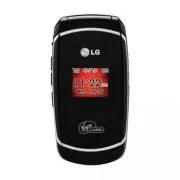
10 Phone Overview Phone Overview 1. Earpiece Lets you hear the caller and automated prompts. 2. Flip Open the phone to answer an incoming call. 3. Internal screen Displays messages and indicator icons. 4. Left option button Use to display the Main Menu. 5. Headset Jack Allows you to plug in an optio...
Page 13 - Ez tip calculator
13 Menus Overview 4. Contacts 1. Find/Add entry 2. Groups 3. Speed dial 4. Voice dials 5. Information 5. VirginXL 1. Launch 6. Messaging 1. Send message 2. Inbox 3. Virgin alerts 4. Voicemail 1. Call voicemail 2. Voicemail details 3. Clear icon 5. Sent 6. Saved 7. Draft 8. Settings 1. Notification 2...
Page 14 - Getting Started with Your Phone; Find Your Phone's Serial Number; Installing the Battery; Charging the Battery; Warning! Use only the charger provided
14 Getting Started with Y our Phone Getting Started with Your Phone Find Your Phone's Serial Number You need your phone's serial number inorder to activate your Virgin Mobileaccount. Here's how to find it: Menu > Settings > Phone information >Phone number . The serial number is below the wo...
Page 15 - Battery Charge Level; Low Battery; Turning the Phone On and Off; Turning the Phone On; Install a charged battery or connect the; Turning the Phone Off; until the display; Fully Charged
15 Getting Started with Y our Phone Battery Charge Level The battery charge level is shown at thetop right of the internal screen. When thebattery charge level becomes low, the lowbattery sensor alerts you in three ways:sounding an audible tone, blinking thebattery icon, and displaying Low Battery ....
Page 16 - Your phone will connect to the network,; Signal Strength
16 Getting Started with Your Phone Getting Started with Y our Phone Program Your Virgin MobilePhone Once your account is activated, you needto program your new Virgin Mobile phonenumber into your phone. 1. Turn on your phone. 2. Dial ##VIRGIN# (that's #-#-8-4-7-4-4-6-#) 3. You are now in the Program...
Page 17 - Screen Icons; Correcting Dialing Mistakes; Receiving Calls; Note
17 Getting Started with Y our Phone Screen Icons When the phone is powered on, the topline of the internal screen displays iconsindicating the status of the phone. To see the icons, go to Menu -> Settings -> Phone information -> Icon glossary . Making Calls 1. Make sure the phone is turned ...
Page 18 - Call Waiting; to receive a waiting call.; Caller ID; Press and hold the Speed Dial number.
18 Quick Access to Convenient Features Quick Access to Convenient Features Call Waiting Your service provider may offer callwaiting. While a call is in progress, twobeeps indicate another incoming call.When call waiting is enabled, you may putthe active call on hold while you answerthe other incomin...
Page 19 - Text Input; Key Functions
Text Input Text Input Modes There are five modes for entering text, numbers, special characters, and punctuation. In a text entry field, pressing right option button displays a pop-up list of text modes. Key Functions Right option button : Press to scroll through the following text inputmodes: T9Wor...
Page 20 - Changing Letter Capitalization; Text Input Examples; LG
S Sm miille eyyss M Mo od de e Use to insert smiley graphics. There are 36smiley characters. Changing Letter Capitalization Using T9 and Abc text input modes youcan set the capitalization. Press to cycle through the following. IIn niittiia all C Ca ap p ((T T99W Wo orrd d // A Ab bc c)) Only the fir...
Page 22 - Using Phone Menus; Menu Access
Using Phone Menus 22 Menu Access Menu Access Press or left option button to have access to 9 phone menus. There are twomethods to access menus and submenus: Use the navigation key to highlight andselect, or Press the number key that correspondsto the menu or submenu. For example: 1. Press . Nine men...
Page 23 - Access and Options; Get more graphics; and press
My Stuff My stuff lets you preview, assign &download graphics, ringtones, and more.Charges apply for most downloads.Additional charges may apply for multiplebalance checks in one day. Seewww.virginmobileusa.com for pricingdetails. Access and Options 1. Press Menu . 2. Press My Stuff . 3. Select ...
Page 24 - Get more games; Get more stuff
3. My games You can play some preloaded gamesavailable on your phone. 1. Press , , . 2. Highlight Get more games and press (VirginXL will launch and take you to the games download menu). 4. My themes You can customize the color displayed onLCD. 1. Press , , . Theme1/ Theme2/ Theme3 2. Use to highlig...
Page 25 - My Account
My Account The My Account menu allows you tomanage your Virgin Mobile services.Check your balance and Top-Up here. Access and Options 1. Press . 2. Press My Account or Press in standby mode. Top-Up Top-Up is how you add money to yourVirgin Mobile account. You can Top-Upyour Virgin Mobile account rig...
Page 27 - Settings; to view preloaded
Settings 27 Settings Settings The Settings Menu has options tocustomize your phone. Access and Options 1. Press Menu . 2. Press Settings . 3. Select a sub-menu. 1. Display 2. Sounds3. Bluetooth4. Messaging5. Text entry6. Phone information7. Language8. More… 1. Display Provides you with options to cu...
Page 28 - Preloaded; Assign; or; List; Shortcut
3. Select Preloaded to view preloaded images. 4. Select Strobe/ Dance/ Party , then press . 5. Press left option button Assign . 1.1.3 Backlight Allows you to set the duration forilluminating the backlight. Main LCD andKeypad are set separately. 1. Press , , , , . 2. Choose a setting, then press . D...
Page 34 - On; to select a setting, then press
8.2.2 Abbreviated dialing This allows you to dial a number usingonly five or six digits. 1. Press , , , , . 2. Select On and enter a five- or six-digit number (for example, area code andprefix) and press . 8.2.3 Call answer Allows you to customize how you answerincoming calls. 1. Press , , , , . 2. ...
Page 36 - Unlock; IMPORTANT
IMPORTANT : Be sure to write down your lock code if you change it. Virgin Mobilecannot unlock your phone for you if youforget your lock code. 1. Press , , , . 2. Enter the four-digit lock code. The default lock code is commonly thelast 4 digits of your phone number. 3. Press Lock my phone . 4. Use t...
Page 42 - Set speed dial
1. Press , , . 2. Use to highlight the Speed dial position (or enter the Speed dial digit),then press . 3. Highlight Set speed dial and press . 4. Use to highlight a contact entry, then press . A confirmation message is displayed. ● While viewing a Speed dial entry,choose from the following options:...
Page 43 - Accessing VirginXL; VirginXL
VirginXL Accessing VirginXL With VirginXL, you can access a variety ofmusic, entertainment, and informationservices from your phone. Check VirginMobile’s Web site atwww.virginmobileusa.com for availabilityand pricing, or check directly from yourphone through the VirginXL menu. Chargesapply. Access a...
Page 44 - during an Inbox message; New Message Alert; The phone displays a message on the; Messaging
Messaging Access and Options 1. Press . 2. Press Messaging . Or you can quicklysend a message bypressing . 3. Select a sub-menu. 1. Send message2. Inbox 3. Virgin alerts4. Voicemail 5. Sent 6. Saved7. Draft8. Settings9. Erase messages Text messages, pages, and the voicemailbox become available as so...
Page 45 - SHIFT Key; SPACE Key
1. Send message Allows you to send text messages, pages,and e-mail transmissions. Each messagehas a destination (up to 10 recipients permessage) and information (Message).These are dependent upon the type ofmessage you want to send. Sending a Text Message 1. Press OR Press , , . 2. Enter the recipie...
Page 46 - Message Icon Reference; Displaying the message icon; Out of Memory Warning
Message Icon Reference Voicemail MULTIPLE MESSAGES Message CANCEL Message DUPLICATE Message DUPLICATE LOCK Message FAIL Message PENDING Message READ Message SENT Message UNREAD Message WP READ Message WP UNREAD Virgin Alert read Virgin Alert unread Virgin Alert 2. Inbox 1. Press , , . The phone aler...
Page 52 - Tools
Tools 52 Tools Tools Allows you to make use of various toolsand applications. Access and Options 1. Press Menu . 2. Press Tools . 3. Select a sub-menu. 1. Scheduler2. Alarm clock 3. Ez tip calculator4. Calculator5. Bluetooth6. World clock7. Voice memo8. Notepad 1. Scheduler Allows you to store and a...
Page 55 - Notes
Pairing a new Bluetooth ® device Pairing is the process that allows thephone to locate, establish and register 1-to-1 connection with the target device. 1. Press , , . 2. Scroll to <Add new> and press . 3. Follow the Bluetooth accessory instructions to set the device to pairingmode. 4. Scroll ...
Page 58 - Mode
8. Notepad Allows you to add, read, edit, and erasenotes to yourself. 1. Press , , . 2. Press on <Add new> to write a new note then press to save. While entering a note, use text input mode with right option button Mode . Tools 58 Tools LX165_Virgin_Eng.qxd 1/22/08 5:26 PM Page 58
Page 59 - Recent calls
Recent calls The Recent calls Menu is a list of the lastphone numbers or Contact entries for callsyou placed, accepted, or missed. It iscontinually updated as new numbers areadded to the beginning of the list and theoldest entries are removed from thebottom of the list. Access and Options 1. Press M...
Page 60 - Yes
Call/ Save/ Send message/ Prepend/Erase/ Next/ Prev ● Press to place a call to the number. 3. Outgoing calls Allows you to view the list of outgoingcalls; up to 50 entries. 1. Press , , . 2. Use to highlight an entry, then ● Press to view the entry. ● You can select from the followingoptions: Call/ ...
Page 61 - or press; Surf The Web
Surf The Web Access and Options 1. Press . 2. Select Surf The Web or press . Or you can access directly by pressing . Surf The Web 61 Surf The W eb LX165_Virgin_Eng.qxd 1/22/08 5:26 PM Page 61
Page 62 - TIA Safety Information; Exposure to Radio Frequency Signal
Safety 62 TIA Safety Information The following is the complete TIA SafetyInformation for wireless handheld phones. Exposure to Radio Frequency Signal Your wireless handheld portable phone is alow power radio transmitter and receiver.When ON, it receives and sends out RadioFrequency (RF) signals. In ...
Page 65 - Safety Information; iolation of the instructions; Charger and Adapter Safety
Potentially Explosive Atmosphere Turn your phone OFF when in any areawith a potentially explosive atmosphereand obey all signs and instructions. Sparksin such areas could cause an explosion orfire resulting in bodily injury or even death. Areas with a potentially explosiveatmosphere are often, but n...
Page 66 - Keep the battery’s metal contacts clean.
The battery doesn't need to be emptybefore recharging. Use only LG-approved chargers specificto your phone model since they aredesigned to maximize battery life. Do not disassemble or short-circuit thebattery. Keep the battery’s metal contacts clean. Replace the battery when it no longerprovides acc...
Page 67 - General Notice; Center to replace the damaged antenna.
67 Safety Do not disassemble or crush thebattery. It may cause a fire. General Notice Using a damaged battery or placing abattery in your mouth may causeserious injury. Do not place items containing magneticcomponents such as a credit card,phone card, bank book, or subwayticket near your phone. The ...
Page 68 - Avoid damage to your hearing; FDA Consumer Update; Health Consumer Update on Mobile Phones:
68 Safety Safety If you are listening to music whilst out andabout, please ensure that the volume is ata reasonable level so that you are aware ofyour surroundings. This is particularlyimperative when attempting to cross thestreet. Avoid damage to your hearing Damage to your hearing can occur if you...
Page 69 - Environmental Protection Agency
69 Safety researchers have had difficulty inreproducing those studies, or indetermining the reasons for inconsistentresults. 2. What is the FDA's role concerning thesafety of wireless phones? Under the law, the FDA does not reviewthe safety of radiation-emitting consumerproducts such as wireless pho...
Page 70 - The term “wireless phone” refers here to
Safety 70 Safety The National Institutes of Healthparticipates in some interagency workinggroup activities, as well. The FDA shares regulatory responsibilitiesfor wireless phones with the FederalCommunications Commission (FCC). Allphones that are sold in the United Statesmust comply with FCC safety ...
Page 73 - gives directions for locating the FCC
73 Safety 7. How can I find out how much RadioFrequency energy exposure I can get byusing my wireless phone? All phones sold in the United States mustcomply with Federal CommunicationsCommission (FCC) guidelines that limitRadio Frequency (RF) energy exposures.The FCC established these guidelines inc...
Page 76 - For additional information, please refer to; 0 Driver Safety Tips; Get to know your wireless phone and its
Safety 76 Safety 12. Where can I find additionalinformation? For additional information, please refer to the following resources: FDA web page on wireless phones(http://www.fda.gov/cellphones/) Federal Communications Commission(FCC) RF Safety Program(http://www.fcc.gov/oet/rfsafety) International Co...
Page 77 - Make sure you place your wireless
77 Safety mounted device for your wireless phoneor a speakerphone accessory, takeadvantage of these devices if availableto you. 3. Make sure you place your wireless phone within easy reach and where youcan reach it without removing your eyesfrom the road. If you get an incomingcall at an inconvenien...
Page 78 - to divert your attention from the road.
Safety 78 Safety to divert your attention from the road. 8. Use your wireless phone to call for help. Your wireless phone is one of thegreatest tools you can own to protectyourself and your family in dangeroussituations -- with your phone at yourside, help is only three numbers away.Dial 911 or othe...
Page 81 - interference they generate.; Your Flare has a M4 rating.
interference they generate. The wireless telephone industry hasdeveloped a rating system for wirelessphones, to assist hearing device users findphones that may be compatible with theirhearing devices. Not all phones have beenrated. Phones that are rated have therating on their box or a label located...
Page 83 - Battery Charger; The battery charger allows you to charge your phone.; Battery; Standard battery is available.
Accessories 83 Accessories Battery Charger The battery charger allows you to charge your phone. Battery Standard battery is available. Hands-free Headset The headset connects to your phone allowing hands-free operation. Itincludes earpiece, receiver. To purchase accessories for your new phone such a...
Page 84 - Warranty Information
Warranty Information 84 W arranty information 1. WHAT THIS WARRANTY COVERS: LG offers you a limited warranty that theenclosed subscriber unit and its enclosedaccessories will be free from defects inmaterial and workmanship, according tothe following terms and conditions: (1) The limited warranty for...
Page 85 - number removed or made illegible.
85 W arranty information (2) Defects or damages from abnormal use, abnormal conditions, improperstorage, exposure to moisture ordampness, unauthorizedmodifications, unauthorizedconnections, unauthorized repair,misuse, neglect, abuse, accident,alteration, improper installation, orother acts which are...
Page 86 - LG Electronics Service- Mobile Handsets
Warranty Information 86 W arranty information EXPRESS WARRANTY HEREIN. LGEMOBILECOMM USA INC. SHALL NOT BELIABLE FOR THE LOSS OF THE USE OFTHE PRODUCT, INCONVENIENCE, LOSSOR ANY OTHER DAMAGES, DIRECT ORCONSEQUENTIAL, ARISING OUT OF THEUSE OF, OR INABILITY TO USE, THISPRODUCT OR FOR ANY BREACH OFANY ...
Page 87 - Index
A Accessories 83 Activate Your Virgin Mobile Account 15 Alarm clock 53 All calls 60 Available memory 24 B Battery 14 Bluetooth 31, 54 C Calculator 54 Call Waiting 18 Caller ID 18 Charging the Battery 14 Consumer Information on SAR 79 Contacts 40 D Display 27 Draft 49 E Erase history 60 Erase message...
Page 89 - MEMO