Page 2 - Important Safety Precautions
Important Safety Precautions 2 Impor tant Safe ty Precautions 1. Do not expose the battery charger or adapter to direct sunlight or use it in places with high humidity, such asa bathroom. 2. Do not use harsh chemicals (such as alcohol, benzene, thinners, etc.) or detergents to clean your phone. This...
Page 4 - Ta b l e o f C o n te n ts; Table of Contents; Multimedia; Tools
Ta b l e o f C o n te n ts 4 T able of Cont ent s Important SafetyPrecautions 1 Table of Contents 4 Welcome 7 Technical Details 8 Important Information 8 FCC Part 15 Class B Compliance 8 Technical Details 8 FCC RF Exposure Information 10 Bodily Contact During Operation 10 Vehicle-Mounted the Externa...
Page 5 - Voice Command; Safety
5 T able of Cont ent s 1.3 Auto Pair Handsfree 27 1.4 My Visibility 27 1.5 My Bluetooth Name 27 1.6 My Bluetooth Info 27 Voice Command 28 1. Launch 28 1.1 Start Command 28 1.1.1 Call <Name> or <Number> 28 1.1.2 Voicemail 28 1.1.3 Missed Calls 28 1.1.4 Messages 29 1.1.5 Time & Date 29...
Page 6 - Accessories
Table of Contents 6 T able of Cont ent s Safety Information 35 Charger and Adapter Safety 36 Battery Information and Care 37 Explosion, Shock, and Fire Hazards 38 General Notice 38 Warning! Important safetyinformation 40 Avoiding hearing damage 40 Using your phone safely 40 Avoiding hearing damage 4...
Page 7 - We l c o m e
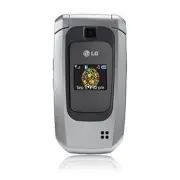
We l c o m e 7 W e lcome Thank you for choosing theLW310 cellular phone designedto operate with the latest digitalmobile communicationtechnology, Code DivisionMultiple Access (CDMA). Alongwith the many advanced featuresof the CDMA system, such asgreatly enhanced voice clarity,this compact phone offe...
Page 8 - Te c h n i c a l D eta i l s; Important Information
Te c h n i c a l D eta i l s 8 T echnical De tails Important Information This user’s guide provides important information on the use and operation of your phone. Please read all the information carefully prior to using the phone for the best performance and to prevent any damage to or misuse of the ...
Page 10 - Technical Details; FCC RF Exposure Information
Technical Details 10 T echnical De tails * TSB-74: Protocol between an IS-95A system and ANSI J-STD-008 1xRTT system receives twice asmany subscribers in the wirelesssection as IS-95. Its battery lifeis twice as long as IS-95. High-speed data transmission is alsopossible. The following table lists s...
Page 11 - FCC Notice and Cautions
11 T echnical De tails metallic components should notbe used. Avoid the use ofaccessories that cannot maintain0.79 inches (2.0 cm) distancebetween the user’s body and theback of the phone and have notbeen tested for compliance withFCC RF exposure limits. Vehicle-Mounted the ExternalAntenna (Optional...
Page 12 - Caution
Technical Details 12 T echnical De tails Caution Use only the supplied andapproved antenna. Use ofunauthorized antennas ormodifications could impair callquality, damage the phone, voidyour warranty and/or result inviolation of FCC regulations. Donot use the phone with adamaged antenna. If a damageda...
Page 13 - - Reorient or relocate the
13 W e lcome Part 15.105 statement This equipment has been testedand found to comply with thelimits for a class B digital device,pursuant to Part 15 of the FCCRules. These limits are designedto provide reasonable protectionagainst harmful interference in aresidential installation. Thisequipment gene...
Page 14 - P h o n e O ve r v i ew
P h o n e O ve r v i ew 14 Phone Ov ervie w 1. Earpiece Lets you hear the caller. 2. LCD Screen Displays messages and indicator icons. When the phone is turned on, PowerSave mode automatically dims the screen andthen darkens it if no keys are pressed. 3. Settings Use to access Settings menu. 4. Spea...
Page 16 - M e nu s O ve r v i ew
M e nu s O ve r v i ew 16 Men us Ov ervie w Recent Calls 1. Missed Calls 2. Received Calls 3. Dialed Calls 4. All Calls 5. Call Timer 6. Data Counter Messaging 1. New Text Message 2. New Picture Message 3. Inbox 4. Sent 5. Drafts 6. Voicemail 7. Templates 8. Settings 1. All Messages 2. Text Message ...
Page 18 - Menus Overview; Menu Access; Press
Menus Overview 18 Men us Ov ervie w 6. Memory 1. Reserved Memory 2. Multimedia 7. Phone Info. 1. My Number 2. ESN/MEID 3. Icon Glossary 4. Version 5. Warranty Data Code 6. Refurbish Menu Access Press Menu to access nine phonemenus. There are twomethods of accessingmenus and submenus: ● Use the navig...
Page 19 - G ett i n g S ta r te d w i t h Yo u r P h o n e; Installing the Battery
19 G ett i n g S ta r te d w i t h Yo u r P h o n e Getting St ar ted with Y our Phone The Battery The phone comes with arechargeable battery. Keep thebattery charged while not in usein order to maximize talk andstandby time. The battery chargelevel is shown at the top of theLCD screen. Installing t...
Page 20 - Charging the Battery; Plug the end of the adapter; B attery Charge Level; Mute; Getting Started with Your Phone
20 Charging the Battery To use the charger provided withyour phone: Warning! Use only the chargerprovided with the phone. Usingany charger other than the oneincluded with the LW310 maydamage your phone or battery. 1. Plug the end of the adapter into the phone’s charger portand the other end into ane...
Page 22 - Browser; Ending an Web Session
22 Browser Multimedia Browser The Web feature allows you toview Internet content. Accessand selections within this featureare dependent upon your serviceprovider. For specific informationon Web access through yourphone, contact your serviceprovider. 1. Start Browser Allows you to initiate an Websess...
Page 24 - Menu
24 Browser Br o w ser Clearing Out Text/NumberEntered When entering text or numbers,press to clear the last number, letter, or symbol. Pressand hold to clear the input field completely. Initiating a Phone Call FromMobile Web You can make a phone call fromMobile Web if the site you areusing supports ...
Page 25 - Select the application or open; wireless technology is
25 Game & Apps/ Tools Game & Apps/ T ools Game & Apps 1. Game & Apps Allows you to download gamesad applications. Choose thesoftware you want from the listdisplayed on the screen. 1. Press , . 2. Select the application or open shop to browse and downloadapps. Tools 1. Bluetooth ® The...
Page 26 - For pairing new Bluetooth; Search
26 Tools T ools and register 1-to-1 connectionwith the target device. For pairing new Bluetooth ® device 1. Press , , , . 2. Follow the Bluetooth ® accessory instructions to setthe device to pairing mode. 3. Press Left Soft Key Search . 4. If Bluetooth ® power is set to off, you will be prompted tot...
Page 27 - On; My Bluetooth Name; Cancel; My Bluetooth Info
27 T ools 1.3 Auto Pair Handsfree 1. Press , , , . 2. Use to select a setting, then press . On / Off 1.4 My Visibility Allows you to set the visibility ofyour Bluetooth ® device. 1. Press , , , . 2. Use to select a setting, then press . Visible / Hidden 1.5 My Bluetooth Name Allows you to edit the n...
Page 28 - Yes
28 Voice Command V o ice Command Voice Command Allows you to make phone callsquickly and easily by voice. Yourphone recalls the number fromyour Contacts, displays it briefly,and then dials it. This menu alsoincludes a feature for those whoare driving or blind. It deliverstime information by voice an...
Page 30 - highlight
30 Settings Settings 1.4 Train Word Allows your to train words forimproved Voice Commandresponses. 1. Press , , . 2. Select options. Voice Command/ Answer/Digit Dial 1.5 B est Match Allows you to choose whetherthe phone displays the 4 closestmatches, or only the closestmatch, when using the VoiceCom...
Page 31 - S a f ety; Antenna Care
S a f ety TIA Safety Information The following is the completeTIA Safety Information forwireless handheld phones. Exposure to Radio FrequencySignal Your wireless handheld portablephone is a low power radiotransmitter and receiver. WhenON, it receives and sends outRadio Frequency (RF) signals. In Aug...
Page 32 - Phone Operation
Safety 32 Safe ty could damage the phone andmay violate FCC regulations. Phone Operation NORMAL POSITION: Hold thephone as you would any othertelephone with the antennapointed up and over yourshoulder. Tips on Efficient Operation For your phone to operatemost efficiently: Don’t touch the antennaunne...
Page 33 - Pacemakers
Safe ty 33 Pacemakers The Health IndustryManufacturers Associationrecommends that a minimumseparation of six (6) inches bemaintained between a handheldwireless phone and a pacemakerto avoid potential interferencewith the pacemaker. Theserecommendations are consistentwith the independent researchby a...
Page 34 - Health Care Facilities
Safety 34 Safe ty Health Care Facilities Turn your phone OFF in healthcare facilities when anyregulations posted in these areasinstruct you to do so. Hospitalsor health care facilities may useequipment that could besensitive to external RF energy. Vehicles RF signals may affect improperlyinstalled o...
Page 35 - Safety Information; Violation of the
Safe ty 35 Areas with a potentially explosiveatmosphere are often, but notalways marked clearly. Potentialareas may include: fueling areas(such as gasoline stations);below deck on boats; fuel orchemical transfer or storagefacilities; vehicles using liquefiedpetroleum gas (such as propaneor butane); ...
Page 36 - Charger and Adapter Safety
Safety 36 Safe ty to fire, explosion or otherhazard. ● Only use the battery for thesystem for which it isspecified. ● Only use the battery with acharging system that has beenqualified with the system perIEEE-Std-1725-2006. Use ofan unqualified battery orcharger may present a risk offire, explosion, ...
Page 37 - Battery Information and Care
Safe ty 37 ● Insert the battery packcharger vertically into the wallpower socket. ● Use the correct adapter foryour phone when using thebattery pack charger abroad. ● Only use the approved batterycharger. Otherwise, you maycause serious damage to yourphone. Battery Information and Care ● Please disp...
Page 38 - General Notice
Safety 38 Safe ty Explosion, Shock, and FireHazards ● Do not put your phone in aplace subject to excessive dustand keep the minimum requireddistance between the powercord and heat sources. ● Unplug the power cord priorto cleaning your phone, andclean the power plug pin whenit’s dirty. ● When using t...
Page 39 - Do not paint your phone.
Safe ty 39 ● Talking on your phone for along period of time mayreduce call quality due to heatgenerated during use. ● When the phone is not usedfor a long period time, store itin a safe place with the powercord unplugged. ● Using the phone in proximityto receiving equipment (i.e.,TV or radio) may ca...
Page 40 - Avoiding hearing damage
Safety 40 Safe ty Warning! Importantsafety information Avoiding hearing damage Permanent hearing loss mayoccur if you use your phoneand/or headset at a high volume.Set the volume to a safe level.You can adapt over time to ahigher volume of sound that maysound normal but can bedamaging to your hearin...
Page 44 - What are the results of the
Safety 44 Safe ty with FCC safety guidelines thatlimit RF exposure. The FCC relieson the FDA and other healthagencies for safety questionsabout wireless phones. The FCC also regulates the basestations that the wireless phonenetworks rely upon. While thesebase stations operate at higherpower than do ...
Page 45 - research done already?
Safe ty 45 research done already? The research done thus far hasproduced conflicting results, andmany studies have suffered fromflaws in their research methods.Animal experiments investigatingthe effects of Radio Frequency(RF) energy exposurescharacteristic of wireless phoneshave yielded conflicting...
Page 51 - For additional information, please
Safe ty 51 now part of a standardsponsored by the Association forthe Advancement of MedicalInstrumentation (AAMI). Thefinal draft, a joint effort by theFDA, medical devicemanufacturers, and many othergroups, was completed in late2000. This standard will allowmanufacturers to ensure thatcardiac pacem...
Page 52 - 0 Driver Safety Tips; Get to know your wireless
Safety 52 Safe ty Non-lonizing RadiationProtection(http://www.icnirp.de) World Health Organization(WHO) International EMFProject(http://www.who.int/emf) National Radiological ProtectionBoard (UK)(http://www.hpa.org.uk/radiation/) 10 Driver Safety Tips Your wireless phone gives youthe powerful abilit...
Page 53 - Suspend conversations during
Safe ty 53 reach and where you canreach it without removingyour eyes from the road. Ifyou get an incoming call at aninconvenient time, if possible,let your voicemail answer it foryou. 4. Suspend conversations during hazardous driving conditionsor situations. Let the personyou are speaking with knowy...
Page 54 - Use your wireless phone to call
Safety 54 Safe ty are distracting and evendangerous when you arebehind the wheel of a car.Make people you are talkingwith aware you are driving andif necessary, suspendconversations which have thepotential to divert yourattention from the road. 8. Use your wireless phone to call for help. Your wirel...
Page 55 - Your
Safe ty 55 appears injured or a vehicleyou know to be stolen, callroadside assistance or otherspecial non-emergencywireless number. The above tips are meant asgeneral guidelines. Beforedeciding to use your mobiledevice while operating a vehicle,it is recommended that youconsult your applicablejurisd...
Page 56 - Tests for SAR are conducted
Safety 56 Safe ty developed by scientific andengineering experts drawn fromindustry, government, andacademia after extensive reviewsof the scientific literature relatedto the biological effects of RFenergy. The exposure Limit for wirelessmobile phones employs a unit ofmeasurement known as theSpecifi...
Page 58 - after searching on FCC ID.
Safety 58 Safe ty after searching on FCC ID. To find information that pertainsto a particular model phone, thissite uses the phone FCC IDnumber which is usually printedsomewhere on the case of thephone. Sometimes it may benecessary to remove the batterypack to find the number. Onceyou have the FCC I...
Page 61 - Wireless Phones and Hearing Aid Accessibility
Safe ty 61 American National StandardsInstitute (ANSI) C63.19standard. To enter that the Hearing AidCompatibility rating for yourphone is maintained, secondary transmitters such as Bluetoothand WLAN components must bedisabled during a call. See Page52 for instructions to disablethese components. For...
Page 62 - Ac c es s o r i es; B attery Charger; Standard battery is available.; Vehicle Power Charger
62 A cce ssorie s Ac c es s o r i es There are a variety of accessories available for your mobile phone.Consult your local dealer for availability. Optional items are soldseparately. B attery Charger The battery charger allows youto charge your phone. B attery Standard battery is available. Vehicle ...
Page 63 - L i m i te d Wa r ra n ty S tate m e n t
L i m i te d Wa r ra n ty S tate m e n t 1. WHAT THIS WARRANTYCOVERS: LG offers you a limited warrantythat the enclosed subscriber unitand its enclosed accessories willbe free from defects in materialand workmanship, according tothe following terms andconditions: (1) The limited warranty for the pro...
Page 64 - Limited Warranty Statement
Limited Warranty Statement 64 Limit ed W a rr anty Sta tement Department of LG. LG shallbear the cost of shippingthe product back to theconsumer after thecompletion of service underthis limited warranty. 2. WHAT THIS WARRANTYDOES NOT COVER: (1) Defects or damages resulting from use of theproduct in ...
Page 65 - published maximum ratings.
65 Limit ed W a rr anty St a tement including, but not limited toany implied warranty ofmarketability or fitness for aparticular use. (7) Damage resulting from use of non-LG approvedaccessories. (8) All plastic surfaces and all other externally exposedparts that are scratched ordamaged due to normal...
Page 66 - . Please call or write
Limited Warranty Statement 66 Limit ed W a rr anty Sta tement LG SHALL NOT BE LIABLE FORTHE LOSS OF THE USE OF THEPRODUCT, INCONVENIENCE,LOSS OR ANY OTHERDAMAGES, DIRECT ORCONSEQUENTIAL, ARISINGOUT OF THE USE OF, ORINABILITY TO USE, THISPRODUCT OR FOR ANYBREACH OF ANY EXPRESS ORIMPLIED WARRANTY,INCL...
Page 67 - I n d ex
67 Inde x I n d ex 1 10 Driver Safety Tips52 A Accessories 62Announce Alert 29Auto Pair Handsfree27 B Battery Charge Level20Best Match 30Bluetooth ® 25 Browser 22 C Charging the Battery20Command Mode 29Consumer Informationon SAR 55 F FCC Hearing-AidCompatibility (HAC)Regulations forWireless Devices ...
Page 68 - Index
T Table of Contents 4Take Photo 21Technical Details 8The Battery 19TIA Safety Information31Tools 25Train Word 30 V Voice Command 28 W Warning! Importantsafety information 40Welcome 7 Inde x 68 Index LW310 Lite_Eng_0929.qxd 9/29/09 10:22 AM Page 68