LG LGLN240 - User Manual
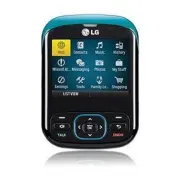
LG LGLN240 Cell Phone – User Manual, read for free online in PDF format. We hope this helps you resolve any issues you may have. If you have further questions, please contact us through the contact form.


Table of Contents:
- Page 2 – BACK
- Page 4 – decreased or trees planted.; *Restriction of Hazardous Substances
- Page 5 – to access the; Press the Right Soft Key to view a list of; Complete the setup wizard by pressing the
- Page 7 – containing music in your phone, press; Press the Left Soft Key for Play to listen to a song.
QWERTY Keyboard
Eco-Friendly Attributes
Set Up Sprint Mobile
Email Client
Social Networking
Playing Music
Q
uic
k S
ta
rt
G
uid
e
www.lgusa.com/r
emar
q
"Loading the manual" means you need to wait until the file loads and becomes available for online reading. Some manuals are very large, and the time they take to appear depends on your internet speed.
Summary
G et ti ng t o K no w Y ou r P ho ne 1. Navigation Key Messages My Stuff Web My Photos 2. Left Soft Key (Favorites) 3. Speakerphone/Voice Command Key 4. Talk Key 5. Microphone6. Power/End Key7. Clear & Back/Lock Key8. Right Soft Key (Contacts) 9. Menu/OK Key10. Earpiece11. Headset Jack 12. Volum...
E co -F ri en dl y A tt ri bu te s Remarq’s packaging consists of a box that’s 87% post-consumer waste and a tray that’s 100% post-consumer waste. LG reduces paper consumption by forgoing the traditional printed manual in favor of a downloadable digital manual. Speaking of reductions, the included p...
S et U p S pr in t M ob ile E m ai l C lie nt Remarq provides instant access to your favorite email providers. The QWERTY keyboard lets you compose messages in seconds, and the setup wizard links your phone to your inbox in no time! 1. From standby mode, press to access the main menu and select Mess...


