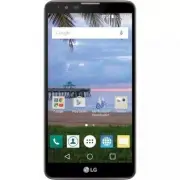
Page 2 - About this user guide
About this user guide Thank you for choosing LG. Please carefully read this user guide before using the device for the first time to ensure safe and proper use. Ţ Always use genuine LG accessories. The supplied items are designed only for this device and may not be compatible with other devices. Ţ T...
Page 3 - Instructional notices
2 Instructional notices WARNING Situations that could cause injury to yourself or others, or damage to the device or other property. NOTE Notices or additional information.
Page 4 - LIMITED WARRANTY STATEMENT; Warranty Laws
3 LIMITED WARRANTY STATEMENT ARBITRATION NOTICE: THIS LIMITED WARRANTY CONTAINS AN ARBITRATION PROVISION THAT REQUIRES YOU AND LG TO RESOLVE DISPUTES BY BINDING ARBITRATION INSTEAD OF IN COURT, UNLESS YOU CHOOSE TO OPT OUT. IN ARBITRATION, CLASS ACTIONS AND JURY TRIALS ARE NOT PERMITTED. PLEASE SEE ...
Page 13 - Table of contents
12 Features you will love ................. 16 Capture+ .................................................. 17 Using Capture+ ............................................................ 17Viewing the saved memo ....................................... 18 KnockON .........................................
Page 19 - Viewing the saved memo
Features you will love 18 NOTE Ţ While using Capture+, use your fingertip, not your fingernail. Viewing the saved memo Tap > > and select the Capture+ album. OR Tap > > and select the desired memo.
Page 20 - KnockON; Turning the screen on; Turning the screen off
Features you will love 19 KnockON The KnockON feature allows you to double-tap the screen to easily turn it on or off. Turning the screen on 1 Double-tap the center of the Lock screen to turn the screen on. 2 Unlock the screen or access any of the available shortcuts or widgets. Turning the screen o...
Page 21 - Knock Code; Setting up the Knock Code feature; Unlocking the screen using the Knock Code
Features you will love 20 Knock Code The Knock Code feature allows you to create your own unlock code using a combination of knocks on the screen. You can access the Home screen directly when the screen is off by tapping the same sequence on the screen. NOTE Ţ If you enter the wrong Knock Code 6 tim...
Page 22 - Pen Pop; Setting up the Pen Pop feature; Pen Pop options
Features you will love 21 Pen Pop The Pen Pop feature allows you to quickly and easily access your options to create a memo. Once you pull the pen out, the Pen Pop feature will open. Setting up the Pen Pop feature Tap > > > Pen . Pen Pop options Tap to hide/display the Pen Pop options. Tap ...
Page 24 - Accessories
Basics 23 Accessories These accessories are available for use with your device. Ţ Travel Adaptor Ţ Quick Start Guide Ţ USB Cable Ţ Battery NOTE Ţ Items described above may be optional. Ţ Always use genuine LG accessories. The supplied items are designed only for this device and may not be compatible...
Page 25 - Device layout
Basics 24 Device layout Front Camera Lens Proximity/Ambient Light Sensor Earpiece Charger/USB Port Headset Jack
Page 28 - Turning Your Device On and Off; Turning your device on
Basics 27 Turning Your Device On and Off Turning your device on Press and hold the Power/Lock Key on the back of the device for a couple of seconds until the screen turns on. Turning your device off 1 Press and hold the Power/Lock Key on the back of the device until the Device options menu appears. ...
Page 29 - Installing the battery
Basics 28 Installing the battery Before you can start exploring your new device, you'll need to set it up. 1 To remove the back cover, hold the device firmly in one hand. With your other hand, lift off the back cover with your thumbnail as shown in the figure below.
Page 31 - Charging the battery
Basics 30 Charging the battery Charge the battery before using it for first time. Use the charger that came with your device to charge the battery. A computer can also be used to charge the battery by connecting the device to it using the USB cable. WARNING Ţ Use only LG-approved chargers, batteries...
Page 32 - Inserting a memory card
Basics 31 Inserting a memory card Your device supports up to a 2TB microSD card. Depending on the memory card manufacturer and type, some memory cards may not be compatible with your device. WARNING Ţ Some memory cards may not be fully compatible with the device. If you use an incompatible card, it ...
Page 33 - Removing the memory card
Basics 32 Removing the memory card Before removing the memory card, first unmount it for safe removal. 1 Tap > > > Storage > Unmount SD card . 2 Remove the back cover and pull out the memory card. WARNING Ţ Do not remove the memory card while the device is transferring or accessing infor...
Page 34 - Touch screen tips; Tap or touch
Basics 33 Touch screen tips Here are some tips on how to navigate on your device. NOTE Ţ Do not press too hard; the touch screen is sensitive enough to pick up a light, yet firm tap. Ţ Use the tip of your finger to tap the option you want. Be careful not to tap any other buttons. Tap or touch Tap or...
Page 35 - Touch and hold
Basics 34 Touch and hold Touch and hold an item on the screen by tapping it and not lifting your finger until an action occurs. Drag Touch and hold an item for a moment and then, without lifting your finger, move your finger on the screen until you reach the target position. You can drag items on th...
Page 36 - Swipe or slide
Basics 35 Swipe or slide To swipe or slide, quickly move your finger across the surface of the screen, without pausing when you first tap it (so you don't drag an item instead). Double-tap Double-tap to zoom on a webpage or a map.
Page 38 - Google account setup; Creating your Google account
Basics 37 Google account setup The first time you open a Google application on your device, you will be required to sign in with your existing Google account. If you do not have a Google account, you will be prompted to create one. Creating your Google account 1 Tap > > > Accounts & syn...
Page 39 - Locking and unlocking the device; Changing the screen lock method
Basics 38 After signing in, your device will sync with your Google services, such as Gmail, Contacts, and Google Calendar. You can also use Maps, download applications from Play Store, back up your settings to Google servers, and take advantage of other Google services on your device. Locking and un...
Page 40 - Smart Lock; Setting up Smart Lock feature
Basics 39 Smart Lock You can use Smart Lock to make unlocking your device easier. You can set it to keep your device unlocked when you have a trusted Bluetooth® device connected to it, when it's in a familiar location like your home or work, or when it recognizes your face or voice, or when it detec...
Page 41 - Home screen; Getting to Know the Home Screen
Basics 40 Home screen The Home screen is the starting point for many applications and functions. It allows you to add items like app shortcuts and Google widgets to give you instant access to information and applications. This is the default canvas and accessible from any menu by tapping . Getting t...
Page 42 - To view other Home screen panels
Basics 41 3 Application Icons - Tap an icon (application, folder, etc.) to open and use it. 4 Location Indicator - Indicates which Home screen canvas you are currently viewing. 5 Quick Button Area - Provides one-touch access to the function in any Home screen canvas. 6 Home Touch Buttons Back Button...
Page 43 - Returning to recently-used applications; Customizing the Home screen; Adding items on your Home screen
Basics 42 Returning to recently-used applications Multitasking is easy with Android; you can keep more than one application running at the same time. There is no need to quit an application before opening another. Use and switch between several open applications.Android manages each application, sto...
Page 44 - Removing an item from the Home screen; Customizing app icons on the Home screen
Basics 43 NOTE Ţ To add an application icon to the Home screen from the Apps screen, touch and hold the application you want to add. Removing an item from the Home screen While on the Home screen, touch and hold the icon you want to remove, then drag it to . Adding an app to the Quick Button Area Fr...
Page 45 - Notifications panel; Opening the notifications panel
Basics 44 Notifications panel Notifications alert you to the arrival of new messages, calendar events and alarms, as well as ongoing events, such as when you are on a call. Opening the notifications panel Swipe down from the status bar to open the notifications panel. To close the notifications pane...
Page 46 - Indicator icons on the Status Bar
Basics 45 3 Tap to clear all the notifications. When a notification arrives, its icon appears at the top of the screen. Icons for pending notifications appear on the left, and system icons, such as Wi-Fi and battery strength are shown on the right. Indicator icons on the Status Bar Indicator icons a...
Page 48 - Capturing a screenshot; Using the keypad and entering text
Basics 47 Capturing a screenshot Press and hold the Volume Down Key and the Power/Lock Key at the same time for 2 seconds to capture a screenshot of the current screen.To view the captured image, tap > > > the Screenshots folder. On-screen keyboard You can enter text by using the on-screen ...
Page 49 - Entering special characters
Basics 48 Entering special characters The on-screen keyboard allows you to enter special characters.For example, to input "á", touch and hold the "a" button until the pop-up appears and displays related special characters. Without lifting the finger, drag your finger to the desired s...
Page 50 - Transferring data using USB connection
Basics 49 Transferring data between a PC and the device You can copy or move data between a PC and the device. Transferring data using USB connection 1 Connect your device to a PC using the USB cable that came with your device. 2 Open the Notifications panel, tap the current connection type, and sel...
Page 52 - Installing or uninstalling apps; To open the Play Store app; To open a screen with details about an app
Apps 51 Installing or uninstalling apps Play Store allows you to browse and search for free and paid applications. To open the Play Store app Tap > > . To open a screen with details about an app At any time while browsing in Play Store, tap an app to open its details screen.The App details scr...
Page 53 - Calls; Making a call; Calling your contacts
Apps 52 Calls You can enjoy clear calling across the region. Making a call 1 Tap > . 2 Enter the number by using the dialer. To delete a digit, tap . 3 After entering the desired number, tap to place the call. 4 To end the call, tap . NOTE Ţ To enter "+" to make international calls, touch...
Page 54 - Making a second call; Viewing your call logs
Apps 53 NOTE Ţ Swipe if you want to decline a call and send a message to the caller. Making a second call 1 During your first call, tap > Add call and enter the number. 2 Tap . Both calls are displayed on the call screen. Your initial call is locked and put on hold. 3 To toggle between the active...
Page 55 - Change your call settings
Apps 54 Change your call settings You can configure device call settings, such as call forwarding, as well as other special features offered by your carrier. 1 Tap > . 2 Tap > Call settings and configure the desired options.
Page 56 - Contacts; Searching for a contact
Apps 55 Contacts You can add contacts on your device and synchronize them with the contacts in your Google Account or other accounts that support syncing contacts. Searching for a contact 1 Tap > . 2 Tap Search contacts and enter the contact name using the keyboard. Matches are displayed as you b...
Page 57 - Adding a contact to your favorites; Creating a group
Apps 56 Adding a contact to your favorites 1 Tap > . 2 Tap a contact to view its details. 3 Tap the star at the top right of the screen. The star will be highlighted. Removing a contact from your favorites list 1 Tap > > Favorites tab. 2 Choose a contact to view its details. 3 Tap the highl...
Page 58 - Messaging; Sending a message
Apps 57 Messaging Your device combines text and multimedia messaging into one intuitive, easy to use menu. NOTE Ţ You may be charged for each message you send. Please consult with your service provider. Sending a message 1 Tap > > . 2 Tap , then select one or more entries from your Contacts li...
Page 59 - Conversation view
Apps 58 Conversation view Messages exchanged with another party are displayed in chronological order so that you can conveniently see and find your conversations. Changing your messaging settings Your device's messaging settings are predefined to allow you to send messages immediately. You can chang...
Page 60 - Browser; Using the Browser toolbar
Apps 59 Browser Use this application to browse the Internet. The Browser gives you a fast, full-color world of games, music, news, sports, entertainment and much more, right on your mobile device. NOTE Ţ Additional charges apply when connecting to these services and downloading content. Check data c...
Page 61 - Viewing webpages; Opening a page; Bookmarks
Apps 60 Viewing webpages Tap the address field, enter the web address and tap Go on the keyboard. Opening a page To open a new page, tap > . To go to another webpage, tap , scroll up or down, and tap the page to select it. Searching the web by voice In the browser, tap the address field and then ...
Page 62 - Camera; Taking a photo; Viewfinder options
Apps 61 Camera You can use the camera or camcorder to take and share pictures and videos. Ţ Tap > > . Taking a photo 1 Frame your subject on the screen. 2 Green squares around the subject indicates that the camera has focused. 3 Tap to take a photo. Your picture will be automatically saved to ...
Page 63 - Using the advanced settings
Apps 62 2 Tap to manage the camera's flash. 3 Tap to swap between the rear camera lens and the front camera lens. 4 Allows you to select the shot mode for the picture. 5 Tap to open the camera settings menu. 6 Tap to view the last photo or video you recorded. 7 Tap to start recording. 8 Tap to take ...
Page 64 - Interval shot
Apps 63 Tap to activate the camera shutter by voice command. When on, you just say " Cheese ", " Smile ", " LG ", etc. to take a picture. Tap to set your camera's timer. This is ideal if you want to be a part of the picture or video. Tap to take better pictures and record bet...
Page 65 - Gesture shot; Using a gesture to take photos
Apps 64 Gesture shot The Gesture shot feature allows you to take a picture with a hand gesture using the front camera. Using a gesture to take photos There are two methods for using the Gesture shot feature. Ţ Raise your hand, with an open palm, until the front camera detects it and a box appears on...
Page 66 - Once you have taken a photo
Apps 65 Multi-point Auto-focus When you take a picture, the Multi-point Auto-focus (AF) function operates automatically and will allow you to see a clear image. Once you have taken a photo Tap the image thumbnail on the screen to view the last photo you took. Tap to edit the photo. Tap to take anoth...
Page 67 - After recording a video
Apps 66 NOTE Ţ Tap to take pictures while recording video. 4 Tap to pause recording video. You can resume recording by tapping . OR Tap to stop recording. Your video will be automatically saved to the Gallery. After recording a video Tap the video thumbnail on the screen to view the last video you r...
Page 68 - Gallery; Viewing pictures
Apps 67 Gallery The Gallery application presents the pictures and videos in your storage, including those you've taken with the Camera application and those you downloaded from the web or other locations. 1 Tap > > . 2 Tap an album to open it and view its contents. (The pictures and videos in ...
Page 69 - Setting wallpaper; Zooming in and out; Playing a video
Apps 68 Setting wallpaper While viewing a photo, tap > Set image as to set the image as wallpaper or assign it to a contact. Zooming in and out Use one of the following methods to zoom in on an image: Ţ Double-tap anywhere to zoom in and out. Ţ Spread two fingers apart on any place in the picture...
Page 70 - Video options
Apps 69 Video options 1 2 3 4 5 6 7 8 1 Tap to pause/resume video playback. 2 Touch and hold to fast-forward in 3 second increments. Tap to fast-forward 10 seconds. 3 Touch and hold to rewind in 3 second increments. Tap to rewind 10 seconds. 4 Tap to adjust the video volume. 5 Tap to lock/unlock the...
Page 71 - Deleting photos/videos
Apps 70 NOTE Ţ While playing a video, slide the right side of the screen up or down to adjust the sound. Ţ While playing a video, slide the left side of the screen up or down to adjust the brightness. Ţ While playing a video, slide your finger from left to right (or vice versa) to fast-forward and r...
Page 72 - Email; Adding an account; Working with account folders; Composing and sending email
Apps 71 Email You can use the Email application to read email from providers other than Gmail. The ` Email application supports the following account types: POP3, IMAP, Microsoft Exchange (for Enterprise users) and other accounts. Ţ Tap > > . Adding an account The first time you open the Email...
Page 73 - Changing the Email app general settings
Apps 72 3 Tap the Cc/Bcc field to copy or blind copy to other contacts/email addresses. 4 Tap the text field and enter your message. 5 Touch and hold the text field to edit selected words. (Bold/Italic/Underline/Color) 6 Tap to attach the file you want to send with your message. 7 Tap to send the me...
Page 74 - Music; Playing a song
Apps 73 Music Your device has a music player that lets you play all your favorite tracks. NOTE Ţ Depending on the software installed, some file formats may not be supported. Ţ If the file size exceeds the available memory, an error can occur when you open files. Ţ Music file copyrights may be protec...
Page 75 - Music player options
Apps 74 Music player options Tap to pause playback. Tap to resume playback. Tap to skip to the next track in the album, playlist or shuffle list. Touch and hold to fast-forward.Tap to restart the current track or skip to the previous track in the album, playlist or shuffle list. Touch and hold to re...
Page 77 - Clock; Timer
Apps 76 Clock The Clock app gives you access to the Alarms, Timer, World clock and Stopwatch functions. Access these functions by tapping the tabs across the top of the screen or swiping horizontally across the screen. Ţ Tap > > . Alarms The Alarms tab allows you to set alarms. 1 Tap the Alarm...
Page 78 - Stopwatch
Apps 77 World clock The World clock tab allows you to easily check the current time in other cities around the world. 1 Tap the World clock tab. 2 Tap and search for the desired city. Stopwatch The Stopwatch tab allows you to use your device as a stopwatch. 1 Tap the Stopwatch tab. 2 Tap Start to in...
Page 79 - Calculator; Calendar
Apps 78 Calculator The Calculator app allows you to perform mathematical calculations using a standard or scientific calculator. 1 Tap > > . 2 Tap the number buttons to enter numbers. 3 For simple calculations, tap the function you want to perform (+, –, x or ÷) followed by =. NOTE Ţ For more ...
Page 80 - Voice Recorder; Recording a sound or voice; Downloads
Apps 79 Voice Recorder The Voice Recorder app records audible files for you to use in a variety of ways. Recording a sound or voice 1 Tap > > . 2 Tap to begin recording. 3 Tap to end the recording. 4 Tap to pause the recording. 5 Tap to listen to the recording. NOTE Ţ Tap to access your record...
Page 81 - Google apps; Google; Chrome; Gmail; Maps
Apps 80 Google apps Google provides entertainment, social network, and business apps. You may require a Google account to access some apps.To view more app information, access each app’s help menu. NOTE Ţ Some apps may not be available depending on the region or service provider. Google Search quick...
Page 83 - Slides
Apps 82 Slides Create, edit, and collaborate with others on presentations. Voice Search You can use your voice on the Google app or Chrome to run a search, getdirections, and create reminders.
Page 85 - Access the Settings menu; Opening the settings app
Settings 84 Access the Settings menu The Settings app allows you to customize and personalize your device. Opening the settings app Ţ Tap > touch and hold > System settings . OR Ţ Tap > > .
Page 86 - Wireless Networks; Airplane mode
Settings 85 Wireless Networks Airplane mode Allows you to use many of your device's features, such as games, and music, when you are in an area where making or receiving calls or data use is prohibited. When you set your device to Airplane Mode, it cannot send or receive any calls or access online d...
Page 87 - Bluetooth; Pairing your device with another Bluetooth device
Settings 86 Bluetooth Bluetooth is a short-range communications technology that allows you to connect wirelessly to a number of Bluetooth devices, such as headsets and hands-free car kits, and Bluetooth-enabled handhelds, computers, printers, and wireless devices. NOTE Ţ LG is not responsible for th...
Page 88 - Sending data via Bluetooth; Receiving data via Bluetooth
Settings 87 NOTE Ţ Pairing between two Bluetooth devices is a one-time process. Once a pairing has been created, the devices will continue to recognize their partnership and exchange information. Ţ Please consult documentation included with Bluetooth device for information on pairing mode and passco...
Page 89 - Mobile data
Settings 88 Mobile data Displays the data usage and mobile data usage limit. 1 On the Settings screen, tap Mobile data . 2 Tap to toggle your mobile data connection On or Off. This allows you to manage your mobile data usage. You can use a Wi-Fi network connection for data instead. Call Allows you t...
Page 90 - Mobile networks
Settings 89 Ţ Connection vibration – Vibrates your device when the other party answers the call. Ţ TTY mode – Allows you to activate TTY mode. Ţ Hearing aids – Allows you to turn on hearing aid compatibility. Ţ Power key ends call – Allows you to use the Power key to end calls. Ţ Silence incoming ca...
Page 91 - Emergency alerts; Printing via wireless printer
Settings 90 Emergency alerts If emergency alerts are issued, those alerts will appear on this menu.On the Settings screen, tap More > Emergency alerts . Printing Allows you to print the content of certain screens (such as web pages displayed in Chrome) to a printer connected to the same Wi-Fi net...
Page 92 - Device
Settings 91 Device Sound & notification Allows you to change settings for various sounds on the device. On the Settings screen, tap Sounds & notifications . Ţ Sound profile – Allows you to set your device's sound profile. Ţ Volume – Adjust the device's volume settings to suit your needs and ...
Page 93 - Display
Settings 92 Ţ Notification sound – Allows you to set the notification sound. You can also add and delete notification sounds. Ţ Vibrate on tap – Enable to vibrate when tapping the Home touch buttons and during other UI interactions. Ţ Sound effects – This menu lets you select whether you hear tones ...
Page 95 - Mini view; Internal storage
Settings 94 Ţ Wallpaper – Select the wallpaper to display for your lock screen. Ţ Shortcuts – Allows you to choose the shortcuts available on the lock screen. Ţ Contact info for lost phone – Allows you to display the owner information on the lock screen in case the device is lost. Ţ Lock timer – All...
Page 96 - SD card; Battery & power saving
Settings 95 SD card Ţ Total space – Displays the total amount of space and the remaining available space in your memory card. Ţ Mount/Unmount SD card – Allows you to mount or unmount your SD card. Ţ Erase SD card – Allows you to erase all of the data on your SD card. Battery & power saving Displ...
Page 97 - Default message app; Dual window
Settings 96 Default message app This menu allows you to set your default messaging app as desired.On the Settings screen, tap Default message app . Dual window This feature allows you to use two apps at once. You can turn the feature On and Off in this menu.On the Settings screen, tap Dual window . ...
Page 98 - Personal; Location
Settings 97 Personal Location Turn on location service, your device determines your approximate location using Wi-Fi and mobile networks. When you select this option, you're asked whether you consent to allowing Google to use your location when providing these services.On the Settings screen, tap Lo...
Page 102 - System; Shortcut key
Settings 101 System Shortcut key Get quick access to apps by pressing the Volume Keys twice when the screen is off or locked.On the Settings screen, tap Shortcut key . Ţ Press the Volume Up Key twice when the screen is off or locked to open the Capture+ app. Ţ Press the Volume Down Key twice when th...
Page 104 - Quick Cover View
Settings 103 - Touch feedback time – Sets the touch feedback time. - Touch assistant – Show a touch board with easy access to common actions. - Screen timeout – Sets the amount of time before the backlight turns off automatically. - Touch control areas – Allows you to select an area of the screen to...
Page 105 - About phone
Settings 104 Pen This menu allows you to set various settings for the Pen feature.On the Settings screen, tap Pen . About phone View legal information, check device status and software versions, and perform a software update. On the Settings screen, tap About phone .
Page 107 - Device software update
Appendix 106 Device software update LG Mobile Device software update via Over-the-Air (OTA) This feature allows you to conveniently update your device's software to a newer version via OTA, without connecting using a USB data cable. This feature will only be available if and when LG makes a newer fi...
Page 108 - FAQ
Appendix 107 FAQ This chapter lists some problems you might encounter when using your device. Some problems require you to call your service provider, but most are easy to fix yourself. Message Possible causes Possible corrective measures SIM card error There is no SIM card in the device or it is in...
Page 113 - More information; Open Source Software Notice Information
Appendix 112 More information Open Source Software Notice Information To obtain the source code under GPL, LGPL, MPL, and other open source licenses, that is contained in this product, please visit http://opensource. lge.com.In addition to the source code, all referred license terms, warranty discla...
Page 121 - Acerca de esta guía del usuario
Acerca de esta guía del usuario Gracias por elegir LG. Lea atentamente esta guía del usuario antes de usar el dispositivo por primera vez para garantizar su uso correcto y seguro. Ţ Utilice siempre accesorios LG originales. Los elementos incluidos están diseñados únicamente para este dispositivo y e...
Page 122 - Avisos instructivos
2 Ţ Pueden aplicarse cargos adicionales por el servicio de datos, como la mensajería, la carga y descarga, la sincronización automática o el uso de servicios de localización. Para evitar cargos adicionales, seleccione un plan de datos adecuado a sus necesidades. Contacte a su proveedor de servicio p...
Page 123 - DECLARACIÓN DE GARANTÍA LIMITADA; Leyes relacionadas con la garantía
3 DECLARACIÓN DE GARANTÍA LIMITADA AVISO DE ARBITRAJE: ESTA GARANTÍA LIMITADA CONTINE UNA CLÁUSULA DE ARBITRAJE QUE LE DEMANDA A USTED Y A LG RESOLVER CONFLICTOS A TRAVÉS DE UN ARBITRAJE VINCULANTE EN LUGAR DE HACERLO EN LA CORTE, A MENOS QUE USTED DECIDA NO PARTICIPAR.EN EL ARBITRAJE NO ESTÁN PERMI...
Page 133 - Tabla de contenido
13 Funciones que amará .................. 17 Capture+ .................................................. 18 Usar Capture+ ...........................................................18Ver la nota guardada .............................................19 KnockON ...........................................
Page 139 - Ver la nota guardada
Funciones que amará 19 Toque para ocultar o mostrar la barra de herramientas. NOTA Ţ Mientras utiliza Capture+, usa la punta de tu dedo, no la uña. Ver la nota guardada Toque > > y seleccione el álbum Capture+ . O Toque > > y seleccione la nota deseada.
Page 140 - Encender la pantalla
Funciones que amará 20 KnockON La función de KnockON le permite tocar dos veces la pantalla para apagarla o encenderla fácilmente. Encender la pantalla 1 Toque dos veces el centro de la pantalla de bloqueo para encender la pantalla. 2 Desbloquee la pantalla o el acceso a cualquiera de los accesos di...
Page 141 - Establecer la función Código de toques; Desbloquear la pantalla con el Código de toques
Funciones que amará 21 Knock Code La función Knock Code (Código de toques) le permite crear su propio código de desbloqueo mediante una combinación de toques en la pantalla. Puede acceder a la pantalla principal directamente cuando la pantalla está apagada tocando la misma secuencia en la pantalla. ...
Page 142 - Configurar la función Bolígrafo; Opciones del Bolígrafo
Funciones que amará 22 Bolígrafo La función Bolígrafo le permite tener acceso rápido y fácil a las opciones para crear una nota. Cuando retire el lápiz óptico, la función Bolígrafo se abrirá. Configurar la función Bolígrafo Toque > > > Bolígrafo . Opciones del Bolígrafo Toque para ocultar/m...
Page 144 - Accesorios
Básico 24 Accesorios Estos accesorios están disponibles para usarlos con su teléfono. Ţ Adaptador de viaje Ţ Guía de inicio rápido Ţ Cable USB Ţ Batería NOTA Ţ Los artículos descritos anteriormente pueden ser opcionales. Ţ Siempre utilice accesorios LG originales. Los elementos incluidos están diseñ...
Page 145 - Diseño del teléfono
Básico 25 Diseño del teléfono Lente de la cámara frontal Sensor para luz ambiental/proximidad Auricular Puerto para el cargador/USB Conector del auricular
Page 148 - Encender y apagar el teléfono; Encender el teléfono; Apagar el teléfono
Básico 28 Encender y apagar el teléfono Encender el teléfono Mantenga presionada la Tecla Encender/Bloquear en el posterior del teléfono durante un par de segundos hasta que la pantalla se encienda. Apagar el teléfono 1 Mantenga presionada la Tecla Encender/Bloquear en el posterior del teléfono hast...
Page 149 - Instalación de la batería
Básico 29 Instalación de la batería Antes de empezar a explorar tu teléfono, debes configurarlo. 1 Para retirar la tapa posterior, sostenga el teléfono firmemente en una mano. Con la otra mano, levante la tapa posterior con el dedo pulgar como se muestra en la imagen a continuación.
Page 151 - Carga de la batería
Básico 31 Carga de la batería Cargue la batería antes de usar el teléfono por primera vez. Use el cargador que viene con su teléfono para cargar la batería. También puede usarse una computadora para cargar la batería al conectar el teléfono a esta usando el cable USB. ADVERTENCIA Ţ Use solo cargador...
Page 152 - Insertar la tarjeta de memoria
Básico 32 Insertar la tarjeta de memoria El dispositivo soporta una tarjeta de memoria microSD de hasta 2TB.Dependiendo del fabricante y el tipo de la tarjeta de memoria, algunas tarjetas de memoria podrían no ser compatibles con su dispositivo. ADVERTENCIA Ţ Algunas tarjetas de memoria podrían no s...
Page 153 - Extraer la tarjeta de memoria
Básico 33 Extraer la tarjeta de memoria Antes de extraer la tarjeta de memoria, desactívela primero para extraerla de forma segura. 1 Toque > > > Almacenamiento > Desactivar la MicroSD . 2 Retire la tapa posterior y saque la tarjeta de memoria. ADVERTENCIA Ţ No extraiga la tarjeta de mem...
Page 154 - Sugerencias sobre la pantalla táctil; Presione o toque
Básico 34 Sugerencias sobre la pantalla táctil A continuación, se incluyen algunos consejos sobre cómo navegar en su teléfono. NOTA Ţ No ejerza demasiada presión; la pantalla táctil es lo suficientemente sensible para detectar un toque suave, pero firme. Ţ Utilice la punta del dedo para tocar la opc...
Page 155 - Tocar y mantener presionado
Básico 35 Tocar y mantener presionado Mantenga presionado un elemento en la pantalla sin levantar el dedo hasta que se produzca una acción. Arrastrar Para arrastrar un elemento, manténgalo presionado un elemento un momento y, a continuación, mueva el dedo por la pantalla sin levantarlo hasta que lle...
Page 156 - Deslizar o desplazar
Básico 36 Deslizar o desplazar Para deslizar o desplazarse, mueva rápidamente el dedo sobre la superficie de la pantalla sin detenerse desde el momento en que ha tocado la pantalla (para no arrastrar el elemento). Tocar dos veces Toque dos veces para ampliar una página web o un mapa.
Page 158 - Crear una cuenta de Google
Básico 38 Con Ż guración de la cuenta de Google La primera vez que abra una aplicación de Google en el teléfono, se le solicitará que inicie sesión con su cuenta de Google. Si no tiene una cuenta de Google, se le pedirá que cree una. Crear una cuenta de Google 1 Toque > > > Cuentas y sincro...
Page 159 - Iniciar sesión en la cuenta de Google
Básico 39 Iniciar sesión en la cuenta de Google 1 Toque > > > Cuentas y sincronización . 2 Toque AGREGAR CUENTA > Google . 3 Ingrese su dirección de correo electrónico y toque SIGUIENTE . 4 Ingrese su contraseña y toque SIGUIENTE . 5 Después de iniciar sesión, puede usar Gmail y aprovech...
Page 160 - Bloquear y desbloquear el dispositivo; Cambiar el método de bloqueo de pantalla
Básico 40 Bloquear y desbloquear el dispositivo Al presionar la Tecla Encender/Bloquear la pantalla se apaga y el dispositivo se bloquea. El dispositivo se bloquea automáticamente si no se usa durante un período especificado. De esta forma, se evita que las teclas se toquen por accidente y se ahorra...
Page 161 - Bloqueo inteligente; Configuración de Smart Lock
Básico 41 Bloqueo inteligente Puede usar Bloqueo inteligente para que desbloquear el teléfono resulte más sencillo. Puede configurarlo para mantener su teléfono desbloqueado cuando tiene un dispositivo Bluetooth® de confianza conectado a él, cuando está en una ubicación familiar como su casa o su tr...
Page 162 - Pantalla principal; Características de la pantalla principal
Básico 42 Pantalla principal La pantalla principal es el punto de partida de muchas aplicaciones y funciones. Le permite agregar elementos como accesos directos a aplicaciones y Widgets de Google para tener acceso instantáneo a información y aplicaciones. Es la página predeterminada y accesible desd...
Page 164 - Para ver otros paneles de pantalla principal; Volver a las aplicaciones usadas recientemente
Básico 44 Para ver otros paneles de pantalla principal El sistema operativo ofrece varias páginas de pantalla principal con el fin de ofrecer más espacio para agregar íconos, Widgets y más. Ţ Deslice su dedo hacia la izquierda o la derecha por la pantalla principal para obtener acceso a pantallas ad...
Page 165 - Personalizar la pantalla principal; Agregar elementos a la pantalla principal; Eliminar un elemento de la pantalla principal
Básico 45 Personalizar la pantalla principal Puede personalizar su pantalla principal al agregar aplicaciones y widgets y cambiar los fondos de pantalla. Agregar elementos a la pantalla principal 1 Toque y mantenga presionada la parte vacía de la pantalla principal. 2 En el menú Agregar, seleccione ...
Page 166 - Eliminar una aplicación del área de botones rápidos; Panel de notificaciones; Cómo abrir el panel de notificaciones
Básico 46 Eliminar una aplicación del área de botones rápidos Mantenga presionado el botón rápido deseado y luego arrástrelo a . NOTA Ţ El botón Aplicaciones no se puede eliminar. Personalizar los íconos de aplicaciones en la pantalla principal 1 Mantenga presionado el ícono de una aplicación hasta ...
Page 168 - Íconos indicadores en la Barra de estado
Básico 48 Íconos indicadores en la Barra de estado Los íconos indicadores aparecen en la barra de estado en la parte superior de la pantalla, para informar sobre llamadas perdidas, nuevos mensajes, eventos del calendario, estado del dispositivo y más. Notificaciones pendientes Notificaciones del sis...
Page 170 - Capturas de pantalla; Teclado en pantalla; Uso del teclado e introducción de texto
Básico 50 Capturas de pantalla Mantenga presionada la Tecla Bajar Volumen y la Tecla Encender/ Bloquear al mismo tiempo durante 2 segundos para capturar una imagen de la pantalla actual.Para ver la imagen capturada, toque > > > la carpeta Screenshots . Teclado en pantalla Puede introducir t...
Page 171 - Introducir caracteres especiales
Básico 51 Toque esta tecla para introducir un espacio. Toque para crear una nueva línea. Toque para eliminar el carácter anterior. Introducir caracteres especiales El teclado en pantalla le permite introducir caracteres especiales.Por ejemplo, para introducir "á", toque y mantenga presionada...
Page 172 - Transferir datos mediante USB
Básico 52 Transferir datos entre una PC y un dispositivo Puede copiar o mover datos entre una PC y su dispositivo. Transferir datos mediante USB 1 Conecte su dispositivo a una PC usando el cable USB incluido con el teléfono. 2 Abra el panel de notificaciones, toque el tipo de conexión actual y selec...
Page 174 - Instalar o desinstalar aplicaciones; Para abrir la aplicación Google Play; Desinstalar aplicaciones
Aplicaciones 54 Instalar o desinstalar aplicaciones Google Play le permite explorar y buscar aplicaciones tanto gratuitas como pagas. Para abrir la aplicación Google Play Toque > > . Para abrir una pantalla con detalles de una aplicación Mientras explora Google Play, toque una aplicación para ...
Page 175 - Llamadas; Realizar una llamada; Llamar a los contactos
Aplicaciones 55 Llamadas Puede disfrutar llamadas sin interferencias en toda la región. Realizar una llamada 1 Toque > . 2 Utilice el teclado de marcación para ingresar el número. Para borrar un dígito, toque . 3 Después de ingresar el número deseado, toque para realizar la llamada. 4 Para finali...
Page 176 - Responder y rechazar una llamada; Hacer una segunda llamada
Aplicaciones 56 Responder y rechazar una llamada Ţ Deslice en cualquier dirección para responder a una llamada entrante. Ţ Deslice en cualquier dirección para rechazar una llamada entrante. NOTA Ţ Deslice si desea rechazar una llamada y enviar un mensaje a la persona que llama. Hacer una segunda lla...
Page 177 - Ver los registros de llamadas; Cambiar la configuración de llamadas
Aplicaciones 57 Ver los registros de llamadas 1 Toque > > pestaña Registros . 2 Se muestra una lista de todas las llamadas realizadas, recibidas y perdidas. NOTA Ţ Toque cualquier entrada del registro de llamadas para ver la fecha, hora y duración de la llamada. Ţ Toque > Borrar todo para e...
Page 178 - Contactos; Buscar un contacto
Aplicaciones 58 Contactos Puede agregar contactos en el teléfono y sincronizarlos con los contactos de su cuenta de Google u otras cuentas que admitan la sincronización de contactos. Buscar un contacto 1 Toque > . 2 Toque Buscar contactos e introduzca el nombre del contacto usando el teclado. Las...
Page 179 - Cómo agregar un contacto a los favoritos; Crear un grupo
Aplicaciones 59 Cómo agregar un contacto a los favoritos 1 Toque > . 2 Toque un contacto para ver sus detalles. 3 Toque la estrella en la parte superior derecha de la pantalla. La estrella se resalta. Eliminar un contacto de la lista de favoritos 1 Toque > > Favoritos . 2 Seleccione un cont...
Page 180 - Mensajes; Enviar un mensaje
Aplicaciones 60 Mensajes El teléfono combina mensajes de texto y multimedia en un único menú intuitivo y fácil de usar. NOTA Ţ Es posible que se le cobre por cada mensaje que envíe. Consulte con su proveedor de servicios. Enviar un mensaje 1 Toque > > . 2 Toque y luego seleccione una o más ent...
Page 181 - Vista de conversación
Aplicaciones 61 Vista de conversación Los mensajes intercambiados con otra parte se visualizan en orden cronológico para que pueda ver y encontrar cómodamente sus conversaciones. Cambio de los ajustes de mensajería Los ajustes de mensajería del teléfono están predefinidos para permitirle enviar mens...
Page 182 - Navegador
Aplicaciones 62 Navegador Use esta aplicación para navegar por Internet. El navegador le ofrece un divertido y colorido mundo de juegos, música, noticias, deportes, entretenimiento y mucho más, al que puede acceder directamente desde el teléfono celular. NOTA Ţ Se aplicarán gastos adicionales cuando...
Page 183 - Ver páginas web; Abrir una página; Favoritos
Aplicaciones 63 Ver páginas web Toque el campo de dirección, ingrese la dirección web y toque Ir en el teclado. Abrir una página Para abrir una página nueva, toque > . Para ir a otra página web, toque , deslícese hacia arriba o abajo y toque la página para seleccionarla. Búsqueda por voz en la We...
Page 184 - Historial
Aplicaciones 64 Historial Toque > Último(s) acceso(s) para abrir una página web de una lista de páginas visitadas recientemente. Para borrar todo el historial, toque la opción > SÍ .
Page 185 - Cámara; Tomar una foto; Opciones del visor
Aplicaciones 65 Cámara Puede usar la cámara o videocámara para tomar y compartir fotos y videos. Ţ Toque > > . Tomar una foto 1 Encuadre la imagen en la pantalla. 2 Cuadros verdes aparecen alrededor del sujeto cuando la cámara se enfoca. 3 Toque para tomar una foto. La imagen se guardará autom...
Page 187 - Utilizar la configuración avanzada
Aplicaciones 67 Utilizar la configuración avanzada En el visor de la cámara, toque para mostrar las opciones avanzadas. Toque cada ícono para ajustar los siguientes ajustes de la cámara. Combina las fotos tomadas con diferentes exposiciones en una sola foto óptima. Se mejoran múltiples exposiciones ...
Page 188 - Disparo de intervalo
Aplicaciones 68 Disparo de intervalo Puede tomar fotos en intervalo con la cámara frontal. Mantenga presionado para tomar automáticamente 4 selfies seguidas. Ráfaga Puede tomar fotos en ráfaga con la cámara posterior. Mantenga presionado para tomar una serie de fotos continuas hasta que suelta el bo...
Page 189 - Disparo mediante gesto; Uso de un gesto para tomar fotos; Enfoque automático multipunto
Aplicaciones 69 Disparo mediante gesto La función Disparo medianto gesto le permite tomar una foto con un gesto de mano, utilizando la cámara frontal. Uso de un gesto para tomar fotos Existen dos métodos para utilizar la función Disparo mediante gesto. Ţ Levante la mano con la palma abierta hasta qu...
Page 190 - Una vez que ha tomado una foto
Aplicaciones 70 Una vez que ha tomado una foto Toque la miniatura de la imagen en la pantalla para ver la última foto tomada. Toque para editar la foto. Toque para tomar otra foto inmediatamente. Toque para abrir las opciones disponibles para compartir. Toque para borrar la foto. Toque para acceder ...
Page 191 - Después de grabar un video
Aplicaciones 71 4 Toque para pausar la grabación. Puede resumir la grabación al tocar . O Toque para detener la grabación. El video se guardará automáticamente en la Galería. Después de grabar un video Toque la miniatura del video en la pantalla para ver el último video grabado. Toque esta opción pa...
Page 192 - Galería; Visualización de fotos
Aplicaciones 72 Galería La aplicación Galería presenta las imágenes y los videos guardados en el teléfono, incluidos los que tomó con la aplicación Cámara y los que descargó de la Web u otras ubicaciones. 1 Toque > > . 2 Toque un álbum para abrirlo y ver su contenido. (Las fotos y los videos e...
Page 193 - Editar fotos; Acercar y alejar la imagen
Aplicaciones 73 Editar fotos Mientras visualiza una foto, toque . Establecer un fondo de pantalla Cuando está viendo una foto, toque > Fijar imagen como para establecer la foto como un fondo de pantalla o asignarla a un contacto. Acercar y alejar la imagen Use uno de los métodos siguientes para a...
Page 194 - Opciones del video
Aplicaciones 74 Opciones del video 1 2 3 4 5 6 7 8 1 Toque para pausar o reanudar la reproducción del video. 2 Toque y mantenga presionado para avanzar rápidamente en incrementos de 3 segundos. Toque para ir al siguiente video. 3 Toque y mantenga presionado para retroceder en incrementos de 3 segund...
Page 196 - Correo electrónico; Agregar una cuenta; Trabajar con las carpetas de cuenta
Aplicaciones 76 Correo electrónico Puede usar la aplicación E-mail para leer correos electrónicos de proveedores que no sean Gmail. La aplicación E-mail admite los siguientes tipos de cuentas: POP3, IMAP, Microsoft Exchange (para usuarios empresariales) y otras cuentas. Ţ Toque > > . Agregar u...
Page 197 - Redactar y enviar correos electrónicos
Aplicaciones 77 Redactar y enviar correos electrónicos 1 Toque . 2 Introduzca una dirección para el destinatario del mensaje. Al escribir el texto, se sugieren direcciones que coinciden con las de sus contactos. Separe las diversas direcciones mediante punto y coma. 3 Toque el campo Cc/Cco para envi...
Page 198 - Música; Reproducir una canción
Aplicaciones 78 Música El teléfono cuenta con un reproductor de música que permite reproducir sus temas favoritos. NOTA Ţ Dependiendo del software instalado, algunos formatos de archivo podrían no ser compatibles. Ţ Si el tamaño del archivo excede el espacio de memoria disponible, es posible que ocu...
Page 199 - Opciones del reproductor de música
Aplicaciones 79 Opciones del reproductor de música Toque para pausar la reproducción. Toque para reanudar la reproducción. Toque para avanzar a la siguiente pista del álbum, lista de reproducción o lista aleatoria. Toque y mantenga presionada esta opción para avanzar rápidamente.Toque para reiniciar...
Page 201 - Reloj; Temporizador
Aplicaciones 81 Reloj La aplicación Reloj le permite acceder a las Alarmas, el Temporizador, el Reloj Mundial y el Cronómetro. Acceda a estas funciones al tocar las pestañas que se encuentran en la parte superior de la pantalla o al deslizarse horizontalmente por la pantalla. Ţ Toque > > . Ala...
Page 202 - Cronómetro
Aplicaciones 82 Reloj mundial La pestaña Reloj Mundial le permite comprobar la hora actual de otras ciudades del mundo. 1 Toque la pestaña Reloj mundial . 2 Toque y busque la ciudad deseada. Cronómetro La pestaña Cronómetro le permite usar su teléfono como un Cronómetro. 1 Toque la pestaña Cronómetr...
Page 203 - Calculadora; Agenda
Aplicaciones 83 Calculadora La aplicación Calculadora le permite realizar cálculos matemáticos usando una calculadora estándar o científica. 1 Toque > > . 2 Toque los botones numéricos ingresar números. 3 Para cálculos simples, toque la función que desee (+, –, x o ÷), seguida del signo =. NOT...
Page 204 - Grabador de voz; Grabar un sonido o una voz; Descargas
Aplicaciones 84 Grabador de voz La aplicación Grabador de voz graba archivos audibles para que los use de diversas formas. Grabar un sonido o una voz 1 Toque > > . 2 Toque para comenzar la grabación. 3 Toque para terminar la grabación. 4 Toque para pausar la grabación. 5 Toque para escuchar la...
Page 205 - Aplicaciones de Google
Aplicaciones 85 Aplicaciones de Google Google le ofrece aplicaciones comerciales, redes sociales y entretenimiento. Es posible que necesite tener una cuenta de Google para acceder a algunas aplicaciones.Para ver más información sobre aplicaciones, consulte el menú Ayuda de cada aplicación. NOTA Ţ Al...
Page 207 - Sheets
Aplicaciones 87 Config. de Google Configure los ajustes de algunas funciones proporcionadas por Google. Sheets Cree y edite hojas de cálculo y colabore con otras personas en la creación y edición de hojas de cálculo. Diapositivas Cree y edite presentaciones y colabore con otras personas en la creaci...
Page 209 - Acceso al menú de Ajustes; Para abrir la aplicación Ajustes; Redes Inalámbricas; Modo avión
Ajustes 89 Acceso al menú de Ajustes La aplicación Ajustes le permite personalizar el teléfono. Para abrir la aplicación Ajustes Ţ Toque > mantenga presionado > Ajustes del sistema . O Ţ Toque > > . Redes Inalámbricas Modo avión Le permite usar muchas de las funciones del teléfono, como ...
Page 211 - Vincular el teléfono con otro dispositivo Bluetooth; Envío de datos vía Bluetooth
Ajustes 91 Vincular el teléfono con otro dispositivo Bluetooth 1 En la pantalla Ajustes , toque Bluetooth . 2 Toque para activar Bluetooth y empezar a buscar dispositivos Bluetooth disponibles. Ţ Si desea detectar dispositivos visibles dentro de un rango, toque BUSCAR . 3 Elija de la lista el dispos...
Page 212 - Recepción de datos vía Bluetooth; Datos móviles
Ajustes 92 NOTA Ţ Debido a las diferentes especificaciones y funciones de otros dispositivos compatibles con Bluetooth, la pantalla y las operaciones deben ser diferentes, y es posible que las funciones como transferir o intercambiar no estén disponibles en todos los dispositivos compatibles con Blu...
Page 214 - Redes móviles
Ajustes 94 Ţ Duración de llamadas – Le permite ver la duración de una llamada según el tipo de llamada. Ţ Ajustes de sonidos – Le permite cambiar los ajustes de distintos sonidos del teléfono. Ţ Ajustes adicionales – Le permite cambiar los ajustes de llamadas adicionales. Redes móviles Ese menú le p...
Page 215 - Impresión; Imprimir con una impresora inalámbrica
Ajustes 95 Impresión Le permite imprimir el contenido de ciertas pantallas (como páginas web visualizadas en Chrome) en una impresora conectada a la misma red Wi-Fi a la que está conectado su dispositivo Android.En la pantalla Ajustes , toque Más > Impresión . Imprimir con una impresora inalámbri...
Page 216 - Dispositivo; Sonido Y Notificación
Ajustes 96 Dispositivo Sonido Y Notificación Le permite cambiar los ajustes de distintos sonidos del dispositivo. En la pantalla Ajustes , toque Sonido Y Notificación . Ţ Perfil de sonido – Le permite ajustar el perfil de sonido del teléfono. Ţ Volumen – Ajusta la configuración del volumen del teléf...
Page 217 - Pantalla
Ajustes 97 Ţ Luz de notificacion – Toque el boton para alternar entre Activado o Desactivado. Activando esta funcion enciende la luz LED para las notificaciones que se seleccione. Ţ Sonido de notificación – Le permite configurar el sonido de notificación. También puede agregar y eliminar los sonidos...
Page 220 - Pantalla reducida; Almacenamiento interno; MicroSD
Ajustes 100 Ţ La tecla Encender/Apagar/Bloquear bloquea inmediatamente – Seleccione esta opción si desea el bloqueo instantáneo de la pantalla al presionar la Tecla Encender/Bloquear. Este ajuste anula la configuración del temporizador de bloqueo. Pantalla reducida Active este menú para reducir el t...
Page 221 - Batería y ahorro de energía
Ajustes 101 Ţ Activar/Desactivar la MicroSD - Permite montar o desmontar la tarjeta SD. Ţ Formatear la MicroSD - Le permite borrar todos los datos de su tarjeta SD. Batería y ahorro de energía Se muestra el estado actual de la batería, incluido el porcentaje de carga restante y el estado de la carga...
Page 222 - Aplicación SMS predeterminada
Ajustes 102 Aplicación SMS predeterminada Este menú permite ajustar la aplicación de mensajería predeterminada deseada.En la pantalla Ajustes , toque Aplicación SMS predeterminada . Ventana Doble Esta función le permite utilizar dos aplicaciones a la vez. Puede encender y apagar la función desde est...
Page 223 - Ubicación
Ajustes 103 Personal Ubicación Con el servicio de ubicación activado, el teléfono determina su ubicación aproximada utilizando las redes Wi-Fi y móviles. Al marcar esta opción, se le pregunta si desea permitir que Google utilice su ubicación al proporcionar estos servicios.En la pantalla Ajustes , t...
Page 226 - Idioma y teclado
Ajustes 106 Idioma y teclado Le permite cambiar los ajustes del método entrada de texto.En la pantalla Ajustes , toque Idioma y teclado . Seleccione el idioma del texto de su teléfono y para la configuración del teclado en pantalla. Ţ Idioma – Seleccione un idioma para usar el el teléfono. Ţ Teclado...
Page 227 - Copia de respaldo y restauración
Ajustes 107 Copia de respaldo y restauración Cambie los ajustes para administrar la configuración y los datos.En la pantalla Ajustes , toque Copia de respaldo y restauración . Ţ Copia de respaldo de datos – Hace una copia de respaldo de los datos, las contraseñas Wi-Fi y otros ajustes de los servido...
Page 228 - Sistema; Tecla de acceso directo
Ajustes 108 Sistema Tecla de acceso directo Acceda rápidamente a las aplicaciones presionando dos veces las Teclas de volumen cuando la pantalla está apagada o bloqueada. En la pantalla Ajustes , toque Tecla de acceso directo . Ţ Presione la Tecla Subir Volumen dos veces cuando la pantalla está desa...
Page 233 - Actualización del software del teléfono
Apéndice 113 Actualización del software del teléfono Actualización del software de los teléfonos móviles LG por aire (OTA, Over-The-Air) Esta función permite actualizar con comodidad el software del teléfono a una versión más reciente a través de OTA, sin conectarse con un cable de datos USB. Esta f...
Page 234 - PREGUNTAS MÁS FRECUENTES
Apéndice 114 PREGUNTAS MÁS FRECUENTES En este capítulo se describen algunos de los problemas que puede experimentar durante el uso del teléfono. Algunos problemas requieren que llame a su proveedor de servicios, pero en la mayoría de los casos, puede solucionarlos usted mismo. Mensaje Causas posible...
Page 239 - Guía para prevenir robos
Apéndice 119 Guía para prevenir robos Usted puede configurar su dispositivo para evitar que otras personas lo usen si se lo restablecen a los valores de fábrica sin su permiso. Por ejemplo, si su dispositivo se pierde o se borra, o si alguien se lo roba, solamente podrá usar el dispositivo alguien q...
Page 240 - Más información; Software de código abierto
Apéndice 120 NOTA Ţ Antes de realizar un restablecimiento a los valores de fábrica, recuerde la contraseña y la cuenta de Google que agregó al dispositivo. Si no puede proporcionar la información de la cuenta durante la configuración, no podrá usar el dispositivo de ningún modo después del restablec...
Page 241 - Marcas registradas
Apéndice 121 Marcas registradas Ţ Copyright ©2016 LG Electronics, Inc. Todos los derechos reservados. LG y el logotipo de LG son marcas comerciales registradas de LG Group y las entidades relacionadas. Ţ Google™, Google Maps™, Gmail™, YouTube™, Hangouts™ y Play Store™ son marcas registradas de Googl...