Page 2 - About this user guide
About this user guide Thank you for choosing LG. Please carefully read this user guide before using the device for the first time to ensure safe and proper use. • Always use genuine LG accessories. The supplied items are designed only for this device and may not be compatible with other devices. • T...
Page 3 - Instructional notices
2 Instructional notices WARNING Situations that could cause injury to yourself or others, or damage to the device or other property. NOTE Notices or additional information.
Page 4 - LIMITED WARRANTY STATEMENT; Warranty Laws
3 LIMITED WARRANTY STATEMENT ARBITRATION NOTICE: THIS LIMITED WARRANTY CONTAINS AN ARBITRATION PROVISION THAT REQUIRES YOU AND LG TO RESOLVE DISPUTES BY BINDING ARBITRATION INSTEAD OF IN COURT, UNLESS YOU CHOOSE TO OPT OUT. IN ARBITRATION, CLASS ACTIONS AND JURY TRIALS ARE NOT PERMITTED. PLEASE SEE ...
Page 13 - Table of contents
12 Features you will love ................. 16 Capture+ ..................................................17 Using Capture+ ............................................................ 17 Viewing the saved memo ....................................... 18 KnockON .........................................
Page 19 - Viewing the saved memo
Features you will love 18 3 Tap to save the current memo to the QuickMemo+ app or the Gallery. Viewing the saved memo Tap > and select the Capture+ album. OR Tap > > and select the desired memo.
Page 20 - KnockON; Turning the screen on; Turning the screen off
Features you will love 19 KnockON The KnockON feature allows you to double-tap the screen to easily turn it on or off. Turning the screen on 1 Double-tap the center of the Lock screen to turn the screen on. 2 Unlock the screen or access any of the available shortcuts or widgets. Turning the screen o...
Page 21 - Knock Code; Setting up the Knock Code feature; Unlocking the screen using the Knock Code
Features you will love 20 Knock Code The Knock Code feature allows you to create your own unlock code using a combination of knocks on the screen. You can access the Home screen directly when the screen is off by tapping the same sequence on the screen. NOTE • If you enter the wrong Knock Code 6 tim...
Page 23 - Accessories
Basics 22 Accessories These accessories are available for use with your device. • Travel Adaptor • Quick Start Guide • USB Cable • Battery NOTE • Items described above may be optional. • Always use genuine LG accessories. The supplied items are designed only for this device and may not be compatible...
Page 24 - Device layout
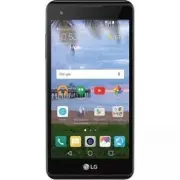
Basics 23 Device layout Front Camera Lens Proximity/Ambient Light Sensor Earpiece Charger/USB Port Headset Jack
Page 27 - Turning Your Device On and Off; Turning your device on; Turning your device off
Basics 26 Turning Your Device On and Off Turning your device on Press and hold the Power/Lock Key on the back of the device for a couple of seconds until the screen turns on. Turning your device off 1 Press and hold the Power/Lock Key on the back of the device until the Device options menu appears. ...
Page 28 - Installing the battery
Basics 27 Installing the battery Before you can start exploring your new device, you'll need to set it up. 1 To remove the back cover, hold the device firmly in one hand. With your other hand, lift off the back cover with your thumbnail as shown in the figure below.
Page 30 - Charging the battery
Basics 29 Charging the battery Charge the battery before using it for first time. Use the charger that came with your device to charge the battery. A computer can also be used to charge the battery by connecting the device to it using the USB cable. WARNING • Use only LG-approved chargers, batteries...
Page 31 - Inserting a memory card
Basics 30 Inserting a memory card Your device supports up to a 32 GB microSD card. Depending on the memory card manufacturer and type, some memory cards may not be compatible with your device. WARNING • Some memory cards may not be fully compatible with the device. If you use an incompatible card, i...
Page 32 - Removing the memory card
Basics 31 Removing the memory card Before removing the memory card, first unmount it for safe removal. 1 Tap > > Storage & USB > . 2 Remove the back cover and pull out the memory card. WARNING • Do not remove the memory card while the device is transferring or accessing information. Thi...
Page 33 - Touch screen tips; Tap or touch
Basics 32 Touch screen tips Here are some tips on how to navigate on your device. NOTE • Do not press too hard; the touch screen is sensitive enough to pick up a light, yet firm tap. • Use the tip of your finger to tap the option you want. Be careful not to tap any other buttons. Tap or touch Tap or...
Page 34 - Touch and hold; Drag
Basics 33 Touch and hold Touch and hold an item on the screen by touching it and not lifting your finger until an action occurs. Drag Touch and hold an item for a moment and then, without lifting your finger, move your finger on the screen until you reach the target position. You can drag items on t...
Page 35 - Swipe or slide
Basics 34 Swipe or slide To swipe or slide, quickly move your finger across the surface of the screen, without pausing when you first tap it (so you don't drag an item instead). Double-tap Double-tap to zoom on a webpage or a map.
Page 37 - Google account setup; Creating your Google account
Basics 36 Google account setup The first time you open a Google application on your device, you will be required to sign in with your existing Google account. If you do not have a Google account, you will be prompted to create one. Creating your Google account 1 Tap > > Accounts & sync. 2 ...
Page 38 - Signing into your Google account
Basics 37 Signing into your Google account 1 Tap > > Accounts & sync. 2 Tap ADD ACCOUNT > Google. 3 Enter your email address and tap NEXT. 4 Enter your password and tap NEXT. 5 After signing in, you can use Gmail and take advantage of Google services on your device. After signing in, yo...
Page 39 - Locking and unlocking the device; Changing the screen lock method
Basics 38 Locking and unlocking the device Pressing the Power/Lock Key turns off the screen and puts the device into lock mode. The device automatically gets locked if it is not used for a specified period. This helps to prevent accidental taps and saves battery power. To unlock the device, press th...
Page 40 - Smart Lock; Setting up Smart Lock feature
Basics 39 Smart Lock You can use Smart Lock to make unlocking your device easier. You can set it to keep your device unlocked when you have a trusted Bluetooth® device connected to it, when it's in a familiar location like your home or work, when it recognizes your face or voice, or when it detects ...
Page 41 - Home screen; Getting to Know the Home Screen
Basics 40 Home screen The Home screen is the starting point for many applications and functions. It allows you to add items like app shortcuts and Google widgets to give you instant access to information and applications. This is the default canvas and accessible from any menu by tapping . Getting t...
Page 42 - To view other Home screen panels
Basics 41 3 Application Icons - Tap an icon (application, folder, etc.) to open and use it. 4 Location Indicator - Indicates which Home screen canvas you are currently viewing. 5 Quick Button Area - Provides one-touch access to the function in any Home screen canvas. 6 Home Touch Buttons Back Button...
Page 43 - Returning to recently-used applications; Editing the Home screen
Basics 42 Returning to recently-used applications Multitasking is easy with Android; you can keep more than one application running at the same time. There is no need to quit an application before opening another. Use and switch between several open applications.Android manages each application, sto...
Page 44 - Moving apps on the Home screen; Using folders from the Home screen; Creating folders
Basics 43 • To change the Home screen settings, tap Home screen settings and customize the desired options. • To view a list of apps that have been uninstalled in the previous 24 hours, tap Uninstalled apps. Moving apps on the Home screen On the Home screen, touch and hold an app, then drag it to an...
Page 45 - Notifications panel; Opening the notifications panel
Basics 44 Notifications panel Notifications alert you to the arrival of new messages, calendar events and alarms, as well as ongoing events, such as when you are on a call. Opening the notifications panel Swipe down from the status bar to open the notifications panel. To close the notifications pane...
Page 46 - Indicator icons on the Status Bar
Basics 45 3 Tap to clear all the notifications. When a notification arrives, its icon appears at the top of the screen. Icons for pending notifications appear on the left, and system icons, such as Wi-Fi and battery strength are shown on the right. Indicator icons on the Status Bar Indicator icons a...
Page 48 - Capturing a screenshot; Using the keypad and entering text
Basics 47 Capturing a screenshot Press and hold the Volume Down Key and the Power/Lock Key at the same time for 2 seconds to capture a screenshot of the current screen.To view the captured image, tap > > the Screenshots folder. On-screen keyboard You can enter text by using the on-screen keybo...
Page 49 - Entering special characters
Basics 48 Entering special characters The on-screen keyboard allows you to enter special characters.For example, to input "á", touch and hold the "a" button until the pop-up appears and displays related special characters. Without lifting the finger, drag your finger to the desired s...
Page 50 - Transferring data between a PC and the; Transferring data using USB connection
Basics 49 Transferring data between a PC and the device You can copy or move data between a PC and the device. Transferring data using USB connection 1 Connect your device to a PC using the USB cable that came with your device. 2 Open the Notifications panel, tap the current connection type, and sel...
Page 52 - Installing or uninstalling apps; To open the Play Store app
Apps 51 Installing or uninstalling apps Play Store allows you to browse and search for free and paid applications. To open the Play Store app Tap > . To open a screen with details about an app At any time while browsing in Play Store, tap an app to open its details screen.The App details screen i...
Page 53 - Calls; Making a call; Calling your contacts
Apps 52 Calls You can enjoy clear calling across the region. Making a call 1 Tap > . 2 Enter the number by using the dialer. To delete a digit, tap . 3 After entering the desired number, tap to place the call. 4 To end the call, tap . NOTE • To enter "+" to make international calls, touch...
Page 54 - Answering and rejecting a call; Making a second call; Viewing your call logs
Apps 53 Answering and rejecting a call • Swipe in any direction to answer an incoming call. • Swipe in any direction to decline an incoming call. NOTE • Swipe if you want to decline a call and send a message to the caller. Making a second call 1 During your first call, tap > Add call and enter th...
Page 55 - Change your call settings
Apps 54 Change your call settings You can configure device call settings, such as call forwarding, as well as other special features offered by your carrier. 1 Tap > . 2 Tap > Call settings and configure the desired options.
Page 56 - Contacts; Searching for a contact; Adding a new contact; Favorites contacts
Apps 55 Contacts You can add contacts on your device and synchronize them with the contacts in your Google Account or other accounts that support syncing contacts. Searching for a contact 1 Tap > > . 2 Tap Search contacts and enter the contact name using the keyboard. Matches are displayed as ...
Page 57 - Adding a contact to your favorites; Creating a group
Apps 56 Adding a contact to your favorites 1 Tap > > . 2 Tap a contact to view its details. 3 Tap the star at the top right of the screen. The star will be highlighted. Removing a contact from your favorites list 1 Tap > > and scroll to the FAVORITES section. 2 Choose a contact to view i...
Page 58 - Messaging; Sending a message
Apps 57 Messaging Your device combines text and multimedia messaging into one intuitive, easy to use menu. NOTE • You may be charged for each message you send. Please consult with your service provider. Sending a message 1 Tap > > . 2 Tap , then select one or more entries from your Contacts li...
Page 59 - Conversation view
Apps 58 Conversation view Messages exchanged with another party are displayed in chronological order so that you can conveniently see and find your conversations. Changing your messaging settings Your device's messaging settings are predefined to allow you to send messages immediately. You can chang...
Page 60 - Browser; Using the Browser toolbar
Apps 59 Browser Use this application to browse the Internet. The Browser gives you a fast, full-color world of games, music, news, sports, entertainment and much more, right on your mobile device. NOTE • Additional charges apply when connecting to these services and downloading content. Check data c...
Page 61 - Opening a page; Bookmarks; History
Apps 60 Opening a page To open a new page, tap > .To go to another webpage, tap , scroll up or down, and tap the page to select it. Searching the web by voice In the browser, tap the address field and then tap . When prompted, say a keyword and select one of the suggested keywords that appear. NO...
Page 62 - Camera; Taking a photo; Viewfinder options
Apps 61 Camera You can use the camera or camcorder to take and share pictures and videos. • Tap > . Taking a photo 1 Frame your subject on the screen. 2 Green squares around the subject indicates that the camera has focused. 3 Tap to take a photo. Your picture will be automatically saved to the G...
Page 63 - Interval shot
Apps 62 2 Tap to manage the camera's flash. 3 Tap to swap between the rear camera lens and the front camera lens. 4 Allows you to select the shot mode for the picture. 5 Tap to open the camera settings menu. 6 Tap to view the last photo or video you recorded. 7 Tap to start recording. 8 Tap to take ...
Page 64 - Gesture shot; Using a gesture to take photos
Apps 63 Gesture shot The Gesture shot feature allows you to take a picture with a hand gesture using the front camera. Using a gesture to take photos There are two methods for using the Gesture shot feature. • Raise your hand, with an open palm, until the front camera detects it and a box appears on...
Page 65 - Once you have taken a photo
Apps 64 Multi-point Auto-focus When you take a picture, the Multi-point Auto-focus (AF) function operates automatically and will allow you to see a clear image. Once you have taken a photo Tap the image thumbnail on the screen to view the last photo you took. Tap to edit the photo. Tap to take anoth...
Page 66 - After recording a video
Apps 65 NOTE • Tap to take pictures while recording video. 4 Tap to pause the recording. You can resume recording by tapping . OR Tap to stop recording. Your video will be automatically saved to the Gallery. After recording a video Tap the video thumbnail on the screen to view the last video you rec...
Page 67 - Gallery; Viewing pictures
Apps 66 Gallery The Gallery application presents the pictures and videos in your storage, including those you've taken with the Camera application and those you downloaded from the web or other locations. 1 Tap > . 2 Tap an album to open it and view its contents. (The pictures and videos in the a...
Page 68 - Setting wallpaper; Zooming in and out; Playing a video
Apps 67 Setting wallpaper While viewing a photo, tap > More > Set image as to set the image as wallpaper or assign it to a contact. Zooming in and out Use one of the following methods to zoom in on an image: • Double-tap anywhere to zoom in and out. • Spread two fingers apart on any place in t...
Page 69 - Video options
Apps 68 Video options 1 2 3 4 5 6 7 1 Tap to pause/resume video playback. 2 Touch and hold to fast-forward in 3 second increments.Tap to fast-forward 10 seconds. 3 Touch and hold to rewind in 3 second increments. Tap to rewind 10 seconds. 4 Tap to adjust the video volume. 5 Tap to lock/unlock the sc...
Page 70 - Deleting photos/videos
Apps 69 NOTE • While playing a video, slide the right side of the screen up or down to adjust the sound. • While playing a video, slide the left side of the screen up or down to adjust the brightness. • While playing a video, slide your finger from left to right (or vice versa) to fast- forward and ...
Page 71 - Email; Adding an account; Working with account folders; Composing and sending email
Apps 70 Email You can use the Email application to read email from providers other than Gmail. The Email application supports the following account types: POP3, IMAP, Microsoft Exchange (for Enterprise users) and other accounts. • Tap > . Adding an account The first time you open the Email applic...
Page 72 - Changing the Email app general settings
Apps 71 3 Tap the Cc/Bcc field to copy or blind copy other contacts/email addresses. 4 Tap the text field and enter your message. 5 Touch and hold the text field to edit selected words. (Bold/Italic/ Underline/Text Color) 6 Tap to attach the file you want to send with your message. 7 Tap to send the...
Page 73 - Music; Playing a song
Apps 72 Music Your device has a music player that lets you play all your favorite tracks. NOTE • Depending on the software installed, some file formats may not be supported. • If the file size exceeds the available memory, an error can occur when you open files. • Music file copyrights may be protec...
Page 74 - Music player options
Apps 73 Music player options Tap to pause playback. Tap to resume playback.Tap to skip to the next track in the album, playlist or shuffle list. Touch and hold to fast-forward.Tap to restart the current track or skip to the previous track in the album, playlist or shuffle list. Touch and hold to rew...
Page 76 - Clock; Alarms; World clock
Apps 75 Clock The Clock app gives you access to the Alarms, Timer, World clock and Stopwatch functions. Access these functions by tapping the tabs across the top of the screen or swiping horizontally across the screen. • Tap > > . Alarms The Alarm tab allows you to set alarms. 1 Tap the Alarm ...
Page 77 - Timer; Stopwatch
Apps 76 Timer The Timer tab can alert you with an audible signal when a set amount of time has passed. 1 Tap the Timer tab. 2 Set the desired time on the timer. 3 Tap Start to start the timer. 4 Tap Stop to stop the timer. Stopwatch The Stopwatch tab allows you to use your device as a stopwatch. 1 T...
Page 78 - Calculator; Calendar
Apps 77 Calculator The Calculator app allows you to perform mathematical calculations using a standard or scientific calculator. 1 Tap > > . 2 Tap the number buttons to enter numbers. 3 For simple calculations, tap the function you want to perform (+, –, x or ÷) followed by =. NOTE • For more ...
Page 79 - Voice Recorder; Recording a sound or voice; Downloads
Apps 78 Voice Recorder The Voice Recorder app records audible files for you to use in a variety of ways. Recording a sound or voice 1 Tap > > . 2 Tap to begin recording. 3 Tap to end the recording. 4 Tap to pause the recording. 5 Tap to listen to the recording. NOTE • Tap to access your record...
Page 80 - Google apps; Google; Chrome; Gmail; Maps; YouTube
Apps 79 Google apps Google provides entertainment, social network, and business apps. You may require a Google account to access some apps.To view more app information, access each app’s help menu. NOTE • Some apps may not be available depending on the region or service provider. Google Search quick...
Page 83 - Access the Settings menu; Opening the settings app
Settings 82 Access the Settings menu The Settings app allows you to customize and personalize your device. Opening the settings app • Tap > touch and hold > System settings. OR • Tap > .
Page 84 - Wireless Networks; Airplane mode
Settings 83 Wireless Networks Airplane mode Allows you to use many of your device's features, such as games, and music, when you are in an area where making or receiving calls or data use is prohibited. When you set your device to Airplane Mode, it cannot send or receive any calls or access online d...
Page 85 - Bluetooth; Pairing your device with another Bluetooth device
Settings 84 Bluetooth Bluetooth is a short-range communications technology that allows you to connect wirelessly to a number of Bluetooth devices, such as headsets and hands-free car kits, and Bluetooth-enabled handhelds, computers, printers, and wireless devices. NOTE • LG is not responsible for th...
Page 86 - Sending data via Bluetooth; Receiving data via Bluetooth
Settings 85 NOTE • Pairing between two Bluetooth devices is a one-time process. Once a pairing has been created, the devices will continue to recognize their partnership and exchange information. • Please consult documentation included with Bluetooth device for information on pairing mode and passco...
Page 87 - Mobile data; Mobile networks
Settings 86 Mobile data Displays the data usage and mobile data usage limit. 1 On the Settings screen, tap Mobile data. 2 Tap to toggle your mobile data connection On or Off. This allows you to manage your mobile data usage. You can use a Wi-Fi network connection for data instead. Call You can custo...
Page 88 - VPN
Settings 87 VPN From your device, you can add, set up, and manage virtual private networks (VPNs) that allow you to connect and access resources inside a secured local network, such as your corporate network. On the Settings screen, tap More > VPN. Emergency alerts If emergency alerts are issued,...
Page 89 - Device
Settings 88 Device Sound & notification Allows you to change settings for various sounds on the device. On the Settings screen, tap Sound & notification. • Sound profile – Allows you to set your device's sound profile. • Volume – Adjust the device's volume settings to suit your needs and env...
Page 90 - Display
Settings 89 • Notification sound – Allows you to set the notification sound. You can also add and delete notification sounds. • Vibrate on tap – Enable to vibrate when tapping the Home touch buttons and during other UI interactions. • Sound effects – This menu lets you select whether you hear tones ...
Page 91 - Lock screen
Settings 90 • Home touch button combination – Set the Home touch buttons displayed at the bottom of all screens. • Daydream – Select the screen saver to be displayed when the device is sleeping while docked and/or charging. • Motion sensor calibration – Allows you to improve the accuracy of the tilt...
Page 93 - Battery & power saving; Memory
Settings 92 Battery & power saving Displays the current battery status including the percentage of remaining charge and charging state.On the Settings screen, tap Battery & power saving. • Battery usage – Displays the battery usage level and battery use details. Tap one of the items to see m...
Page 94 - Personal; Location; Security
Settings 93 Personal Location Turn on location service, your device determines your approximate location using Wi-Fi and mobile networks. When you select this option, you're asked whether you consent to allowing Google to use your location when providing these services.On the Settings screen, tap Lo...
Page 97 - Google services
Settings 96 Backup & reset Change the settings for managing your settings and data.On the Settings screen, tap Backup & reset. • Back up my data – Back up app data, Wi-Fi passwords, and other settings to Google servers. • Backup account – Displays the account that is currently being used to ...
Page 98 - System; Shortcut keys
Settings 97 System Shortcut keys Get quick access to apps by pressing the Volume Keys twice when the screen is off or locked.On the Settings screen, tap Shortcut keys. • Press the Volume Up Key twice when the screen is off or locked to open the Capture+ app. • Press the Volume Down Key twice when th...
Page 100 - About phone
Settings 99 - Touch and hold for calls – Answer or decline calls by tapping and holding the call button instead of dragging it. - Screen timeout – Sets the amount of time before the backlight turns off automatically. - Touch control areas – Allows you to select an area of the screen to limit touch a...
Page 102 - Device software update
Appendix 101 Device software update LG Mobile Device software update via Over-the-Air (OTA) This feature allows you to conveniently update your device's software to a newer version via OTA, without connecting using a USB data cable. This feature will only be available if and when LG makes a newer fi...
Page 103 - FAQ
Appendix 102 FAQ This chapter lists some problems you might encounter when using your device. Some problems require you to call your service provider, but most are easy to fix yourself. Message Possible causes Possible corrective measures SIM card error There is no SIM card in the device or it is in...
Page 108 - More information; Open Source Software Notice Information
Appendix 107 More information Open Source Software Notice Information To obtain the source code under GPL, LGPL, MPL, and other open source licenses, that is contained in this product, please visit http://opensource. lge.com.In addition to the source code, all referred license terms, warranty discla...
Page 111 - Wireless Devices
For Your Safety 110 and away from water or any liquid as it may cause a short circuit. • Avoid using your phone near strong electromagnetic sources, such as microwave ovens, sound speakers, TV and radio. • Use only original manufacturer-approved accessories, or accessories that do not contain any me...