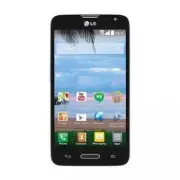
Page 2 - User Guide; ENGLISH
User Guide ENGLISH • Screen displays and illustrations may differ from those you see on actual phone. • Some of the contents of this guide may not apply to your phone, depending on the software and your service provider. All information in this document is subject to change without notice. • This ha...
Page 3 - Table of contents
2 Table of contents Important notice ................................. 5 Getting to know your phone ............. 11 Phone overview ............................... 11Installing the battery ........................ 14Charging the phone ......................... 16Using the memory card...................
Page 6 - Important notice; Please read this before you start using your phone!; Tap; Optimizing battery life; applications and system resources consume battery power.
5 Important notice Please read this before you start using your phone! Please check to see whether any problems you encountered with your phone are described in this section before taking the phone in for service or calling a service representative. 1. Phone memory When there is less than 10MB of sp...
Page 7 - Reduce screen brightness and set a shorter screen timeout.
6 Important notice Extending your phone's battery life: • Turn off radio communications when you're not using. If you are not using Wi-Fi, Bluetooth or Location, turn them off. • Reduce screen brightness and set a shorter screen timeout. • Turn off automatic syncing for Gmail, Calendar, Contacts and...
Page 8 - Before installing an open source application and; Using a screen lock; you forget your screen lock.
7 3. Before installing an open source application and operating system (OS) WARNING If you install and use an OS other than the one provided by the manufacturer it may cause your phone to malfunction. In addition, your phone will no longer be covered by the warranty. WARNING To protect your phone an...
Page 9 - Volume Down Key
8 Important notice WARNING Precautions to take when using a screen lock. It is very important to remember the screen lock you set. You will not be able to access your phone if you use an incorrect screen lock 5 times. If you have used all 5 opportunities, you can try again after 30 seconds. 5. Using...
Page 11 - Drag the Status Bar down and tap; Hold your phone upright
10 Important notice 5 Drag the Status Bar down and tap USB connected > Charge only . 6 Disconnect the USB cable from your phone. 8. Hold your phone upright Hold your cell phone vertically, as you would a regular phone. Your phone has an internal antenna. Be careful not to scratch or damage the ba...
Page 12 - Getting to know your phone; Phone overview
11 Getting to know your phone Phone overview Proximity Sensor Earpiece Home Key Return to the Home screen from any screen. Press and hold to access Google Now. Volume Keys Allow you to adjust the ringer, media volume, or the volume during a call. Back Key Return to the previous screen. Menu Key Disp...
Page 13 - Volume Keys; Microphone
12 Getting to know your phone Power/Lock Key Volume Keys • On the Home screen : Control ringer volume. • During a call : Control your earpiece volume. • When playing audio/ video: Control volume continuously. NOTE: You may purchase a separate fast data cable from LG for higher data transfer speed wi...
Page 15 - Installing the battery; as installing and charging the battery.
14 Getting to know your phone Installing the battery Before you can start using your new phone, you'll need to do a little set up such as installing and charging the battery. 1 To remove the back cover, hold the phone firmly in one hand. With your other hand, place your thumbnail in the Charger/USB ...
Page 17 - Charging the phone
16 Getting to know your phone Charging the phone Your phone comes with a USB cable and a Charger adapter which connect together to charge your phone. Fully charge the battery before using your phone for the first time to improve your battery lifetime.The USB/Charging Port is at the bottom of the pho...
Page 18 - Using the memory card; Remove the back cover.; Locking and unlocking the screen; to lock your
17 Using the memory card Make sure to unmount the SD card in the Storage menu before removing it. 1 Remove the back cover. 2 Insert the memory card into the slot. Make sure the gold contact area is facing downwards. Locking and unlocking the screen If you do not use the phone for a while, the screen...
Page 19 - To wake up your phone, press the
18 Getting to know your phone To wake up your phone, press the Power/Lock Key . The Lock screen will appear. Touch and slide the Lock screen in any direction to unlock the screen. The last screen you viewed will open.
Page 20 - Your Home screen; Touch screen tips; Touch or tap
19 Your Home screen Touch screen tips Here are some tips on how to navigate on your phone. Touch or tap – A single finger tap selects items, links, shortcuts and letters on the on-screen keyboard. Touch and hold – Touch and hold an item on the screen by touching it and not lifting your finger until ...
Page 21 - Home screen; Phone
20 Your Home screen NOTE: • To select an item, tap the center of the icon. • Do not press too hard; the touch screen is sensitive enough to pick up a light, yet firm tap. • Use the tip of your finger to tap the option you want. Be careful not to tap any other keys. Home screen Simply swipe your fing...
Page 22 - Customizing the Home screen; widgets to the Home screen.
21 Customizing the Home screen You can customize your Home screen by adding apps, downloads, widgets or wallpapers. For more convenience using your phone, add your favorite apps and widgets to the Home screen. To add items on your Home screen: 1 Touch and hold the empty part of the Home screen. 2 Ta...
Page 23 - Notifications; Accessing notifications
22 Your Home screen Notifications Notifications alert you to the arrival of new messages, calendar events, and alarms, as well as to ongoing events, such as video downloads.From the Notifications Panel, you can view your phone's current status and pending notifications.When a notification arrives, i...
Page 25 - Notification icons on the Status Bar; Icon Description
24 Your Home screen Notification icons on the Status Bar Notification icons appear on the Status Bar at the top of the screen to report missed calls, new messages, calendar events, device status and more. The icons listed in the table below are some of the most common ones. Icon Description Icon Des...
Page 27 - Entering text; keyboard, simply tap a text field where you want to enter text.; Entering special characters
26 Your Home screen Entering text You can enter text using the on-screen keyboard. The on-screen keyboard appears automatically on the screen when you need to enter text. To manually display the keyboard, simply tap a text field where you want to enter text. Using the keyboard and entering text Tap ...
Page 28 - Google account setup; Creating your Google Account
27 Google account setup The first time you open a Google app on your phone, you'll be required to sign in with your existing Google Account. If you don't have a Google Account, you'll be prompted to create one. Creating your Google Account 1 From the Home screen, tap the Menu Key > System setting...
Page 30 - Connecting to Networks and Devices; Connecting to Wi-Fi networks; Turning Wi-Fi on and connecting to a Wi-Fi network; Apps
29 Connecting to Networks and Devices Wi-Fi With Wi-Fi, you can use high-speed Internet access within the coverage of the wireless access point (AP). Enjoy wireless Internet using Wi-Fi, without extra charges. Connecting to Wi-Fi networks To use Wi-Fi on your phone, you need to access a wireless acc...
Page 31 - Tap a network to connect to it.; Bluetooth; connect to Bluetooth headsets.
30 Connecting to Networks and Devices 3 Tap a network to connect to it. • If the network is secured, you are prompted to enter a password or other credentials. (Ask your network administrator for details) 4 The Status Bar displays icons that indicate your Wi-Fi status. Bluetooth Bluetooth allows you...
Page 32 - other Bluetooth devices.; confirm matching codes, or the devices will automaticall pair.
31 3 Tap the check box next to your phone's name to make your phone visible to other Bluetooth devices. NOTE: To select the length of time that your device will be visible, tap the Menu Key > Visibility timeout . 4 A list of available devices will be displayed. Choose the device you want to pair ...
Page 33 - Connecting to Virtual Private Networks
32 Connecting to Networks and Devices Receive data using the Bluetooth wireless feature 1 Pair both devices and send a file from the other device. 2 Tap Accept to confirm that you are willing to receive data from the device. Connecting to Virtual Private Networks Virtual private networks (VPNs) allo...
Page 34 - PC connections with a USB cable; System settings
33 PC connections with a USB cable Learn to connect your device to a PC with a USB cable using the different USB connection modes. Transferring music, photos and videos using Media sync (MTP) 1 Connect your phone to a PC using the USB cable provided with your phone. 2 A USB connection type list will...
Page 35 - Items
34 Connecting to Networks and Devices Items Requirement OS Microsoft Windows XP SP2, Vista or higher Window Media Player version Windows Media Player 10 or higher • If the Windows Media Player version is lower than 10, install version 10 or higher.
Page 36 - Calls; Making a call; Calling your contacts; Search contacts; Answering and rejecting a call
35 Calls Making a call 1 From the Home screen, tap to open the dial pad. 2 Enter the number using the dial pad. To delete a digit, tap . 3 Tap to make a call. 4 To end a call, tap . TIP! To enter “+” to make international calls, touch and hold . Calling your contacts 1 From the Home screen, tap to o...
Page 37 - Adjusting the in-call volume; Viewing your call logs; Call logs
36 Calls Adjusting the in-call volume To adjust the in-call volume during a call, use the Volume Up and Volume Down Keys on the left-hand side of the phone. Making a second call 1 During your first call, tap Menu Key , touch Add call and dial the number. You can also go to the recently dialed number...
Page 38 - Call settings; special features offered by your provider.
37 Call settings You can configure phone call settings such as call forwarding, as well as other special features offered by your provider. 1 From the Home screen, tap . 2 Tap the Menu Key . 3 Tap Call settings and choose the options that you wish to adjust.
Page 39 - Contacts; Searching for a contact
38 Contacts Add contacts to your phone and synchronize them with the contacts in your Google account or other accounts that support contact syncing. Searching for a contact 1 From the Home screen, tap to open your contact list. 2 Tap the Search contacts box and enter the contacts name. You can also ...
Page 41 - Messaging; Sending a message; To; Send
40 Messaging Your phone combines text and multimedia messages into one intuitive, easy-to- use menu. Sending a message 1 Tap on the Home screen and tap to compose a new message. 2 Enter a contact name or contact number in the To field. As you enter the contact name, matching contacts will appear. Yo...
Page 42 - View mode; conveniently see an overview of your conversation.; Changing your message settings; Open the
41 WARNING • The 160-character limit may vary from country to country, depending on the language and how the text message is coded. • If an image, video or audio file is added to an text message, it is automatically converted into a multimedia message and you are charged accordingly. View mode Unrea...
Page 43 - Email; Managing an email account
42 Email You can use the Email application to read emails from services like Gmail. The Email application supports the following account types: POP3, IMAP and Exchange.Your service provider or system administrator can provide you with the account settings you need. Managing an email account The firs...
Page 44 - Working with account folders; Composing and sending email; To compose and send a message
43 Working with account folders Open the Email application and tap the Menu Key > Folders . Each account has an Inbox, Outbox, Sent and Drafts folder. Depending on the features supported by your account's service provider, you may have additional folders. Composing and sending email To compose an...
Page 45 - Camera; Getting to know the viewfinder
44 Camera To open the Camera app, tap Camera on the Home screen. TIP! You can quickly access the Camera app without unlocking your phone first. • While the screen is off, press and hold the Volume Down Key or Volume Up Key on the left side of the phone. Getting to know the viewfinder Flash – Choose ...
Page 46 - Using the advanced settings
45 Video mode – Slide this icon down to switch to video mode. Capture button – Captures a photo. Gallery – Tap to view the last photo you captured. This enables you to access your Gallery and view saved photos while in camera mode. NOTE: The memory capacity may differ depending on how you configure ...
Page 48 - Taking a quick photo
47 This sets the location where you want to save your images.Choose SD card or Internal storage . This provides a quick help guide. Tap it to learn how a function works. This restores all of the camera settings back to the default values. TIP! When you exit the Camera app, some settings return to th...
Page 50 - Viewing your saved photos; Gallery
49 Viewing your saved photos You can access your saved photos when in camera mode. Just tap the image preview in the lower-right corner of the screen. 1 Choose the app to use to view and/or edit your photos. Tap Gallery or Photos . 2 Tap Always or Just once . • To view more photos, scroll left or ri...
Page 51 - Video camera
50 Video camera To open the video camera, tap Camera on the Home screen, then tap the Video mode icon (on the viewfinder) to switch to video mode. Getting to know the viewfinder Flash – Choose from Off , On , Auto . Swap camera – Switch between the rear–facing camera lens and the front- facing camer...
Page 52 - and
51 NOTE: You can use the pinch-to-zoom function (place two fingers on the screen, then spread them to zoom in and pinch in to zoom out) while you're recording a video. Using the advanced settings Using the viewfinder, tap to open the advanced options. After selecting theoption, tap the Back Key . Ta...
Page 53 - Recording a quick video
52 Video camera This sets the location where you want to save your videos.Choose SD card or Internal storage . Tap this whenever you want to know how a function works. This icon will provide you with a quick help guide.Restore all video camera settings back to default. Recording a quick video 1 Open...
Page 54 - After recording a video; Tap to record another video immediately.; Watching your saved videos; In the viewfinder, tap the image preview at the bottom of the screen.; Adjusting the volume when viewing a video
53 After recording a video Tap the image preview at the bottom of the screen to view the last video you recorded.The following icons appear at the top of the Gallery screen: Tap to record another video immediately. Tap to send your video to others or share it via social network services. Tap to dele...
Page 55 - LG Unique Function; Guest Mode; Knock Code
54 LG Unique Function Guest Mode To protect your privacy or limit some applications to your children, you can use the Guest mode. When you lend your phone to others, you can limit the applications to be displayed. In advance, set the Guest mode and customize the options. NOTE: To use the Guest mode,...
Page 56 - KnockON; To activate KnockON feature
55 NOTE: The KnockON feature is disabled while Knock Code is in use. KnockON The KnockON feature allows you to turn the screen on and off by simply double tapping on it. To activate KnockON feature 1 From the Home screen, tap > Apps tab (if necessary) > Settings > Gestures . 2 Place a check...
Page 57 - QuickMemo
56 LG Unique Function To configure Plug & Pop 1 From the Home screen, tap > Apps tab (if necessary) > Settings > Accessory > USB storage Plug & Pop or Earphone Plug & Pop . 2 Checkmark the apps you want to display when connecting an accessory. You can drag to rearrange the or...
Page 59 - Using the QuickMemo options; The following options are available when using QuickMemo.; Viewing the saved QuickMemo
58 LG Unique Function Using the QuickMemo options The following options are available when using QuickMemo. Allows you to choose a background. Undo or redo previous actions. Selects the pen type, pen color, and cropping tool. Erases the memo that you created.Tap to send your memo to others or share ...
Page 60 - QSlide; OR
59 QSlide The QSlide feature allows you to multitask and view various apps as floating windows on your screen. Tap to exit QSlide and return to full window.Tap to adjust the transparency.Tap to exit QSlide.Tap to adjust the size. OR 1 Touch and slide the Status Bar downwards and tap the desired app ...
Page 61 - Multimedia; Viewing pictures; screen. Scroll left or right to view the next or previous image.
60 Multimedia Gallery You can store multimedia files in the internal and external memory for easy access to all your multimedia files. Use this application to view multimedia files like pictures and videos. • From the Home screen, tap > Apps tab (if necessary) > Gallery . NOTE: • Some file for...
Page 62 - Playing videos; Editing photos/videos
61 • Spread two fingers apart on any place to zoom in. Pinch to zoom out, or double- tap to return. Playing videos Video files show the icon in the preview. Select a video to watch it and tap . NOTE: • Some file formats are not supported, depending on the device software. • If the file size exceeds ...
Page 63 - Videos; Playing a video
62 Multimedia Videos Your phone has a video player that lets you play all of your favorite videos. Playing a video 1 From the Home screen, tap > Apps tab (if necessary) > Videos . 2 Select the video you want to play. Tap to pause video playback. Tap to resume video playback.Touch and hold to f...
Page 64 - Music; Playing a song
63 NOTE: While watching a video, slide the left side of the screen up and down to adjust the brightness. Slide the right side of the screen up and down to adjust the volume. You can also slide the bottom part of the screen to the right or left to fast-forward and rewind. Music Your phone has a music...
Page 66 - Utilities; Setting your alarm; Using your calculator
65 Utilities Setting your alarm 1 From the Home screen, tap > Apps tab (if necessary) > Alarm/Clock > . 2 Set the time and select AM or PM . 3 Set Repeat , Snooze duration , Vibration , Alarm sound , Alarm volume , Auto app starter , Puzzle lock and Memo . 4 Tap Save to save the alarm. . NO...
Page 67 - Adding an event to your calendar
66 Utilities Adding an event to your calendar 1 From the Home screen, tap > Apps tab (if necessary) > Calendar . 2 Tap and choose from Day, Week, Month, Year, or Agenda to change the month view. 3 Tap the date for which you wish to add an event and touch . 4 Tap the Event name field and enter ...
Page 68 - Voice Recorder; Recording a sound or voice; ThinkFree Viewer
67 Voice Recorder Use the voice recorder to record voice memos or other audio files. Recording a sound or voice 1 From the Home screen, tap > Apps tab (if necessary) > Voice Recorder . 2 Tap to begin recording. 3 Tap to end the recording. 4 Tap to listen to the recording. NOTE: Tap to access t...
Page 69 - Voice Search
68 Utilities Viewing files Mobile users can now easily view a wide variety of file types, including Microsoft Office documents and Adobe PDF, right on their mobile devices. When viewing documents using ThinkFree Viewer, the objects and layout remain the similar in the original documents. Google+ Use...
Page 70 - Downloads; From the Home screen, tap
69 Downloads Use the Downloads app to view and access the files you've downloaded through your various apps. • From the Home screen, tap Apps > the Apps tab (if necessary) > Downloads .
Page 71 - The Web; Browser; mobile phone wherever you are and whatever you enjoy.; Using the Browser toolbar; current one. This is the opposite of what happens when you tap the
70 The Web Browser Use this application to browse the Internet. The Browser gives you a fast, full-color world of games, music, news, sports, entertainment and much more, right on your mobile phone wherever you are and whatever you enjoy. NOTE: Additional charges apply when connecting to these servi...
Page 72 - Bookmarks
71 Viewing webpages Tap the address field, enter the web address and tap on the keyboard. Opening a page To open a new page, tap > . To go to to an open page, tap , scroll up or down, and tap the page to select it. Searching the web by voice Tap the address field, tap , speak a keyword, and then ...
Page 73 - Chrome; Viewing webpages; on the; Opening a page; keywords that appear.; Syncing with other devices
72 The Web Chrome Use Chrome to search for information and browse webpages.From the Home screen, tap > Apps tab (if necessary) > Chrome . Viewing webpages Tap the address field, enter a web address or search criteria, and tap on the keyboard. Opening a page To open a new page, tab > + New t...
Page 74 - Access bookmarks; To view bookmarks, tap the
73 Access bookmarks To view bookmarks, tap the Menu Key > Bookmarks .
Page 75 - Settings; Access the Settings menu; WIRELESS NETWORKS; – Activating airplane mode disables all wireless connections.; Turn the Bluetooth wireless feature on or off.
74 Settings Access the Settings menu 1 From the Home screen, tap > Apps tab (if necessary) > Settings . OR From the Home screen, tap the Menu Key > System settings . 2 Select a setting category and configure the desired settings. WIRELESS NETWORKS < Airplane mode >Airplane mode – Acti...
Page 77 - DEVICE
76 Settings Power button ends call – Checkmark to allow you to end voice calls by pressing the Power/Lock Key. OTHERS DTMF tones – Sets the length of the DTMF tones. Choose Normal or Long . Call restrictions – Allows you to restrict incoming or outgoing calls. Call duration – View the duration of ca...
Page 83 - PERSONAL; Help; RECENT LOCATION REQUESTS
82 Settings PERSONAL < Accounts & sync > Permits applications to synchronize data in the background, whether or not you are actively working in them. Deselecting the Auto-sync data setting can save battery power and lower (but not eliminate) data usage. < Guest mode > Use Guest mode ...
Page 87 - SYSTEM
86 Settings PERSONAL DATA Factory data reset – Reset your settings to the factory default values and delete all your data. SYSTEM < Date & time >Use 24-hour format – Checkmark to display the time using the 24-hour time format (for example, 13:00 instead of 1:00 pm). Select date format – Se...
Page 91 - Hardware information
90 Settings Hardware information – Allows you to view the model number, up time, Wi-Fi MAC address and Bluetooth address. Software information – Allows you to view the Android version, baseband version, kernel version, build number, and software version. Legal information – Allow you to view LG apps...
Page 92 - Phone software update; From the Home screen, tap the
91 Phone software update Update your smart phone without a PC (FOTA) This feature allows you to conveniently update your phone's software to a newerversion via Firmware Over-the-Air (FOTA), without connecting with to a USB cable. 1 From the Home screen, tap the Menu Key > System settings > Abo...
Page 93 - Accessories; These accessories are available for use with your phone.
92 Accessories These accessories are available for use with your phone. (Items described below may be optional and sold separately.) Charger adapter USB cable Connect your phone and PC. Battery User Guide Learn more about your phone. NOTE: • Always use genuine LG accessories. Failure to do this may ...
Page 94 - FAQ
93 FAQ Please check to see if any problems you have encountered with your phone are described in this section before taking the phone in for service or calling a service representative. Category Sub-Category Question Answer Bluetooth Bluetooth Devices What are the functions available via Bluetooth? ...
Page 100 - For your safety; searching on FCC ID ZNFVS450PP.
99 For your safety The highest SAR value for this model phone when tested for use at the ear is 1.14 W/kg and when worn on the body, as described in this user guide, is 1.15 W/kg (body-worn measurements differ among phone models, depending upon available accessories and FCC requirements). While ther...
Page 101 - damage to your phone.; for Wireless Devices; the rating on their box or a label located on the box.
100 For your safety • Use only original manufacturer-approved accessories, or accessories that do not contain any metal. Please only use an approved charging accessory to charge your LG phone. Improper handling of the Accessory/Charger Port, as well as the use of an incompatible charger, may cause d...
Page 103 - The M mark is intended to be synonymous with the U mark. The T mark
102 For your safety The M mark is intended to be synonymous with the U mark. The T mark is intended to be synonymous with the UT mark. The M and T marks are recommended by the Alliance for Telecommunications Industries Solutions (ATIS). The U and UT marks are referenced in Section 20.19 of the FCC R...
Page 106 - Guía del usuario; ESPAÑOL
Guía del usuario ESPAÑOL • Las visualizaciones e ilustraciones de la pantalla pueden variar de las que ve en el teléfono. • Es posible que parte del contenido de esta guía no se aplique al teléfono, en función del software o del proveedor de servicios. Toda la información de este documento está suje...
Page 107 - Contenido
2 Contenido Aviso importante ................................ 5 Características del teléfono ............. 12 Descripción general del teléfono ...... 12Instalación de la batería ................... 15Carga del teléfono ........................... 17Uso de la tarjeta de memoria ........... 18Bloqueo ...
Page 110 - Aviso importante; Por favor, lea esto antes de comenzar a usar su; describe en esta sección.; Memoria del teléfono; más espacio en la memoria.; Optimizar la vida útil de la batería
5 Aviso importante Por favor, lea esto antes de comenzar a usar su teléfono. Antes de llevar el teléfono a reparación o llamar a un representante del servicio técnico, compruebe si alguno de los problemas que presenta el teléfono se describe en esta sección. 1. Memoria del teléfono Cuando hay menos ...
Page 111 - Desde la pantalla principal toque > ficha
6 Aviso importante Extensión de la vida útil de la batería: • Desactive las comunicaciones de radio que no use. Si no usa Wi-Fi, Bluetooth o Ubicación, desactívelos. • Disminuya el brillo de la pantalla y fije un límite de tiempo de pantalla más corto. • Desactive la sincronización automática de Gma...
Page 112 - Cómo usar el bloqueo de pantalla; autorizado. Desde la pantalla principal toque > ficha
7 3. Antes de instalar una aplicación y un sistema operativo de código abierto AdvertenCiA Si instala y usa un sistema operativo distinto al proporcionado por el fabricante podría provocar que el teléfono no funcione correctamente. Además, el teléfono ya no estará cubierto por la garantía. AdvertenC...
Page 113 - Usar la función de reinicio completo (restablecer; completo para iniciar su teléfono.
8 Aviso importante Precaución: Cree una cuenta Google antes de establecer un patrón de bloqueo y recuerde el PIN de respaldo que haya creado mientras crea el patrón de bloqueo de pantalla. AdvertenCiA Precauciones que debe seguir al usar un bloqueo de pantalla. Es muy importante recordar el bloqueo ...
Page 114 - Abrir y alternar aplicaciones
9 1 Apague el teléfono. 2 Mantenga presionada la Tecla Encender/Bloquear + Tecla de Volumen Inferior al mismo tiempo. 3 Suelte solamente la Tecla Encender/Bloquear cuando aparezca el logotipo de LG. Luego, vuelva a mantenerla presionada inmediatamente. 4 Cuando aparezca la pantalla de restablecimien...
Page 115 - transferir música, fotos y videos usando
10 Aviso importante Para detener las aplicaciones: 1 Desde la pantalla principal toque > ficha Aplicaciones (de ser necesario) > Ajustes > Aplicaciones > EN EJECUCIÓN . 2 Toque la aplicación que desee y toque Parar para detenerla. 7. transferir música, fotos y videos usando Sincronizació...
Page 116 - Sostenga el teléfono en posición vertical; podría afectar la calidad de la llamada.
11 8. Sostenga el teléfono en posición vertical Sostenga el teléfono en posición vertical como lo haría con un teléfono normal. El teléfono cuenta con una antena interna. Tenga cuidado de no rayar o dañar la parte posterior del teléfono, ya que eso podría afectar su rendimiento.Mientras haga o recib...
Page 117 - Características del teléfono; descripción general del teléfono
12 Características del teléfono descripción general del teléfono Sensor de proximidad Auricular Tecla Inicio Vuelve a la pantalla principal desde cualquier pantalla. Mantenga presionada para acceder a Google Now. Teclas de Volumen Permiten ajustar el volumen del timbre, el volumen de los archivos mu...
Page 118 - Controle el volumen del
13 AdvertenCiA Si coloca un objeto pesado sobre el teléfono o se sienta sobre él, se pueden dañar la pantalla LCD y las funciones de la pantalla táctil. Cubriendo el sensor de proximidad con una cubierta de protección puede provocar que funcione de forma incorrecta. Tecla Encender/Bloquear Teclas de...
Page 120 - instalación de la batería; de abajo del teléfono como se muestra en la siguiente ilustración.
15 instalación de la batería Antes de poder usar su nuevo teléfono tendrá que realizar ciertas tareas de configuración, como por ejemplo la instalación y la carga de la batería. 1 Para retirar la tapa posterior, sostenga el teléfono firmemente en una mano. Con la otra mano, coloque su uña en el Puer...
Page 122 - Carga del teléfono
17 Carga del teléfono El teléfono incluye un cable USB y un adaptador de carga que se conectan para cargar el teléfono. Cargue la batería por completo antes de usar el teléfono por primera vez, para mejorar la duración de la batería.El Puerto para Cargador/USB se encuentra en la parte inferior del t...
Page 123 - Uso de la tarjeta de memoria; Retire la tapa posterior.
18 Características del teléfono Uso de la tarjeta de memoria Asegúrese de desactivar la tarjeta SD en el menú Almacenamiento antes de extraerla. 1 Retire la tapa posterior. 2 Inserte la tarjeta de memoria en la ranura. Asegúrese de que el área de contacto dorada quede orientada hacia abajo.
Page 124 - Bloqueo y desbloqueo de la pantalla; Tecla Encender/Bloquear
19 Bloqueo y desbloqueo de la pantalla Si no usa el teléfono durante un tiempo, la pantalla se apaga y bloquea automáticamente. De esta forma, se evita que las teclas se toquen por accidente y se ahorra batería.Cuando no utilice el teléfono, presione la Tecla Encender/Bloquear para bloquearlo. Si ha...
Page 125 - La pantalla principal; Sugerencias sobre la pantalla táctil; Tocar
20 La pantalla principal Sugerencias sobre la pantalla táctil A continuación, se incluyen algunos consejos sobre cómo navegar por el teléfono. Tocar – Un solo toque con un dedo para seleccionar elementos, enlaces, accesos directos y letras en el teclado en pantalla. Tocar y mantener presionado – Toq...
Page 126 - Pantalla principal; Teléfono
21 Unir y separar los dedos para acercar o alejar la imagen – Junte el dedo índice y el pulgar o sepárelos para acercar o alejar cuando use el navegador, consulte mapas o vea fotografías. Rotar la pantalla – Desde muchas aplicaciones y menús, la orientación de la pantalla se ajusta a la orientación ...
Page 127 - Toque el icono; Personalizar la pantalla principal; agregue sus widgets favoritos a la pantalla principal.
22 La pantalla principal Toque el icono Mensaje para acceder la aplicación de mensajería, donde puede ver y crear mensajes de texto y multimedia.Toque el icono Aplicaciones para ver todas las aplicaciones instaladas. Para abrir cualquier aplicación, simplemente toque el icono en la lista de aplicaci...
Page 128 - notificaciones
23 SUGerenCiA Usar carpetas Puede combinar varios iconos de aplicación en una carpeta para mantener un orden. Suelte un icono sobre otro icono en una pantalla principal y se creará una carpeta con ambos iconos dentro de ella. notificaciones Las notificaciones le alertan sobre la llegada de nuevos me...
Page 129 - Cómo acceder a las notificaciones; pantalla hacia arriba.; Ajustes rápidos; parte superior del Panel de notificaciones.
24 La pantalla principal Cómo acceder a las notificaciones Deslice la Barra de estado hacia abajo para abrir el Panel de notificaciones. Para cerrar el Panel de notificaciones, deslice la barra que está en la parte inferior de la pantalla hacia arriba. Ajustes rápidos Use los Ajustes rápidos para al...
Page 130 - iconos de notificaciones en la Barra de estado; Icono Descripción
25 iconos de notificaciones en la Barra de estado Los iconos de notificaciones aparecen en la Barra de estado en la parte superior de la pantalla, para informar sobre llamadas perdidas, nuevos mensajes, eventos del calendario, estado del teléfono y más. Los iconos que aparecen en la tabla siguiente ...
Page 132 - introduccion de texto; Uso del teclado e introducción de texto; introducir caracteres especiales
27 introduccion de texto Puede escribir texto utilizando el teclado en pantalla. El teclado en pantalla aparece automáticamente en la pantalla cuando necesita introducir texto. Para mostrar el teclado en forma manual, toque el campo de texto en donde desea introducir texto. Uso del teclado e introdu...
Page 133 - Configuración de la cuenta de Google; Creación de una cuenta de Google
28 Configuración de la cuenta de Google La primera vez que abra una aplicación de Google en el teléfono, se le solicitará que inicie sesión con su cuenta de Google. Si no tiene una cuenta de Google, se le pedirá que cree una. Creación de una cuenta de Google 1 En la pantalla principal, toque la Tecl...
Page 134 - automáticamente con la cuenta web de Google (según sus ajustes de
29 3 Una vez configurada la cuenta de Google en el teléfono, este se sincronizará automáticamente con la cuenta web de Google (según sus ajustes de sincronización). Después de iniciar sesión, puede utilizar Gmail y Google Play, respaldar sus ajustes en los servidores Google y aprovechar los demás se...
Page 135 - Conexión a redes y dispositivos; Conexión a redes Wi-Fi; Activar Wi-Fi y conectarse a una red Wi-Fi; Aplicaciones
30 Conexión a redes y dispositivos Wi-Fi Con Wi-Fi, puede utilizar el acceso a Internet de alta velocidad dentro de la cobertura del punto de acceso (AP) inalámbrico. Disfrute de la conexión inalámbrica a Internet por Wi-Fi sin cargos extras. Conexión a redes Wi-Fi Para usar Wi-Fi en el teléfono, ne...
Page 136 - La Barra de estado muestra iconos que indican el estado de Wi-Fi.; conectar auriculares Bluetooth.
31 • Si la red está protegida, se le solicitará que introduzca la contraseña u otras credenciales. (Consulte con su administrador de red para obtener más detalles). 4 La Barra de estado muestra iconos que indican el estado de Wi-Fi. Bluetooth Bluetooth permite compartir datos con otros dispositivos ...
Page 137 - Toque el botón; dispositivo con el que desea vincularlo.; Enviar datos a través de Bluetooth
32 Conexión a redes y dispositivos 2 Toque el botón para activar Bluetooth. 3 Toque la casilla de verificación al lado del nombre de su teléfono para que otros dispositivos con Bluetooth puedan verlo. nOtA: Para seleccionar el tiempo que estará visible el teléfono, toque la tecla Menú > tiempo vi...
Page 138 - Conectarse a redes privadas virtuales
33 nOtA: El método para seleccionar una opción puede variar según el tipo de datos. 3 Busque y vincule con un dispositivo Bluetooth. Recibir datos a través de Bluetooth 1 Vincule ambos dispositivos y envíe un archivo desde el otro dispositivo. 2 Toque Aceptar para confirmar que desea recibir datos d...
Page 139 - Conexiones de PC con un cable USB; Ajustes del sistema
34 Conexión a redes y dispositivos Conexiones de PC con un cable USB Aprenda a conectar su teléfono a una PC usando los diferentes modos de conexión USB. Transferir música, fotos y videos usando Sincronización multimedia (MTP) 1 Conecte el teléfono a una computadora con el cable USB que viene con el...
Page 141 - Llamadas; realizar una llamada; Toque; Llamar a los contactos; Desplácese por la lista de contactos o toque el cuadro; responder y rechazar una llamada; Cuando la pantalla está bloqueada
36 Llamadas realizar una llamada 1 Desde la pantalla principal toque para abrir el teclado de marcación. 2 Introduzca el número con el teclado de marcación. Para borrar un dígito, toque . 3 Toque para realizar una llamada. 4 Para terminar una llamada, toque . SUGerenCiA Para introducir "+" p...
Page 142 - Ajuste del volumen durante la llamada; Tecla Menú
37 SUGerenCiA rechazar con mensaje Puede enviar un mensaje rápidamente utilizando esta función. Es útil si necesita rechazar una llamada con un mensaje durante una reunión. Ajuste del volumen durante la llamada Para ajustar el volumen durante una llamada entrante, utilice las Teclas de Volumen ubica...
Page 143 - ver los registros de llamadas; Registros; Ajustes de llamada
38 Llamadas ver los registros de llamadas Desde la pantalla principal toque y elija la ficha Registros . Se muestra una lista completa de todas las llamadas realizadas, recibidas o perdidas. SUGerenCiA • Toque cualquier entrada de registro de llamadas para ver la fecha, hora y duración de la llamada...
Page 144 - Contactos; Buscar un contacto
39 Contactos Puede agregar contactos al teléfono y sincronizarlos con los contactos de la cuenta de Google u otras cuentas que admitan la sincronización de contactos. Buscar un contacto 1 Desde la pantalla principal toque para abrir la lista de contactos. 2 Toque el cuadro Buscar contactos e introdu...
Page 145 - Contactos favoritos
40 Contactos Contactos favoritos Puede clasificar los contactos a los que llama con frecuencia como favoritos. Cómo agregar un contacto a los favoritos 1 Desde la pantalla principal toque para abrir la lista de contactos. 2 Toque un contacto para ver sus detalles. 3 Toque la estrella que aparece a l...
Page 146 - Mensajería; enviar un mensaje; Para
41 Mensajería El teléfono combina mensajes de texto y multimedia en un único menú intuitivo y fácil de usar. enviar un mensaje 1 Toque en la pantalla principal y toque para redactar un mensaje nuevo. 2 Ingrese el nombre de un contacto o un número de contacto en el campo Para . Al introducir el nombr...
Page 147 - Modo de vista de mensajes; Los mensajes no leídos se ubican en la parte superior. Los mensajes; Cambiar los ajustes de su mensaje; Abra la aplicación
42 Mensajería 5 Toque Enviar (o Enviar MMS ) para enviar su mensaje. AdvertenCiA • El límite de 160 caracteres puede variar de un país a otro según el idioma y la forma en que esté codificado el mensaje de texto. • Si se agrega un archivo de imagen, video o audio a un mensaje de texto, se convertirá...
Page 148 - Administración de una cuenta de email
43 Cámara Correo electrónico Puede usar la aplicación E-mail para leer el correo electrónico de servicios como Gmail. La aplicación E-mail admite los siguientes tipos de cuentas: POP3, IMAP y Exchange.El proveedor de servicios o el administrador del sistema pueden proporcionarle los datos de configu...
Page 149 - Correo electrónico; trabajo con las carpetas de cuenta; redactar y enviar correos electrónicos; Para redactar y enviar un mensaje
44 Correo electrónico trabajo con las carpetas de cuenta Abra la aplicación E-mail , toque la Tecla Menú > Carpetas . Cada cuenta tiene las siguientes carpetas: Buzón de entrada, Buzón de salida, Enviados y Borradores. Según las funciones que admita el proveedor de servicios de la cuenta, puede c...
Page 150 - Cámara; Para abrir la aplicación Cámara, toque; Conocer el visor; – Escoja entre
45 Cámara Para abrir la aplicación Cámara, toque Cámara en la pantalla principal. SUGerenCiA Puede acceder rápidamente a la aplicación Cámara sin tener que desbloquear primero el teléfono. • Mientras la pantalla está apagada, mantenga presionada la tecla de volumen inferior o tecla de volumen Superi...
Page 151 - – Toque este icono para abrir el menú de ajustes.; Usar los ajustes; Cuando esté en
46 Cámara Ajustes – Toque este icono para abrir el menú de ajustes. Modo de video – Toque y deslice este icono hacia abajo para pasar al modo de video. Botón de captura – Captura una imagen. Galería – Toque esta opción para ver la última foto que tomó. Esta opción también le permite acceder a la Gal...
Page 153 - volumen. Elija entre
48 Cámara Esta opción habilita los servicios de ubicación del teléfono. Realice fotografías desde cualquier lugar y etiquételas con la ubicación. Al cargar las fotos etiquetadas en un blog que admita el proceso de geo- etiquetado, podrá ver las fotos en un mapa. Elija entre Activado o Desactivado . ...
Page 154 - tomar una foto rápida; Capturar; después de que haya tomado la foto; Galería
49 tomar una foto rápida 1 Abra la aplicación Cámara. 2 Apunte la lente de la cámara hacia el sujeto que desee fotografiar. 3 Toque el icono Capturar para hacer la fotografía. después de que haya tomado la foto 1 Toque la vista previa de la imagen en la esquina inferior derecha de la pantalla para v...
Page 156 - ver las fotos guardadas; previa de la imagen en la esquina inferior derecha de la pantalla.
51 ver las fotos guardadas Puede acceder a las fotos guardadas desde el modo de cámara. Toque la vista previa de la imagen en la esquina inferior derecha de la pantalla. 1 Elija la aplicación que desea usar para ver o editar las fotografías. Toque Galería o Fotos . 2 Toque Siempre o Una vez . • Para...
Page 157 - videocámara
52 videocámara Para abrir la videocámara, toque Cámara de la pantalla principal, luego toque el icono Modo de video (en el visor) para cambiar al modo de video. Conocer el visor Flash – Escoja entre Desactivado , Activado o Automático . Cambiar cámara – Cambie entre la cámara posterior y la cámara f...
Page 158 - – Toque esta opción para ver el último video grabado. Esta opción; En el visor, toque para abrir todas las opciones avanzadas.
53 Galería – Toque esta opción para ver el último video grabado. Esta opción también le permite acceder a la Galería y ver los videos guardados desde el modo de video. nOtA: Puede usar la función de pellizcar para hacer zoom (coloque dos dedos en la pantalla, sepárelos para acercar la imagen y únalo...
Page 159 - Cómo grabar un video rápido
54 videocámara Esta opción activa los servicios basados en la ubicación de su teléfono con propósitos de etiquetar fotos con la ubicación donde fueron tomadas.Esta opción define la acción que se realizará al presionar las Teclas de volumen. Elija entre Grabar o Zoom . Esta opción establece la ubicac...
Page 160 - después de grabar un video; ver los videos guardados; La Galería aparecerá en la pantalla.
55 nOtA: • Toque para capturar una imagen de la pantalla mientras graba un video. • Toque para pausar la grabación. después de grabar un video Toque la vista previa del video en la parte inferior de la pantalla para ver el último video que tomó.En la parte superior de la pantalla Galería aparecerán ...
Page 161 - Ajustar el volumen mientras reproduce un video; Teclas de Volumen ubicadas en el lado izquierdo del teléfono.
56 videocámara Ajustar el volumen mientras reproduce un video Para ajustar el volumen de un video mientras se está reproduciendo, utilice las Teclas de Volumen ubicadas en el lado izquierdo del teléfono.
Page 162 - Función Única de LG; Modo invitado
57 Función Única de LG Modo invitado Para proteger su privacidad o limitar algunas aplicaciones a sus hijos, puede utilizar el Modo invitado.Si le presta el teléfono a otra persona, puede limitar las aplicaciones a las cuales usted desea que los demás tengan acceso. nOtA: Para utilizar el Modo invit...
Page 163 - Desde la pantalla principal toque; KnockOn; doble toque en la pantalla.
58 Función Única de LG Knock Code Puede desbloquear la pantalla cuando está apagada al tocar el área y la secuencia correcta. Para activar la función Knock Code 1 Desde la pantalla principal toque > ficha Aplicaciones (de ser necesario) > Ajustes > Bloqueo de pantalla > Seleccionar bloqu...
Page 165 - Para acceder a la función
60 Función Única de LG QuickMemo La función QuickMemo le permite tomar notas y hacer capturas de pantalla. Puede utilizar QuickMemo para crear notas de manera sencilla y eficiente durante una llamada, con una imagen guardada o en la pantalla de llamada actual. 1 Para acceder a la función QuickMemo ,...
Page 166 - Uso de las opciones de QuickMemo; Al usar QuickMemo, se presentan las siguientes opciones.
61 2 Crea su nota con las opciones de la barra de herramientas. 3 Toque en el Barra de herramientas para guardar la nota en el álbum QuickMemo en su Galería. nOtA: Al usar la función QuickMemo, use la punta de su dedo. No utilice la uña. Uso de las opciones de QuickMemo Al usar QuickMemo, se present...
Page 167 - Toque para enviar su nota a otras personas o para compartir; Cómo ver la nota guardada; Abra la
62 Función Única de LG Toque para enviar su nota a otras personas o para compartir mediante servicios de redes sociales.Guarda la nota en la Galería. Cómo ver la nota guardada Abra la Galería y seleccione el álbum QuickMemo .
Page 168 - Aplicaciones QSlide
63 QSlide La funcion QSlide le permite realizar varias tareas a la vez mostrando hasta dosaplicaciones como ventanas flotantes. Toque para salir de la función QSlide y regresar a la pantalla completa.Toque para ajustar la transparencia.Toque para salir de la función QSlide.Toque para ajustar el tama...
Page 169 - barra de transparencia
64 Función Única de LG 2 Puede hacer llamadas, navegar en la red o elegir otras opciones del teléfono. Además, puede usar y tocar la pantalla bajo las ventanas pequeñas cuando la barra de transparencia no esté llena. nOtA: La función QSlide puede admitir hasta dos ventanas al mismo tiempo.
Page 170 - archivos multimedia como fotos y videos.; ver las fotos; imagen anterior o siguiente.
65 Multimedia Galería Puede almacenar archivos multimedia en la memoria interna y en la externa para acceder fácilmente a todos sus archivos multimedia. Use esta aplicación para ver archivos multimedia como fotos y videos. • Desde la pantalla principal toque > ficha Aplicaciones (de ser necesario...
Page 171 - Cómo acercar o alejar una imagen; reproducción de videos; editar fotos y videos; Borrar imágenes; Borrar
66 Multimedia Cómo acercar o alejar una imagen Use uno de los métodos siguientes para acercar una imagen: • Toque dos veces en cualquier lugar para acercar. • Coloque dos dedos sobre la pantalla y aléjelos para acercar la imagen. Junte los dedos para alejar la imagen, o toque dos veces para regresar...
Page 172 - establecer una foto como el tapiz.; videos; reproducción de un video
67 establecer una foto como el tapiz. Mientras vea una foto, toque la Tecla Menú y seleccione Fijar imagen como para establecer la imagen como el fondo de pantalla principal o de la pantalla de bloqueo. videos El teléfono cuenta con un reproductor de video integrado para que pueda reproducir sus vid...
Page 173 - Música; reproducir una canción
68 Multimedia Toque para cambiar el tamaño de la pantalla de video. Toque para usar QSlide. Toque para bloquear una pantalla de video. Para cambiar el volumen mientras mira un video, presione las Teclas de Volumen ubicadas en el lado lateral izquierdo del teléfono.Mantenga presionado cualquier video...
Page 176 - Utilidades; definir una alarma; Uso de la calculadora
71 Utilidades definir una alarma 1 Desde la pantalla principal toque > ficha Aplicaciones (de ser necesario) > Reloj/Alarmas > . 2 Establezca la hora y seleccione AM o PM . 3 Establezca Repetir , Posponer por, Vibración , Tono de alarma , Volumen de alarma , Aplicación de ejecución autom., ...
Page 177 - Agregar un evento al calendario
72 Utilidades nOtA: Para ver el historial de cálculos previos, toque la tecla Menú y seleccione Historial de los cálculos . Agregar un evento al calendario 1 Desde la pantalla principal toque > ficha Aplicaciones (de ser necesario) > Agenda . 2 Toque y elija entre Día, Semana, Mes, Año o Agend...
Page 178 - Grabadora de voz; Grabar sonido o voz
73 1 En la pantalla principal, toque Aplicaciones > ficha Aplicaciones (en caso necesario) > Tareas . 2 Toque el icono Agregar tarea (en la esquina superior derecha de la pantalla). 3 Ingrese la información necesaria. 4 Toque Guardar para guardar la tarea. Grabadora de voz Utilice el grabador ...
Page 179 - thinkFree viewer
74 Utilidades thinkFree viewer ThinkFree Viewer es una solución profesional para oficina que permite que sus usuarios puedan ver en sus dispositivos móviles distintos tipos de documentos de Office, como archivos Word, Excel y PowerPoint, en cualquier lugar, a cualquier hora. • Desde la pantalla prin...
Page 180 - Búsqueda de voz; descargas
75 Búsqueda de voz Use esta aplicación para buscar en páginas web mediante el uso de voz. 1 Desde la pantalla principal toque > ficha Aplicaciones (de ser necesario) > Carpeta Google > Búsqueda por voz . 2 Diga una palabra o frase clave cuando aparezca Habla ahora en la pantalla. Seleccione...
Page 181 - La Web; navegador; Cómo utilizar la barra de herramientas del navegador; arriba con su dedo para abrirla.
76 La Web navegador Use esta aplicación para navegar por Internet. El navegador le ofrece un rápido y colorido mundo de juegos, música, noticias, deportes, entretenimiento y mucho más, al que puede acceder directamente desde el teléfono celular donde quiera que se encuentre. nOtA: Incurrirá cargos a...
Page 182 - Favoritos
77 Toque para agregar una nueva ventana. Toque para acceder a los favoritos. ver las páginas web Toque el campo de dirección, introduzca la dirección web y toque en el teclado. Abrir una página Para abrir una nueva página, toque > . Para ir a una página abierta, toque , deslícese hacia arriba o a...
Page 183 - Historial; Para borrar el historial, toque la; ver las páginas web; toque; Abrir una página; página para seleccionarla.; Búsqueda por voz en la web; luego seleccione una de las palabras clave sugeridas.
78 La Web Historial Para abrir una página web desde la lista de páginas web visitadas recientemente, toque > ficha Último(s) acceso(s). Para borrar el historial, toque la Tecla Menú > Borrar el historial . Chrome Use Chrome para buscar información y buscar páginas web.Desde la pantalla princip...
Page 184 - Sincronización con otros dispositivos; Acceder a favoritos; Para ver los favoritos, toque la
79 Sincronización con otros dispositivos Sincronice pestañas y favoritos abiertos para usar con Chrome desde otros dispositivos cuando haya iniciado con la misma cuenta de Google.Para ver las fichas abiertas en otros dispositivos, toque la Tecla Menú > Otros dispositivos . Seleccione una página w...
Page 185 - Configuración; Acceso al menú de configuración; redeS inALÁMBriCAS; – Al activar el modo avión se desactivan todas las conexiones
80 Configuración Acceso al menú de configuración 1 Desde la pantalla principal toque > ficha Aplicaciones (de ser necesario) > Ajustes . O Desde la pantalla principal toque la Tecla Menú > Ajustes del sistema . 2 Seleccione una categoría de ajustes y configure los ajustes deseados. redeS in...
Page 188 - diSPOSitivO
83 VPN – Muestra la lista de redes privadas virtuales (VPN) que ha configurado anteriormente. Permite agregar distintos tipos de VPN. nOtA: Debe configurar un patrón, PIN o una contraseña para bloqueo de pantalla antes de que pueda usar el almacenamiento de credenciales. diSPOSitivO < Sonido >...
Page 194 - PerSOnAL
89 Bluetooth – Apaga el Bluetooth si este no está conectado a un dispositivo. Vibrar al tocarlo – Permite desactivar la respuesta al tacto. Brillo – Ajusta el brillo. Límite de tiempo de pantalla – Ajuste el tiempo de espera de pantalla. Luz de la Tecla de inicio – Apaga la luz LED de la Tecla Inici...
Page 195 - Ayuda; Sensores del dispositivo solamente (Solo GPS)
90 Configuración < Modo invitado > Utilice el modo de invitado cuando permita que otra persona utilice su teléfono. Esa persona sólo podrá utilizar las aplicaciones que usted ha seleccionado. Una vez configurado el modo, puede poner fácilmente su teléfono en modo invitado dibujando el patrón d...
Page 199 - SiSteMA
94 Configuración < Copia de respaldo y restauración >COPIA DE RESPALDO Y RESTAURACIÓN Copia de respaldo de datos – Realice una copia de respaldo de sus datos de aplicaciones, contraseñas de Wi-Fi y otros ajustes en los servidores de Google. Cuenta de copia de respaldo – Permite establecer la c...
Page 204 - Actualización del software del teléfono
99 Actualización del software del teléfono Actualice su teléfono inteligente sin una PC (FOTA) Esta función le permite actualizar el software de su teléfono a una versión nueva con conveniencia a través de Firmware Over-the-Air (FOTA), sin tener que conectar con un cable USB. 1 En la pantalla princi...
Page 205 - Accesorios; Estos accesorios están disponibles para usarlos con su teléfono.
100 Accesorios Estos accesorios están disponibles para usarlos con su teléfono. (los elementos descritos podrían ser opcionales y venderse por separado). Adaptador USB Cable USB Conecta su teléfono y la PC. Batería Guía del usuario Información adicional sobre el teléfono. nOtA: • Utilice siempre acc...
Page 206 - Preguntas frecuentes
101 Preguntas frecuentes Antes de llevar el teléfono a reparación o llamar a un representante del servicio técnico, compruebe si alguno de los problemas que presenta el teléfono se describe en esta sección. Categoría Subcategoría Pregunta Respuesta Bluetooth Dispositivos Bluetooth ¿Cuáles son las fu...
Page 212 - Para su seguridad; para usarse en el oído es de 1.14 W/kg y cuando se lo usa sobre el cuerpo,
107 Para su seguridad El valor más elevado de la SAR para este modelo de teléfono cuando se lo probó para usarse en el oído es de 1.14 W/kg y cuando se lo usa sobre el cuerpo, según lo descrito en esta guía del usuario, es de 1.15 W/kg (las mediciones del uso en el cuerpo varían en función de los mo...
Page 213 - ocasionar un cortocircuito.; reglamentaciones de compatibilidad con audífonos; El 10 de julio de 2003, el informe y orden de la Comisión Federal de
108 Para su seguridad el dispositivo secos y alejados del agua o cualquier líquido, dado que puede ocasionar un cortocircuito. • Evite usar el teléfono cerca de fuentes electromagnéticas intensas como hornos microondas, altoparlantes, televisores y radios. • Use solo accesorios originales aprobados ...
Page 215 - considera que corresponde a un uso óptimo.
110 Para su seguridad clasificación. Las clasificaciones más altas significan que el dispositivo auditivo es relativamente inmune al ruido de interferencia.Los valores de clasificación del audífono y del teléfono inalámbrico se suman.Una suma de 5 se considera aceptable para el uso normal. Una suma ...