Page 2 - About this user guide; Instructional notices
About this user guide Thank you for choosing LG. Please carefully read this user guide before using the device for the first time to ensure safe and proper use. • Always use genuine LG accessories. The supplied items are designed only for this device and may not be compatible with other devices. • T...
Page 3 - LIMITED WARRANTY STATEMENT; Warranty Laws
2 LIMITED WARRANTY STATEMENT ARBITRATION NOTICE: THIS LIMITED WARRANTY CONTAINS AN ARBITRATION PROVISION THAT REQUIRES YOU AND LG TO RESOLVE DISPUTES BY BINDING ARBITRATION INSTEAD OF IN COURT, UNLESS YOU CHOOSE TO OPT OUT. IN ARBITRATION, CLASS ACTIONS AND JURY TRIALS ARE NOT PERMITTED. PLEASE SEE ...
Page 10 - Table of contents
9 Features you will love ................. 12 Multi-tasking feature ...............................13 Multi-Window ............................................................. 13 quick share ...............................................14QuickMemo+ ............................................15 Q...
Page 14 - Multi-tasking feature; Overview screen
Features you will love 13 Multi-tasking feature Multi-Window You can use two apps at the same time by separating the screen into multiple windows.While using an app, touch and hold from the Home touch buttons, then select an app from the recently-used apps list. • To stop the Multi-Window feature, t...
Page 15 - quick share
Features you will love 14 quick share You can share a photo or video using a desired app immediately after taking it. 1 Tap , then take a photo or record a video. 2 Tap the app icon that appears on the screen to share it using that app. You can also swipe the icon towards the opposite direction to s...
Page 16 - Creating a note
Features you will love 15 QuickMemo+ QuickMemo+ overview You can make creative notes by using a variety of options on this advanced notepad feature, such as image management and screenshots, which are not supported by the conventional notepad. Creating a note 1 Tap > > . 2 Tap to create a note...
Page 17 - Writing notes on a screenshot; Managing folders
Features you will love 16 Writing notes on a screenshot 1 While viewing the screen you want to capture, drag the status bar downwards and then tap . • The screenshot appears as the notepad background theme. Memo tools appear at the top of the screen. 2 Take notes as desired. • Write notes by hand on...
Page 19 - Accessories
Basics 18 Accessories There are a variety of accessories available for your mobile phone, some of which may be sold separately. You can select these options according to your personal communication requirements. Visit your local AT&T store or www.att.com/wirelessaccessories for specific offering...
Page 20 - Phone layout
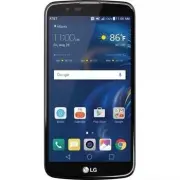
Basics 19 Phone layout Front Camera Lens Proximity Sensor Earpiece Charger/USB Port Headset Jack Power/Lock Key Speaker Rear Camera Lens Volume Keys Flash
Page 22 - Turning the power on or off; Turning the power on; Turning the power off; Power control options
Basics 21 Turning the power on or off Turning the power on When the power is turned off, press and hold the Power/Lock key. NOTE • When the device is turned on for the first time, initial configuration takes place. The first booting time for the smart phone may be longer than usual. Turning the powe...
Page 23 - Installing the Nano SIM card and battery
Basics 22 Installing the Nano SIM card and battery Insert the Nano SIM card provided by your mobile telephone service provider and the included battery. WARNING • Do not insert a memory card into the Nano SIM card slot. If a memory card happens to be lodged in the Nano SIM card slot, take the device...
Page 25 - Charging the battery
Basics 24 Charging the battery Charge the battery before using it for first time. Use the charger that came with your device to charge the battery. A computer can also be used to charge the battery by connecting the phone to it using the USB cable. WARNING • Use only LG-approved chargers, batteries ...
Page 26 - Optimizing battery life
Basics 25 Optimizing battery life Extend your battery's power by turning off features that you do not need to run constantly in the background. You can monitor how applications and system resources consume battery power. Extending your phone's battery life: • Turn off radio communications when you a...
Page 27 - Inserting the memory card
Basics 26 Inserting the memory card Your device supports up to a 32GB microSD card. Depending on the memory card manufacturer and type, some memory cards may not be compatible with your device. WARNING • Some memory cards may not be fully compatible with the device. Using an incompatible card may da...
Page 28 - Removing the memory card; Touch screen tips; Tap or touch
Basics 27 Removing the memory card Before removing the memory card, first unmount it for safe removal. 1 Tap > > > General tab > Storage > . 2 Remove the back cover and pull out the memory card. WARNING • Do not remove the memory card while the device is transferring or accessing info...
Page 29 - Touch and hold; drag; Swipe or slide
Basics 28 Touch and hold Touch and hold an item on the screen by tapping it and not lifting your finger until an action occurs. drag Touch and hold an item for a moment and then, without lifting your finger, move your finger on the screen until you reach the target position. You can drag items on th...
Page 31 - Google account setup; Creating your Google account; Signing into your Google account
Basics 30 Google account setup The first time you open a Google application on your phone, you will be required to sign in with your existing Google account. If you do not have a Google account, you will be prompted to create one. Creating your Google account 1 Tap > > > General tab > Ac...
Page 32 - Locking and unlocking the device; KnockON; Turning the screen on; Turning the screen off; Knock Code
Basics 31 Locking and unlocking the device Pressing the Power/Lock Key turns off the screen and puts the device into lock mode. The device automatically gets locked if it is not used for a specified period. This helps to prevent accidental taps and saves battery power. To unlock the device, press th...
Page 33 - Setting up the Knock Code feature; Unlocking the screen using the Knock Code; Changing the screen lock method; Setting up the Smart Lock feature
Basics 32 Setting up the Knock Code feature 1 Tap > > > Display tab > Lock screen > Select screen lock > Knock Code. 2 Tap the squares in a pattern to set your Knock Code. Your Knock Code pattern can be 6 to 10 taps. Unlocking the screen using the Knock Code You can unlock the scre...
Page 34 - Home screen; Getting to Know the Home Screen
Basics 33 Home screen The Home screen is the starting point for many applications and functions. It allows you to add items like app shortcuts and Google widgets to give you instant access to information and applications. This is the default canvas and accessible from any menu by tapping . Getting t...
Page 35 - To view other Home screen panels; returning to recently-used applications
Basics 34 6 Home Touch Buttons Back Button Returns to the previous screen. Also closes pop- up items, such as menus, dialog boxes and the on-screen keyboard. Home Button Return to the Home screen from any screen. Overview Button Displays recently used applications. If you touch and hold this button,...
Page 36 - Customizing the Home screen; Editing the Home screen; Moving apps on the Home screen
Basics 35 Customizing the Home screen You can customize your Home screen by adding widgets and changing the Home screen settings. Editing the Home screen On the Home screen, tap and hold on an empty space, then start the desired function. • To rearrange the Home screen canvases, tap and hold on a ca...
Page 37 - Using folders from the Home screen; Creating folders; Notifications panel
Basics 36 Using folders from the Home screen Creating folders On the Home screen, tap and hold an app, then drag it over another app. • A new folder is created and the app is added to the folder. Editing folders On the Home screen, tap a folder and then do one of the following: • To edit the folder ...
Page 38 - Indicator icons on the Status Bar
Basics 37 Indicator icons on the Status Bar Indicator icons appear on the status bar at the top of the screen to report missed calls, new messages, calendar events, device status and more. The icons displayed at the top of the screen provide information about the status of the device. The icons list...
Page 39 - Capturing a screenshot; Using the keypad and entering text
Basics 38 NOTE • The icon's location in the status bar may differ depending on the function or service. • The available options may vary depending on the region or service provider. Capturing a screenshot Press and hold the Volume Down Key and the Power/Lock Key at the same time for 2 seconds to cap...
Page 40 - Entering special characters; To split or merge the keyboard
Basics 39 Entering special characters The on-screen keyboard allows you to enter special characters.For example, to input "á", touch and hold the "a" button until the pop-up appears and displays related special characters. Without lifting the finger, drag your finger to the desired s...
Page 41 - Transferring data between a PC and the; Transferring data using USB connection
Basics 40 Transferring data between a PC and the device You can copy or move data between a PC and the device. Transferring data using USB connection 1 Connect your device to a PC using the USB cable that came with your phone. 2 Open the Notifications panel, tap the current connection type, and sele...
Page 43 - Installing or uninstalling apps; To open the Play Store app
Apps 42 Installing or uninstalling apps Play Store allows you to browse and search for free and paid applications. To open the Play Store app Tap > . To open a screen with details about an app At any time while browsing in Play Store, tap an app to open its details screen.The App details screen i...
Page 44 - Calls; Making a call; Calling your contacts
Apps 43 Calls You can enjoy clear calling across the region. Making a call 1 Tap > . 2 Enter the number using the dialer. To delete a digit, tap . 3 After entering the desired number, tap to place the call. 4 To end the call, tap . NOTE • To enter "+" to make international calls, touch an...
Page 45 - Making a second call; Viewing your call logs; Change your call settings
Apps 44 Making a second call 1 During your first call, tap > Add call and enter the number. 2 Tap . 3 Both calls are displayed on the call screen. Your initial call is locked and put on hold. 4 Tap the displayed number to toggle between calls. Or tap to start a conference call. 5 To end all calls...
Page 46 - Contacts; Searching for a contact; Adding a new contact; Creating a group
Apps 45 Contacts You can add contacts on your phone and synchronize them with the contacts in your Google Account or other accounts that support syncing contacts. Searching for a contact 1 Tap > > . 2 Tap Search contacts and enter the contact name using the keyboard. Matches are displayed as y...
Page 47 - Messaging; Sending a message; Conversation view
Apps 46 Messaging Your phone combines text and multimedia messaging into one intuitive, easy to use menu. NOTE • You may be charged for each message you send. Please consult with your service provider. Sending a message 1 Tap > > . 2 Tap , then select one or more entries from your Contacts lis...
Page 48 - Camera; Taking a photo
Apps 47 Camera You can use the camera or camcorder to take and share pictures and videos. • Tap > . Taking a photo 1 Frame your subject on the screen. 2 Green squares around the subject indicates that the camera has focused. 3 Tap to take a photo. Your picture will be automatically saved to the G...
Page 49 - Using the advanced settings; Interval shot
Apps 48 6 Tap to start recording. 7 Tap to take a photo. 8 Tap to exit the camera. NOTE • Be sure to clean the protective lens cover with a microfiber cloth before taking pictures. A lens cover with smudges from fingers can cause blurry pictures with a "halo" effect. Using the advanced setti...
Page 50 - Burst shot; Taking photos with a gesture
Apps 49 Burst shot You can take Burst shots using the rear camera lens. Touch and hold to take a barrage of photos in a row until the Capture button is released. The viewfinder displays the number of shots taken. When viewing Burst shots in the Gallery, tap to display each shot in sequence (similar ...
Page 51 - Once you have taken a photo
Apps 50 Multi-point Auto-focus When you take a picture, the Multi-point Auto-focus (AF) function operates automatically and will allow you to see a clear image. Once you have taken a photo Tap the image thumbnail on the screen to view the last photo you took. Tap to edit the photo. Tap to take anoth...
Page 52 - After recording a video
Apps 51 After recording a video Tap the video thumbnail on the screen to view the last video you recorded. Tap to edit the video. Tap to access additional options. Tap to add the video to your favorites
Page 53 - Gallery; Viewing pictures
Apps 52 Gallery The Gallery application presents the pictures and videos in your storage, including those you've taken with the Camera application and those you downloaded from the web or other locations. 1 Tap > . 2 Tap an album to open it and view its contents. (The pictures and videos in the a...
Page 54 - Zooming in and out; Video options
Apps 53 Zooming in and out Use one of the following methods to zoom in on an image: • Double-tap anywhere to zoom in and out. • Spread two fingers apart on any place in the picture zoom in. Pinch in to zoom out. Playing a video 1 Tap > . 2 Select the video you want to watch. Video options 1 Tap t...
Page 55 - deleting photos/videos; Email; Email overview; registering email accounts
Apps 54 NOTE • While playing a video, slide the right side of the screen up or down to adjust the sound. • While playing a video, slide the left side of the screen up or down to adjust the brightness. • While playing a video, slide your finger from left to right (or vice versa) to fast- forward and ...
Page 56 - Managing email accounts
Apps 55 Managing email accounts To view or edit your email account settings, tap Settings. • To add an account, tap Add account. • To delete an account, tap Remove account. Opening another email account If several email accounts are registered and you want to view another account, tap and select the...
Page 57 - Music; Playing a song; Music player options
Apps 56 Music Your phone has a music player that lets you play all your favorite tracks. NOTE • Depending on the software installed, some file formats may not be supported. • If the file size exceeds the available memory, an error can occur when you open files. • Music file copyrights may be protect...
Page 59 - Clock; Alarm; World clock
Apps 58 Clock The Clock app gives you access to the Alarm, World clock, Timer and Stopwatch functions. Access these functions by tapping the tabs across the top of the screen or swiping horizontally across the screen. • Tap > > . Alarm The Alarm tab allows you to set alarms. 1 Tap the Alarm ta...
Page 60 - Stopwatch; Calculator; Calendar
Apps 59 Stopwatch The Stopwatch tab allows you to use your phone as a stopwatch. 1 Tap the Stopwatch tab. 2 Tap Start to initiate the stopwatch. • Tap Lap to record lap times. 3 Tap Pause to pause the stopwatch. • To resume the stopwatch, tap Resume. • To clear all the records and restart the stopwa...
Page 61 - LG Backup
Apps 60 LG Backup You can back up and restore data saved on your device. 1 Tap > > > General tab > Backup & reset > LG Backup. 2 Follow the on-screen instructions to backup or restore data to and from your device. WARNING • Formatting your device may delete backup files saved in i...
Page 62 - Google apps
Apps 61 Google apps Google provides entertainment, social network, and business apps. You may require a Google account to access some apps.To view more app information, access each app’s help menu. NOTE • Some apps may not be available depending on the region or service provider. Google Search quick...
Page 65 - Access the Settings menu; Opening the settings app; Networks; Airplane mode
Settings 64 Access the Settings menu The Settings app allows you to customize and personalize your phone. Opening the settings app • Tap > > . Viewing settings Tap to switch the view mode. • List view – Scroll up and down through the list. • Tab view – Swipe left and right or tap the tab you w...
Page 66 - Bluetooth
Settings 65 2 Tap a network to connect to it. • If the network is secured with a lock icon, you will need to enter a security key or password. 3 The status bar displays icons that indicate Wi-Fi status. NOTE • If you are out of the Wi-Fi zone or have set Wi-Fi to Off, the device may automatically co...
Page 67 - Pairing your phone with another Bluetooth device; Sending data via Bluetooth; receiving data via Bluetooth
Settings 66 Pairing your phone with another Bluetooth device 1 On the Settings screen, tap the Network tab > Bluetooth. 2 Tap to turn Bluetooth on and start scanning for available Bluetooth devices. • If you want to detect the visible devices in range additionally, tap SEARCH. 3 Choose the device...
Page 68 - Mobile networks; NFC
Settings 67 Mobile networks This menu allows you to configure various mobile network settings, such as Mobile data, International data roaming, and more.On the Settings screen, tap the Network tab > Mobile networks. data Manager Displays the data usage and mobile data usage limit. 1 On the Settin...
Page 69 - Android Beam
Settings 68 Android Beam When this feature is turned on, you can transfer app content to another NFC-capable device by holding the devices close together. Just bring the devices together (typically back to back) and then tap your screen. The app determines what gets beamed. 1 On the Settings screen,...
Page 70 - Tethering; USB tethering; Mobile Hotspot; Bluetooth tethering
Settings 69 Tethering USB tethering Allows you to share the internet connection with your computer via a USB cable. 1 Connect your phone to your PC with a USB cable. 2 On the Settings screen, tap the Network tab > Tethering. 3 Tap next to USB tethering to turn the feature on. Mobile Hotspot You c...
Page 71 - More; Enhanced LTE Service; Emergency alerts; Sound and notification
Settings 70 More Enhanced LTE Service You can enable HD Voice and advanced communication services where available.On the Settings screen, tap the Networks tab > More > Enhanced LTE Service. VPN From your phone, you can add, set up, and manage virtual private networks (VPNs) that allow you to c...
Page 72 - More sound and notification settings; Display
Settings 71 interruptions from notifications. You can set to allow certain features to interrupt when Priority only is set. • Lock screen – Allows you to choose if you want to show or hide notifications on the lock screen. • Apps – Allows you to set notifications for individual apps including preven...
Page 73 - Lock screen; Theme
Settings 72 • Hide apps – Select the apps you want to hide from the Home screen. • Help – Displays help information for the Home screen. Lock screen Allows you to set your lock screen settings.On the Settings screen, tap the Display tab > Lock screen. • Select screen lock – Allows you to set a sc...
Page 74 - Font type
Settings 73 Font type Select the desired font type.On the Settings screen, tap the Display tab > Font type. Font size Select the desired font size.On the Settings screen, tap the Display tab > Font size. Bold text Bold the text on the screen.On the Settings screen, tap the Display tab > Bol...
Page 75 - More display settings; General
Settings 74 More display settings Allows you to set other display settings. On the Settings screen, tap the Display tab > More. • Display size – Set the items on the screen to a size that is easy for you to see. Some items may change position. • Screen saver – Select the screen saver to be displa...
Page 76 - Location
Settings 75 Location Turn on location service, your phone determines your approximate location using Wi-Fi and mobile networks. When you select this option, you're asked whether you consent to allowing Google to use your location when providing these services.On the Settings screen, tap the General ...
Page 77 - Accessibility
Settings 76 Accessibility Use the Accessibility settings to configure accessibility plug-ins you have installed on your phone.On the Settings screen, tap the General tab > Accessibility. • Vision – Sets options for people with impaired sight. - TalkBack – Allows you to set up the TalkBack functio...
Page 79 - Shortcut keys
Settings 78 Shortcut keys Get quick access to apps by pressing the Volume Keys twice when the screen is off or locked.On the Settings screen, tap the General tab > Shortcut key. • Press the Volume Up Key twice to open the Capture+ app. • Press the Volume Down Key twice to launch the Camera app. G...
Page 80 - Storage
Settings 79 • Screen pin – You can enable your device to only show a certain app's screen using screen pin. • Usage access – Allows you to view usage information of apps on your phone. date & time Set your preferences for how the date and time are displayed.On the Settings screen, tap the Genera...
Page 81 - Memory
Settings 80 Memory You can monitor the memory used on average and the memory used by apps in the device.On the Settings screen, tap the General tab > Memory. Apps Allows you to view details about the apps installed on your phone, manage their data, and force them to stop. On the Settings screen, ...
Page 82 - About phone
Settings 81 About phone View legal information, check phone status and software versions, and perform a software update.On the Settings screen, tap General tab > About phone.
Page 84 - Phone software update
Appendix 83 Phone software update LG Mobile Phone software update via Over-the-Air (OTA) This feature allows you to conveniently update your phone's software to a newer version via OTA, without connecting using a USB data cable. This feature will only be available if and when LG makes a newer firmwa...
Page 85 - FAQ
Appendix 84 FAQ This chapter lists some problems you might encounter when using your phone. Some problems require you to call your service provider, but most are easy to fix yourself. Message Possible causes Possible corrective measures SIM card error There is no SIM card in the phone or it is inser...
Page 89 - More information; Open Source Software Notice Information
Appendix 88 More information Open Source Software Notice Information To obtain the source code under GPL, LGPL, MPL, and other open source licenses, that is contained in this product, please visit http://opensource. lge.com.In addition to the source code, all referred license terms, warranty disclai...
Page 91 - Important Information; Before You Start; Caution
For Your Safety 90 Important Information This user guide contains important information on the use and operation of this phone. Please read all the information carefully for optimal performance and to prevent any damage to or misuse of the phone. Any changes or modifications not expressly approved i...
Page 93 - HAC statement; FCC rF Exposure Information
For Your Safety 92 • Use and store your phone in temperatures between 0°C/32°F and 45°C/113°F, if possible. Exposing your phone to extremely low or high temperatures may result in damage, malfunction, or even explosion. HAC statement This phone has been tested and rated for use with hearing aids for...
Page 94 - Consumer Information About radio Frequency Emissions
For Your Safety 93 maintain 0.39 inches (1.0 cm) distance between the user’s body and the back of the phone and have not been tested for compliance with FCC RF exposure limits. Consumer Information About radio Frequency Emissions Your wireless phone, which contains a radio transmitter and receiver, ...
Page 98 - Consumer Information on SAr
For Your Safety 97 http://www.ncrponline.orgEngineering in Medicine and Biology Society, Committee on Man and Radiation (COMAR) of the Institute of Electrical and Electronics Engineers http://ewh.ieee.org/soc/embs/comar/ Consumer Information on SAr (Specific Absorption Rate)This model phone meets th...
Page 102 - TIA Safety Information
For Your Safety 101 depending on the nature of the sound, the device, the device settings and the headphones. You should follow some commonsense recommendations when using any portable audio device: • Set the volume in a quiet environment and select the lowest volume at which you can hear adequately...
Page 103 - Tips on Efficient Operation
For Your Safety 102 ANSI C95.1 (1992) *NCRP Report 86 (1986)ICNIRP (1996)* American National Standards Institute; National Council on Radiation Protection and Measurements; International Commission on Non-Ionizing Radiation Protection Those standards were based on comprehensive and periodic evaluati...
Page 105 - Blasting Areas
For Your Safety 104 Blasting Areas To avoid interfering with blasting operations, turn your phone OFF when in a “blasting area” or in areas posted: “Turn off two-way radio”. Obey all signs and instructions. Potentially Explosive Atmosphere Turn your phone OFF when in any area with a potentially expl...
Page 106 - Safety Information
For Your Safety 105 Part 15.105 statement This equipment has been tested and found to comply with the limits for a class B digital device, pursuant to Part 15 of the FCC rules. These limits are designed to provide reasonable protection against harmful interference in a residential installation. This...
Page 108 - Charger and Adapter Safety
For Your Safety 107 • Replace the battery only with another battery that has been qualified with the system per this standard, IEEE-Std-1725. Use of an unqualified battery may present a risk of fire, explosion, leakage or other hazard. Only authorized service providers shall replace battery (If the ...
Page 110 - General Notice
For Your Safety 109 Explosion, Shock, and Fire Hazards • Do not put your phone in a place subject to excessive dust and keep the minimum required distance between the power cord and heat sources. • Unplug the power cord prior to cleaning your phone, and clean the power plug pin when it’s dirty. • Wh...
Page 111 - FdA Consumer Update
For Your Safety 110 voice messages, pictures, and videos could also be deleted.) The manufacturer is not liable for damage due to the loss of data. • When you use the phone in public places, set the ringtone to vibration so you don't disturb others. • Do not turn your phone on or off when putting it...
Page 118 - driving; 0 driver Safety Tips
For Your Safety 117 International Commission on Non-lonizing Radiation Protection(http://www.icnirp.de)World Health Organization (WHO) International EMF Project(http://www.who.int/emf)National Radiological Protection Board (UK)(http://www.hpa.org.uk/radiation/) driving Check the laws and regulations...