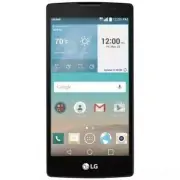
Page 3 - User Guide; ENGLISH
User Guide • Some content and illustrations may differ from your device depending on the region, service provider, software version, or OS version, and are subject to change without prior notice. • Always use genuine LG accessories. The supplied items are designed only for this device and may not be...
Page 4 - Table of contents
2 Table of contents Important notice .......................................4 Getting to know your phone .....................7 Phone layout ............................................7Installing the SIM or USIM card and battery .....................................................9Charging the bat...
Page 6 - Please read this before you start using your phone!; To uninstall applications:; Optimizing battery life; consume battery power.; Important notice
4 Important notice Please read this before you start using your phone! Please check to see whether any problems you encountered with your phone are described in this section before taking the phone in for service or calling a service representative. 1. Phone memory When there is less than 10 MB of s...
Page 7 - Before installing an open source application and OS; Volume Keys
5 Important notice • Some applications you download may consume battery power. • While using downloaded applications, check the battery charge level. 3. Before installing an open source application and OS WARNING If you install and use an OS other than the one provided by the manufacturer it may cau...
Page 8 - Opening and switching applications; Clear all; If the screen freezes
6 Important notice 6 Press the Volume Keys to highlight Yes once more, then press the Power/Lock Key to confirm. WARNING If you perform a Hard Reset, all user applications, user data and DRM licenses will be deleted. Please remember to backup any important data before performing a Hard Reset. 5. Ope...
Page 9 - Phone layout; Proximity Sensor; Getting to know your phone
7 Getting to know your phone Phone layout Proximity Sensor Earpiece Headset Jack Front Camera Lens Microphone NOTE: Proximity sensor When receiving and making calls, the proximity sensor automatically turns the backlight off and locks the touch screen by sensing when the phone is near your ear. This...
Page 11 - Installing the SIM or USIM card and battery; Before you can start exploring your new phone, you need to set it up.
9 Getting to know your phone Installing the SIM or USIM card and battery Before you can start exploring your new phone, you need to set it up. 1 To remove the back cover, hold the phone firmly in one hand. With your other hand, lift off the back cover with your thumbnail as shown in the figure below...
Page 12 - compartment
10 Getting to know your phone WARNING Do not insert a memory card into the SIM card slot. If a memory card happens to be lodged in the SIM card slot, take the device to a LG Service Center to remove the memory card. NOTE: Only microSIM cards work with this device. 3 Insert the battery. 4 To replace ...
Page 13 - Charging the battery; plug it into a power outlet.
11 Getting to know your phone Charging the battery Charge the battery before using it for first time. Use the charger to charge the battery. A computer can also be used to charge the battery by connecting the phone to it using the USB cable. WARNING Use only LG-approved chargers, batteries and cable...
Page 14 - Inserting a memory card; Remove the back cover.
12 Getting to know your phone Inserting a memory card Your device supports up to a 32 GB microSD card. Depending on the memory card manufacturer and type, some memory cards may not be compatible with your device. WARNING Some memory cards may not be fully compatible with the device. Using an incompa...
Page 15 - Removing the memory card; Locking and unlocking the device; Changing the screen lock method
13 Getting to know your phone Removing the memory card Before removing the memory card, first unmount it for safe removal. 1 Tap > > > General tab > Storage > Unmount SD card . 2 Remove the back cover and pull out the memory card. WARNING Do not remove the memory card while the device...
Page 17 - Touch screen tips; Tap or touch; Your Home screen
15 Your Home screen Touch screen tips Here are some tips on how to navigate on your phone. • Tap or touch – A single finger tap selects items, links, shortcuts and letters on the on-screen keyboard. • Touch and hold – Touch and hold an item on the screen by tapping it and not lifting your finger unt...
Page 18 - Home screen; Status Bar
16 Your Home screen Home screen The Home screen is the starting point for many applications and functions. It allows you to add items like app shortcuts and Google widgets to give you instant access to information and applications. This is the default canvas and accessible from any menu by tapping ....
Page 19 - Extended Home screen; Customizing the Home screen; Adding items on your Home screen; Removing an item from the Home screen
17 Your Home screen Extended Home screen The operating system provides multiple Home screen canvases to provide more space for adding icons, widgets and more. • Slide your finger left or right across the Home screen to access additional canvases. Customizing the Home screen You can customize your Ho...
Page 20 - Customizing app icons on the Home screen; Returning to recently-used applications
18 Your Home screen NOTE: The Apps Button cannot be removed. Customizing app icons on the Home screen 1 Touch and hold an application icon until it unlocks from its current position, then release it. The editing icon appears in the upper-right corner of the application. 2 Tap the application icon ag...
Page 21 - Opening the Notifications panel
19 Your Home screen Pending notifications System notifications Opening the Notifications panel Swipe down from the Status bar to open the Notifications panel. To close the Notifications panel, swipe the screen upwards or tap . Quick Settings Area Notifications Clear Tap each quick setting button to ...
Page 22 - Indicator icons on the Status Bar
20 Your Home screen Indicator icons on the Status Bar Indicator icons appear on the status bar at the top of the screen to report missed calls, new messages, calendar events, device status and more. The icons displayed at the top of the screen provide information about the status of the device. The ...
Page 23 - Using the keypad and entering text
21 Your Home screen New text or multimedia message Media server content sharing is on NFC is on NOTE: The icon's location in the Status bar may differ according to the function or service. On-screen keyboard You can enter text using the on-screen keyboard. The on-screen keyboard appears on the scree...
Page 24 - Gesture shot; To take photo; Special Features
22 Special Features Gesture shot The Gesture shot feature allows you to take a picture with a hand gesture using the front camera. To take photo There are two methods for using the Gesture shot feature. • Raise your hand, with an open palm, until the front camera detects it and a box appears on the ...
Page 25 - Glance View; your finger down from the top of the screen.; KnockON; To turn the screen on; Knock Code; the screen is off by tapping the same sequence on the screen.
23 Special Features Glance View When the phone screen is off, you can see the Status bar, time and date by dragging your finger down from the top of the screen. KnockON The KnockON feature allows you to double-tap the screen to easily turn it on or off. To turn the screen on 1 Double-tap the center ...
Page 26 - Display
24 Special Features NOTE: • If you enter the wrong Knock Code 6 times, it will compulsorily take you to your Google account log in/backup PIN. • Use the fingertip instead of finger nail to tap the screen for turning it on or off. • When the Knock Code is not in use, you can use Knock On function by ...
Page 27 - Gallery
25 Special Features Tap to redo the most recently deleted action. Tap to insert text into your memo. Tap to select the pen type and color. Tap to use the eraser to erase the pen marks on the memo. Tap to save the memo you've created. Tap to hide or display the toolbar. NOTE: Please use a fingertip w...
Page 28 - Creating your Google account; Google account setup
26 Google account setup The first time you open a Google application on your phone, you will be required to sign in with your existing Google account. If you do not have a Google account, you will be prompted to create one. Creating your Google account 1 Tap > . 2 Tap > General tab > Accoun...
Page 29 - services on your phone.
27 Google account setup After signing in, your phone will sync with your Google services, such as Gmail, Contacts, and Google Calendar. You can also use Maps, download applications from Play Store, back up your settings to Google servers, and take advantage of other Google services on your phone. IM...
Page 30 - Connecting to Wi-Fi networks; Connecting to Networks and Devices
28 Connecting to Networks and Devices Wi-Fi You can use high-speed Internet access while within the coverage of the wireless access point (AP). Connecting to Wi-Fi networks 1 Tap > > > Networks tab > Wi-Fi . 2 Tap to turn Wi-Fi on and start scanning for available Wi-Fi networks. 3 Tap a ...
Page 31 - Bluetooth; Pairing your phone with another Bluetooth device
29 Connecting to Networks and Devices Bluetooth Bluetooth is a short-range communications technology that allows you to connect wirelessly to a number of Bluetooth devices, such as headsets and hands-free car kits, and Bluetooth-enabled handhelds, computers, printers, and wireless devices. NOTE: • L...
Page 32 - Sending data via Bluetooth
30 Connecting to Networks and Devices Sending data via Bluetooth 1 Select a file or item, such as a contact or media file. 2 Select the option for sending data via Bluetooth. 3 Search for and pair with a Bluetooth-enabled device. • Due to different specifications and features of other Bluetooth-comp...
Page 33 - Transferring data between a PC and the device; You can copy or move data between a PC and the device.; Items
31 Connecting to Networks and Devices Transferring data between a PC and the device You can copy or move data between a PC and the device. Transferring data 1 Connect your device to a PC using the USB cable that came with your phone. 2 Open the Notifications panel, , tap the current USB connection, ...
Page 34 - Making a call; Calls
32 Calls Making a call 1 Tap to open the dialer. 2 Enter the number using the dialer. To delete a digit, tap . 3 After entering the desired number, tap to place the call. 4 To end the call, tap . TIP! To enter "+" to make international calls, touch and hold . Calling your contacts 1 Tap to o...
Page 35 - Making a second call; Add call; Viewing your call logs; Call logs; Call settings
33 Calls Making a second call 1 During your first call, tap > Add call and enter the number. 2 Tap to place the call. 3 Both calls are displayed on the call screen. Your initial call is locked and put on hold. 4 Tap the displayed number to toggle between calls. Or tap to start a conference call. ...
Page 36 - Searching for a contact; Search contacts; Adding a new contact; Add to Contacts; Favorite contacts; Adding a contact to your favorites; Contacts
34 Contacts You can add contacts on your phone and synchronize them with the contacts in your Google Account or other accounts that support syncing contacts. Searching for a contact 1 Tap to open your contacts. 2 Tap Search contacts and enter the contact name using the keyboard. Adding a new contact...
Page 37 - Removing a contact from your favorites list; Creating a group; Groups
35 Contacts Removing a contact from your favorites list 1 Tap to open your contacts. 2 Tap the Favorites tab, and choose a contact to view its details. 3 Tap the gold star at the top right of the screen. The star turns a dark color and the contact is removed from your favorites. Creating a group 1 T...
Page 38 - Sending a message; To; Messaging
36 Messaging Your phone combines text and multimedia messaging into one intuitive, easyto-use menu. Sending a message 1 From the Home screen, tap and tap to create a new message. 2 Enter a contact name or contact number into the To field. As you enter the contact name, matching contacts appear. You ...
Page 39 - Conversation view; you can conveniently see and find your conversations.; Changing your messaging settings
37 Messaging Conversation view Messages exchanged with another party are displayed in chronological order so that you can conveniently see and find your conversations. Changing your messaging settings Your phone's messaging settings are predefined to allow you to send messages immediately. You can c...
Page 40 - Managing email accounts; To open the Email application; Working with account folders
38 E-mail You can use the Email application to read email from providers other than Gmail. The Email application supports the following account types: POP3, IMAP and Microsoft Exchange (for Enterprise users). Managing email accounts To open the Email application Tap > > . The first time you op...
Page 41 - Composing and sending email; Attach
39 E-mail Composing and sending email 1 In the application, tap to create a new email. 2 Enter an address for the message's intended recipient. As you enter text, matching addresses will be offered from your contacts. Separate multiple addresses with semicolons. 3 Tap the Cc/Bcc field to copy or bli...
Page 42 - Camera options on the viewfinder; Flash; Camera and Video
40 Camera and Video Camera options on the viewfinder To open the Camera application, tap > > . You can use the camera or camcorder to take and share pictures and videos. NOTE: Be sure to clean the protective lens cover with a microfiber cloth before taking pictures. A lens cover with smudges f...
Page 43 - Capture; Using the advanced settings
41 Camera and Video Capture – Tap to take a photo. Exit – Tap to exit the camera. Using the advanced settings In the camera viewfinder, tap to show the advanced options. Tap each icon to adjust the following camera settings. Set the size of your picture and video. Allows you to say a voice command t...
Page 44 - Taking a photo; Once you have taken a photo; Camera
42 Camera and Video Taking a photo 1 Open the Camera application and point the lens toward the subject you want to photograph. 2 Focus indicators will appear in the center of the viewfinder screen. You can also tap anywhere on the screen to focus on that spot. 3 When the focus indicators turn blue, ...
Page 45 - After recording a video; Multi-point Auto Focus
43 Camera and Video NOTE: The timer will be displayed on the screen. 3 Tap to stop recording. TIP! – Tap to capture a screen shot while recording a video. – Tap to pause the recording. After recording a video Tap the video thumbnail on the screen to view the last video you recorded. The following op...
Page 46 - Viewing pictures
44 Camera and Video Gallery The Gallery application presents the pictures and videos in your storage, including those you've taken with the Camera application and those you downloaded from the web or other locations. 1 Tap > > to view the images stored in the storage. 2 Tap an album to open it...
Page 47 - Video options
45 Camera and Video Video options 1 Tap > > . 2 Select the video you want to watch. Touch to pause/resume video playback. Touch to fast-forward. Touch to rewind. Touch to adjust video volume. Touch to lock/unlock the screen. Tap to access additional options. NOTE: • While a video is playing, t...
Page 48 - Editing photos
46 Camera and Video Editing photos While viewing a photo, tap . Deleting photos/videos Use one of the following methods: • While in a folder, tap , select the photos/videos you want to delete. Then tap Delete . • While viewing a photo, tap . Setting wallpaper While viewing a photo, tap > Set imag...
Page 49 - Music; Playing a song; Multimedia
47 Multimedia Music Your phone has a music player that lets you play all your favorite tracks. Playing a song 1 Tap > > . 2 Tap the Songs tab. 3 Select the song you want to play. 4 The following options are available. Tap to add the song to your favorites. Tap to open the current playlist. Tap...
Page 51 - Clock; Alarms; Timer; Utilities
49 Utilities Clock The Clock app gives you access to the Alarms, Timer, World clock and Stopwatch functions. Access these functions by tapping the tabs across the top of the screen or swiping horizontally across the screen.Tap > > . Alarms The Alarms tab allows you to set alarms. 1 Open the ap...
Page 52 - World clock; Calculator
50 Utilities World clock The World clock tab allows you to easily check the current time in other cities around the world. 1 Open the app, then select the World clock tab. 2 Tap and select the desired city. Stopwatch The Stopwatch tab allows you to use your phone as a stopwatch. 1 Open the app, then...
Page 53 - Calendar; Save; Voice Recorder; Recording a sound or voice; Voice Search; Google
51 Utilities Calendar The Calendar app allows you to track your schedule of events. 1 Tap > > . 2 Tap the date you want to add an event to. Then tap . 3 Enter the event details and tap Save . Voice Recorder The Voice Recorder app records audible files for you to use in a variety of ways. Recor...
Page 54 - Downloads; LG SmartWorld; How to Get to LG SmartWorld from Your Phone
52 Utilities Downloads Use this application to see what files have been downloaded through the applications. • Tap > > . NOTE: This application may not be available depending on the region or service provider. LG SmartWorld LG SmartWorld offers an assortment of exciting content – fonts, themes...
Page 56 - Browser; Using the Web toolbar; Browsing the Web
54 Browsing the Web Browser The Browser gives you a fast, full-color world of games, music, news, sports, entertainment, and much more, right on your mobile phone. NOTE: Additional charges apply when connecting to these services and downloading content. Check data charges with your network provider....
Page 57 - Searching the web by voice; Chrome; Viewing webpages
55 Browsing the Web Searching the web by voice Tap the address field and then tap . When prompted, say a keyword and select one of the suggested keywords that appear. NOTE: This feature may not be available depending on the region or service provider. Bookmarks To bookmark the current webpage, tap &...
Page 58 - To open the Settings application; Networks; Settings
56 Settings The Settings application contains most of the tools for customizing and configuring your phone. All of the settings in the Settings application are described in this section. To open the Settings application • Tap > touch and hold > System settings . - or - • Tap > > . Networ...
Page 60 - Sound
58 Settings • Android Beam – When this feature is turned on, you can beam app content to another NFC-capable device by holding the devices close together. For example, you can beam Browser pages, YouTube videos, contacts, ThinkFree Viewer, and more. Just bring the devices together (typically back to...
Page 61 - Allows you to set a vibration type for notifications.
59 Settings Sound with vibration Checkmark to set the phone to vibrate in addition to the ringtone when you receive calls. Vibration type Allows you to set a vibration type for notifications. < NOTIFICATIONS >Do not disturb Allows you to set a schedule when to prevent interruptions from notifi...
Page 63 - Home touch buttons; General
61 Settings Home touch buttons Select the home touch button combination and color. < FONT >Font type Select the desired font type for the phone and menus. Font size Select the desired font size for the phone and menus. < OTHER SCREEN SETTINGS >Brightness Allows you to adjust the screen b...
Page 69 - LG Backup service
67 Settings • LG Backup service – Backs up all information on the device and restores it in the event of data loss or replacement. • Factory data reset – Reset your settings to the factory default values and delete all your data. If you reset the phone this way, you are prompted to re-enter the same...
Page 70 - For Windows OS; Installing the LG PC Suite Software
68 PC software (LG PC Suite) For Windows OS LG PC Suite helps you manage media contents and applications in your phone by allowing you to connect to your phone to your PC. With the LG PC Suite software, you can... • Manage and play your media contents (music, movie, pictures) on your PC. • Send mult...
Page 71 - For Mac OS; Send multimedia contents to your device.
69 PC software (LG PC Suite) System Requirements for LG PC Suite software • OS: Windows XP (Service pack 3) 32 bit, Windows Vista, Windows 7, Windows 8 • CPU: 1 GHz or higher processors • Memory: 512 MB or higher RAMs • Graphic card: 1024 x 768 resolution, 32 bit color or higher • HDD: 500 MB or mor...
Page 73 - Phone software update; LG Mobile phone software update from the Internet; LG Mobile Phone software u; Phone software update
71 Phone software update Phone software update LG Mobile phone software update from the Internet For more information about using this function, please visit http://www.lg.com/common/ index.jsp select your country and language. This feature allows you to conveniently update the firmware on your phon...
Page 75 - About this user guide; use your phone safely and correctly.; Trademarks; LG and the LG logo are registered trademarks of LG Electronics.; About this user guide
73 About this user guide About this user guide • Before using your device, please carefully read this guide. This ensures that you use your phone safely and correctly. • Some of the images and screenshots provided in this guide may appear differently on your phone. • Your content may differ from the...
Page 76 - (Items described below; Accessories
74 Accessories These accessories are available for use with the your phone. (Items described below may be optional.) • Travel adaptor • Quick Start Guide • Stereo headset • USB cable • Battery NOTE: • Always use genuine LG accessories. The supplied items are designed only for this device and may not...
Page 77 - Troubleshooting
75 Troubleshooting This chapter lists some problems you might encounter when using your phone. Some problems require you to call your service provider, but most are easy to fix yourself. Message Possible causes Possible corrective measures SIM or USIM card error There is no SIM or USIM card in the p...
Page 80 - FAQ
78 FAQ Category Question Answer Bluetooth Devices What functions are available via Bluetooth? You can connect a Bluetooth audio device, such as a Stereo/Mono headset or car kit. Contacts Backup How can I back up Contacts? Contacts data can be synchronized between your phone and your Google account. ...
Page 86 - Safety Information; phone and to prevent damage.; Do not disassemble or open crush, bend or deform, puncture or shred.; For Your Safety
84 For Your Safety Safety Information Please read and observe the following information for safe and proper use of your phone and to prevent damage. WARNING! This product contains chemicals known to the State of California to cause cancer and birth defects or reproductive harm. Wash hands after hand...
Page 87 - that of the parts being replaced.
85 For Your Safety inspection. • Improper battery use may result in a fire, explosion or other hazard. • Repairs under warranty, at LG’s option, may include replacement parts or boards that are either new or reconditioned, provided that they have functionality equal to that of the parts being replac...
Page 88 - life will vary due to usage pattern and environmental conditions.
86 For Your Safety • Recharge the battery after long periods of non-use to maximize battery life. Battery life will vary due to usage pattern and environmental conditions. • Never store your phone in temperature less than -4 °F or greater than 122 °F. • Charging temperature range is between 32 °F an...
Page 89 - to clean your phone. This could cause a fire.; Care and Maintenance; and allow you to enjoy this product for many years:
87 For Your Safety to clean your phone. This could cause a fire. • Always unplug the charger from the wall socket after the phone is fully charged to save unnecessary power consumption of the charger. Care and Maintenance Your mobile device is a product of superior design and craftsmanship and shoul...
Page 90 - Cleaning solutions
88 For Your Safety Cleaning solutions Do not use harsh chemicals, cleaning solvents, or strong detergents to clean the mobile device.Wipe it with a soft cloths lightly dampened in a mild soap-and-water solution. Shock or vibration Do not drop, knock, or shake the mobile device.Rough handling can bre...
Page 92 - Consult the dealer or an experienced radio/TV technician for help.
90 For Your Safety • Consult the dealer or an experienced radio/TV technician for help. FCC RF Exposure Information WARNING! Read this information before operating the phone. In August 1996, the Federal Communications Commission (FCC) of the United States, with its action in Report and Order FCC 96-...
Page 93 - asked questions about the health effects of wireless phones.
91 For Your Safety Consumer Information About Radio Frequency Emissions Your wireless phone, which contains a radio transmitter and receiver, emits radio frequency energy during use. The following consumer information addresses commonly asked questions about the health effects of wireless phones. Ar...
Page 94 - Can I minimize my RF exposure?
92 For Your Safety limits established by the FCC. One of these limits is expressed as a Specific Absorption Rate, or “SAR.” SAR is a measure of the rate of absorption of RF energy in the body. Tests for SAR are conducted with the phone transmitting at its highest power level in all tested frequency ...
Page 95 - Where can I get further information about RF emissions?
93 For Your Safety users of wireless communication devices, including children.” The FDA/FCC website further states that “some groups sponsored by other national governments have advised that children be discouraged from using wireless phones at all”. For example, the Stewart Report from the United ...
Page 96 - World Health Organization
94 For Your Safety Royal Society of Canada Expert Panels on Potential Health Risks of Radio Frequency Fields from Wireless Telecommunication Devices 283 Sparks StreetOttawa, Ontario K1R 7X9CanadaTelephone: (613) 991-6990 World Health Organization Avenue Appia 201211 Geneva 27SwitzerlandTelephone: 01...
Page 97 - TIA Safety Information; Consumer Information on SAR
95 For Your Safety Engineering in Medicine and Biology Society, Committee on Man and Radiation (COMAR) of the Institute of Electrical and Electronics Engineers http://ewh.ieee.org/soc/embs/comar/ TIA Safety Information The following is the complete TIA Safety Information for wireless handheld phones...
Page 98 - for any variations in measurements.
96 For Your Safety The highest SAR values are:* Head: 1.02 W/kg* Body (Body-worn/Hotspot): 1.23 W/kg(body measurements differ among phone models, depending upon available accessories and FCC requirements).While there may be differences between SAR levels of various phones and at various positions, t...
Page 99 - Antenna Care
97 For Your Safety scientific literature. For example, over 120 scientists, engineers, and physicians from universities, government health agencies, and industry reviewed the available body of research to develop the ANSI Standard (C95.1).The design of your phone complies with the FCC guidelines (an...
Page 100 - interference is taking place.
98 For Your Safety • Should use the ear opposite the pacemaker to minimize the potential for interference; • Should turn the phone OFF immediately if there is any reason to suspect that interference is taking place. Hearing Aids Some digital wireless phones may interfere with some hearing aids. In t...
Page 101 - Potentially Explosive Atmosphere; FDA Consumer Update; FDA; Do wireless phones pose a; The U.S. Food and Drug Administration’s Center for Devices and
99 For Your Safety Potentially Explosive Atmosphere Turn your phone OFF when in any area with a potentially explosive atmosphere and obey all signs and instructions. Sparks in such areas could cause an explosion or fire resulting in bodily injury or even death.Areas with a potentially explosive atmo...
Page 102 - What is the FDA’s role concerning the safety of wireless phones?
100 For Your Safety reasons for inconsistent results. 2. What is the FDA’s role concerning the safety of wireless phones? Under the law, the FDA does not review the safety of radiation-emitting consumer products such as wireless phones before they can be sold, as it does with new drugs or medical de...
Page 103 - What kinds of phones are the subject of this update?
101 For Your Safety While these base stations operate at higher power than do the wireless phones themselves, the RF exposures that people get from these base stations are typically thousands of times lower than those they can get from wireless phones. Base stations are thus not the subject of the s...
Page 104 - phones poses a health risk?
102 For Your Safety acoustic neuroma, tumors of the brain or salivary gland, leukemia, or other cancers. None of the studies demonstrated the existence of any harmful health effects from wireless phone RF exposures. However, none of the studies can answer questions about long-term exposures, since t...
Page 105 - latest research developments around the world.
103 For Your Safety formal Cooperative Research And Development Agreement (CRADA) to do research on wireless phone safety. The FDA provides the scientific oversight, obtaining input from experts in government, industry, and academic organizations. CTIA-funded research is conducted through contracts ...
Page 106 - from my wireless phone?
104 For Your Safety phone users. The test method uses a tissue-simulating model of the human head. Standardized SAR test methodology is expected to greatly improve the consistency of measurements made at different laboratories on the same phone. SAR is the measurement of the amount of energy absorbe...
Page 107 - Where can I find additional information?
105 For Your Safety 2000. They noted that no evidence exists that using a wireless phone causes brain tumors or other ill effects. Their recommendation to limit wireless phone use by children was strictly precautionary; it was not based on scientific evidence that any health hazard exists. 11. What ...
Page 108 - Driving; HAC statement
106 For Your Safety (http://www.hpa.org.uk/radiation/) Driving Check the laws and regulations on the use of wireless phones in the areas where you drive and always obey them. Also, if using your phone while driving, please observe the following: • Give full attention to driving -- driving safely is ...
Page 110 - Phones and Hearing Aid Accessibility
108 For Your Safety FCC Rules.The HAC rating and measurement procedure are described in the American National Standards Institute (ANSI) C63.19 standard.To enter that the Hearing Aid Compatibility rating for your phone is maintained, secondary transmitters such as Bluetooth and WLAN components must ...
Page 111 - Limited Warranty Statement
Limited Warranty Statement 1. WHAT THIS WARRANTY COVERS: LG offers you a limited warranty that the enclosed subscriber unit and its enclosed accessories will be free from defects in material and workmanship, according to the following terms and conditions: (1) The limited warranty for the product ex...