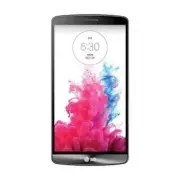
Page 2 - User Guide; English
LG G3 LG G3 User Guide English • Screen displays and illustrations may differ from those you see on actual phone. • Some of the contents of this guide may not apply to your phone, depending on the software and your service provider. All information in this document is subject to change without notic...
Page 3 - About this user guide; INTRODUCTION
2 About this user guide Please read this user guide carefully before you use your phone and keep it handy for future reference. Should your phone fails to operate correctly, refer to the FAQ section. • Some features and service may vary by area, phone, carrier, plan and version of phone software. • ...
Page 4 - Table of contents
3 Table of contents INTRODUCTION ................................2 Important notice ................................6 Getting to know your phone ........... 12 Installing the SIM card and battery .. 15Charging your phone ........................... 17Inserting a microSD card .................... 18R...
Page 7 - Important notice; Optimizing Battery Life
6 Important notice Please check to see if any problems you have encountered with your phone are described in this section before taking the phone in for service or calling a service representative. 1. Phone Memory In order to make more memory available, you will have to manage your applications and ...
Page 8 - Installing an Open Source Operating System
7 NOTE: If you accidently press the Power/Lock Key while the device is in your pocket, the screen will turn off automatically in order to save battery power. To view the battery charge level 1 From the Home screen, tap > > Settings > General tab > Battery . 2 The battery status (charging...
Page 9 - Using a Screen Lock
8 4. Using a Screen Lock Set a screen lock to secure your phone. To set the screen lock, follow the process below. From the Home screen, tap > > Settings > Display tab > Lock screen > Select screen lock and select a desired screen lock from None, Swipe, Face Unlock , Knock Code , Patt...
Page 13 - Front view; Getting to know your phone
12 To turn on the phone, press and hold the Power/Lock Key on the back side of the phone for 3 seconds. To turn off the phone, press the Power/Lock Key on the back side of the phone for 3 seconds and tap Power off and OK to confirm. Front view Front Camera Lens - Use to take a picture of yourself or...
Page 14 - Side view
13 Warning! Placing a heavy object on the phone or sitting on it can damage its LCD and touch screen functionalities. Do not cover the LCD’s proximity sensor with a protective film. This can cause the sensor to malfunction. Side view IR (Infrared) LED Microphone Charger/USB Port 3.5mm Headset Jack V...
Page 15 - Rear view; Battery
14 Rear view Battery Back cover Micro SIM/microSD Card slot Notice The NFC antenna for this model is on the back cover. Getting to know your phone
Page 16 - Installing the SIM card and battery
15 Installing the SIM card and battery Before you can start exploring your new phone, you’ll need to set it up. To insert the SIM card and battery: 1 Hold the phone on your hand fi rmly. With the other hand, lift the back cover using the fi ngertip cutout located on the left side of the cover and remo...
Page 18 - Charging your phone
17 Charging your phone 1 Connect the wall adapter and USB cable as shown below. The USB symbol on the USB cable should face toward you. 2 Plug the USB cable (as shown below) into the phone's Charger/Accessory Port. Make sure the USB symbol is facing upwards. Always unplug the charger from the wall s...
Page 19 - Inserting a microSD card
18 Getting to know your phone NOTE: • The battery must be fully charged initially to improve battery lifetime. • Your phone has an internal antenna. Be careful not to scratch or damage this rear area, as that will cause loss of performance.When the battery becomes fully discharged and you connect th...
Page 20 - Removing the microSD card
19 NOTE: Some downloaded applications store data on the microSD card as well as on the phone. Due to this feature, if you skip the unmount procedure, it can cause an error because information between the microSD card and the phone is not accorded properly. In the worst case, the microSD card can be ...
Page 23 - Your Home screen; Touch screen tips
22 Your Home screen Touch screen tips With the touch of your finger, you can access available applications, make menu selections, and access data saved to your phone. The following terms are used for describing the different available actions using the touchscreen: Tap - A single finger tap selects ...
Page 24 - Proximity sensor; Lock your phone
23 Proximity sensor When receiving and making calls, this sensor automatically turns the backlight off and locks the touch keypad by sensing when the phone is near your ear. This extends battery life and prevents the touch keypad from activating unintentionally during calls. NOTE: When turning the s...
Page 25 - KnockON; Quick Switch to Silent/Vibrate Mode; Home Screen Overview
24 Your Home screen KnockON The KnockON feature allows you to double-tap the screen to easily turn it on or off. To turn the screen on 1 Double-tap the center of the Lock screen to turn the screen on. 2 Unlock the screen or access any of the available shortcuts or widgets. To turn the screen off 1 D...
Page 27 - Customizing apps icons on the Home screen
26 Your Home screen 5 You will see a new icon on the Home screen. To place it on a different canvas, touch and hold it to drag it to the desired location and release your fi nger from the screen. TIP! To add a preloaded application or an application you have downloaded from Play Store to the Home scr...
Page 29 - Creating Application Folders on the Home screen
28 Your Home screen NOTE: • Your customized application icon(s) are only applied to icons on your Home screen. The Applications screen is not affected. • Your custom photo icons are saved so you can easily select them for any of your icon images. Creating Application Folders on the Home screen You c...
Page 30 - Home screen clean view
29 • Hide/Show apps : Tap to set which application icons will be displayed in your Applications screen. Checkmark the icons you want to hide, then tap . • Edit/Uninstall apps : Tap to view app information or uninstall apps. • Home screen settings : Tap to directly access to the phone's Home screen s...
Page 32 - Accessing notifications; Customizing the Quick Setting items on the Notification panel
31 Notification icons System icons Accessing notifications Swipe the Status Bar down to open the Notifications panel to access notifications. To close the Notifications panel, swipe the bar at the bottom of the screen upwards. Quick Settings Use the Quick Settings to easily toggle function settings ...
Page 33 - Notification icons on the Status Bar
32 Notification icons on the Status Bar Notification icons appear on the Status Bar at the top of the screen to report missed calls, new messages, calendar events, device status and more. The icons listed in the table below are some of the most common ones. Icon Description Icon Description No SIM c...
Page 39 - Google account setup
38 The first time you open a Google application on your phone, you will be required to sign in with your existing Google account. If you do not have a Google account, you will be prompted to create one. Creating your Google account 1 From the Home screen, tap the Apps Key . 2 Tap Settings > Gener...
Page 41 - Calls
40 HD™ Voice Your phone is also HD Voice enabled, which means you can enjoy unparalleled voice quality in areas with HD Voice service. Experience the crystal clear difference of HD Voice on calls between customers each using an HD Voice enabled phone while in areas with available HD Voice service. N...
Page 42 - Answering and rejecting a call; When the screen is locked; Adjusting the in-call volume
41 Answering and rejecting a call When the screen is locked When your phone rings, swipe the Answer icon in any direction to answer the incoming call. Swipe the Decline icon in any direction to reject an incoming call. NOTE: • If the Answer an incoming call gesture is activated, you can bring the ph...
Page 44 - Contacts
43 You can add contacts on your phone and synchronize them with the contacts in your Google Account or other accounts that support syncing contacts. Searching for a contact 1 From the Home screen, tap the Apps Key and tap Contacts to open your contacts. OR From the Home screen, tap the Phone Key >...
Page 46 - Conversation view; Messaging
45 Messaging Your phone combines text and multimedia messaging into one intuitive, easy-to-use menu. Conversation view Messages exchanged with another party are displayed in chronological order so that you can conveniently see an overview of your conversation. Sending a message 1 Tap Messaging on th...
Page 48 - To open the Email application; Email
47 Email You can use the Email application to read email from providers other than Gmail. The Email application supports the following account types: POP3, IMAP and Microsoft Exchange (for Enterprise users). To open the Email application • From the Home screen, tap the Apps Key > Email . The firs...
Page 52 - Social Networking
51 With your phone, you can enjoy social networking and manage your micro-blog in on-line communities. You can update your current status, upload photos, and view your friends’ status updates in real-time. You can add your Facebook, Google+, and Twitter accounts to your phone. If you don’t have an a...
Page 54 - Getting to know the viewfinder; Camera and Video
53 Getting to know the viewfinder You can use the camera or camcorder to take and share pictures and videos. Your phone comes with a 13 megapixel camera with an autofocus feature that lets you capture sharp pictures and videos. NOTE: Be sure to clean the protective lens cover with a microfiber cloth...
Page 55 - Take Pictures; Record Videos
54 Take Pictures Taking pictures with your phone's built-in camera is as simple as choosing a subject, pointing the lens, and pressing a button. To take a picture: 1 Tap > > Camera . 2 Frame your subject on the screen. 3 A square around the subject indicates that the camera has focused. 4 Tap ...
Page 56 - Camera and Video Settings
55 Camera and Video Settings From the camera mode, tap each icon to adjust the following camera settings. - Tap to turn the flash On , Off or set it to Auto . - Allows you to swap between the rear camera lens and the front camera lens. - Tap to set the capture mode. Choose from Auto, Magic focus, Pa...
Page 57 - Multi-point Auto Focus
56 • Storage: Set the storage location for your pictures and videos. Choose from IN (internal memory) and SD (memory card). This menu appears only when the SD card is inserted. • Help : Allows you to learn how a function works. This icon will provide you with a quick guide. NOTE: The shutter sound i...
Page 58 - Gallery Options
57 Super Zooming You can use a zoom up to 8 times while taking pictures. TIP! This function operates automatically while zooming in and out. NOTE: Use a steady hand. This feature does not work with some functions Objects can be overlapped when taking a picture of fast-moving subjects. View Your Pict...
Page 59 - Assign Pictures
58 Camera and Video • Edit : Allows you to edit the picture using various options. • Camera : Opens the Camera. • Share : You can share the picture via various methods such as Messaging or Bluetooth. • Delete : Deletes the picture. Tap a picture in an album then tap the Menu icon for the following o...
Page 60 - Dual Camera; Video Options
59 Dual Camera The Dual Camera feature allows you to take a picture or record video with the front and rear cameras at the same time. 1 Tap > > Camera . 2 Tap the Menu icon > MODE > Dual . NOTE: • Drag the small screen to move it to your desired location. • Touch and hold the small scree...
Page 61 - Play a Video
60 3 Tap a video to view it. You can access the following options: • QSlide : Enables an overlay on your phone's display for easy multitasking. • SmartShare : Shares media files with DLNA certified devices. • Menu : Tap to access Screen ratio, Subtitles, Share, Trim, Settings, and Details . • Volume...
Page 62 - Live Zoom
61 Live Zoom Live Zoom allows you to zoom in or zoom out on a portion of a video that is being played to make the desired section appear larger or smaller. When viewing a video, use your index finger and thumb in a pinching or spreading motion to zoom in or out. NOTE: Do not press too hard; the touc...
Page 63 - Dual Play
62 Dual Play Dual Play (connected wired or wirelessly to two displays) can be run on a different screen. NOTE: • Connect two devices using wired (Slimport-HDMI) cable or wirelessly (Miracast). • The connectable device can be a TV or a monitor supported by an HDMI cable or Miracast. • The Gallery, Vi...
Page 64 - Multimedia; Music; How to save music/video files to the phone; Connect your phone to the PC using the USB cable.; Save music or video files from the PC to the phone.
63 Multimedia You can store multimedia files to external and internal memory to have easy access to all your image and video files. Gallery From the Home screen, tap the Apps Key > Gallery . Music Your phone has a music player that lets you play all your favorite tracks. To access the music playe...
Page 65 - To create a playlist
64 Playing a song 1 From the Home screen, tap the Apps Key and tap Music . 2 Tap the Songs tab. 3 Tap the song you want to play. 4 Tap to pause the song. 5 Tap to skip to the next song. 6 Tap to go back to the beginning of the song. Tap twice to go back to the previous song. To change the volume whi...
Page 67 - Google Applications
66 About Google applications Google applications, including mobile versions of Gmail, Hangouts, Google Calendar, and Google Maps, are loaded on your phone. 1 To set up a Google account, tap any Google application, enter your user name and password and sign in. 2 After signing in, your contacts, emai...
Page 68 - To search for a location:
67 To get an address and additional information for a location: 1 Touch and hold a location on the map. A bar with the address and a thumbnail from Street View (if available) opens at the bottom of the screen. 2 Drag the bar upwards to access additional options. To utilize Google Maps: 1 From the Ho...
Page 69 - Play Store
68 To get directions: 1 While viewing a map, tap . 2 Enter a starting point in the Start point fi eld, or leave as is to allow GPS to fi nd your location, and your destination in the End point fi eld. • To reverse directions, tap . 3 Tap the icon for car, public transit, biking, or walking directions. ...
Page 70 - To open the Hangouts application
69 Gmail Gmail can be configured when you first set up your phone. Depending on your synchronization settings, Gmail on your phone is automatically synchronized with your Gmail account on the web.The inbox conversations list is your default view. Tap the Menu icon for the following additional option...
Page 72 - Utilities; QSlide
71 Utilities QSlide The QSlide function enables an overlay on your phone's display for easy multitasking. 1 While using an app that supports QSlide, tap to access QSlide. OR Open the Notifi cations Panel and touch an app from the QSLIDE APPS bar. NOTE: The QSlide Quick Setting must be enabled to acce...
Page 73 - View the Saved Memo
72 QuickMemo+ The QuickMemo+ feature allows you to create memos and capture screen shots. You can use QuickMemo+ to easily and efficiently create memos during a call, with a saved picture or on the current phone screen. 1 Touch and drag the Status Bar down and tap . You can also access it using the ...
Page 74 - Quick Remote
73 Quick Remote QuickRemote turns your phone into a Universal Remote for your home TV, cable box, and audio system. 1 From the Home screen, tap the Apps Key > Quick Remote > . OR Touch and slide the Status Bar downwards and touch > ADD REMOTE . 2 Select the type of device and its manufactur...
Page 76 - Universal remote; Using the Magic Remote feature
75 Universal remote You can create your own personalized universal remote and choose where to place all of the buttons. 1 From the Home screen tap the Apps Key > Quick Remote . 2 Tap > Universal remote . 3 Enter the Remote name and touch OK . 4 Place the buttons you want on the remote at the d...
Page 77 - SmartShare; Enjoy Content Via a Variety of Devices; Setting the alarm
76 SmartShare You can use the SmartShare feature easily in the Gallery, Music, etc. Enjoy Content Via a Variety of Devices You can share your phone's contents with a variety of devices. Tap the SmartShare icon or Menu icon > SmartShare . Playing/Sending • Play : You can play the contents via a TV...
Page 78 - Adding an event to your calendar; Changing your calendar view
77 Adding an event to your calendar 1 From the Home screen, tap the Apps Key and tap Calendar . 2 To view an event, tap the date. The events occurring on that date are displayed below the Calendar in Month view. Tap the event to view its details. If you want to add an event, tap at the top right cor...
Page 79 - Tasks; To Synchronize MS Exchange
78 Tasks The Tasks application can be synchronized with your MS Exchange account. You can create a task, revise it, and delete it using your phone, or from MS Outlook or MS Office Outlook Web Access. To Synchronize MS Exchange 1 From the Home screen, tap the Apps Key > Settings > General tab. ...
Page 80 - The Web; Browser
79 The Web Browser The Browser gives you a fast, full-color world of games, music, news, sports, entertainment, and much more, right on your mobile phone. NOTE: Additional charges apply when connecting to these services and downloading content. Check data charges with your network provider. Using op...
Page 82 - To open the Settings application; Networks tab; Airplane mode
81 The Settings application contains most of the tools for customizing and configuring your phone. All of the settings in the Settings application are described in this section. To open the Settings application • From the Home screen, tap the Apps Key > Settings . Networks tab Airplane mode Airpl...
Page 83 - To connect to a Wi-Fi Network
82 From the Home screen, tap > > Settings > Networks tab. Then tap the Wi-Fi switch to turn it on. To connect to a Wi-Fi Network Turn off Wi-Fi when you're not using it to extend the life of your battery. 1 From the Home screen, tap > > Settings > Networks tab > Wi-Fi . 2 Tap th...
Page 84 - Bluetooth; Turn on Bluetooth
83 NOTE: • Access to the Internet and a wireless router required. Leaving Wi-Fi enabled when not connected to a Wi-Fi network may affect battery charge. Qualifying data plan required. • This device supports WEP, WPA/WPA2-PSK and 802.1x EAP. (Some EAP methods are not supported.) If your Wi-Fi service...
Page 85 - To scan other Bluetooth devices
84 Settings To scan other Bluetooth devices 1 Access the Bluetooth menu and make sure that it is on. 2 Tap Search for devices . NOTE: To find other devices, place them in discoverable mode. Pairing Bluetooth devices 1 Access the Bluetooth menu and make sure that it is on. 2 Tap Search for devices . ...
Page 86 - To switch between a Bluetooth headset and the phone
85 TIP! • The supported Bluetooth version is Bluetooth 4.0 and certified by Bluetooth SIG. It is compatible with other Bluetooth SIG certified devices. • Due to different specifications and features of other Bluetooth-compatible devices, display and operations may be different, and functions such as...
Page 87 - Call
86 Settings Call Configure phone call settings such as call forwarding and other special features offered by your carrier. Voice Mail – Allows you to select your carrier’s voicemail service. Fixed dialing numbers – Turn on and compile a list of numbers that can be called from your phone. You’ll need...
Page 89 - SmartShare Beam
88 Settings SmartShare Beam Allows you to receive multimedia content from LG phones or tablets. To activate SmartShare Beam: From the Home screen, tap > > Settings > Networks tab > Share & connect > SmartShare Beam . Then tap the switch to activate SmartShare Beam and set the desi...
Page 92 - Sound tab; Sound profile
91 4 Enter the VPN network according to the security details you have obtained from your network administrator. 5 When fi nished, tap Save . Add a LG VPN Connection 1 From the Home screen, tap > > Settings . 2 Select the Networks tab. 3 Tap Tethering & networks > VPN > LG VPN > Add...
Page 93 - Display tab
92 Settings Ringtone Select the ringtone for incoming calls. Notification sound Select the ringtone for notifications such as new messages receipt or calendar events. Ringtone with vibration Checkmark for vibration feedback for calls. Vibration Type Allows you to set a vibration type for notificatio...
Page 94 - Lock screen
93 Wallpaper - Allows you to set the Home screen wallpaper. Screen swipe effect - Choose the desired type of effect to display when you swipe from one Home screen canvas to the next. Allow Home screen looping - Allows you to select the type of effect to display when you swipe from one Home screen ca...
Page 95 - Home touch buttons
94 Settings 1 From the Home screen, tap > > Settings > Display tab > Lock screen > Shortcuts . 2 Tap the icon you want to replace and select the app you want to replace it with. 3 Tap Save . Weather animation - Show weather animation for current location or primary city set in the Wea...
Page 96 - General tab
95 Screen timeout Set the time delay before the screen automatically turns off. Smart screen Checkmark this option to keep screen on when the phone detects your face looking at the screen. Screen-off effect Set the screen off effect used when the screen turns off. Daydream Select the screensaver to ...
Page 97 - Location; Cloud
96 Settings Location Turn on location service, your phone determines your approximate location using Wi-Fi and mobile networks. When you select this option, you're asked whether you consent to allowing Google to use your location when providing these services. Accounts & sync Use the Accounts &a...
Page 99 - Shortcut key
98 Settings Screen timeout - Set the desired screen timeout. Touch control areas - Limit touch control to selected areas of the screen. Press the Volume Down Key and Home Key at the same time to activate and deactivate this feature. Auto-rotate screen - Checkmark to allow the device to rotate the sc...
Page 100 - Security
99 Security Use the Security menu to configure how to help secure your phone and its data. Content lock - Select lock types to lock files in Gallery and QuickMemo+. Encrypt phone - Allows you to encrypt data on the phone for security. You will be required to enter a PIN or password to decrypt your p...
Page 101 - Guest mode
100 Settings Guest mode Use Guest mode when you let someone else use your phone. They will only be able to use the applications that you’ve selected. Once you set it up, you can easily put your phone in Guest mode by drawing the guest screen lock on the Lock screen that you set, which is different f...
Page 102 - Battery saver
101 QuickCircle case This menu allows you to select apps to be used directly on the cover in small view using QuickCircle. Keep in mind that turning on these QuickCircle case settings may result in irregular device behavior. Dual window This feature allows you to view two apps at the same time. Touc...
Page 103 - Smart cleaning
102 Settings Bluetooth: Turns off Bluetooth if it's not connected to a device. Vibrate on tap: Turns off touch feedback. Brightness: Adjusts the brightness. Screen timeout: Adjusts the screen timeout. Notification LED : Turns off the notification LED. Help - Tap to access information about the items...
Page 104 - Printing
103 LG Backup service - Backs up all information on the device and restores it in the event of data loss or replacement. Factory data reset - Erases all data on the phone, except as follows. In the event of device failure or error, your device may record in an error log information about the device’...
Page 105 - For Windows OS; Installing the LG PC Suite Software; LG PC Suite
104 For Windows OS LG PC Suite helps you manage media contents and applications in your phone by allowing you to connect to your phone to your PC. With the LG PC Suite software, you can... • Manage and play your media contents (music, movie, pictures) on your PC. • Send multimedia contents to your d...
Page 106 - For Mac OS
105 • Required software: LG United drivers, Windows Media Player 10 or later. NOTE: LG United USB Driver The LG United USB driver is required to connect an LG device and PC. It is installed automatically when you install the LG PC Suite software application. For Mac OS With the LG PC Suite software,...
Page 108 - Phone software update
107 Phone software update Phone software update This feature allows you to update the firmware of your phone to the latest version conveniently from the internet without the need to visit a service center. For more information on how to use this function, please visit: http://www.lg.com As the mobil...
Page 110 - Trademarks
109 Trademarks Trademarks • Copyright 2014 LG Electronics, Inc. All rights reserved. LG and the LG logo are registered trademarks of LG Group and its related entities. • Bluetooth® is a registered trademark of the Bluetooth SIG, Inc. worldwide. • Wi-Fi®, the Wi-Fi CERTIFIED logo, and the Wi-Fi logo ...
Page 111 - Dolby Digital Plus
110 Dolby Digital Plus Manufactured under license from Dolby Laboratories. Dolby and the double-D symbol are trademarks of Dolby Laboratories. Trademarks
Page 112 - Accessories
111 Accessories These accessories are available for use with your phone. (Items described below may be optional and sold separately.) Travel adapter USB cable Connect your phone and PC. User Guide Learn more about your phone. Battery NOTE: • Always use genuine LG accessories. Failure to do this may ...
Page 113 - Troubleshooting
112 Troubleshooting This section lists some problems you might encounter when using your phone. Some problems require you to call your service provider, but most are easy to fix yourself. Message Possible causes Possible corrective measures Micro SIM error There is no Micro SIM card in the phone or ...
Page 117 - For Your Safety; Safety Information
116 For Your Safety Safety Information Please read and observe the following information for safe and proper use of your phone and to prevent damage. WARNING! This product contains chemicals known to the State of California to cause cancer and birth defects or reproductive harm. Wash hands after han...
Page 118 - Charger and Adapter Safety; Battery Information and Care
117 • For those host devices that utilize a USB port as a charging source, the host device’s user manual shall include a statement that the phone shall only be connected to products that bear the USB-IF logo or have completed the USB-IF compliance program. Charger and Adapter Safety • The charger an...
Page 120 - Care and Maintenance
119 Care and Maintenance Your mobile device is a product of superior design and craftsmanship and should be treated with care. The suggestions below will help you fulfill any warranty obligations and allow you to enjoy this product for many years: Keep your Mobile Device away from: Liquids of any ki...
Page 121 - Cleaning solutions; Shock or vibration; Paint
120 For Your Safety Cleaning solutions Do not use harsh chemicals, cleaning solvents, or strong detergents to clean the mobile device. Wipe it with a soft cloths lightly dampened in a mild soap-and-water solution. Shock or vibration Do not drop, knock, or shake the mobile device. Rough handling can ...
Page 123 - FCC RF Exposure Information; Bodily Contact During Operation
122 For Your Safety • Connect the equipment into an outlet on a circuit different from that to which the receiver is connected. • Consult the dealer or an experienced radio/TV technician for help. FCC RF Exposure Information WARNING! Read this information before operating the phone. In August 1996, ...
Page 124 - Consumer Information About Radio Frequency Emissions; Are wireless phones safe?
123 Consumer Information About Radio Frequency Emissions Your wireless phone, which contains a radio transmitter and receiver, emits radio frequency energy during use. The following consumer information addresses commonly asked questions about the health effects of wireless phones. Are wireless phon...
Page 127 - Where can I get further information about RF emissions?; Independent Expert Group on Mobile Phones
126 For Your Safety http://www.hpa.org.uk/radiation/ (search “mobile”). Parents who wish to reduce their children’s RF exposure may choose to restrict their children’s wireless phone use. Where can I get further information about RF emissions? For further information, see the following additional re...
Page 128 - World Health Organization; International Commission on Non-Ionizing Radiation Protection; American National Standards Institute
127 World Health Organization Avenue Appia 20 1211 Geneva 27 Switzerland Telephone: 011 41 22 791 21 11 http://www.who.int/mediacentre/factsheets/fs193/en/ International Commission on Non-Ionizing Radiation Protection c/o Bundesamt fur Strahlenschutz Ingolstaedter Landstr. 1 85764 Oberschleissheim G...
Page 129 - TIA Safety Information; Exposure to Radio Frequency Signal
128 For Your Safety TIA Safety Information The following is the complete TIA Safety Information for wireless handheld phones. Exposure to Radio Frequency Signal Your wireless handheld portable phone is a low power radio transmitter and receiver. When ON, it receives and sends out Radio Frequency (RF...
Page 130 - Tips on Efficient Operation; Electronic Devices; Hearing Aids
129 Tips on Efficient Operation For your phone to operate most efficiently: Don’t touch the antenna unnecessarily when the phone is in use. Contact with the antenna affects call quality and may cause the phone to operate at a higher power level than otherwise needed. Electronic Devices Most modern e...
Page 132 - For Vehicles Equipped with an Air Bag; FDA Consumer Update; Do wireless phones pose a health hazard?
131 For Vehicles Equipped with an Air Bag An air bag inflates with great force. DO NOT place objects, including either installed or portable wireless equipment, in the area over the air bag or in the air bag deployment area. If in-vehicle wireless equipment is improperly installed and the air bag in...
Page 133 - What kinds of phones are the subject of this update?
132 For Your Safety Although the existing scientific data does not justify FDA regulatory actions, the FDA has urged the wireless phone industry to take a number of steps, including the following: • Support needed research into possible biological effects of RF of the type emitted by wireless phones...
Page 134 - What are the results of the research done already?
133 phones can expose the user to measurable Radio Frequency (RF) energy because of the short distance between the phone and the user’s head. These RF exposures are limited by FCC safety guidelines that were developed with the advice of the FDA and other federal health and safety agencies. When the ...
Page 137 - What about children using wireless phones?
136 For Your Safety SAR test methodology is expected to greatly improve the consistency of measurements made at different laboratories on the same phone. SAR is the measurement of the amount of energy absorbed in tissue, either by the whole body or a small part of the body. It is measured in watts/k...
Page 139 - Driving; HAC statement
138 For Your Safety (http://www.fcc.gov/oet/rfsafety) International Commission on Non-lonizing Radiation Protection (http://www.icnirp.de) World Health Organization (WHO) International EMF Project (http://www.who.int/emf) National Radiological Protection Board (UK) (http://www.hpa.org.uk/radiation/)...
Page 143 - Laser safety statement; Instructions for Wireless Charger
142 For Your Safety Laser safety statement CDRH Compliance THIS PRODUCT COMPLIES WITH APPLICABLE REQUIREMENT OF THE DHHS PERFORMANCE STANDARD FOR LASER PRODUCT, 21 CFR SUBCHAPTER J. Caution! This product employs a Laser system. To ensure proper use of this product, please read this owner's manual ca...
Page 144 - HOW TO GET WARRANTY SERVICE:; Limited Warranty Statement
HOW TO GET WARRANTY SERVICE: To obtain warranty service, please call or fax to the following telephone numbers from anywhere in the continental United States: Tel. Quality One 1-407-857-3737 Limited Warranty Statement