Page 3 - User Guide; ENGLISH
User Guide ENGLISH • Screen displays and illustrations may differ from those you see on actual phone. • Some of the contents of this guide may not apply to your phone, depending on the software and your service provider. All information in this document is subject to change without notice. • This ha...
Page 4 - Table of contents
2 Guidelines for safe and efficient use .................5 Important notice ...............................................11 Getting to know your phone .............................15 Phone overview ...............................................15Installing the SIM card and battery ..................
Page 7 - Guidelines for safe and efficient use
5 Please read these simple guidelines. Not following these guidelines may be dangerous or illegal.Should a fault occur, a software tool is built into your device that will gather a fault log. This tool gathers only data specific to the fault, such as signal strength, cell ID position in sudden call ...
Page 9 - Efficient phone operation; Road safety; Avoid damage to your hearing
7 Efficient phone operation Electronics devices All mobile phones may receive interference, which could affect performance. • Do not use your mobile phone near medical equipment without requesting permission. Avoid placing the phone over pacemakers, for example, in your breast pocket. • Some hearing...
Page 10 - Glass Parts; In aircraft; Children
8 Guidelines for safe and efficient use NOTE: Excessive sound pressure from earphones and headphones can cause hearing loss. Glass Parts Some parts of your mobile device are made of glass. This glass could break if your mobile device is dropped on a hard surface or receives a substantial impact. If ...
Page 12 - Driver Safety Tips
10 Guidelines for safe and efficient use Driver Safety Tips Your mobile telephone gives you the powerful ability to communicate almost anywhere, anytime, but an important responsibility accompanies the benefits of mobile phones, one that every user must uphold. When driving a car, driving is your fi...
Page 13 - Please read this before you start using your phone!; Optimizing battery life; Important notice
11 Please read this before you start using your phone! Please check to see whether any problems you encountered with your phone are described in this section before taking the phone in for service or calling a service representative. 1. Phone memory When there is less than 10% of space available in ...
Page 14 - Before installing an open source application and OS; Using an unlock pattern
12 To monitor and control how battery power is being used: • Tap > > Apps tab > Settings > General tab > About phone > Common > Battery > Battery use . Battery usage time is displayed on the screen. It tells you how long it has been since you last connected your phone to a po...
Page 16 - Opening and switching applications
14 Important notice WARNING If you perform a Hard Reset, all user applications, user data and DRM licenses will be deleted. Please remember to backup any important data before performing a Hard Reset. 6. Opening and switching applications Multi-tasking is easy with Android, you can keep more than on...
Page 17 - Phone overview; Getting to know your phone
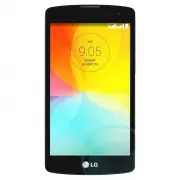
15 Phone overview Front-Facing Camera Proximity Sensor Earpiece SIM Switch Key Touch the key for SIM1/SIM2 selection (Selected SIM is marked by Rectangle box on RSSI icon). Touch and Hold the key to go to Dual SIM settings. Home Key Touch the key to return to the Home screen from any screen. Touch a...
Page 19 - Installing the SIM card and battery
17 Installing the SIM card and battery Before you can start exploring your new phone, you'll need to set it up. To insert a SIM card(s) and battery. 1 To remove the battery cover, hold the phone firmly in one hand. With your other hand, lift off the battery cover with your thumbnail as shown in figu...
Page 21 - Charging the phone
19 4 Align the battery cover over the battery compartment (1) and press it down until it clicks into place (2). NOTE: Power On/Off is available when battery cover is inserted to your phone. Charging the phone Charge the battery before using it for the first time. Use the charger to charge the batter...
Page 22 - Using the memory card
20 Getting to know your phone NOTE: • The battery must be fully charged initially to improve battery lifetime. • Do not open the back cover while your phone is charging. Using the memory card Your phone supports the use of microSD™ or microSDHC™ memory cards of up to 32 GB capacity. These memory car...
Page 24 - Locking and unlocking the screen
22 Getting to know your phone 1 Touch to open the application list. 2 Scroll and touch Settings > General tab > Storage . 3 Touch Unmount SD card . 4 Touch Erase SD card > Erase SD card > Erase everything . 5 If you have set a pattern lock, input the pattern lock then select Erase everyt...
Page 25 - Your Home screen; Touch screen tips
23 Your Home screen Touch screen tips Here are some tips on how to navigate on your phone. Tap or touch – A single finger tap selects items, links, shortcuts and letters on the on-screen keyboard. Touch and hold – Touch and hold an item on the screen by tapping it and not lifting your finger until a...
Page 26 - Home screen
24 Home screen The Home screen is the starting point for many applications and functions, and it allows you to add items like application shortcuts, or Google widgets to give you instant access to information and applications. This is the default canvas and accessible from any menu by tapping . Stat...
Page 27 - Returning to recently-used applications
25 Customising the Home screen You can customise your Home screen by adding apps, widgets or changing wallpapers. To add items on your Home screen 1 Touch and hold the empty part of the Home screen. 2 In the Add Mode menu, select the item you wish to add. You will then see this added item on the Hom...
Page 28 - Notifications panel
26 Your Home screen Notifications panel Notifications alert you to the arrival of new messages, calendar events, and alarms, as well as to ongoing events, such as when you are on a call.When a notification arrives, its icon appears at the top of the screen. Icons for pending notifications appear on ...
Page 32 - To set up your Google account; Google account setup
30 When you first turn on your phone, you have the opportunity to activate network data, to sign into your Google Account and select how you want to use certain Google services. To set up your Google account • Sign into a Google Account from the prompted set-up screen. OR • Tap > > Apps tab &g...
Page 33 - Connecting to Networks and Devices
31 Connecting to Networks and Devices Wi-Fi With Wi-Fi, you can use high-speed Internet access within the coverage of the wireless access point (AP). Enjoy wireless Internet using Wi-Fi. Connecting to Wi-Fi networks To use Wi-Fi on your phone, you need to access a wireless access point or ‘hotspot’....
Page 34 - Bluetooth
32 Connecting to Networks and Devices Bluetooth You can use Bluetooth to send data by running a corresponding application, but not from the Bluetooth menu as on most other mobile phones. NOTE: • LG is not responsible for the loss, interception or misuse of data sent or received via the Bluetooth wir...
Page 35 - Sharing your phone's data connection
33 Receive data using the Bluetooth wireless feature 1 Tap > > Apps tab > Settings > Networks tab > set Bluetooth to ON . 2 Tap the Bluetooth menu again and mark the checkbox at the top of the screen to make your phone visible to other devices. NOTE: To select the length of time that ...
Page 36 - PC connections with a USB cable
34 To rename or secure your portable hotspot You can change the name of your phone's Wi-Fi network name (SSID) and secure its Wi-Fi network. 1 Tap > > Apps tab > Settings > Networks tab > Tethering & networks > Wi-Fi hotspot . 2 Tap Set up Wi-Fi hotspot . • The Set up Wi-Fi hot...
Page 38 - Calls; Making a call; Calling your contacts; Answering and rejecting a call; Adjusting the in-call volume
36 Calls Making a call 1 Tap to open the keypad. 2 Enter the number using the keypad. To delete a digit, tap the . 3 Tap to make a call. 4 To end a call, tap the End icon . TIP! To enter "+" to make international calls, touch and hold . Calling your contacts 1 Tap to open your contacts. 2 Sc...
Page 39 - Making a second call; Viewing your call logs; Call settings
37 Making a second call 1 During your first call, tap > Add call and dial the number. You can also go to the recently dialled numbers list by tapping Call logs or can search contacts by tapping Contacts and selecting the contact you want to call. 2 Tap to make the call. 3 Both calls are displayed...
Page 40 - Contacts; Searching for a contact
38 Contacts Add contacts to your phone and synchronise them with the contacts in your Google account or other accounts that support contact syncing. Searching for a contact On the Home screen 1 Tap to open your contacts. 2 Tap Search contacts and enter the contact name using the keyboard. Adding a n...
Page 41 - Creating a group
39 Creating a group 1 Tap to open your contacts. 2 Tap Groups and tap . Select New group . 3 Enter a name for the new group. You can also set a ringtone for the newly created group. 4 Tap Save to save the group. NOTE: If you delete a group, the contacts assigned to that group will not be lost. They ...
Page 42 - Sending a message; Messaging
40 Your phone combines SMS and MMS into one intuitive, easy-to-use menu. WARNING: LG message should be set up to default SMS app. If not, some message functions will be limited. Sending a message 1 Tap on the Home screen and tap to open a blank message. 2 Enter a contact name or contact number in th...
Page 45 - Getting to know the viewfinder; Camera and Video
43 To open the Camera application, tap > > Apps tab > . Getting to know the viewfinder Options – Tap to display and hide the camera options on the screen. Flash – Choose from Off , On , Auto . Swap camera – Switch between the rear–facing camera and the front–facing camera. Shot mode – Choos...
Page 46 - Using the advanced settings; Taking a quick photo
44 Camera and Video Using the advanced settings In the viewfinder, tap to open the advanced options. You can change the camera settings by scrolling through the list. After selecting the option, tap . Selects photo resolution. If you choose high resolution, file size will increase, which means you w...
Page 47 - Once you've taken a photo
45 Once you've taken a photo Tap the image thumbnail at the bottom of the Camera screen to view the last photo you took. Tap to edit the photo. Tap to take another photo immediately. Tap to send your photo to others or share it via social network services. Tap to delete the photo. Tap to access Set ...
Page 48 - Gesture shot
46 Camera and Video Add location – To add the location information. Rename – Tap to edit the name of the selected photo. Details – Find out more information about the file. Gesture shot Take a picture with hand gesture. To take photo, raise your hand until front camera detects it and a box appears o...
Page 49 - Recording a quick video; After recording a video
47 Recording a quick video 1 Open the Camera application. 2 Holding the phone, point the lens towards the subject you wish to capture in your video. 3 Tap once to start recording. 4 A red light will appear at the top left corner of the viewfinder with a timer showing the length of the video. 5 Tap o...
Page 50 - From your Gallery
48 Camera and Video From your Gallery Tap Gallery . • To view more photos, scroll left or right. • To zoom in or out, double-tap the screen or place two fingers and spread them apart (move your fingers closer together to zoom out). • Tap on video play icon to play the video.
Page 51 - Function; Guest Mode; Knock Code; KnockON
49 Function Guest Mode To protect your privacy or limit some applications to your children, you can use the Guest mode.When you lend your phone to others, you can limit the applications to be displayed.In advance, set the Guest mode and customise the options. NOTE: To use the Guest mode, the pattern...
Page 54 - QSlide
52 Function QSlide From any screen, bring up a notepad, calendar, and more as a window inside your screen. OR Tap to exit the QSlide and return to full window. Tap to adjust transparency. Tap to end the QSlide. Tap to adjust the size. 1 Touch and slide the status bar downwards > tap QSlide apps o...
Page 55 - Smart Keyboard
53 Smart Keyboard Smart Keyboard recognises your keyboard typing sequences and provides you with word suggestions for faster input.
Page 56 - Live Zooming
54 Function Live Zooming Live Zooming allows you to zoom in or zoom out on a portion of a video that is being played to make the desired section appear larger or smaller.When viewing a video, use your index finger and thumb in a pinching or spreading motion to zoom in or out. NOTE: • While a video i...
Page 57 - Gallery; Multimedia
55 Gallery Open the Gallery application to view albums of your pictures and videos. 1 Tap > > Apps tab > Gallery . You can manage and share all your image and video files with Gallery. NOTE: • Some file formats are not supported, depending on the software installed on the device. • Some fil...
Page 59 - Music
57 Editing photos When viewing an photo, tap . Deleting photos/videos Use one of the following methods: • In a folder, tap and select photos/videos by ticking, and then tap on Delete . • When viewing a photo, tap . Setting as wallpaper When viewing a photo, tap > Set image as to set the image as ...
Page 62 - FM radio
60 Multimedia FM radio Your phone has a built-in FM radio so you can tune in to your favorite stations and listen on the go. Tap > > Apps tap > FM radio . NOTE: You need to use your headphones to listen to the radio. Insert it into the headphone jack.
Page 63 - Utilities; Setting your alarm; Using your calculator
61 Utilities Setting your alarm 1 Tap > > Apps tab > Clock > . 2 After you set the alarm, your phone lets you know how much time is left before the alarm will go off. 3 Set Repeat , Snooze duration , Vibration , Alarm sound , Alarm volume , Auto app starter , Puzzle lock and Memo . 4 Tap...
Page 64 - Voice Recorder; Tasks; ThinkFree Viewer
62 Utilities Voice Recorder Use the voice recorder to record voice memos or other audio files. Recording a sound or voice 1 Tap > > Apps tab > Voice Recorder . 2 Tap to begin recording. 3 Tap to end the recording. 4 Tap to listen to the recording. NOTE: Tap to access your album. You can lis...
Page 66 - LG SmartWorld
64 Utilities LG SmartWorld LG SmartWorld offers an assortment of exciting content – fonts, themes, games, applications. How to Get to LG SmartWorld from Your Phone 1 Tap > > Apps tab > tap the icon to access LG SmartWorld . 2 Tap Sign in and enter ID/PW for LG SmartWorld. If you have not si...
Page 67 - Internet; The Web
65 Internet Use this application to browse the Internet. Browser gives you a fast, full-color world of games, music, news, sports, entertainment and much more, right on your mobile phone wherever you are and whatever you enjoy. NOTE: Additional charges apply when connecting to these services and dow...
Page 68 - Chrome
66 Bookmarks To bookmark the current webpage, tap > Add to bookmarks > OK . To open a bookmarked webpage, tap and select one. History Tap > History to open a webpage from the list of recently-visited webpages. To clear the history, tap . Chrome Use Chrome to search for information and brows...
Page 69 - Settings; Networks
67 Settings This section provides an overview of items you can change using your phone's System settings menus. To access the Settings menu: Tap > tap and hold > System settings . - or -Tap > > Apps tab > Settings . Networks < Dual SIM card > You can configure Dual SIM settings....
Page 71 - Sound
69 < Tethering & networks >USB tethering – Connect the USB cable to share the internet connection with the computer. Wi-Fi hotspot – You can also use your phone to provide a mobile broadband connection. Create a hotspot and share your connection. Please read "Sharing your phone's data ...
Page 72 - Display
70 Settings Ringtone – Set the ringtone for calls. You can also add a ringtone by tapping at the top right corner of the screen. Notification sound – Allows you to set the sound for notifications. You can also add a sound by tapping at the top right corner of the screen. Ringtone with vibration – Ch...
Page 73 - General
71 Wallpaper – Sets your Lock screen wallpaper. Select it from Gallery or Wallpaper gallery . Widgets – This menu allows you to show widgets on the Lock screen. Shortcuts – Allows you to change the shortcuts on the Swipe Lock screen. Contact info for lost phone – Select whether to display the owner ...
Page 79 - Phone software update
77 Phone software update Phone software update LG Mobile phone software update from the Internet For more information about using this function, please visit http://www.lg.com/common/index.jsp select your country and language. This feature allows you to conveniently update the firmware on your phone...
Page 80 - About this user guide
78 About this user guide • Before using your device, please carefully read this manual. This will ensure that you use your phone safely and correctly. • Some of the images and screenshots provided in this guide may appear differently on your phone. • Your content may differ from the final product, o...
Page 81 - Accessories
79 These accessories are available for use with the your phone. (Items described below may be optional.) Travel adaptor Stereo headset Quick Start Guide Data cable Battery NOTE: • Always use genuine LG accessories. • Failure to do this may void your warranty. • Accessories may vary in different regi...
Page 82 - Troubleshooting
80 Troubleshooting This chapter lists some problems you might encounter when using your phone. Some problems require you to call your service provider, but most are easy to fix yourself. Message Possible causes Possible corrective measures SIM card error There is no SIM card in the phone or it is in...
Page 85 - FAQ
83 Category Sub-Category Question Answer BT Bluetooth Devices What are the functions available via Bluetooth You can connect a Bluetooth audio device such as a Stereo/Mono headset or Car Kit. Also, when the FTP server is connected to a compatible device, you can share content stored on the storage m...