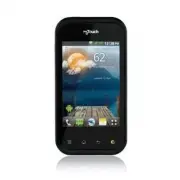
Page 4 - from your landline phone; NOTE; SERVICE ACTIVATION
If you are a new T-Mobile® customer and your service has not been activated, simply call Customer Care at 1-800-937-8997 from your landline phone and a T-Mobile Activations representative will assist you. You will need the following information when activating service: Service Agreement and agent co...
Page 5 - About this user manual
About this user manual Please read this user manual carefully before you use your phone and keep it handy for future reference.Should your phone fail to operate correctly, refer to the FAQ section. Some features and service may vary by area, phone, carrier, plan and version of phone software.Screen ...
Page 6 - MyTouchQ | User Guide; Contents
MyTouchQ | User Guide Contents SERVICE ACTIVATION . 4About this user manual 5Important notice ............ 9Getting to know your phone ............................ 18 Installing the SIM card and battery .................................... 21Charging your phone ........ 23Installing the memory card ...
Page 8 - MyTouchQ | User Guide
8 MyTouchQ | User Guide Contents Settings ........................79 Wireless & networks .......... 79Call settings .......................... 81Sound .................................... 82Display .................................. 84Gesture ................................ 84Location & sec...
Page 9 - To manage applications:; On the Home screen, touch the; Optimizing battery life; Important notice
9 Please check to see if any problems you have encountered with your phone are described in this section, before taking the phone in for service or calling a service representative. 1. Phone memory When available space on your phone memory is less than 2%, your phone cannot receive new messages. You...
Page 13 - WARNING; Applications; Touch
13 When the phone is turned off, press and hold the Power/Lock + Volume Down + Qwerty F + Qwerty A Keys at the same time (for over ten seconds). The phone will turn on and perform a factory reset immediately. WARNING : If you perform a Hard Reset, all user applications, user data and DRM licenses wi...
Page 14 - Stopping and switching applications
14 MyTouchQ | User Guide Secured networks are indicated by a lock icon. Touch a network to connect to it. If the network is open, you are prompted to confirm that you want to connect to that network by touching Connect . If the network is secured, you are prompted to enter a password or other creden...
Page 16 - Unlock screen when using data
1 MyTouchQ | User Guide NOTE: USB and Bluetooth drivers are not automatically removed. Therefore, they must be uninstalled manually. When the USB is connected, you can’t access the microSD card from your phone, so you can’t use applications that rely on the microSD card, such as Camera, Gallery and ...
Page 18 - To turn off the phone, press the; Key; for three seconds and touch; Power off; Getting to know your phone
18 MyTouchQ | User Guide To turn on the phone, press and hold the Power/Lock Key for three seconds. To turn off the phone, press the Power/Lock Key for three seconds and touch Power off . Then touch OK to confirm. Home Key Return to the Home screen from any screen. Menu Key Check what options are av...
Page 19 - QWERTY Open View
19 QWERTY Open View Text Msg Key Opens the Messaging application. Space Key Press to enter a space between words. Symbols Key Press to type the symbols and numbers that appear on the QWERTY keypad. Delete Key Deletes digits and letters. Shift Key Press to change between Uppercase and Lowercase Brows...
Page 20 - 0 MyTouchQ | User Guide
20 MyTouchQ | User Guide Back Cover Volume Keys • On the Home screen: Controls the ringer volume. • During a call: Controls your earpiece volume. • When playing a song: Controls volume continuously. Battery microSD Card Slot. Back-facing Camera Lens Flash Power/Lock Key Charger/ USB Port Speaker Mic...
Page 21 - Installing the SIM card and battery
21 Installing the SIM card and battery Before you can start exploring your new phone, you’ll need to set it up. To insert the SIM card and battery: To remove the back cover, hold the phone firmly in your hand. With your other hand, firmly press your forefinger on the back cover. Use the fingertip cu...
Page 22 - Removing the Battery
22 MyTouchQ | User Guide Insert the battery into place by aligning the gold contacts on the phone and the battery and pressing it down until it clicks into place. Align the back cover over the battery compartment (1) and press it down until it clicks into place (2). Removing the Battery Remove the b...
Page 23 - Charging your phone; Make sure the ‘B’ side is facing upwards
23 TIP! To remove the battery, first remove the back cover and hold the phone firmly in your hand. With your other hand, firmly press down using your forefinger and use your thumb to lift off the battery. Charging your phone Insert one end of the charger into the phone’s Charger/USB Port and plug th...
Page 24 - Notice; Installing the memory card; To insert a memory card:; Removing a memory card
24 MyTouchQ | User Guide Notice Use only an LG-approved battery, charger (1A) and USB cable (1A) specific to your phone model since they are designed to maximize battery life. Using other chargers and USB cables will not guarantee full battery charge and normal charging time. Installing the memory c...
Page 25 - Formatting the memory card
25 WARNING Do not insert or remove the memory card when the phone is on. Otherwise, you may damage the memory card as well as your phone and the data stored on the memory card may be corrupted. Formatting the memory card Your memory card may already be formatted. If it isn’t, you must format it befo...
Page 27 - Lock your phone; Your Home screen
Touch-screen tips Here are some tips on how to navigate around your phone. Touch - To choose a menu/option or open an application, touch it. Touch and hold - To open an options menu or grab an object you want to move, touch and hold it. Drag - To scroll through a list or move slowly, drag across the...
Page 29 - Adding applications to your Home screen
29 Touch the Phone Key to display the touch dial pad to make a call. Touch the Messaging Key to access the Messaging application. This is where you can vreate a new message. Touch the Browser Key to open the web browser. Touch the Email Key to open the email application. Touch the Applications tab t...
Page 30 - Getting back to a recently used application
30 MyTouchQ | User Guide You will see a new folder’s icon on the Home screen. Touch and hold it to drag it to the desired location on the desired panel and release your finger from the screen. TIP! To add an application icon to the Home screen from the Applications menu, touch and hold the applicati...
Page 31 - Status Bar; Menu Key; Viewing the Status Bar
31 Status Bar The Status Bar runs across the top of your screen. Touch and slide the Status Bar down with your finger to view the Notifications Panel. Or on the Home screen, touch the Menu Key and select Notifications . All ongoing and activity based notifications will be displayed on the Notificati...
Page 32 - 2 MyTouchQ | User Guide; Icon; Wi-Fi is on and connected
32 MyTouchQ | User Guide [Status Bar] Icon Description No SIM card installedNo network signal available Wi-Fi is on and connected Wired headset connectedCall forwarding is activeCall is on holdSpeakerphone is onPhone microphone is mutedMissed callBluetooth is on Connected to a Bluetooth device Syste...
Page 33 - New Google Talk message
33 Icon Description Vibrate mode is onBattery fully chargedBattery is chargingData inData outData in and outConnected to a PC via USB cableDownloading dataUploading dataReceiving location data from GPSGPS is on3 more notifications not displayedData is syncingDownload finishedNew Gmail message New Go...
Page 34 - Text Input Methods; Android keyboard
34 MyTouchQ | User Guide Icon Description Upcoming event USB tethering is active Portable Wi-Fi sharing is activeBoth USB tethering and Wi-Fi sharing are active SmartShare is on SmartShare sharing request On-Screen Phone connected On-screen Keyboard You can enter text using the on-screen keyboard. T...
Page 35 - Using the Swype Keyboard
35 Android keyboard, touch and hold a text field, then touch Input method > Android keyboard . Using the Swype Keyboard The Swype™ keyboard uses error correcting algorithms and also includes a predictive text system. Allows you to view Swype Tips and Help. Toggles from 123/ABC Mode to SYM Mode Sw...
Page 36 - Swype Settings; To configure Swype settings:
3 MyTouchQ | User Guide Double-touch on the word you want to change or correct a misspelled word. Touch the Delete Key to erase one character. Touch and hold the Delete Key to erase an entire word. Swype Settings To configure Swype settings: From the Home screen, touch the Menu Key > Settings >...
Page 38 - Creating your Google account; Google Account Set-up
38 MyTouchQ | User Guide The first time you open a Google application on your phone, you will be required to sign in with your existing Google account. If you do not have a Google account, you will be prompted to create one. Creating your Google account On the Home screen, touch the Applications tab...
Page 39 - Signing in to your Google account; Enter your e-mail address and password, then; Sign in; After signing in, you can use Gmail and take
39 Signing in to your Google account Enter your e-mail address and password, then touch Sign in . After signing in, you can use Gmail and take advantages of Google services on your phone. Once you have set up your Google account on your phone, it will be automatically synchronized with your Google a...
Page 40 - 0 MyTouchQ | User Guide
40 MyTouchQ | User Guide start an application that requires one, such as Gmail or Android Market.If you want to use the backup feature to restore your settings to this phone from another phone that was running Android OS 2.3 Gingerbread or later, you must sign into your Google account now, during se...
Page 43 - Call settings
43 TIP! Touch any single call log entry to view the date, time, and duration of the call. TIP! Touch the Menu Key , then touch Clear All to delete all the recorded items. Call settings You can configure phone call settings, such as call forwarding and other special features offered by your carrier. ...
Page 46 - Favorite contacts
4 MyTouchQ | User Guide Touch Save to save the contact. Favorite contacts You can classify frequently called contacts as favorites. To add a contact to your favorites: On the Home screen, touch the Phone Key and choose the Contacts tab. Touch a contact to view their details.Touch the star to the rig...
Page 50 - Composing and sending email
50 MyTouchQ | User Guide all messages sent to all accounts in your Combined Inbox and all of you accounts will be displayed. Open the Email application. Touch Combined Inbox (in the Accounts screen). Messages in the Combined Inbox are color coded along their left sides, by account, using the same co...
Page 51 - Working with account folders
51 Touch Send. If you’re not ready to send the message, touch the Menu Key > Save as draft to save it in a Drafts folder. Touch a draft message in a Drafts folder to resume working on it. Your message will also be saved as a draft if you touch the Back Key before sending it. If you aren’t connect...
Page 52 - Adding and editing email accounts
52 MyTouchQ | User Guide Adding and editing email accounts To add an email account: From the Accounts screen, touch the Menu Key and touch Add account . Select MS Exchange or Yahoo!, Windows Live, Hotmail, AOL, (or other) . Enter your email address, password, and any other relevant information and t...
Page 53 - Getting to know the viewfinder; Camera
53 Getting to know the viewfinder Zoom - Zoom in or zoom out. Alternatively you can use the Volume Keys. Settings - Touch this icon to open the Settings menu. See 'Using the advanced settings'. Brightness - This defines and controls the amount of sunlight entering the image. Slide the brightness ind...
Page 54 - Taking a quick photo; Using the advanced settings; Image size
54 MyTouchQ | User Guide Taking a quick photo Open the Camera application. Holding the phone horizontally, point the lens towards the subject you want to photograph.Touch and hold the Capture icon . The camera brings the image into focus. When the image is in focus, the focus indicators in each corn...
Page 56 - Viewing your saved photos
5 MyTouchQ | User Guide NOTE : This function is only available when location service is activated. Viewing your saved photos You can access your saved photos from within the camera mode. Just touch and your gallery will appear on the screen. Touch the screen to view additional options for the image....
Page 57 - Video camera
57 Getting to know the viewfinder Camera mode - Slide this icon up to switch to camera mode. Record - Starts recording. Gallery - Touch to view the last video you recorded. This enables you to access your Gallery and view your saved videos from within video mode. Flash - Allows you to turn on the fl...
Page 59 - Watching your saved videos
59 may need to determine the light conditions. Choose from Auto, Incandescent, Sunny, Fluorescent and Cloudy. Color effect – Choose a color tone to use for your new view. Choose from None, Mono, Negative and Sepia. Video quality – Choose from Super fine, Fine and Normal. Audio recording – Choose Mut...
Page 60 - Gallery; To change how the contents of an album
0 MyTouchQ | User Guide Gallery You can store any multimedia files on your phone’s memory in your Gallery so that you have easy access to all of your pictures and videos. You can also save your files to your external memory card. The advantage of using a memory card is that you can free up space on ...
Page 61 - Using Smart Share
1 Using Smart Share SmartShare provides you with a better way to enjoy multimedia contents with other DLNA (Digital Living Network Alliance) enabled devices. * Share your media contents with other DLNA devices (DMS) In the Home screen, touch the Applications tab and select SmartShare . Read the Smar...
Page 64 - How to save music/video files to your phone
4 MyTouchQ | User Guide Touch Turn on USB storage > OK . You can view the contents on your PC and transfer files to and from the PC. NOTE: If you installed the LG Android Platform Driver, you will see the ' Turn on USB storage ' screen immediately.If you want to synchronize your phone with your P...
Page 67 - Google MapsTM; for the following options:; MarketTM; Google applications
7 In order to take advantage of Google applications, you must first set up a Google account. You have the option to create a new account of sign in to an existing account.After signing in to your account, your contacts, email and calendar in your Google account will automatically synchronize with yo...
Page 70 - 0 MyTouchQ | User Guide; YouTubeTM; You can access YouTube with your Google
70 MyTouchQ | User Guide YouTube™ The YouTube application allows you to watch or upload videos. NOTE: You can access YouTube with your Google account but you need a YouTube account for some services, such as video uploading.
Page 71 - Utilities
71 Setting your alarm On the Home screen, touch the Applications tab and select Alarm/Clock . If you want to add a new alarm, touch New alarm . Set the Time, Repeat , and Alarm tone for the alarm. You can also touch the Vibration check box to set the alarm to vibrate along with the ringtone and Memo...
Page 74 - The Web
74 MyTouchQ | User Guide Browser The Browser gives you a fast, full-color world of games, music, news, sports, entertainment and much more, right on your mobile phone; wherever you are and whatever you’re into. NOTE: Additional charges apply when connecting to these services and downloading content....
Page 77 - Installing On-Screen Phone on your PC
77 Text input with keyboard: Allows you to compose a text message or note using your computer keyboard. File transfer (mobile phone to PC): Sends a file from your mobile phone (e.g. Gallery, Video Player, Music and Polaris Office) to your PC. Simply right-click and drag to send a file to your PC. Fi...
Page 78 - Connecting your phone to your PC; On-Screen Phone settings; Checking the On-Screen Phone connection; connected
78 MyTouchQ | User Guide Connecting your phone to your PC On-Screen Phone 2.0 provides USB, Bluetooth and Wi-Fi connection.Please follow the instruction on Connection Wizard of OSP program. NOTE: Please make sure that On-Screen Phone check box in Settings > Wireless & network > On-Screen P...
Page 79 - Settings
79 On the Home screen, touch the Applications tab and touch Settings . Wireless & networks This menu allows you to manage Wi-Fi and Bluetooth. You can also set Mobile networks and Airplane mode. Airplane mode – All wireless connections will be disabled if Airplane mode is enabled. Wi-Fi – Touch ...
Page 81 - Fixed Dialing Numbers; Voicemail settings
81 On-Screen Phone settings – Allows you to turn on On-Screen Phone and to change the On-Screen Phone password (the default password is “0000”). Call settings Use this menu to configure phone call settings. Fixed Dialing Numbers - Allows you to manage your Fixed Dialing Numbers (FDN). < Voicemail...
Page 82 - Sound
82 MyTouchQ | User Guide Voice clarity - Make voice sound clearer under noisy environment. Call reject – allows you to set the call reject function. Choose from Off, Reject on list or Reject all calls . Decline call with a message - when you want to reject a call, you can send a quick message using ...
Page 84 - Display; Gesture
84 MyTouchQ | User Guide Display This menu allows you to configure your phone’s display settings. Brightness – Allows you to adjust the brightness of the screen. Auto-rotate screen – Allows you to set the orientation to automatically switch to landscape mode or portrait mode when you turn the phone ...
Page 89 - Privacy; Factory data reset; – If you select Factory data reset,; Storage; – Your phone can be used as; Mass storage only; as a default
89 Privacy < Personal data > Factory data reset – If you select Factory data reset, it will erase all of your personal data from system memory, including information about your Google account, any other accounts, your system/application data and settings as well as any downloaded applications ...
Page 93 - Use the; Accessibility; settings to configure any; About phone
93 Accessibility Use the Accessibility settings to configure any accessibility plug-ins you have installed on your phone. NOTE: Requires additional plug-ins to become selectable. Date & time Use Date & time settings to set your references for how dates are displayed. You can also use these s...
Page 94 - Applications tab; to turn it on. A checkmark indicates that Wi-
94 MyTouchQ | User Guide With Wi-Fi, you can use high-speed internet access within the coverage of the wireless access point (AP). You can enjoy wireless internet with Wi-Fi, without extra charges. Turn on Wi-Fi From the Home screen, touch the Applications tab > Settings > Wireless & netwo...
Page 95 - Sharing your phone’s mobile data connection
95 NOTE: If you are out of the Wi-Fi area and use your 3G connection, additional charges may be applied. If your phone changes to sleep mode, even when connected to Wi-Fi, the Wi-Fi connection will be disabled automatically (in which case, if your phone has access to 3G data, it may be connected to ...
Page 97 - settings
97 Ensure Wi-Fi Direct is selected and select a device to connect in the scanned device list.Touch Connect . NOTE: Wi-Fi cast is Activated between the users. Make sure to connect to same Wi-Fi Network between the users. USB tethering & portable Wi-Fi sharing settings On the Home screen, touch th...
Page 98 - To share your phone’s data connection via
98 MyTouchQ | User Guide Tip: To use USB tethering, you need to install the “LG USB Driver” on to your PC first . The LG USB Driver is downloadable from the following site: http://www.lg.com/us/ b Click Support b Mobile Phone Support b Select the Carrier(T-Mobile) b Select the Model (MyTouchQ) b Cli...
Page 100 - To share your phone’s data connection as a; To rename or secure your portable sharing
100 MyTouchQ | User Guide NOTE: When using USB tethering, your phone can be connected to 3G network only. You will not be able to connect to a Wi-Fi network. To share your phone’s data connection as a portable Wi-Fi sharing (Wi-Fi tethering) On the Home screen, touch the Applications tab and select ...
Page 102 - 02 MyTouchQ | User Guide; LG Mobile Phone Software update from internet; LG reserves the right to make firmware; Phone Software update
102 MyTouchQ | User Guide LG Mobile Phone Software update from internet For more information on using this function, please visit the http://www.lg.com/us/support/mc-support/mobile-phone-support.jsp or http://www.lg.com/ → Select your country and language. This feature allows you to update the firmw...
Page 104 - DivX Mobile; Copyrights and trademarks
104 MyTouchQ | User Guide Rights to all technologies and products that comprise this device are the property of their respective owners: Bluetooth ® is a registered trademark of Bluetooth SIG, Inc.microSD™ and the microSD logo are trademarks of the SD Card Association.Google™, Google Maps™, Gmail™, ...
Page 106 - Accessories
10 MyTouchQ | User Guide These accessories are available for use with the MyTouchQ. ( Items described below may be optional. ) Charger USB cable C onnect your MyTouchQ and PC. Battery User Guide Learn more about your MyTouchQ. Stereo headset NOTE: • Always use genuine LG accessories. Failure to do t...
Page 107 - Battery Standby and Talk Time; Technical data
107 Ambient TemperaturesMax: +55°C (discharging), +45°C (charging) Min: -10°C Battery Standby and Talk Time Standby and talk times will vary depending on phone usage patterns and conditions. Battery power consumption depends on factors such as network configuration, signal strength, operating temper...
Page 108 - FAQ
Please check to see if any problems you have encountered with your phone are described in this section before taking the phone in for service or calling a service representative. Category Sub-Category Question Answer BT Bluetooth Devices What are the functions available via Bluetooth? You can connec...
Page 110 - 10 MyTouchQ | User Guide
110 MyTouchQ | User Guide Category Sub-Category Question Answer Phone Function Message Time My phone does not display the time of receipt for messages older than 24 hrs. How can I change this? 1. Open the message thread that contains the message you want to check. 2. Touch and hold the message. In t...
Page 112 - 12 MyTouchQ | User Guide
112 MyTouchQ | User Guide Category Sub-Category Question Answer Phone Function Unlock Pattern What should I do if I forgot the Unlock Pattern and I didn’t create the Google account on the phone? Without entering the Unlock Pattern, you will not be able to access your phone. Caution: If you perform a...
Page 114 - 14 MyTouchQ | User Guide
114 MyTouchQ | User Guide Category Sub-Category Question Answer Phone Function VPN How do I set up a VPN? VPN access configuration is different according to each company. To configure VPN access from your phone, you must obtain the details from your company’s network administrator. Phone Function Sc...
Page 116 - 1 MyTouchQ | User Guide
11 MyTouchQ | User Guide Category Sub-Category Question Answer Phone Function Alarm Can I use music files for my Alarm? Yes. After saving a music file as a ringtone, you can use it for your alarm.1. Touch and hold a song in a library list. In the menu that opens, touch Use as phone ringtone . 2. In ...
Page 118 - 18 MyTouchQ | User Guide
118 MyTouchQ | User Guide Category Sub-Category Question Answer Recovery Solution Factory Reset How can I perform a factory reset if I can’t access the phone’s setting menu? How to perform a factory reset:1. Turn the power off.2. Press and hold the following keys at the same time for 15 seconds: Pow...
Page 119 - Safety Information; Violation of the instructions may cause minor or; Do not disassemble or open crush, bend or; For Your Safety
119 Safety Information Please read and observe the following information for safe and proper use of your phone and to prevent damage. Violation of the instructions may cause minor or serious damage to the product. Do not disassemble or open crush, bend or deform, puncture or shred. Do not modify or ...
Page 120 - 20 MyTouchQ | User Guide; Charger and Adapter Safety
120 MyTouchQ | User Guide Promptly dispose of used batteries in accordance with local regulations. Battery usage by children should be supervised. Avoid dropping the phone or battery. If the phone or battery is dropped, especially on a hard surface, and the user suspects damage, take it to a service...
Page 121 - Battery Information and Care
121 Battery Information and Care Please read the manual of proper installation and removal of the battery.Please read the manual of specified charger about charging method.Do not damage the power cord by bending, twisting, or heating. Do not use the plug if it is loose as it may cause electric shock...
Page 122 - 22 MyTouchQ | User Guide
122 MyTouchQ | User Guide Never store your phone in temperature less than -4 °F or greater than 122 °F.Charging temperature range is between 32 °F and 113 °F. Do not charge the battery out of recommended temperature range. Charging out of recommended range might cause the generating heat or serious ...
Page 124 - 24 MyTouchQ | User Guide; Care and Maintenance; Extreme heat or cold
124 MyTouchQ | User Guide Care and Maintenance Your mobile device is a product of superior design and craftsmanship and should be treated with care. The suggestions below will help you fulfill any warranty obligations and allow you to enjoy this product for many years: Keep your Mobile Device away f...
Page 127 - FCC Part 15 Class B Compliance
127 Do not turn your phone on or off when putting it to your ear. Your phone is an electronic device that generates heat during normal operation. Extremely prolonged, direct skin contact in the absence of adequate ventilation may result in discomfort or minor burns. Therefore, use care when handling...
Page 128 - 28 MyTouchQ | User Guide
128 MyTouchQ | User Guide Part 15.105 statement This equipment has been tested and found to comply with the limits for a class B digital device, pursuant to Part 15 of the FCC Rules. These limits are designed to provide reasonable protection against harmful interference in a residential installation...
Page 130 - 30 MyTouchQ | User Guide; Vehicle-Mounted External Antenna
130 MyTouchQ | User Guide between the user’s body and the back of the phone and have not been tested for compliance with FCC RF exposure limits. Vehicle-Mounted External Antenna (Optional, if available.)To satisfy FCC RF exposure requirements, keep 8 inches (20 cm) between the user / bystander and v...
Page 131 - Are wireless phones safe?
131 Consumer Information About Radio Frequency Emissions Your wireless phone, which contains a radio transmitter and receiver, emits radio frequency energy during use. The following consumer information addresses commonly asked questions about the health effects of wireless phones. Are wireless phon...
Page 132 - What does “SAR” mean?
132 MyTouchQ | User Guide in this field. You can access the joint FDA/FCC website at http://www.fda.gov (under “C” in the subject index, select Cell Phones > Research). You can also contact the FDA toll-free at (888) 43-332 or (888) INFO-FDA. In June 2000, the FDA entered into a cooperative resea...
Page 134 - Can I minimize my RF exposure?
134 MyTouchQ | User Guide The FCC has granted an Equipment Authorization for this model phone with all reported SAR levels evaluated as in compliance with the FCC RF emission guidelines. SAR information on this model phone is on file with the FCC and can be found under the Display Grant section of h...
Page 135 - Do wireless phones pose any special risks to
135 head. On the other hand, if the phone is mounted against the waist or other part of the body during use, then that part of the body will absorb more RF energy. Wireless phones marketed in the U.S. are required to meet safety requirements regardless of whether they are used against the head or ag...
Page 136 - Where can I get further information about RF
13 MyTouchQ | User Guide recommendation to limit cell phone use by children was strictly precautionary; it was not based on scientific evidence that any health hazard exists. A copy of the UK’s leaflet is available at http://www. dh.gov.uk (search “mobile”), or you can write to: NRPB, Chilton, Didco...
Page 138 - 38 MyTouchQ | User Guide; TIA Safety Information
138 MyTouchQ | User Guide American National Standards Institute 1819 L Street, N.W., th Floor Washington, D.C. 2003 Telephone: (202) 293-8020 http://www.ansi.org National Council on Radiation Protection and Measurements 7910 Woodmont Avenue, Suite 800 Bethesda, MD 20814-3095 Telephone: (301) 57-252 ...
Page 139 - Antenna Care
139 In August, 199, the Federal Communications Commissions (FCC) adopted RF exposure guidelines with safety levels for handheld wireless phones. Those guidelines are consistent with the safety standards previously set by both U.S. and international standards bodies: ANSI C95.1 (1992) * NCRP Report 8...
Page 143 - For Vehicles Equipped with an Air Bag
143 Areas with a potentially explosive atmosphere are often, but not always marked clearly. Potential areas may include: fueling areas (such as gasoline stations); below deck on boats; fuel or chemical transfer or storage facilities; vehicles using liquefied petroleum gas (such as propane or butane)...
Page 144 - 44 MyTouchQ | User Guide; FDA Consumer Update; FDA; Do wireless phones pose a; Do wireless phones pose a health hazard?
144 MyTouchQ | User Guide FDA Consumer Update ● Do not immerse your phone inwater, liquid, or expose to highhumidity. If this happens, turn itoff immediately and remove thebattery. Immediately, take it to anLG Authorized Service Center. ● Do not paint your phone. ● The data saved in your phonemight ...
Page 145 - What is the FDA’s role concerning the safety
145 2. What is the FDA’s role concerning the safety of wireless phones? Under the law, the FDA does not review the safety of radiation-emitting consumer products such as wireless phones before they can be sold, as it does with new drugs or medical devices. However, the agency has authority to take a...
Page 146 - 4 MyTouchQ | User Guide
14 MyTouchQ | User Guide The FDA belongs to an interagency working group of the federal agencies that have responsibility for different aspects of RF safety to ensure coordinated efforts at the federal level. The following agencies belong to this working group: National Institute for Occupational Sa...
Page 148 - 48 MyTouchQ | User Guide
148 MyTouchQ | User Guide investigating the effects of Radio Frequency (RF) energy exposures characteristic of wireless phones have yielded conflicting results that often cannot be repeated in other laboratories. A few animal studies, however, have suggested that low levels of RF could accelerate th...
Page 149 - The FDA is working with the U.S. National Toxicology
149 5. What research is needed to decide whether RF exposure from wireless phones poses a health risk? A combination of laboratory studies and epidemiological studies of people actually using wireless phones would provide some of the data that are needed. Lifetime animal exposure studies could be co...
Page 150 - 50 MyTouchQ | User Guide
150 MyTouchQ | User Guide Program and with groups of investigators around the world to ensure that high priority animal studies are conducted to address important questions about the effects of exposure to Radio Frequency (RF) energy. The FDA has been a leading participant in the World Health Organi...
Page 152 - 52 MyTouchQ | User Guide; What has the FDA done to measure the
152 MyTouchQ | User Guide 8. What has the FDA done to measure the Radio Frequency energy coming from wireless phones? The Institute of Electrical and Electronic Engineers (IEEE) is developing a technical standard for measuring the Radio Frequency (RF) energy exposure from wireless phones and other w...
Page 154 - 54 MyTouchQ | User Guide; What about wireless phone interference with
154 MyTouchQ | User Guide and teenagers. If you want to take steps to lower exposure to Radio Frequency (RF) energy, the measures described above would apply to children and teenagers using wireless phones. Reducing the time of wireless phone use and increasing the distance between the user and the ...
Page 155 - Where can I find additional information?
155 the Association for the Advancement of Medical Instrumentation (AAMI). The final draft, a joint effort by the FDA, medical device manufacturers, and many other groups, was completed in late 2000. This standard will allow manufacturers to ensure that cardiac pacemakers and defibrillators are safe...
Page 156 - 5 MyTouchQ | User Guide; Driving
15 MyTouchQ | User Guide (http://www.fcc.gov/oet/rfsafety)International Commission on Non-lonizing Radiation Protection(http://www.icnirp.de)World Health Organization (WHO) International EMF Project(http://www.who.int/emf)National Radiological Protection Board (UK)(http://www.hpa.org.uk/radiation/) ...
Page 158 - 58 MyTouchQ | User Guide
158 MyTouchQ | User Guide The wireless telephone industry has developed a rating system for wireless phones, to assist hearing device users to find phones that may be compatible with their hearing devices. Not all phones have been rated. Phones that are rated have the rating on their box or a label ...
Page 160 - 0 MyTouchQ | User Guide; For information
10 MyTouchQ | User Guide The M mark is intended to be synonymous with the U mark. The T mark is intended to be synonymous with the UT mark.The M and T marks are recommended by the Alliance for Telecommunications Industries Solutions (ATIS). The U and UT marks are referenced in Section 20.19 of the F...
Page 161 - Limited Warranty Statement
Limited Warranty Statement 1. WHAT THIS WARRANTY COVERS: LG offers you a limited warranty that the enclosed subscriber unit and its enclosed accessories will be free from defects in material and workmanship, according to the following terms and conditions: (1) The limited warranty for the product ex...
Page 163 - Guía del usuario; MyTouchQ; ESPAÑOL
Guía del usuario MyTouchQ P/N : MFL67400801 (1.1) www.lg.com ESPAÑOL
Page 166 - NOTA; : Para las cuentas comerciales y; ACTIVACIÓN DEL SERVICIO
Si es un cliente nuevo de T-Mobile® y su servicio todavía no se encuentra activado, simplemente llame a la atención al cliente al 1-800-937-8997 desde un teléfono fijo y un representante de activaciones de T-Mobile lo ayudará. Al activar el servicio, necesitará la siguiente información: Acuerdo de s...
Page 167 - Sobre este guía del usuario
Sobre este guía del usuario Lea atentamente este guía del usuario antes de usar el teléfono y convérselo para futuras referencias.Si el teléfono no funciona correctamente, consulte la sección de preguntas frecuentes. Es posible que algunas funciones y servicios varíen según el área, el teléfono, el ...
Page 168 - MyTouchQ | Guía del usuario; Contenido
MyTouchQ | Guía del usuario Contenido ACTIVACIÓN DEL SERVICIO ....................... 4Sobre este guía del usuario ............................ 5Aviso importante ........... 9Características del teléfono........................ 20 Instalación de la tarjeta SIM y la batería .............................
Page 170 - MyTouchQ | Guía del usuario
8 MyTouchQ | Guía del usuario Contenido LG On-Screen Phone 2.0 ................................. 81 Iconos de On-Screen Phone 2.0 ............................. 81Funciones de On-Screen Phone 2.0 ............................. 81Instalación de On-Screen Phone en la computadora ...................... 8...
Page 171 - Memoria del teléfono; Para administrar aplicaciones:; En la pantalla principal, toque la; Optimizar la vida útil de la batería; Aviso importante
9 Antes de llevar el teléfono a reparación o llamar a un representante del servicio técnico, compruebe si alguno de los problemas que presenta el teléfono se describen en esta sección. 1. Memoria del teléfono Cuando el espacio disponible en la memoria del teléfono sea menor al 2%, no se podrán recib...
Page 172 - 0 MyTouchQ | Guía del usuario; Para prolongar la vida útil de la batería:; Ficha; El estado de la batería (carga o descarga) y el
10 MyTouchQ | Guía del usuario ejecutar constantemente en segundo plano. Además, puede supervisar la forma en que las aplicaciones y los recursos consumen la energía de la batería. Para prolongar la vida útil de la batería: Desactive las comunicaciones de radio que no esté usando. Si no usa Wi-Fi, B...
Page 173 - Para supervisar y controlar las aplicaciones que; Instalar un sistema operativo de código
11 Para supervisar y controlar las aplicaciones que usan la batería: En la pantalla principal, toque la Ficha Aplicaciones > Ajustes > Acerca del teléfono > Uso de la batería . La pantalla muestra los tiempos de uso de la batería. Muestra todas las aplicaciones o servicios que están utiliza...
Page 174 - Usar el patrón de desbloqueo
12 MyTouchQ | Guía del usuario ADVERTENCIA : Para proteger el teléfono y los datos personales, sólo descargue aplicaciones provenientes de fuentes de confianza, como Android Market. Si algunas aplicaciones no se instalan correctamente en el teléfono, es posible que el aparato no funcione bien o que ...
Page 175 - Usar el reinicio completo
13 ADVERTENCIA : Precauciones que debe tomar al usar el patrón de desbloqueo Es muy importante que recuerde el patrón de desbloqueo que configure. Si usa un patrón incorrecto cinco veces, no podrá acceder al teléfono. Tiene cinco oportunidades para introducir el patrón de desbloqueo, el PIN o la con...
Page 176 - 4 MyTouchQ | Guía del usuario; ADVERTENCIA; : Si ejecuta un reinicio
14 MyTouchQ | Guía del usuario Cuando el teléfono esté apagado, mantenga presionadas simultáneamente la Tecla Encender/Bloquear, Tecla de Volumen inferior y las Teclas F y A del teclado QWERTY (durante diez segundos). El teléfono se encenderá y se realizará el restablecimiento a los valores de fábri...
Page 177 - Para activar la tecnología Wi-Fi y conectarse a una; Toque; Conectar; La Barra de estado muestra iconos que indican el; Detener y alternar aplicaciones
15 Para activar la tecnología Wi-Fi y conectarse a una red Wi-Fi: En la pantalla principal, toque la Ficha Aplicaciones > Ajustes > Conex. red inalámbrica > Configuraciones de Wi-Fi . Toque Wi-Fi para activarla y detectar las redes de Wi-Fi disponibles. Aparecerá la lista de redes de Wi-Fi ...
Page 180 - Desbloquear la pantalla al usar la
18 MyTouchQ | Guía del usuario Desconecte de forma segura el dispositivo USB de la computadora.Abra el Panel de notificaciones y toque Desactivar almacenamiento USB . Toque Desactivar almacenamiento USB en la pantalla que se abre. 9. Desbloquear la pantalla al usar la conexión de datos La pantalla s...
Page 181 - Si la pantalla se congela
19 Mientras haga o reciba llamadas o mientras envíe o reciba datos, evite colocar la mano sobre la parte inferior del teléfono, donde se encuentra la antena. Cubrir esa zona puede afectar la calidad de la llamada. 12. Si la pantalla se congela Si el teléfono no responde cuando presiona las teclas o ...
Page 182 - Características del teléfono; Tecla
20 MyTouchQ | Guía del usuario Características del teléfono Para encender el teléfono, mantenga presionada la Tecla Encender/Bloquear durante tres segundos. Para apagar el teléfono, presione la Tecla Encender/ Bloquear durante tres segundos y toque Apagar . Luego toque Aceptar para confirmar. Tecla ...
Page 183 - Vista abierta del teclado QWERTY
21 Vista abierta del teclado QWERTY Tecla Msj de Texto Abre la aplicación Mensajes. Tecla Espacio Presione para ingresar un espacio entre las palabras. Tecla Símbolos Permite escribir los símbolos y números que aparecen en el teclado QWERTY. Tecla Borrar Permite borrar dígitos y letras. Tecla Mayúsc...
Page 184 - 2 MyTouchQ | Guía del usuario
22 MyTouchQ | Guía del usuario Tapa posterior Teclas de volumen: • En la pantalla principal: controla el volumen del timbre. • Durante una llamada: controla el volumen del auricular. • Durante la reproducción de una canción: permiten controlar el volumen continuamente. Batería Ranura para tarjeta mi...
Page 185 - Instalación de la tarjeta SIM y la batería
23 Instalación de la tarjeta SIM y la batería Antes de comenzar a explorar su nuevo teléfono, deberá configurarlo. Para insertar la tarjeta SIM y la batería: Para retirar la tapa posterior, sostenga el teléfono firmemente en una mano. Con la otra mano, presione firmemente con el dedo índice la tapa ...
Page 186 - Extraer la batería
24 MyTouchQ | Guía del usuario Inserte la batería en su lugar alineando los contactos dorados del teléfono y la batería y presione la batería hacia abajo hasta escuchar un clic. Alinee la tapa posterior sobre el compartimiento de la batería (1) y presione hacia abajo hasta escuchar un clic (2). Extr...
Page 187 - Para sacar la batería, retire; Cargue el teléfono; Al conectar el cable USB en el Puerto
25 SUGERENCIA: Para sacar la batería, retire primero la tapa posterior y sostenga el teléfono firmemente en una mano. Con la otra mano, presione firmemente con el dedo índice y levante la batería con el pulgar. Cargue el teléfono Inserte un extremo del cargador en el Puerto para Cargador/USB del tel...
Page 188 - Aviso; Instalación de la tarjeta de memoria; Para insertar una tarjeta de memoria:; Quitar una tarjeta de memoria
2 MyTouchQ | Guía del usuario Aviso Use solamente baterías, cargadores (1A) y cables USB (1A) aprobados por LG que sean específicamente para el modelo del teléfono, ya que están diseñados para maximizar la vida útil de la batería. Si usa otros cargadores o cables USB, no se garantiza que se realice ...
Page 189 - Formatear la tarjeta de memoria externa
27 para retirarla. ADVERTENCIA No inserte ni quite la tarjeta de memoria con el teléfono encendido. De lo contrario, podría dañar la tarjeta de memoria o el teléfono, y los datos almacenados en la tarjeta de memoria podrían alterarse. Formatear la tarjeta de memoria externa Es posible que la tarjeta...
Page 191 - Sugerencias sobre la pantalla táctil; Tocar y mantener presionado:; Bloquear el teléfono; La pantalla principal
29 Sugerencias sobre la pantalla táctil A continuación, se incluyen algunos consejos sobre cómo navegar por el teléfono. Tocar: para elegir un menú, una opción o abrir una aplicación, tóquelo/a. Tocar y mantener presionado: para abrir un menú de opciones o tomar un objeto que desea mover, tóquelo y ...
Page 192 - Desbloquear la pantalla; Paneles de la pantalla principal
30 MyTouchQ | Guía del usuario Si no usa el teléfono durante un tiempo, la pantalla que esté viendo se reemplazará por la pantalla de bloqueo para conservar la batería. NOTA: Si se están ejecutando programas cuando establezca el patrón, es posible que se sigan ejecutando en el modo de bloqueo. Se re...
Page 193 - Agregar aplicaciones a la pantalla principal
31 funciones que más utiliza. Toque la Tecla Teléfono para ver el teclado de marcado táctil y realizar una llamada. Toque la Tecla Mensajes para acceder a la aplicación Mensajes. Aquí puede crear un nuevo mensaje. Toque la Tecla Navegador para abrir el navegador web. Toque la Tecla E-mail para abrir...
Page 195 - Barra de estado
33 Volver a una aplicación utilizada recientemente Mantenga presionada la Tecla Inicio . Aparecerá en la pantalla una ventana emergente con los iconos de las aplicaciones usadas recientemente.Toque un icono para abrir la aplicación de dicho icono. O bien, toque la Tecla Atrás para volver a la aplica...
Page 196 - Vista de la Barra de estado; Icono Descripción
34 MyTouchQ | Guía del usuario Vista de la Barra de estado La Barra de estado usa diferentes iconos para mostrar la información del teléfono, como la potencia de la señal, los nuevos mensajes, el nivel de carga de la batería, la activación de Bluetooth y las conexiones de datos.A continuación, se mu...
Page 198 - Teclado en pantalla
3 MyTouchQ | Guía del usuario Icono Descripción Se están sincronizando los datosDescarga completaNuevo mensaje de Gmail Nuevo mensaje de Google Talk Nuevo mensaje de texto o multimediaSe está reproduciendo una canciónPróximo evento El anclaje de USB se encuentra activado Uso compartido de Wi-Fi port...
Page 199 - Métodos de ingreso de texto; Swype; Usar el teclado Swype
37 toque el campo de texto en donde desea introducir texto. Métodos de ingreso de texto Swype (predeterminado): Swype™ es un método de introducción de texto que permite ingresar una palabra al deslizar el dedo de una letra a otra y levantar el dedo solamente entre las palabras. Teclado de Android: E...
Page 200 - Para configurar Swype:
38 MyTouchQ | Guía del usuario Consejos para ingreso de texto con Swype Puede acceder a sugerencias de Swype y ver un tutorial sobre el uso de Swype. Puede usar las siguientes sugerencias de entrada de texto con Swype. Cree un garabato (como una S) para crear letras dobles.Toque y mantenga presionad...
Page 203 - Crear una cuenta de Google; Configuración de la cuenta de Google
41 La primera vez que abra una aplicación de Google en el teléfono, se le solicitará que inicie sesión con su cuenta de Google. Si no tiene una cuenta de Google, se le pedirá que cree una. Crear una cuenta de Google En la pantalla principal, toque la Ficha Aplicaciones para abrir el menú de aplicaci...
Page 204 - 2 MyTouchQ | Guía del usuario; Iniciar sesión en la cuenta de Google; Introduzca su dirección de correo electrónico y; Acceder; Después de iniciar sesión, puede usar Gmail y; Importante
42 MyTouchQ | Guía del usuario Iniciar sesión en la cuenta de Google Introduzca su dirección de correo electrónico y contraseña y, a continuación, toque Acceder . Después de iniciar sesión, puede usar Gmail y aprovechar los servicios de Google en el teléfono. Una vez configurada la cuenta de Google ...
Page 208 - Ajustes de llamada
4 MyTouchQ | Guía del usuario Vea una lista completa de todas las llamadas realizadas, recibidas o perdidas. SUGERENCIA Toque cualquier entrada del registro de llamadas para ver la fecha, la hora y la duración de la llamada. SUGERENCIA Toque la Tecla Menú y, a continuación, toque Borrar todo para bo...
Page 211 - Contactos favoritos
49 Si desea agregar una foto al nuevo contacto, toque . Elija entre Capturar imagen , Seleccionar de la galería o selección de videos . Toque un campo de texto para abrir el teclado táctil e introduzca el nombre del contacto.Toque una categoría de información de contacto e introduzca los detalles ac...
Page 212 - Mensajería/correo electrónico
50 MyTouchQ | Guía del usuario Mensajería El teléfono MyTouchQ combina los SMS y MMS en un único menú intuitivo y fácil de usar. Enviar un mensaje En la pantalla principal, toque la Ficha Aplicaciones > Mensajes > Nuevo Mensaje para abrir un mensaje en blanco.Introduzca el nombre de un contact...
Page 215 - Redactar y enviar correos electrónicos
53 forma predeterminada se señala con una marca de verificación. Para abrir Combinación de recibidos: Si configuró la aplicación E-mail para enviar y recibir correos electrónicos desde más de una cuenta, puede ver todos los mensajes enviados a todas las cuentas en Combinación de recibidos y aparecer...
Page 219 - Uso del visor; Cámara
57 Uso del visor Zoom: Permite acercar o alejar la imagen. También puede utilizar las teclas laterales de volumen. Ajustes: Toque este icono para abrir el menú de ajustes. Consulte "Opciones de ajustes avanzados". Brillo: Esta opción define y controla la cantidad de luz solar que ingresará e...
Page 220 - Tomar una foto rápida; Opciones de ajustes avanzados
58 MyTouchQ | Guía del usuario Tomar una foto rápida Abra la aplicación Cámara . Mantenga el teléfono en posición horizontal y apunte la lente hacia el objetivo que desea fotografiar.Mantenga presionado el icono Capturar . La cámara enfocará la imagen. Cuando la imagen esté enfocada, los indicadores...
Page 222 - Ver las fotos guardadas
0 MyTouchQ | Guía del usuario de geo-etiquetado, podrá ver las fotos en un mapa. NOTA : Esta función sólo está disponible cuando se activa el servicio de ubicación. Ver las fotos guardadas 1 Puede acceder a las fotos guardadas desde el modo de cámara. Sólo toque y aparecerá la Galería en la pantalla...
Page 223 - Grabar; Configuración; Videocámara
1 Uso del visor Modo de cámara: Deslice este icono hacia arriba para cambiar al modo de cámara. Grabar : Permite iniciar la grabación. Galería: Toque esta opción para ver el último video grabado. Esta opción también le permite acceder a la Galería y ver los videos guardados desde el modo de video. F...
Page 224 - Grabar un video rápido
2 MyTouchQ | Guía del usuario Grabar un video rápido Abra la aplicación de Cámara y deslice el botón de la cámara hacia abajo (hacia la posición de Video ). El icono Capturar cambiará para . Aparecerá en la pantalla el visor de la videocámara.Con el teléfono en posición horizontal, apunte la lente h...
Page 225 - Teclas de Volumen
3 el balance de blancos, deberá especificar las condiciones de luz. Elija entre: Auto, Incandescente, Soleado, Fluorescente y Nublado. Efectos de color: permite elegir una tonalidad para usar en la nueva vista. Elija entre Ninguno, Monocromático, Negativo y Sepia. Calidad del video: permite elegir e...
Page 226 - MyTouchQ | Guía del usuario; Galería; y seleccione; Galería; Para cambiar la visualización del contenido; en la parte superior derecha de
4 MyTouchQ | Guía del usuario Galería Puede guardar cualquier archivo multimedia en la Galería , mediante la memoria del teléfono, y así tener rápido acceso todas las fotos y todos los videos. También puede guardar los archivos en una tarjeta de memoria externa. La ventaja de utilizar una tarjeta de...
Page 227 - Usar SmartShare
5 Usar SmartShare SmartShare le ofrece una forma mejor de disfrutar del contenido multimedia con otros dispositivos habilitados para DLNA (Digital Living Network Alliance). * Comparta el contenido multimedia con otros dispositivos DLNA (DMS). En la pantalla principal, toque la Ficha Aplicaciones y s...
Page 231 - Activar almacenamiento USB
9 Cómo guardar archivos de música o video en el teléfono Conecte el teléfono a la computadora mediante el cable USB. Toque Activar almacenamiento USB > Aceptar . En la computadora, seleccione Open folder to view files (Abrir carpeta para ver archivos). Si aún no ha instalado el controlador de la ...
Page 234 - 2 MyTouchQ | Guía del usuario; Con la aplicación Google Maps abierta, toque la; Aplicaciones de Google
72 MyTouchQ | Guía del usuario Para aprovechar las aplicaciones de Google, primero debe establecer una cuenta de Google. Tiene la opción de crear una cuenta nueva o iniciar sesión en una cuenta existente.Después de iniciar sesión, los contactos, el correo electrónico y el calendario en la cuenta de ...
Page 235 - las aplicaciones descargadas al tocar la; GmailTM; para; Google TalkTM; y elija una de las siguientes
73 las aplicaciones descargadas al tocar la Tecla Menú > Mis aplicaciones . Gmail™ Gmail se configura cuando configura el teléfono por primera vez. Según los ajustes de sincronización, Gmail se sincroniza automáticamente en el teléfono con la cuenta de Google en la Web. La lista de conversaciones...
Page 236 - Google SearchTM
74 MyTouchQ | Guía del usuario Google Search™ Toque la Tecla Menú y luego toque Ajustes de búsqueda para configurar la búsqueda de Google, incluida la búsqueda cuyos datos desea buscar en su teléfono. < Web > Toque Configuración de búsqueda de Google para ajustar los siguientes ajustes de búsq...
Page 237 - : abre una pantalla para; Borrar accesos directos; : borra la lista de los; Se puede acceder a YouTube con la
75 < Teléfono >Elementos de búsqueda : abre una pantalla para escribir los tipos de datos que se pueden buscar en el teléfono. Borrar accesos directos : borra la lista de los resultados de la búsqueda anteriormente elegidos que aparecen como sugerencias debajo del cuadro de búsqueda de Google....
Page 238 - Utilidades
7 MyTouchQ | Guía del usuario Configurar una alarma En la pantalla principal, toque la Ficha Aplicaciones y seleccione Alarmas . Si desea agregar una nueva alarma, toque Nueva alarma . Establezca los valores de Hora, Repetir y Tono de alarma para la alarma. También puede tocar la casilla de verifica...
Page 239 - Agregar un evento al calendario
77 Para cálculos simples, toque la función que desee (+, –, x, ÷), seguida del signo =.Para cálculos más complejos, toque la Tecla Menú y seleccione el Panel de funciones avanzadas . Agregar un evento al calendario En la pantalla principal, toque la Ficha Aplicaciones y seleccione Calendario . NOTA:...
Page 240 - Guardar; Botón Genio; Llamar
78 MyTouchQ | Guía del usuario Toque Guardar para guardar el evento en el calendario. Un cuadrado colorido marcará en el calendario todos los días en los que guardó eventos. Sonará una alarma a la hora de inicio del evento para ayudarlo a estar organizado. Botón Genio Presione para activar el recono...
Page 241 - La Web
79 Navegador El navegador le ofrece un rápido y colorido mundo de juegos, música, noticias, deportes, entretenimiento y mucho más, al que puede acceder directamente desde el teléfono celular donde quiera que se encuentre. NOTA: Incurrirá en cargos adicionales cuando se conecte a estos servicios y de...
Page 243 - Transferencia y control en tiempo real:
81 On-Screen Phone 2.0 le permite ver pantalla del teléfono celular desde una computadora a través de una conexión USB, Bluetooth, o Wi-Fi.También puede controlar el teléfono móvil desde una computadora con el mouse o el teclado. Iconos de On-Screen Phone 2.0 Conecta el teléfono celular a la computa...
Page 245 - Support; Conexión del teléfono a la computadora; asegúrese de que esté marcada la casilla; Phone
83 Instalación de On-Screen Phone en la computadora Visite la página principal de LG (http://www.lg.com/us) y vaya a Support (Soporte > Mobile Phone Support (Soporte del teléfono celular) > Seleccione el operador (Carrier) > Seleccione el modelo (Model). Conexión del teléfono a la computado...
Page 246 - 4 MyTouchQ | Guía del usuario; Verificación de la conexión On-Screen; Haga clic en; Phone conectado
84 MyTouchQ | Guía del usuario Verificación de la conexión On-Screen Phone Una vez que se conectan los dispositivos, arrastre hacia abajo la Barra de estado ubicada en la parte superior de la pantalla principal para comprobar el estado de conexión de On-Screen Phone. Desconectar el teléfono de la PC...
Page 247 - Conex. red inalámbrica
85 En la pantalla principal, toque la Ficha Aplicaciones y seleccione Ajustes . Conex. red inalámbrica Este menú le permite administrar las conexiones de Wi-Fi y Bluetooth. También le permite establecer las funciones Redes móviles y Modo de vuelo. Modo avión: todas las conexiones inalámbricas se des...
Page 249 - Ajustes de llamadas
87 Config. de Bluetooth: permite establecer el nombre del dispositivo, habilitar el modo visible y buscar otros dispositivos. Además, puede verificar una lista de dispositivos Bluetooth que haya configurado anteriormente y los detectados cuando el teléfono buscó dispositivos Bluetooth por última vez...
Page 250 - Configuración de buzón de voz:
88 MyTouchQ | Guía del usuario < Buzón de voz >Servicio de buzón de voz: permite seleccionar el servicio de buzón de voz de su proveedor u otro servicio como Google Voice TM . Configuración de buzón de voz: si está usando el servicio de correo de voz de su proveedor, esta opción le permite int...
Page 251 - Configuración adicional:; Sonido
89 función. Es útil si necesita rechazar una llamada durante una reunión. Desvío de llamada: permite activar y desactivar el desvío de llamada e introducir el número de teléfono al que desea desviar las llamadas. Duración de llamada: permite ver la duración de la última llamada, todas las llamadas, ...
Page 253 - Pantalla; Límite de tiempo de pantalla:; Configuración táctil
91 Pantalla Este menú permite establecer los ajustes de la pantalla del teléfono. Brillo: permite ajustar el brillo de la pantalla. Pantalla giratoria: permite cambiar automáticamente la orientación al modo de paisaje o al modo de retrato cuando gire el teléfono hacia la posición horizontal o vertic...
Page 254 - Ubicación y seguridad; Utilizar satélites GPS
92 MyTouchQ | Guía del usuario Ubicación y seguridad Este menú permite configurar la ubicación y los ajustes de seguridad de su teléfono. < Mi ubicación > Usar redes inalámbricas : al seleccionar la opción Usar redes inalámbricas, el teléfono determinará su ubicación aproximada al usar las red...
Page 256 - Aplicaciones; Orígenes desconocidos
94 MyTouchQ | Guía del usuario al almacenamiento encriptado de certificados seguros del teléfono, a las contraseñas relacionadas y otras credenciales. Utilice el almacenamiento de credenciales para establecer algunos tipos de conexiones VPN y Wi-Fi. Si no ha configurado una contraseña para el almace...
Page 257 - Cuentas y sincronización
95 ADVERTENCIA : Para proteger el teléfono y los datos personales, sólo descargue aplicaciones provenientes de fuentes de confianza, como Android Market. Inicio rápido: permite establecer atajos con el teclado para iniciar aplicaciones. Administrar aplicaciones : permite administrar y eliminar aplic...
Page 258 - Sincronización automática; : puede actualizar su; Privacidad; Restaurar datos de fábrica; : si selecciona Restaurar
9 MyTouchQ | Guía del usuario < Ajustes de sincronización general >Datos en segundo plano : esta opción permite que las aplicaciones sincronicen datos en segundo plano, ya sea que el usuario esté trabajando activamente en ellos o no. Anular la selección de esta opción de configuración puede ah...
Page 259 - Almacenamiento; Solo almacenamiento masivo; Permite comprobar el espacio total y el espacio
97 personales desde la memoria del sistema, incluida la información acerca de la cuenta de Google, u otras cuentas, los ajustes y los datos de las aplicaciones y del sistema, así como todas las aplicaciones descargadas y la licencia de DRM. Al restaurar el teléfono, no se borra ninguna actualización...
Page 260 - Idioma y teclado; Entrada y salida de voz; Reconocimiento de voz
98 MyTouchQ | Guía del usuario disponible en la tarjeta microSD. Toque Desactivar la micro SD para extraer de manera segura la tarjeta micro SD. Si desea borrar todos los datos de la tarjeta microSD y formatearla, primero debe desmontar la tarjeta microSD. < Almacenamiento interno > Muestra el...
Page 263 - Motores; La configuración de; Accesibilidad; se usa para; Fecha y hora; Fecha y hora; Acerca del teléfono
101 Motores Permite configurar las opciones de todos los motores instalados. Accesibilidad La configuración de Accesibilidad se usa para configurar cualquier complemento de accesibilidad que haya instalado en el teléfono. Nota: Necesita complementos adicionales para ser seleccionable. Fecha y hora U...
Page 264 - Ficha Aplicaciones; Para conectarse a una Wi-Fi
102 MyTouchQ | Guía del usuario Con Wi-Fi, puede usar el acceso a Internet de alta velocidad dentro de la cobertura del punto de acceso (AP) inalámbrico. Puede disfrutar de Internet inalámbrica con Wi-Fi, sin cargos adicionales. Encender Wi-Fi En la pantalla principal, toque la Ficha Aplicaciones &g...
Page 266 - 04 MyTouchQ | Guía del usuario; El anclaje de USB se encuentra activado
104 MyTouchQ | Guía del usuario También puede compartir la conexión de datos del teléfono con hasta ocho dispositivos al mismo tiempo al convertir el teléfono en un dispositivo con uso de Wi-Fi compartido.Cuando el teléfono esté compartiendo la conexión de datos, aparecerá un icono en la barra de es...
Page 274 - 12 MyTouchQ | Guía del usuario; Actualización del software de los teléfonos móviles; y seleccione el país y el idioma.; Actualización del software de los teléfonos
112 MyTouchQ | Guía del usuario Actualización del software de los teléfonos móviles LG desde Internet Para obtener más información sobre el uso de esta función, visite http://www.lg.com/us/support/mc-support/mobile-phone-support.jsp o http://www.lg.com → y seleccione el país y el idioma. Esta funció...
Page 276 - Derechos de autor y marcas comerciales
114 MyTouchQ | Guía del usuario Los derechos de todas las tecnologías y los productos que engloban este dispositivo son propiedad de sus respectivos titulares: Bluetooth ® es una marca comercial registrada de Bluetooth SIG, Inc.microSD™ y el logotipo de microSD son marcas comerciales de la asociació...
Page 278 - 1 MyTouchQ | Guía del usuario; Los artículos descritos a continuación pueden ser; Utilice siempre accesorios LG originales. Si no lo; Accesorios
11 MyTouchQ | Guía del usuario Estos accesorios están disponibles para usarlos con el teléfono MyTouchQ. ( Los artículos descritos a continuación pueden ser opcionales ). Cargador Cable USB Conecta el dispositivo MyTouchQ y la PC. Batería Guía del usuario Obtenga más información acerca del teléfono ...
Page 279 - Tiempo de espera y de conversación de la batería; Datos técnicos
117 Temperatura ambienteMáx.: +55 °C (descarga), +45 °C (carga) Mín.: -10 °C Tiempo de espera y de conversación de la batería El tiempo de espera y de conversación varía según los patrones y condiciones de uso del teléfono. El consumo de energía de la batería depende de factores como la configuració...
Page 280 - Preguntas frecuentes
Antes de llevar el teléfono a reparación o llamar a un representante del servicio técnico, compruebe si alguno de los problemas que presenta el teléfono se describen en esta sección. Categoría Subcategoría Pregunta Respuesta BT Bluetooth Dispositivos ¿Cuáles son las funciones disponibles mediante Bl...
Page 282 - 20 MyTouchQ | Guía del usuario
120 MyTouchQ | Guía del usuario Categoría Subcategoría Pregunta Respuesta Función del teléfono Correo electrónico ¿Qué sucede si ejecuto otra aplicación mientras escribo un correo electrónico? Su correo electrónico se guardará como borrador automáticamente. Función del teléfono Tono de timbre ¿Hay a...
Page 284 - 22 MyTouchQ | Guía del usuario
122 MyTouchQ | Guía del usuario Categoría Subcategoría Pregunta Respuesta Función del teléfono Patrón de desbloqueo ¿Qué debo hacer si olvido mi patrón de desbloqueo? Después de intentar introducir el patrón de desbloqueo 5 veces, toque la opción ¿ Has olvidado el patrón ? y use la información de su...
Page 286 - 24 MyTouchQ | Guía del usuario
124 MyTouchQ | Guía del usuario Categoría Subcategoría Pregunta Respuesta Función del teléfono Patrón de desbloqueo ¿Cómo puedo crear el patrón de desbloqueo? 1. En la pantalla principal, presione la Tecla Menú . 2. Toque Configuración > Seguridad y ubicación . 3. Toque Bloqueo de pantalla (en la...
Page 288 - 2 MyTouchQ | Guía del usuario
12 MyTouchQ | Guía del usuario Categoría Subcategoría Pregunta Respuesta Función del teléfono Tonos táctiles audibles Desactivé la respuesta táctil de mi teléfono. Sin embargo, cuando marco un número, el teléfono vibra. ¿Cómo la desactivo? 1. En la pantalla principal, presione la Tecla Menú . 2. Toq...
Page 290 - 28 MyTouchQ | Guía del usuario
128 MyTouchQ | Guía del usuario Categoría Subcategoría Pregunta Respuesta Función del teléfono Alarma ¿Puedo usar archivos de música como alarma? Sí. Después de guardar un archivo de música como tono de timbre, es posible utilizarlo como alarma.1. Mantenga presionada una canción en una lista de bibl...
Page 292 - 30 MyTouchQ | Guía del usuario
130 MyTouchQ | Guía del usuario Categoría Subcategoría Pregunta Respuesta Solución de recuperación Restablecimiento a los valores de fábrica ¿Cómo puedo realizar un restablecimiento a los valores de fábrica si no puedo acceder al menú de configuración del teléfono? Cómo realizar un restablecimiento ...
Page 293 - Información de seguridad; perfore ni ralle el teléfono.; Por su seguridad
131 Información de seguridad Lea y revise la siguiente información para usar el teléfono de manera segura y adecuada, y para evitar daños. No cumplir con las instrucciones puede causar daños menores o graves en el producto. No desarme, abra, aplaste, doble, deforme, perfore ni ralle el teléfono. No ...
Page 294 - 32 MyTouchQ | Guía del usuario; Seguridad del cargador y del adaptador
132 MyTouchQ | Guía del usuario calificada puede presentar peligro de incendio, explosión, escape u otro riesgo. Deseche de inmediato las baterías usadas conforme las regulaciones locales. Si los niños usan la batería, se los debe supervisar. Evite dejar caer el teléfono o la batería. Si el teléfono...
Page 295 - Información y cuidado de la batería
133 provocar un choque eléctrico o peligro de incendio.Cuando use el cargador de batería en el extranjero, use el adaptador correcto para el teléfono. Información y cuidado de la batería Lea el manual de instalación y extracción adecuadas de la batería.Lea el manual del cargador especificado sobre e...
Page 296 - 34 MyTouchQ | Guía del usuario
134 MyTouchQ | Guía del usuario o pluma) pueden provocarle un corto circuito al teléfono. El cortocircuito de los terminales podría dañar la batería y ocasionar una explosión. Siembre cubra el receptáculo cuando no se esté usando.Cargue la batería después de períodos prolongados sin usar el teléfono...
Page 298 - 3 MyTouchQ | Guía del usuario; Cuidado y mantenimiento
13 MyTouchQ | Guía del usuario No haga ni conteste llamadas mientras esté cargando el teléfono, ya que puede causar un corto circuito en éste o provocar descargas eléctricas o incendios.No use sustancias químicas fuertes (como alcohol, benceno, thinner, etc.) o detergentes para limpiar el teléfono. ...
Page 300 - 38 MyTouchQ | Guía del usuario; Soluciones de limpieza
138 MyTouchQ | Guía del usuario Soluciones de limpieza No utilice sustancias químicas corrosivas, solventes de limpieza ni detergentes fuertes para limpiar el dispositivo móvil. Limpie con un paño suave y levemente humedecido en una solución 50% jabón y 50% agua. Golpe o vibración No deje caer, golp...
Page 302 - 40 MyTouchQ | Guía del usuario; Cumplimiento de clase B según el artículo 15 de
140 MyTouchQ | Guía del usuario de timbre en vibración para no molestar a otras personas.No apague ni encienda el teléfono cuando se lo ponga al oído. Use los accesorios, como audífonos y auriculares, con precaución. Cerciórese de que los cables estén bien resguardados y no toque la antena innecesar...
Page 304 - 42 MyTouchQ | Guía del usuario; Información sobre la exposición a
142 MyTouchQ | Guía del usuario Información sobre la exposición a radiofrecuencias de la FCC ¡ADVERTENCIA! Lea esta información antes de hacer funcionar el teléfono. En agosto de 199, la Comisión federal de comunicaciones (FCC) de los Estados Unidos, con su acción en el informe y orden FCC 9-32, ado...
Page 306 - 44 MyTouchQ | Guía del usuario; Información para el consumidor; ¿Son seguros los teléfonos inalámbricos?
144 MyTouchQ | Guía del usuario Información para el consumidor sobre emisiones de radiofrecuencia El teléfono inalámbrico, que contiene un transmisor y receptor de radio, emite energía de radiofrecuencia al usarlo. La siguiente información para el consumidor responde las preguntas más frecuentes ace...
Page 307 - ¿Qué significa “SAR”?; la Agencia de protección medioambiental de los
145 recomienda realizar más investigaciones para poder dar respuesta a aquellas cuestiones que aún se desconocen. Esas investigaciones se realizan en todo el mundo y la FDA supervisa los avances en este campo. Puede obtener acceso al sitio web en común de la FDA y la FCC en http://www.fda.gov (en la...
Page 310 - ¿Puedo minimizar mi exposición a la RF?
148 MyTouchQ | Guía del usuario gov/Bureaus/Engineering_Technology/Documents/ bulletins o visite el sitio web de la Asociación de la industria de las telecomunicaciones celulares en http://www.ctia.org/consumer_info/index. cfm/AID/10371. También puede comunicarse con el fabricante del teléfono. ¿Pue...
Page 312 - ¿Dónde puedo obtener más información sobre
150 MyTouchQ | Guía del usuario en línea a copias de los informes anuales del Reino Unido acerca de teléfonos móviles y RF en www. iegmp.org.uk y http://www.hpa.org.uk/radiation/ (busque la sección “mobile”). Los padres que deseen reducir la exposición de sus hijos a la RF pueden optar por restringi...
Page 314 - 52 MyTouchQ | Guía del usuario
152 MyTouchQ | Guía del usuario Instituto de estándares nacionales de los EE. UU. 1819 L Street, N.W., º piso Washington, D.C. 2003 Teléfono: (202) 293-8020 http://www.ansi.org Consejo nacional para las mediciones y la protección contra la radiación 7910 Woodmont Avenue, Suite 800 Bethesda, MD 20814...
Page 315 - Información de seguridad de TIA; Exposición a las señales de radiofrecuencia
153 Información de seguridad de TIA A continuación se incluye información de seguridad de la Asociación de la industria de las telecomunicaciones (TIA) para teléfonos inalámbricos de mano. Exposición a las señales de radiofrecuencia El teléfono inalámbrico manual portátil es un transmisor y receptor...
Page 316 - 54 MyTouchQ | Guía del usuario; Cuidado de la antena
154 MyTouchQ | Guía del usuario Estos estándares se basaron en evaluaciones amplias y periódicas de la literatura científica pertinente. Por ejemplo, más de 120 científicos, ingenieros y médicos de universidades, instituciones de salud gubernamentales y la industria analizaron el corpus de investiga...
Page 320 - Para vehículos equipados con bolsas de aire
158 MyTouchQ | Guía del usuario Por lo general, las áreas con una atmósfera potencialmente explosiva están claramente marcadas, pero no siempre. Entre las áreas potenciales tenemos: áreas de abastecimiento de combustible (como las estaciones de gasolina); áreas bajo la cubierta en navíos; instalacio...
Page 321 - ¿Representan un riesgo para la salud los
159 Actualización de la FDA para los consumidores ● Do not immerse your phone inwater, liquid, or expose to highhumidity. If this happens, turn itoff immediately and remove thebattery. Immediately, take it to anLG Authorized Service Center. ● Do not paint your phone. ● The data saved in your phonemi...
Page 322 - ¿Cuál es el papel de la FDA respecto de la
10 MyTouchQ | Guía del usuario algunos efectos biológicos, pero tales conclusiones no se han visto confirmadas por investigaciones adicionales. En algunos casos, los investigadores han tenido dificultades en reproducir tales estudios o en determinar los motivos por los que los resultados no son cons...
Page 325 - ¿Qué tipos de teléfonos son sujetos de esta
13 3. ¿Qué tipos de teléfonos son sujetos de esta actualización? El término “teléfonos inalámbricos” hace referencia a los teléfonos inalámbricos de mano con antenas integradas que a menudo se denominan teléfonos “celulares”, “móviles” o “PCS”. Estos tipos de teléfonos inalámbricos pueden exponer al...
Page 326 - ¿Cuáles son los resultados de la investigación
14 MyTouchQ | Guía del usuario 4. ¿Cuáles son los resultados de la investigación que ya se ha realizado? La investigación realizada hasta la fecha ha producido resultados contradictorios y muchos estudios han sufrido de fallas en sus métodos de investigación. Los experimentos con animales que invest...
Page 328 - MyTouchQ | Guía del usuario; ¿Qué está haciendo la FDA para averiguar
1 MyTouchQ | Guía del usuario epidemiológicos pueden proporcionar datos directamente aplicables a poblaciones humanas, pero puede ser necesario un seguimiento de diez años o más para obtener respuestas acerca de algunos efectos sobre la salud, como lo sería el cáncer. Esto se debe a que el intervalo...
Page 330 - 8 MyTouchQ | Guía del usuario; ¿Cómo puedo averiguar cuánta exposición a
18 MyTouchQ | Guía del usuario 7. ¿Cómo puedo averiguar cuánta exposición a energía de radiofrecuencia puedo recibir al usar mi teléfono inalámbrico? Todos los teléfonos que se venden en los Estados Unidos deben cumplir con los lineamientos de la Comisión federal de comunicaciones (FCC, por sus sigl...
Page 332 - 70 MyTouchQ | Guía del usuario; ¿Qué pasos puedo dar para reducir mi ex-
170 MyTouchQ | Guía del usuario de SAR estandarizada mejore notablemente la coherencia de las mediciones realizadas en distintos laboratorios con el mismo teléfono. La SAR es la medición de la cantidad de energía que absorben los tejidos, ya sea de todo el cuerpo o de una pequeña parte de él. Se mid...
Page 334 - 72 MyTouchQ | Guía del usuario; ¿Qué hay de la interferencia de los teléfonos
172 MyTouchQ | Guía del usuario de 2000. Observaron que no hay evidencias que indiquen que usar un teléfono inalámbrico cause tumores cerebrales ni otros efectos dañinos. Su recomendación para que se limitara el uso de teléfonos inalámbricos por parte de los niños era estrictamente precautoria, no e...
Page 335 - ¿Dónde puedo hallar información adicional?
173 La FDA ha probado audífonos para determinar si reciben interferencia de los teléfonos inalámbricos de mano y ayudó a desarrollar un estándar voluntario patrocinado por el Instituto de ingenieros eléctricos y electrónicos (IEEE). Este estándar especifica los métodos de prueba y los requisitos de ...
Page 336 - 74 MyTouchQ | Guía del usuario; Manejo
174 MyTouchQ | Guía del usuario Proyecto EMF internacional de la Organización mundial de la salud (OMS)(http://www.who.int/emf)Junta nacional de protección radiológica (R.U.)(http://www.hpa.org.uk/radiation/) Manejo Compruebe las leyes y los reglamentos correspondientes al uso de teléfonos inalámbri...
Page 340 - Información sobre audífonos y teléfonos inalámbricos
178 MyTouchQ | Guía del usuario Reglamentaciones de compatibilidad con audífonos (HAC) para dispositivos inalámbricos La marca M es sinónimo de la marca U. La marca T es sinónimo de la marca UT. La Alianza para soluciones de la industria de las telecomunicaciones (ATIS, por sus siglas en inglés) rec...
Page 341 - Declaración de garantía limitada
Declaración de garantía limitada 1. LO QUE CUBRE ESTA GARANTIA: LG le ofrece una garantia limitada de que la unidad de suscriptor adjunta y sus accesorios incluidos estaran libres de defectos de materiales y mano de obra segun los terminos y condiciones siguientes: (1) La garantia limitada del produ...