Page 3 - doubleplay; designed to operate with the latest digital
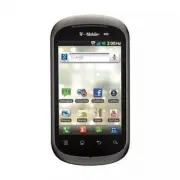
Congratulations on your purchase of the advanced and compact doubleplay by LG, designed to operate with the latest digital mobile communication technology. Some of the contents in this manual may differ from your phone depending on the software of the phone or your service provider. • This handset i...
Page 4 - from your; NOTE; : For business and government; SERVICE ACTIVATION
If you are a new T-Mobile® customer and your service has not been activated, simply call Customer Care at 1-800-937-8997 from your landline phone and a T-Mobile Activations representative will assist you. You will need the following information when activating service: Service Agreement and agent co...
Page 5 - About this user manual
About this user manual Please read this user manual carefully before you use your phone and keep it handy for future reference.Should your phone fails to operate correctly, refer to the FAQ section. Some features and service may vary by area, phone, carrier, plan and version of phone software.Screen...
Page 6 - doubleplay | User Guide; Contents
doubleplay | User Guide Contents Important notice ...............9Getting to know your phone ............................... 18 Installing the SIM card and battery ................................ 21 BATTERY ..........................23 Memory Card .................. 24 Formatting the memory card .....
Page 8 - doubleplay | User Guide
8 doubleplay | User Guide Contents Turn on Bluetooth® routing .............................. 101 Turn on and customize auto response ............... 102 Battery management .. 103 Turn off Wi-Fi, Bluetooth, and GPS ......................... 103 Adjust backlight duration ........................... 10...
Page 9 - To manage applications:; On the Home screen, tap the; Optimizing battery life; Important notice
9 Please check to see if any problems you have encountered with your phone are described in this section before taking the phone in for service or calling a service representative. 1. Phone memory When available space on your phone memory is less than 2%, your phone cannot receive new messages. You ...
Page 14 - Opening and switching applications
14 doubleplay | User Guide To turn Wi-Fi on and connect to a Wi-Fi network: On the Home screen, tap the Applications tab > Settings > Wireless & networks > Wi-Fi settings . Tap Wi-Fi to turn it on and begin scanning for available Wi-Fi networks. A list of available Wi-Fi networks is dis...
Page 18 - Lock; To turn off the phone, press the; Key; for three seconds and tap; Power off; Getting to know your phone
18 doubleplay | User Guide To turn on the phone, press and hold the Power/ Lock Key for three seconds. To turn off the phone, press the Power/Lock Key for three seconds and tap Power off . Then tap OK to confirm. Power/Lock Key Headset Jack Charger/ USB Port Menu Key Press to display a list of optio...
Page 19 - Dual touch screens; Your phone has two touch screens - the main; Dual touch screens allow you to multitask. For
19 Dual touch screens Your phone has two touch screens - the main Home screen and the second screen. Home screen Second screen Dual touch screens allow you to multitask. For example, you can read email on the Home screen and type a text message on the second screen. NOTE: Proximity Sensor When recei...
Page 20 - 0 doubleplay | User Guide
20 doubleplay | User Guide Back cover Battery Camera lens microSD card slot SIM card slot Headset Jack Volume Keys - On the Home screen: control ringer volume. - During a call: control your earpiece volume.- When playing music: control volume at any time. Power/Lock Key Charger/USB Port
Page 21 - Installing the SIM card and battery; Detach the SIM card from its packaging.
21 Installing the SIM card and battery The SIM (Subscriber Identity Module) card identifies your phone to the wireless network. You cannot make or receive calls or browse the Internet without the SIM card.Before you can start exploring your new phone, you’ll need to set it up. To insert the SIM card...
Page 23 - BATTERY; Charge the battery; To extend battery life, turn off Bluetooth®,; Battery; section of this guide.
23 BATTERY Before using your phone for the first time, fully charge the battery and let it drain completely, then re-charge to full battery level and use normally. Charge the battery Insert the small end of the USB cable into the Charger/USB Port, as shown.Plug the other end into an electrical wall ...
Page 24 - Notice; Memory Card; Install the memory card
24 doubleplay | User Guide Notice Use only an LG-approved battery, charger (1A) and USB cable (1A) specific to your phone model since they are designed to maximize battery life. Using other chargers and USB cables will not guarantee full battery charge and normal charging time. Memory Card Your phon...
Page 25 - Formatting the memory card; All files on your memory card are deleted
25 WARNING Do not insert or remove the memory card when the phone is on. Otherwise, you may damage the memory card as well as your phone and the data stored on the memory card may be corrupted. Formatting the memory card Your memory card may already be formatted. If it isn’t, you must format it befo...
Page 27 - Power; To turn the power on; To turn the power off; Press and hold the
27 Power To turn the power on Press and hold the Power/Lock Key . To turn the power off Press and hold the Power/Lock Key , tap Power off , then tap OK . Power/Lock Key
Page 28 - Touch or tap; Your Home screen
28 doubleplay | User Guide Touch-screen tips Here are some tips on how to navigate around your phone. Touch or tap To select an item or open an application. orTouch and hold To drag an item or to add widgets, shortcuts, and applications to your Home screen. NOTE: To select an item, touch the center ...
Page 30 - 0 doubleplay | User Guide; Home Screen; Tap to open the Dialer screen.
30 doubleplay | User Guide Home Screen Swipe your finger left or right to view more of your Home screen. You can customize each screen with widgets or shortcuts to your favorite applications. Swipe right to view screens to the left Swipe left to view screens to the right Shows which Home screen is d...
Page 31 - Status Bar; The Status Bar appears at the top of every Home; Notifications Panel; To open the Notifications Panel, touch and drag
31 Status Bar The Status Bar appears at the top of every Home screen. Icons indicating the phone’s status and new notification alerts appear on the Status Bar. Notifications Panel To open the Notifications Panel, touch and drag the Status Bar down. Status Bar Quick Setting icons Notification icons N...
Page 32 - 2 doubleplay | User Guide; Icon
32 doubleplay | User Guide Icon Description No SIM card installed No mobile network available Wi-Fi is on and connected Wired headset connected Call forwarding is active A call is on hold Speakerphone is on Phone microphone is muted Missed call Bluetooth is on Connected to a Bluetooth device System ...
Page 34 - Wi-Fi sharing is active; Applications screen; Applications tab; Manage applications; Manage app
34 doubleplay | User Guide Icon Description Wi-Fi sharing is active Both USB tethering and Wi-Fi sharing are active SmartShare On SmartShare sharing request Applications screen To access the Application screens, from any Home screen, tap the Applications tab . Swipe up or down to scroll through the ...
Page 35 - Add a new category; Unlock the screen
35 Add a new category Collapse application categories by tapping the heading bar or by pinching on your screen using your fingers. Tap Manage category . Tap Add . Enter the category name. Tap Save . Unlock the screen Quickly press the Power/Lock Key to wake the display.Touch and drag the bottom of t...
Page 36 - doubleplay | User Guide; Moving or deleting items on the Home; icon at the bottom of the screen.; Change Home screen wallpaper; Tap
3 doubleplay | User Guide Moving or deleting items on the Home screen Touch and hold the item you want to move or delete until it vibrates.Drag it to another location or to the Trash Can icon at the bottom of the screen. Change Home screen wallpaper Touch and hold an empty spot on any Home screen.Ta...
Page 37 - Manage applications from the dual touch; Second screen
37 Home screen Second screen Manage applications from the dual touch screen Dual touch screens allow you to multitask. Forexample, you can read email on the Home screenand type and send a text message on the second screen.The second screen contains shortcut icons that you can customize. Second scree...
Page 41 - Silence the dial pad touch tones; From any Home screen, tap the
41 Silence the dial pad touch tones From any Home screen, tap the Menu Key . Tap Settings . Tap Sound . Tap Audible touch tones and Audible selection check boxes to disable the functions. Make sure that there is not checkmark in the box to ensure that the function is disabled. 1.2.3.4.
Page 42 - QWERTY keyboard; Shift; Typing
42 doubleplay | User Guide QWERTY keyboard Shift Key Enter Key Delete Key Space Key Alt Key Slide up to open Shift Key: Press to enter capital letters. To lock the Shift Key , press it twice. To unlock it, press it again. Space Key: Press to enter spaces when in a text entry field. Alt Key: Press to...
Page 43 - Text Input Methods; Swype; Using the Swype Keyboard
43 On-screen keyboard You can enter text using the on-screen keyboard. The on-screen keyboard displays automatically on the screen when you need to enter text. To manually display the keyboard, simply touch a text field where you want to enter text. Text Input Methods Swype (Default): Swype™ is a te...
Page 44 - 4 doubleplay | User Guide; and
44 doubleplay | User Guide Swype Help Key You can tap the on-screen keyboard to enter text or you can slide your finger across the screen in a continuous finger motion with Swype®.To Swype the word cat, touch the letter c and slide your finger through all the letters of the word. When you reach the ...
Page 45 - Swype Text Entry Tips; Delete
45 Allows you to view Swype Tips and Help. Toggles from 123/ABC Mode to SYM Mode Swype Text Entry Tips You can access Swype Tips and watch a tutorial on using Swype. You can also use the following Swype text entry tips. Create a squiggle (like an S shape) to create a double letter (such as pp in app...
Page 46 - Swype Settings; To configure Swype settings:
4 doubleplay | User Guide Swype Settings To configure Swype settings: From the Home screen, tap the Menu Key > Settings > Language & keyboard > Swype . The following Swype settings are available: < Preferences settings > Language: Allows you to select what languages can be used in...
Page 48 - Creating your Google account; Google Account Set-up
48 doubleplay | User Guide The first time you open a Google application on your phone, you will be required to sign in with your existing Google account. If you do not have a Google account, you will be prompted to create one. Creating your Google account On the Home screen, tap the Applications tab...
Page 49 - Signing in to your Google account
49 Signing in to your Google account On the Home screen, touch the Applications tab > Gmail > Next > Sign in . Enter your e-mail address and password, then tap Sign in . After signing in, you can use Gmail and take advantages of Google services on your phone. Once you have set up your Googl...
Page 50 - 0 doubleplay | User Guide
50 doubleplay | User Guide applications and services on the web are synchronized with your phone. If you don’t sign into a Google account during setup, you will be prompted to sign in or to create a Google account the first time you start an application that requires one, such as Gmail or Android Ma...
Page 51 - Calls
51 Making a voice call Tap the Phone Key to open the keypad. Enter the number on the keypad. To delete a digit, tap the Delete Key . Tap the Call Key to make a call. To end a call, tap the End Key . TIP! To enter “+” to make international calls, touch and hold down . TIP! To bring up the keypad duri...
Page 56 - Voicemail; Use voicemail
5 doubleplay | User Guide Voicemail Use voicemail To call and set up voicemail: From any Home screen, tap the Phone Key . Touch and hold to call voicemail. Listen to and follow the instructions to set up your voicemail account. To reset the voicemail password to the last four digits of your phone nu...
Page 58 - Contacts
58 doubleplay | User Guide You can add contacts on your phone and synchronize them with the contacts in your Google account or other accounts that support syncing contacts. Searching for a contact On the Home screen, tap the Applications tab Contacts or tap the Phone Key and choose the Contacts tab....
Page 60 - Import from SIM card; Export to SIM; or; Export; OK
0 doubleplay | User Guide Tap Import from SIM card or Export to SIM . If necessary, tap the account you want to use.Tap to select the check boxes next to the contact(s) you want to move.Tap Import or Export . Tap OK to confirm. 5.6.7. 8.9.
Page 61 - Messaging
1 Messaging Your doubleplay combines SMS and MMS into one intuitive, easy-to-use menu. Access text messaging From any Home screen, tap Messaging . Sending a message On the Home screen, tap the Applications tab > Messaging > New Message to open a blank message.Enter a contact name or number in ...
Page 62 - Read text messages; From the Notifications Panel:
2 doubleplay | User Guide WARNING : The 10-character limit may vary from country to country depending on how the SMS is coded and the language. WARNING : If an image, video or audio file is added to an SMS message, it will be automatically converted into an MMS message and you will be charged accord...
Page 64 - Changing your message settings
4 doubleplay | User Guide Tap Add to add a new contact or enter the name of a saved contact.Tap Save . If desired, enter a name for your new group. Tap OK . Send a group text From any Home screen, tap the Applications tab . Tap Group Text . Tap the group you want to text.Tap the text entry field and...
Page 66 - Set up corporate email
doubleplay | User Guide Enter the name you want displayed on outgoing messages.Tap Done . Set up corporate email From any Home screen, tap the Applications tab . Tap Email . Note: If you have already set up at least one other email account, tap the Menu Key > More > Accounts > Menu Key >...
Page 69 - Composing and sending email
9 Composing and sending email To compose and send a message: While in the Email application, tap the Menu Key and tap Compose . Enter an address for the message’s intended recipient. As you enter text, matching addresses are offered from your contacts. Separate multiple addresses with commas.Tap the...
Page 72 - Getting to know the viewfinder; Camera
72 doubleplay | User Guide Getting to know the viewfinder Settings - Touch this icon to open the settings menu. See Using the advanced settings. Video mode - Slide this icon down to switch to video mode. Capture - Takes a photo. Gallery - Touch to view the last photo you captured. This enables you t...
Page 74 - Using the advanced settings
74 doubleplay | User Guide Using the advanced settings In the viewfinder, touch to open all advanced options. Image size – Touch to set the size (in pixels) of the picture you are taking. Select a pixel value from the following options: 5M (2592X1944), 3M (2048X153), 2M (100X1200), 1M (1280X90), VGA...
Page 76 - Viewing your saved photos
7 doubleplay | User Guide Viewing your saved photos 1 You can access your saved photos from within the camera mode. Just touch and your Gallery will appear on the screen. Touch the screen to view additional options for the image. Touch to see a slideshow of your pictures. Touch Menu and select the o...
Page 77 - Flash; - Touch this icon to; Video camera
77 Getting to know the viewfinder Camera mode - Slide this icon up to switch to camera mode. Record - Starts recording. Gallery - Touch to view the last video you recorded. This enables you to access your Gallery and view your saved videos from within video mode. Flash - Allows you to turn on the fl...
Page 79 - White balance; – The white balance ensures any; Color effect; – Choose a color tone to use for your; Video quality; – Allows you to set if you want to; Auto review; – Allows you to review the video after; Watching your saved videos
79 White balance – The white balance ensures any white areas in your video are realistic. To enable your camera to adjust the white balance correctly, you may need to determine the light conditions. Choose from Auto, Incandescent, Sunny, Fluorescent, and Cloudy. Color effect – Choose a color tone to...
Page 80 - 0 doubleplay | User Guide; Adjusting the volume when viewing a; Volume Keys; on the right side of the
80 doubleplay | User Guide Adjusting the volume when viewing a video To adjust the volume of a video while it is playing, use the Volume Keys on the right side of the phone.
Page 81 - Gallery; To change how the contents of an album; Multimedia
81 Gallery You can store any multimedia files on your phone’s memory in your Gallery so that you have easy access to all of your pictures and videos. You can also save your files to your memory card. The advantage of using a memory card is that you can free up space on your phone memory.Tap the Appl...
Page 82 - Using SmartShare
82 doubleplay | User Guide Using SmartShare SmartShare provides you with a better way to enjoy multimedia contents with other DLNA (Digital Living Network Alliance) enabled devices. * Share your media contents with other DLNA devices (DMS) In the Home screen, tap the Applications tab and select Smar...
Page 85 - Connect the phone to a PC using a USB
85 Transferring files using USB mass storage devices To transfer files using USB devices: Connect the phone to a PC using a USB cable.If you have not installed the LG Android Platform Driver on your PC, you will need to change the settings manually. From the Home screen, tap the Applications tab >...
Page 86 - Turn on USB storage
8 doubleplay | User Guide How to save music/video files to your phone Connect your phone to the PC using the USB cable. Touch Turn on USB storage > OK . On the PC, select Open folder to view files . If you have not installed the LG Android Platform Driver on your PC, you will need to set it manua...
Page 89 - Google MapsTM; MarketTM; Google applications
89 In order to take advantage of Google applications, you must first set up a Google account. You have the option to create a new account of sign in to an existing account.After signing in to your account, your contacts, email and calendar in your Google account will automatically synchronize with y...
Page 90 - 0 doubleplay | User Guide; GmailTM; to send or; Google TalkTM; and choose from the
90 doubleplay | User Guide Gmail™ Gmail can be configured when you first set up your phone. Depending on your synchronization settings, Gmail is automatically synchronized on your phone with your Google account on the web. The inbox conversations list is your default Gmail view.Tap the Menu Key >...
Page 91 - Google SearchTM
91 Google Search™ Tap the Menu Key and tap Search settings to configure Google search, including setting which data on your phone you want to be able to search. < Web > Tap Google search to adjust the following Google search settings. Show web suggestions – Tap to display suggestions for Googl...
Page 92 - Clear shortcuts; – Erases the list of previously; YouTubeTM; You can access YouTube with your Google
92 doubleplay | User Guide < Phone >Searchable items – Opens a screen where you can types the types of data you are able to search for on your phone. Clear shortcuts – Erases the list of previously chosen search results that appear as suggestions below the Google search box. YouTube™ The YouTu...
Page 93 - Connect to Wi-Fi networks
93 Wi-Fi Your phone can connect to the Internet using Wi-Fi. Turn on Wi-Fi Touch the Status Bar and drag it downwards to open the Notifications Panel.Tap the Wi-Fi icon . Connect to Wi-Fi networks From any Home screen, tap the Menu Key . Tap Settings . Tap Wireless & networks . Tap Wi-Fi setting...
Page 94 - Status; All calls are made over an
94 doubleplay | User Guide Wi-Fi Calling Wi-Fi Calling can improve your coverage and allows you to make phone calls and send messages over a Wi-Fi network (when a Wi-Fi network is available). Unless your rate plan provides otherwise, Wi-Fi Calling minutes count the same as T-Mobile cellular calling ...
Page 95 - Turn on Wi-Fi Calling; Applications
95 Cellular Preferred: All calls are made over the cellular network. If the cellular network is not available, then calls are made over an available Wi-Fi network. Wi-Fi Only: All calls are made over an available Wi-Fi network. If there are no available Wi-Fi networks, calls will not connect. Turn o...
Page 96 - Set connection preferences
9 doubleplay | User Guide Set connection preferences Note: Wi-Fi Calling must be turned on before you can access the connection preferences settings. From any Home screen, tap the Applications tab . Scroll to and tap Wi-Fi Calling . If necessary, tap the On/Off icon to turn Wi-Fi calling on.Tap the ...
Page 98 - Configure Wi-Fi Sharing
98 doubleplay | User Guide Tap Tethering & Wi-Fi sharing . Tap the Wi-Fi sharing check box to select it and enable the feature.Tap Wi-Fi sharing settings . Tap Configure Wi-Fi sharing . Your phone’s SSID is located in the Network SSID field. Configure Wi-Fi Sharing From any Home screen, tap the ...
Page 99 - Tethering; Tether your phone
99 Tethering Use a USB cable to share your phone’s mobile data connection with a single computer. Tethering works with Windows® 7, Windows XP, Windows Vista®, and Mac OS X. For more information on tethering with operating systems, go to www.android.com/tether . For Windows XP, you must install the t...
Page 100 - Bluetooth®
100 doubleplay | User Guide Your phone comes with Bluetooth connectivity, a wireless technology that enables a data connection between your phone and a Bluetooth headset or other Bluetooth device (sold separately). Prepare Bluetooth headset Make sure your headset is fully charged and in pairing mode...
Page 101 - DriveSmart®; Turn on DriveSmart
101 DriveSmart® DriveSmart helps minimize driving distractions by managing incoming notifications.When DriveSmart is turned on, incoming text message notifications are silenced and all incoming voice calls are sent directly to voicemail or a Bluetooth® headset. Turn on DriveSmart From the Home scree...
Page 102 - Turn on and customize auto response
102 doubleplay | User Guide Turn on and customize auto response DriveSmart can be set up to send an auto response text message to all incoming calls and texts. To turn on auto response: From the Home screen, tap the Menu Key . Tap Settings . Tap DriveSmart . Tap the Enable Auto Response check box to...
Page 103 - Battery management; Adjust backlight duration
103 Battery management There are some things that you can do to optimize your phone’s battery life. Turn off Wi-Fi, Bluetooth, and GPS Touch and drag the Status Bar down to open the Notifications Panel.Tap the Wi-Fi , Bluetooth , and GPS icons to turn off. When turned off, the icons are grey. Adjust...
Page 104 - Change account synchronization interval
104 doubleplay | User Guide Tap Brightness . Touch and drag the slider to the left to lower screen brightness.Tap OK . Change account synchronization interval From the Home screen, tap the Applications tab . Tap Email . Tap the email account you want to change. Note: If you have multiple email accou...
Page 105 - Memory management; Use Application Manager
105 Memory management Use Application Manager Use Application Manager to free up memory by stopping applications that are running but you are not currently using. From the Home screen, tap the Applications tab . Tap Application Manager . Tap Stop to the right of the application name to stop the appl...
Page 107 - Utilities
107 Setting your alarm On the Home screen, tap the Applications tab and select Alarm/Clock . If you want to add a new alarm, tap New alarm . Set the Time , Repeat , and Ringtone options for the alarm. You can also tap the Vibration check box to set the alarm to vibrate along with the ringtone and Me...
Page 108 - Adding an event to your calendar
108 doubleplay | User Guide Adding an event to your calendar On the Home screen, tap the Applications tab and select Calendar . NOTE: You must first create a Google account to use Calendar . To view an event, tap the date. To add a new event, tap the Menu Key and then tap New event . Tap the Event n...
Page 109 - Menu; The Web
109 Browser The Browser gives you a fast, full-color world of games, music, news, sports, entertainment and much more, right on your mobile phone; wherever you are and whatever you’re into. NOTE: Additional charges apply when connecting to these services and downloading content. Check data charges w...
Page 111 - Settings
111 On the Home screen, tap the Applications tab and tap Settings . Wireless & networks This menu allows you to manage Wi-Fi and Bluetooth. You can also set Mobile networks and Airplane mode. Airplane mode – All wireless connections will be disabled if Airplane mode is enabled. Wi-Fi – Tap to tu...
Page 113 - Mobile networks; Call settings; Fixed Dialing Numbers; Voicemail settings
113 Mobile networks – Set options for Data roaming, network mode and operators, and Access Point Names (APNs). Call settings Use this menu to configure phone call settings. Fixed Dialing Numbers – Allows you to manage your Fixed Dialing Numbers (FDN). < Voicemail >Voicemail service – Allows yo...
Page 114 - DriveSmart
114 doubleplay | User Guide Voice clarity – Select this option to make voice sound clearer under noisy environments. Call reject – Allows you to enable and disable the Call reject function and manage your Call reject list. Decline call with a message – Allows you to add and edit the decline messages...
Page 115 - Sound; Vibrate
115 Enable Bluetooth – Allows you to enable and disable Bluetooth routing so that calls are sent to your Bluetooth headset while you are driving. Enable Auto Response – Allows you to enable or disable Auto response so that an SMS is automatically sent to the caller while you are driving. Edit Auto R...
Page 116 - Display
11 doubleplay | User Guide < Incoming calls >Phone ringtone – Allows you to set your default incoming call ringtone. < Notifications >Notification ringtone – Allows you to set your default notification ringtone. < Feedback >Audible touch tones – Allows you to set the phone to play ...
Page 117 - Small screen display
117 Brightness – Allows you to adjust the brightness of the screen. Auto-rotate screen – Allows you to set the orientation to automatically switch to landscape mode or portrait mode when you turn the phone sideways or upright. Animation – Allows you to set animated transitions when navigating from s...
Page 122 - 22 doubleplay | User Guide; Privacy; Factory data reset; – If you select Factory data
122 doubleplay | User Guide < Manage accounts > Displays a list of all Google accounts and other accounts you’ve added to your phone.If you touch an account in this screen, the account screen opens. Privacy This menu allows you to choose if you wish to restore your phone to its original factor...
Page 123 - Storage; Mass storage only
123 Storage This menu allows you to configure the USB connection mode and view your memory storage space. < USB connection mode >Mass storage only – Your phone can be used as a mass storage device if you have a memory card inserted. You can set Mass storage only as a default setting for USB co...
Page 126 - Engines; Accessibility; About phone
12 doubleplay | User Guide Engines – Allows you to configure the settings for any Engines you have installed. Accessibility Use the Accessibility settings to configure any accessibility plug-ins you have installed on your phone. NOTE: Requires additional plug-ins to become selectable. Date & tim...
Page 127 - From the Home screen, tap the; to turn it on. A checkmark indicates that; Connectivity
127 With Wi-Fi, you can use high-speed internet access within the coverage of the wireless access point (AP). You can enjoy wireless internet with Wi-Fi, without extra charges. Turn on Wi-Fi From the Home screen, tap the Applications tab > Settings > Wireless & networks . Then tap Wi-Fi to...
Page 128 - 28 doubleplay | User Guide; Sharing your phone’s mobile data; USB tethering is active
128 doubleplay | User Guide Your phone supports WEP, WPA/WPA2-PSK and 802.1x EAP security. If your Wi-Fi service provider or network administrator sets encryption for network security, fill in the key in the pop-up window. If encryption is not set, this pop-up window will not be shown. You can obtai...
Page 130 - To share your phone’s data connection via
130 doubleplay | User Guide Help – Opens a dialog with information about USB tethering and Wi-Fi sharing as well as information about where to learn more. Tip: To use USB tethering, you need to install the “LG USB Driver” on to your PC first . The LG USB Driver is downloadable from the following sit...
Page 131 - USB tethering and data sharing
131 USB tethering and data sharing You can’t share your phone’s data connection and microSD card via USB at the same time. If you are using your USB connection to make your microSD card available to your computer, you must disconnect it first. Before you start! To use USB tethering, you need to inst...
Page 132 - USB tethering; To share your phone’s data connection as
132 doubleplay | User Guide The phone starts sharing its mobile network data connection with your computer, via USB connection. An ongoing notification is added to the Status Bar and Notifications Panel. Uncheck USB tethering to stop sharing your data connection. Or just disconnect the USB cable. NO...
Page 133 - To rename or secure your Wi-Fi sharing
133 When Wi-Fi sharing is checked, you can change its network name or secure it. Uncheck Wi-Fi sharing to stop sharing your data connection via Wi-Fi. To rename or secure your Wi-Fi sharing You can change the name of your phone’s Wi- Fi network name (SSID) and secure its Wi-Fi network. On the Home s...
Page 135 - LG Mobile Phone Software update from internet; Phone Software update
135 LG Mobile Phone Software update from internet For more information on using this function, please visit the http://www.lg.com/us/support/mc-support/ mobile-phone-support.jsp or http://www.lg.com/ → Select your country and language. This feature allows you to update the firmware of your phone to ...
Page 137 - DivX Mobile; Copyrights and trademarks
137 The rights to all technologies and products that comprise this device are the property of their respective owners: Bluetooth ® is a registered trademark of Bluetooth SIG, Inc.microSD and the microSD logo are Trademarks of the SD Card Association.Google, Android, Google Search, Google Calendar, G...
Page 138 - 38 doubleplay | User Guide; DivX Certified® to play DivX® video up to
138 doubleplay | User Guide on-Demand (VOD) movies. To obtain your registration code, locate the DivX VOD section in your device setup menu. Go to vod.divx.com for more information on how to complete your registration. DivX Certified® to play DivX® video up to 640x480, including premium content. Div...
Page 139 - Accessories
139 These accessories are available for use with your phone. ( Items described below may be optional. ) Charger USB cable C onnect your phone and PC. Battery User Guide Learn more about your phone. Stereo headset NOTE: • Always use genuine LG accessories. Failure to do this may void your warranty. •...
Page 140 - 40 doubleplay | User Guide; Battery Standby and Talk Time; Technical data
140 doubleplay | User Guide Ambient TemperaturesMax: +55°C (discharging), +45°C (charging) Min: -10°C Battery Standby and Talk Time Standby and talk times will vary depending on phone usage patterns and conditions. Battery power consumption depends on factors such as network configuration, signal st...
Page 141 - FAQ
141 Please check to see if any problems you have encountered with your phone are described in this section before taking the phone in for service or calling a service representative. Category Sub-Category Question Answer BT Bluetooth Devices What are the functions available via Bluetooth? You can co...
Page 142 - 42 doubleplay | User Guide
142 doubleplay | User Guide Category Sub-Category Question Answer Data Synchronization Is it possible to synchronize all the Email folders? The Inbox is automatically synchronized. You can view other folders by tapping the Menu Key and tap Folders to choose a folder. Google TM Service Gmail Log-In S...
Page 144 - 44 doubleplay | User Guide
144 doubleplay | User Guide Category Sub-Category Question Answer Phone Function Wait and Pause Is it possible to save a contact with Wait and Pause in the numbers? If you transferred a contact with the Wait and Pause functions saved into the number, you will not be able to use those features. You w...
Page 146 - 4 doubleplay | User Guide
14 doubleplay | User Guide Category Sub-Category Question Answer Phone Function Unlock Pattern How do I create the Unlock Pattern? 1. From the Home screen, tap the Menu Key . 2. Tap Settings > Location & security . 3. Tap Set up screen lock (under the Screen unlock section of the settings) &g...
Page 148 - 48 doubleplay | User Guide
148 doubleplay | User Guide Category Sub-Category Question Answer Phone Function Wi-Fi & 3G When Wi-Fi and 3G are both available, which service will my phone use? When using data, your phone may default to the Wi-Fi connection (if Wi-Fi connectivity on your phone is set to On). However, there wi...
Page 150 - 50 doubleplay | User Guide
150 doubleplay | User Guide Category Sub-Category Question Answer Recovery Solution Factory Reset How do I perform a factory reset? 1. From the Home screen, tap the Menu Key . 2. Tap Settings > Privacy > Factory data reset . 3. Read the warning and tap Reset phone. 4. Tap Erase everything . At...
Page 152 - 52 doubleplay | User Guide; Safety Information; Violation of the instructions may cause minor or; Do not disassemble or open crush, bend or; For Your Safety
152 doubleplay | User Guide Safety Information Please read and observe the following information for safe and proper use of your phone and to prevent damage. Violation of the instructions may cause minor or serious damage to the product. Do not disassemble or open crush, bend or deform, puncture or ...
Page 153 - Charger and Adapter Safety
153 explosion, leakage or other hazard. Promptly dispose of used batteries in accordance with local regulations. Battery usage by children should be supervised. Avoid dropping the phone or battery. If the phone or battery is dropped, especially on a hard surface, and the user suspects damage, take i...
Page 154 - 54 doubleplay | User Guide; Battery Information and Care
154 doubleplay | User Guide Battery Information and Care Please read the manual of proper installation and removal of the battery.Please read the manual of specified charger about charging method.Do not damage the power cord by bending, twisting, or heating. Do not use the plug if it is loose as it ...
Page 156 - 5 doubleplay | User Guide
15 doubleplay | User Guide parents or legal guardians are responsible for supervising and teaching them about the safe handling of batteries and how to use batteries according to the manual with care.If liquid from the battery rubs against skin or clothing, wash with fresh water. It may cause the sk...
Page 157 - Care and Maintenance; Extreme heat or cold
157 Care and Maintenance Your mobile device is a product of superior design and craftsmanship and should be treated with care. The suggestions below will help you fulfill any warranty obligations and allow you to enjoy this product for many years: Keep your Mobile Device away from:Liquids of any kin...
Page 160 - FCC Part 15 Class B Compliance
10 doubleplay | User Guide When you use the phone in public places, set the ringtone to vibration so you don’t disturb others. Do not turn your phone on or off when putting it to your ear. Your phone is an electronic device that generates heat during normal operation. Extremely prolonged, direct ski...
Page 162 - 2 doubleplay | User Guide; FCC RF Exposure Information
12 doubleplay | User Guide FCC RF Exposure Information WARNING! Read this information before operating the phone. In August 199, the Federal Communications Commission (FCC) of the United States, with its action in Report and Order FCC 9-32, adopted an updated safety standard for human exposure to Ra...
Page 164 - Consumer Information About; Are wireless phones safe?
14 doubleplay | User Guide Consumer Information About Radio Frequency Emissions Your wireless phone, which contains a radio transmitter and receiver, emits radio frequency energy during use. The following consumer information addresses commonly asked questions about the health effects of wireless ph...
Page 165 - What does “SAR” mean?
15 is being conducted around the world and FDA continues to monitor developments in this field. You can access the joint FDA/FCC website at http://www.fda.gov (under “C” in the subject index, select Cell Phones > Research). You can also contact the FDA toll-free at (888) 43-332 or (888) INFO-FDA....
Page 167 - Can I minimize my RF exposure?
17 among phone models, depending upon available accessories and FCC requirements). While there may be differences between SAR levels of various phones and at various positions, they all meet the government requirement for safe exposure. The FCC has granted an Equipment Authorization for this model p...
Page 168 - Do wireless phones pose any special risks to
18 doubleplay | User Guide body and the source of the RF, as the exposure level drops off dramatically with distance. The FDA/FCC website states that “hands-free kits can be used with wireless phones for convenience and comfort. These systems reduce the absorption of RF energy in the head because th...
Page 169 - Where can I get further information about RF
19 that “some groups sponsored by other national governments have advised that children be discouraged from using wireless phones at all”. For example, the Stewart Report from the United Kingdom [“UK”] made such a recommendation in December 2000. In this report a group of independent experts noted t...
Page 170 - 70 doubleplay | User Guide; Independent Expert Group on Mobile Phones; Ottawa, Ontario K1R 7X9; World Health Organization; Avenue Appia 20
170 doubleplay | User Guide U.S. Food and Drug Administration FDA Consumer magazineNovember-December 2000Telephone: (888) INFO-FDAhttp://www.fda.gov (Under “C” in the subject index, select Cell Phones > Research.) U.S. Federal Communications Commission 445 12th Street, S.W. Washington, D.C. 20554...
Page 172 - 72 doubleplay | User Guide; TIA Safety Information; Exposure to Radio Frequency Signal
172 doubleplay | User Guide TIA Safety Information The following is the complete TIA Safety Information for wireless handheld phones. Exposure to Radio Frequency Signal Your wireless handheld portable phone is a low power radio transmitter and receiver. When ON, it receives and sends out Radio Frequ...
Page 177 - FDA Consumer Update; FDA; Do wireless phones pose a; Do wireless phones pose a health hazard?
177 FDA Consumer Update ● Do not immerse your phone inwater, liquid, or expose to highhumidity. If this happens, turn itoff immediately and remove thebattery. Immediately, take it to anLG Authorized Service Center. ● Do not paint your phone. ● The data saved in your phonemight be deleted due to care...
Page 178 - 78 doubleplay | User Guide; What is the FDA’s role concerning the safety
178 doubleplay | User Guide 2. What is the FDA’s role concerning the safety of wireless phones? Under the law, the FDA does not review the safety of radiation-emitting consumer products such as wireless phones before they can be sold, as it does with new drugs or medical devices. However, the agency...
Page 180 - 80 doubleplay | User Guide; What kinds of phones are the subject of this
180 doubleplay | User Guide that people get from these base stations are typically thousands of times lower than those they can get from wireless phones. Base stations are thus not the subject of the safety questions discussed in this document. 3. What kinds of phones are the subject of this update?...
Page 181 - What are the results of the research done
181 4. What are the results of the research done already? The research done thus far has produced conflicting results, and many studies have suffered from flaws in their research methods. Animal experiments investigating the effects of Radio Frequency (RF) energy exposures characteristic of wireless...
Page 182 - 82 doubleplay | User Guide; What research is needed to decide whether
182 doubleplay | User Guide glioma, meningioma, or acoustic neuroma, tumors of the brain or salivary gland, leukemia, or other cancers. None of the studies demonstrated the existence of any harmful health effects from wireless phone RF exposures. However, none of the studies can answer questions abo...
Page 184 - 84 doubleplay | User Guide; How can I find out how much Radio Fre-
184 doubleplay | User Guide Agreement (CRADA) to do research on wireless phone safety. The FDA provides the scientific oversight, obtaining input from experts in government, industry, and academic organizations. CTIA-funded research is conducted through contracts with independent investigators. The ...
Page 186 - 8 doubleplay | User Guide; What steps can I take to reduce my expo-
18 doubleplay | User Guide The test method uses a tissue-simulating model of the human head. Standardized SAR test methodology is expected to greatly improve the consistency of measurements made at different laboratories on the same phone. SAR is the measurement of the amount of energy absorbed in t...
Page 187 - What about children using wireless
187 with distance. For example, you could use a headset and carry the wireless phone away from your body or use a wireless phone connected to a remote antenna. Again, the scientific data does not demonstrate that wireless phones are harmful. But if you are concerned about the RF exposure from these ...
Page 188 - 88 doubleplay | User Guide; What about wireless phone interference
188 doubleplay | User Guide phone causes brain tumors or other ill effects. Their recommendation to limit wireless phone use by children was strictly precautionary; it was not based on scientific evidence that any health hazard exists. 11. What about wireless phone interference with medical equipmen...
Page 189 - Where can I find additional information?
189 performance requirements for hearing aids and wireless phones so that no interference occurs when a person uses a “compatible” phone and a “compatible” hearing aid at the same time. This standard was approved by the IEEE in 2000. The FDA continues to monitor the use of wireless phones for possib...
Page 190 - 90 doubleplay | User Guide; Driving
190 doubleplay | User Guide Driving Check the laws and regulations on the use of wireless phones in the areas where you drive and always obey them. Also, if using your phone while driving, please observe the following: Give full attention to driving -- driving safely is your first responsibility;Use...
Page 194 - Regulations for Wireless Devices; For information
194 doubleplay | User Guide FCC Hearing-Aid Compatibility (HAC) Regulations for Wireless Devices The M mark is intended to be synonymous with the U mark. The T mark is intended to be synonymous with the UT mark. The M and T marks are recommended by the Alliance for Telecommunications Industries Solu...
Page 195 - Limited Warranty Statement
Limited Warranty Statement 1. WHAT THIS WARRANTY COVERS: LG offers you a limited warranty that the enclosed subscriber unit and its enclosed accessories will be free from defects in material and workman- ship, according to the following terms and conditions: (1) The limited warranty for the product ...
Page 197 - Guía del usuario; ESPAÑOL
Guía del usuario doubleplay P/N : MFL67441301 (1.0) www.lg.com ESPAÑOL
Page 199 - de
Felicidades por comprar el teléfono avanzado y compacto doubleplay de LG, diseñado para funcionar con la más reciente tecnología de comunicación digital móvil. Parte del contenido de este guía puede no coincidir con el teléfono dependiendo del software del teléfono o del proveedor de servicios. • Es...
Page 200 - NOTA; ACTIVACIÓN DEL SERVICIO
Si es un cliente nuevo de T-Mobile® y su servicio todavía no se encuentra activado, simplemente llame a la atención al cliente al 1-800-937-8997 desde un teléfono fijo y un representante de activaciones de T-Mobile lo ayudará. Al activar el servicio, necesitará la siguiente información: Acuerdo de s...
Page 201 - Sobre este guía del usuario
Sobre este guía del usuario Lea atentamente este guía del usuario antes de usar el teléfono y consérvelo para futuras referencias.Si el teléfono no funciona correctamente, consulte la sección de preguntas frecuentes. Es posible que varíen algunos servicios y funciones según la zona, el teléfono, el ...
Page 202 - doubleplay | Guía del usuario; Contenido
doubleplay | Guía del usuario Contenido Aviso importante ................... 9Características del teléfono ............................... 20 Instalación de la tarjeta SIM y la batería............................ 23 Batería ................................... 25 Tarjeta de memoria ........... 2 Form...
Page 204 - doubleplay | Guía del usuario
8 doubleplay | Guía del usuario Contenido Encender y personalizar la respuesta automática ..... 109 Administración de la batería ..................................110 Apague Wi-Fi, Bluetooth, y GPS....................................... 110 Ajuste la duración de la luz de fondo ........................
Page 205 - Memoria del teléfono; Para administrar la aplicación:; En la pantalla principal, toque la; Optimizar la vida útil de la batería; Aviso importante
9 Antes de llevar el teléfono a reparación o llamar a un representante del servicio técnico, compruebe si alguno de los problemas que presenta el teléfono se describen en esta sección. 1. Memoria del teléfono Cuando el espacio disponible en la memoria del teléfono sea menos de 2%, el teléfono no pod...
Page 206 - 0 doubleplay | Guía del usuario; Para prolongar la vida útil de la batería:
10 doubleplay | Guía del usuario Además, puede supervisar la forma en que las aplicaciones y los recursos consumen la energía de la batería. Para prolongar la vida útil de la batería: Desactive las comunicaciones de radio que no esté usando. Si no usa Wi-Fi, Bluetooth o GPS, desactívelos.Disminuya e...
Page 207 - Para supervisar y controlar las aplicaciones; Instalar un sistema operativo de código
11 Para supervisar y controlar las aplicaciones que usan la batería: En la pantalla principal, toque la Ficha Aplicaciones y seleccione Ajustes > Acerca del teléfono > Uso de la batería . Esta pantalla muestra el tiempo de uso de la batería. Presenta una lista de todas las aplicaciones o servi...
Page 208 - Usar el patrón de desbloqueo
12 doubleplay | Guía del usuario ADVERTENCIA : Para proteger el teléfono y los datos personales, sólo descargue aplicaciones provenientes de fuentes de confianza, como Android Market. Si algunas aplicaciones no se instalan correctamente en el teléfono, es posible que el aparato no funcione bien o qu...
Page 209 - Usar el reinicio completo
13 ADVERTENCIA : Precauciones que debe tomar al usar el patrón de bloqueo Es muy importante que recuerde el patrón de desbloqueo que configure. Si usa un patrón incorrecto cinco veces, no podrá acceder al teléfono. Tiene cinco oportunidades para introducir el patrón de desbloqueo, el PIN o la contra...
Page 210 - 4 doubleplay | Guía del usuario; Tecla A; y la; Tecla de volumen inferior; : Si ejecuta el reinicio
14 doubleplay | Guía del usuario valores de fábrica) para inicializar el teléfono. Cuando el teléfono esté apagado, mantenga presionadas al mismo tiempo la Tecla A + Tecla F + Tecla Encender/Bloquear y la Tecla de volumen inferior (por diez segundos) para que el teléfono se encienda y se realice de ...
Page 212 - Abrir y alternar aplicaciones
1 doubleplay | Guía del usuario 7. Abrir y alternar aplicaciones Es fácil realizar varias tareas con Android porque las aplicaciones abiertas siguen en ejecución incluso cuando abre otra aplicación. No necesita salir de una aplicación antes de abrir otra. Use y alterne entre varias aplicaciones abie...
Page 214 - Desbloquear la pantalla al usar la
18 doubleplay | Guía del usuario NOTA: Los controladores de USB y Bluetooth no se eliminan automáticamente. Por lo tanto, deben desinstalarse de forma manual.Durante este tiempo, no podrá acceder a la tarjeta microSD desde el teléfono; por lo tanto, no podrá usar las aplicaciones que dependan de la ...
Page 216 - Para encender el teléfono, mantenga presionada la; Tecla Encender/Bloquear; durante tres segundos.; Bloquear; durante tres segundos y toque; Apagar; Características del teléfono; 0 doubleplay | Guía del usuario
Para encender el teléfono, mantenga presionada la Tecla Encender/Bloquear durante tres segundos. Para apagar el teléfono, presione la Tecla Encender/ Bloquear durante tres segundos y toque Apagar . Luego toque Aceptar para confirmar. Tecla Encender/ Bloquear Toma para auriculares Puerto para Cargar/...
Page 217 - Doble pantallas táctiles
21 Doble pantallas táctiles Su teléfono tiene dos pantallas táctiles: la pantalla principal y la pantalla secundaria. Pantalla principal Pantalla secundaria Las pantallas táctiles duales le permiten hacer varias tareas simultáneas. Por ejemplo, puede leer los correos electrónicos en la pantalla prin...
Page 218 - 2 doubleplay | Guía del usuario
22 doubleplay | Guía del usuario Tapa posterior Batería Lente de la cámara Ranura para tarjeta microSD Ranura para tarjeta SIM Toma para auriculares Teclas de volumen - En la pantalla principal: controlan el volumen del timbre. - Durante una llamada: controlan el volumen del auricular. - Durante la ...
Page 219 - Instalación de la tarjeta SIM y la batería; Retire la tarjeta SIM de su empaque.
23 Instalación de la tarjeta SIM y la batería La tarjeta SIM (Módulo de Identificación del Suscriptor) sirve para identificar su teléfono en la red inalámbrica. No puedes realizar o recibir llamadas o buscar en Internet sin la tarjeta SIM.Antes de comenzar a explorar su nuevo teléfono, deberá config...
Page 221 - Batería; Cargue la batería; Inserte el extremo pequeño del cable USB; Administración de la batería
25 Batería Antes de usar el teléfono por primera vez, cargue la batería por completo y deje que se descargue del todo, después vuelva a cargar por completo y use normalmente. Cargue la batería Inserte el extremo pequeño del cable USB en el Puerto para Cargador/USB, como se muestra.Conecte el otro ex...
Page 222 - Aviso; Tarjeta de memoria; Instale la tarjeta de memoria
2 doubleplay | Guía del usuario Aviso Use solamente baterías, cargadores (1A) y cable USB (1A) aprobados por LG que sean específicamente para el modelo de su teléfono ya que están diseñados para maximizar la vida útil de la batería. Si usa otros cargadores o cables USB, no se garantiza que se realic...
Page 223 - ADVERTENCIA; Formatear la tarjeta de memoria
27 Tire de la tarjeta suavemente hacia afuera de la ranura para quitarla. ADVERTENCIA No inserte ni quite la tarjeta de memoria con el teléfono encendido. De lo contrario, podría dañar la tarjeta de memoria o el teléfono y los datos almacenados en la tarjeta de memoria podrían alterarse. Formatear l...
Page 225 - No inserte ni quite la; Ficha Aplicaciones
29 ADVERTENCIA: No inserte ni quite la tarjeta de memoria con el teléfono encendido. De lo contrario, podría dañar la tarjeta de memoria o el teléfono y los datos almacenados en la tarjeta de memoria podrían alterarse. Para quitar la tarjeta de memoria seguramente, toque la Ficha Aplicaciones > A...
Page 226 - 0 doubleplay | Guía del usuario; Encendido; Para encender; Tecla; Mantenga presionada la; Tecla; , y a continuación toque; Aceptar
30 doubleplay | Guía del usuario Encendido Para encender Mantenga presionada la Tecla Encender/Bloquear . Para apagar Mantenga presionada la Tecla Encender/Bloquear , toque Apagar , y a continuación toque Aceptar . Tecla Encender/Bloquear
Page 227 - Sugerencias sobre la pantalla táctil; Toque; La pantalla principal
31 Sugerencias sobre la pantalla táctil A continuación, se incluyen algunos consejos sobre cómo navegar por el teléfono. Toque Para seleccionar un elemento o para abrir una aplicación. oToque y mantenga presionado. Para arrastrar un elemento o para agregar widgets, accesos directos, y aplicaciones a...
Page 228 - 2 doubleplay | Guía del usuario; Bloquear el teléfono; Cuando no esté usando el teléfono presione la; Si se están ejecutando programas; Desbloqueo de pantalla; Para reactivar el teléfono, presione la; . Aparecerá la pantalla
32 doubleplay | Guía del usuario Bloquear el teléfono Cuando no esté usando el teléfono presione la Tecla Encender/Bloquear para bloquearlo. De esta forma, se evita que las teclas se presionen por accidente y se ahorra energía de la batería. Además, si no usa el teléfono por un tiempo, la pantalla p...
Page 229 - Toque para abrir la pantalla del teclado de
33 Pantalla principal Pase el dedo hacia la izquierda o hacia la derecha para ver más de la pantalla principal. Puede personalizar cada pantalla con widgets o accesos directos a sus aplicaciones favoritas. Desplace a la derecha para ver las pantallas a la izquierda Desplace a la izquierda para ver l...
Page 230 - 4 doubleplay | Guía del usuario; Barra de estado
34 doubleplay | Guía del usuario Barra de estado La Barra de estado aparece en la parte superior de cada pantalla principal. En la Barra de estado aparecen iconos de estado del teléfono y alertas de nuevas notificaciones. Panel de notificaciones Para abrir el Panel de notificaciones, toque y arrastr...
Page 231 - Icono Descripción
35 Icono Descripción Tarjeta SIM no instalada No existe red móvil Wi-Fi está encendido y está conectado a una red Está conectado un auricular alámbrico Reenvío de llamada encendido Llamada en espera Altavoz encendido Micrófono silenciado Llamada perdida Bluetooth encendido Conectado a un aparato Blu...
Page 232 - doubleplay | Guía del usuario
3 doubleplay | Guía del usuario Icono Descripción Modo de vibración activado Batería completamente cargada Batería se está cargando Datos entrantes Datos salientes Datos entrantes y salientes Conectado a una computadora vía cable USB Descargando datos Cargando datos Recibiendo datos de ubicación de ...
Page 233 - Pantalla de aplicaciones; Ficha; . Pase el dedo hacia arriba o; Descargas; por orden alfabético.; Administre aplicaciones; Contrae las categorías de las aplicaciones; Administrar aplicaciones
37 Icono Descripción Se está reproduciendo una canción Próximo evento Anclaje de USB activado Wi-Fi compartido activado Ambos el Anclaje de USB y Wi-Fi compartido están activados SmartShare está activado Solicitud para compartir SmartShare Pantalla de aplicaciones Para acceder a la pantalla de aplic...
Page 234 - Agregue una nueva categoría; Gestionar categoría; Desbloquear la pantalla; Agregar un elemento a la pantalla
38 doubleplay | Guía del usuario Toque y mantenga presionada la aplicación que desea mover a una categoría diferente.Cuando el teléfono vibra, arrastre la aplicación a la categoría deseada y suelte. Agregue una nueva categoría Contrae las categorías de las aplicaciones tocando el encabezado o pelliz...
Page 236 - 0 doubleplay | Guía del usuario; Administrar aplicaciones desde la pantalla; La pantalla táctil dual permite realizar varias tareas; Pantalla secundaria
40 doubleplay | Guía del usuario Pantalla principal Pantalla secundaria Administrar aplicaciones desde la pantalla táctial dual La pantalla táctil dual permite realizar varias tareas a la vez. Por ejemplo, puede leer correo electrónico en la pantalla principal y escribir y enviar un mensaje de texto...
Page 239 - Timbres y volumen
43 Ajuste el volumen de la llamada Durante una llamada, presione las Teclas de volumen . Establecer los timbres de las llamadas entrantes y las notificaciones En cualquier pantalla principal, toque la Tecla Menú . Toque Configuracion . Toque Sonido . Toque Tono de timbre del teléfono o Tono de notif...
Page 240 - Silencie los tonos del teclado para marcar
44 doubleplay | Guía del usuario Silencie los tonos del teclado para marcar En cualquier pantalla principal, toque la Tecla Menú . Toque Configuracion . Toque Sonido . Toque las casillas de Tonos táctiles audibles y Selección audible para desactivar las funciones. Asegúrese de que no haya ninguna ma...
Page 241 - Teclado QWERTY; Escritura
45 Teclado QWERTY Tecla de mayúsculas Tecla Intro Tecla Borrar Tecla Espacio Tecla Alt Deslice hacia arriba para abrir Tecla de mayúsculas: Presione para ingresar letras en mayúsculas. Para bloquear la Tecla de mayúsculas , presiónela dos veces. Para desbloquearla, presiónela de nuevo. Tecla Espacio...
Page 242 - doubleplay | Guía del usuario; Teclado en pantalla; SwypeTM es un; Método de introducción de texto; luego; Teclado de Android; Usar el teclado Swype
4 doubleplay | Guía del usuario Teclado en pantalla Puede introducir texto mediante el teclado en pantalla. El teclado en pantalla aparece de forma automática cuando necesita escribir algo. Para mostrarlo en forma manual, toque el campo de texto en donde desea introducir texto. Métodos de ingreso de...
Page 243 - y deslice su dedo por todas las letras; Tecla de
47 Tecla de Ayuda de Swype Puede tocar el teclado en pantalla para ingresar texto o puede deslizar el dedo por la pantalla en un movimiento continuo con Swype®.Para escribir la palabra gato con Swype, toque la letra g y deslice su dedo por todas las letras de la palabra. Cuando llegue a la letra o ,...
Page 245 - Configuración de Swype; Para configurar Swype:
49 Mueva el dedo sobre el apóstrofe para ingresar contracciones.Toque la palabra cuya ortografía desee cambiar o corregir dos veces. Toque la Tecla Borrar para eliminar un carácter. Toque y sostenga la Tecla Borrar para borrar una palabra completa. Configuración de Swype Para configurar Swype: Desde...
Page 248 - Crear una cuenta de Google; Configuración de la cuenta de Google
52 doubleplay | Guía del usuario La primera vez que abra la aplicación de Google en el teléfono, se le solicitará que inicie sesión con su cuenta de Google. Si no tiene una cuenta de Google, se le pedirá que cree una. Crear una cuenta de Google En la pantalla principal, toque la Ficha Aplicaciones ....
Page 249 - Iniciar sesión en la cuenta de Google
53 Iniciar sesión en la cuenta de Google En la pantalla principal, toque la Ficha Aplicaciones > Gmail > Siguiente > Acceder . Introduzca la dirección de correo electrónico y la contraseña y luego toque Acceder . Después de iniciar sesión, puede usar Gmail y aprovechar los servicios de Goog...
Page 250 - 4 doubleplay | Guía del usuario
54 doubleplay | Guía del usuario Calendario y toda información obtenida de esas aplicaciones y servicios en la Web se sincronizarán con el teléfono. Si no inicia sesión en una cuenta de Google durante la instalación, se le pedirá que lo haga o que cree una cuenta la primera vez que inicie una aplica...
Page 251 - Llamadas
55 Hacer llamadas de voz Toque la Tecla Teléfono para abrir el teclado. Introduzca el número en el teclado. Para borrar un dígito, toque la Tecla Borrar . Toque la Tecla Llamar para hacer una llamada.Para finalizar una llamada, toque la Tecla Finalizar . SUGERENCIA Para introducir "+" para r...
Page 256 - Correo de voz; Uso del correo de voz; Para configurar el correo de voz visual:
0 doubleplay | Guía del usuario Correo de voz Uso del correo de voz Para llamar y establecer el correo de voz En cualquier pantalla principal, toque la Tecla Teléfono . Toque y mantenga presionado para llamar al correo de voz.Escuche y siga las instrucciones para establecer su cuenta de correo de vo...
Page 258 - Contactos
2 doubleplay | Guía del usuario Puede agregar contactos en el teléfono y sincronizarlos con los contactos de su cuenta de Google u otras cuentas que admitan la sincronización de contactos. Buscar un contacto En la pantalla principal, toque la Ficha Aplicaciones > Contactos o toque la Tecla Teléfo...
Page 259 - Contactos favoritos
3 Toque una categoría de información de contacto e introduzca los detalles acerca del contacto.Toque Guardar para guardar el contacto. Contactos favoritos Puede clasificar contactos frecuentemente llamados como favoritos. Para agregar un contacto a los favoritos: En la pantalla principal, toque la T...
Page 260 - Importar y exportar contactos
4 doubleplay | Guía del usuario Importar y exportar contactos Puede mover contactos entre su tarjeta SIM y su teléfono. En cualquier pantalla principal, toque Contactos . Toque la Tecla Menú . Toque Más . Toque Importar/exportar . Toque Importar contactos desde la tarjeta SIM o Exportar contactos a ...
Page 261 - Mensajería
5 Mensajería El teléfono combina los SMS y MMS en un único menú intuitivo y fácil de usar. Acceder a mensajes de texto En cualquier pantalla principal, toque Mensajes . Enviar un mensaje En la pantalla principal, toque la Ficha Aplicaciones > Mensajes > Nuevo Mensaje para abrir un mensaje en b...
Page 262 - Leer mensajes de texto; Desde el Panel de notificaciones:
doubleplay | Guía del usuario respuestas aparecerán en la pantalla. Al ver y enviar mensajes adicionales, se creará una cadena de mensajes. ADVERTENCIA: El límite de 10 caracteres puede variar de un país a otro según cómo esté codificado el SMS y el idioma. ADVERTENCIA: Si se agrega un archivo de im...
Page 264 - Cambiar la configuración de su mensaje
8 doubleplay | Guía del usuario Toque Crear Nuevo Grupo . Toque Adjuntar para agregar un nuevo contacto o ingresar el nombre de un contacto guardado.Toque Salvar . Si lo desea, escriba un nombre para el nuevo grupo. Toque Aprobado . Enviar un texto de grupo En cualquier pantalla principal, toque la ...
Page 265 - Correo electrónico; Configurar GmailTM
9 Correo electrónico Configurar Gmail™ En cualquier pantalla principal, toque la Ficha Aplicaciones . Toque Gmail . Nota: Si ya ha configurado al menos una cuenta de Gmail, toque la Tecla Menú > Cuentas > Añadir cuenta . Toque Siguiente . Toque Crear o Acceder . Siga las instrucciones en la pa...
Page 267 - Listo; Abrir el correo electrónico y la pantalla de
71 Si lo desea, ingrese un nombre único para su cuenta de correo electrónico. Ingrese el nombre que desea mostrar en los mensajes salientes. Toque Listo . Abrir el correo electrónico y la pantalla de cuentas de correo electrónico Puede usar la aplicación de correo electrónico para leer el correo ele...
Page 269 - Redactar y enviar correos electrónicos
73 Abra la aplicación E-mail . Toque Combinación de recibidos (en la pantalla Cuentas ). Los mensajes la carpeta Combinación de recibidos están codificados por color en los lados izquierdos, por cuenta, con los mismos colores que se usan para las cuentas en la pantalla Cuentas . En el teléfono sólo ...
Page 273 - Uso del visor; Modo de video; Cámara
77 Uso del visor Configuración: toque este icono para abrir el menú de configuración. Consulte la sección Opciones de configuración avanzada. Modo de video : deslice este icono hacia abajo para pasar al modo de video. Capturar: toma una foto. Galería: toque esta opción para ver la última foto que to...
Page 274 - Usar el modo de enfoque; Seguimiento de rostros:; Tomar una foto rápida
78 doubleplay | Guía del usuario Usar el modo de enfoque Puede seleccionar una de las siguientes opciones de modo de enfoque: Auto: permite configurar la cámara para que enfoque automáticamente. Macro: este modo permite tomar primeros planos extremos. Si está intentando tomar un primer plano pero el...
Page 275 - Opciones de configuración avanzada
79 Aviso: es posible que haya un problema de sombreado cuando intente tomar fotografías en lugares cerrados debido a las características de la cámara. Opciones de configuración avanzada En el visor, toque para abrir todas las opciones avanzadas. Tam. imagen: Permite configurar el tamaño (en píxeles)...
Page 276 - Etiqueta de ubicación:
80 doubleplay | Guía del usuario Contador: Toma las fotos unos segundos después de apretar el disparador. Esta función es ideal si quiere formar parte de una foto. Elija entre Desconectado, 3 seg., 5 seg., y 10 seg. Modo disparo: Elija el modo de captura deseado. Escoja entre Normal, Disparo continu...
Page 277 - Ver las fotos guardadas
81 SUGERENCIA El menú de configuración se superpone con el visor; por eso, cuando modifique los valores de Efectos de color, podrá ver una vista previa de los cambios en la imagen detrás del menú de configuración. Ver las fotos guardadas 1 Puede acceder a las fotos guardadas desde el modo de cámara....
Page 278 - Modo de; Videocámara
82 doubleplay | Guía del usuario Uso del visor Modo de camara: deslice este icono hacia arriba para cambiar al modo de cámara. Grabar: inicia la grabación. Galería: toque esta opción para ver el último video grabado. Esta opción también le permite acceder a la Galería y ver los videos guardados desd...
Page 279 - Grabar un video rápido
83 Grabar un video rápido Abra la aplicación Cámara y deslice el botón de la cámara hacia abajo hacia la posición de Video . El icono Capturar cambiará a . Aparecerá en la pantalla el visor de la videocámara.Con el teléfono en posición horizontal, apunte la lente hacia lo que desea grabar.Toque el i...
Page 280 - Ver los videos guardados
84 doubleplay | Guía del usuario Bal. de blancos: Esta opción garantiza que cualquier parte blanca que aparezca en el video sea real. Para permitir que la cámara ajuste el balance de blancos de manera correcta, es posible que necesite determinar las condiciones de la luz. Elija entre: Auto, Incandes...
Page 281 - Teclas de; ubicadas en el lado derecho del teléfono.
85 Ajustar el volumen durante la visualización de un video Para ajustar el volumen de un video mientras se está reproduciendo, utilice las Teclas de volumen ubicadas en el lado derecho del teléfono.
Page 282 - Galería; Para cambiar la visualización del
8 doubleplay | Guía del usuario Galería Puede guardar cualquier archivo multimedia en la Galería , mediante la memoria del teléfono y asi tener rápido acceso a las fotos y los videos. También puede guardar los archivos en una tarjeta de memoria externa. La ventaja de utilizar una tarjeta de memoria ...
Page 283 - Usar SmartShare
87 Usar SmartShare SmartShare le ofrece una forma mejor de disfrutar del contenido multimedia con otros dispositivos habilitados por DLNA (Digital Living Network Alliance). * Comparta el contenido multimedia con otros dispositivos DLNA (DMS). En la pantalla principal, toque la Ficha Aplicaciones y s...
Page 284 - Música
88 doubleplay | Guía del usuario Toque y seleccione el dispositivo de la lista de dispositivos reproductores.Toque y seleccione un dispositivo para buscar por las medias.Puede navegar por la biblioteca de contenido remota.Toque el contenido con su dedo para verlo o toque el botón reproducir. Aviso: ...
Page 285 - Reproducir una canción
89 Reproducir una canción En la pantalla principal, toque la Ficha Aplicaciones y seleccione Música . Toque Canciones . Seleccione la canción que desea reproducir.Toque para pausar la canción. Toque para pasar a la siguiente canción. Toque para volver a la primera parte de la canción. Toque dos vece...
Page 291 - Google Maps no cubre todas las ciudades; Tecla Menú; para ver las siguientes; Borrar resultados, Unirme a Latitud; Aplicaciones de Google
95 Para aprovechar las aplicaciones de Google, primero debe establecer una cuenta de Google. Tiene la opción de crear una cuenta nueva o iniciar sesión en una cuenta existente.Después de iniciar sesión, los contactos, el correo electrónico y el calendario de la cuenta de Google se sincronizarán auto...
Page 293 - Búsqueda de Google
97 amigo, Buscar, Salir, Ajustes y Más (Cerrar todos los chats, Invitados y Bloqueados). Búsqueda de Google Toque la Tecla Menú y luego Ajustes de búsqueda para configurar la búsqueda de Google, incluida la búsqueda cuyos datos desea buscar en su teléfono. < Búsqueda web > Toque Configuración ...
Page 294 - 8 doubleplay | Guía del usuario; Administrar historial de búsqueda:; abre el; Borrar accesos directos:; borra la lista de los; Se puede acceder a YouTube con la
98 doubleplay | Guía del usuario Administrar historial de búsqueda: abre el navegador mediante una interfaz basada en la Web para ver y administrar el historial de búsqueda web asociado con la cuenta de Google. < Teléfono >Elementos de búsqueda: abre una pantalla para seleccionar o cancelar la...
Page 295 - Conectarse a redes de Wi-Fi
99 Wi-Fi El teléfono se puede conectar a internet utilizando Wi-Fi. Encender Wi-Fi Toque la Barra de estado y arrastre para abajo para abrir el Panel de notificaciones.Toque el icono de Wi-Fi . Conectarse a redes de Wi-Fi En cualquier pantalla principal, toque la Tecla Menú . Toque Configuracion . T...
Page 297 - Encender Llamada de Wi-Fi
101 Celular preferido: Todas las llamadas se realizan en la red de telefonía celular. Si no hay red de telefonía celular, las llamadas se realizan por una red de Wi-Fi disponible. Sólo Wi-Fi: Todas las llamadas se realizan en una red de Wi-Fi disponible. Si no hay red de Wi-Fi disponible, no se real...
Page 298 - Establecer las preferencias de conexión
102 doubleplay | Guía del usuario Establecer las preferencias de conexión Nota: La llamada de Wi-Fi debe estar encendida para poder acceder a la configuración de preferencias de conexión. En cualquier pantalla principal, toque la Ficha Aplicaciones . Desplácese y toque Wi-Fi Calling . De ser necesar...
Page 300 - Configurar Wi-Fi compartido
104 doubleplay | Guía del usuario Toque Conex. red inalámbrica . Toque Anclaje de red y Wi-Fi compartido . Toque la casilla de Wi-Fi compartido para seleccionar y activar la función.Toque Ajustes de Wi-Fi compartido . Toque Configurar Wi-Fi compartido . El SSID del teléfono se encuentra en el campo ...
Page 301 - Anclaje a red; Anclar el teléfono
105 Anclaje a red Use un cable USB para compartir la conexión de datos de red móviles del teléfono con una computadora. El anclaje a red es compatible con Windows® 7, Windows XP, Windows Vista®, y Mac OS X. Para obtener más información sobre anclaje a red con sistemas operativos, visite www.android....
Page 304 - Encender DriveSmart
108 doubleplay | Guía del usuario DriveSmart® DriveSmart ayuda a minimizar las distracciones mientras conduce, administrando las notificaciones entrantes.Cuando DriveSmart está encendido, se silencian las notificaciones de mensajes de texto entrantes y todas las llamadas de voz entrantes son enviada...
Page 306 - Ajuste la duración de la luz de fondo
110 doubleplay | Guía del usuario Administración de la batería Hay algunas cosas que puede hacer para optimizar la vida útil de la batería. Apague Wi-Fi, Bluetooth, y GPS Toque y arrastre la Barra de estado hacia abajo para abrir el panel de notificaciones.Toque los iconos de Wi-Fi , Bluetooth , y G...
Page 308 - Administración de la memoria; Use el Gestor de aplicaciones
112 doubleplay | Guía del usuario Administración de la memoria Use el Gestor de aplicaciones Use el Gestor de aplicaciones para liberar la memoria deteniendo aplicaciones que están ejecutadas pero que no está utilizando en el momento. En la pantalla principal, toque la Ficha Aplicaciones . Toque Ges...
Page 310 - Desinstalar aplicaciones
114 doubleplay | Guía del usuario Desinstalar aplicaciones En la pantalla de inicio, presione la Tecla Menú . Toque Configuracion . Toque Aplicaciones . Toque Administrar aplicaciones . Toque la ficha Todos . Toque las aplicaciones que desea desinstalar.Toque Desinstalar . Toque Aceptar . 1. 2.3.4.5...
Page 311 - Utilidades
115 Configurar una alarma En la pantalla principal, toque la Ficha Aplicaciones y seleccione Alarmas . Si desea agregar una nueva alarma, toque Nueva alarma . Establezca los valores de Hora, Repetir y Tono de alarma para la alarma. También puede tocar la casilla de verificación Vibración para establ...
Page 312 - Agregar un evento al calendario
11 doubleplay | Guía del usuario Para realizar cálculos más complejos, toque la Tecla Menú y seleccione Panel de funciones avanzadas . Agregar un evento al calendario En la pantalla principal, toque la Ficha Aplicaciones y seleccione Calendario . NOTA: Primero, debe crear una cuenta de Google para u...
Page 313 - La Web
117 Navegador El navegador le ofrece un divertido y colorido mundo de juegos, música, noticias, deportes, entretenimiento y mucho más, al que puede acceder directamente desde el teléfono móvil. No importa dónde esté ni qué esté haciendo. NOTA: Incurrirá en cargos adicionales cuando se conecte a esto...
Page 315 - Conex. red inalámbrica; Configuración
119 En la pantalla principal, toque la Ficha Aplicaciones y luego toque Ajustes . Conex. red inalámbrica Desde esta opción, puede administrar los servicios de Wi-Fi y Bluetooth. También puede establecer las Redes móviles y el Modo de vuelo. Modo avión: se deshabilitarán todas las conexiones inalámbr...
Page 317 - Ajustes de llamada; Configuración de buzón de voz:
121 Ajustes de red VPN: muestra la lista de redes privadas virtuales (VPN) que ha configurado anteriormente. Le permite agregar diferentes tipos de VPN. Redes móviles: permite establecer opciones para Roaming de datos, Modo de red, Operadores de red y Nombres de punto de acceso (APN). Ajustes de lla...
Page 319 - Upgrade To DriveSmart Plus; descarga DriveSmart Plus para; Enable Bluetooth; permite; Enable Auto Response; permite activar o desactivar la; Edit Auto Reponse; Sonido
123 DriveSmart DriveSmart ayuda a minimizar las distracciones mientras conduce, administrando las notificaciones entrantes. Upgrade To DriveSmart Plus (Actualizacion a DriveSmart Plus) : descarga DriveSmart Plus para detección automática de conducción y más. DriveSmart: permite activar o desactivar ...
Page 321 - Pantalla; Límite de tiempo de pantalla:
125 Selección audible: le permite establecer el teléfono para que reproduzca un sonido cuando toque los botones, iconos y otros elementos en pantalla que reaccionan al tocarlos. Bloqueo de pantalla: le permite establecer el teléfono para que reproduzca un sonido al bloquear y desbloquear el teléfono...
Page 322 - Mostrar tipo de letra:; Pantallita de visualización; Accesos directos a la pantalla pequeña de; Ubicación y seguridad; Utilizar satélites GPS:
12 doubleplay | Guía del usuario Mostrar tipo de letra: permite cambiar la fuente de las letras de la pantalla. Fondo de pantalla: permite cambiar el fondo de pantalla. Pantallita de visualización Este menú permite cambiar los accesos directos en la pantalla pequeña y aprender a utilizarla. Accesos ...
Page 325 - Aplicaciones; Orígenes desconocidos:
129 Aplicaciones Este menú le permite administrar los ajustes de aplicaciones de su teléfono. Orígenes desconocidos: permite instalar aplicaciones obtenidas de sitios web, correos electrónicos y otras ubicaciones que no sean de Android Market. ADVERTENCIA: Para proteger el teléfono y los datos perso...
Page 326 - Cuentas y sincronización
130 doubleplay | Guía del usuario Desarrollo: permite establecer opciones para el desarrollo de las aplicaciones, como Depuración de USB , Permanecer activo y Permitir ubicaciones simuladas. Cuentas y sincronización Este menú le permite administrar los ajustes de sus cuentas y sincronización. < A...
Page 327 - Privacidad; Restaurar datos de fábrica:; si selecciona; Almacenamiento
131 Privacidad Este menú le permite elegir si desea crear copias de seguridad o restaurar datos y restaurar su teléfono a los valores de fábrica. < Datos personales > Restaurar datos de fábrica: si selecciona Restaurar datos de fábrica, se borrarán todos los datos personales desde el almacenam...
Page 328 - Idioma y teclado
132 doubleplay | Guía del usuario < Modo de conexión USB >Solo almacenamiento masivo: el teléfono podrá usarse como dispositivo de almacenamiento masivo si cuenta con una tarjeta de memoria. Puede establecer la opción Solo almacenamiento masivo como configuración predeterminada del modo de con...
Page 329 - Entrada y salida de voz; Reconocimiento de voz
133 Entrada y salida de voz < Entrada de voz >Reconocimiento de voz: Use la opción Reconocimiento de voz para establecer la función de entrada de voz de Android. Idioma: abre una pantalla donde puede establecer el idioma que usará al introducir texto mediante la voz. SafeSearch: abre un cuadro...
Page 331 - Utilizar siempre mis Ajustes; Accesibilidad; Fecha y hora
135 Velocidad de voz: abre un cuadro de diálogo donde puede seleccionar la velocidad con la que desea que hable el sintetizador. Idioma: abre un cuadro de diálogo donde puede seleccionar el idioma del texto que desea que lea el motor de síntesis. Esto es particularmente útil en combinación con la co...
Page 332 - 3 doubleplay | Guía del usuario; Acerca del teléfono
13 doubleplay | Guía del usuario Acerca del teléfono Permite ver la información legal y comprobar el estado y la versión de software del teléfono.
Page 333 - para; Para conectarse a una Wi-Fi; Conectividad
137 Con Wi-Fi, puede usar el acceso a Internet de alta velocidad dentro de la cobertura del punto de acceso (AP) inalámbrico. Puede disfrutar de Internet inalámbrica con Wi-Fi, sin cargos adicionales. Encender Wi-Fi En la pantalla principal, toque la Ficha Aplicaciones > Ajustes > Conex. red i...
Page 334 - 38 doubleplay | Guía del usuario; Compartir la conexión de datos móvil del
138 doubleplay | Guía del usuario conecte automáticamente a la red 3G y se le apliquen cargos adicionales). El teléfono doubleplay admite la seguridad WEP, WPA/WPA2-PSK y 802.1x EAP. Si su proveedor de servicio Wi-Fi o su administrador de red configuran la codificación para la seguridad de la red, u...
Page 335 - Configuración del Anclaje de USB y de la
139 Icono Descripción El Anclaje de USB está activado La Zona Wi-Fi portátil está activada Ambos el Anclaje de USB y la Wi-Fi compartido están activados Para obtener la información más reciente sobre anclaje y zonas Wi-Fi portátiles, incluidos los sistemas operativos admitidos y otros detalles, visi...
Page 340 - Para cambiar el nombre o proteger la
144 doubleplay | Guía del usuario Para cambiar el nombre o proteger la Zona Wi-Fi portátil Puede cambiar el nombre de la red Wi-Fi del teléfono (SSID) y protegerla. En la pantalla principal, toque la Ficha Aplicaciones y seleccione Ajustes . Toque Conex. red inalámbrica y seleccione Anclaje a red y ...
Page 341 - ATENCIÓN; Si establece la opción; Abrir; , no podrá evitar el; Guardar
145 ATENCIÓN Si establece la opción de seguridad en Abrir , no podrá evitar el uso no autorizado de servicios en línea de otras personas y podrá incurrir en cargos adicionales. Para evitar el uso no autorizado, se recomienda que mantenga la opción de seguridad. Toque Guardar . 6.
Page 342 - Actualización del software del teléfono
14 doubleplay | Guía del usuario Actualización de software para teléfonos móviles LG desde el Internet Para obtener más información sobre el uso de esta función, visite http://www.lg.com/us/support/mc- support/mobile-phone-support.jsp o http://www. lg.com → y seleccione el país y el idioma. Esta car...
Page 344 - Derechos de autor y marcas comerciales
148 doubleplay | Guía del usuario Derechos de autor y marcas comerciales Los derechos de todas las tecnologías y los productos que engloban este dispositivo son propiedad de sus respectivos titulares: Bluetooth® es una marca comercial registrada de Bluetooth SIG, Inc.microSD y el logotipo de microSD...
Page 346 - 50 doubleplay | Guía del usuario; Los artículos descritos a continuación pueden; Cargador; Utilice siempre accesorios LG originales. Si no lo; Accesorios
150 doubleplay | Guía del usuario Estos accesorios están disponibles para usarlos con el teléfono doubleplay. ( Los artículos descritos a continuación pueden ser opcionales ). Cargador Cable USB Conecta el teléfono y la computadora. Batería Guía del usuario Información adicional sobre el teléfono. A...
Page 347 - Tiempo de espera y de conversación de la batería; Datos técnicos
151 Temperatura ambienteMáx.: +55 °C (descarga), +45°C (carga) Mín.: -10 °C Tiempo de espera y de conversación de la batería Los tiempos de espera y de conversación varían dependiendo en los patrones de uso y condiciones del teléfono. El consumo de energía de la batería depende en factores como la c...
Page 348 - 52 doubleplay | Guía del usuario; Preguntas frecuentes
152 doubleplay | Guía del usuario Antes de llevar el teléfono a reparación o llamar a un representante del servicio técnico, compruebe si alguno de los problemas que presenta el teléfono se describen en esta sección. Categoría Subcategoría Pregunta Respuesta BT Dispositivos Bluetooth ¿Cuáles son las...
Page 350 - 54 doubleplay | Guía del usuario
154 doubleplay | Guía del usuario Categoría Subcategoría Pregunta Respuesta Función del teléfono Correo electrónico ¿Qué sucede si ejecuto otra aplicación mientras escribo un correo electrónico? Su correo electrónico se guardará como borrador automáticamente. Función del teléfono Tono de timbre ¿Hay...
Page 352 - 5 doubleplay | Guía del usuario
15 doubleplay | Guía del usuario Categoría Subcategoría Pregunta Respuesta Función del teléfono Seguridad ¿Cuáles son las funciones de seguridad del teléfono? Puede establecer el teléfono para que solicite la entrada de un patrón de desbloqueo antes de acceder o usar el teléfono. Función del teléfon...
Page 354 - 58 doubleplay | Guía del usuario
158 doubleplay | Guía del usuario Categoría Subcategoría Pregunta Respuesta Función del teléfono Patrón de desbloqueo ¿Cómo puedo crear el patrón de desbloqueo? 1. En la pantalla principal, toque la Tecla Menú . 2. Toque Ajustes g Ubicación y seguridad . 3. Toque Bloqueo de la pantalla (en la secció...
Page 358 - 2 doubleplay | Guía del usuario
12 doubleplay | Guía del usuario Categoría Subcategoría Pregunta Respuesta Función del teléfono Alarma ¿Puedo usar archivos de música como alarma? Sí. Después de guardar un archivo de música como tono de timbre, es posible utilizarlo como alarma.• Mantenga presionada una canción en una lista de bibl...
Page 361 - Información de seguridad; No cumplir con las instrucciones puede causar; perfore ni ralle el teléfono.; Por su seguridad
15 Información de seguridad Lea y revise la siguiente información para usar el teléfono de manera segura y adecuada, y para evitar daños. No cumplir con las instrucciones puede causar daños menores o graves en el producto. No desarme, abra, aplaste, doble, deforme, perfore ni ralle el teléfono. No m...
Page 362 - doubleplay | Guía del usuario; Seguridad del cargador y del adaptador
1 doubleplay | Guía del usuario Sólo reemplace la batería con otra que haya sido certificada con el sistema según este estándar, IEEE-Std-1725-200x. El uso de una batería no calificada puede presentar peligro de incendio, explosión, escape u otro riesgo. Deseche de inmediato las baterías usadas conf...
Page 363 - Información y cuidado de la batería
17 Inserte el cargador de la batería de modo vertical en el tomacorriente de la pared.Desconecte el enchufe de la toma de corriente y el cargador cuando se ilumina porque puede provocar un choque eléctrico o peligro de incendio.Cuando use el cargador de batería en el extranjero, use el adaptador cor...
Page 364 - 8 doubleplay | Guía del usuario
18 doubleplay | Guía del usuario firmeza. De lo contrario, podría causar un calentamiento excesivo o incendio. Si coloca el teléfono en un bolsillo o bolso sin cubrir el receptáculo (clavija de alimentación), los artículos metálicos (tales como una moneda, clip o pluma) pueden provocarle un corto ci...
Page 366 - 70 doubleplay | Guía del usuario; Cuidado y mantenimiento
170 doubleplay | Guía del usuario batería y no la use. Cuide que los niños no se traguen partes del teléfono (como un auricular, partes conectoras del teléfono, etc.). Esto podría causar asfixia o ahogo que provoquen lesiones graves o la muerte.No manipule el teléfono con las manos húmedas cuando se...
Page 368 - 72 doubleplay | Guía del usuario; Polvo y suciedad
172 doubleplay | Guía del usuario Polvo y suciedad No exponga el dispositivo móvil al polvo, la suciedad o la arena. Loción de protección solar No exponga ni utilice el dispositivo móvil ante ningún líquido similar a la loción de protección solar.El hecho de hacerlo puede dañar el dispositivo móvil....
Page 369 - Aviso general
173 Aviso general Las llamadas de emergencia sólo pueden hacerse dentro de un área de servicio. Para hacer una llamada de emergencia, asegúrese de estar dentro de un área de servicio y que el teléfono esté encendido. No coloque cerca del teléfono artículos que contengan componentes magnéticos como t...
Page 370 - 74 doubleplay | Guía del usuario
174 doubleplay | Guía del usuario Los datos guardados en el teléfono se pueden borrar al usar de manera incorrecta el teléfono, repararlo o actualizar el software. Haga una copia de seguridad de los números de teléfono importantes. (También podrían borrarse tonos de timbre, mensajes de texto, mensaj...
Page 372 - 7 doubleplay | Guía del usuario; Información sobre la exposición a
17 doubleplay | Guía del usuario para las comunicaciones radiales. Sin embargo, no existe garantía de que la interferencia no se produzca en una instalación en particular. Si este equipo ocasiona interferencia dañina en la recepción de televisión (lo cual puede determinarse encendiendo y apagando el...
Page 373 - Contacto corporal durante el funcionamiento
177 energía electromagnética de radiofrecuencias (RF) que emiten los transmisores regulados por la FCC. Esos lineamientos se corresponden con la norma de seguridad establecida previamente por los organismos de normas tanto de los EE. UU. como internacionales. El diseño de este teléfono cumple con lo...
Page 374 - 78 doubleplay | Guía del usuario; Antena externa montada sobre el vehículo
178 doubleplay | Guía del usuario Antena externa montada sobre el vehículo (Opcional, en caso de estar disponible).Para cumplir con los requisitos de exposición a RF de la FCC, mantenga una distancia de 20 cm (8 pulgadas) entre el usuario o transeúnte y la antena externa montada sobre el vehículo. P...
Page 375 - ¿Son seguros los teléfonos inalámbricos?
179 Información para el consumidor sobre emisiones de radiofrecuencia El teléfono inalámbrico, que contiene un transmisor y receptor de radio, emite energía de radiofrecuencia al usarlo. La siguiente información para el consumidor responde las preguntas más frecuentes acerca de los efectos que los t...
Page 376 - 80 doubleplay | Guía del usuario
180 doubleplay | Guía del usuario relación entre la exposición a la radiofrecuencia (RF) de los teléfonos celulares y resultados adversos para la salud. De todos modos, la comunidad científica recomienda realizar más investigaciones para poder dar respuesta a aquellas cuestiones que aún se desconoce...
Page 377 - ¿Qué significa “SAR”?
181 ¿Qué significa “SAR”? En 199, la FCC, en un trabajo conjunto con la FDA, la Agencia de protección medioambiental de los EE. UU y otras agencias establecieron pautas de seguridad para la exposición a RF para teléfonos inalámbricos en los Estados Unidos. Antes de que un modelo de teléfono inalámbr...
Page 379 - ¿Puedo minimizar mi exposición a la RF?
183 RF de la FCC. La información de la SAR sobre este modelo de teléfono está archivada en la FCC y puede encontrarse en la sección Display Grant de http://www.fcc.gov/oet/ea/fccid/ después de buscar FCC ID BEJC729. Para obtener más información acerca de las SAR, consulte los boletines 5 y 5 de la O...
Page 384 - 88 doubleplay | Guía del usuario; Sociedad de ingeniería en medicina y; Información de seguridad de TIA; Exposición a las señales de radiofrecuencia
188 doubleplay | Guía del usuario http://www.ncrponline.org Sociedad de ingeniería en medicina y biología, Comisión del hombre y la radiación (COMAR, por su sigla en inglés) del Instituto de ingenieros eléctricos y electrónicos http://ewh.ieee.org/soc/embs/comar/ Información de seguridad de TIA A co...
Page 385 - Cuidado de la antena
189 organismos de normas tanto de los EE. UU. como internacionales: ANSI C95.1 (1992) * Informe NCRP 8 (198) ICNIRP (199)* Instituto de estándares nacionales de los EE. UU., Consejo nacional para las mediciones y la protección contra la radiación, Comisión internacional de protección contra la radia...
Page 386 - 90 doubleplay | Guía del usuario; Funcionamiento del teléfono; La Asociación de fabricantes del sector de la
190 doubleplay | Guía del usuario Funcionamiento del teléfono POSICIÓN NORMAL: Sostenga el teléfono como cualquier otro teléfono con la antena apuntando hacia arriba por sobre su hombro. Sugerencias para un funcionamiento más eficiente Para que su teléfono funcione con la máxima eficiencia:No toque ...
Page 390 - Para vehículos equipados con bolsas de aire
194 doubleplay | Guía del usuario donde el aire contiene sustancias o partículas (como granos, polvo o polvillos metálicos) y cualquier otra área donde normalmente se le indicaría que apague el motor de su vehículo. Para vehículos equipados con bolsas de aire Una bolsa de aire se infla con gran fuer...
Page 391 - ¿Representan un riesgo para la salud los
195 Actualización de la FDA para los consumidores ● Do not immerse your phone inwater, liquid, or expose to highhumidity. If this happens, turn itoff immediately and remove thebattery. Immediately, take it to anLG Authorized Service Center. ● Do not paint your phone. ● The data saved in your phonemi...
Page 392 - 9 doubleplay | Guía del usuario; ¿Cuál es el papel de la FDA respecto de la
19 doubleplay | Guía del usuario puede haber algunos efectos biológicos, pero tales conclusiones no se han visto confirmadas por investigaciones adicionales. En algunos casos, los investigadores han tenido dificultades en reproducir tales estudios o en determinar los motivos por los que los resultad...
Page 393 - dé determinados pasos. Algunos de ellos son:
197 dé determinados pasos. Algunos de ellos son: Apoyar la necesaria investigación sobre los posibles efectos biológicos de RF del tipo que emiten los teléfonos inalámbricos.Diseñar teléfonos inalámbricos de tal modo que se minimice la exposición del usuario a RF que no sea necesaria para la función...
Page 394 - 98 doubleplay | Guía del usuario
198 doubleplay | Guía del usuario National Telecommunications and Information Administration (Dirección nacional de telecomunicaciones e información) National Institutes of Health (Instituto nacional de salud) también participa en algunas actividades del grupo de trabajo interinstitucional.La FDA co...
Page 395 - ¿Qué tipos de teléfonos son sujetos de esta
199 3. ¿Qué tipos de teléfonos son sujetos de esta actualización? El término “teléfonos inalámbricos” hace referencia a los teléfonos inalámbricos de mano con antenas integradas que a menudo se denominan teléfonos “celulares”, “móviles” o “PCS”. Estos tipos de teléfonos inalámbricos pueden exponer a...
Page 396 - 00 doubleplay | Guía del usuario; ¿Cuáles son los resultados de la investig-
200 doubleplay | Guía del usuario 4. ¿Cuáles son los resultados de la investig- ación que ya se ha realizado? La investigación realizada hasta la fecha ha producido resultados contradictorios y muchos estudios han sufrido de fallas en sus métodos de investigación. Los experimentos con animales que i...
Page 398 - 02 doubleplay | Guía del usuario; ¿Qué está haciendo la FDA para averiguar
202 doubleplay | Guía del usuario pruebas confiables de un efecto promotor del cáncer, si existiera. Los estudios epidemiológicos pueden proporcionar datos directamente aplicables a poblaciones humanas, pero puede ser necesario un seguimiento de diez años o más para obtener respuestas acerca de algu...
Page 400 - 04 doubleplay | Guía del usuario; ¿Cómo puedo averiguar cuánta exposición
204 doubleplay | Guía del usuario como estudios de los usuarios de teléfonos inalámbricos. El CRADA también incluirá una amplia evaluación de las necesidades de investigación adicionales en el contexto de los más recientes desarrollos de investigación del mundo. 7. ¿Cómo puedo averiguar cuánta expos...
Page 402 - ¿Qué pasos puedo dar para reducir mi
20 doubleplay | Guía del usuario los dispositivos de comunicación inalámbrica: técnicas experimentales” establece la primera metodología coherente de pruebas para medir la tasa a la cual se depositan las RF en la cabeza de los usuarios de teléfonos inalámbricos. El método de prueba utiliza un modelo...
Page 404 - 08 doubleplay | Guía del usuario; ¿Qué hay de la interferencia de los teléfo-
208 doubleplay | Guía del usuario mencionadas anteriormente se aplican a los niños y adolescentes que usan teléfonos inalámbricos. La reducción del tiempo de uso de teléfonos inalámbricos y aumentar la distancia entre el usuario y la fuente de RF disminuirá la exposición a RF. Algunos grupos patroci...
Page 406 - 10 doubleplay | Guía del usuario; ¿Dónde puedo hallar información
210 doubleplay | Guía del usuario interacciones con otros dispositivos médicos. Si se determinara que se presenta una interferencia dañina, la FDA realizará las pruebas necesarias para evaluar la interferencia y trabajará para resolver el problema. 12. ¿Dónde puedo hallar información adicional? Para...
Page 407 - Manejo
211 Manejo Compruebe las leyes y los reglamentos correspondientes al uso de teléfonos inalámbricos en las áreas donde usted maneja y obedézcalos siempre. Además, si usa el teléfono mientras maneja, tenga en cuenta lo siguiente: Preste toda su atención al manejo, manejar con seguridad es su primera r...
Page 408 - 12 doubleplay | Guía del usuario; Declaración de HAC; Reglas para la compatibilidad con aparatos
212 doubleplay | Guía del usuario Declaración de HAC Este teléfono se ha probado y clasificado para su uso con audífonos para algunas de las tecnologías inalámbricas que utiliza. Sin embargo, puede haber algunas tecnologías inalámbricas nuevas utilizadas en este teléfono que no se han probado aún pa...
Page 410 - 14 doubleplay | Guía del usuario; Para obtener información sobre los aparatos para
214 doubleplay | Guía del usuario Reglas para la compatibilidad con aparatos para la sordera (HAC) de la FCC para los dispositivos inalámbricos La marca M tiene tiene por objeto ser sinónimo de la marca U. La marca T tiene tiene por objeto ser sinónimo de la marca UT. Las marcas M y T son recomendad...