LG LGAX260GO - User Manual
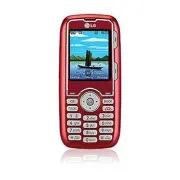
LG LGAX260GO Cell Phone – User Manual, read for free online in PDF format. We hope this helps you resolve any issues you may have. If you have further questions, please contact us through the contact form.


Table of Contents:
- Page 2 – Getting to Know Your Phone
- Page 3 – QWERTY Keyboard
- Page 4 – Sending a Text Message; Keep in touch without even making a phone call!; to choose someone from your contacts; Right Soft Key; for; Options; select
- Page 5 – Sending an Instant Message; Chat in real time just as you would on your computer!
- Page 6 – Transferring Music; Keep your favorite songs on hand – and in your
- Page 7 – Playing Music; Get in the groove with Scoop’s integrated music player.*; left
- Page 8 – Chat hands-free or exchange contact information; Left Soft Key
- Page 9 – hold; Taking a Picture/Recording a Video
- Page 10 – Maximize your phone with these cutting-edge accessories at; Optional Accessories
www.LGmobilephones.com/Scoop
"Loading the manual" means you need to wait until the file loads and becomes available for online reading. Some manuals are very large, and the time they take to appear depends on your internet speed.
Summary
Getting to Know Your Phone BACK SIDE FRONT SIDE LEFT SIDE RIGHT SIDE Camera Left Soft Key (Celltop) Navigation Key Axcess SM Web Contact List Audio Axcess Apps Menu/OK Key Right Soft Key (Message/unlocks keypad) Power/End Key Talk Key Voicemail Key Speakerphone Key Back Key t t t t Headset Jack Came...
QWERTY Keyboard Left Soft Key Right Soft Key Symbols Key Shift Key Change capitalization: Abc (Sentence case) ABC (ALL UPPERCASE) abc (all lowercase) Function Key To enter alternate characters (press twice to lock) Clear & Back Key Space Key Navigation Keys OK Key
Sending a Text Message Keep in touch without even making a phone call! With text messaging, you can communicate discreetly, efficiently, and seamlessly. 1. Slide open the phone, and press . 2. Enter a phone number or e-mail address, or press the Right Soft Key to choose someone from your contacts or...


