Page 3 - User Guide; English
t Screen displays and illustrations may differ from those you see on the actual phone. t Some of the contents of this guide may not apply to your phone, depending on the software and your service provider. All information in this document is subject to change without notice. t This handset is not su...
Page 4 - About this user guide; SERVICE ACTIVATION
2 About this user guide Please read this user guide carefully before you use your phone and keep it handy for future reference.Should your phone fails to operate correctly, refer to the FAQ section. t Some features and service may vary by area, phone, carrier, plan and version of phone software. t S...
Page 5 - Table of contents
3 Table of contents SERVICE ACTIVATION ......................2 Important notice ................................6 Getting to know your phone ........... 12 Phone overview ..................................12Installing the Micro SIM card and battery ................................................14C...
Page 8 - Important notice; Before you start using the phone, please read this!; Managing applications; Optimizing Battery Life; To extend the life of your battery
6 Important notice Before you start using the phone, please read this! Please check to see if any problems you have encountered with your phone are described in this section before taking the phone in for service or calling a service representative. 1. Phone Memory In order to make more memory avail...
Page 9 - To view the battery charge level; To monitor and control what uses the battery; Installing an Open Source Operating System
7 t Turn off automatic syncing for Gmail™, Calendar, Contacts, and other applications. t Some applications you have downloaded may cause your battery power to be reduced. t While using downloaded applications, check the battery charged level. To view the battery charge level 1 From the Home screen, ...
Page 10 - Using a screen lock; When you can’t recall your screen lock:
8 4. Using a screen lock Set a screen lock to secure your phone from unauthorized use. To set the screen lock, follow the process below. From the Home screen, tap Apps > Settings > Display tab > Lock screen > Select screen lock and select from None, Swipe , Knock Code , Face Unlock , Pat...
Page 12 - Using a microSD Card; Connecting Your Phone to a Computer via USB; Opening and Switching Applications
10 7. Using a microSD Card Pictures, music and video files, can be saved to external memory. Before saving these files to external memory, you need to insert a microSD card. If you have not inserted a microSD card, your items will be saved to internal memory. Warning! Do not remove the microSD card ...
Page 13 - Unlock the Screen; Please hold the mobile phone straight up as a regular phone.; When the Screen Freezes; Do Not Connect Your Phone When You Power On/Off
11 TIP! To return to a recent application, tap and hold the Menu Key . The screen then displays a list of applications you have recently used. 10. Unlock the Screen Your screen will go dark if untouched for a period of time when using a data connection. To turn on your screen, press the Power/Lock K...
Page 14 - Phone overview; Getting to know your phone
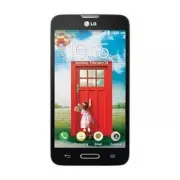
12 Phone overview Earpiece Proximity SensorFront-Facing Camera Lens Use to take a picture of yourself or to video chat on supported applications. Home Key t Returns to the Home screen from any screen. t Press and hold to open Google Now. Back Key t Returns to the previous screen. t Closes pop-up men...
Page 16 - Installing the Micro SIM card and battery
14 Getting to know your phone Installing the Micro SIM card and battery Before you can start exploring your new phone, you’ll need to set it up. To insert the Micro SIM card and battery: 1 Hold the phone on your hand firmly. With the other hand, lift the back cover using the Charger/USB Port located ...
Page 18 - Charging your phone
16 Getting to know your phone Charging your phone A rechargeable Li-ion battery is used to power your phone. A USB adapter, which is included with your phone, is used to charge the battery. Ask your local sales representative for further details regarding approved batteries and chargers. Before usin...
Page 19 - Inserting a microSD card
17 2 Plug the USB cable (as shown below) into the phone’s Charger/USB Port. NOTE: The battery must be fully charged initially to improve battery lifetime. Inserting a microSD card Insert a microSD™ card to use the camera and other multimedia features. Multimedia contents can be saved in the microSD ...
Page 20 - Removing the microSD card; Formatting the microSD card
18 Getting to know your phone 2 Insert the microSD card into the slot. Make sure the gold contact area is facing downwards. Removing the microSD card To safely remove the microSD card from your phone, first you need to unmount it. 1 From the Home screen, tap Apps > Settings > General tab > ...
Page 21 - Locking and unlocking the screen
19 3 If you set an unlock pattern, enter it and tap Erase everything . The card will then be formatted and ready to use. NOTE: If there is content on your microSD card, the folder structure may be different after formatting since all the files will have been deleted. Locking and unlocking the screen...
Page 22 - Your Home screen; Touch Screen tips
20 Your Home screen Touch Screen tips Here are some tips on how to navigate on your phone. Tap or touch – A single finger tap selects items, links, shortcuts and letters on the on-screen keyboard. Touch and hold – Touch and hold an item on the screen by touching it and not lifting your finger until ...
Page 23 - Home screen; Customizing the Home screen; To add items on your Home screen:
21 Home screen Simply swipe your finger to the left or right to view the panels. You can customize each panel with apps, downloads, widgets and wallpapers. NOTE: Some screen images may be different depending on your phone provider. On your Home screen, you can view the Quick Keys icons at the bottom...
Page 24 - To remove an item from the Home screen:; Returning to recently-used applications; Notifications
22 Your Home screen To remove an item from the Home screen: Touch and hold the icon you want to remove, drag it to , and lift your finger. TIP! To add an application icon to the Home screen from the Apps screen, touch and hold the application you want to add and drag it to the desired location. TIP!...
Page 25 - To rearrange Quick Setting items on the Notification Panel
23 Pending notifications Bluetooth, Wi-Fi & battery status Accessing notifications Swipe the Status Bar down to open the Notifications Panel. To close the Notifications Panel, swipe the bar that is at the bottom of the screen upwards. Quick Settings Use the Quick Settings to easily toggle functi...
Page 26 - Notification icons on the Status Bar
24 Your Home screen Notification icons on the Status Bar Notification icons appear on the Status Bar at the top of the screen to report missed calls, new messages, calendar events, device status and more. The icons listed in the table below are some of the most common ones. Icon Description Icon Des...
Page 27 - Entering text; Using the keypad & entering text
25 Bluetooth is on GPS is on System warning Data is synchronizing An alarm is set New Gmail message available New voicemail available New Hangouts message available New text or multimedia message Choose input method A song is currently playing NOTE: The icons location in the Status Bar may differ ac...
Page 28 - Entering special characters
26 Your Home screen Entering special characters The on-screen keyboard allows you to enter special characters (e.g. "á").For example, touch and hold the desired key (for example, the "a" key). After the desired character appears, slide your your finger over it and lift it off to ente...
Page 29 - To set up your Google account:; Google account setup
27 When you first turn on your phone, you have the opportunity to activate the network, to sign into your Google account and select how you want to use certain Google services. To set up your Google account: t Sign into a Google account from the prompted set-up screen. OR t From the Home screen, tap...
Page 30 - Bluetooth; Connecting to Networks and Devices
28 Wi-Fi With Wi-Fi, you can use high-speed Internet access within the coverage of the wireless access point (AP). Enjoy wireless Internet using Wi-Fi, without extra charges. Connecting to Wi-Fi networks To use Wi-Fi on your phone, you need to access a wireless access point or ‘hotspot’. Some access...
Page 32 - How to send data from your phone via Bluetooth
30 Connecting to Networks and Devices NOTE: Pairing between two Bluetooth devices is a one-time process. Once a pairing has been created, the devices will continue to recognize their partnership and exchange information. TIP! Please consult documentation included with Bluetooth device for informatio...
Page 33 - Smartphone Mobile Hotspots
31 NOTE: Tap the Bluetooth button to switch the call from the phone to the Bluetooth device, or vice versa. Smartphone Mobile Hotspots You can also use your phone to provide a mobile broadband connection for up to 8 other devices. Create a hotspot and share your connection. To create a portable hots...
Page 34 - Calls
32 Making a call 1 From the Home screen, tap Phone to open the dial pad. 2 Enter the number on the keypad. To delete a digit, tap Clear . 3 Tap Call to make a call. 4 To end a call, tap End . TIP! To enter “+” to make international calls, touch and hold . Calling your contacts 1 From the Home screen...
Page 37 - To add a contact to your favorites; Contacts
35 You can add contacts on your phone and synchronize them with the contacts in your Google account or other accounts that support syncing contacts. Searching for a contact 1 From the Home screen, tap Contacts to open your contacts. 2 Tap the Search contacts box and enter the contact name using the ...
Page 38 - To remove a contact from your favorites list; Creating a group
36 To remove a contact from your favorites list 1 From the Home screen, tap Contacts to open your contacts. 2 Tap the Favorites tab to view your favorite contacts. 3 Tap a contact to view its details. 4 Tap the gold star to the right of the contact ’s name. The star turns grey and the contact is rem...
Page 39 - Messaging
37 Your phone combines text and multimedia messages into one intuitive, easy-to-use menu. Warning! The LG Messaging app should be set up as the default messaging app. If not, some message functions will be limited. Conversation view Messages exchanged with another party are displayed in chronologica...
Page 41 - Email; Managing an email account
39 Email You can use the Email application to read emails from services like Gmail. The Email application supports the following account types: POP3, IMAP and Exchange.Your service provider or system administrator can provide you with the account settings you need. Managing an email account The firs...
Page 42 - Composing and sending email; To compose and send a message
40 Composing and sending email To compose and send a message 1 While in the Email application, tap Compose . 2 Enter an address for the message’s intended recipient. As you enter text, matching addresses will be proposed from your Contacts. Separate multiple addresses using semicolons. 3 Tap Attach ...
Page 43 - Getting to know the viewfinder; Camera
41 To open the Camera application, tap Camera on the Home screen. Getting to know the viewfinder Flash – Choose from Off , On , Auto . Swap camera – Switch between the rear–facing camera lens and the front– facing camera lens. Shot mode – Choose from Normal, Panorama , Continuous shot or Sports . Se...
Page 44 - Using the advanced settings
42 Using the advanced settings In the viewfinder, tap to open the advanced options. You can change the camera settings by scrolling through the list. After selecting the option, tap the Back Key . To take a photo, say one of the following words: Cheese, Smile, Whiskey, Kimchi or LG. Defines and cont...
Page 45 - Taking a quick photo; Once you've taken a photo
43 Restores all camera default settings. TIP! t When you exit the camera, some settings return to their defaults, such as white balance, color effect, timer and scene mode. Check these before you take your next photo. t The setting menu is superimposed over the viewfinder, so when you change photo c...
Page 46 - Viewing your saved photos
44 TIP! If you have a social networking account and set it up on your phone, you can share your photo with your social networking community. NOTE: Additional charges may apply when multimedia messages are downloaded while roaming. Touch the Menu Key to open all advanced options. Set image as – Tap t...
Page 47 - Camcorder
45 To open the Camcorder application, tap Apps > Camera > slide down to to toggle from Camera to Camcorder mode. Getting to know the viewfinder Flash – Choose from Off , On , Auto . Swap camera – Switch between the rear–facing camera lens and the front- facing camera lens. Recording mode – Cho...
Page 50 - Functions; QuickMemo
48 Functions QuickMemo The QuickMemo feature allows you to create memos and capture screen shots. Capture screens, draw on them, and share them with family and friends with QuickMemo. OR 1 Enter the QuickMemo screen by pressing QuickButton Key for one second on the screen you want to capture. OR Tou...
Page 53 - Multimedia; Gallery; Viewing pictures
51 Multimedia Gallery You can store multimedia files in internal or external memory for easy access to all your multimedia files. Use this application to view multimedia files like pictures and videos. From the Home screen, tap Apps > Gallery . You can manage and share all your image and video fi...
Page 54 - Videos; Playing a video
52 Viewing photo options When viewing a photo, tap the Menu Key and use the advanced editing options. Deleting images and videos Use one of the following methods: t In a folder, tap and select the photos and videos you want to delete, then tap Delete . t When viewing a photo or video, tap . Setting ...
Page 55 - Music; Add music files to your phone
53 Touch to pause/resume video playback. Touch to go 10 seconds forward. Touch and hold to fast-forward in 3 second increments. Touch to go 10 seconds backward. Touch and hold to rewind in 3 second increments. Touch to manage the video volume. Touch to change the ratio of the video screen. Tap to ca...
Page 56 - Playing a song
54 hard drive on your computer. Click on the drive to view it. Copy the files from your PC to the drive folder. 3 When you’re finished transferring files, swipe the Status Bar down and touch USB connected > Charge phone . You may now safely unplug your device. Playing a song 1 From the Home screen, ...
Page 58 - Utilities; Guest Mode
56 Utilities Guest Mode To protect your privacy or limit some applications to your children, you can use the Guest mode.When you lend your phone to others, you can limit the applications you want them to have access to. NOTE: To use the Guest mode, the pattern lock should be set in advance. 1 Press ...
Page 60 - Voice Recorder; Recording a sound or voice; ThinkFree Viewer
58 Voice Recorder Use the voice recorder to record voice memos or other audio files. Recording a sound or voice 1 From the Home screen, tap Apps > Voice Recorder . 2 Touch to begin recording. 3 Touch to end the recording. 4 Touch to listen to the recording. NOTE: Touch to access your list of reco...
Page 61 - LG Backup; About backing up and restoring smartphone data
59 LG Backup About backing up and restoring smartphone data It is recommended that you regularly create and save a backup file of your data, especially before updating any software. Maintaining a current backup file may allow you to recover smartphone data if your smartphone is lost, stolen, or corr...
Page 64 - The Web; Browser; Using the Web toolbar; Viewing webpages
62 The Web Browser Use this application to browse the Internet. The browser gives you a fast, full-color world of games, music, news, sports, entertainment and much more, right on your mobile phone wherever you are and whatever you enjoy. NOTE: Additional charges apply when connecting to these servi...
Page 65 - Chrome
63 Searching the web by voice Tap the web address field, tap , speak a keyword, and then select one of the suggested keywords that appear. NOTE: This feature may not be available depending on the region or service provider. Bookmarks t To bookmark the current webpage, tap the Menu Key > Add to bo...
Page 66 - Syncing with other devices; Adding bookmarks
64 select it. Syncing with other devices Sync open tabs and bookmarks to use with Chrome on another device when you are logged in with the same Google account. To view open tabs on other devices, tap the Menu Key > Other devices . You must be signed in to the same Google account on all devices. S...
Page 67 - Settings; Access the Settings menu
65 Settings Access the Settings menu 1 From the Home screen, tap Apps > Settings . OR From the Home screen, tap the Menu Key > System settings . 2 Select a setting category and set the desired options. Networks < Airplane mode > Tap the Airplane mode switch to toggle between On and Off. ...
Page 69 - Sound
67 Help - Displays help information for Wi-Fi hotspot. Mobile networks – Set options for data roaming, network mode & operators, access point names (APNs), and more. Default message app – Allows you to set the default messaging app. VPN – Displays the list of Virtual Private Networks (VPNs) that...
Page 70 - Display
68 < Phone ringtone > Set the ringtone for calls. You can also add a ringtone by tapping at the top right corner of the screen. < Ringtone with vibration > Checkmark to set the phone to vibrate in addition to the ringtone when you receive calls. < Incoming call vibration > Sets the...
Page 72 - General
70 < Screen timeout > Sets the amount of time before the screen times out. < Screen-off effect > Sets the screen-off effect. Choose from Fade out , Black hole , and Retro TV . < Auto-rotate screen > Checkmark to set the phone to automatically rotate the screen based on the phone or...
Page 78 - Phone software update
76 Phone software update Phone software update This feature allows you to update the firmware of your phone to the latest version conveniently from the internet without the need to visit a service center. For more information on how to use this function, please visit: http://www.lg.com As the mobile...
Page 79 - Trademarks
77 Trademarks Trademarks t LG and the LG logo are registered trademarks of LG Group and its related entities. t Bluetooth® is a registered trademark of the Bluetooth SIG, Inc. worldwide. t Wi-Fi®, the Wi-Fi CERTIFIED logo, and the Wi-Fi logo are registered trademarks of the Wi-Fi Alliance. t All oth...
Page 80 - Accessories
78 Accessories These accessories are available for use with your phone. (Items described below may be optional and sold separately.) Travel adapter USB cable Connect your phone and PC. User Guide Learn more about your phone. Battery NOTE: t Always use genuine LG accessories. Failure to do this may v...
Page 81 - Troubleshooting
79 Troubleshooting This chapter lists some problems you might encounter when using your phone. Some problems require you to call your service provider, but most are easy to fix yourself. Message Possible causes Possible corrective measures Micro SIM error There is no Micro SIM card in the phone or i...
Page 85 - For Your Safety; Safety Information
83 For Your Safety Safety Information Please read and observe the following information for safe and proper use of your phone and to prevent damage. WARNING! This product contains chemicals known to the State of California to cause cancer and birth defects or reproductive harm. Wash hands after hand...
Page 86 - Charger and Adapter Safety; Battery Information and Care
84 ţ For those host devices that utilize a USB port as a charging source, the host device’s user manual shall include a statement that the phone shall only be connected to products that bear the USB-IF logo or have completed the USB-IF compliance program. Charger and Adapter Safety ţ The charger and...
Page 88 - Care and Maintenance
86 Care and Maintenance Your mobile device is a product of superior design and craftsmanship and should be treated with care. The suggestions below will help you fulfill any warranty obligations and allow you to enjoy this product for many years: Keep your Mobile Device away from: Liquids of any kin...
Page 91 - FCC RF Exposure Information; Vehicle-Mounted External Antenna
89 FCC RF Exposure Information WARNING! Read this information before operating the phone. In August 1996, the Federal Communications Commission (FCC) of the United States, with its action in Report and Order FCC 96-326, adopted an updated safety standard for human exposure to Radio Frequency (RF) el...
Page 92 - Consumer Information About Radio Frequency Emissions; Are wireless phones safe?
90 Consumer Information About Radio Frequency Emissions Your wireless phone, which contains a radio transmitter and receiver, emits radio frequency energy during use. The following consumer information addresses commonly asked questions about the health effects of wireless phones. Are wireless phone...
Page 93 - Can I minimize my RF exposure?
91 certified to the FCC that it does not exceed limits established by the FCC. One of these limits is expressed as a Specific Absorption Rate, or “SAR.” SAR is a measure of the rate of absorption of RF energy in the body. Tests for SAR are conducted with the phone transmitting at its highest power l...
Page 96 - TIA Safety Information; Consumer Information on SAR
94 Bethesda, MD 20814-3095Telephone: (301) 657-2652 http://www.ncrponline.org Engineering in Medicine and Biology Society, Committee on Man and Radiation (COMAR) of the Institute of Electrical and Electronics Engineers http://ewh.ieee.org/soc/embs/comar/ TIA Safety Information The following is the c...
Page 97 - Exposure to Radio Frequency Signal
95 phone is designed to operate at multiple power levels to use only the power required to reach the network, in general, the closer you are to a wireless base station antenna, the lower the power output.Before a phone model is available for sale to the public, it must be tested and certified to the...
Page 99 - Pacemakers; Hearing Aids
97 Pacemakers The Health Industry Manufacturers Association recommends that a minimum separation of six (6) inches be maintained between a handheld wireless phone and a pacemaker to avoid potential interference with the pacemaker. These recommendations are consistent with the independent research by...
Page 100 - Posted Facilities
98 equipment that has been added to your vehicle. Posted Facilities Turn your phone OFF in any facility where posted notices so require. Aircraft FCC regulations prohibit using your phone while in the air. Switch OFF your phone before boarding an aircraft. Blasting Areas To avoid interfering with bl...
Page 101 - FDA Consumer Update; Do wireless phones pose a health hazard?
99 FDA Consumer Update The U.S. Food and Drug Administration’s Center for Devices and Radiological Health Consumer Update on Mobile Phones: 1. Do wireless phones pose a health hazard? The available scientific evidence does not show that any health problems are associated with using wireless phones. ...
Page 102 - What kinds of phones are the subject of this update?
100 that is not necessary for device function; and ţ Cooperate in providing users of wireless phones with the best possible information on possible effects of wireless phone use on human health. The FDA belongs to an interagency working group of the federal agencies that have responsibility for diff...
Page 103 - What are the results of the research done already?
101 with increasing distance from the source. The so-called “cordless phones,” which have a base unit connected to the telephone wiring in a house, typically operate at far lower power levels, and thus produce RF exposures far below the FCC safety limits. 4. What are the results of the research done...
Page 106 - What about children using wireless phones?
104 of matter. This measurement is used to determine whether a wireless phone complies with safety guidelines. 9. What steps can I take to reduce my exposure to Radio Frequency energy from my wireless phone? If there is a risk from these products — and at this point we do not know that there is — it...
Page 108 - Driving; HAC statement
106 National Radiological Protection Board (UK)(http://www.hpa.org.uk/radiation/) Driving Check the laws and regulations on the use of wireless phones in the areas where you drive and always obey them. Also, if using your phone while driving, please observe the following: ţ Give full attention to dr...
Page 111 - Limited Warranty Statement; HOW TO GETWARRANTY SERVICE:
Limited Warranty Statement HOW TO GETWARRANTY SERVICE: To obtain warranty service, please call or fax to the following telephone numbers from anywhere in the continental United States: Tel. Quality One 1-407-857-3737