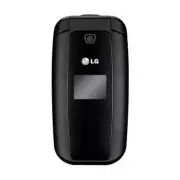
Page 3 - User Guide
t Some of the contents of this manual may not apply to your phone depending on your phone’s software or your service provider. t Copyright ©2012 LG Electronics, Inc. All rights reserved. LG and the LG logo are registered trademarks of LG Group and its related entities. All other trademarks are the p...
Page 4 - Contents
2 Contents . . . . . . . . . . . . . . . . . . . . . . . . . . 2 Your Phone . . . . . . . . . . . . . . . . . . . . . . . . 5 Phone Components . . . . . . . . . . . . . . . . . . . . . . . 5 Rear view . . . . . . . . . . . . . . . . . . . . . . . . . . . . . . 7 Getting Started . . . . . . . . . . ....
Page 7 - Your Phone; Phone Components
5 Your Phone Phone Components 1 2 3 56 4 7 Press and hold to activate/deactivate Vibrating Mode. 89 10 11 13 12
Page 8 - Create Message
6 1. Earpiece: Lets you hear the caller during a call. 2. Main LCD: Displays phone status icons, menu items, web items, web information, pictures and more, in full color. 3. Left Soft Key/Right Soft Key: Each of these keys perform the functions indicated by the text on the display immediately above ...
Page 9 - Rear view; Back Cover
Page 10 - Remove the back cover; Remove the battery; Warning; Getting Started
8 Installing the SIM card and battery 1. Remove the back cover Place your thumb at the top part of the back cover and slide it downwards to remove it. 2. Remove the battery Hold the top edge of the phone and use the fingernail cutout near the bottom of the battery to lift the battery from the phone....
Page 11 - Install the SIM card; Install the battery; Install the back cover
9 3. Install the SIM card Slide the SIM card into the SIM card slot (as shown below). Make sure that the gold contact area on the card is facing downwards. To remove the SIM card, pull it gently in the opposite direction. 4. Install the battery Insert the top of the battery first into the top edge o...
Page 12 - Battery Information and Care; Charging your phone
10 Battery Information and Care Always unplug the charger from the wall socket after the phone is fully charged to save unnecessary power consumption of the charger. Charging your phone Locate the Charger/USB Port on the left side of your phone. Insert the charger connector to the phone (the ‘B’ sid...
Page 14 - Before you begin; List Style; Making a Call; Making International Calls; General Functions
12 Before you begin Remember that you can select the menu icons from Menu screen using the number keys if you set the Menu Style as List Style . If you set the Menu Style as Icon Style , you can only use the Navigation Keys to select the menu icons. Making a Call 1 Make sure your phone is powered on...
Page 15 - Making a Call from the Contacts; Answering a Call; Accept; Adjusting the Volume
13 Making a Call from the Contacts You can store frequently called names and phone numbers in the SIM card as well as in your Contacts List. You can dial a number by simply highlighting a name in the Contacts List and pressing the Send Key . 1 Press the down Navigation Key to access the Contact List...
Page 16 - Signal Strength; Entering Text; Changing the Text Input Mode; ABC Mode; Symbol Mode
14 Vibrating Mode (Quick) Vibrating Mode can be activated by pressing and holding down the key. Signal Strength If you are inside a building, being near a window may give you better reception. You can see the strength of your signal by the signal indicator on your phone’s display screen. Entering Te...
Page 17 - Using the ABC Mode; Note
15 Using the ABC Mode Use the alphanumeric keypad to enter your text. 1 Press the key labeled with the required letter. 2 To insert a space, press the key once. To delete letters, press the Clear/Back Key . Press and hold down the Clear/Back Key to erase all of the entered text. Note Refer to the ta...
Page 18 - During a Call; Making a Second Call; Options; Swapping Between Two Calls; Options; Answering an Incoming Call; Call
16 During a Call Your phone provides a number of control functions that you can use during a call. To access these functions during a call, press the Left Soft Key Options . Making a Second Call You can select a number you wish to dial from the Contacts to make a second call. 1 Press the Left Soft K...
Page 19 - Rejecting an Incoming Call; Muting the Microphone; Using the Speakerphone
17 Rejecting an Incoming Call You can reject an incoming call without answering by simply pressing the End/Power Key . Muting the Microphone You can mute the microphone during a call by pressing the Right Soft Key Mute . The handset can be unmuted by pressing the Right Soft Key Unmute . When the han...
Page 20 - Phone Menus
18 1. Prepaid [Single Tank -TF / Net 10] 1.1 Add Airtime 1.2 Buy Airtime 1.3 My Phone Number 1.4 My Airtime Info 1.5 Airtime Display 1.6 Serial Number 1.7 SIM Number 1.8 Code Entry Mode [Straight Talk - Single Tank] 1.1 Add Airtime 1.2 My Phone Number 1.3 Service End Date 1.4 Serial Number 1.5 SIM ...
Page 24 - Contact List; New Contact; Groups; Speed Dial; Contacts
22 Contact List This menu allows you to save and manage contact address information. The Contact List allows you to add a new address or search saved contact addresses by name. To access Contact List, from the standby screen, press the Left Soft Key Menu , Contacts and Contact List . New Contact Thi...
Page 25 - SIM Management; Own Number; My Business Card
23 SIM Management This menu allows you to copy information from your SIM card to your handset and vice versa. If a name is duplicated during the copying operation, the information is also duplicated. You can also delete information from the SIM card. To access SIM Management, from the standby screen...
Page 26 - Insert; Messages
24 This menu includes functions related to SMS (Short Message Service), MMS (Multimedia Message Service), Voicemail as well as the network’s service messages. Create Message 1 From the standby screen, press the Left Soft Key Menu . 2 Select Messages . 3 Press Create Message . OR You can simply press...
Page 29 - Inbox; Menu
27 - Cancel Message: Allows you to cancel the message. Inbox You will be alerted when you receive a message. New messages are stored in the Inbox. In the Inbox, you can identify each message by icons. If you are notified that you have received a multimedia message, you can download the whole multime...
Page 30 - Drafts; Outbox
28 Drafts Allows you to view and edit the messages saved as drafts. To access drafts, from the standby screen, press the Left Soft Key Menu , Messages , and Drafts . When you press the Right Soft Key Delete , it allows you to delete the message. While viewing the Drafts, press the Left Soft Key Opti...
Page 31 - Message Settings; Message Alert
29 Message Settings To access and configure your Message Settings, from the standby screen, press the Left Soft Key Menu , Messages , and Message Settings . Message Alert Allows you to set the Sounds, Volume, Alert Type, and Alert Interval. Save To Allows you to choose whether to save to the SIM Car...
Page 32 - Multimedia Message; Multimedia Templates:; Voicemail
30 Ź Msg Center No.: Allows you to view and edit the phone number for the Message Center. Do not edit unless instructed to do so by your service provider. Ź Email Gateway: Allows you to view and edit the Email Gateway. Do not edit unless instructed to do so by your service provider. Ź Insert Signatu...
Page 33 - Playing Music; Music
31 Music You can access Music by pressing the Left Soft Key Menu and selecting Music . The following options are available: Ź All Songs: Allows you to view all the songs in your music library. Ź Playlists: Allows you to create your own playlists. Ź Artists: Shows the list of artists of all the songs...
Page 34 - Adding Music To Your Handset; Additional Music Services
32 t8IJMFQMBZJOHNVTJDQSFTTUIF-FGU Soft Key Options to access other functions while music is playing. Adding Music To Your Handset Music files can be added to your handset by using one or more of the following methods: t%PXOMPBENVTJDBOESJOHUPOFTPWFSUIF network directly to your device. t'SPNZPVS1$VTJO...
Page 35 - Recent; Recent Calls
33 This menu allows you to see the list of recently received calls. To access Recent Calls, from the standby screen, press the Left Soft Key Menu and Recent Calls . You can access the following menus: All Calls, Missed Calls, Dialed Calls, and Received Calls. This menu allows you to download or acce...
Page 36 - Email
34 Sending an email using your new account To send/receive an email, you should set up an email account. 1 Press the Left Soft Key Menu, select Email and choose the account you want to use. 2 Press the Left Soft Key Options and choose Write Email to write an email. 3 Enter the recipient's address in...
Page 37 - Changing your email settings
35 Changing your email settings 1 Press the Left Soft Key Menu, choose Email > Left Soft Key Options > Mailbox > Options > Settings . 2 Set any of the following options. Accounts - You can edit e-mail account settings. Schedule - Allows you to configure the email schedule. Notification -...
Page 38 - Take Photo; Settings; Camera
36 To access Camera from the standby screen, press the Left Soft Key Menu and select Camera . Take Photo Using the camera you can take pictures of people or events while on the move. Additionally, you can send photos to other people in a picture message. The following options will appear (as icons) ...
Page 39 - Record Video
37 Ź Image Quality: The quality of the captured image can be set to Super Fine, Fine, or Normal. Others Tab Ź Shutter Tones: You can choose from Tone 1, Tone 2, Tone 3, or Off. Ź Reset Settings: Allows you to set the Camera to the default settings. Using Zoom In Camera mode, you can zoom in and out ...
Page 40 - Camera Album
38 Press the Left Soft Key Settings for the following options: Preview Tab Ź Color Effects: Allows you to choose from Off, Mono, Sepia, or Negative. Ź White Balance: Set the White Balance as Auto, Daylight, Cloudy, Illuminate, or Indoors. Ź Video Quality: Allows you to set video quality to Super Fin...
Page 41 - My Folder; Audio
39 My Folder Audio To access Audio, from the standby screen, press the Left Soft Key Menu , My Folder , and Audio . Ź Buy Ringtones Allows you to buy ring tones. Ź Record Voice: Allows you to record voice notes. Ź Saved audio files are displayed in the list. Pictures To access Picture, from the stan...
Page 42 - File Manager
40 The following options are available by pressing the Left Soft Key Options : Ź Send Via: Send the selected file via Message, Email, or Bluetooth. Ź Delete: Allows you to delete the selected file. Ź Move: Allows you to move the selected file to another folder. Ź Copy: Allows you to copy the selecte...
Page 43 - Voice Command; Tools
41 Voice Command Voice Command is the function whereby your phone’s voice recognition engine identifies the voice of the user and carries out the requested commands. When the user operates the Voice Command function, there are four possible commands, Call <Name or Number>, Listen Voicemail, Mi...
Page 46 - Notepad
44 The chart below shows the keys that can be used to navigate the Calendar: Key Description / Weekly / Daily / Annually / Monthly To access Calendar, from the standby screen, press the Left Soft Key Menu , Tools , and Calendar . The following options are available when a Calendar event is selected ...
Page 49 - Voice Recorder; Gallery
47 Voice Recorder Allows you to record an audio clip to your phone. The recorded audio file is saved automatically in the Audio menu. To access Record Voice, from the standby screen, press the Left Soft Key Menu , Tools , and Voice Recorder . The following options are available when you press the Le...
Page 50 - Browser
48 Browser is one of the services provided by your network operator and it gives you access to all the cool things you can do with your wireless phone. Note Check the availability of services, pricing, and tariffs with your network operator and/or the service provider whose service you wish to use. ...
Page 51 - Recent Pages; Menus for the Browser
49 Ź Recent Pages : Allows you to view your history of recently viewed web sites. Ź Settings : Allows you to set options for web pages and appearance. Menus for the Browser You can surf the Internet using either the phone keys or the Browser menu. Using the Navigation Keys When surfing the Internet,...
Page 52 - Ringtone; Message Tone
50 Audio & Ringtones This menu allows you to configure the audio and ringtone settings for your phone. To access Audio & Ringtones, from the standby screen, press the Left Soft Key Menu , Settings , and Audio & Ringtones . Ringtone Ź Sounds: Allows you to set a sound as the ringtone for ...
Page 53 - Phone Settings
51 Keypad Tone This menu option allows you to select a tone that the phone sounds when a key is pressed on the dialpad. You can select an option from Beep and Voice and set the volume. Multimedia This menu allows you to control your Multimedia volume. Call This menu allows you to control your Call v...
Page 54 - Security; When; Reset Settings; Phone
52 Ź On: You cannot make (or receive) calls, excluding emergency calls, or use other features that require network coverage. Ź Off: You can deactivate the flight mode to access the network. Security Various codes and passwords are used to protect the features and settings of your phone. Ź Phone Lock...
Page 56 - Answer Mode; Silent; Senior Mode; TTY Off; Bluetooth
54 Answer Mode This allows you to determine how to answer the phone. Ź Any Key: Allows you to answer an incoming call by pressing any key, except the End/Power Key , Volume Keys, or the Right Soft Key Silent . Ź Send Key Only: Allows you to only answer an incoming call by pressing the Send Key or Le...
Page 57 - Search New Device
55 To access Bluetooth, from the standby screen, press the Left Soft Key Menu , Settings , and Bluetooth . Hands-free profile This appears when the hands-free profile is used between the hands-free device. This allows you to call using a Bluetooth connection. A2DP profile This appears when the A2DP ...
Page 58 - Memory; Used Space
56 Ź Device Visibility: Allows you to set your device to be visible to other Bluetooth devices. Ź Device Name: Allows you to change the handset's name which can be seen by other Bluetooth devices. Ź Supported Services: Shows you all services that the handset supports. Ź My Bluetooth Address: Display...
Page 59 - Applications
57 Applications This menu allows you to configure application settings To access Applications, from the standby screen, press the Left Soft Key Menu , Settings , and Applications . Messages For more details, refer to Message Settings on page 29. Browser This menu allows you to configure the Browser ...
Page 61 - Phone Information
59 TTS (Text-to Speech) When you set this on, text messages and Notepad notes be read out. Note When the phone is in Vibration mode, TTS does no work. Phone Information This menu is used to view My Numbers, Manufacturer, Model Name, Device ID, Hardware Version, Software Version, Language. To access ...
Page 62 - Accessories; Travel Adapter; Battery
60 Accessories There are a variety of accessories available for your mobile phone, some of which may be sold separately. You can select these options according to your personal communication requirements. Consult your local dealer for availability. Travel Adapter This adapter allows you to charge th...
Page 63 - For Your Safety
61 The highest SAR value for this model phone when tested for use at the ear is 0.77 W/kg and when worn on the body, as described in this user guide, is 0.58 W/kg (body-worn measurements differ among phone models, depending upon available accessories and FCC requirements). While there may be differe...
Page 65 - Guía del usuario
t Es posible que parte del contenido de este manual no sea aplicable a su teléfono, en función del software o del proveedor de servicios. t Copyright ©2012 LG Electronics, Inc. Todos los derechos reservados. LG y el logotipo de LG son marcas registradas de LG Group y sus entidades relacionadas. Toda...
Page 66 - Contenido
2 Contenido . . . . . . . . . . . . . . . . . . . . . . . . . 2 El teléfono . . . . . . . . . . . . . . . . . . . . . . . . . 5 Componentes del teléfono . . . . . . . . . . . . . . . . . 5 Vista posterior . . . . . . . . . . . . . . . . . . . . . . . . . . . 7 Introducción . . . . . . . . . . . . . ...
Page 69 - El teléfono; Componentes del teléfono
5 El teléfono Componentes del teléfono 1 2 3 56 4 7 Toque y mantenga presionada esta tecla para activar el Modo Vibración. 89 10 11 13 12
Page 71 - Vista posterior; Tapa posterior
7 Vista posterior Tapa posterior Ranura para Tarjeta SIM Batería
Page 72 - Extraiga la tapa posterior; Extraiga la batería; Advertencia; Introducción
8 Instalación de la tarjeta SIM y la batería 1. Extraiga la tapa posterior Coloque su pulgar en la parte superior de la tapa posterior y deslícela hacia abajo para extraerla. 2. Extraiga la batería Sostenga el borde superior del teléfono y use la abertura de dedos cerca de la parte inferior de la ba...
Page 73 - Inserte la tarjeta SIM; Inserte la batería; Instale la tapa posterior
9 3. Inserte la tarjeta SIM Deslice la tarjeta SIM hasta colocarla en su ranura. Asegúrese de que el área de contactos dorados de la tarjeta esté orientada hacia abajo. Para retirar la tarjeta SIM, tire suavemente hacia la dirección contraria. 4. Inserte la batería Inserte primero la parte superior ...
Page 74 - Información y cuidado de la batería; Cargar el teléfono; Importante
10 Información y cuidado de la batería Siempre desconecte el cargador de la toma después de cargar completamente el teléfono para evitar el consumo de energía no necesario del cargador. Cargar el teléfono Ubique el Puerto para Cargador/USB en el lado izquierdo del teléfono LG 440G de LG. Inserte el ...
Page 75 - Iconos en pantalla; DESCRIPCIÓN; DESCRIPCIÓN
11 Iconos en pantalla La tabla debajo describe varios indicadores o iconos que aparecen en la pantalla de visualización del teléfono. ICONO/ INDICADOR DESCRIPCIÓN Potencia de la señal de red (varía la cantidad de barras) Sin señal de red Batería baja Nuevo mensaje de texto Nuevo correo eletrónico Ha...
Page 76 - Hacer llamadas internacionales; Funciones generales
12 Antes de comenzar Recuerde que puede seleccionar los iconos de menú en la pantalla Menú utilizando las teclas numéricas si establece Estilos de menú como Lista. Si establece Estilos de menú como Icono, sólo puede utilizar las Teclas de Navegación para seleccionar los iconos del menú. Hacer una ll...
Page 77 - Responder una llamada
13 Hacer una llamada desde contactos Es posible guardar nombres de personas y números de teléfono a los que llama con frecuencia en la tarjeta SIM y también la Lista de Contactos. Se puede marcar un número con sólo resaltar un nombre de la Lista de Contactos y oprimir la Tecla Enviar . 1 Oprima la T...
Page 78 - Ajuste del volumen; Potencia de la señal; Introducir texto; Modo ABC
14 Ajuste del volumen Si desea ajustar el volumen de los auriculares durante una llamada, use las Teclas de Volumen del teléfono. En el modo de inactividad, puede ajustar el volumen del timbre con las Teclas de Volumen. Modo vibración (Rápido) El Modo vibración se puede activar al mantener oprimida ...
Page 81 - Durante una llamada; Hacer una segunda llamada; Menú En llamada
17 Durante una llamada El teléfono brinda una cantidad de funciones de control que pueden utilizarse durante una llamada. Para acceder a estas funciones durante una llamada, oprima la Tecla Suave Izquierda Opciones . Hacer una segunda llamada Es posible seleccionar un número de la Contactos y hacer ...
Page 82 - Silencio; Usando el altavoz; Enc
18 Rechazar una llamada entrante Es posible rechazar una llamada entrante y no contestarla al oprimir la Tecla Fin/Encender . Silenciar el micrófono Durante una llamada, puede silenciar el micrófono si oprima la Tecla Suave Derecha Silencio . Se puede anular el silencio del teléfono al oprimir la Te...
Page 83 - Menús del teléfono
19 1. Prepago [Single Tank -TF / Net 10] 1.1 Añadir Tiempo Celular 1.2 Comprar Tiempo Celular 1.3 Mi Número Telefónico 1.4 Mi Saldo de Tiempo Celular 1.5 Mostrar Tiempo Celular 1.6 Número de Serie 1.7 Número de SIM 1.8 Modo Ingreso de Código [Straight Talk - Single Tank] 1.1 Añadir Tiempo Celular 1...
Page 87 - Contactos
23 Lista de contactos Este menú permite guardar y administrar información sobre las direcciones de los contactos. La Lista de contactos le permite agregar nuevas direcciones o buscar las direcciones de contactos guardadas por nombre. Para acceder Lista de contactos, desde la pantalla de espera, opri...
Page 89 - Crear mensaje; Mensajería
25 Este menú incluye funciones relacionadas con los servicios SMS (servicio de mensajes cortos), MMS (servicio de mensajes multimedia) y Correo de Voz, así como con los mensajes de servicio de la red. Crear mensaje 1 Desde la pantalla de espera, oprima la Tecla Suave Izquierda Menú . 2 Seleccione Me...
Page 92 - Buzón de Entrada; Menú
28 - Opciones de entrega: Permite elegir entre las opciones Agregar a CC y Agregar a CCO. - Guardar en Borradores: Permite guardar el mensaje seleccionado en Borradores. - Cancelar mensaje: Permite cancelar el mensaje. Buzón de Entrada Se le dará una alerta cuando reciba un mensaje. Los mensajes nue...
Page 95 - Mensaje Multimedia
31 t Enviar: Permite enviar la plantilla seleccionada vía Mensaje. t Borrar: Permite borrar el mensaje de plantilla seleccionado. t Editar: Permite editar el mensaje de la plantilla seleccionada. t Borrar todo: Permite borrar todos los mensajes de la carpeta. t Cancelar: Cancela la plantilla que est...
Page 96 - Correo de Voz
32 - Predicción de palabra T9: Permite que el teléfono prediga la siguiente palabra cuando escribe en modo T9. - Diccionario T9: Permite agregar, eliminar, restaurar y modificar las palabras. t Cancelar: Permite salir del modo de entrada de texto sin guardar el mensaje. Correo de Voz Este menú le pe...
Page 97 - Música
33 Música Puede acceder Música oprimiendo la Tecla Suave Izquierda Menú y seleccione Música. Las siguientes opciones están disponibles: Ź Todas Las Canciones: Permite ver todas las canciones de la biblioteca de música. Ź Listas de Reproducción: Permite crear listas de reproducción. Ź Artistas: Muest...
Page 98 - Reproducción de música; Opciones; Agregar música al teléfono; Nota
34 Reproducción de música Para escuchar la música que tiene en su teléfono, siga estos pasos sencillos y rápidos: 1 Oprima la Tecla Suave Izquierda Menú para abrir el menú principal. 2 Seleccione Música y elija entre Reproduciendo Ahora, Todas Las Canciones, Listas de Reproducción, Artistas, Álbumes...
Page 99 - Servicios adicionales de música
35 Servicios adicionales de música Es posible que haya otras aplicaciones de música de precargadas o disponibles para el teléfono, que le permitirán: t*EFOUJGJDBSFMOPNCSFFMBSUJTUBZFMÈMCVN de una canción a partir de una canción de muestra. t Escuchar el último tema clásico, jazz, pop o rock donde qui...
Page 100 - Llamadas Recientes
36 Este menú le permite ver la lista de llamadas recibidas recientemente.Para acceder a Llamadas Recientes desde la pantalla de espera, oprima la Tecla Suave Izquierda Menú y Llamadas Recientes . Puede acceder a la lista de Todas Llamadas, Llamadas Perdidas, Llamadas Realizadas y Llamadas Recibidas....
Page 101 - Carpetas de mensajes
37 Enviar un mensaje de correo electrónico a través de una cuenta nueva Para enviar o recibir correo electrónico, debe configurar una cuenta de correo electrónico. 1 Oprima la Tecla Suave Izquierda Menú, seleccione E-mail y elija la cuenta que desee usar. 2 Oprima la Tecla Suave Izquierda Opcions y ...
Page 103 - Cámara; Tomar Foto; Modo de disparo
39 Cámara Para acceder Cámara desde la pantalla de espera, oprima la Tecla Suave Izquierda Menú y seleccione Cámara. Tomar Foto Con la cámara en su teléfono, puede tomar fotografías de personas o acontecimientos cuando esté en movimiento. Además, puede enviar fotografías a otras personas en un mensa...
Page 104 - Grabar Video; Ficha Vista previa
40 Ź Calidad de imagen: La calidad de la imagen puede fijarse a Super fino, Fino o Normal. Ficha Otros Ź Tonos de obturador: Se pueden establecer en Tono 1, Tono 2, Tono 3 o Apagado. Ź Restaurar ajustes: Permite utilizar la configuración predeterminada. Uso del zoom En el modo Cámara, puede acercar ...
Page 105 - Álbum de la Cámara
41 Ź Calidad de video: Permite establecer la calidad del video. Incluye opciones para Super fino, Fino, Normal. Ź Duración: Permite establecer la duración de la grabación entre las opciones Modo general o Modo de video MMS. Ficha Otros Ź Tonos de grabación: Permite activar o desactivar los tonos de ...
Page 106 - Mi Carpeta
42 Audio Para acceder Audio, desde la pantalla de espera, oprima la Tecla Suave Izquierda Menú , Mi Carpeta y Audio . Ź Comprar tonos de timbre: Permite comprar tonos de timbre. Ź Grabar Voz: Permite grabar notas de voz. Ź Los archivos de audio guardados aparecen en la lista. Imágenes Para acceder I...
Page 108 - Comando de voz; Tecla Suave Izquierda; Herramientas
44 Comando de voz El Comando de Voz es la función por la que el mecanismo de reconocimiento de voz del teléfono identifica la voz del usuario y ejecuta los comandos solicitados. Cuando el usuario opera la función Comando de Voz, hay cuatro comandos posibles, Call <Name or Number>, Listen Voice...
Page 110 - Alarma
46 Alarma Esta función sirve para configurar múltiples alarmas por separado. También sirve para establecer el sonido de la alarma, la hora y el intervalo de repetición. Si no hay alarmas establecidas, oprima la Tecla Suave Izquierda Nuevo para agregar una alarma nueva. Para acceder Alarma, desde la ...
Page 111 - Calendario; Tecla
47 Calendario Cuando acceda a este menú, se mostrará un calendario. El cursor rojo cuadrado se utiliza para ubicar un día en particular. La barra inferior del calendario indica las citas guardadas (si hay alguno) para ese día. Esta función permite llevar un registro de las citas. El teléfono puede e...
Page 113 - Cronómetro
49 Ź Borrado selectivo: Permite borrar Todos los completados/Todas las tareas pasadas de manera selectiva. Ź Enviar tarea por: Permite enviar la tarea seleccionada por Mensaje de Texto, Mensaje Multimedia, E-mail o Bluetooth. Ź Seleccionar varios: Permite seleccionar varias tareas. Ź Ver calendario:...
Page 115 - Inicio del Acceso Web; Acceso Web
51 Acceso Web es uno de los servicios proporcionados por su proveedor de servicios y brinda acceso a todas las cosas interesantes que se pueden hacer con el teléfono inalámbrico. Nota Compruebe la disponibilidad de servicios, precios y tarifas con su operador de red o con el proveedor de los servici...
Page 116 - Páginas Recientes; Menús del Acceso Web
52 Ź Modo de navegación: Permite seleccionar Volver, Reenviar y Actualizar. Ź Buscar texto: Permite buscar el texto. Ź Páginas Recientes : Permite ver el historial de sitios de web visitados recientemente. Ź Configuraciones: Permite establecer las opciones para páginas de web, apariencia y la red. M...
Page 117 - Audio y tonos de timbre; Timbre; Tono de Mensaje; Intervalo de la alerta:; Tono de Alerta; Configuración
53 Audio y tonos de timbre Este menú permite configurar los ajustes de Audio y tonos de timbre de su teléfono. Para acceder Audio y tonos de timbre, desde la pantalla de espera, oprima la Tecla Suave Izquierda Menú , Configuración y Audio y tonos de timbre. Timbre Ź Sonidos: Permite fijar un sonido ...
Page 118 - Tono de Teclado; Idiomas
54 Ź Tipo de Alerta: Permite establecer los tonos de alerta en Timbrar o Silencio. Tono de Teclado Esta opción de menú permite seleccionar un tono que suene en el teléfono cuando se oprima una tecla en el teclado. Puede seleccionar una opción de Pitido o Voz y fijar el volumen. Multimedia Este menú ...
Page 119 - Bloqueo del Teléfono:; Restaurar Configuraciones
55 Modo de Avión Permite usar sólo las funciones del teléfono que no requieran el uso de la red inalámbrica cuando esté en un avión o en lugares en los que se prohíbe usar la red inalámbrica. Si ajusta el Modo de Avión como activado, el icono de Modo de Avión se mostrará en la pantalla en lugar del ...
Page 120 - Teléfono; Pantalla; Fondos de Pantalla
56 t Teléfono - Borra de la memoria del teléfono todas las imágenes, el audio y los videos descargados o creados por el usuario. - Borra la información personal almacenada en la memoria del teléfono (por ejemplo, Address Book, Mensajes, Tareas, Alarmas, y Citas de Calendario) a los valores predeterm...
Page 121 - Estilos de menú; Llamada; Enviar Mi Número
57 Estilos de menú Es posible establecer el estilo del menú principal como vista de Iconos o Lista. Llamada Este menú permite configurar los ajustes de Llamada. Para acceder a Llamada, desde la pantalla de espera, oprima la Tecla Suave Izquierda Menú , Configuración y Llamada . Enviar Mi Número Este...
Page 123 - Buscar Nuevo Aparato; Servicios admitidos:
59 Perfil A2DP El icono aparece cuando se usa el perfil A2DP entre el aparato de auricular estéreo y el teléfono. Esto le permite escuchar un clip de audio. A2DP es el perfil de distribución de audio avanzado, que ofrece compatibilidad con audio de transmisión continua tanto monoaural como estéreo c...
Page 124 - Cancelar; Memoria; Espacio Utilizado
60 Ź Mi dirección Bluetooth: Muestra la dirección Bluetooth de su teléfono. Para emparejar con otro aparato 1 Desde la pantalla de espera, oprima la Tecla Suave Izquierda Menú , Configuración , Bluetooth y Buscar Nuevo Aparato . 2 Si desea detener la búsqueda, oprima la Tecla Suave Izquierda Cancela...
Page 125 - Aplicaciones; Mensajes
61 Aplicaciones Este menú permite ajustar la configuración de aplicaciones. Para acceder Configuración de aplicacion, desde la pantalla de espera, oprima la Tecla Suave Izquierda Menú , Configuración y Aplicaciones . Mensajes Para obtener más detalles, consulte Config. de mensajes en la página 30. A...
Page 127 - Comando de Voz; Información del teléfono
63 1. Introduzca URL 3. Ver marcadores 5. Pantalla completa 7. Retroceder página 9. Ampliar *. Página abajo 2. Esta página 4. Descripción de la página 6. Páginas Guardadas 8. Páginas Recientes 0. Buscar texto #. Reducir Comando de Voz Este menú permite configurar varias opciones del comando de voz. ...
Page 128 - Accesorios; Adaptador de viaje; Batería
64 Accesorios Hay varios accesorios disponibles para su teléfono celular, y es posible que algunos se vendan por separado. Puede seleccionar esas opciones según sus requisitos de comunicación en particular. Consulte con su distribuidor local para conocer la disponibilidad. Adaptador de viaje Este ad...
Page 129 - Por su seguridad
65 El valor más elevado de la SAR para este modelo de teléfono cuando se lo probó para usarse en el oído es de 0,77 W/kg y cuando se lo usa sobre el cuerpo, según lo descrito en esta guía del usuario, es de 0,58 W/kg. (Las mediciones del uso en el cuerpo varían en función de los modelos de los teléf...