Page 2 - All rights reserved
Copyright ©2011 LG Electronics, Inc. All rights reserved . LG and the LG logo are registered trademarks of LG Group and its related entities. All other trademarks are the property of their respective owners.
Page 3 - English
LG430G User Guide - English Congratulations on your purchase of the advanced and compact LG430G phone by LG, designed to operate with the latest digital mobile communication technology.Some of contents in this manual may differ from your phone depending on the software of the phone or your service p...
Page 4 - Contents
LG430G | User Guide 2 Contents Getting to know your phone ................4 Installing the SIM card and charging battery .................................................6 Your Home screen ...............................8 Turning Your Phone On and Off ..........8The Status Bar .........................
Page 6 - Getting to know your phone
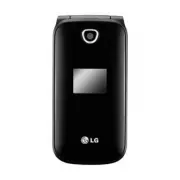
LG430G | User Guide 4 Getting to know your phone Earpiece Navigation Keys t Use for quick access to phone functions. Camera Key t Opens the Camera function. End/Power key t Ends or rejects a call. t Turns the phone on/off. t Returns to the Home screen when using the main menu. Main Screen Soft Keys ...
Page 8 - Installing the SIM card and charging battery; Installing the SIM Card; any
LG430G | User Guide 6 Installing the SIM card and charging battery Installing the SIM Card When you subscribe to a cellular network, you are provided with a SIM card loaded with your subscription details, such as your PIN, any optional services available and other subscriber information. 1 Open batt...
Page 10 - Your Home screen; Turning Your Phone On and Off; Icon Description
LG430G | User Guide 8 Your Home screen Turning Your Phone On and Off You can power the phone on and off by pressing and holding the Power Key. The Status Bar The Status Bar uses various icons, such as signal strength, new messages, battery life, and Bluetooth activity.The table below explains the me...
Page 11 - Menus Overview
9 Prepaid 1 Add Airtime 2 Buy Airtime 3 My Phone Number 4 My Airtime Info 5 Airtime Display 6 Serial Number 7 SIM Number 8 Code Entry Mode Contacts 1 Names 2 Settings 1. Contact List Settings 2. Copy 3. Move 4. Send All Contacts via Bluetooth 5. Clear Contacts 6. Memory Info 3 Groups 4 Speed Dials 5...
Page 12 - Tools
LG430G | User Guide 10 4. Default Sounds 8 Other Files Games & Apps 1 Buy Games Tools 1 Alarm Clock 2 Calendar 3 To-Do List 4 Notes 5 Secret Notes 6 Calculator 7 Converter 8 Stopwatch 9 Go To 10 SIM App. 11 Settings BrowserSettings 1 Profiles 2 Display 1. Homescreen 2. Menu Style 3. Dialing 4. F...
Page 13 - Calling; Making a call; again to resume normal
11 Calling Making a call 1 Make sure your phone is on. 2 Use the keypad to enter the number. To delete a digit press the Right Soft Key Clear. 3 Press to begin the call. 4 To end the call, press . TIP! To enter + when making an international call, press and hold . Making a call from your Contacts It...
Page 14 - Speed Dials; Once you have assigned a speed; Viewing your Call Log
LG430G | User Guide 12 Calling Speed Dials You can assign a speed dial number to a contact you call frequently. 1 Press the Left Soft Key Menu to open the main menu. Select Contacts , then select Speed Dials . 2 Your voicemail is preset to speed dial 1 and cannot be changed. Select any other number ...
Page 15 - Changing the call settings; Press the Left Soft Key; Settings; and choose
13 Packet Data Counter - View the amount of all your received and sent data in kilobytes.To erase a specific packet data counter, press the Left Soft Key Options and select Clear . To erase all packet data counters, press the Left Soft Key Options and select Clear All . Changing the call settings Yo...
Page 16 - Contacts
LG430G | User Guide 14 Searching for a contact 1 Press the Left Soft Key Menu , select Contacts and choose Names . Or, from the Home screen, press the Contacts Key . 2 Using the keypad, enter the first letter of the name of the contact you want to call. 3 Use the Navigation Keys to scroll through th...
Page 18 - Sending a message; Messages
LG430G | User Guide 16 Your LG430G includes functions related to SMS (Short Message Service), MMS (Multimedia Message Service) as well as the network’s service messages. To use these functions, press the Left Soft Key Menu and select Messages . Sending a message 1 Press the Left Soft Key Menu , sele...
Page 19 - Previous; Abc mode
17 Note: If Image, Video Clip, Sound Clip, Schedule, Business Card, Text Field or Task is added to the message editor, the message will be automatically converted to MMS mode and you will be charged accordingly. Entering text You can enter alphanumeric characters using the phone’s keypad. The follow...
Page 21 - Managing your messages
19 settings are pre-defined so that you can send messages immediately. If you would like to change the settings, you can do this using the settings options. Managing your messages 1 Press the Left Soft Key Menu , select Messages and choose Inbox . 2 Press the Left Soft Key Options and then choose fr...
Page 23 - Media; Camera
21 Media Camera Using the camera module built in your phone, you can take pictures of people. Additionally, you can send photos to other people and select photos as wallpaper. Taking a quick photo1 Press the Left Soft Key Menu and select Media . Select Camera to open the Camera function. 2 Hold the ...
Page 25 - You can register your own notes here.; Calendar; : You can choose whether; via Bluetooth; memory status used for Tools.; Clear All; : Clears all the data you
23 Tools Adding an item to your to do list (Menu > Tools > To-Do List) You can view, edit and add tasks to do. Adding a note (Menu > Tools > Notes) You can register your own notes here. Secret Notes (Menu > Tools > Secret Notes ) You can write the private memo to protect your priva...
Page 26 - and select; Bluetooth; Internet
LG430G | User Guide 24 Internet Accessing the Internet browser You can launch the Browser and access the homepage of the activated profile on Internet Profiles. You can also manually enter an URL address and access the associated page. Press the Left Soft Key Menu and select Browser . Note: An addit...
Page 27 - My Navi Key
25 Settings 2 Select Settings. The following options are available. - My Device Visibility - Choose between Hidden and Visible for 3 Min . - My Device Name - Enter a name for your LG430G. - Supported Services - Displays the supported Bluetooth services. - My Address - View your Bluetooth address. Pa...
Page 28 - Language; - You can change the; Battery status; Change your Security code.; Master Reset; to reset
LG430G | User Guide 26 Language - You can change the language for the display texts in your phone. This change will also affect the language input mode. Battery status - Choose to switch the power save settings Auto, Always on or Off. If you set Always On, you can save battery power. Handset Informa...
Page 29 - Software Upgrade
27 LG Mobile Phone Software update from internet For more information on using this function, please visit the http://update.lgmobile.com or http://www.lg.com/common/ index.jsp select country and language.This feature allows you to update the firmware of your phone to the newer version conveniently ...
Page 30 - Accessories
LG430G | User Guide 28 There are various accessories for your mobile phone. You can select these options according to your personal communication requirements. Standard Battery Travel Adapter Note t Always use genuine LG accessories. Failure to do so may invalidate your warranty. t Accessories may v...
Page 31 - Network service; General; Technical data
29 Network service The wireless phone described in this guide is approved for use on the GSM 850, PCS 1900 networks.A number of features included in this guide are called Network Services. These are special services that you arrange through your wireless service provider. Before you can take advanta...
Page 32 - Troubleshooting; Message; Contact your service provider.
LG430G | User Guide 30 Troubleshooting This section lists some problems that you might encounter while using your phone. Some problems require that you call your service provider, but most of problems you encounter are easy to correct yourself. Message Possible causes Possible Corrective measures No...
Page 33 - Charging error Battery totally empty
31 Message Possible causes Possible Corrective measures Charging error Battery totally empty Temperature out of range Contact problem No main voltage Defective charger Wrong chargerDefective battery Charge battery.Make sure the ambient temperature is right, wait for a while, and then charge again.Ch...
Page 34 - For Your Safety; Important Information; To reduce the possibility; Safety Information
LG430G | User Guide 32 For Your Safety Important Information This user guide contains important information on the use and operation of this phone. Please read all the information carefully for optimal performance and to prevent any damage to or misuse of the phone. Any changes or modifications not ...
Page 35 - Memory card information and care
33 t Do not disassemble this unit. Take it to a qualified service technician when repair work is required. t Keep away from electrical appliances such as TVs, radios, and personal computers. t The unit should be kept away from heat sources such as radiators or cookers. t Do not drop. t Do not subjec...
Page 37 - Cautions for Battery
35 Part 15.105 statement This equipment has been tested and found to comply with the limits for a class B digital device, pursuant to Part 15 of the FCC Rules. These limits are designed to provide reasonable protection against harmful interference in a residential installation. This equipment genera...
Page 38 - Avoid damage to your hearing
LG430G | User Guide 36 t Replace the battery only with another battery that has been qualified with the system per this standard, IEEE-Std-1725-200x. Use of an unqualified battery may present a risk of fire, explosion, leakage or other hazard. t Promptly dispose of used batteries in accordance with ...
Page 39 - Safety Guidelines; TIA Safety Information; Antenna Care
37 Safety Guidelines TIA Safety Information Provided herein is the complete TIA Safety Information for Wireless Handheld phones. Inclusion of the text covering Pacemakers, Hearing Aids, and Other Medical Devices is required in the owner’s manual for CTIA Certification. Use of the remaining TIA langu...
Page 40 - Phone Operation
LG430G | User Guide 38 Safety Guidelines Phone Operation NORMAL POSITION: Hold the phone as you would any other telephone with the antenna pointed up and over your shoulder. Tips on Efficient Operation For your phone to operate most efficiently: t Do not touch the antenna unnecessarily when the phon...
Page 42 - Charger and Adapter Safety
LG430G | User Guide 40 Safety Guidelines Areas with a potentially explosive atmosphere are often, but not always, marked clearly. Potential areas may include: fueling areas (such as gasoline stations); below deck on boats; fuel or chemical transfer or storage facilities; vehicles using liquefied pet...
Page 43 - General Notice
41 t Recharge the battery after long periods of non-use to maximize battery life. t Battery life will vary due to usage patterns and environmental conditions. t Use of extended backlighting, MEdia Net Browsing, and data connectivity kits affect battery life and talk/standby times. t The self-protect...
Page 45 - FDA Consumer Update; Do wireless phones pose a
43 FDA Consumer Update The U.S. Food and Drug Administration Centre for Devices and Radiological Health Consumer Update on Mobile Phones. 1. Do wireless phones pose a health hazard? The available scientific evidence does not show that any health problems are associated with using wireless phones. Th...
Page 48 - What research is needed to
LG430G | User Guide 46 Safety Guidelines the absence of RF exposure. Other studies exposed the animals to RF for up to 22 hours per day. These conditions are not similar to the conditions under which people use wireless phones, so we don’t know with certainty what the results of such studies mean fo...
Page 50 - What has the FDA done to
LG430G | User Guide 48 Safety Guidelines Communications Commission (FCC) guidelines that limit radio frequency energy (RF) exposures. The FCC established these guidelines in consultation with the FDA and the other federal health and safety agencies. The FCC limit for RF exposure from wireless teleph...
Page 52 - What about wireless phone
LG430G | User Guide 50 Safety Guidelines measures described above would apply to children and teenagers using wireless phones. Reducing the time of wireless phone use and increasing the distance between the user and the RF source will reduce RF exposure. Some groups sponsored by other national gover...
Page 53 - Where can I find additional; 0 Driver Safety Tips; Get to know your wireless phone
51 when a person uses a ‘compatible’ phone and a ‘compatible’ hearing aid at the same time. This standard was approved by the IEEE in 2000. The FDA continues to monitor the use of wireless phones for possible interactions with other medical devices. Should harmful interference be found to occur, the...
Page 54 - Position your wireless phone
LG430G | User Guide 52 Safety Guidelines features most phones offer, including automatic redial and memory. Also, work to memorize the phone keypad so you can use the speed dial function without taking your attention off the road. 2. When available, use a hands-free device. A number of hands-free wi...
Page 55 - Do not engage in stressful or
53 tip— dial only a few numbers, check the road and your mirrors, then continue. 7. Do not engage in stressful or emotional conversations that may be distracting. Stressful or emotional conversations and driving do not mix; they are distracting and even dangerous when you are behind the wheel of a c...
Page 60 - Guía del usuario de LG430G; Español
Guía del usuario de LG430G - Español Felicidades por comprar el teléfono avanzado y compacto LG430G de LG, diseñado para funcionar con la más reciente tecnología de comunicación digital móvil.Parte del contenido de esta guía puede diferir de su teléfono dependiendo del software del teléfono o de su ...
Page 61 - Contenido
LG430G | Guía del usuario 2 Contenido Características del teléfono ................4 Instalación de la tarjeta SIM y carga de la batería ........................................6 Instalación de la tarjeta SIM ..............6 La pantalla de inicio ............................8 Apagar y encender el te...
Page 63 - Características del teléfono
LG430G | Guía del usuario 4 Características del teléfono Auricular Teclas de Navegación t Úsela para acceder rápidamente a las funciones del teléfono. Tecla Cámara t Abre la función de Cámara. Tecla Encender/Fin t Finaliza o rechaza una llamada. t Apaga o enciende el teléfono. t Vuelve a la pantalla...
Page 65 - Instalación de la tarjeta SIM y carga de la batería; Instalación de la tarjeta SIM
LG430G | Guía del usuario 6 Instalación de la tarjeta SIM y carga de la batería Instalación de la tarjeta SIM Cuando se suscribe a una red celular, se le suministra una tarjeta SIM que tiene cargados los detalles de suscripción, por ejemplo su PIN, servicios opcionales disponibles y otra información...
Page 67 - La pantalla de inicio; Apagar y encender el teléfono; Icono Descripción
LG430G | Guía del usuario 8 La pantalla de inicio Apagar y encender el teléfono Para encender o apagar el teléfono, presione o mantenga presionada la Tecla Encender/ Fin. Barra de Estado La Barra de estado utiliza varios iconos, tales como potencia de la señal, mensajes nuevos, vida útil de la bater...
Page 68 - Descripción general de menús
9 Prepago 1 Añadir Tiempo Celular 2 Comprar Tiempo Celular 3 Mi Número Telefónico 4 Mis Minutos 5 Mostrar Tiempo Celular 6 Número de Serie 7 Número de SIM 8 Modo de Ingreso de Código Contactos 1 Nombres 2 Ajustes 1. Ajustes 2. Copiar 3. Mover 4. Enviar todos los vía Bluetooth 5. Borrar contactos 6. ...
Page 70 - Llamadas; Cómo hacer una llamada
11 Llamadas Cómo hacer una llamada 1 Asegúrese de que el teléfono esté encendido. 2 Utilice el teclado para ingresar el número. Para borrar un dígito presione la Tecla suave derecha Borrar . 3 Presione para iniciar la llamada. 4 Para finalizar la llamada, presione . SUGERENCIA Para introducir + al r...
Page 71 - Usar el altavoz; para; Marcación rápida
LG430G | Guía del usuario 12 Llamadas Usar el altavoz Durante una llamada, puede presionar la tecla para activar el altavoz y usar el teléfono en el modo manos libres. Si el altavoz está activado, presione de nuevo para reanudar el modo de conversación normal del teléfono. Marcación rápida Puede asi...
Page 75 - Enviar un mensaje; Contactos
LG430G | Guía del usuario 16 Cambiar la configuración de los contactos 1 Presione la Tecla suave izquierda Menú y seleccione Contactos . 2 Seleccione Ajustes. Podrá ajustar la siguiente configuración: Ajustes: permite elegir ver los contactos guardados en el Teléfono y SIM , Teléfono o SIM . También...
Page 76 - Introducir texto
17 Opcs . para opciones adicionales Incluso puede agregar varios contactos. Para ello, seleccione Agregar destinatario . Nota: También puede enviar mensajes a un grupo. Edite el mensaje, luego presione la Tecla suave izquierda Opcs ., seleccione Agregar destinatario , luego elija Para y Grupos de co...
Page 77 - Modo Abc
LG430G | Guía del usuario 18 Modo T9 El modo T9 se vale de un diccionario para reconocer las palabras que usted escribe, en función de la serie de letras que se ingresa. Sólo es necesario pulsar la tecla de número asociada a la letra que desee introducir y el diccionario identificará la palabra una ...
Page 79 - Administrar mensajes; Menú
LG430G | Guía del usuario 20 Messages Administrar mensajes 1 Presione la Tecla suave izquierda Menú , seleccione Mensajes y elija Recibidos. 2 Presione la Tecla suave izquierda Opcs . y elija alguna de las siguientes opciones: Responder: permite responder al mensaje seleccionado. Respuesta rápida: p...
Page 81 - Mediosa; Cámara; Videos
LG430G | Guía del usuario 22 Mediosa Cámara Si usa el módulo de cámara incorporado en el teléfono, puede tomar fotografías de personas. Además, puede enviar fotos a otras personas y seleccionar fotos como tapiz de fondo. Tomar una foto rápida1 Presione la Tecla suave izquierda Menú y seleccione Medi...
Page 82 - Juegos y aplicaciones; Todas las pistas; Grabador de voz; Sonidos
23 Juegos y aplicaciones 2 Elija Todas las pistas y seleccione la canción que desea reproducir. 3 Seleccione para poner en pausa la canción. 4 Seleccione para volver a la canción anterior. 5 Seleccione para volver a la canción anterior. 6 Seleccione y para detener la música y volver al menú del repr...
Page 83 - seleccione; Juegos; Herramientas
LG430G | Guía del usuario 24 Otros archivos Puede visualizar otros archivos excepto imágenes, videos y sonidos. Juegos El teléfono LG430G incluye juegos precargados para que pueda entretenerse en los momentos de ocio. Los juegos y aplicaciones adicionales que descargue se guardarán en esta carpeta. ...
Page 84 - Calendario; permite enviar sus; Borrar todo
25 Notas secretas (Menú > Herramientas > Notas secretas) Puede escribir una nota privada para proteger su privacidad. Debe introducir el código de seguridad para usar este menú. Usar la calculadora (Menú > Herramientas > Calculadora) La calculadora proporciona las funciones aritméticas b...
Page 85 - y seleccione; Configuración; Personalizar los perfiles; elija; Editar
LG430G | Guía del usuario 26 Internet Acceder al navegador de Internet Puede iniciar el navegador y acceder a la página de inicio del perfil activado en Perfiles de Internet. Además, puede introducir manualmente una dirección URL y acceder a la página asociada. Presione la Tecla suave izquierda Menú...
Page 87 - : puede cambiar el idioma de; Estado de la batería; bloquear el teléfono.
LG430G | Guía del usuario 28 Cambiar los ajustes del teléfono (Menú > Configuración > Teléfono) Disfrute de la libertad de adaptar el teléfono LG430G para que funcione a su gusto. Teclas de navegación : Puede cambiar 4 accesos directos de teclas de navegación. Idioma : puede cambiar el idioma ...
Page 89 - Accesorios
LG430G | Guía del usuario 30 Existen varios accesorios para su teléfono. Puede seleccionar esas opciones según sus requisitos de comunicación en particular. Batería estándar Adaptador de viaje Nota t Utilice siempre accesorios LG originales. De lo contrario, la garantía podría invalidarse. t Los acc...
Page 90 - Servicio de red; Datos técnicos
31 Servicio de red El teléfono inalámbrico descrito en este manual está aprobado para utilizarse en las redes GSM 850 y PCS 1900.Varias funciones en esta guía se denominan Servicios de red. Son servicios especiales que coordina con el proveedor de servicios inalámbricos. Antes de que pueda disfrutar...
Page 91 - Detección de problemas
LG430G | Guía del usuario 32 En esta sección se describen algunos problemas que podría encontrar al utilizar el teléfono. Algunos problemas requieren que llame a su proveedor de servicios, pero en la mayoría de los casos, puede corregirlos usted mismo. Mensaje Causas posibles Medidas correctivas pos...
Page 92 - Error al cargar
33 Mensaje Causas posibles Medidas correctivas posibles Error al cargar Batería totalmente agotadaTemperatura fuera de intervalo Problema de contacto Sin alimentación eléctrica Cargador defectivo Cargador erróneoBatería defectivo Cargue la batería.Asegúrese de que la temperatura ambiente es adecuada...
Page 93 - Por su seguridad; Información importante; Para reducir la
LG430G | Guía del usuario 34 Por su seguridad Información importante Esta guía del usuario contiene información importante sobre el uso y el funcionamiento de este teléfono. Lea toda la información con detenimiento para lograr un desempeño óptimo y para evitar cualquier daño o uso incorrecto del tel...
Page 94 - Información de seguridad
35 ¡IMPORTANTE! Antes de usar el teléfono, lea la información de seguridad de la Asociación de la Industria de las Telecomunicaciones (TIA por su sigla en inglés). Información de seguridad Lea estas simples pautas. No cumplir las reglas podría ser peligroso o ilegal. En esta guía del usuario se ofre...
Page 95 - PRECAUCIÓN
LG430G | Guía del usuario 36 t Mantenga la tarjeta de memoria fuera del alcance de los niños. t No deje la tarjeta de memoria en un lugar muy caluroso. t No desarme ni modifique la tarjeta de memoria. Información de la FCC sobre exposición a RF¡ADVERTENCIA! Lea esta información antes de hacer funcio...
Page 96 - Reorientar o relocar la antena de
37 cinturón, fundas y otros accesorios de terceros que contengan componentes metálicos. Los accesorios usados sobre el cuerpo que no pueden mantener una distancia de separación de 2 cm (0,79 pulgadas) entre el cuerpo del usuario y la parte posterior del teléfono y que no han sido probados para opera...
Page 97 - Precauciones para la batería
LG430G | Guía del usuario 38 t Aumentar la separación entre el equipo y el receptor/auricular. t Conectar el equipo a un tomacorriente que esté en un cicuito diferente de donde está conectado el receptor/auricular. t Consulte el representante o ún técnico de radio/televisión con experiencia por ayud...
Page 98 - Protección de los oídos; Si se expone a sonidos muy fuertes
39 t Para esos aparatos que utilizan un puerto USB como fuente de carga, el usuario del manuario de este aparato debe incluir un anuncio diciendo que el teléfono debe estar conectado a productos que contengan el logo USB-IF o han completado el programa de cumplimiento. Precauciones para el adaptador...
Page 99 - Indicaciones de seguridad; Información de seguridad de TIA
LG430G | Guía del usuario 40 Indicaciones de seguridad Información de seguridad de TIA Esta sección proporciona la información completa de seguridad de TIA para teléfonos inalámbricos manuales. El manual del propietario debe contener información sobre marcapasos, audífonos y otros dispositivos médic...
Page 100 - Al usar el teléfono, no toque la; Conducción de vehículos; Preste total atención a la; Dispositivos electrónicos
41 Cuidado de la antena Use solamente la antena de reemplazo proporcionada o una antena aprobada. Las antenas, las modificaciones o los complementos no autorizados pueden dañar el teléfono y violar las regulaciones de la FCC. Funcionamiento del teléfono POSICIÓN NORMAL: Sostenga el teléfono como sos...
Page 101 - SIEMPRE deben mantener el; Otros dispositivos médicos
LG430G | Guía del usuario 42 Marcapasos La Asociación de Fabricantes del Sector de la Salud recomienda mantener al menos 15 cm (6 pulgadas) de distancia entre el teléfono inalámbrico y el marcapasos para evitar posibles interferencias con el marcapasos. Estas recomendaciones son consistentes con la ...
Page 105 - Aviso general
LG430G | Guía del usuario 46 Aviso general t Usar una batería dañada o introducir una batería en la boca puede causar graves lesiones. t No coloque cerca del teléfono artículos que contengan componentes magnéticos como tarjetas de crédito, tarjetas telefónicas, libretas de banco ni boletos del metro...
Page 110 - ¿Qué tipo de investigación es
51 u otros cánceres. Ninguno de ellos demostró la existencia de efectos dañinos para la salud provenientes de las exposiciones a RF de teléfonos inalámbricos. Sin embargo, ninguno de los estudios puede responder a preguntas sobre exposiciones de larga duración, ya que el período promedio del uso del...
Page 111 - ¿Cuáles son las acciones que
LG430G | Guía del usuario 52 6. ¿Cuáles son las acciones que la FDA está tomando para descubrir más información sobre los posibles efectos para la salud de la RF del teléfono inalámbrico? La FDA está trabajando con el Programa Nacional de Toxicología de los Estados Unidos y con grupos de investigado...
Page 113 - ¿Qué medidas puedo tomar
LG430G | Guía del usuario 54 sigla en inglés) de los teléfonos inalámbricos y de otros terminales inalámbricos con la participación y el liderazgo de los científicos e ingenieros de la FDA. El estándar, “práctica recomendada para determinar la tasa pico de absorción específica (SAR por su sigla en i...
Page 115 - ¿Dónde puedo encontrar más
LG430G | Guía del usuario 56 inalámbricos puede interactuar con los dispositivos electrónicos. Por esta razón, la FDA ayudó a desarrollar un método de prueba minucioso para medir la interferencia electromagnética (EMI por su sigla en inglés) entre los marcapasos y desfibriladores cardíacos implantad...