Page 2 - TRIM
TRIM Account PIN # (4-digit number) N 0 PIN de la cuenta (4-dígitos) Plan Info/Payment Date Plan/Fecha de Pago Voicemail Passcode (4-10 digits) Código de correo de voz (4-10 dígitos) Mobile Phone # N 0 de teléfono Quick Reference Guide Guía De Referencia Rápida Keep this important owner information ...
Page 4 - Welcome; Get Up & Running – Fast
Welcome TRIM W W W W W W W e e e e e e l l l l l l l c c c c c c o o o o o o m m m m m m e e e e e e Get Up & Running – Fast This guide gives you directions on the basics of getting started with Boost Mobile and your new LG Rumor Reflex. Follow simple, step-by-step instructions to learn how to: +...
Page 5 - and Twitter
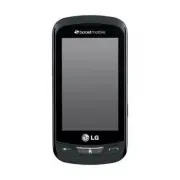
Welcome TRIM L L L L L L L G G G G G G G R R R R R R R u u u u u u m m m m m m o o o o o o r r r r r r R R R R R R R e e e e e e f f f f f f f l l l l l l l e e e e e e x x x x x x + 3" Touchscreen+ Full QWERTY Keypad+ 2MP Camera with Video+ Easy Access to Facebook ® and Twitter + Keep in Touch ...
Page 6 - Bienvenido; Ponlo a funcionar, rápido
TRIM Bienvenido B B B B B B B i i i i i i i e e e e e e n n n n n n v v v v v v e e e e e e n n n n n n i i i i i i i d d d d d d d o o o o o o Ponlo a funcionar, rápido Esta guía te ofrece indicaciones sobre los conceptos básicos para comenzar con Boost Mobile y tu nuevo LG Rumor 4. Sigue estas sim...
Page 7 - + Habilitado con tecnología Bluetooth
TRIM Bienvenido L L L L L L L G G G G G G G R R R R R R R u u u u u u m m m m m m o o o o o o r r r r r r R R R R R R R e e e e e e f f f f f f f l l l l l l l e e e e e e x x x x x x + Pantalla Táctil de 3"+ Teclado QWERTY complete+ Cámara de 2MP con video+ Acceso fácil a Facebook y Twitter+ Ma...
Page 9 - Activation; Get Your Numbers; Go to; Finalize Your Activation
TRIM Activation S S S S S S S t t t t t t t e e e e e e p p p p p p 1 1 1 1 1 1 1 . . Get Your Numbers You will need the phone’s MEID (DEC) number to activate your phone. The MEID (DEC) can be located on the box that the phone came in or on the back of the phone in the batter y compar tment. The MEI...
Page 10 - Now Use Your Phone; Add enough to cover your monthly payment. Pay on or; Make sure you charge the batter y before tr ying to use your phone.
TRIM Activation S S S S S S t t t t t t e e e e e p p p p p p 4 4 4 4 4 4 . . . Now Use Your Phone Once you’ve activated your phone, make a payment so you can star t using all the great features Boost has to of fer. For Monthly Plans: Add enough to cover your monthly payment. Pay on or before your m...
Page 13 - Busca Tu Número; Visita; Completa Tu Activación; Activación
TRIM S S S S S S t t t t t t e e e e p p p p 1 1 1 1 1 1 . . Busca Tu Número Necesitarás los números de MEID (DEC) del télefono para activar tu télefono. El MEID (DEC) se pueden encontrar en la caja que el teléfono vino en o en la par te posterior del teléfono en el compar timento de la batería. El ...
Page 14 - Ya Tienes El Teléfono Ahora Úsalo; Para planes mensuales:; Automático
TRIM S S S S S S t t t t t e e e e e p p p p p p 4 4 4 4 4 4 . . Ya Tienes El Teléfono; Ahora Úsalo . Una vez que hayas activado tu teléfono, realiza un pago para que puedas empezar a usar las funciones y servicios que ofrece Boost Mobile. Para planes mensuales: Agrega bastante dinero para cubrir tu...
Page 16 - Guía y Configuración del Dispositivo
TRIM Device Guide & Setup Guía y Configuración del Dispositivo
Page 17 - Device Guide
Page 19 - From Your Boost Phone; From Any Other Phone
Access Your Account at boostmobile.com to: + Review your account information.+ Add money to your account.+ Enroll in Auto Re-Boost SM to make automatic payments. + Buy accessories.+ View available Boost service plans and options.+ Learn more about data services and other products, like games, ringto...
Page 21 - Contacts; and type in the new
You also see the following options if your phone is on standby. To select an option, touch the corresponding touch key. + Silence to mute the ringer. + Send to Voicemail to send the call to voicemail. + Ignore with Text to send a text message. You can send the preset message or write a new one. + An...
Page 24 - Sending Text & Picture Messages
M M M M M M e e e e e s s s s s s s s s s a a a a a g g g g g g i i i i i i n n n n n g g g g g g Sending Text & Picture Messages 1. Slide the keyboard out and touch Message . – or –Touch > Send Message . 2. Select an entry method: + Touch New Addr to use the keypad to enter a wireless phone ...
Page 25 - To Take A Picture
P P P P P P i i i i i i c c c c c t t t t t u u u u u r r r r r e e e e e s s s s s To Take A Picture 1. Touch > Main Menu > Photos & Videos > Camera to activate camera mode. (Additional camera options are available through the camera mode options menu.) 2. Using the phone’s display scr...
Page 26 - To Record a Video
V V V V V V i i i i i i d d d d d d e e e e o o o o To Record a Video 1. Touch > Main Menu > Photos & Videos > Camcorder to activate video mode. (Additional video options are available through the video mode options menu.) 2. Select Video Mail or Long Video . 3. Using the phone’s displa...
Page 28 - Guía del Dispositivo
T T T T T u u u u u E E E E E q q q q q q u u u u u i i i i i p p p p p p o o o o o Botón de Poder Altavoz Micrófono Auricular Iconos de Barra Botón del Vol Teclado QWERTY Pantalla Táctil Tecla BACK (Atras) Tecla Pantalla Inical Cámara Tecla del Tel Lentes de Cámara TRIM Guía del Dispositivo
Page 29 - Desde Tu Teléfono de Boost; + Hacer un pago o registrarte en Auto; Desde Cualquier Otro Teléfono; + Llamar al servicio de atención al
Accede A Tu Cuenta En boostmobile.com Para: + Acceder a la información de tu cuenta.+ Ver y agregar dinero a tu cuenta.+ Suscribirte a Auto Re-Boost para hacer pagos automáticos. + Comprar accesorios.+ Ver los planes de servicio y las opciones de Boost disponibles.+ Averigua más acerca de los servic...
Page 31 - Contactos
el nombre del registro. También puedes ver el número de teléfono de quien llama, si está disponible. Si tu teléfono está en modo de espera, también podrás ver las siguientes opciones. Para seleccionar una opción, toca la tecla táctil correspondiente. + Silenciar , para desactivar el timbre. + Enviar...
Page 32 - Cómo Acceder Al Correo Electrónico
E E E E E E E m m m m m m a a a a a a i i i i i i i l l l l l l l La aplicación de correo electrónico de tu teléfono te permite acceder y administrar varias cuentas de correo electrónico de manera simultánea desde una ubicación conveniente. Primeros Pasos Con El Correo Electrónico 1. Toca > Menú ...
Page 35 - Cómo Tomar Fotografías
I I I I I I m m m m m á á á á á á á g g g g g g e e e e e e n n n n n e e e e e e s s s s s s Cómo Tomar Fotografías 1. Toca > Menú principal > Fotos y videos > Cámara para activar el modo cámara. (En el menú de opciones del modo cámara, hay opciones adicionales para la cámara. 2. Usando la...
Page 36 - Para Grabar Un Video
V V V V V V V i i i i i i i d d d d d d d e e e e e o o o o o Para Grabar Un Video 1. Toca > Menú Principal > Fotos y Videos > Videocámara para activar el modo video. (En el menú de opciones del modo video, hay opciones adicionales para la grabación de videos. Consulta “Opciones del modo vi...
Page 38 - Boost Mobile Device Support Webpage
S S S S S S S u u u u p p p p p p p p o o o o r r r r t t t t t t For additional LG Rumor Reflex support information, please see the web and mobile support pages listed below. Boost Mobile Device Support Webpage http://www.boostmobile.com/support/device-support/ TRIM Device Guide
Page 39 - Pagina de Apoyo para Dispositivos de Boost Mobile
A A A A A A A p p p p o o o o y y y y o o o o Para información adicional acerca del LG Rumor Reflex, favor de visitar nuestro sitio web y las siguientes paginas de internet de apoyo. Pagina de Apoyo para Dispositivos de Boost Mobile http://www.boostmobile.com/support/device-support/ (Elije Español e...
Page 42 - Boost Mobile
TRIM Add-Ons Boost Mobile ® of fers wireless enter tainment services with the latest games, real music ringtones, and unique wallpapers for download right to your phone. Get the hottest ringtones, wallpapers, and more! Go to ‘Get Stuf f ’ on your phone to get star ted. * *Certain plans require that ...
Page 43 - Pick How You Want To Pay; Pay With Cash; Locator on your phone to find an Authorized Re-Boost; Pay Anytime With A Credit/Debit Card; Set Up Worry-Free Payments With Auto Re-Boost
TRIM Add-Ons Pick How You Want To Pay Boost Mobile ® makes it easy to add money to your account. You decide exactly how and where you want to pay. Keep your account active by using your phone and adding money to your account. Pay With Cash Use the Re-Boost ® Locator on your phone to find an Authoriz...
Page 44 - Voicemail Setup; To set up your voicemail, call your Boost Mobile; Managing Your Account; , or to make account changes. To log into; Your Account PIN
TRIM Add-Ons Voicemail Setup To set up your voicemail, call your Boost Mobile ® number from either a landline phone or your Boost Mobile phone. If calling from a landline phone, use your 7-digit phone number as the password. If calling from your Boost Mobile phone, you will not be prompted for a pas...
Page 45 - BuyBack Program
TRIM Add-Ons Lost/Stolen Service If your phone is ever lost or stolen, call Boost immediately at 1-888-BOOST-4U (1-888-266-7848) . We will secure your account balance and your account information and help you keep your phone number. BuyBack Program Allows Boost Mobile customers to sell their unwante...
Page 46 - Opciones Adicionales
TRIM Opciones Adicionales Boost Mobile ® ofrece servicios de entretenimiento móvil, con los últimos juegos, timbres de musica real, y salvapantallas únicos para bajar directamente a tu teléfono. ¡Consigue lo último en timbres, salvapantallas y más! ¡Ingresa a ‘Get Stuf f ’ desde tu teléfono para ini...
Page 47 - Escoge Cómo Deseas Pagar; Paga En Efectivo; encontrar la Tienda Re-Boost; Paga En Cualquier Momento Con Una Tarjeta De Crédito O Débito; Configura Pagos Sin Preocupaciones Con Auto Auto Re-Boost
TRIM Opciones Adicionales Escoge Cómo Deseas Pagar Boost Mobile ® te facilita la manera de agregar fondos a tu cuenta. Tú decides cómo y dónde quieres pagar. Para que tu cuenta siga activa, usa tu teléfono y agrega crédito a tu cuenta. Paga En Efectivo Utiliza el Re-Boost ® Locator (Localizador de R...
Page 48 - Configuración del Correo de Voz
TRIM Configuración del Correo de Voz Para configurar tu correo de voz, tendrás que llamar a tu teléfono Boost Mobile ® desde un teléfono de línea fija o desde tu teléfono móvil. Si llamas desde un teléfono de línea fija, usa tu número de teléfono de 7 dígitos como contrasena. Si llamas desde tu telé...
Page 49 - Teléfono Extraviado/Robado; . Bloquearemos el saldo y la; Programa BuyBack
TRIM Teléfono Extraviado/Robado Podemos ayudarte. Si alguna vez pierdes tu teléfono o te lo roban, llama inmedi-atamente a Boost al 1-888-BOOST-4U (1-888-266-7848) . Bloquearemos el saldo y la información de tu cuenta y te ayudaremos a que conserves tu número telefónico. Programa BuyBack Les permite...
Page 50 - Tarifas de Llamadas Internacionales
TRIM El costo de las llamadas internacionales es la suma de la tarifa internacional más el tiempo de uso estándar. Se pueden aplicar cargos adicionales y están sujetos a cambios. Visita boostmobile.com/international para conocer los detalles y las tarifas internacionales. Tarifas de Llamadas Interna...
Page 54 - Important Safety Information; internal antenna is located while using the phone.
Safety & Warranty TRIM Important Safety Information This phone guide contains impor tant operational and safet y information that will help you safely use your phone. Failure to read and follow the information provided in this phone guide may result in serious bodily injur y, death, or proper t ...
Page 56 - HAC statement
Safety & Warranty TRIM HAC statement This phone has been tested and rated for use with hearing aids for some of the wireless technologies that it uses. However, there may be some newer wireless technologies used in this phone that have not been tested yet for use with hearing aids.It is importan...
Page 57 - the receiver is connected.; Maintaining Safe Use of and Access to Your Phone; Do Not Rely on Your Phone for Emergency Calls
Safety & Warranty TRIM Par t 15.105 statement This equipment has been tested and found to comply with the limits for a class B digital device, pursuant to Part 15 of the FCC Rules. These limits are designed to provide reasonable protection against harmful interference in a residential installati...
Page 58 - Using Your Phone While Driving
Safety & Warranty TRIM communication (e.g., medical emergencies). Emergency calls may not be possible on all cellular networks or when certain network services or mobile phone features are in use. Check with your local service provider for details. Using Your Phone While Driving Talking on your ...
Page 59 - using the phone near medical equipment.
Safety & Warranty TRIM Note: Always turn off the phone in healthcare facilities, and request permission before using the phone near medical equipment. Turning Off Your Phone Before Flying Turn of f your phone before boarding any aircraf t. To prevent possible inter ference with aircraf t systems, ...
Page 60 - Restricting Children’s Access to Your Phone; Using Your Phone With a Hearing Aid Device; Your LG Rumor Reflex has an M4 and a T4 rating.
Safety & Warranty TRIM + Any other area where you would normally be advised to turn off your vehicle’s engine. Note: Never transpor t or store flammable gas, flammable liquids, or explosives in the compar tment of your vehicle that contains your phone or accessories. Restricting Children’s Access...
Page 61 - Caring for the Battery; Protecting Your Bat tery
Safety & Warranty TRIM These ratings are not guarantees. Results will var y depending on the user ’s hearing device and individual type and degree of hearing loss. If a hearing device is particularly vulnerable to inter ference noise; even a phone with a higher rating may still cause unacceptabl...
Page 62 - It can be recharged hundreds of times before it needs replacing.
Safety & Warranty TRIM manufacturer of your phone. Use only approved batteries and accessories ap-proved by LG. Buying the right batteries and accessories is the best way to ensure they’re genuine and safe. + In order to avoid damage, charge the batter y only in temperatures that range from 32° ...
Page 63 - Be sure to dispose of your batter y properly. In some areas, the dis-
Safety & Warranty TRIM Special Note: Be sure to dispose of your batter y properly. In some areas, the dis- posal of batteries in household or business trash may be prohibited. Radio Frequency (RF) Energy Understanding How Your Phone Operates Your phone is basically a radio transmitter and receiv...
Page 64 - Specific Absorption Rates (SAR) for Wireless Phones
Safety & Warranty TRIM Body-Worn Operation To maintain compliance with FCC RF exposure guidelines, if you wear a handset on your body, use a Sprint-supplied or Sprint-approved carr ying case, holster or other body-worn accessor y. If you do not use a body-worn accessor y, ensure the antenna is a...
Page 65 - The highest repor ted SAR values of the LG Rumor Reflex are:; FCC Radio Frequency Emission; This phone meets the FCC Radio Frequency Emission Guidelines.; Owner’s Record
Safety & Warranty TRIM The highest repor ted SAR values of the LG Rumor Reflex are: Cellular CDMA mode: Par t22 Head: 0.54 W/kg; Body: 0.85 W/kgPar t24 Head: 1.15W/kg; Body: 0.66W/kgPar t90 Head: 0.50W/kg; Body: 0.79W/kg FCC Radio Frequency Emission This phone meets the FCC Radio Frequency Emiss...
Page 66 - to prove the date of purchase or exchange.
Safety & Warranty TRIM Your phone has been designed to provide you with reliable, worry-free service. If for any reason you have a problem with your equipment, please refer to the manufac-turer ’s warranty in this section. 1. WHAT THIS WARRANTY COVERS: LG offers you a limited warranty that the en...
Page 67 - and customary manner.
Safety & Warranty TRIM (6) The customer shall bear the cost of shipping the product to the Customer Service Depar tment of LG. LG shall bear the cost of shipping the product back to the consumer af ter the completion of service under this limited warranty. 2. WHAT THIS WARRANTY DOES NOT COVER: (...
Page 68 - damaged due to normal customer use.
Safety & Warranty TRIM (7) Damage resulting from use of non-LG approved accessories.(8) All plastic sur faces and all other externally exposed par ts that are scratched or damaged due to normal customer use. (9) Products operated outside published maximum ratings.(10) Products used or obtained i...
Page 71 - Additional Terms
Basic Definitions In this document: (1) “we,” “us,” “our,” and “Boost” mean Boost Mobile LLC; (2) “you,” “your,” “customer,” and “user” mean an account holder or user with us; (3) “Device” means any phone, aircard, mobile broadband device, any other device, accessory, or other product that we provide...
Page 72 - Service Activation; Our Right To Suspend Or Terminate Services
Our Policies Services are subject to our business policies, practices, and procedures (“Policies”). You agree to adhere to all of our Policies when you use our Services. Our Policies are subject to change at any time with or without notice. When You Accept The Agreement You must have the legal capac...
Page 74 - Roaming
Porting/Transferring Phone Numbers We don’t guarantee that number transfers to or from us will be successful. If you authorize another carrier to transfer a number away from us, then that is considered a request by you to us to terminate all of the Services associated with that number. Coverage; Whe...
Page 75 - About Data Services & Content; Specific Terms & Restrictions On Using Data Services
About Data Services & Content Our data Services and your Device may allow you to access the Internet, text, pictures, video, games, graphics, music, email, applications, sound, and other materials (“Data Content”) or send Data Content elsewhere. Some Data Content is available from us or our vend...
Page 79 - Establishing or Replenishing Account Balances
We will provide you notice of any changes to Surcharges in a manner consistent with this Agreement (see “Providing Notice To Each Other Under The Agreement” section). However, since some Surcharges are based on amounts set by the government or based on government formulas, it will not always be poss...
Page 81 - Location-Enabled Services
have a duty, to protect the confidentiality of your CPNI. For example, we implement safeguards that are designed to protect your CPNI, including authentication procedures when you contact us. For some accounts with a dedicated Boost representative, we may rely on contacting your pre-established point...
Page 83 - You Agree Our Liability Is Limited–No Consequential Damages
to access emergency services from a Device, including through 91 1, Enhanced 91 1 or otherwise; (f) interrupted, failed, or inaccurate location information services; (g) information or communication that is blocked by a spam filter; (h) damage to your Device or any computer or equipment connected to ...
Page 84 - DISPUTE RESOLUTION
DISPUTE RESOLUTION We Agree To First Contact Each Other With Any Disputes We each agree to first contact each other with any Disputes (defined below) and provide a written description of the problem, relevant documents and supporting information, and the proposed resolution. We agree to contact each o...
Page 86 - Other Important Terms
No Class Actions TO THE EXTENT ALLOWED BY LAW, WE EACH WAIVE ANY RIGHT TO PURSUE DISPUTES ON A CLASSWIDE BASIS; THAT IS, TO EITHER JOIN A CLAIM WITH THE CLAIM OF ANY OTHER PERSON OR ENTITY OR ASSERT A CLAIM IN A REPRESENTATIVE CAPACITY ON BEHALF OF ANYONE ELSE IN ANY LAWSUIT, ARBITRATION, OR OTHER P...