Page 2 - All rights reserved
Copyright ©2006 LG Electronics, Inc. All rights reserved . LG and the LG logo are registered trademarks of LG Groupand its related entities. All other trademarks are the propertyof their respective owners. LG210_BPT cover.qxd 12/15/06 6:37 PM Page 3
Page 3 - I M P O RTA N T SA F E T Y P R E C AU T I O N S; W A
I M P O RTA N T SA F E T Y P R E C AU T I O N S 1 IMPOR T ANT S AFETY PRECA UTIONS Read these instructions. Breaking the rules may be dangerous or illegal. Further detailed information is given in this user guide. W W A A R R N N II N N G G !! V V ii oo ll aa tt ii oo nn oo ff tt hh ee ii nn ss tt r...
Page 4 - IMPORTANT SAFETY PRECAUTIONS
IMPORTANT SAFETY PRECAUTIONS 2 IMPOR T ANT S AFETY PRECA UTIONS 1. Do not expose the battery charger or adapter to direct sunlight or use it in places with high humidity, such as a bathroom. 2. Do not use harsh chemicals (such as alcohol, benzene, thinners, etc.) or detergents to clean your phone. T...
Page 6 - TA B L E O F C O N T E N T S; Table of Contents
T ABLE OF CONTENTS TA B L E O F C O N T E N T S 4 Important Safety Precautions 1 Table of Contents 4 Welcome 9 FCC RF Exposure Information 11 Phone Overview 12 Menus Overview 14 Getting Started with YourPhone 16 The Battery 16 Installing the Battery 16 Removing the Battery 16 Charging the Battery 16...
Page 8 - TABLE OF CONTENTS
T ABLE OF CONTENTS TABLE OF CONTENTS 6 7. Erase All 43 Mobile Web 44 1. Start Browser 44 2. Web Messages 46 3. Web Settings 46 3.1 Prompt 46 3.2 Alert Beep 47 Brew Apps 47 1. Brew Apps 48 2. Get Information 48 Media 49 1. Images 49 2. Sounds 49 3. Message Objects 50 3.1 Small Pictures 50 3.2 Large P...
Page 9 - Safety
7 T ABLE OF CONTENTS 2.4 Menu Style 60 2.5 Clocks 60 2.6 Theme Colors 60 2.7 Contrast 60 2.8 Fonts 60 2.8.1 Calling Digits 60 2.8.2 Text Editor 60 2.8.3 Menu Font 61 2.9 Language 61 2.0 Power Saver 61 3. System 61 3.1 Select System 61 3.2 Set NAM 61 3.3 Auto NAM 62 3.4 Serving System 62 3.5 Force Ca...
Page 10 - Accessories
TABLE OF CONTENTS 8 T ABLE OF CONTENTS Driving 73 Electronic Devices 73 Pacemakers 73 Persons with pacemakers: 73 Hearing Aids 74 Other Medical Devices 74 Health Care Facilities 74 Vehicles 74 Posted Facilities 74 Aircraft 74 Blasting Areas 74 Potentially Explosive Atmosphere 75 For Vehicles Equippe...
Page 11 - W E LC O M E
WEL COME Thank you for choosing the advanced and compactLG210 cellular phone, designed to operate with thelatest digital mobile communication technology, CodeDivision Multiple Access (CDMA) and AdvancedMobile Phone Service (AMPS). Along with the manyadvanced features of the CDMA system, such assigni...
Page 12 - WELCOME
10 WEL COME WELCOME CDMA Standard Basic AirInterface TIA/EIA-95ATSB-74ANSI J-STD-008TIA/EIA-IS2000ANSI TIA/EIA 553A CDMA Tri-Mode Air Interface14.4kbps radio link protocol andinter-band operationsIS-95 adapted for PCS frequencyband cdma2000 1xRTT AirInterfaceAdvanced Mobile Phone Service MAS-BSPCSC-...
Page 13 - FCC RF Exposure Information
WEL COME FCC RF Exposure Information WARNING! Read this information before operating the phone. In August 1996, the Federal CommunicationsCommission (FCC) of the United States, with its action inReport and Order FCC 96-326, adopted an updatedsafety standard for human exposure to Radio Frequency(RF) ...
Page 14 - P H O N E OV E RV I E W
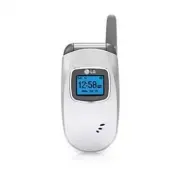
12 PHONE O VER VIEW P H O N E OV E RV I E W Earpiece Outside Display Charger port Flip LCD Screen Left Soft Key Speaker Key Navigation Keys Right Soft Key SEND Key Headset Jack Side Keys BACK Key Voice Dial Key Manner Mode Key Alphanumeric Keypad Lock Mode Key Microphone END/PWR Key LG210_Eng.qxd 12...
Page 16 - M E N U S OV E RV I E W
14 MENUS O VER VIEW M E N U S OV E RV I E W 1. Contacts 1. List Contacts2. New Number3. New E-mail4. Groups5. Speed Dials6. Voice Dials7. My Contact Info 2. Recent Calls 1. Dialed Calls2. Received Calls3. Missed Calls4. Erase Calls 1. Dialed Calls2. Received Calls3. Missed Calls4. All Calls 5. Call ...
Page 18 - G E T T I N G STA RT E D W I T H YO U R P H O N E; The B attery; Installing the Battery; Charging the Battery; B attery Charge Level; Note
16 G E T T I N G STA RT E D W I T H YO U R P H O N E GETTING S T ARTED WITH Y OUR PHONE The B attery The phone comes with a rechargeable battery. Keepit charged even while you’re not using it so it’s readywhen you need it. Installing the Battery Insert the bottom of the battery into the opening on t...
Page 19 - Turning the Phone On and Off; Turning the Phone On; Turning the Phone Off; Signal Strength
17 GETTING S T ARTED WITH Y OUR PHONE Turning the Phone On and Off Turning the Phone On 1. Install a charged battery or connect the phone to an external power source such as a cigarette lightercharger or hands-free car kit. 2. Press until the LCD screen lights up. Turning the Phone Off 1. Press and ...
Page 20 - GETTING STARTED WITH YOUR PHONE; Making Calls
18 GETTING STARTED WITH YOUR PHONE GETTING S T ARTED WITH Y OUR PHONE Making Calls 1. Make sure the phone is turned on. If not, press for about three seconds. If necessary, enter the lock code (commonly the last 4 digits of yourphone number). 2. Enter the phone number. 3. Press . (If necessary, incl...
Page 21 - QU I C K AC C E S S TO C O N V E N I E N T F E AT U R E S; Manner Mode
QU I C K AC C E S S TO C O N V E N I E N T F E AT U R E S 19 Q U ICK A CCESS T O CONVENIENT FEA TURES Manner Mode Sets the phone to shake instead of ring ( is displayed). To quickly set Manner Mode press andhold . To return to Normal Mode, press and hold . Lock Mode Sets your phone to require your 4...
Page 22 - To dial Speed Dials; QUICK ACCESS TO CONVENIENT FEATURES
20 Call Waiting During a call, one beep indicates another incoming call. Check with your service provider for information about this function. Press to receive the waiting call then press again to switch between calls. Caller ID Caller ID displays the phone number or name of theincoming call. If the...
Page 23 - E N T E R I N G A N D E D I T I N G I N FO R M AT I O N; Text Input; Key Functions; Text Input Modes; Using the NEXT Key
E N T E R I N G A N D E D I T I N G I N FO R M AT I O N 21 ENTERING AND EDITING INF ORMA TION Text Input The following key functions are available to help withtext entry: Key Functions Left Soft Key(Right Soft Key) : Press to change text input mode. Shift : Press to change case (initial cap, caps lo...
Page 24 - ENTERING AND EDITING INFORMATION; Symbols Mode
22 ENTERING AND EDITING INFORMATION ENTERING AND EDITING INF ORMA TION 1. Press . Good is displayed. 2. Press . Additional choices are displayed such as: Home , Gone , Hood , etc. Abc (Multi-tap) Mode Type text pressing keys multiple times for words not inthe phone’s database. 1. Press Left Soft Key...
Page 25 - C O N TAC T S I N YO U R P H O N E ’ S M E M O RY; Contacts Entries; Storing Basics
C O N TAC T S I N YO U R P H O N E ’ S M E M O RY 23 Contacts Entries Store up to 300 entries with up to 5 phone numberseach. Storing Basics 1. Enter a number (max. 48 digits), then press Left Soft Key [ Save ]. 2. Use to select a Label and press . Home / Home2 / Office / Office2 / Mobile /Mobile2 /...
Page 26 - CONTACTS IN YOUR PHONE’S MEMORY
Memo Allows you to enter a memo for the contact (e.g.,birthday, address, etc.) up to 64 characters. Picture ID Sets a picture to display to identify the caller whenthey call your phone. Speed Dial Allows you to set up your Speed Dials. 1. Press Right Soft Key [ Contacts ]. 2. Use to select an entry,...
Page 27 - Editing Contacts Entries; From Standby Mode; Adding a Pause to a Contact Entry
25 CONT A CTS IN Y OUR PHONE’S MEMOR Y 1. Enter the number, then press Right Soft Key [ Options ]. 2. Use to select Hard Pause / 2-sec Pause , then press . 3. Enter additional number(s) (e.g., pin number, credit card number, etc.). 4. Press Left Soft Key [ Save ] and continue saving the Contact entr...
Page 28 - Changing Saved Information; Changing the Default Number
Changing Saved Information To change any information you stored, access theEdit Entry screen: 1. Press Right Soft Key [ Contacts ]. 2. Use to select an entry and press , then press Left Soft Key [ Edit ]. 3. Use to select the information you want to change, then press . 4. Make the changes, then pre...
Page 29 - Deleting; Deleting a Phone Number
27 CONT A CTS IN Y OUR PHONE’S MEMOR Y Deleting Deleting a Phone Number 1. Select an entry to edit. 2. Use to select a phone number. 3. Press Right Soft Key [ Options ]. 4. Select Erase Number . A Confirmation message pops up. 5. Press to erase. Deleting a Contact Entry 1. Select the entry from your...
Page 30 - Searching Your Phone’s Memory; Scrolling through Your Contacts; Searching by Letter; Calling From Your Phone’s Memory; From Contacts
28 CONTACTS IN YOUR PHONE’S MEMORY CONT A CTS IN Y OUR PHONE’S MEMOR Y Searching Your Phone’s Memory You can search for information you stored in yourLG210 phone. Scroll through your contents from A toZ, or jump directly to a specific letter of the alphabet. Scrolling through Your Contacts 1. Press ...
Page 31 - From Recent Calls; Speed Dialing
29 CONT A CTS IN Y OUR PHONE’S MEMOR Y From Recent Calls 1. Press Left Soft Key [ Menu ]. 2. Press Recent Calls . 3. Use to select the type of recent call and press . Dialed Calls / Received Calls / Missed Calls 4. Use to highlight the one you want to call, then press to dial it. Speed Dialing Allow...
Page 32 - CONTACTS; Access and Options
CONTACTS 30 CONT A CTS Contacts The Contacts Menu allows you to store names,phone numbers and other information in yourphone’s memory. When you list your Contacts, thenumber in parenthesis represents the number ofentries you have stored (up to 300). Access and Options 1. Press Left Soft Key [ Menu ]...
Page 35 - Recent Calls
7. My Contact Info Allows you to view your contact information. 1. Press , , . 2. Use to select the feature you want to edit, then press . 3. Edit the information as necessary. Recent Calls The Recent Calls Menu is a list of the last phonenumbers or Contact entries for calls you placed,accepted, or ...
Page 37 - MESSAGES; Messages
MESSAGES 35 RECENT CALLS 5. Call Timer Allows you to view the duration of selected calls. 1. Press , , . 2. Use to highlight a call list, then press . Last Call / Home Calls / Roam Calls / All Calls 6. KB Counter Allows you to view the list of received andtransmitted data calls. 1. Press , , . 2. Us...
Page 39 - Text Message Basics; Customizing the Text Message using options
Text Message Basics 1. Press , , . 2. Press to enter the destination address. 3. Enter the phone number where you want to send the message/page or the e-mail address for an e-mail message, then press . 4. Press to access the message screen. 5. Type your message (text or e-mail) then press . 6. Press...
Page 40 - Using Contacts to Send a Text Message; Text Options
Using Contacts to Send a Text Message You can designate an entry saved in your Contacts asAddress 1 instead of manually entering it. 1. Press , , . 2. Press Left Soft Key [ Contacts ]. 3. Select Contacts / Recent Calls / Recent Addresses then press . 4. Use to highlight the Contact entry containing ...
Page 44 - Message Settings Sub-Menu Descriptions
6. Msg Settings Allows you to configure nine settings for receivedmessages. 1. Press , , . 2. Use to highlight a setting and press to select it. Auto Save Auto Save / Prompt / Do NotSave Auto Erase On / Off Text-Callback # Voice Mailbox # Edit Voicemail #. Text-Signature None / Custom Text-Auto View...
Page 46 - Ending a MiniBrowser Session; Navigating Through the MiniBrowser
Mobile Web The Mobile Web feature allows you to view internetcontent. Access and selections within this feature aredependent upon your service provider. For specificinformation on MiniBrowser access through yourphone, contact your service provider. Access and Options 1. Press Left Soft Key [ Menu ] ...
Page 49 - Brew Apps; Downloading Applications
1. Press , , , . At Start : Prompt only whether or not to start. None : No warning prompts display. 3.2 Alert Beep Allows you to select a MiniBrowser alert sound. 1. Press , , , . 2. Select an alert option. Mute / 2 Beeps / 4 Beeps Brew Apps Brew Apps allows you to do more than just talk onyour phon...
Page 51 - Media
Media This menu allows you to use a wide variety of images,sounds, and more. Access and Options 1. Press Left Soft Key [ Menu ] . 2. Press Media . 3. Select a sub-menu. 1. Images 2. Sounds 3. Message Objects 1. Images Allows you to choose images to your phone todisplay as the background image displa...
Page 54 - Tools; TOOLS
Tools Your phone tools include a Schedule, Alarm Clock,Voice Memo, Notepad, Ez Tip Calc, Calculator, WorldClock, and Unit Converter. Access and Options 1. Press Left Soft Key [ Menu ] . 2. Press Tools . 3. Select a sub-menu. 1. Schedule 2. Alarm Clock 3. Voice Memo 4. Notepad 5. Ez Tip Calc 6. Calcu...
Page 57 - Settings
7. World Clock Allows you to determine the current time in anothertime zone or country by navigating with the left orright navigation keys. 1. Press , , . 2. Press Right Soft Key Cities to move the time bar across the world map and display the date/time in that location. 8. Unit Converter Unit Conve...
Page 73 - PHONE INFO
Phone Info The Phone Info Menu provides you with specificinformation pertaining to your phone model. Access and Options 1. Press Left Soft Key [ Menu ] . 2. Press Phone Info . 3. Select a sub-menu. 1. My Phone Number 2. S/W Version 3. Icon Glossary 4. Shortcut Help 1. My Phone Number Allows you to v...
Page 74 - Exposure to Radio Frequency Signal; SA F E T Y
TIA Safety Information The following is the complete TIA Safety Informationfor wireless handheld phones. Exposure to Radio Frequency Signal Your wireless handheld portable phone is a low powerradio transmitter and receiver. When ON, it receivesand sends out Radio Frequency (RF) signals. In August, 1...
Page 75 - Tips on Efficient Operation; Driving
Tips on Efficient Operation For your phone to operate most efficiently: Don’t touch the antenna unnecessarily when thephone is in use. Contact with the antenna affects callquality and may cause the phone to operate at ahigher power level than otherwise needed. Driving Check the laws and regulations ...
Page 76 - SAFETY
Hearing Aids Some digital wireless phones may interfere with somehearing aids. In the event of such interference, youmay want to consult your service provider (or call thecustomer service line to discuss alternatives). Other Medical Devices If you use any other personal medical device, consultthe ma...
Page 77 - Safety Information; Charger and Adapter Safety
Potentially Explosive Atmosphere Turn your phone OFF when in any area with apotentially explosive atmosphere and obey all signsand instructions. Sparks in such areas could cause anexplosion or fire resulting in bodily injury or evendeath. Areas with a potentially explosive atmosphere areoften, but n...
Page 78 - Battery Information and Care
Battery Information and Care ● Please dispose of your battery properly or take it toyour local wireless carrier for recycling. ● The battery doesn't need to be empty before recharging. ● Use only LG-approved chargers specific to your phonemodel since they are designed to maximize battery life. ● Do ...
Page 79 - General Notice; Avoid damage to your hearing
General Notice ● Using a damaged battery or placing a battery in yourmouth may cause serious injury. ● Do not place items containing magnetic componentssuch as a credit card, phone card, bank book orsubway ticket near your phone. The magnetism of thephone may damage the data stored in the magneticst...
Page 80 - FDA Consumer Update
FDA Consumer Update The U.S. Food and Drug Administration’s Center forDevices and Radiological Health Consumer Updateon Mobile Phones: 1. Do wireless phones pose a health hazard? The available scientific evidence does not show thatany health problems are associated with usingwireless phones. There i...
Page 87 - 0 Driver Safety Tips
10 Driver Safety Tips Your wireless phone gives you the powerful ability tocommunicate by voice almost anywhere, anytime. Animportant responsibility accompanies the benefits ofwireless phones, one that every user must uphold.When operating a car, driving is your firstresponsibility. When using your ...
Page 89 - Consumer Information on SAR
Consumer Information on SAR (Specific Absorption Rate) This model phone meets the government'srequirements for exposure to radio waves. Yourwireless phone is a radio transmitter and receiver. It isdesigned and manufactured not to exceed theemission limits for exposure to Radio Frequency (RF)energy s...
Page 93 - AC C E S S O R I E S; attery Charger
AC C E S S O R I E S 91 A CCESSORIES B attery Charger The battery charger allows you to charge the battery. B attery Two batteries are available. The standard battery, and the extended battery. V ehicle Power Charger The vehicle power charger allows you to operate the phoneand trickle charge the pho...
Page 94 - L I M I T E D WA R RA N T Y STAT E M E N T
1. WHAT THIS WARRANTY COVERS: LG offers you a limited warranty that the enclosedsubscriber unit and its enclosed accessories will befree from defects in material and workmanship,according to the following terms and conditions: (1) The limited warranty for the product extends for TWELVE (12) MONTHS b...
Page 96 - LIMITED WARRANTY STATEMENT
3. STATE LAW RIGHTS: No other express warranty is applicable to thisproduct. THE DURATION OF ANY IMPLIEDWARRANTIES, INCLUDING THE IMPLIEDWARRANTY OF MARKETABILITY, IS LIMITED TOTHE DURATION OF THE EXPRESS WARRANTYHEREIN. LGE MOBILECOMM USA INC. SHALL NOTBE LIABLE FOR THE LOSS OF THE USE OF THEPRODUC...
Page 97 - I N D E X
95 INDEX 10 Driver Safety Tips 85 A ACCESSORIES 91 Alarm Clock 53 B Battery 16 Battery Charge Level 16 Brew Apps 47, 48 C Calculator 54 Call Setup 64 Call Timer 35 Call Waiting 20 Caller ID 20 Charging the Battery 16Consumer Information onSAR 87 Contacts 30 D Data Settings 68 Dialed Calls 34 Display...