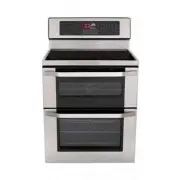
Page 2 - Staple your receipt here.; Product Registration Information; I N T R O D U C T I O N
2 Staple your receipt here. Product Registration Information Model: Serial Number:Date of Purchase: I N T R O D U C T I O N IMPORTANT SAFETY INFORMATION .... 3-9 SURFACE CONTROLS COOKING Locations of Surface Elements and Controls ............ 10Hot Surface Indicator ....................................
Page 3 - ENGLISH; I M P O R TA N T S A F E T Y I N F O R M AT I O N; SAFETY PRECAUTIONS; READ ALL INSTRUCTIONS BEFORE USE; This symbol will alert you to hazards or unsafe practices which; CAUTION; cause bodily injury or property damage.; WARNING
3 ENGLISH I M P O R TA N T S A F E T Y I N F O R M AT I O N SAFETY PRECAUTIONS • This appliance is not intended for use by persons (including children) with reduced physical, sensory or mental capabilities, or lack of experience and knowledge, unless they have been given supervision or instruction c...
Page 5 - ELECTRICAL SAFETY; DEEP FAT FRYERS
5 ENGLISH I M P O R TA N T S A F E T Y I N F O R M AT I O N READ ALL INSTRUCTIONS BEFORE USE ELECTRICAL SAFETY • Protective Liners. Do not use aluminum foil or any other material to line the oven bottoms. Improper installation of these liners may result in a risk of electric shock or fire. • Do Not ...
Page 6 - SURFACE COOKING UNITS
6 I M P O R TA N T S A F E T Y I N F O R M AT I O N READ ALL INSTRUCTIONS BEFORE USE SURFACE COOKING UNITS • Use Proper Pan Sizes. This appliance is equipped with one or more surface units of different size. Select utensils having flat bottoms large enough to cover the surface unit heating element. ...
Page 7 - CHILD SAFETY
7 ENGLISH I M P O R TA N T S A F E T Y I N F O R M AT I O N READ ALL INSTRUCTIONS BEFORE USE CHILD SAFETY GLASS/CERAMIC COOKING SURFACES • DO NOT TOUCH SURFACE UNITS OR AREAS NEAR UNITS. Surface units may be hot even though they are dark in color. Areas near surface units may become hot enough to ca...
Page 8 - GLASS/CERAMIC COOKING SURFACES
8 I M P O R TA N T S A F E T Y I N F O R M AT I O N READ ALL INSTRUCTIONS BEFORE USE GLASS/CERAMIC COOKING SURFACES (cont') • DO NOT place aluminum foil or plastic items such as salt and pepper shakers, spoon holders, or plastic wrappings or any other material on the range when it is in use. • Make ...
Page 9 - SAFETY WHEN CLEANING
9 ENGLISH I M P O R TA N T S A F E T Y I N F O R M AT I O N READ ALL INSTRUCTIONS BEFORE USE SAFETY WHEN CLEANING • Open window or turn on a ventilation fan or hood before self cleaning. • Do Not Use Oven Cleaners. No commercial oven cleaner or oven liner protective coating of any kind should be use...
Page 10 - LOCATIONS OF SURFACE ELEMENTS AND CONTROLS; S U R FA C E C O N T R O L S C O O K I N G
10 LOCATIONS OF SURFACE ELEMENTS AND CONTROLS The radiant surface elements are located on the cooktop as below. The radiant control pad locations are correlative to Radiant surface elements on the cooktop as shown below. S U R FA C E C O N T R O L S C O O K I N G LOCKOUT OVEN LOCK KIDS MEAL ...
Page 11 - HOT SURFACE INDICATOR
11 ENGLISH To turn on a SINGLE surface unit: (Left Rear, Right Rear) ➊ Press ON/OFF for the desired element position. The display will flash . (If no further pads are pressed within 10 seconds, the display will disappear.) ➋ Press + once to turn on the power level Hi or – once to Lo . ➌ Use the – / ...
Page 13 - TIPS TO PROTECT THE GLASS/CERAMIC COOKTOP SURFACE; Cleaning; GLASS/CERAMIC COOKTOP SURFACE; Cooktop Surface Notes:
13 ENGLISH TIPS TO PROTECT THE GLASS/CERAMIC COOKTOP SURFACE Cleaning (See pages 44~46 for more information). Before first use, clean the cooktop.Clean your cooktop daily or after each use. This will keep your cooktop looking good and can prevent damage.If a spillover occurs while cooking, immediate...
Page 14 - COOKING AREAS; HOME CANNING TIPS; USING THE PROPER COOKWARE
14 COOKING AREAS The cooking areas on your range are identified by permanent circles on the glass cooktop surface. For the most efficient cooking, fit the pan size to the element size. Pans should not extend more than 1 / 2 to 1-inch beyond the cooking area. When a control is turned on, a glow can b...
Page 15 - PARTS AND FEATURES; P A R T S A N D F E AT U R E S
15 ENGLISH PARTS AND FEATURES P A R T S A N D F E AT U R E S Insert Broil Pan Broiler Pan Standard rack(2ea) Template Screws (6 ea) Anchors (6 ea) Meat Probe Anti-tip bracket Rotating Rack Warming Zone Element Automatic oven light switchGasket Lower oven door Anti-tip bracket Ceramic glass Name &...
Page 16 - CONTROL PANEL FEATURES; UPPER OVEN; LOWER OVEN
16 CONTROL PANEL FEATURES P A R T S A N D F E AT U R E S READ THE INSTRUCTIONS CAREFULLY BEFORE USING THE OVEN. For satisfactory use of your oven, become familiar with the various features and functions of the oven as described below. Detailed instructions for each feature and function are listed in...
Page 17 - COMMON FUNCTION
17 ENGLISH CONTROL PANEL FEATURES (cont') COMMON FUNCTION CLOCK : Use to set the time of day. SETTING : Use to set the time of day. START TIME : Use to set delay time. (Bake, Conv. Bake/Roast, Self clean only) COOK TIME : Use to set the length of the cook time. (Bake, Conv. Bake/Roast only) START : ...
Page 18 - How to set the Clock; MINIMUM & MAXIMUM DEFAULT SETTINGS; O P E R AT I N G I N S T R U C T I O N S; CLOCK
18 CLOCK How to set the Clock The clock must be set to the correct time of day for the automatic oven timing functions to work properly. The time of day cannot be changed during a timed baking or Self Clean cycle. ➊ Touch the CLOCK pad once to set. ➋ Touch the number pad to enter the time. Touch the...
Page 20 - SPECIAL FEATURES OF YOUR OVEN CONTROL; SETTING
20 How to set convection auto conversion function(For the Lower oven only) When using convection bake and roast, the Convection Auto Conversion feature will automatically convert entered regular baking temperatures to convection baking temperatures. This feature is activated so that the display will...
Page 21 - How to select language; How to set preheating alarm light ON/OFF; How to adjust beeper volume
21 ENGLISH O P E R AT I N G I N S T R U C T I O N S SPECIAL FEATURES OF YOUR OVEN CONTROL (cont') How to select language Your oven control is set to display in English but you may change this to display in Spanish or French. ➊ Touch the SETTING pad 4 times, "Lng" will appear in the display. ...
Page 23 - BAKE; Displays of the BAKE mode
23 ENGLISH BAKE (For both the Upper & Lower oven) Baking is done with the lower element only, except during pre-heat the broil element is added to reduce pre- heat times. Convection fan also run during preheat in the lower oven. Bake is used to prepare foods such as pastries, bread, casseroles, ...
Page 24 - BAKING LAYER CAKES; Baking Chart
24 BAKING LAYER CAKES O P E R AT I N G I N S T R U C T I O N S Baking results will be better if baking pans are centered in the oven as much as possible. If baking with more than one pan, place the pans so each has at least 1” to 1 1 / 2 ” of air space around it.If cooking on multiple racks, place t...
Page 25 - BROIL; To set the oven to Broil.; Displays of the BROIL mode; SPEED
25 ENGLISH O P E R AT I N G I N S T R U C T I O N S BROIL (For both the Upper & Lower oven) Broil uses an intense heat radiated from the upper heating element. The Broil function works best when broiling thing tender cuts of meat (1” or less), poultry or fish. IMPORTANT NOTE: • Meat probe cannot...
Page 26 - RECOMMENDED BROILING GUIDE
26 O P E R AT I N G I N S T R U C T I O N S RECOMMENDED BROILING GUIDE The size, weight, thickness, starting temperature, and your preference of doneness will affect broiling times. This guide is based on meats at refrigerator temperature.For best results when broiling, use a pan designed for broili...
Page 27 - CONVECTION BAKE; Benefits of Convection Bake:; Displays of the CONV. BAKE mode
27 ENGLISH O P E R AT I N G I N S T R U C T I O N S CONVECTION BAKE (For the Lower Oven only) Convection baking uses a fan to circulate the oven's heat evenly and continuously within the oven. This improved heat distribution allows for even cooking and excellent results using multiple racks at the s...
Page 28 - Convection Baking Chart
28 CONVECTION BAKE (For the Lower Oven only) (cont') NO TE: • Reduce standard recipe temperature by 25°F for Convection Bake. Temperatures have been adjusted in this chart. oven rack cooking may slightly increase cook times for some foods, but the overall result is time saved. O P E R AT I N G I N S...
Page 29 - CONVECTION ROAST; ROAST; Displays of the CONV. ROAST mode
29 ENGLISH CONVECTION ROAST (For the Lower Oven only) The CONV Roast feature is designed to give optimum roasting performance. The Convection Roast feature combines a cooking with the convection fan to roast meats and poultry. The heated air circulates around the food from all sides, sealing in juic...
Page 30 - Convection Roasting Chart
30 CONVECTION ROAST (For the Lower Oven only) (cont') Convection Roasting Chart O P E R AT I N G I N S T R U C T I O N S Beef Pork Poultry 325℉ 325℉ 325℉325℉ 325℉ 325℉325℉ 325℉325℉325℉325℉375℉375℉325℉ 3 to 5 lbs. 3 to 5 lbs. 2 to 3 lbs. 3 to 5 lbs.3 to 5 lbs.3 to 5 lbs. 2 1 / 2 to 3 1 / 2 lbs. 2 1 /...
Page 31 - TIMED COOK; When Timed Cook finishes:
31 ENGLISH TIMED COOK (For both the Upper & Lower oven) This feature is available only for UPPER&LOWER BAKE, LOWER CONVECTION BAKE/ROAST and FAVORITE mode. This guide is applied to UPPER&LOWER BAKE, LOWER CONVECTION BAKE/ROAST and FAVORITE mode equally. The oven will turn on immediately ...
Page 32 - DELAYED TIMED COOK; When the Delayed Timed Cook finishes:
32 DELAYED TIMED COOK (For both the Upper & Lower oven) This feature is available only for UPPER&LOWER BAKE and LOWER CONVECTION BAKE/ROAST mode. This guide is applied to UPPER&LOWER BAKE and LOWER CONVECTION BAKE/ROAST mode equally. The automatic timer of the Delayed Timed Cook will tur...
Page 33 - KIDS MEAL; Displays of the KIDS MEAL mode
33 ENGLISH KIDS MEAL (For the Upper oven only) Kids meal is used when cooking certain food items especially for kids. Kids meal adds the oven from top to bottom to give more evenly browned foods. This is designed to give the most optimum cooking performance for the foods selected by automatic combin...
Page 34 - To set Warm feature after timed cooking; WARM; PROOF; Displays of the WARM mode
34 WARM (For both the Upper & Lower oven) The WARM function will maintain an oven temperature of 170°F. This function should not be used to reheat cold food. The Warm function will keep cooked food warm for serving up to 3 hours after cooking has finished. After 3 hours the WARM function will sh...
Page 35 - Displays of the PROOF mode
35 ENGLISH PROOF (For the Lower oven only) The Proof feature maintains a warm environment for rising yeast leavened products before baking. To avoid lowering the oven temperature and lengthening proofing time, do not open the oven door unnecessarily. Check bread products early to avoid over-proofing...
Page 36 - HEALTHIER ROAST; HEALTHIER
36 HEALTHIER ROAST (For the Lower oven only) The Healthier Roast function is designed to give you reduced fat content in roasts and poultry. Healthier Roast can reduce the fat up to 20% compared to regular roasting. The amount of fat reduced from the meat may vary depending on the type and cut of me...
Page 37 - SABBATH MODE; To use the oven for SABBATH MODE; To change the Bake Temperature while; Displays of the SABBATH MODE
37 ENGLISH SABBATH MODE (For both the Upper & Lower Oven) Sabbath mode is used on the Jewish Sabbath and Holidays. After the Sabbath mode is activated all function keys except UPPER and LOWER CLEAR OFF are inactive. Sb will appear in both the cooktop and oven displays. NOTE: If the cooktop had b...
Page 38 - MEAT PROBE; To change oven temperature during cooking:; PROBE; Displays of the PROBE mode
38 MEAT PROBE The meat probe accurately measures the internal temperature of roasts, poultry and casseroles. This feature is available only for LOWER BAKE and LOWER CONVECTION BAKE/ROAST mode. It should not be used during broiling, Self Clean, warming or proofing. Always unplug and remove the meat p...
Page 39 - TO TURN ON or OFF THE OVEN LIGHT; FAVORITE
39 ENGLISH MEAT PROBE (cont') O P E R AT I N G I N S T R U C T I O N S FAVORITE (For the Lower oven only) ➊ Place the food in the oven. ➋ Touch FAVORITE once for Bread, twice for Meat, and 3 times for Chicken. Default temperature will appear and COOK will flash. ➌ Press the number pads to set the de...
Page 40 - Oven & Cooktop LOCKOUT FEATURE; Activate the lock out feature:; Deactivate normal oven operation:
40 Oven & Cooktop LOCKOUT FEATURE (For both the Upper, Lower oven & Cooktop) The START pad controls the Oven and Cooktop Lockout Feature. The Oven and Cooktop Lockout features locks out both Oven doors and prevents the cooktop elements from being turned on. It does not disable the clock, tim...
Page 41 - SELF CLEAN; Before a Self Clean Cycle
41 ENGLISH SELF CLEAN (For both the Upper & Lower oven) The self clean cycle uses above normal cooking temperatures to clean the oven cavity. You may see some smoke and smell an odor the first few times the oven is cleaned. This is normal and will lessen in time. Smoke may also occur if the oven...
Page 42 - During the Self Clean cycle; Displays of the SELF CLEAN mode
42 The UPPER & LOWER SELF CLEAN pad is used to start a Self Clean cycle. When used with START TIME pad, a delayed Self Clean cycle may also be programmed. The Self- Clean function has cycle times of 3, 4, or 5 hours. To start an immediate UPPER or LOWER SELF CLEAN cycle and shut off automaticall...
Page 43 - When the self clean cycle is done
43 ENGLISH SELF CLEAN (For both the Upper & Lower oven) (cont') O P E R AT I N G I N S T R U C T I O N S If it becomes necessary to stop or interrupt a selfcleaning cycle due to excessive smoke or fire in the oven: ➊ Touch UPPER & LOWER CLEAR OFF. ➋ After the oven has cooled down, the DOOR L...
Page 44 - M A I N T E N A N C E; Changing the Oven Light
44 CARE & CLEANING M A I N T E N A N C E Changing the Oven Light The oven light is a standard 40-watt appliance bulb. It will come on when the oven door is open. When the oven door is closed, press UPPER or LOWER OVEN LIGHT to turn it on or off. To replace: • Make sure oven and bulb are cool. 1....
Page 45 - Oven Racks; CLEANING THE GLASS/CERAMIC COOKTOP; Normal Daily Use Cleaning
45 ENGLISH CARE & CLEANING (cont') M A I N T E N A N C E Oven Racks Remove the oven racks before operating the selfclean cycle. Leaving the racks in place could cause discoloration, and, if food is spilled into the tracks, could causes the racks to become stuck. If left, clean by using a mild, a...
Page 46 - Metal Marks and Scratches
46 CLEANING THE GLASS/CERAMIC COOKTOP (cont') M A I N T E N A N C E Burned-On ResidueTo clean the glass/ceramic cooktop Step. 1 First remove any burnt-on deposits or spilled food from your glass/ceramic cooking surface with a suitable metal razor scraper (similar to scraping paint off of your window...
Page 47 - REMOVING & REPLACING THE LIFT-OFF OVEN DOOR
47 ENGLISH REMOVING & REPLACING THE LIFT-OFF OVEN DOOR M A I N T E N A N C E UPPER OVEN To remove the door: Step. 1 Fully open the door. Step. 2 Lift up on the hinge lock toward the oven frame until they stop. Step. 3 Close the door to 30 degrees (you will feel the door stop). The hinge lock wil...
Page 48 - DOOR CARE INSTRUCTIONS; Read the following recommendations:
48 LOWER OVEN To remove the door: Step. 1 Fully open the door. Step. 2 Pull the hinge locks up toward the door frame to the unlocked position. Step. 3 Firmly grasp both sides of the door at the top. Step. 4 Close door to the door removal position, which is approximately 5 degrees. Step. 5 Lift door ...
Page 49 - BEFORE CALLING FOR SERVICE; T R O U B L E S H O O T I N G; Problem
49 ENGLISH BEFORE CALLING FOR SERVICE Before you call for service, review this list.It may save you time and expense. The list includes common occurrences that are not the result of defective workmanship or materials in this appliance. T R O U B L E S H O O T I N G Problem Range is not level. Cannot...
Page 50 - Possible Causes / Solutions
50 BEFORE CALLING FOR SERVICE (cont') T R O U B L E S H O O T I N G Problem Oven will not work Steam is exhausted through the oven vent. Appliance does not operate. Oven control displays PF message. Oven light does not work. Oven smokes excessively during broiling. Food does not bake or roast proper...
Page 53 - LG ELECTRIC OVEN LIMITED WARRANTY – USA
53 ENGLISH LG ELECTRIC OVEN LIMITED WARRANTY – USA LG Electronics Inc.will repair or replace your product,at LG’s option,if it proves to be defective in material orworkmanship under normal use, during the warranty period set forth below, effective from the date of original consumerpurchase of the pr...
Page 54 - M E M O
Page 55 - Register your product Online!
Printed in Mexico www.lg.com Register your product Online! LG Customer Information Center 1-800-243-00001-888-865-30261-888-542-2623 USA, Consumer UserUSA, Commercial UserCANADA