Page 2 - TABLE OF CONTENTS; IMPORTANT SAFETY
TABLE OF CONTENTS 2 4 IMPORTANT SAFETY INSTRUCTIONS 4 READ ALL INSTRUCTIONS BEFORE USE 4 Safety Messages4 Anti-tip Device 5 WARNING 5 Installation5 Operation6 Maintenance6 Risk of Fire and Flammable Materials 7 CAUTION 7 Operation7 Maintenance 8 PRODUCT OVERVIEW 8 Product Features 8 Exterior & I...
Page 3 - 1 SMART FUNCTIONS; 5 MAINTENANCE; 7 TROUBLESHOOTING; 5 LIMITED WARRANTY
3 42 Broil43 Recommended Broiling Guide45 Proof45 Warm46 Keep Warm46 Air Fry47 Recommended Air Frying Guide48 Air Sous-Vide49 Recommended Air Sous-Vide Guide49 Frozen Meal50 Remote Start50 Using the Sabbath Mode 51 SMART FUNCTIONS 51 LG ThinQ Application 51 LG ThinQ Application Features51 Before Usi...
Page 4 - IMPORTANT SAFETY INSTRUCTIONS; READ ALL INSTRUCTIONS BEFORE USE; Safety Messages; WARNING
4 IMPORTANT SAFETY INSTRUCTIONS IMPORTANT SAFETY INSTRUCTIONS READ ALL INSTRUCTIONS BEFORE USE Download this owner's manual at http://www.lg.com Safety Messages Your safety and the safety of others are very important. We have provided many important safety messages in this manual and on your applian...
Page 5 - Installation; Operation
5 IMPORTANT SAFETY INSTRUCTIONS ENG LI SH • Do not step or sit on the oven door. The range could be tipped and injury might result from spilled hot liquid, food, or the range itself. • Never remove the oven legs. The range will not be secured to the anti-tip bracket if the legs are removed. WARNING ...
Page 6 - Maintenance; Risk of Fire and Flammable Materials
6 IMPORTANT SAFETY INSTRUCTIONS • Never attempt to dry a pet in the oven.• Never use your appliance for warming or heating the room.• Always use pot holders or oven mitts when removing food from the oven or the surface element. Cookware will be hot. Use only dry pot holders. Moist or damp pot holder...
Page 7 - SAVE THESE INSTRUCTIONS; CAUTION
7 IMPORTANT SAFETY INSTRUCTIONS ENG LI SH SAVE THESE INSTRUCTIONS • Wear proper apparel. Do not wear loose-fitting or hanging garments, which may ignite if they contact hot surfaces, and cause severe burns. • Do not use the oven for drying clothes. Only use the oven for its intended purpose.• If cab...
Page 8 - PRODUCT OVERVIEW; Product Features; Product Specifications
8 PRODUCT OVERVIEW PRODUCT OVERVIEW Product Features Exterior & Interior a Cooktop b Cooktop Controller c Oven Door d Storage Drawer e Oven Mode Knob f Gasket g Broil Heater h Convection Heater i Model & Serial Number Plate Product Specifications The appearance and specifications listed in t...
Page 9 - Accessories; Included Accessories; NOTE
9 PRODUCT OVERVIEW ENG LI SH Accessories Included Accessories a Heavy Duty Rack (2 ea) b Air Fry Tray (1 ea) c Meat Probe (1 ea) d Owner’s Manual (1 ea) e Non-scratch Scouring Pad (1 ea) f Cooktop Cleaner (1 ea) g Rear Filler (1 ea) h Gliding Rack (1 ea) Optional Accessories a Grid b Broiler Pan NOT...
Page 10 - INSTALLATION; Before Installing; Installation Overview
10 INSTALLATION INSTALLATION Before Installing Installation Overview Please read the following installation instructions first after purchasing this product or transporting it to another location.The images in this guide may be different from the actual components and accessories, which are subject ...
Page 11 - Parts; Parts Provided; Unpacking and Moving the Range
11 INSTALLATION ENG LI SH h Drill i Safety Glasses j Gloves Parts Parts Provided a Template (1 ea) b Anti-tip Bracket Kit (1 ea) c Anchor Sleeves (6 ea) d Lag Bolts (6 ea) Parts Not Provided a 4-Wire Cord or 3-Wire Cord (UL approved 40 or 50 AMP) b Strain Relief (for conduit installations only) NOTE...
Page 13 - Choosing the Proper Location; Dimensions and Clearances
13 INSTALLATION ENG LI SH Choosing the Proper Location Dimensions and Clearances Dimensions - Dimensions LSIS6338 A Width 29 7/8" (758.8 mm) B Height 37 1/4" (946 mm) C Depth (Includes Door Handle) 29 3/8" (745.2 mm) D Height (Excludes Vent Trim) 36" (913.0 mm) E Depth (Includes only...
Page 14 - Minimum Dimensions
14 INSTALLATION Minimum Dimensions NOTE • a 30" (76.2 cm) minimum clearance between the top of the cooking surface and the bottom of an unprotected wood or metal cabinet; or 24" (60.9 cm) minimum when bottom of wood or metal cabinet is protected by not less than 1/4" (6.4 cm) flame retar...
Page 15 - Clearances; Electricity; Ambient Temperature
15 INSTALLATION ENG LI SH Clearances Electricity The range should always be plugged into its own individual properly grounded electrical outlet.• This prevents overloading house wiring circuits which could cause a fire hazard from overheated wires.• It is recommended that a separate circuit serving ...
Page 16 - Leveling; Leveling the Range; Checking Adjustments; Connecting Electricity; Electrical Requirements; Specified Power Cord Kit Rating
16 INSTALLATION Leveling Leveling the Range Level the range by adjusting the leveling legs with a wrench. Extending the legs slightly may also make it easier to insert the rear leg into the anti-tip bracket. Checking Adjustments 1 Place the level diagonally on the oven rack, and check each direction...
Page 17 - Connecting the Power Cord /
17 INSTALLATION ENG LI SH • Diameter (inches) of range connection opening - Power cord: 1 3/8"- Conduit: 1 1/8" Case 4 • Voltage: 120/208 volts (3-wire)• Range rating: 12,501 W - 18,500 W• Specified rating of power supply-cord kit, amperes: 50 A • Diameter (inches) of range connection openin...
Page 21 - Optional Rear Filler; Installing the Rear Filler; Installing the Anti-tip Device; Tip Hazard
21 INSTALLATION ENG LI SH Tighten the 3 screws securely into the terminal block. (approximately 35 - 50 IN-LB) a Black b White c Red d Terminal Block e Wire Ends f Ground Strap g Conduit Connection Plate h Ground Screw i Ground Wire j Bend strap up and attach. Optional Rear Filler Installing the Rea...
Page 22 - Using the Anti-Tip Bracket Template; Test Run; Test the Range Before Use
22 INSTALLATION WARNING • Engage the range to the anti-tip device by following the guide on the anti-tip bracket template. Ensure the anti-tip device is re- engaged when the range is moved by following the guide on the anti-tip bracket template. • Re-engage the anti-tip device if the range is moved....
Page 24 - OPERATION; Control Panel; Control Panel Features
24 OPERATION OPERATION Control Panel Control Panel Features Model: LSIS6338 a Display Press any button on the control panel to activate the display. b Control Lock Press and hold the button for 3 seconds to lock the control panel. c Cook Time Press the button to set the desired amount of time for fo...
Page 25 - Knob Features; Knob Lighting
25 OPERATION ENG LI SH Knob Features After cleaning the oven knobs, make sure to replace each knob in the correct position. Failure to do so can result in improper operation of the burners. a Burner On Indicator b Hot Surface Indicator Knob Lighting Knob lighting illuminates the edge of the knob whe...
Page 26 - Changing Oven Settings; Clock; Oven Light
26 OPERATION Changing Oven Settings Clock The clock must be set to the correct time of day in order for the automatic oven timing functions to work properly. 1 Press Clock 2 Press the numbers to enter the time. For example, to set the clock for 10:30, press the numbers: 1, 0, 3 and 0. 3 Press START ...
Page 27 - Auto Conversion, Oven; Setting the Hour Mode
27 OPERATION ENG LI SH 5 To disconnect the appliance from the network, delete it from the connected appliances in the app. NOTE • See the Smart Functions section in the owner’s manual for more details. Settings (Hour Mode, Convection Auto Conversion, Oven Temperature, Preheat Alarm Light, Beeper Vol...
Page 30 - Minimum & Maximum Default Settings
30 OPERATION Minimum & Maximum Default Settings All of the features listed have a minimum and a maximum time or temperature setting that may be entered into the control. An entry acceptance beep sounds each time a control button is pressed.An entry error tone (two short tones) sounds if the entr...
Page 31 - Cooktop; Precautions when using the; Pan Preheat Recommendations
31 OPERATION ENG LI SH Cooktop Precautions when using the Cooktop WARNING Before Cooking • Do not cook on a broken cooktop. If the cooktop is broken, cleaning solutions and spillovers may penetrate the broken cooktop and create a risk of electric shock. Contact a qualified technician immediately. Du...
Page 32 - Noises during Cooktop Operation; Hot Cookware and Residual Heat; Cooking Areas
32 OPERATION Noises during Cooktop Operation • Induction Sound : The electronic processes involved with induction cooking create some unfamiliar background noises such as a slight buzzing sound. These noises are a normal part of the induction cooking process. • Cookware Vibration Sound : Some cookwa...
Page 33 - Induction Cookware Types; Cookware Placement
33 OPERATION ENG LI SH manufacturer as "induction ready" or "induction capable", or that is marked by the manufacturer as specifically designed for induction cooking. The base material of the cookware must be magnetic for the cooking elements to activate. Use a magnet to check if the...
Page 34 - Pan Sensing
34 OPERATION Pan Sensing The cooking-element sensors located below the cooktop surface require certain cookware conditions to be met before the induction cooking elements can operate.The cooking zone LED bar may display a pan sensing error message. If a cooking element is activated and no cookware i...
Page 35 - Cookware Heating Indicator Level; Home Canning
35 OPERATION ENG LI SH The pan must make full contact with the glass surface without the bottom of the pan touching the metal cooktop trim. If the correct induction cookware—centered on any of the active cooking elements—is too small, the affected cooking element’s LED bar fluctuates and the pan doe...
Page 36 - Using the Cooking Elements; Turning On Cooking Elements (Except; Cooking Element LED Bar; Hot Surface Indicator; The Recommended Surface Cooking
36 OPERATION highest heat setting. Once the water is boiling, reduce the heat as much as possible while maintaining the boil. • It is best to can small amounts and keep the canner light enough to lift. • Do not leave the water bath or pressure canners on high heat for extended periods. • Alternate s...
Page 37 - Power Management; Turning on the Warm Zone; Oven; Before Using the Oven
37 OPERATION ENG LI SH Power Management The cooking zones, which consist of paired cooking elements, are restricted to drawing a certain maximum amount of power.If you turn on the Boost function for one element while its paired element is in use, the Power Management function may automatically reduc...
Page 38 - Oven Vent
38 OPERATION NOTE • The heat turns off if the door is left open during baking. If the door is left open for longer than 30 seconds during baking, the heat turns off. The heat turns back on automatically once the door is closed. • Avoid opening the oven door more than necessary during use. This helps...
Page 39 - Bake
39 OPERATION ENG LI SH Bake Bake is used to prepare foods such as pastries, breads and casseroles.The oven can be programmed to bake at any temperature from 170 ℉ (80 ℃ ) to 550 ℉ (285 ℃ ). The default temperature is 350 ℉ (175 ℃ ). Setting the Bake Function (For example, to bake at 375 ℉ ) 1 Turn t...
Page 40 - Tips for Convection Roasting; Meat Probe; Setting the Meat Probe Function; Changing the Probe Temperature
40 OPERATION • When using Convection Bake, place the oven racks in the positions suggested in the charts in this manual. • Multiple oven rack cooking may slightly increase cook times for some foods. • Cakes, cookies and muffins have better results when using multiple racks. The Convection Roast feat...
Page 41 - IMPORTANT NOTE; Recommended Probe Temperature; Pork; Recommended Baking and; Rack and Pan Placement
41 OPERATION ENG LI SH 4 Set the probe temperature. 5 Press Start . IMPORTANT NOTE Turn the oven mode knob to the OFF position to cancel the Meat Probe function at any time. To avoid breaking the probe, make sure food is completely defrosted before inserting. CAUTION • Always use an oven mitt to rem...
Page 42 - Roasting Rack Guide; Broil
42 OPERATION Roasting Rack Guide Broil The Broil function uses intense heat from the upper heating element to cook food. Broiling works best for tender cuts of meat, fish, and thinly cut vegetables.Some models may feature a hybrid broiler consisting of an inner broiler that utilizes a carbon heating...
Page 43 - Recommended Broiling Guide
43 OPERATION ENG LI SH • Always run your cooktop ventilation system or vent hood during broiling. • Keep the interior of your oven as clean as possible. Leftover debris from prior meals can burn or catch fire. • Avoid fatty marinades and sugary glazes. Both of these will increase the amount of smoke...
Page 45 - Proof; Setting the Proof Function; Warm; Setting the Warm Function
45 OPERATION ENG LI SH - For bone-in steaks or chops that have been frenched (all meat removed from around the bone), wrap the exposed sections of bone in foil to reduce burning. • Seafood - When broiling skin-on fish, always use the Lo broil setting and always broil the skin side last.- Seafood is ...
Page 46 - Keep Warm; Setting the Keep Warm Function after; Air Fry; Setting the Air Fry Function; Tips for Air Fry
46 OPERATION Keep Warm This function maintains an oven temperature of 170 °F. The Keep Warm function will keep cooked food warm for serving up to 3 hours after cooking has finished. The Keep Warm function should be used with any other cooking operations. The Keep Warm function can be used after cook...
Page 47 - Recommendations When Air Frying; Recommended Air Frying Guide
47 OPERATION ENG LI SH Reduce the cooking time by about 20 percent, check food early, and adjust cooking time as needed. • Use a food thermometer to make sure food has reached a safe temperature for consumption. Eating undercooked meats can increase your risk of food-borne illness. • For the crispie...
Page 49 - Benefits of Air Sous-Vide; Recommended Air Sous-Vide Guide; Setting the Frozen Meal Function
49 OPERATION ENG LI SH • It is not necessary to preheat the oven when using Air Sous-Vide. • Refer to the cooking guide for recommended Air Sous-Vide settings. Benefits of Air Sous-Vide The lower temperatures and long cooking times used in Air Sous-Vide cooking provide many benefits.• Healthier - Co...
Page 50 - Remote Start; Setting Remote Start; Using the Sabbath Mode
50 OPERATION 4 When cooking is complete, turn the oven mode knob to the OFF position. NOTE • To cancel the Frozen Meal function during use, turn the oven mode knob to the OFF position at any time. Remote Start This feature starts preheating and maintains the temperature for up to 12 hours (including...
Page 51 - SMART FUNCTIONS; LG ThinQ Application; LG ThinQ Application Features; Before Using LG ThinQ Application
51 SMART FUNCTIONS ENG LI SH SMART FUNCTIONS LG ThinQ Application This feature is only available on models with Wi-Fi.The LG ThinQ application allows you to communicate with the appliance using a smartphone. LG ThinQ Application Features • Smart Diagnosis TM - This function provides useful informati...
Page 52 - Installing the LG ThinQ Application; RF Module Specifications
52 SMART FUNCTIONS NOTE • If the appliance cannot be connected due to problems with the wireless signal transmission, unplug the appliance and wait about a minute before trying again. • If the firewall on your wireless router is enabled, disable the firewall or add an exception to it. • The wireless...
Page 53 - FCC Notice; Smart Diagnosis
53 SMART FUNCTIONS ENG LI SH However, there is no guarantee that interference will not occur in a particular installation.If this equipment does cause interference to radio or television reception, which can be determined by turning the equipment off and on, the user is encouraged to try to correct ...
Page 54 - Using LG ThinQ to Diagnose Issues
54 SMART FUNCTIONS factors such as, but not limited to, Wi-Fi unavailability, Wi-Fi disconnection, local app store policy, or app unavailability. • The feature may be subject to change without prior notice and may have a different form depending on where you are located. Using LG ThinQ to Diagnose I...
Page 55 - MAINTENANCE; Cleaning; Interior; Exterior; Painted and Decorative Trim
55 MAINTENANCE ENG LI SH MAINTENANCE Cleaning CAUTION • Do not clean this appliance with bleach.• To prevent burns, wait until the cooktop has cooled down before touching any of its parts. • Always wear gloves when cleaning the cooktop. Interior Do not use oven cleaners to clean the oven cavity. Use...
Page 56 - Oven Door; Broiler Pan and Grid; Vent Louvers
56 MAINTENANCE NOTE • Always wipe in the direction of the metal surface finish. • Stainless steel appliance cleaner or polish can be purchased online or from most retailers of appliances or home goods. Oven Door CAUTION • Do not use harsh cleaners or harsh abrasive cleaning materials on the outside ...
Page 57 - Cooktop Surface; Glass-Ceramic Cooktop
57 MAINTENANCE ENG LI SH Cooktop Surface Glass-Ceramic Cooktop WARNING • To protect hands from burns, always wear oven mitts or use pot holders while using a scraper on the hot cooking surface. CAUTION • If any sugar or food containing sugar spills, or plastic or foil melts on the cooktop, remove th...
Page 58 - Maintaining the Cooktop
58 MAINTENANCE NOTE • Do not use a dull or nicked blade.• Hold the scraper at approximately a 30° angle to the cooktop.• The razor scraper will not damage the markings on the cooking surface. 2 When the cooking surface has completely cooled, apply a few dime-sized dabs of a glass-ceramic cooktop cle...
Page 59 - Metal Marks and Scratches; Benefits of EasyClean
59 MAINTENANCE ENG LI SH Metal Marks and Scratches CAUTION • Always use heavier gauge, high-quality cookware on the cooking elements and do not slide it on the ceramic cooktop surface. Even high-quality cookware can scratch the cooktop surface. • Any cookware that has a rough or dirty bottom can mar...
Page 60 - When to Use EasyClean
60 MAINTENANCE When to Use EasyClean • Example of oven soiling Case 1 - Soil pattern: Small drops or spots- Types of soils: Cheese or other ingredients- Common food items that can soil your oven: Pizza Case 2 - Soil pattern: Light splatter- Types of soils: Fat/grease- Common food items that can soil...
Page 61 - Self Clean; Before Starting Self Clean
61 MAINTENANCE ENG LI SH • During the EasyClean cycle, the oven becomes hot enough to cause burns. Wait until the cycle is over before wiping the inside surface of the oven. Failure to do so may result in burns. • Avoid leaning or resting on the oven door glass while cleaning the oven cavity. 7 A to...
Page 62 - When to Use Self Clean
62 MAINTENANCE WARNING • If the oven is heavily soiled with oil, self-clean the oven before using the oven again. The oil could cause a fire. • If there is a fire in the oven during self-clean, turn the oven off and wait for the fire to go out. Do not force the door open. Introduction of fresh air a...
Page 63 - Setting Self Clean; Self Clean Setting Guide; Setting Self Clean with a Delayed Start; Oven Doors; Door Care Instructions
63 MAINTENANCE ENG LI SH Case 2 • Soil pattern: Drops or spots• Types of soils: Filling or sugar based soils• Common food items that can soil your oven: Pies Case 3 • Soil pattern: Drops or spots• Types of soils: Cream or tomato sauce• Common food items that can soil your oven: Casseroles NOTE • The...
Page 64 - Removing Doors; Removing/Assembling Drawers; Removing Drawers
64 MAINTENANCE Removing Doors 1 Fully open the door. 2 Lift up the hinge lock b and flip it towards the hinge arm d completely. a Slot b Hinge Lock c Oven Frame d Hinge Arm 3 Firmly grasp both sides of the door at the top. 4 Partially close the door to approximately 5 degrees a . If the position is ...
Page 65 - Assembling Drawers; Removing/Assembling the Vent; Removing the Vent Trim; Periodic Maintenance; Changing the Oven Light
65 MAINTENANCE ENG LI SH Most cleaning can be done with the drawer in place; however, the drawer may be removed if further cleaning is needed. Use warm water to thoroughly clean. 1 Fully open the drawer. 2 Unscrew the screw a on the side at the back of the drawer. 3 Locate the glide lever on each si...
Page 67 - TROUBLESHOOTING; FAQs; Frequently Asked Questions
67 TROUBLESHOOTING ENG LI SH TROUBLESHOOTING FAQs Frequently Asked Questions CAUTION • Foil may be used to wrap food in the oven or warming drawer, but do not allow the foil to come into contact with the exposed heating/broiling elements in the oven. The foil could melt or ignite, causing smoke, fir...
Page 69 - Before Calling for Service; Cooking
69 TROUBLESHOOTING ENG LI SH Before Calling for Service Review this section before calling for service; doing so will save you both time and money. Cooking A: Yes. The convection fan or heater element may get a little wet during cleaning. However, direct spray onto the broil burner and heater elemen...
Page 73 - Noises
73 TROUBLESHOOTING ENG LI SH Noises Oven light does not work. It is time to replace the lamp or the lamp is loose. • Replace or tighten lamp. See "Changing the Oven Light" section in this Owner’s Manual. Convection fan stops. (During Conv.Bake mode) Convection fan stops during a convection b...
Page 75 - LIMITED WARRANTY; USA; TERMS AND CONDITIONS; THIS LIMITED WARRANTY DOES NOT COVER:
75 LIMITED WARRANTY ENG LI SH LIMITED WARRANTY USA TERMS AND CONDITIONS ARBITRATION NOTICE: THIS LIMITED WARRANTY CONTAINS AN ARBITRATION PROVISION THAT REQUIRES YOU AND LG ELECTRONICS (“LG”) TO RESOLVE DISPUTES BY BINDING ARBITRATION INSTEAD OF IN COURT, UNLESS YOU CHOOSE TO OPT OUT. IN ARBITRATION...
Page 79 - PROCEDURE FOR RESOLVING DISPUTES:
79 LIMITED WARRANTY ENG LI SH The cost of repair or replacement under these excluded circumstances shall be borne by You. TO OBTAIN WARRANTY SERVICE AND ADDITIONAL INFORMATIONCall 1-800-243-0000 and select the appropriate option from the menu.Or visit our website at http://www.lg.com Or by mail: LG ...
Page 83 - MANUAL DEL PROPIETARIO; COCINA ELÉCTRICA; Lea el manual del propietario detenidamente previo a operar el; ESPAÑOL; Escanee el código QR para ver el manual.
MANUAL DEL PROPIETARIO COCINA ELÉCTRICA Lea el manual del propietario detenidamente previo a operar el electrodoméstico y mantengalo al alcance para futuras referencias ESPAÑOL LSIS6338F www.lg.com Copyright © 2022 LG Electronics Inc. Todos los derechos reservados Escanee el código QR para ver el ma...
Page 84 - ÍNDICE
ÍNDICE 2 4 INSTRUCCIONES IMPORTANTES DE SEGURIDAD 4 LEA TODAS LAS INSTRUCCIONES ANTES DE UTILIZAR 4 Mensajes de Seguridad4 Dispositivo antivuelco 5 ADVERTENCIA 5 Instalación5 Funcionamiento6 Mantenimiento7 Riesgo de incendio y materiales inflamables 7 PRECAUCIÓN 7 Funcionamiento8 Mantenimiento 9 DES...
Page 85 - 6 FUNCIONES INTELIGENTES; 0 MANTENIMIENTO; 3 SOLUCIÓN DE PROBLEMAS; 2 GARANTÍA LIMITADA
3 40 Horno 40 Antes de usar el horno41 Ventilación del horno41 Uso de los estantes del horno41 InstaView42 Bake (Hornear)42 Modo de convección43 Meat Probe (Sonda para carne)44 Guía de recomendaciones para hornear y rostizar 45 Broil (Asar)46 Guía de recomendaciones para asar49 Proof (Leudar)49 Warm...
Page 86 - INSTRUCCIONES IMPORTANTES DE SEGURIDAD; LEA TODAS LAS INSTRUCCIONES ANTES DE UTILIZAR; Mensajes de Seguridad; Dispositivo antivuelco; ADVERTENCIA
4 INSTRUCCIONES IMPORTANTES DE SEGURIDAD INSTRUCCIONES IMPORTANTES DE SEGURIDAD LEA TODAS LAS INSTRUCCIONES ANTES DE UTILIZAR Descargue este manual del propietario en http://www.lg.com Mensajes de Seguridad Su seguridad y la de los demás son muy importantes. Tanto en este manual como en el equipo, h...
Page 87 - Instalación; Funcionamiento
5 INSTRUCCIONES IMPORTANTES DE SEGURIDAD ESPAÑOL • No coloque objetos grandes y pesados, como pavos enteros, sobre la puerta del horno abierta. La cocina podría inclinarse hacia adelante y ocasionar lesiones. • No se pare ni se siente sobre la puerta del horno. La cocina podría inclinarse y usted po...
Page 88 - Mantenimiento
6 INSTRUCCIONES IMPORTANTES DE SEGURIDAD • Las hornallas superficiales podrían estar calientes incluso cuando presenten un color oscuro. Las áreas cercanas a las hornallas superficiales podrían calentarse lo suficiente como para causar quemaduras. Durante y después de su uso, NO TOQUE LAS HORNALLAS ...
Page 89 - Riesgo de incendio y materiales inflamables; PRECAUCIÓN
7 INSTRUCCIONES IMPORTANTES DE SEGURIDAD ESPAÑOL • No permita que nadie se suba, pare o cuelgue de la puerta, del cajón de almacenamiento ni de la placa de cocción. Podrían causar daños a la cocina e incluso hacerla caer, lo que generaría lesiones personales graves. • Siempre desconecte la energía d...
Page 90 - GUARDE ESTAS INSTRUCCIONES
8 INSTRUCCIONES IMPORTANTES DE SEGURIDAD GUARDE ESTAS INSTRUCCIONES Mantenimiento • No repare ni reemplace ninguna pieza del electrodoméstico a menos que así se recomiende específicamente en el manual. Un técnico calificado debe estar a cargo de todas las demás tareas de mantenimiento. • No utilice ...
Page 91 - DESCRIPCIÓN GENERAL DEL PRODUCTO; Características del Producto; Interior y exterior
9 DESCRIPCIÓN GENERAL DEL PRODUCTO ESPAÑOL DESCRIPCIÓN GENERAL DEL PRODUCTO Características del Producto Interior y exterior a Placa de cocción b Controlador de la placa de cocción c Puerta del horno d Cajón de almacenamiento e Perilla de modo del horno f Junta g Calentador de asar h Calentador de c...
Page 92 - Accesorios; Accesorios incluidos; NOTA
10 DESCRIPCIÓN GENERAL DEL PRODUCTO Accesorios Accesorios incluidos a Estante resistente (2 c/u) b Estante de freír con aire (1 c/u) c Sonda para carne (1 c/u) d Manual del propietario (1 c/u) e Esponja de limpieza que no raya (1 c/u) f Limpiador para placas de cocción (1 c/u) g Placa trasera (1 c/u...
Page 93 - INSTALACIÓN; Antes de la Instalación; Descripción general de la instalación
11 INSTALACIÓN ESPAÑOL INSTALACIÓN Antes de la Instalación Descripción general de la instalación Lea las siguientes instrucciones de instalación inmediatamente después de adquirir este producto o transportarlo a otra ubicación.Las ilustraciones en esta guía pueden diferir de los componentes y acceso...
Page 94 - Piezas; Piezas incluidas; Desembalaje y traslado de la cocina
12 INSTALACIÓN h Taladro i Gafas de seguridad j Guantes Piezas Piezas incluidas a Plantilla (1 c/u) b Juego del soporte antivuelco (1 c/u) c Casquillos de anclaje (6 c/u) d Pernos tirafondo (6 c/u) Piezas no incluidas a Cable eléctrico de 4 hilos o cable eléctrico de 3 hilos (40 o 50 AMP aprobado po...
Page 96 - Elección de la ubicación adecuada; Dimensiones y Espacios
14 INSTALACIÓN Elección de la ubicación adecuada Dimensiones y Espacios Dimensiones - Dimensiones LSIS6338 A Ancho 29 7/8" (758.8 mm) B Alto 37 1/4" (946 mm) C Profundidad (Incluye manija de la puerta) 29 3/8" (745.2 mm) D Alto (No incluye moldura de ventilación) 36" (913.0 mm) E Pro...
Page 97 - Dimensiones mínimas
15 INSTALACIÓN ESPAÑOL Dimensiones mínimas NOTA • a 30" (76.2 cm) de espacio mínimo entre la parte superior de la superficie de cocción y la parte inferior de un gabinete de madera o metal no protegido; o 24" (60.9 cm) mínimo cuando el fondo del gabinete de madera o metal está protegido por ...
Page 98 - Espacios libres; Electricidad; Suelo; Temperatura ambiente
16 INSTALACIÓN Espacios libres Electricidad La cocina debe estar siempre enchufada en su propio tomacorriente individual con conexión a tierra.• Esto evita sobrecargar los circuitos eléctricos de la vivienda, lo que podría causar un peligro de incendio, debido a los cables sobrecalentados. • Se reco...
Page 99 - Nivelando; Nivelación de la cocina; Verificación de los ajustes; Conexión de electricidad; Requisitos eléctricos; Valores nominales especificados del
17 INSTALACIÓN ESPAÑOL • Antes de instalar la cocina en un área cubierta con linóleo u otro revestimiento sintético para pisos, asegúrese de que este pueda soportar temperaturas de 200 °F (93 °C), como mínimo. Nivelando Nivelación de la cocina Nivele la cocina ajustando las patas de nivelación con u...
Page 100 - Receptáculo eléctrico de pared para; Conexión del cable de
18 INSTALACIÓN • Diámetro (pulgadas) de la abertura de conexión de la cocina- Cable de alimentación: 1 3/8"- Conducto: 1 1/8" Caso 2 • Voltaje: 120/240 voltios (3 hilos)• Tensión nominal de la cocina: 16.501 W - 22.500 W • Corriente nominal especificada del juego del cable de alimentación, a...
Page 101 - Conexión de 3 hilos: Cable de; Conexión de 4 hilos: Cable de
19 INSTALACIÓN ESPAÑOL Luego, instale el conducto a través del cuerpo del pasacables y ajústelo con su anillo. f Anillo g Cuerpo h Placa de conexión del cable/conducto i Conducto Conexión de 3 hilos: Cable de alimentación ADVERTENCIA • El hilo del medio (neutro o tierra) de un cable de alimentación ...
Page 102 - Conexión de 3 hilos: Conducto
20 INSTALACIÓN ADVERTENCIA • Solo debe utilizar un juego de cable de alimentación de 4 conductores con un valor nominal de 120/240 voltios, 50 amperios y marcado para uso en cocinas de conectores de circuito cerrado o terminales de horquilla abiertos con los extremos hacia arriba. El hilo blanco del...
Page 103 - Conexión de 4 hilos: Conducto
21 INSTALACIÓN ESPAÑOL 1 Retire la placa de conexión de conductos de la parte posterior del horno y gírela.• Se debe utilizar el orificio para conductos (1 1/8"). 2 En primer lugar, prepare los hilos del conducto como se indica a continuación. a Placa de conexión del cable/conducto 3 Instale el ...
Page 105 - Relleno trasero opcional; Instalación de la placa trasera; Instalación del dispositivo; Peligro de vuelco
23 INSTALACIÓN ESPAÑOL Relleno trasero opcional Instalación de la placa trasera Si la encimera no cubre la abertura en la pared posterior, se necesitará el kit de placa trasera que se suministra con la cocina empotrable. NOTA • Si la profundidad de la encimera es mayor que 25 3/8", habrá un espa...
Page 106 - Uso de la plantilla de soporte; Prueba de funcionamiento; Pruebe la cocina antes de usarla
24 INSTALACIÓN Uso de la plantilla de soporte antivuelco • Se incluye un soporte antivuelco con una plantilla de instalación. Las instrucciones incluyen la información necesaria para completar la instalación. Lea y siga la hoja de instrucciones de instalación de la cocina. • Los tornillos c deben se...
Page 107 - FUNCIONAMIENTO; Panel de control; Funciones del panel de control
25 FUNCIONAMIENTO ESPAÑOL FUNCIONAMIENTO Panel de control Funciones del panel de control Modelo: LSIS6338 a Pantalla Presione cualquier botón del panel de control para activar la pantalla. b Control Lock Mantenga presionado el botón durante 3 segundos para bloquear el panel de control. c Cook Time P...
Page 108 - Características de las perillas; Luz de perilla
26 FUNCIONAMIENTO Características de las perillas Después de limpiar las perillas del horno, asegúrese de volver a colocarlas en la posición correcta; de lo contrario podría ocasionar un mal funcionamiento de los quemadores. a Indicador Burner On b Indicador Hot Surface Luz de perilla La luz de peri...
Page 109 - Cambio de configuración del; Reloj; Luz del horno
27 FUNCIONAMIENTO ESPAÑOL Cambio de configuración del horno Reloj El reloj debe estar configurado en la hora correcta para que las funciones con temporizador del horno funcionen correctamente. 1 Presione Clock . 2 Presione los números para ingresar la hora. Por ejemplo, para configurar 10:30, presio...
Page 111 - Bloqueo de control
29 FUNCIONAMIENTO ESPAÑOL manera hasta que el horno quede ajustado para su satisfacción. 1 Gire la perilla de modo del horno a la posición Off . 2 Presione Settings a varias veces hasta que AdJU aparezca en la pantalla. 3 Use los botones numéricos b para ingresar la cantidad de grados a los que dese...
Page 112 - Hora de inicio (Cocción programada
30 FUNCIONAMIENTO 3 Para desactivar la función Control Lock , mantenga presionado el botón Control Lock durante tres segundos. Suena la melodía de desbloqueo y se destraban los controles. Hora de inicio (Cocción programada retrasada) El temporizador automático de la función Cocción programada retras...
Page 113 - Cambio de Tiempo de cocción durante la
31 FUNCIONAMIENTO ESPAÑOL 4 Configure el tiempo de horneado: presione 3 y 0 (durante 30 minutos). • El tiempo de horneado se puede configurar para cualquier cantidad de tiempo entre 1 minuto y 11 horas y 59 minutos 5 Presione START . El horno seguirá cocinando durante la cantidad de tiempo configura...
Page 114 - Configuraciones mínimas y máximas predeterminadas
32 FUNCIONAMIENTO Configuraciones mínimas y máximas predeterminadas Todas las funciones detalladas tienen un ajuste mínimo y máximo de tiempo o temperatura que puede ingresarse en el control. Cada vez que se presiona un botón de control, suena un pitido.Suena un tono de error de la entrada (dos tono...
Page 115 - Placa de cocción; Precauciones al utilizar la placa de
33 FUNCIONAMIENTO ESPAÑOL Placa de cocción Precauciones al utilizar la placa de cocción ADVERTENCIA Antes de cocinar • No cocine sobre una placa de cocción dañada. Si la superficie de cocción está dañada, las soluciones de limpieza y todo lo que se derrame pueden penetrar en la placa de cocción con ...
Page 116 - Áreas de cocción; Rapidez y eficacia
34 FUNCIONAMIENTO Recomendaciones para el precalentamiento de la olla La cocción por inducción puede disminuir la cantidad de tiempo necesario para precalentar los utensilios de cocina en comparación con la cocción en una placa de cocción de elementos radiantes o en un quemador de superficie de gas....
Page 117 - Utensilios de cocina de inducción; Tipos de utensilios de cocina de; Colocación de los utensilios de
35 FUNCIONAMIENTO ESPAÑOL Una placa de cocción más fría Tanto si los elementos de cocción por inducción están encendidos como apagados, permanecen más fríos que los elementos radiantes. Prácticamente no se desperdicia calor porque el calor comienza con la presencia de los utensilios de cocina. Limpi...
Page 118 - Detección de ollas
36 FUNCIONAMIENTO cerámica. Corrija el problema antes de intentar utilizar la placa de cocción. Detección de ollas Los sensores de los elementos de cocción ubicados debajo de la superficie de la placa de cocción requieren que se cumplan ciertas condiciones de los utensilios de cocina antes de que lo...
Page 119 - Nivel del indicador de
37 FUNCIONAMIENTO ESPAÑOL La olla debe hacer contacto total con la superficie de vidrio sin que la parte inferior de la olla toque el borde de la superficie de cocción de metal. Si los utensilios de cocina de inducción correctos (centrados en cualquiera de los elementos de cocción activos) son demas...
Page 120 - Conservas caseras; Uso de los elementos de cocción; Encendido de los elementos de cocción; Barra de LED de los elementos de cocción
38 FUNCIONAMIENTO NOTA • El nivel del indicador puede variar según el entorno de uso, la tensión de alimentación y la temperatura de los utensilios de cocina. • El nivel del indicador puede variar de un elemento a otro, incluso para el mismo tipo de utensilios de cocina. • Para una cocción eficiente...
Page 121 - Nivel de potencia Boost; Configuración recomendada de
39 FUNCIONAMIENTO ESPAÑOL para controlar los niveles de potencia de los elementos. Nivel de potencia Boost El modo Boost solo está disponible inmediatamente después de activar un elemento de cocción. Cuando el elemento de cocción se ajusta al modo Boost , la barra de LED parpadea y el modo Boost per...
Page 122 - Encendido de la zona de; Horno; Antes de usar el horno
40 FUNCIONAMIENTO NOTA • Si el calor combinado del horno y de los quemadores de superficie es suficientemente alto, la potencia de los quemadores de superficie se reduce para evitar daños en el producto. • Los dos elementos de un conjunto de elementos emparejados no pueden utilizar el modo Boost al ...
Page 123 - Ventilación del horno
41 FUNCIONAMIENTO ESPAÑOL innecesaria de calor y ahorra el consumo de energía. Ventilación del horno Las áreas cercanas a la ventilación podrían calentarse durante el funcionamiento y causar quemaduras. No bloquee la abertura de ventilación. Evite colocar plásticos cerca de la ventilación, ya que el...
Page 124 - Modo de convección
42 FUNCIONAMIENTO NOTA • Los golpes en el panel de vidrio de la puerta deben ser lo suficientemente fuertes para que se oigan. • Los ruidos fuertes cerca del horno pueden activar la función InstaView. Bake (Hornear) La función Hornear se utiliza para preparar alimentos como pasteles, panes y estofad...
Page 125 - Configuración de la función Sonda
43 FUNCIONAMIENTO ESPAÑOL cada 5 grados. Una vez que el horno alcanza la temperatura deseada, suena un tono y la luz del horno se enciende y apaga. La pantalla muestra la temperatura del horno convertida automáticamente a 350 °F y el ícono de ventilador. 4 Cuando termine de cocinar o para cancelar e...
Page 126 - Método; Cambio de temperatura de la sonda; Temperatura de sonda recomendada; Carne de res, cordero y ternera; Guía de recomendaciones para
44 FUNCIONAMIENTO 3 Si la sonda para carne está conectada correctamente, el icono de la sonda para carne parpadea en la pantalla. Método 1 Seleccione el modo de cocción. Gire la perilla de modo del horno hasta seleccionar el modo Conv. Roast . 2 Ajuste la temperatura del horno: toque los botones 3 ,...
Page 127 - Colocación de estantes y bandejas
45 FUNCIONAMIENTO ESPAÑOL alimentos que requieran la misma temperatura de cocción juntos en un horno. Colocación de estantes y bandejas Guía para horneado en estantes Guía para rostizado en estantes Broil (Asar) La función Asar utiliza calor intenso del elemento calentador superior para cocinar los ...
Page 128 - Guía de recomendaciones para asar
46 FUNCIONAMIENTO calor instantáneo y un elemento asador exterior tradicional. Durante el funcionamiento normal del asador, cualquiera de los elementos se puede apagar de forma intermitente. PRECAUCIÓN • No utilice una asadera sin rejilla. El aceite puede provocar un incendio causado por grasa. • No...
Page 130 - Consejos para asar
48 FUNCIONAMIENTO • Esta guía es meramente de referencia. Ajuste el tiempo de cocción según su preferencia.• No utilice el estante deslizante en la posición 7. NOTA • El Departamento de Agricultura de los Estados Unido (United States Department of Agriculture, USDA) advierte que el consumo de pescad...
Page 131 - Configuración de la función Leudar
49 FUNCIONAMIENTO ESPAÑOL - En el caso de los bistecs con hueso o las chuletas deshuesadas (que se les quitó toda la carne alrededor del hueso), envuelva las secciones expuestas del hueso en papel de aluminio para reducir el quemado. • Mariscos - Al asar pescado con piel, utilice siempre la configur...
Page 132 - Configuración de la función Mantener; Configuración de la función Freír con
50 FUNCIONAMIENTO 4 Para cancelar la función Calentar durante el uso, gire la perilla de modo del horno a la posición OFF . NOTA • La función Calentar está diseñada para mantener calientes los alimentos. No la use para bajar la temperatura de los alimentos. • Es normal que el ventilador funcione dur...
Page 133 - Recomendaciones para freír alimentos; Guía para freír con aire
51 FUNCIONAMIENTO ESPAÑOL • Si no tiene esta bandeja, coloque los alimentos sobre un estante dentro de una asadera forrada con papel de aluminio. a Asadera (se vende por separado) • Para obtener mejores resultados, cocine los alimentos en un solo estante colocado en las posiciones sugeridas en la ta...
Page 135 - Beneficios de la Cocción al vacío por
53 FUNCIONAMIENTO ESPAÑOL Air Sous-Vide (Cocción al vacío por flujo de aire) La función Cocción al vacío por flujo de aire utiliza aire para cocinar los alimentos "a fuego lento". Úsela para cocinar carnes, pescados, mariscos, aves o verduras. Los alimentos deben estar envasados al vacío en ...
Page 136 - Guía de cocción al vacío por flujo de aire recomendada; Configuración de la función Comida; Inicio remoto; Configuración de Inicio remoto
54 FUNCIONAMIENTO 5 Una vez finalizada la cocción, deje que el horno se enfríe por completo. Guía de cocción al vacío por flujo de aire recomendada Frozen Meal (Comida congelada) La función Comida congelada está diseñada especialmente para cocinar comidas preparadas que están congeladas. Permite que...
Page 137 - Uso del Modo Sabbath
55 FUNCIONAMIENTO ESPAÑOL 4 Sigue las instrucciones de la aplicación del teléfono inteligente para ajustar el modo de cocción, la temperatura y el tiempo de funcionamiento (tiempo de precalentamiento más tiempo de espera). NOTA • La función Remote Start no se inicia si - El electrodoméstico no está ...
Page 138 - FUNCIONES INTELIGENTES; Aplicación LG ThinQ; Funciones de la aplicación LG ThinQ; Antes de usar la aplicación LG
56 FUNCIONES INTELIGENTES FUNCIONES INTELIGENTES Aplicación LG ThinQ Esta característica solo está disponible en modelos con Wi-Fi.La aplicación LG ThinQ le permite comunicarse con el electrodoméstico usando un teléfono inteligente. Funciones de la aplicación LG ThinQ • Smart Diagnosis TM - Esta fun...
Page 139 - Instalación de la aplicación LG
57 FUNCIONES INTELIGENTES ESPAÑOL demasiado lejos del router. Adquiera un repetidor Wi-Fi (extensor de alcance) para mejorar la intensidad de la señal Wi-Fi. • Es posible que la conexión de red no funcione bien por cuestiones relacionadas con su proveedor de servicios de Internet. • Es posible que e...
Page 141 - Función Smart Diagnosis; Uso de LG ThinQ para diagnosticar
59 FUNCIONES INTELIGENTES ESPAÑOL obligaciones para divulgar el código abierto, que contiene este producto, y para acceder a todos los términos de la licencia, avisos de derechos de autor y otros documentos relevantes, visite https:/ /opensource.lge.com.LG Electronics también le proporcionará el cód...
Page 142 - MANTENIMIENTO; Limpieza; Reborde decorativo y pintado
60 MANTENIMIENTO MANTENIMIENTO Limpieza PRECAUCIÓN • No limpie este aparato con lejía.• Para evitar quemaduras, deje enfriar la parte superior de la cocina antes de tocar cualquiera de sus piezas. • Use guantes para limpiar la parte superior. Interior No utilice limpiadores de horno para limpiar la ...
Page 143 - Puerta del horno; Asadera y rejilla
61 MANTENIMIENTO ESPAÑOL 3 Seque y saque brillo con un paño suave o una toalla de papel secos y limpios. 4 Repita si fuera necesario. NOTA • Para limpiar la superficie de acero inoxidable, utilice agua tibia jabonosa, limpiador o pulidor para acero inoxidable. • Limpie siempre en la dirección del ac...
Page 144 - Celosía de ventilación; Superficie de la placa de cocción; Placa de cocción de vitrocerámica
62 MANTENIMIENTO Celosía de ventilación Use una aspiradora con un accesorio de cepillo o boquilla para limpiar la celosía de ventilación a . No quite el panel que cubre la cocina. • La apariencia de la cocina puede variar entre los distintos modelos. Superficie de la placa de cocción Placa de cocció...
Page 147 - Beneficios de EasyClean; Cuándo usar EasyClean
65 MANTENIMIENTO ESPAÑOL EasyClean La tecnología esmaltada de LG EasyClean ofrece dos opciones de limpieza para el interior de la cocina. La función EasyClean se beneficia con el nuevo esmalte de LG ya que ayuda a despegar la suciedad sin usar químicos fuertes y funciona SOLAMENTE CON AGUA durante a...
Page 149 - Antes de comenzar Self Clean
67 MANTENIMIENTO ESPAÑOL limpia y seca. Vuelva a colocar los estantes y demás accesorios. 11 Si queda alguna suciedad leve, repita los pasos anteriores y asegúrese de empapar bien las áreas sucias.• Para modelos con función Self Clean - Si queda suciedad rebelde después de varios ciclos EasyClean, e...
Page 150 - Cuándo usar Self Clean; Ajuste de Self Clean
68 MANTENIMIENTO PRECAUCIÓN • No deje a niños pequeños sin supervisión cerca del aparato. Durante el ciclo Self Clean, el exterior de la cocina puede estar muy caliente al tacto. • Si tiene aves domésticas, llévelas a otra sala bien ventilada. La salud de algunas aves es muy sensible a los vapores e...
Page 151 - Guía de ajuste de la función Self Clean; Configuración de Self Clean con Inicio; Extracción y colocación de las; Instrucciones para el cuidado de la; Extracción de las puertas
69 MANTENIMIENTO ESPAÑOL Guía de ajuste de la función Self Clean 1 Quite todos los estantes y los accesorios del horno. 2 Gire la perilla de modo del horno hasta seleccionar Self Clean . De manera predeterminada, el horno comienza la limpieza automática de cuatro horas recomendada para un horno mode...
Page 152 - Colocación de las puertas; Extracción y colocación de cajones; Extracción de cajones
70 MANTENIMIENTO 2 Levante la traba de la bisagra b y gírela completamente hacia el brazo de la bisagra d . a Ranura b Traba de la bisagra c Marco del horno d Brazo de la bisagra 3 Tome firmemente ambos lados de la puerta desde la parte superior. 4 Cierre la puerta parcialmente a aproximadamente 5 g...
Page 153 - Colocación de los cajones; Extracción/montaje de la moldura; Extracción de la moldura de
71 MANTENIMIENTO ESPAÑOL hace, podría causar lesiones graves, descargas eléctricas o la muerte. La mayor parte de la limpieza se puede realizar con el cajón en su lugar; sin embargo, el cajón puede extraerse si se necesita realizar una limpieza adicional. Use agua caliente para limpiar a fondo. 1 Ab...
Page 154 - Mantenimiento periódico; Cambio de la luz del horno
72 MANTENIMIENTO Mantenimiento periódico Cambio de la luz del horno La luz del horno es una bombilla estándar halógena para electrodomésticos de 40 vatios. Se enciende cuando se abre la puerta del horno. Cuando la puerta del horno está cerrada, presione Light para encenderla o apagarla. ADVERTENCIA ...
Page 155 - SOLUCIÓN DE PROBLEMAS; Preguntas Frecuentes; Preguntas frecuentes
73 SOLUCIÓN DE PROBLEMAS ESPAÑOL SOLUCIÓN DE PROBLEMAS Preguntas Frecuentes Preguntas frecuentes P: ¿Qué tipo de utensilios cocina se recomienda usar con la placa de cocción? R: • Las bandejas deben tener fondo plano y laterales rectos.• Use solamente bandejas gruesas.• El tamaño de la bandeja debe ...
Page 158 - Antes de llamar al servicio técnico; Cocción
76 SOLUCIÓN DE PROBLEMAS Antes de llamar al servicio técnico Revise esta sección antes de llamar para servicio; hacerlo le ahorrará tiempo y dinero. Cocción Problemas Causas posibles y solución El horno no funciona El enchufe de la cocina no está introducido completamente en el tomacorriente. • Veri...
Page 159 - Partes y Características
77 SOLUCIÓN DE PROBLEMAS ESPAÑOL Partes y Características Los alimentos no se hornean o rostizan correctamente La posición del estante es incorrecta o está mal nivelado. • Consulte la sección "Horno" en el capítulo Funcionamiento. Se está utilizando un utensilio de cocina incorrecto o de un ...
Page 162 - Ruidos
80 SOLUCIÓN DE PROBLEMAS Ruidos Wi-Fi La puerta del horno no se abre después de un ciclo Self Clean (En algunos modelos) El horno está demasiado caliente. • Deje enfriar el horno por debajo de la temperatura de bloqueo. El control y la puerta pueden estar bloqueados. • Deje enfriar el horno durante ...
Page 164 - GARANTÍA LIMITADA; TÉRMINOS Y CONDICIONES; ESTA GARANTÍA LIMITADA NO CUBRE LO SIGUIENTE:
82 GARANTÍA LIMITADA GARANTÍA LIMITADA EE. UU. TÉRMINOS Y CONDICIONES AVISO DE ARBITRAJE: ESTA GARANTÍA LIMITADA CONTIENE UNA CLÁUSULA DE ARBITRAJE QUE LE DEMANDA A USTED Y A LG ELECTRONICS (“LG”) RESOLVER CONFLICTOS A TRAVÉS DE UN ARBITRAJE VINCULANTE EN LUGAR DE HACERLO EN EL TRIBUNAL, A MENOS QUE...
Page 168 - PROCEDIMIENTO PARA RESOLVER CONFLICTOS:
86 GARANTÍA LIMITADA El costo de la reparación o el reemplazo en estas circunstancias excluidas estará a su cargo. PARA OBTENER SERVICIO EN GARANTÍA E INFORMACIÓN ADICIONALLlame al 1-800-243-0000 y seleccione la opción apropiada desde el menú.O visite nuestro sitio web en http://www.lg.com O por cor...
Page 172 - For inquiries or comments,
LG Customer Information Center Register your product Online! www.lg.com For inquiries or comments, visit www.lg.com or call: 1-800-243-0000 U.S.A. 1-888-542-2623 CANADA ls_main.book.book Page 89 Tuesday, September 6, 2022 9:38 AM


 LG LSES6338F
User Manual
LG LSES6338F
User Manual
 LG LSGS6338F
User Manual
LG LSGS6338F
User Manual
 LG LSGS6338N
User Manual
LG LSGS6338N
User Manual
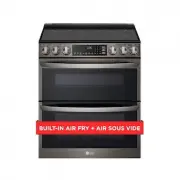 LG LTEL7337D
User Manual
LG LTEL7337D
User Manual
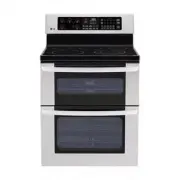 LG LDE3015ST
User Manual
LG LDE3015ST
User Manual
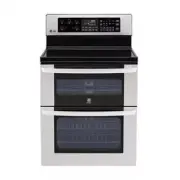 LG LDE3017ST
User Manual
LG LDE3017ST
User Manual
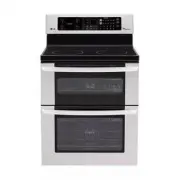 LG LDE3031ST
Manual
LG LDE3031ST
Manual
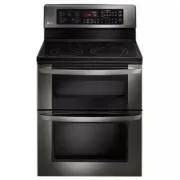 LG LDE3037BD
User Manual
LG LDE3037BD
User Manual
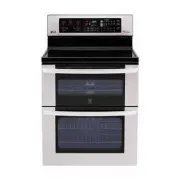 LG LDE3037ST
User Manual
LG LDE3037ST
User Manual
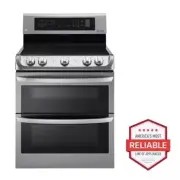 LG LDE4413ST
User Manual
LG LDE4413ST
User Manual
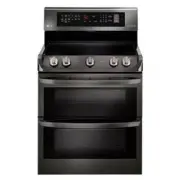 LG LDE4415BD
User Manual
LG LDE4415BD
User Manual
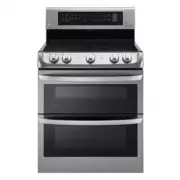 LG LDE4415ST
User Manual
LG LDE4415ST
User Manual
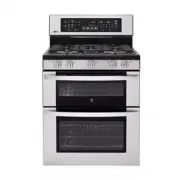 LG LDG3017ST
Manual
LG LDG3017ST
Manual
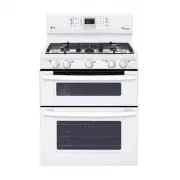 LG LDG3035SW
User Manual
LG LDG3035SW
User Manual