Page 2 - Table of Contents
2 Unpacking ................................................................. 7For Your Safety ......................................................... 8Your Phone ............................................................. 12 Phone Components ........................................................
Page 7 - Unpacking
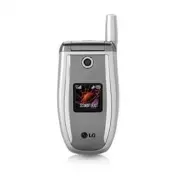
7 Unpacking Check to make sure that you have all the parts shown below. Handset Standard Battery User Guide Travel Adapter
Page 8 - For Your Safety; Important Information; Safety Instructions; Always store your phone away from heat.; Safety Information
8 For Your Safety Important Information This user guide contains important information on theuse and operation of this phone. Please read all theinformation carefully for optimal performance and toprevent any damage to or misuse of the phone. Anychanges or modifications not expressly approved inthis...
Page 10 - FCC RF Exposure Information; CAUTION
10 For Your Safety FCC RF Exposure Information WARNING! Read this information before operating the phone. In August 1996, the Federal Communications (FCC) ofthe United States, with its action in Report and OrderFCC 96-326, adopted an updated safety standard forhuman exposure to radio frequency (RF)e...
Page 11 - FCC Part 15 Class B Compliance
11 For Your Safety FCC Part 15 Class B Compliance This device and its accessories comply with part 15 ofFCC rules. Operation is subject to the following twoconditions: (1) This device and its accessories may notcause harmful interference, and (2) this device and itsaccessories must accept any interf...
Page 12 - Your Phone; Phone Components
12 Your Phone Phone Components 1. Earpiece 7. Active flip 8. Display screen 9. Navigation key 2. Left soft key 3. Side keys 4. Send key 10. Confirmation key 11. Right soft key 13. Camera key 16. Infrared port 15. Clear key 6. Microphone 5. Alpha numeric keys 14. End / Power key 12. IM key
Page 13 - Your Phone’s Features
13 Your Phone Your Phone’s Features 1. Earpiece 2,11. Left soft key/Right soft key: Each of these keys perform the functions indicated by the text on thedisplay immediately above them. 3. Side keys: These keys are used to control the volume of ringtone in standby mode and speakervolume during a call...
Page 14 - Backlight; Display Information; Area
14 Your Phone Backlight A backlight illuminates the display and the keypad.When you press any key or open the folder, thebacklight turns on. It turns off if no key is pressedwithin a given period of time, depending on theBacklight Timer menu option. After one minute, thedisplay turns off to conserve...
Page 16 - Getting Started; Installing the Smart Chip
16 Getting Started Installing the Smart Chip When you subscribe to a cellular network, you areprovided with a plug-in Smart Chip loaded with yoursubscription details, such as your PIN, any optionalservices available and many others. n Important! The plug-in Smart Chip and its contacts can be easilyd...
Page 17 - Charging the Battery
17 Getting Started 4. Place the battery so that the tabs on the end alignwith the slots at the bottom of the phone. 5. Press the battery until it clicks into place. Make surethat the battery is properly installed before switchingthe phone on. Charging the Battery Use of unauthorized accessories coul...
Page 18 - Turning Your Phone On and Off
18 Getting Started 3. When charging is finished, disconnect the adapterfrom the power outlet and from the phone bypressing on the gray tabs on both sides of theconnector while pulling the connector out. n Notice ] If your phone is powered on while charging, you’ll see thebars in the battery indicato...
Page 19 - Access Codes; Change
19 Getting Started 4. When you wish to switch the phone off, hold downthe key until the power-off image displays. Access Codes You can use the access codes described in thissection to avoid unauthorized use of your phone. Theaccess codes can be changed by using the Change Codes feature (Menu 9.5.3)....
Page 20 - General Functions; Making a Call; Making a Call by Send Key
20 General Functions Making a Call 1. Make sure your phone is powered on. 2. Enter a phone number including the area code. Toedit a number on the display screen, press theright/left navigation keys to move the cursor todesired position or simply press the key to erase one digit at a time. ] Press an...
Page 21 - Adjusting the Volume; Any Key; Signal Strength; Entering Text
21 General Functions Adjusting the Volume During a call, if you want to adjust the earpiecevolume, use the side keys of the phone. In idle modewith the flip cover open, you can adjust the ringvolume using the side keys. Answering a Call When you receive a call, the phone rings and theflashing phone ...
Page 22 - Changing the Text Input Mode
22 General Functions T9 Mode This mode allows you to enter words with only onekeystroke per letter. Each key on the keypad has morethan one letter. The T9 mode automatically comparesyour keystrokes with an internal linguistic dictionary todetermine the correct word, thus requiring far fewerkeystroke...
Page 23 - Using the ABC Mode
23 General Functions Example: Press to type Good Press [down navigation key]to type Home ] If the desired word is missing from the wordchoices list, add it by using the ABC mode. 2. Enter the whole word before editing or deleting anykeystrokes. 3. Complete each word with a space by pressingthe key. ...
Page 24 - OK
24 General Functions Using the 123 (Numbers) Mode The 123 Mode enables you to enter numbers in a textmessage (a telephone number, for example). Press the keys corresponding to the required digitsbefore manually switching back to the appropriate textentry mode. Using the Symbol Mode The Symbol Mode e...
Page 25 - Selecting Functions and Options
25 Selecting Functions and Options Your phone offers a set of functions that allow you to customize the phone. These functions are arranged in menusand sub-menus, accessed via the two soft keys marked and . Each menu and sub-menu allows you to view and alter the settings of a particular function. Th...
Page 26 - Address Book
26 Address Book You can store phone numbers and their corresponding names in the memory of your Smart Chip. In addition, you can store up to 255 numbers and names in the phone memory. The Smart Chip and phone memory, although physically separate, are utilized like a single entity known as theContact...
Page 27 - During a Call; Making a Second Call
27 In-Call Menu Your phone provides a number of control functions thatyou can use during a call. To access these functionsduring a call, press the left soft key [ Options ]. During a Call The menu displayed on the handset screen during acall is different than the default main menu displayedwhen in i...
Page 28 - Multiparty or Conference Calls
28 In-Call Menu Multiparty or Conference Calls The multiparty or conference service provides youwith the ability to have a simultaneous conversationwith more than one caller, if your network serviceprovider supports this feature. A multiparty call canonly be set up when you have one active call and ...
Page 29 - Menu Tree
29 Menu Tree The following illustration shows the available menu structure and indicates the: ] Number assigned to each menu option. ] Page where you can find the feature description. 1. Recent Calls (see page 33) 1.1 Missed Calls 1.2 Dialed Calls 1.3 Received Calls 1.4 Delete Recent Calls 1.5 Call ...
Page 33 - Recent Calls; Missed Calls
33 Recent Calls You can check the record of missed, received, anddialed calls only if the network supports the CallingLine Identification (CLI) within the service area. The number and name (if available) are displayedtogether with the date and time at which the call wasmade. You can also view call t...
Page 34 - Delete Recent Calls; Missed; Call Durations; Data Count
34 Recent Calls Delete Recent Calls Menu 1.4 Allows you to delete Missed , Received and Dialed call lists. You can delete all call lists at one time. Call Durations Menu 1.5 Allows you to view the duration of your incoming andoutgoing calls. You can also reset the call times. Thefollowing timers are...
Page 35 - Total Data
35 Recent Calls Total Data (Menu 1.6.3) You can check the total amount of data through WAPand an external device.
Page 36 - Messaging; Text Messages; Delete; New Message
36 Messaging Text Messages Menu 2.1 Your phone receives voice mail notification messagesand Short Message Service (SMS) messages.Voice mail and SMS are network services. Pleasecontact your service provider for more information.When the icon appears, you have received a new voice mail. When the icon ...
Page 37 - Inbox; Message Center Number:
37 Messaging ] Sound: Attach sounds that are available for short message. ] Text Templates: Use the text templates already set in the phone. ] Contact: Attach a phone number. ] Business Card: Attach your name card. Inbox (Menu 2.1.2) Received text messages, page messages, and emaillists may be searc...
Page 38 - Delete All Messages; Multimedia Messages
38 Messaging ] Email Gateway: Allows you to store or change the number of your email gateway required whensending text messages. ] Subject: If you set it to on, allows you to enter the subject. ] Bearer Setting: You can select GPRS or GSM. Contact your network operator or service providerfor informa...
Page 40 - Sent
40 Messaging • Delete: Delete the selected message. • Move to Draft: Cancel the sending of the message and move to Draft. Sent (Menu 2.2.4) Allows you to see sent messages here. For sentmessage, you can see the delivery status. • Timer Stop: Timer stop menu is displayed when you receive the message ...
Page 41 - Settings; • Image Bottom; Voice Mail
41 Messaging • Remove Slide: Allows you to move to previous or next slide. • Add Image: Allows you to add a image before or after current image. • Add Sound: Allows you to add a sound before or after current sound. • Remove Image: Deletes the current image. • Remove Sound: Deletes the current sound....
Page 42 - Listen Voice Mail; Voice Mail Number; Download Messages; Chat
42 Messaging Listen Voice Mail (Menu 2.3.1) Before using this feature, you must enter the voiceserver number obtained from your service provider (seemenu option 2.3.2). You can then select this option andpress the left soft key [ OK ] to listen to your messages. You can quickly connect to the first ...
Page 43 - Templates; Text; • Please call me back; Multimedia
43 Messaging Templates Menu 2.6 There are 6 predefined messages in the list. You canview and edit the template messages or create newmessages. Two options are available: Text andMultimedia. Text (Menu 2.6.1) • Please call me back • I’m late. I will be there at • Where are you now? • I’m on the way. ...
Page 44 - Business Card; Send Via; Check Memory
44 Messaging Business Card (Menu 2.6.3) This option allows you to make your own name card.Key in the Name, Mobile number, Office number, Faxnumber and E-mail address. ] Edit: Allows you to write a new message or edit the selected name card. ] Send Via • Text: Sends the selected name card by SMS. • M...
Page 45 - Shop Games
45 Games & Apps Java is a technology developed by Sun Microsystems.Similar to the way you would download the JavaApplet using the standard Netscape or MS InternetExplorer browsers, Java MIDIet can be downloadedusing the WAP enabled phone. Depending on theservice provider, all Java based programs...
Page 46 - Favorites; Add
46 Games & Apps Favorites Menu 3.3 When a new Java program is downloaded using theWAP, the address from which a download takes placeis known as a bookmark. The Java menu includes abookmark list for downloading Java programs and thisbookmark list can be viewed from the Bookmarksmenu. ] Connect: S...
Page 47 - Information
47 Games & Apps Information Menu 3.4 The downloaded programs using the WAP are storedin the phone memory. There is a maximum memorycapacity in a phone and once you exceed this memory,you will not be able to store any more programs. TheView Information menu allows you to check theavailable memory...
Page 48 - MEdia Mall
48 MEdia Mall Shop Ringtones Menu 4.1 This menu option connects to Cingular’s ringtonedownload site. Shop Games Menu 4.2 This menu option connects to Cingular’s gamedownload site. Shop Graphics Menu 4.3 This menu option connects to Cingular’s graphicdownload site Shop Multimedia Menu 4.4 This allows...
Page 49 - MEdia Net; My number; Navigating with the WAP Browser; Key
49 MEdia Net You can access various WAP(Wireless ApplicationProtocol) services such as banking, news, weatherreports, and flight information. These services arespecially designed for mobile phones and they aremaintained by the WAP service providers. Check the availability of WAP services, pricing an...
Page 50 - Options in the Bookmarks view
50 MEdia Net MEdia Net Menu 5.1 Connect to a homepage. The homepage may be thesite which is defined in the activated profile. It will bedefined by the Service Provider if you have not definedit in the activated profile. Favorites Menu 5.2 Your phone may have some pre-installed bookmarksfor sites not...
Page 51 - Go to URL
51 MEdia Net to be sent via SMS to another person. • Delete All: Allows you to erase all bookmarks. Go to URL Menu 5.3 You can directly connect to the site you want. Youneed to enter a specific URL. Access Point Menu 5.4 A Profile is the network information used to connect tothe internet. Cingular s...
Page 52 - Cache Settings; Clear Cache; Allow Cache; Security Certificates
52 MEdia Net Cache Settings Menu 5.5 The information or services you have accessed arestored in the cache memory of the phone. Clear Cache (Menu 5.5.1) Remove all contexts saved in cache. Allow Cache (Menu 5.5.2) Set a value whether a connection attempt is madethrough cache or not. n Note A cache is...
Page 53 - Instant Messaging; Offline Menu; Saved Conversations
53 Instant Messaging Instant Messaging feature can only be used with thesupport of the network operator or communities suchas AIM, ICQ. For Instant Messaging users, a valid UserID and Password will be required in order to login andexchange messages as well as checking the onlinestatus. There are thr...
Page 54 - IM Information
54 Instant Messaging ] Save Password: You may save your password in Login input. ] Power-on Login: You may start login automatically after 20 seconds or so if you save a valid passwordand then reset your mobile. ] Connection: You may set your IM connection information. But, please check with your Ne...
Page 55 - When cursor is located on a Conversation
55 Instant Messaging n Note When you select left/right navigation Key or Confirm Key onthe Contact List, it offers the ability to view or hideconversations. ] Saved Conversations: You may view or delete the stored conversation session. ] Settings • Screen Name: You may select the Screen Name to be u...
Page 56 - Online Menu / Group Chat
56 Instant Messaging Online Menu / Group Chat When cursor is located on a GroupConversations List ] View/Hide Groups: You can select to view or hide the Group Chat List. ] Join New Group: This allows you to join a new Group Chat. In order to join, Group ID is required. ] Search Group: You can join a...
Page 57 - When cursor is located on a Contact
57 Instant Messaging n Note The device only can support a maximum of 30 contacts andtherefore not all their contacts will be visible on the phone ifthey have more than 30. ] Send To Others: This offers the ability to send a message to unknown contact. When selected, UserID must be typed in prior to ...
Page 59 - My MEdia; Graphics; Send via Text Message:
59 My MEdia Favorites Menu 7.1 Your phone may have some pre-installed bookmarksfor sites not affiliated with LG. LG does not warrant orendorse these sites. If you choose to access them, youshould take the same precautions, for security orcontent, as you would with any site. For further details,see p...
Page 60 - Multimedia Contents; Tools; Camera; Take Photo
60 My MEdia n Note Pictures supplied as default can only be used under the SetAs Wallpaper mode. Multimedia Contents Menu 7.5 The right soft key [Options] will bring up the followingoptions. ] Send via Text Message: EMS Animation can be sent via SMS. ] Send via Multimedia Message: Downloaded Animati...
Page 62 - Alarm Clock
62 My MEdia - Thumbnail: shows the photos as thumbnail images on one screen. In thumbnail view mode, use thenavigation keys to scroll through the photos. To goback to normal view mode, press the right soft key[ Options ] and then Select Enlarge . ] Send Photo: Allows you to send a multimedia message...
Page 63 - Calendar; Options
63 My MEdia • Monthly: The alarm rings every month on the same day and at the same time. 6. Allows you to select the alarm melody by using theright/left navigation keys. 7. Press the left soft key [ Set ]. Off: Cancel the alarm. n Notice If this option is set to On , the alarm will ring at the speci...
Page 64 - Voice Memo; Save; Calculator
64 My MEdia ] Go to date: Allows you to jump to a specific date. ] Delete Old: Delete past schedule event that has already been notified. ] Delete All: Delete all schedules. You are asked to confirm your action. n Note You can see Edit, Delete,View all schedules, Delete past, andDelete all menus dep...
Page 65 - Notepad
65 My MEdia n Note To include a decimal point, press the key. 3. To calculate the result, press the left soft key[ Result ] or key. Notepad (Menu 7.6.6) To write, edit and delete a memo on a specific date,proceed as follows. 1. Press the left soft key [ New ]. 2. Input the memo and press the right s...
Page 66 - Unit Converter
66 My MEdia 2. Press the right soft key [ Options ]. 3. If you want to set, press the key. 4. If you want to set Daylight Savings, press the key in Options menu. n Note The time zone setting of each city in World time menu maybe affected by network condition. Unit Converter (Menu 7.6.8) This convert...
Page 68 - Contacts
68 Address Book You can store phone numbers and their correspondingnames in the memory of your Smart Chip. In addition,you can store up to 255 numbers and names in thephone memory. The Smart Chip and phone memories,although physically separate, are used as if they werea single entity, called the Add...
Page 69 - New Contact
69 Address Book New Contact Menu 8.2 You can add a address book entry by using thisfunction. Phone memory capacity is 255 entries. SmartChip memory capacity depends on the cellular serviceprovider. You can also save 20 characters of name inthe phone memory, and save characters in the SmartChip. The ...
Page 70 - Groups
70 Address Book ] Listen: You can play back the voice attached to a phone number. ] Change: You can change the voice attached to a phone number. ] Remove: You can delete the voice attached to a phone number. ] Call: You can call by selecting this submenu. ] Add Voice Dial: You can add a new voice to...
Page 71 - Copy All Contacts; Smart Chip To Phone; Delete All Contacts; Service Dial Number
71 Address Book person in the group. • Add Member: Allows you to add the member to the group. • Remove Member: Allows you to delete the member in the group. • Rename: Allows you to assign a name to the group. Copy All Contacts Menu 8.6 You can copy or move entries from the Smart Chipmemory to the ph...
Page 73 - Sounds; Ring
73 Settings Sounds Menu 9.1 You can use the Sound Settings feature to customizevarious settings, such as the: ] Ring melody, volume and type ] Sounds made when you press a key, make an erroror receive a message Shop Ringtones (Menu 9.1.1) This menu option connects to Cingular’s ringtonedownload site...
Page 74 - Display; Wallpaper; Select; Backlight Timer; • Off; Languages
74 Settings Display Menu 9.2 You can change the background image and the displaystyle for Menu Mode according to your preference. Wallpaper (Menu 9.2.1) This option allows you to change the backgroundimage (wallpaper) to be displayed in idle mode. Two options are available: Main Display and SubDispl...
Page 75 - Call; If busy
75 Settings Date & Time Menu 9.3 Set Date (Menu 9.3.1) Allows you to enter the day, month and year. You canchange the date format via the Date Format menu option. Format: Allows you to change the time and dateformats. Date Format (Menu 9.3.2) YYYY/MM/DD(year/month/day) DD/MM/YYYY(day/month/year)...
Page 76 - Answer Mode
76 Settings - To Other Number: Inputs the number for diverting. - Favorite Number: You can check recent five diverted numbers. • Cancel: Cancels the corresponding service. • View Status: Checks the status of the service. ] Cancel All: Cancels all call divert service. Answer Mode (Menu 9.4.2) Allows ...
Page 77 - Auto Redial; Send DTMF Tones; Security; Request PIN Code
77 Settings • When recording a voice tag or making a call by using a voice tag, the loudspeaker is in use. Hold the phoneat a short distance away from your mouth and faceso that the proximity sensor does not turn theloudspeaker off. • Very short names are not accepted. Use long names and avoid simil...
Page 78 - Change Codes; Security Code; Connection; Change Frequency Band
78 Settings The following options are available: ] Enable: You must enter the PIN each time the phone is switched on. ] Disable: The phone connects directly to the network when you switch it on. Fixed Dial Number (FDN) (Menu 9.5.2) Allows you to restrict your outgoing calls to selectedphone numbers,...
Page 79 - GPRS Attach; Power On; When Needed; Access Point
79 Settings n Note Note of caution that depending on the Smart Chip, the orderof the menu can differ. The World Phone menu option setsthe GSM frequency band between the GSM 850/1900 used inthe US or GSM 1800 used in Europe. This phone does notautomatically search and set the GSM frequency. Insteadth...
Page 80 - Reset Default
80 Settings Reset Default Menu 9.7 You can easily reset your phone to its defaultconfiguration. To do so, proceed, as follows. 1. Select the Reset Settings menu option. 2. Enter the 4-digit phone password. n Note The password is preset to 0000 .
Page 83 - Accessories; Travel Adapter; Vehicle Power Adapter
83 Accessories Travel Adapter This adapter allows you tocharge the battery. Itsupports standard U.S. 120Volt 60Hz outlets. It takes 5hours to charge a completelydischarged battery. Battery Standard battery is available. Vehicle Power Adapter You can operate the phone andtrickle charge the phone batt...
Page 84 - Safety Guidelines; TIA Safety Information; Exposure to Radio Frequency Signal; Antenna Care
84 Safety Guidelines TIA Safety Information Provided herein is the complete TIA Safety Informationfor Wireless Handheld phones. Inclusion of the textcovering Pacemakers, Hearing Aids, and OtherMedical Devices is required in the owner’s manual forCTIA Certification. Use of the remaining TIA languagei...
Page 85 - Driving; Hearing Aids
85 Safety Guidelines Tips on Efficient Operation For your phone to operate most efficiently: ] Do not touch the antenna unnecessarily when thephone is in use. Contact with the antenna affectscall quality and may cause the phone to operate at ahigher power level than otherwise needed. Driving Check t...
Page 87 - FDA Consumer Update; Do wireless phones pose a health hazard?
87 Safety Guidelines For Vehicles Equipped with an Air Bag An air bag inflates with great force. DO NOT placeobjects, including either installed or portable wirelessequipment, in the area over the air bag or in the air bagdeployment area. If in-vehicle wireless equipment isimproperly installed and t...
Page 96 - Glossary
96 Glossary To help you understand the main technical terms and abbreviations used in this booklet and take full advantage of thefeature on your mobile phone, here are a few definitions. Call Barring Ability to restrict outgoing and incoming calls. Call Divert Ability to reroute calls to another num...
Page 97 - Roaming; Patent Information
97 Glossary Roaming Use of your phone when you are outside your homearea (when traveling for example). SDN (Service Dial Number) Telephone numbers supplied by your network providerand giving access to special services, such as voicemail, directory inquiries, customer support andemergency services. S...
Page 98 - Index
98 Index A Access codes .................................................................. 19 Accessories ..................................................................... 83 Active flip..................................................................... 12,13 Add member...........................