Page 2 - Warning
DLP PROJECTOR DLP PROJECTOR Warning This is a class B product. In a domestic environment this product may cause radio interference, in which case the user may be required to take adequate measures. This projector complies with EMC Directive and R&TTE Directive. DE DK ES FI FR GB GR HU IT NL NO P...
Page 3 - Contents; What do I do if the FM receiving signal is not good?
Contents 3 Contents Disposal of your old appliance 1. When this crossed-out wheeled bin symbol is attached to a product it means the product is covered by the European Directive 2002/96/EC. 2. All electrical and electronic products should be disposed of separately from the municipal waste stream thr...
Page 4 - Safety Instructions; Indoor Installation; Power; WARNING; Indoor Installation; NOTES
Safety Instructions 4 Safety Instructions Please take note of the safety instructions to prevent any potential accident or misuse of the projector. ꔈ Safety Instructions are given in two forms as detailed below. WARNING : The violation of this instruction may cause serious injuries and even death. N...
Page 5 - Using; CAUTION concerning the Power Cord
Safety Instructions 5 Using WARNING If water is spilt into the projector unplug it from the power supply immediately and consult your Service Agent. This may cause an electric shock hazard or damage to the unit! Dispose of used batteries carefully and safely. In the case of a battery being swallowed...
Page 7 - Names of parts; Main Body
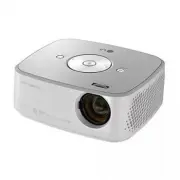
Speaker Names of parts 7 Names of parts Main Body * The projector is manufactured using high-precision technology. You may, however, see on the Projector screen tiny black points and/or bright points (red, blue, or green). This can be a normal result of the manufacturing process and does not always ...
Page 8 - Connecting Part
Names of parts 8 Connecting Part USB Headphone port IR (Remote control sensor) * Do not block the IR port for normal operation of remote control. * When using HDMI/USB connector, if the size of the jack connecting to the connector is too big, they may not be connected. Please use standard size jack....
Page 9 - CAUTION
Names of parts 9 Remote Control Installing Batteries INPUT Button KEYSTONE ꔌ , ꔍ Button MENU Button USB control Buttons AUTO Button VOLUME ∧ / ∨ Button RATIO Button CAUTION RISK OF EXPLOSION IF BATTERY IS REPLACED WITH AN INCORRECT TYPE. DISPOSE OF USED BATTERIES ACCORDING TO THE INSTRUCTIONS. MUTE ...
Page 10 - Accessories
Names of parts 10 Ceiling mount for projector Accessories Optional Extras * Contact your dealer to purchase these items. * Optional parts can be changed without notice to improve the quality of the product, and new optional parts can be added. ▪ Use a remote control up to 6 m distance and 30° (left/...
Page 11 - Installing and Composition; Provide proper ventilation for this projector.; Installation Precautions
Installing and Composition 11 Installing and Composition Provide proper ventilation for this projector. Place this projector in adequate temperature and humidity conditions. • Install this projector only in a location where adequate temperature and humidity is available. (refer page 42) Don’t place ...
Page 12 - screen determines the actual size of the image.; projection distance based on the picture format; Basic Operation of the Projector
Installing and Composition 12 1. Place the projector on a sturdy and horizontal surface with the PC or AV source.2. Place the projector with the desired distance from the screen. The distance between the projector and the screen determines the actual size of the image. 3. Position the projector so t...
Page 13 - Kensington Security System
Installing and Composition 13 • This projector has a Kensington Security System Connector on the side panel. Connect the Kensington Security System cable as below. • For the detailed installation and use of the Kensington Security System, refer to the user’s guide included with the Kensington Securi...
Page 14 - Selecting input mode; Input; Video; Turning on the Projector
Installing and Composition 14 Selecting input mode 1. Press the INPUT button on the remote control. 2. Selecting an input signal with the INPUT button will only change the projector only to connected inputs. You can change it to any inputs with the < , > button. • The component input is always activ...
Page 15 - Connection; Connecting to a Desktop PC; RGB IN; Connecting to a Video Source; VIDEO IN
Connection 15 Connection Connecting to a Desktop PC * You can connect the projector to a computer with VGA, SVGA, XGA, SXGA output. * Refer to page 41 for resolutions the projector supports. < How to connect > 1. Connect the RGB IN of the projector and the comput- er output port with a compute...
Page 16 - Connecting to a DVD Player; * When connecting the component cable, match the jack
Connection 16 Connecting to a DVD Player < How to connect a Component source > 1. After connecting the Component cable of DVD Player to the RGB to Component cable, connect it to the RGB IN terminal of the projector. * When connecting the component cable, match the jack colors with the componen...
Page 17 - PICTURE Menu Options; Adjusting Picture Mode; Function; Picture mode
Function 17 PICTURE Menu Options 1. Press the MENU button. Then, move to PICTURE with the ∧ , ∨ , < , > buttons and press the ◉ OK button. 2. Press the ∧ , ∨ buttons to move to a desired function and press the ◉ OK button. 3. Press the < , > buttons to make a desired adjustment and then press the ◉ ...
Page 18 - Advanced Control Function
Function 18 1. Press the MENU button. Then, move to PICTURE with the ∧ , ∨ , < , > buttons and press the ◉ OK button. 2. Press the ∧ , ∨ buttons to move to Advanced Control and press the ◉ OK button. 3. Move to a desired item with the ∧ , ∨ buttons. 4. Press the < , > buttons to make a desired adjus...
Page 19 - Picture Reset Function; White Balance; Color Temperature Function
Function 19 1. Press the MENU button. Then, move to PICTURE with the ∧ , ∨ , < , > buttons and press the ◉ OK button. 2. Press the ∧ , ∨ buttons to move to Picture Reset and press the ◉ OK button. 3. Press the < , > buttons to move to Yes and press the ◉ OK button. • Press the BACK button to exit th...
Page 20 - SCREEN Menu Options; To Change PJT Mode; RATIO; Using Aspect Ratio Function; PJT Mode
Function 20 SCREEN Menu Options • Select Rear when projecting from the back of the transparent screen purchased separately. • Select Ceiling when installing the product on the ceiling. • When PJT Mode is Rear / Ceiling , the left/right of the speaker changes automatically. • You can use this functio...
Page 21 - Using the Still Function; MENU; Auto Configure Function; • Resolution
Function 21 RGB Config. Function 1. Press the STILL button on the remote control. * You can freeze the moving image. 2. To exit STILL, press any button. * The STILL function will release automatically after approximately 10 minutes. Using the Still Function < Moving Image > < Still Image &g...
Page 22 - AUDIO Menu Options; < The recommended use range of FM receiver >
Function 22 AUDIO Menu Options FM Wireless Audio is a function to send out audio signals from the projector using FM frequency (88.5 MHz ~ 95.5 MHz). The frequency of Projector and FM receiver should be same in order to output the sound from FM receiver normally. The signal can be received by using ...
Page 23 - What do I do if the FM receiving signal is not good? (HX300G only)
Function 23 • If used in a medical institution, it may cause an error for medical equipments. Please do not use in a medical establishment. • Please maintain the distance between the projector and FM receiver within 3 m. • The sound from FM receiver may not come out in the desired quality if the dis...
Page 26 - Sleep time Function; TIME Menu Options; BACK
Function 26 * The sleep timer turns the projector off at the preset time. 1. Press the Q.MENU button on the remote control. 2. Press the < , > buttons to move to Sleep Timer . 3. Press the ∧ , ∨ buttons to select a desired preset time. • You can use this function through the MENU button. • Press the...
Page 27 - OPTION Menu Options; Selecting Language
Function 27 OPTION Menu Options 1. Press the MENU button. Then, move to OPTION with the ∧ , ∨ , < , > buttons and press the ◉ OK button. 2. Press the ∧ , ∨ buttons to move to Menu Language and press the ◉ OK button. 3. Move to a desired item with the ∧ , ∨ , < , > buttons and then press the ◉ OK but...
Page 28 - To adjust the brightness of the screen; Screen Capture Function
Function 28 1. Press the MENU button. Then, move to OPTION with the ∧ , ∨ , < , > buttons and press the ◉ OK button. 2. Press the ∧ , ∨ buttons to move to Auto Power and press the ◉ OK button. 3. Press the ∧ , ∨ buttons to move to On and press the ◉ OK button. • On : Connecting DC cable to the proje...
Page 29 - INFORMATION Menu Options; To See The Projector Information; Initial Setting Function
Function 29 INFORMATION Menu Options 1. Press the MENU button. Then, move to INFORMATION with the ∧ , ∨ , < , > buttons and press the ◉ OK button. 2. You can see the current information of the projector. • Press the BACK button to exit the menu screen. To See The Projector Information 1. Press the M...
Page 30 - USB; To use the USB device; Connecting the USB device; Connect the USB device to the USB jack on the back of the set.; button on the remote control.; button on the remote control.
USB 30 * When you connect a USB device, this screen is displayed, automatically. In USB device, you can not add a new folder or delete the existing folder. USB To use the USB device * Image shown may differ from your projector. Connecting the USB device 1. Connect the USB device to the USB jack on t...
Page 31 - Precautions when using the USB device; Only a USB storage device is recognizable.
USB 31 Precautions when using the USB device ► Only a USB storage device is recognizable. ► If the USB storage device is connected through a USB hub, the device is not recognizable. ► A USB storage device using an automatic recognition programmed may not be recognized. ► A USB storage device which u...
Page 32 - Screen Components
USB 32 ꔂ Navigation ꔉ PopUp Menu ꘧ Page Change ꘁ Mark ꕉ Exit PHOTO LIST * It is available to playback the photo file(*.jpg) in the USB device. The On Screen Display may be different from your set. Images are an example to assist with the projector operation. PHOTO(*.JPEG) supporting file Baseline :...
Page 33 - Full Screen Menu
USB 33 Full Screen Menu 1. Press the USB button. Then, move to PHOTO LIST with the < , > buttons and press the ◉ OK button. 2. Press the ∧ , ∨ , < , > buttons to move to desired photo and press the ◉ OK button. 3. Press the ∧ , ∨ buttons to move to View and press the ◉ OK button. 4. The selected pho...
Page 34 - The On Screen Display on your model may be slightly different.; MUSIC LIST; Music Selection and Popup Menu; MUSIC LIST
USB 34 ꔂ Navigation ꔉ PopUp Menu ꘧ Page Change ꘁ Mark ꕉ Exit MUSIC LIST * You can use the Music List menu to play MP3 files form a USB storage device. The On Screen Display on your model may be slightly different. 1. Moves to upper level file2. Preview: Display the title/folder name of the music in ...
Page 35 - MOVIE LIST; Supported Movie File
USB 35 MOVIE LIST * The movie list is activated once USB is detected. It is used when playing movie files on projector. Supported Movie File Extension name Video Codec Audio Codec Max Resolution mpg, mpeg, vob MPEG1, MPEG2 Dolby Digital,MPEG,MP3,LPCM 1920x1080 @30p dat MPEG1 Dolby Digital,MPEG,MP3,L...
Page 36 - Precautions when playing the DivX; Dolby
USB 36 Precautions when playing the DivX ► A DivX movie file and its subtitle file must be located in the same folder. ► At this time, a movie file name and its subtitle file name must be identical for it to be displayed. ► Specific subtitles created by the user may not be operated normally. ► Some ...
Page 37 - Movie Selection and Popup Menu
USB 37 1. Moves to upper level folder2. Preview: Display the title/folder name of the movie in the selected folder 3. Current page/Total pages4. Total number of marked movies5. Corresponding buttons on the remote control Up Folder Page 1/1 No Marked MUSIC LIST 704 x 396 668 MB Movie Up Folder Up Fol...
Page 38 - II; Subtitle Language Group
USB 38 Option Menu Selection Playing the Movie 1. Press the USB button. Then, move to MOVIE LIST with the < , > buttons and press the ◉ OK button. 2. Press the ∧ , ∨ , < , > move to a desired movie file and press the ◉ OK button. 3. Press the ∧ , ∨ buttons to move to Play and press the ◉ OK button. ...
Page 39 - To See The DivX Registration Code; Deactivation Function
USB 39 To See The DivX Registration Code 1. Press the MENU button. Then, move to USB with the ∧ , ∨ , < , > buttons and press the ◉ OK button. 2. Press the ∧ , ∨ buttons to move to DivX Reg. Code and press the ◉ OK button. 3. You can see the DivX registration code of the projector. • With a DivX reg...
Page 40 - FILE VIEWER; View File; Menu
USB 40 FILE VIEWER Screen Components 1. Moves to upper level file2. Preview: Display the title/folder name of the file in the selected folder 3. Current page/Total pages4. Corresponding buttons on the remote control Page 1/1 FILE VIEWER Drive 1 Requiem 2 story.txt Title Date Up Folder information.pp...
Page 41 - Supported Monitor Display; Invalid Format; Information; Cleaning the lens; Maintenance
Information 41 Supported Monitor Display * The following table lists the display formats supported by the projector. * If the projector does not support the input signal, “ Invalid Format ” message appears on the screen. * The projector supports DDC1/2B type as Plug & Play function. (Auto recogn...
Page 42 - Operating Condition; Channel Spacing : 200 KHz; Specifications
Information 42 MODEL HX300G (HX300G-JE) / HX301G (HX301G-JE) Resolution 1024 (Horizontal) x 768 (Vertical) pixel Horizontal / Vertical Ratio 4:3 (horizontal:vertical) Panel size (mm) 13.97 Projection distance (Screen size) 0.55 m ~ 2.75 m (50.8 cm ~ 254.0 cm) Projection Offset 110 % Remote control d...
Page 44 - MODEL
The model and serial number of the projector is located on the back or one side of the projector. Record it below should you ever need service. MODEL SERIAL