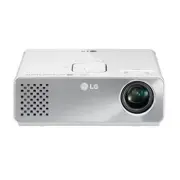
Page 2 - SAFETY INSTRUCTIONS; or misuse of the projector.; Indoor Installation; WARNING; - TO REDUCE THE RISK OF FIRE
2 SAFETY INSTRUCTIONS SAFETY INSTRUCTIONS Please take note of the safety instructions to prevent any potential accident or misuse of the projector. Read these instructions.Keep these instructions.Heed all warnings.Follow all instructions. Indoor Installation WARNING y Do not place the Projector in d...
Page 3 - NOTES; Only; Power
3 SAFETY INSTRUCTIONS y Do not place the projector directly on a carpet, rug or place where ventilation is restricted. - This would cause its internal temperature to increase and might create a fire hazard or damage the unit. y Ensure good ventilation around the projector. The distance between the p...
Page 4 - Using
4 SAFETY INSTRUCTIONS NOTES y Hold the plug firmly when unplugging. If you pull the cord, it may be damaged. - This may cause a fire hazard. y Do not use if the power cord or the plug is damaged or any part of the power outlet is loose. - This may cause a fire or an electric shock hazard or damage t...
Page 5 - CAUTION
5 SAFETY INSTRUCTIONS y CAUTION concerning the Power Cord It is recommend that most appliances be placed on a dedicated circuit; that is, a single outlet circuit which powers only that appliance and has no additional outlets or branch circuits.Check the specification page of this owner’s manual to b...
Page 6 - Cleaning; Others
6 SAFETY INSTRUCTIONS Cleaning WARNING y Do not use water while cleaning the projector. - This may cause damage to the projector or an electric shock hazard. y In the unlikely event of smoke or a strange smell from the projector, switch it off, unplug it from the wall outlet and contact your dealer ...
Page 7 - TABLE OF CONTENTS
7 TABLE OF CONTENTS ENTERTAINMENT 23 Network Connection 23 - Connecting to a Wireless Network 23 - Setting to a Wireless Network 24 - Tips for Network Setting 26 - Network Status 28 NETCAST 28 - Using NETCAST 28 MY MEDIA 32 - Connecting USB Storage Devices 32 - Connecting DLNA DMP (Digital Living Ne...
Page 8 - MAKING CONNECTIONS 61; - Component Connection; Connecting to a PC; MAINTENANCE; - Cleaning the lens; How to Fix the Lens Cap; SPECIFICATIONS; NOTE; Image shown may differ from your projector.
8 TABLE OF CONTENTS MAKING CONNECTIONS 61 Connecting to a HD receiver, DVD, or VCR player 62 - HDMI Connection 62 - Component Connection 62 - Composite Connection 63 Connecting to a PC 63 - RGB Connection 63 Connecting to a Headphone 64 MAINTENANCE 65 Updating the Projector Firmware 65Cleaning the P...
Page 9 - ASSEMBLING AND PREPARING; Unpacking
9 ASSEMBLING AND PREPARING ASSEMBLING AND PREPARING Unpacking Check your product box for the following items. If there are any missing accessories, contact the local dealer where you purchased your product. The illustrations in this manual may differ from the actual product and item. USB ᰧ ᰦ ᰨ ᰪ ᰩ 화...
Page 10 - Optional Extras
10 ASSEMBLING AND PREPARING Optional Extras Optional extras can be changed or modified for quality improvement without any notification.Contact your dealer for buying these items. 1 Use screw size: M4x6-M4x8 Projection Screen Tripod HDMI Cable Video Cable Audio Cable Component Cable AJ-CB2 AJ-CB2+AJ...
Page 11 - Parts and Buttons; Button
11 ASSEMBLING AND PREPARING Parts and Buttons * This projector is manufactured using high-precision technology. You may, however, see on the Projector screen tiny black points and/or bright points (red, blue, or green). This can be a normal result of the manufacturing process and does not always ind...
Page 12 - Installation; Installation Precautions; - The projector is equipped with
12 ASSEMBLING AND PREPARING Installation Installation Precautions y Always provide proper ventilation for this projector. - The projector is equipped with ventilation holes. Do not block or place anything near these holes. Internal heat build-up may occur, causing picture degradation or damage to th...
Page 13 - Basic Operation of the Projector; Place the projector on a sturdy and horizontal surface.
13 ASSEMBLING AND PREPARING Basic Operation of the Projector 1 Place the projector on a sturdy and horizontal surface. 2 Place the projector with the desired distance from the screen. The distance between the projector and the screen determines the actual size of the image. 3 Position the projector ...
Page 14 - Kensington Security System; , the internet homepage of the; How to Install the Projector Using a Tripod
14 ASSEMBLING AND PREPARING Kensington Security System y This projector has a Kensington Security System Connector on the panel. Connect a Kensington Security System cable as below. y For detailed installation and use of the Kensington Security System, refer to the user’s guide included with the Ken...
Page 15 - REMOTE CONTROL
15 REMOTE CONTROL REMOTE CONTROL Remote control (FOR HW300Y/HW301Y) The descriptions in this manual are based on the buttons on the remote control. Please read this manual carefully and use the projector correctly. To replace batteries, open the battery cover, replace batteries (1.5 V AAA) matching ...
Page 19 - WATCHING PROJECTOR; Watching Projector; Turning on for the First
19 WATCHING PROJECTOR WATCHING PROJECTOR Watching Projector Turning on for the First Time 1 Make sure the power cord is connected correctly. 2 After wait for a moment, press the POWER button on the remote control or control panel. (The light on the control panel will be turned on.) y Press the INPUT...
Page 20 - Using Additional; Adjusting Aspect Ratio
20 WATCHING PROJECTOR Using Additional Options Adjusting Aspect Ratio Resize an image to view at its optimal size by pressing RATIO while you are watching projector. NOTE y Some options may not be available depending on input signals. y You can also change the image size by pressing Q.MENU or MENU ....
Page 21 - Adjusting Keystone; Using the Input List
21 WATCHING PROJECTOR Adjusting Keystone Use this function when the screen is not at a right angle to the projector and the image is a trapezoid shape.Only use the Keystone function when you can’t get the best angle by moving the projector. •Keystone 0 ◀ - + ▶ ꔉ OK 1 Press Key's ꔌ , Key's ꔍ to adjus...
Page 22 - Using the Quick; Blank Function; Using Blank Function
22 WATCHING PROJECTOR Using the Quick Menu Customize frequently used menus. 1 Press Q.MENU to access the quick menus. 2 Press the Navigation buttons to scroll through the following menus and press OK . Menu Description Aspect Ratio Changes the image size. (See p.20) Picture Mode Changes the image mo...
Page 23 - ENTERTAINMENT; Network Connection; Connecting to a Wireless Network; This function is for the HW300Y/HW301Y only.
23 ENTERTAINMENT ENTERTAINMENT Network Connection Connecting to a Wireless Network This function is for the HW300Y/HW301Y only. The LG Wireless LAN for Broadband/DLNA Adaptor, allows the projector to connect to a wireless LAN network. The network configuration and connection method may vary dependin...
Page 24 - Setting to a Wireless
24 ENTERTAINMENT Setting to a Wireless Network To set up the network settings, 1 Press MENU to access the menu. 2 Press the Navigation buttons to scroll to NETWORK and press OK . 3 Press the Navigation buttons to select Network Setting and press OK . 4 Press the Navigation buttons to select Setting ...
Page 26 - OK; Tips for Network Setting
26 ENTERTAINMENT 5 Press the Navigation buttons to type in an IP address and press OK . - PC Setting : Internet Protocol(TCP/ IP) of PC needs to be set manually. IP address, Subnet Mask, and default Gateway can be set with your own discretion. e.g.) IP address: 192.168.0.1 / Subnet Mask: 255.255.255...
Page 28 - NETCAST; Using NETCAST
28 ENTERTAINMENT NETCAST This function is for the HW300Y/HW301Y only. Stream movies, Game, SNS, Internet Radio or weather updates directly to your projector. Using NETCAST 1 Press NETCAST to access the menu option. 2 Press the Navigation buttons to scroll to the content you want and press OK . ❶ ❷ ❸...
Page 29 - Notice
29 ENTERTAINMENT NOTE y The videos list searched from the projector may different than the list searched from a web browser on PC. y The playback of videos may pause, stop, or buffer depending on your broadband speed. y For service that requires log in, join the applicable service on the website usi...
Page 30 - Legal Notice
30 ENTERTAINMENT y Should you have any inquiry or problem related to the Content or Services, you may refer to the Service Provider’s website for the most up-to-date information. LGE is neither responsible nor liable for customer service related to the Content and Services. Any question or request f...
Page 32 - Connecting USB Storage; USB Device
32 ENTERTAINMENT MY MEDIA Connecting USB Storage Devices Connect USB storage devices such as a USB flash drive or external hard drive to the projector and use multimedia features.Connect a USB flash drive or USB memory card reader to the projector as shown in the following illustration. USB memory s...
Page 33 - USB hubs are not supported.
33 ENTERTAINMENT Tips for Using USB Storage Devices y Only a USB storage device is recognizable. y USB hubs are not supported. y A USB storage device which uses its own driver may not be recognized. y The recognition speed of a USB storage device will depend on each device. y Please do not turn off ...
Page 34 - Connecting DLNA DMP
34 ENTERTAINMENT Connecting DLNA DMP (Digital Living Network Alliance, Digital Media Player) This function is for the HW300Y/HW301Y only. This projector can display and play many types of movie, photo and music files from your DLNA server.The Digital Living Network Alliance (DLNA) is a cross-industr...
Page 36 - Sharing Files and Folders; Playing Shared contents
36 ENTERTAINMENT Sharing Files and Folders After installing Nero MediaHome, you must add folders you wish to share. 1 Double-click the Nero MediaHome 4 Essentials icon on the desktop. 2 Click Network icon on the left and define your network name in the Network name field. The Network name you enter ...
Page 37 - Tips for using DLNA DMP
37 ENTERTAINMENT Tips for using DLNA DMP y To play the file on the media server, the projector and the media server must be connected to the same access point. y Because the compatibility and available playback functions on the MY MEDIA menu are tested on the bundle DLNA server (Nero MediaHome 4 Ess...
Page 38 - Connecting DLNA DMR
38 ENTERTAINMENT Connecting DLNA DMR (Digital Living Network Alliance, Digital Media Render) This function is for the HW300Y/HW301Y only. This supports remote playing of media files. Media from a compatible device (Windows 7, Mobile Phone with PlayTo, or other compatible DLNA-DMC device) can be “pus...
Page 39 - MOVIE LIST; Tips for playing video files; The movie file encoded by the GMC
39 ENTERTAINMENT MOVIE LIST * The movie list is activated once USB is detected. It is used when playing movie files on projector. Tips for playing video files y Some user-created subtitles may not work properly. y Some special characters are not supported in subtitles. y HTML tags are not supported ...
Page 40 - DivX Supported Video Formats
40 ENTERTAINMENT DivX Supported Video Formats File Extensions Audio/ Video Codec Profile/Level Support Explanation .asf.wmv Video VC-1 Advanced Profile Advanced Profile @ Level 3 (e.g. 720p 60, 1080i 60, 1080p 30) Only streams compliant to SMPTE 421M VC-1 standard are supported. VC-1 Simpleand Main ...
Page 41 - Browsing Movie List
41 ENTERTAINMENT Browsing Movie List Play video files on the screen. Your screen can display video files from a USB storage device. 1 Connect a USB storage device. 2 Press USB to access the Home menu. 3 Press the Navigation buttons to scroll to Movie List and press OK . 4 Press the Navigation button...
Page 42 - Red; Green; Yellow; Blue; Play a movie by using the following; Return to normal playback.
42 ENTERTAINMENT No. Description ❽ Allows you to mark certain files.Select files you want and press Color buttons . Play Marked Press Red . Play the first selected file. Mark All Press Green . Mark all files in the folder. Unmark All Press Yellow . Deselect all marked files. Exit Mark Mode Press Blu...
Page 43 - Options for Movie List
43 ENTERTAINMENT Options for Movie List 1 Press Q.MENU . A pop-up window will appears. 2 Press the Navigation buttons to scroll to the option and press OK . 3 Press the Navigation buttons to scroll to one of the following options and press OK . Set Video Play. Option Description Picture Size Selects...
Page 44 - Registering the DivX code
44 ENTERTAINMENT y Language Subtitle Language Group Supported Language Latin1 French, Spanish, Catalan Basque, Portuguese, Italian, Albanian, Rhaeto-Romanic, Dutch, German, Danish, Swedish, Norwegian, Finnish, Faeroese, Icelandic, Irish, Scottish, English Latin2 Czech, Hungarian, Polish, Romanian, C...
Page 45 - Deactivating the DivX feature; PHOTO LIST; Supported Photo File Formats
45 ENTERTAINMENT Deactivating the DivX feature - You can deactivate all of the devices through the web server and block devices from activating. Delete the existing authentication information to receive a new DivX user authentication for the projector. Once this function is executed, a DivX user aut...
Page 46 - Slideshow
46 ENTERTAINMENT Page 1/1 Photo List Page 1/1 Drive1 P1 P2 P3 P4 P5 P6 P7 P8 P9 USB 1 XTICK ꔂ Move ꔉ View ꘃ Page Change � Mark � To Music List � Change Numbers � Mark Mode ꕯ Exit ❹ ❸ ❶ ❺ ❷ ❻ ❼ ❽ ❾ No. Description ❶ ThumbnailAbnormal files Non-supported files ❷ Contents List ❸ Moves to upper level fo...
Page 47 - BGM �; Options for Photo List
47 ENTERTAINMENT Option Description BGM � Listen to music while viewing photos in full size. y Set the BGM device and album in Option - Set Photo View. menu. � Rotate photos. y Rotates the photo 90°, 180°, 270°, 360° clockwise. y Photos cannot be rotated if its width is greater than the available su...
Page 48 - MUSIC LIST; Music Supported File Formats
48 ENTERTAINMENT MUSIC LIST * You can use the Music List menu to play MP3 files from a USB storage device. Music Supported File Formats MUSIC (*.MP3) supporting fileBit rate range 32 Kbps - 320 Kbps y Sampling rate MPEG1 Layer3 : 32kHz, 44.1kHz, 48kHz y Sampling rate MPEG2 Layer3 : 16kHz, 22.05kHz, ...
Page 49 - Play with; Options for Music List; FILE VIEWER; Supported File Formats
49 ENTERTAINMENT Page 1/1 Music List Page 1/1 001. - B01.mp3 00:00 002. - B02.mp3 00:00 003. - B03.mp3 00:00 004. - B04.mp3 00:00 005. - B05.mp3 00:00 Drive1 USB 1 XTICK � 02:30 / 03:25 002. - B02.mp3 � � � � ꕙ � Play with Photo � Option ꕉ Hide ꕯ Exit �� � Option Description <, > A cursor indicating...
Page 50 - Go Page
50 ENTERTAINMENT Page 1/1 File Viewer Page 1/1 Drive1 USB 1 XTICK ꔂ Move ꔉ Open ꘃ Page Change � To Movie List � Change Numbers � Single Page Mode ꕯ Exit DOC HWP PDF PPT TXT XLS test1.doc 42KB DOC HWP PDF PPT TXT XLS test2.hwp 512KB DOC HWP PDF PPT TXT XLS test3.pdf 595KB DOC HWP PDF PPT TXT XLS test...
Page 51 - PLAY GAME; Press the Navigation buttons to; GAME; and press; When you are finished, press; EXIT
51 ENTERTAINMENT PLAY GAME Allows you to enjoy the games installed on the projector. 1 Press Menu to access the menu. 2 Press the Navigation buttons to scroll to GAME and press OK . ꕯ Exit GAME JUMP HOLE IN ONE SUDOKU SAVING CRYSTAL INVADER 3 When you are finished, press EXIT .
Page 52 - CUSTOMIZING SETTINGS; The SETUP Menu; Shows information about the projector.
52 CUSTOMIZING SETTINGS CUSTOMIZING SETTINGS The SETUP Menu 1 Press Menu to access the menu. 2 Press the Navigation buttons to scroll to one of the following menus and press OK . 3 Press the Navigation buttons to scroll to the setting or option you want and press OK . 4 When you are finished, press ...
Page 53 - PICTURE Settings
53 CUSTOMIZING SETTINGS PICTURE Settings 1 Press Menu to access the menu. 2 Press the Navigation buttons to scroll to PICTURE and press OK . 3 Press the Navigation buttons to scroll to the setting or option you want and press OK . - To return to the previous level, press BACK . 4 When you are finish...
Page 54 - Setting; Adjusts intensity of all colors.; Tint; Adjusts the balance between red and green levels.; Picture Reset; Restores the options of each mode to the factory default.
54 CUSTOMIZING SETTINGS Setting Description Color Adjusts intensity of all colors. Tint Adjusts the balance between red and green levels. Advanced Control or Expert Control Customizes the advanced options. Picture Reset Restores the options of each mode to the factory default.
Page 55 - Advanced / Expert Control Options
55 CUSTOMIZING SETTINGS Advanced / Expert Control Options Setting Description Dynamic Contrast Adjusts the contrast to keep it at the best level according to the brightness of the screen. The picture is improved by making bright parts brighter and dark parts darker. Dynamic Color Adjusts screen colo...
Page 57 - SCREEN Settings
57 CUSTOMIZING SETTINGS SCREEN Settings 1 Press Menu to access the menu. 2 Press the Navigation buttons to scroll to SCREEN and press OK . 3 Press the Navigation buttons to scroll to the setting or option you want and press OK . - To return to the previous level, press BACK . 4 When you are finished...
Page 58 - AUDIO Settings
58 CUSTOMIZING SETTINGS AUDIO Settings 1 Press Menu to access the menu. 2 Press the Navigation buttons to scroll to AUDIO and press OK . 3 Press the Navigation buttons to scroll to the setting or option you want and press OK . - To return to the previous level, press BACK . 4 When you are finished, ...
Page 59 - OPTION Settings
59 CUSTOMIZING SETTINGS OPTION Settings 1 Press Menu to access the menu. 2 Press the Navigation buttons to scroll to OPTION and press OK . 3 Press the Navigation buttons to scroll to the setting or option you want and press OK . - To return to the previous level, press BACK . 4 When you are finished...
Page 60 - NETWORK Settings
60 CUSTOMIZING SETTINGS NETWORK Settings This function is for the HW300Y/HW301G only. 1 Press Menu to access the menu. 2 Press the Navigation buttons to scroll to NETWORK and press OK . 3 Press the Navigation buttons to scroll to the setting or option you want and press OK . - To return to the previ...
Page 61 - MAKING CONNECTIONS; Connect various external devices to the ports on the projector.
61 MAKING CONNECTIONS MAKING CONNECTIONS Connect various external devices to the ports on the projector. HDMI – See p.62Component – See p.62Composite – See p.63RGB – See p.63Memory storage – See p.32Audio - See p.64 Computer/Notebook VCR DVD Digital Device USB Headphone Gaming Device
Page 62 - Connecting to a HD; HDMI Connection; HDMI OUT; Component Connection
62 MAKING CONNECTIONS Connecting to a HD receiver, DVD, or VCR player Connect a HD receiver, DVD, or VCR player to the projector and select an appropriate input mode. HDMI Connection Transmits the digital video and audio signals from an external device to the projector. Connect the external device a...
Page 63 - RGB Connection; Composite Connection
63 MAKING CONNECTIONS Connecting to a PC This projector supports the Plug & Play. A PC will automatically recognize the projector and requires no driver to be installed. RGB Connection Transmits the analog video signal from your PC to the projector. Connect the PC and the projector with the D-su...
Page 64 - Connecting to a
64 MAKING CONNECTIONS Connecting to a Headphone Listen to the sound through a headphone. '&,1 5*%,1 $9,1 &20321(17,1 5*%,1 $9,1 &20321(17,1 '&,1 5*%,1 $9,1 &20321(17,1 AUDIO OUT RGB OUT (PC)
Page 65 - Updating the
65 MAINTENANCE MAINTENANCE Update and clean your projector regularly to keep the best performance and to extend the product lifespan. Updating the Projector Firmware This function is for the HW300Y/HW301Y only. Download and install the latest firmware by connecting to the firmware update server to e...
Page 66 - Use the “; Check Update Version; Cleaning the; Cleaning the lens
66 MAINTENANCE NOTE y The software downloading time will vary depending on the software size and network conditions. y During the software update procedure, do not turn off the projector or disconnect AC power, or disconnect the network. y After software update, you can confirm the update software v...
Page 67 - How to Fix the Lens; Prepare the lens cap and the strap
67 MAINTENANCE How to Fix the Lens Cap 1 Prepare the lens cap and the strap supplied as accessories. 2 Insert the end of the strap into the hole at the bottom of the lens section of the projector. 3 Fix the strap at the hole of the projector into the hole of the lens cap, and then pass the lens cap ...
Page 68 - MODEL
68 SPECIFICATIONS SPECIFICATIONS MODEL HW300Y(HW300Y-JE)HW301Y(HW301Y-JE) HW300G(HW300G-JE)HW301G(HW301G-JE) Resolution (Pixel) 1280 (Horizontal) × 800 (Vertical) Ratio 16:10 (Horizontal:Vertical) Panel size (mm) 11.623 Projection distance (Screen size) 0.59 m - 3.00 m (50.8 cm - 254.0 cm) Projectio...
Page 69 - OPEN SOURCE LICENSE
69 SPECIFICATIONS OPEN SOURCE LICENSE To obtain the source code under GPL, LGPL, MPL and other open source licenses, that is contained in this product, please visit http:// opensource.lge.com . In addition to the source code, all referred license terms, warranty disclaimers and copyright notices are...