LG GT950 - User Manual
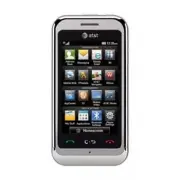
LG GT950 Cell Phone – User Manual, read for free online in PDF format. We hope this helps you resolve any issues you may have. If you have further questions, please contact us through the contact form.


Table of Contents:
- Page 2 – Getting to Know Your Phone
- Page 3 – Mobile Email
- Page 4 – Text Messaging; Insert a Picture; Take and Send a Picture; Take a Picture
- Page 8 – Downloadable Fun; Access AppCenter; Instant Messaging
- Page 9 – Mobile Web; Personalize Your MEdia Net Home Page; Video ShareTM; Making a Video Share Call; Stop
- Page 10 – Multitasking; To Start AT&T Navigator
- Page 11 – Access Social Networks and Information; Touch Screen/Navigation
- Page 16 – Optional Accessories; Quick Start Guide; Use your phone for more than just talking.
Vehicle Power Charger
LG is a registered trademark of LG Electronics, Inc. microSD™ is a trademark of SanDisk. The
Bluetooth
®
word mark and logos are registered trademarks owned by Bluetooth SIG, Inc. and any use of such
marks by LG Electronics MobileComm, U.S.A., Inc. is under license. AT&T marks contained herein are
trademarks of AT&T Intellectual Property and/or AT&T affiliated companies. Microsoft product screen
shot(s) reprinted with permission from Microsoft Corporation. © 2009 AT&T Intellectual Property. All
rights reserved. All other marks are proprietary to their respective owners. Unless otherwise specified
herein, all accessories referenced herein are sold separately.
Optional Accessories
Accessories for productivity, convenience, and fashion are available at att.com/wireless.
MCDZ0016401
Bluetooth
Headset
Bluetooth
® Solar Speakerphone
Quick Start Guide
Use your phone for more than just talking.
• AT&T Mobile TV
• Mobile Email
• Text and IM
• Social Networking
• Mobile Web
Actual color of the phone may vary.
See User Manual for Spanish instructions.
Additional charges may apply. Visit att.com for more details. Phone features
subject to change without prior notice. All phone screens are simulated.
Services may not be available in all markets.
AT&T marks contained herein are trademarks of AT&T Intellectual Property
and/or AT&T affiliated companies. © 2009 AT&T Intellectual Property.
All rights reserved.
16GB microSD™ Card
Leather Case
"Loading the manual" means you need to wait until the file loads and becomes available for online reading. Some manuals are very large, and the time they take to appear depends on your internet speed.
Summary
AT&T Music AT&T Music provides the ultimate music experience. Listen to your favorite music, watch the latest music videos, and stay in the know with music news and more. 1. From the home screen and with the phone unlocked, tap > AT&T Music . Listen to your music with the integrated M...
AT&T Mobile TV Catch up on your favorite TV programs while on the go! Watch full-length shows from CBS, Comedy Central, ESPN, FOX, NBC, MTV, and Nickelodeon right on your mobile phone. 1. From the home screen, tap > TV . 2. Watch the introductory video clip. (Plays the first time you access M...
Text Messaging When you need to communicate privately and quickly, use text messaging. Send text messages to other wireless phones and email addresses. 1. From the home screen, tap . 2. Tap Create New Message and rotate the phone to display the full virtual keyboard. 3. Enter your message and tap Se...


