Page 3 - LIMITED WARRANTY STATEMENT; WHAT THIS WARRANTY DOES
LIMITED WARRANTY STATEMENT 1. WHAT THIS WARRANTY COVERS : LG offers you a limited warranty that the enclosed subscriber unit and its enclosed accessories will be free from defects in material and workmanship, according to the following terms and conditions: 1. The limited warranty for the product ex...
Page 5 - User Guide
Page 6 - Table of Contents
2 Table of Contents For Your Safety . . . . . . . . . . . . . . . . . . . . . . . . . . . . . .5 Your Phone . . . . . . . . . . . . . . . . . . . . . . . . . . . . . . . .10 Phone Components . . . . . . . . . . . . . . . . . . . . . . . . . . . . . . . . 10 Your Phone’s Features . . . . . . . . . . ...
Page 9 - Safety Instructions; Always store your phone away from heat.; Safety Information; For Your Safety
5 Important Information This user guide contains important information on the use and operation of this phone. Please read all the information carefully for optimal performance and to prevent any damage to or misuse of the phone. Any changes or modifications not expressly approved in this user guide...
Page 11 - Memory Card Information and Care
7 For Your Safety ] Do not hold or let the antenna come in contact with your body during a call. ] An emergency call can be made only within a service area. For an emergency call, make sure that you are within a service area and that the phone is turned on. ] Use accessories, such as earphones and h...
Page 13 - FCC Part 15 Class B Compliance
9 For Your Safety FCC Part 15 Class B Compliance This device and its accessories comply with part 15 of FCC rules. Operation is subject to the following two conditions: (1) This device and its accessories may not cause harmful interference, and (2) this device and its accessories must accept any int...
Page 14 - Your Phone; Phone Components
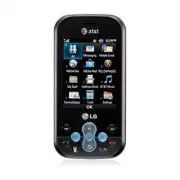
10 Your Phone Phone Components 3. Left soft key/ Right soft key 10. Symbol key 4. New Message key 5. Clear key 6. Space Key 8. Alphanumeric keys 11. Fn key 9. Text Entry Mode key 13. Clear key 12. End/Power key 14. Navigation keys 15. Touchpad key 16. Send key 17. OK key 18. Left soft key 2. Right s...
Page 15 - Your Phone’s Features
11 Your Phone 1. Main screen: Displays phone status icons, menu items, web information, pictures and more in full color. 2, 3, 18. Left soft key/Right soft key: Each of these keys perform the functions indicated by the text on the display immediately above them. 4. New Message key: Starts a new Text...
Page 17 - Display Information; Area
13 Your Phone Display Information Annunciator area Text and graphic area Soft key indications Menu Options Area Description First line(Annunciator area) Displays various icons. Middle lines(Text and graphic area) Display messages, instructions and any information that you enter, such as number to be...
Page 20 - Installing the SIM Card; Note; Getting Started
16 Installing the SIM Card When you subscribe to a cellular network, you are provided with a plug-in SIM Card loaded with your subscription details, such as your PIN, any optional services available and many others. n Important! The plug-in SIM Card and its contacts can be easily damaged by scratche...
Page 21 - Charging the Battery
17 4. To insert the battery, align the golden contacts of the battery with the corresponding connectors on the battery compartment. Press down on the opposite end of the battery until it snaps into place. 5. Attach back cover by sliding the bottom into position and pressing on the edges until they c...
Page 22 - Warning
18 n Warning The travel charger must be unplugged before you remove the battery, otherwise, the phone could be damaged. Important! You should insert the battery before charging. 3. When a phone has been charged fully, disconnect the travel charger from the phone by pulling the connector out. n Note ...
Page 23 - Memory Card Slot; Inserting the Memory Card; Removing the Memory Card
19 Memory Card Slot The Neon supports the microSD™ memory card. The memory card can be inserted into the side of the Neon device. You can use this card to save data files such as MP3 songs (Supports up to 4 GB). n Note Always insert/remove the memory card with the handset power off. Use only memory ...
Page 24 - Turning Your Phone On and Off; Access Codes; Change Codes
20 Turning Your Phone On and Off 1. Hold down the [END] key until the phone switches on. 2. If the phone asks for a PIN, enter the PIN and press the key. The phone searches for your network and after finding it goes to the idle screen as illustrated below. From the idle screen, you can make or recei...
Page 25 - General Functions; Making a Call; Making a Call Using the Send Key
21 General Functions Making a Call 1. Make sure your phone is powered on. Press Touch Dial Keypad to make a call without sliding out the keypad. 2. Enter a phone number including the area code. To edit a number on the display screen, simply press the key to erase one digit at a time. ] Press and hol...
Page 26 - Any Key; Notice; Signal Strength; Entering Text
22 Adjusting the Volume During a call, if you want to adjust the earpiece volume, use the side keys of the phone. In idle mode, you can adjust the ring volume using the side keys. Answering a Call When you receive a call, the phone rings and the phone icon appears on the screen. If the caller can be...
Page 27 - Refi lling Your Account; My Account
23 To input a symbol in the text entry field, press the key and select a symbol, then select OK. Scroll using the navigation keys to show more symbol options. Complete each word with a space by pressing . To delete a character, press key. Fn key: Change from text mode to symbol/numeric mode. - Once:...
Page 28 - Selecting Functions and Options
24 Selecting Functions and Options Your phone offers a set of functions that allow you to customize the phone. These functions are arranged in menus and sub-menus, accessed via the two soft keys marked the left soft key and the right soft key. Each menu and sub-menu allows you to view and alter the ...
Page 29 - During a Call; Making a Second Call; Swapping Between Two Calls; Answering an Incoming Call; Call Waiting
25 In-Call Menu Your phone provides a number of control functions that you can use during a call. To access these functions during a call, press the left soft key [Options]. During a Call The menu displayed on the handset screen during a call is different from the default main menu displayed when in...
Page 30 - Conference Calls
26 Rejecting an Incoming Call You can reject an incoming call without answering by simply pressing the [END] key. Muting the Microphone You can mute the microphone during a call by pressing the right soft key [Mute]. The handset can be unmuted by pressing the right soft key [Unmute]. When the handse...
Page 32 - Menu Tree
28 1. IM (see page 32) 2. Messaging (see page 37) 2.1 Create Message2.2 Inbox2.3 Drafts2.4 Outbox2.5 Voicemail2.6 Templates2.7 Message Settings 3. Mobile Email (see page 42) 4. MEdia Net (see page 43) 5. MEdia Mall (see page 45) 6. YELLOWPAGES (see page 46) 7. My Stuff (see page 47) 7.1 Audio7.2 Pic...
Page 36 - Offline Menu; IM
32 The Instant Messaging feature can only be used with the support of the network operator or communities such as AIM, Windows Live and Yahoo!. For Instant Messaging users, a valid User ID and Password will be required in order to login and exchange messages as well as checking the online status. To...
Page 37 - IM Information; Saved Conversations:
33 IM Information This displays the Instant Messaging Client Information such as Client Name and Version Number. Online Menu / 1-to-1 conversation After a successful Login, a list of contacts with Screen Names will appear on screen. Depending on the cursor location in the contacts, the following men...
Page 40 - Offline Contacts; Auto Sign In
36 ] Settings - Display Name - My Status: Allows you to set your status to Available, Busy or Invisible. - Offline Contacts - Set Sound: Allows you to turn on/off an alert for the Contact when they have activity on their session. - Auto Sign In - Default Provider n Note ] In the conversation window,...
Page 41 - Messaging; Create Message; Editing a message
37 Messaging This menu includes functions related to SMS (Short Message Service), MMS (Multimedia Message Service), voice mail as well as the network's service messages. Create Message Menu 2.1 In the standby screen, select Menu > Messaging > Create Message, or press the in the qwerty keyboard...
Page 42 - Tip; Inbox
38 ] Delivery Options - Delivery Receipt: If this is set to On in this menu, you can check whether your message was sent successfully. - Request Read Receipt: If this option is set to On, you will get a confirmation that the message was read successfully. ] Save to Drafts: Saves the selected message...
Page 43 - Templates; Multimedia Templates:
39 Drafts Menu 2.3 You can view the messages saved as drafts. To reach the Drafts, from the standby screen, select Menu > Messaging > Drafts. The following Options are available. ] Information: It show the information of the message such as Date, Time and Type. ] Multi Delete: You can delete a...
Page 44 - Message Settings; Menu; Message Alert; Message Center Number:; Multimedia Message; Download Options
40 Message Settings Menu 2.7 To view or change Message settings, select Menu > Messaging > Message Settings . Message Alert (Menu 2.7.1) You can set the Sounds, Volume and Alert Type here. Text Message (Menu 2.7.2) ] Message Center Number: If you want to send a text message, you can get the ad...
Page 46 - Mobile Email; To Set Up Mobile Email
42 Mobile Email Mobile Email allows you to access your Yahoo! Mail, AOL Mail, AIM Mail, Windows Live Hotmail, AT&T Yahoo!, BellSouth Mail and Other providers accounts on your phone. So, now you can quickly and easily check your email while you are away from your computer. To Set Up Mobile Email ...
Page 47 - MEdia Net; Launch the Browser; Key
43 MEdia Net This connects to the homepage, as defined in the activated account. The default account connects to AT&T’s homepage. This menu lets you access the Internet by launching the MEdia Net browser. MEdia Net is one of the services provided by AT&T and it gives you access to all the co...
Page 48 - Online menu
44 Using the MEdia Net Browser Menu Online menu Once you are connected to the Internet, the following menu options are available: ] Back: Moves to the previous page. ] Forward: Moves to the next page. ] Refresh: Loads the current page again. ] Home: Moves to the initial homepage. ] Enter URL: Connec...
Page 49 - MEdia Mall
45 MEdia Mall MEdia Mall This menu option connects to AT&T’s MEdia Mall download site. In this site you can download Ringtones, Games, Cool Tools/Apps, Videos, Color Graphics, Fun Packs, Themes and more. n Note Additional charges may incur when downloading ringtones. Contact AT&T for additio...
Page 50 - YELLOWPAGES
46 YELLOWPAGES Unleash the power of YELLOWPAGES.COM local search on your mobile phone. Find a business, get maps and directions, and save your favorites: our mobile app gives you what you need, whenever and wherever you need it. ] Search for local businesses. ] View ratings and call businesses. ] Sa...
Page 51 - My Stuff; Audio; Take Photo; Album
47 My Stuff Audio Menu 7.1 ] Shop Tones: This menu option connects to AT&T’s ringtone download site. ] Answer Tones: This menu option shows the list of the sites which is related with AT&T’s answer tone. ] Record Voice: You can record your own audio by pressing the center [Record] key. ] Def...
Page 52 - Options; Record Video
48 ] Color effect: Off, Sepia, Mono, Negative ] EV: You can adjust the brightness level of the screen using the left/right navigation keys and there are 20 levels of settings. The right Soft key [ Options ] will bring up to the following options. ] Video camera: Changes to video camera. ] Display: S...
Page 53 - Record Voice; Web Pages; Bookmarks
49 The right Soft key [Options] will bring up to the following options. ] Camera: Changes to camera mode. ] Display: Show or hide your options by selecting Standard or Clean. ] Resolution: Sets 176x144 and 320x240. ] Quality: Set the quality to Super fine, Fine or Normal. ] Save to: When a microSD™ ...
Page 54 - Saved Pages; Documents; Rename; Memory Card
50 n Note Pre-installed bookmarks cannot be deleted or edited by users. Saved Pages (Menu 7.5.2) This saves the page on display as an offline file. A maximum of 20 pages can be saved. Recent Pages (Menu 7.5.3) You can review the last 20 pages visited in this menu. Documents Menu 7.6 This menu enable...
Page 55 - Address Book; Contact List
51 Address Book Contact List Menu 8.1 This menu allows you to save and manage contact address information. The Contact List's functions allow you to add a new address or search saved contact addresses by name. New Contact Menu 8.2 This menu allows you to add a new contact address. You can enter cont...
Page 56 - My Numbers; Address Book
52 Contacts Management Menu 8.5 This menu allows you to copy all of the information from your SIM card, e.g. name, handset number, etc. to your handset. If a name is duplicated during the copying operation, the information is also duplicated. You can copy the entry from the SIM card to the phone mem...
Page 57 - Music Player; Playing Music
53 AT&T Music Music Player Menu 9.1 ] All Songs: You can view all the songs in your music library. ] Playlists: You can make your own playlists by choosing songs from the All songs menu list. ] Shuffle Songs: Shuffles playing order of songs in your library at random.You can listen to the songs i...
Page 58 - Adding Music to Your Handset; Shop Music
54 Adding Music to Your Handset Music files can be added to your handset by using one or more of the following methods: • Download music and ringtones over the AT&T network directly to your device via the Shop Music (Menu 9.2) link in the AT&T Music option or the Shop Tones (Menu 7.1) link i...
Page 59 - Changing USB Connection
55 Transferring Music using your PC Before You Get Started To transfer music from your PC to your device, you will need the following: • Windows Media ® Player 10 (or above) or other digital music management software. • Music on your PC in one of these formats: MP3, .AAC or AAC+. • A microSD™ card* ...
Page 64 - Tools; Recent Calls; Always Vibrate; Calendar
60 Tools Recent Calls Menu 0.1 This shows recent calls categorized to Missed/ Dailed/Received/All . Alarm Clock Menu 0.2 The alarm function allows you to set up multiple separate alarms. You can also set the time, repetition interval and alarm sound. Select your desired alarm setting to configure fr...
Page 65 - Adding a city to your world clock
61 ] View All: Allows you to view all saved schedules. ] Go to Date: Allows you to jump to a specific date. ] Select Multiple: Allows you to select multiple schedules. Notepad Menu 0.4 You can create up to a maximum of 100 memos. 1. Press the left soft key [New] to create a new memo. 2. Input the me...
Page 66 - Stopwatch; New Time; Unit Converter
62 Stopwatch Menu 0.7 This menu allows you to record the elapsed time of an event. The duration of an individual lap time. ] New Time 1. To start timing, press the center key [Start]. The running time is displayed as HH.MM.SS.hh (hours, minutes, seconds, hundredths of a second). 2. During the timing...
Page 67 - Settings; Shop Tones; Alert Tone; Melody
63 Settings Audio & Ringtones Menu #.1 There are 5 sound modes: General, Vibrate All, Alarm Only, Silent All and Ear Mic. All modes can be changed from the Volume key on idle screen mode. In addition, pressing and holding the key on idle screen mode switches between Normal mode and Vibrating mod...
Page 68 - Phone Settings; Languages; Security
Settings 64 Phone Settings Menu #.2 Date & Time (Menu #.2.1) ] Set Date: This allows you to enter the day, month and year. You can change the date format via the Date Format menu option. ] Date Format: ddd, MMM DD (day, month date)MM/DD/YYYY (month/date/year) DD/MM/YYYY (date/month/year)YYYY/MM/...
Page 69 - Phone; Display; On
Settings 65 Reset Settings (Menu #.2.7) This function allows you to restore factory settings. To do this, you need the security code. ] Master Reset: Restores the settings (e.g.: Audio, Display, Language, Date & Time, Bluetooth ® Settings) stored in the handset memory to default values. ] Master...
Page 70 - Color Schemes; Touch Keypad; Call Forwarding; Auto Redial
Settings 66 Color Schemes (Menu #.3.8) You can change the color of the menu, soft key area, title bar area and cursor by changing the Color Schemes. You can select Black or White Schemes. Menu Styles (Menu #.3.9) You can configure the menu style to icon style (Grid View) or list style (List View). T...
Page 71 - Connection
Settings 67 Answer Mode (Menu #.5.4) This allows you to determine how to answer the phone. ] Slide Open: You can slide open the phone to answer an incoming call. ] Any Key: You can answer an incoming call by pressing any key except the [END] key, or Right Soft key [Reject]. ] Accept key only: You ca...
Page 72 - A2DP profile
Settings 68 Hands-free profile This icon appears when the hands-free profile is used between the hands-free device This allows you to call using a Bluetooth ® connection. A2DP profile This icon appears when the A2DP profile is used between the stereo headset device and the phone. This allows you to ...
Page 73 - My Bluetooth; USB Connection Mode; Memory; Set Storage Defaults
Settings 69 Select the desired device by pressing the [OK] key and entering the password. ] My Bluetooth ® Info: This menu allows you to configure the profile for Bluetooth ® . - My Device Name: Allows you to change the handset's name, this can be seen by other Bluetooth ® devices. - Supported Servi...
Page 74 - Application Settings; Accounts
Settings 70 Application Settings Menu #.8 This Menu allows you to adjust the settings to the following features on the phone: Messaging (Menu #.8.1) For more details, refer to Message Settings. Browser (Menu #.8.2) Accounts This includes the network information used to connect the browser to the Int...
Page 75 - Cache Settings; Cookie Settings; Phone Information
Settings 71 Cache Settings The web pages you have accessed are stored in the memory of the phone. ] Clear Cache: Remove all cached data in the memory. ] Allow Cache: Set a value to determine whether a connection attempt is made through the cache or not. n Note A cache is a buffer memory, which is us...
Page 77 - Accessories; Travel Adapter; Battery; Vehicle Power Adapter
73 Accessories There are a variety of accessories available for your mobile phone, some of which may be sold separately. You can select these options according to your personal communication requirements. Consult your local dealer for availability. Travel Adapter This adapter allows you to charge th...
Page 79 - Safety Guidelines; TIA Safety Information; Antenna Care
75 Safety Guidelines TIA Safety Information Provided herein is the complete TIA Safety Information for Wireless Handheld phones. Inclusion of the text covering Pacemakers, Hearing Aids, and Other Medical Devices is required in the owner’s manual for CTIA Certification. Use of the remaining TIA langu...
Page 80 - Tips on Efficient Operation
Safety Guidelines 76 Tips on Efficient Operation For your phone to operate most efficiently: ] Do not touch the antenna unnecessarily when the phone is in use. Contact with the antenna affects call quality and may cause the phone to operate at a higher power level than otherwise needed. Driving Chec...
Page 83 - Charger and Adapter Safety
Safety Guidelines 79 Charger and Adapter Safety ] The charger and adapter are intended for indoor use only. Battery Information and Care ] Please dispose of your battery properly or take it to your local wireless carrier for recycling. ] The battery does not need to be fully discharged before rechar...
Page 84 - General Notice
Safety Guidelines 80 ] Do not short-circuit the battery. Metallic articles such as a coin, paperclip or pen in your pocket or bag may short-circuit the + and – terminals of the battery (metal strips on the battery) upon moving. Short-circuit of the terminal may damage the battery and cause an explos...
Page 85 - FDA Consumer Update; Do wireless phones pose a health hazard?
Safety Guidelines 81 FDA Consumer Update The U.S. Food and Drug Administration Centre for Devices and Radiological Health Consumer Update on Mobile Phones. 1. Do wireless phones pose a health hazard? The available scientific evidence does not show that any health problems are associated with using w...
Page 86 - What kinds of phones are the subject of
Safety Guidelines 82 The FDA belongs to an interagency working group of the federal agencies that have responsibility for different aspects of RF safety to ensure coordinated efforts at the federal level. The following agencies belong to this working group: ] National Institute for Occupational Safe...
Page 87 - What are the results of the research done; What research is needed to decide
Safety Guidelines 83 4. What are the results of the research done already? The research done thus far has produced conflicting results, and many studies have suffered from flaws in their research methods. Animal experiments investigating the effects of radiofrequency energy (RF) exposures characteri...
Page 88 - What is the FDA doing to find out more; How can I find out how much radio
Safety Guidelines 84 6. What is the FDA doing to find out more about the possible health effects of wireless phone RF? The FDA is working with the U.S. National Toxicology Program and with groups of investigators around the world to ensure that high priority animal studies are conducted to address i...
Page 89 - What has the FDA done to measure the; What steps can I take to reduce my
Safety Guidelines 85 8. What has the FDA done to measure the radio frequency energy coming from wireless phones? The Institute of Electrical and Electronic Engineers (IEEE) is developing a technical standard for measuring the radio frequency energy (RF) exposure from wireless phones and other wirele...
Page 90 - What about children using wireless; What about wireless phone interference
Safety Guidelines 86 10. What about children using wireless phones? The scientific evidence does not show a danger to users of wireless phones, including children and teenagers. If you want to take steps to lower exposure to radiofrequency energy (RF), the measures described above would apply to chi...
Page 91 - Where can I find additional information?
Safety Guidelines 87 12. Where can I find additional information? For additional information, please refer to the following resources: FDA web page on wireless phones (http://www.fda.gov/cdrh/phones/index.html) Federal Communications Commission (FCC) RF Safety Program(http://www.fcc.gov/) Internatio...
Page 92 - 0 Driver Safety Tips
Safety Guidelines 88 10 Driver Safety Tips Your wireless phone gives you the powerful ability to communicate by voice almost anywhere, anytime. An important responsibility accompanies the benefits of wireless phones, one that every user must uphold. When operating a car, driving is your first respon...
Page 96 - Glossary
92 To help you understand the main technical terms and abbreviations used in this booklet and to take full advantage of the features on your mobile phone, here are a few definitions. Glossary Call Forwarding The ability to reroute calls to another number. Call Waiting The ability to inform users tha...
Page 98 - Index
94 Index A Access Codes ..............................................................20Address Book ..............................................................51Answering a Call ........................................................22Answer Mode ...................................................
Page 100 - Memo
Page 103 - DECLARACIÓN DE GARANTÍA LIMITADA
DECLARACIÓN DE GARANTÍA LIMITADA 1. ESTA GARANTÍA CUBRE: LG le ofrece una garantía limitada de que la unidad adjunta para el suscriptor y sus accesorios adjuntos estarán libres de defectos de materiales o mano de obra, según los siguientes términos y condiciones: 1. La garantía limitada del producto...
Page 104 - CÓMO OBTENER EL SERVICIO POR
9. Productos que se hayan hecho funcionar fuera de los límites máximos. 10. Productos usados o alquilados. 11. Consumibles (como los fusibles). 3. LO QUE HARÁ LG: LG, a su exclusivo criterio, reparará, reemplazará o rembolsará el precio de compra de cualquier unidad que no cumpla con la presente gar...
Page 105 - Guía del usuario
Page 106 - Contenido
2 Por su seguridad . . . . . . . . . . . . . . . . . . . . . . . . . . . .5 El teléfono . . . . . . . . . . . . . . . . . . . . . . . . . . . . . . . . .10 Componentes del teléfono . . . . . . . . . . . . . . . . . . . . . . . . . 10 Características del teléfono . . . . . . . . . . . . . . . . . . ....
Page 109 - Por su seguridad; Información importante; Instrucciones de seguridad; Almacene siempre el teléfono lejos del calor.; Información de seguridad
5 Por su seguridad Información importante Esta guía del usuario contiene información importante acerca del uso y funcionamiento de este teléfono. Lea toda la información con cuidado para obtener un desempeño óptimo y para evitar cualquier daño o mal uso del teléfono. Cualquier cambio o modificación ...
Page 111 - PRECAUCIÓN
Por su seguridad 7 ] No sostenga la antena ni permita que entre en contacto con su cuerpo durante las llamadas. ] Las llamadas de emergencia sólo pueden hacerse dentro de un área de servicio. Para hacer una llamada de emergencia, asegúrese de estar dentro de un área de servicio y que el teléfono est...
Page 112 - Funcionamiento en el cuerpo
Por su seguridad 8 Funcionamiento en el cuerpo Este dispositivo fue probado para operaciones típicas de uso en el cuerpo, con la parte posterior del teléfono a 2 cm (0,79 pulgadas) del cuerpo del usuario. Para cumplir con los requisitos de exposición a RF de la FCC, debe mantenerse una distancia mín...
Page 113 - Precauciones con la batería
Por su seguridad 9 Cumplimiento de clase B según el artículo 15 de la FCC Este dispositivo y sus accesorios cumplen con el artículo 15 de las reglas de la FCC. La operación está sujeta a las dos condiciones siguientes:(1) Este dispositivo y sus accesorios no podrán causar interferencias dañinas y (2...
Page 114 - Componentes del teléfono; El teléfono
10 Componentes del teléfono El teléfono 3. Tecla de función izquierda/tecla de función derecha 10. Tecla de símbolos 4. Tecla de nuevo mensaje 5. Tecla Borrar 6. Tecla de espacio 8. Teclas alfanuméricas 11. Tecla Fn 9. Modo de Entrada de Texto 13. Tecla Borrar 12. Tecla de apagado/ encendido 14. Tec...
Page 115 - Características del teléfono
11 Características del teléfono 1. Pantalla principal: muestra a todo color los iconos de estado del teléfono, los elementos de los menús, información de Internet, fotos y mucho más. 2. 3, 18. Tecla de función izquierda/Tecla de función derecha: cada una de estas teclas ejecuta las funciones indicad...
Page 117 - Información en pantalla; Área
13 Información en pantalla Área del anunciador Área de texto y gráficos Indicaciones de las teclas de función Menú Opciones Área Descripción Línea superior(Área del anunciador) Muestra varios iconos. Líneas centrales(Área de texto y gráficos) Muestran mensajes, instrucciones y cualquier información ...
Page 118 - Iconos en pantalla; Icono
14 Iconos en pantalla La tabla debajo describe diversos indicadores o iconos que aparecen en la pantalla de visualización del teléfono. Icono Descripción Indica la potencia de la señal de la red. Indica que el servicio EDGE está disponible. La conexión al servicio EDGE le permite transferir datos a ...
Page 120 - Introducción; Instalación de la tarjeta SIM; Importante; Nota
16 Introducción Instalación de la tarjeta SIM Cuando se suscribe a una red celular, se le suministra una tarjeta SIM cargada con sus detalles de suscripción tales como su PIN, servicios opcionales disponibles y muchos otros. n Importante La tarjeta SIM y sus contactos pueden dañarse con facilidad si...
Page 121 - Carga de la batería
17 4. Para insertar la batería, alinee los contactos dorados de la batería con los conectores correspondientes en el compartimiento de la batería. Luego, presione el otro extremo de la batería hacia abajo hasta que entre en su sitio. 5. Para volver a colocar la tapa posterior, deslice la parte infer...
Page 124 - Apagar y encender el teléfono; Códigos de acceso; Cambiar códigos
20 Apagar y encender el teléfono 1. Mantenga presionada la tecla [FIN] hasta que se encienda el teléfono. 2. Si el teléfono le pide un código PIN, ingréselo y oprima la tecla . El teléfono buscará la red y, después de encontrarla, aparece la pantalla inactiva que se ilustra abajo. Desde la pantalla ...
Page 125 - Funciones generales; Hacer una llamada; Hacer llamadas internacionales
21 Funciones generales Hacer una llamada 1. Asegúrese de que el teléfono esté encendido. Presione el teclado de marcado táctil para hacer una llamada sin deslizar el teclado. 2. Ingrese un número de teléfono, incluido el código de área. Para modificar un número que aparece en la pantalla de visualiz...
Page 126 - Cualquier tecla; Aviso; Potencia de la señal; Introducir texto
22 Ajuste del volumen Si, durante una llamada, desea ajustar el volumen del audífono, use las teclas laterales del teléfono. En modo de inactividad, puede ajustar el volumen del timbre con las teclas laterales. Responder una llamada Al recibir una llamada, el teléfono suena y aparece en pantalla un ...
Page 127 - Recarga de su cuenta; Mi cuenta
23 Para introducir un símbolo en el campo de entrada de texto, presione la tecla y seleccione un símbolo, y después seleccione Aceptar. Desplácese con las teclas de navegación para mostrar más opciones de símbolos. Para insertar espacios entre las palabras, presione . Para borrar un carácter, presio...
Page 128 - Selección de funciones y opciones
24 Selección de funciones y opciones El teléfono ofrece una serie de funciones que le permitirán personalizarlo. Estas funciones están divididas en menús y submenús, a los que se accede mediante las dos teclas de función: tecla de función izquierda y tecla de función derecha . Cada menú y submenú pe...
Page 129 - Menú En llamada; Durante una llamada; Hacer una segunda llamada; Cambio; Contestando una llamada entrante; Llamada en
25 Menú En llamada El teléfono brinda una cantidad de funciones de control que pueden utilizarse durante una llamada. Para acceder a estas funciones durante una llamada, presione la tecla de función izquierda [Opciones]. Durante una llamada El menú que aparece en la pantalla del terminal durante una...
Page 130 - Advertencia; Llamadas de conferencia
26 Rechazar una llamada entrante Es posible rechazar una llamada entrante y no contestarla al presionar la tecla [FIN]. Silenciamiento del micrófono Durante una llamada, es posible silenciar el micrófono si presiona la tecla de función derecha [Silencio]. Se puede cancelar el silencio si presiona la...
Page 132 - Árbol de menús; Correo electrónico
28 A continuación, se indica la estructura de los menús disponibles y cuál es: ] el número asignado a cada opción de menú. ] la página donde se encuentra la descripción de esa función. Árbol de menús 1. IM (consulte la página 32) 2. Mensajería (consulte la página 37) 2.1 Crear mensaje2.2 Recibidos2....
Page 136 - Menú fuera de línea
32 IM La función de mensajería instantánea sólo puede usarse con el apoyo del operador de red o de comunidades tales como AIM, Windows Live y Yahoo!. Los usuarios de mensajería instantánea necesitarán una ID de usuario y una contraseña válidas para iniciar sesión e intercambiar mensajes, así como pa...
Page 137 - Información de MI; Conversaciones guardadas:; Finalizar conversación:
33 Información de MI Muestra información sobre el programa cliente de mensajería instantánea, como el nombre del cliente y el número de versión del programa. Menú en línea / Conversación uno a uno Después de iniciar la sesión satisfactoriamente, aparecerá en la pantalla una lista con los identificad...
Page 140 - Contactos fuera de línea; Inic ses autom
36 ] Configuración - Mostrar nombre - Mi estado: permite establecer el estado como Disponible, Ocupado o Invisible. - Contactos fuera de línea - Establecer sonido: permite establecer una alerta para un contacto en Activado/Desactivado cuando haya actividad en su sesión. - Inic ses autom - Proveedor ...
Page 141 - Mensajería; Crear mensaje; Editar un mensaje
37 Mensajería Este menú incluye funciones relacionadas con el servicio de mensajes cortos (SMS por su sigla en inglés), el servicio de mensajes de multimedia (MMS por su sigla en inglés) y el correo de voz, además de los mensajes de servicio de la red. Crear mensaje Menú 2.1 En la pantalla de espera...
Page 142 - Sugerencia; Recibidos
38 ] Opciones de entrega - Confirmación de entrega: si se establece como Activado en este menú, puede verificar si el mensaje se envió de manera correcta. - Solicitar confirmación de entrega: puede establecerlo como Activado o Desactivado. ] Guardar en borradores: guarda el mensaje seleccionado en l...
Page 143 - Borradores; Salientes; Eliminación múltiple:; Buzón de voz; Plantillas
39 Borradores Menú 2.3 Permite ver los mensajes guardados como borradores. Para ver la opción Borradores, en la pantalla de espera, seleccione Menú > Mensajes > Borradores. Las siguientes opciones están disponibles: ] Información: muestra la información del mensaje, como la fecha, la hora y el...
Page 146 - Correo electrónico; Para configurar el Correo electrónico:
42 Correo electrónico La aplicación Mobile Email permite acceder a las cuentas de Yahoo!, AOL, AIM, Windows Live Hotmail, AT&T Yahoo!, BellSouth y de otros proveedores desde el teléfono. Así que, de ahora en más, puede revisar el correo electrónico fácilmente y sin perder tiempo, aun cuando no t...
Page 147 - Inicio del navegador; Tecla
43 MEdia Net Se conecta con la página de inicio definida en la cuenta activada. La cuenta predeterminada conecta con la página de inicio de AT&T. Este menú muestra cómo acceder a Internet por medio de su navegador WAP. MEdia Net es uno de los servicios proporcionados por AT&T y le brinda acc...
Page 148 - Uso del menú del navegador WAP; Menú en línea
44 Uso del menú del navegador WAP Menú en línea Una vez conectado a Internet, se puede disponer de las siguientes opciones de menú: ] Atrás: va a la página anterior. ] Adelante: va a la página siguiente. ] Refrescar: vuelve a cargar la página en la que está en ese momento. ] Inicio: va a la página d...
Page 151 - Mis cosas; Audio predeterminado:; Imágenes; Imágenes predeterminadas:; Video; Cámara y grabaciones; Tomar foto; Álbum
47 Mis cosas Audio Menú 7.1 ] Comprar tonos: esta opción de menú se conecta con el sitio de descarga de tonos de timbre de AT&T. ] Tonos de respuesta: esta opción de menú muestra la lista de sitios relacionada con el tono de respuesta de AT&T. ] Grabadora: permite grabar su propio audio al p...
Page 152 - Restablecer configuración:; Grabar video
48 ] Efecto de color: Desactivado, Sepia, B&N o Negativo. ] EV: puede ajustar el nivel de brillo de la pantalla con las teclas de navegación hacia la izquierda o derecha. Existen 20 niveles de brillo. La tecla de función derecha [Opciones] mostrará las siguientes opciones: ] Videocámara: estable...
Page 153 - Grabadora; Opciones; Páginas Web; Favoritos
49 La tecla de función derecha [Opciones] mostrará las siguientes opciones: ] Cámara: Cambia a modo cámara. ] Pantalla: permite establecerla como Estándar o Borrar iconos. ] Resolución: permite establecerla como 176x144 o 320x240. ] Calidad: permite establecer la calidad en Super fino, Fina o Normal...
Page 154 - Documentos; Enviar vía; Tarjeta de memoria
50 Páginas guardadas (Menú 7.5.2) Guarda la página en pantalla como archivo sin conexión. Se puede guardar un total de 20 páginas. Páginas recientes (Menú 7.5.3) Mediante este menú, puede revisar las últimas 20 páginas que visitó en este menú. Documentos Menú 7.6 Este menú le permite ver diferentes ...
Page 155 - Agenda; Lista de contactos; Grupos
51 Agenda Lista de contactos Menú 8.1 Este menú permite guardar y administrar información sobre las direcciones de los contactos. Las funciones de la lista de contactos permiten agregar nuevas direcciones o buscar las direcciones de contactos guardadas por nombre. Nuevo contacto Menú 8.2 Este menú p...
Page 156 - Números propios
52 Administración de contactos Menú 8.5 Este menú permite copiar al teléfono toda la información de la tarjeta SIM, p. ej. nombre, número del teléfono, etc. Si durante el proceso de copiado hay un nombre duplicado, la información también se duplicará. Puede copiar las entradas de la tarjeta SIM a la...
Page 157 - Reproducción de música
53 Música de AT&T Reproductor de música Menú 9.1 ] Todas las canciones: puede ver todas las canciones de la biblioteca de música. ] Playlists: puede hacer sus propias listas de reproducción al elegir canciones de la lista de menú Todas las canciones. ] Reordenar canciones: ordena de manera aleat...
Page 158 - Agregar música al teléfono; Comprar música
54 Agregar música al teléfono Pueden agregarse archivos de música al teléfono mediante cualquiera de los siguientes métodos: • Descargar música y tonos de timbre directamente de la red AT&T al dispositivo mediante el vínculo Comprar música (Menú 9.2) en la carpeta de música de AT&T o mediant...
Page 159 - Cambiar la
55 Transferir música con la computadora Antes de comenzar Para transferir música de una PC al dispositivo, deberá contar con lo siguiente: • Windows Media ® Player 10 (o mas reciente.) • Música en la PC en uno de los siguientes formatos: MP3, .AAC ó AAC+. • Una tarjeta microSD™* (admite tarjetas de ...
Page 163 - Juegos y aplicaciones; Comprar aplicaciones:
59 Juegos y aplicaciones n Nota El archivo JAR es un formato comprimido del programa Java, y el archivo JAD es un archivo de descripción que incluye toda la información detallada. Desde la red, y antes de la descarga, se pueden obtener todas las descripciones detalladas de los archivos desde el arch...
Page 164 - Extras; Registro de Llamadas; Vibrar siempre/Seguir perfil; Calendario
60 Extras Registro de Llamadas Menú 0.1 Esta opción muestra las llamadas recientes ordenadas en las siguientes categorías Perdidas/ Realizadas/Recibidas/Todas . Despertador Menú 0.2 Esta función sirve para configurar diversas alarmas por separado. También sirve para establecer el sonido de la alarma...
Page 165 - Ampliar
61 ] Ver todo: permite ver todos los planes guardados. ] Ir a fecha: permite ir directamente a una fecha determinada. ] Seleccionar varios: permite seleccionar varios planes. Bloc de notas Menú 0.4 Es posible crear un máximo de 100 memos. 1. Presione la tecla de función izquierda [Nuevo] para crear ...
Page 166 - Cronómetro; Nueva hora; Conversor de unidades
62 Cronómetro Menú 0.7 Este menú le permite registrar el tiempo transcurrido de un evento. También se mostrará la duración de cada vuelta (hasta 20 vueltas) y el tiempo total. ] Nueva hora 1. Para iniciar el cronometraje, presione la tecla central [Iniciar]. El tiempo continuo se muestra como HH.MM....
Page 167 - Ajustes; Audio y tonos de timbre; Silencio
63 Ajustes Audio y tonos de timbre Menú #.1 Existen 5 modos de sonido: General, Vibrar todo, Sólo alarma, Silenciar todo y Micrófono auricular. Todos los modos pueden cambiarse desde el menú Volumen que encontrará en Tono de timbre. Además, si se mantiene presionada la tecla en la pantalla de inacti...
Page 168 - Actualización automática:
Ajustes 64 Confi guración del teléfono Menú #.2 Fecha y hora (Menú #.2.1) ] Fecha: permite especificar el día, el mes y el año. El formato de la fecha se puede cambiar mediante la opción de menú Formato de fecha. ] Formato de fecha: ddd, MMM DD (día, mes y fecha)MM/DD/AAAA (mes/día/año) DD/MM/AAAA (...
Page 169 - Teléfono; Pantalla; Activar
Ajustes 65 Restablecer configuración (Menú #.2.7) Esta función permite restaurar la configuración de fábrica. Para hacerlo, se necesita ingresar el código de seguridad. ] Reinicio maestro: restaura la configuración a los valores predeterminados (p. ej. la configuración de audio, pantalla, idioma, fe...
Page 170 - Esquemas de colores; Teclado táctil; Reenvío de llamada
Ajustes 66 Esquemas de colores (Menú #.3.8) Mediante esta función, es posible cambiar el color del menú, el área de teclas de función, el área de la barra de título y el cursor. Puede elegir esquemas en Blanco o Negro. Estilos de menú (Menú #.3.9) Es posible establecer el estilo de los menús en esti...
Page 171 - Conexión
Ajustes 67 n Nota No se emite alerta alguna que indique que se conectó la llamada. Debe permanecer atento para oír cuando se realiza la conexión de la llamada. Modo de respuesta (Menú #.5.4) Le permite determinar cómo atender el teléfono. ] Abrir Slide: puede abrir la tapa del teléfono deslizándola ...
Page 172 - Perfil manos libres; Buscar nuevo dispositivo:
Ajustes 68 Perfil manos libres Este icono aparece cuando se usa el perfil de manos libres mediante el dispositivo manos libres. Esto le permite llamar con una conexión Bluetooth ® . Perfil A2DP Este icono aparece cuando se usa el perfil A2DP entre el dispositivo de audífonos estéreo y el teléfono. E...
Page 173 - Mi inform. de Bluetooth; Modo de conexión USB; Memoria; Verificar estado de la memoria
Ajustes 69 Para seleccionar el dispositivo deseado, presione la tecla [Añadir] e introduzca la contraseña. ] Mi inform. de Bluetooth ® : este menú permite configurar el perfil para Bluetooth ® . - Mi nombre: permite cambiar el nombre del teléfono, que puede verse por otros dispositivos Bluetooth ® ....
Page 174 - Mensajes; Cuentas; Estilos de vista
Ajustes 70 Confi guración de aplicaciones Menú #.8 Este menú permite ajustar la configuración de las siguientes funciones del teléfono: Mensajes (Menú #.8.1) Para obtener más detalles, consulte Configuración de mensajes. Navegador (Menú #.8.2) Cuentas Esta sección incluye la información de red que s...
Page 175 - Configuración de la memoria caché; Configuración de cookies; Información del teléfono
Ajustes 71 Configuración de la memoria caché Las páginas Web a las que haya accedido se almacenan en la memoria del teléfono. ] Eliminar caché: borra todos los datos almacenados en la memoria caché. ] Permitir caché: establece un valor para especificar si el intento de conexión se hace mediante la m...
Page 176 - Preguntas y respuestas
72 Antes de llevar el teléfono a reparar o llamar al servicio técnico, revise si alguno de los problemas que presenta el teléfono está descritos en esta sección. Preguntas y respuestas P ¿Cómo puedo ver la lista de llamadas marcadas, recibidas y perdidas? R Presione la tecla [ENVÍO]. P ¿Por qué en c...
Page 177 - Accesorios; Adaptador de viaje; Adaptador de corriente para uso en vehículos
73 Accesorios Hay diversos accesorios disponibles para su teléfono celular, y es posible que algunos se vendan por separado. Puede seleccionar esas opciones según sus requisitos de comunicación en particular. Consulte a su distribuidor local para conocer su disponibilidad. Adaptador de viaje Este ad...
Page 179 - Indicaciones de seguridad; Cuidado de la antena
75 Indicaciones de seguridad Información de seguridad de la TIA Aquí se incluye la información completa de seguridad de la TIA (Asociación de la industria de las telecomunicaciones) sobre teléfonos inalámbricos de mano. La inclusión en el manual del usuario del texto referente a Marcapasos, audífono...
Page 180 - Manejo
Indicaciones de seguridad 76 Sugerencias para un funcionamiento más eficiente Para que su teléfono funcione con la máxima eficiencia: ] No toque la antena innecesariamente cuando esté usando el teléfono. El contacto con la antena afecta la calidad de la llamada y puede ocasionar que el teléfono func...
Page 183 - Información y cuidado de la batería
Indicaciones de seguridad 79 Seguridad del cargador y del adaptador ] El cargador y el adaptador están diseñados sólo para ser usados bajo techo. Información y cuidado de la batería ] Deshágase de la batería correctamente o llévela a su proveedor de servicios inalámbricos para que sea reciclada. ] L...
Page 184 - Aviso general
Indicaciones de seguridad 80 ] No le provoque un corto circuito a la batería. Los artículos metálicos como monedas, clips o plumas en el bolsillo o bolso pueden provocar al moverse un cortocircuito en los terminales + y – de la batería (las tiras de metal de la batería). El cortocircuito de los term...
Page 185 - ¿Representan un riesgo para la salud los
Indicaciones de seguridad 81 Actualización de la FDA para los consumidores Actualización para los consumidores sobre teléfonos celulares del centro de dispositivos médicos y salud radiológica de la Administración de Alimentos y Drogas de los EE. UU. (FDA por su sigla en inglés). 1. ¿Representan un r...
Page 186 - ¿Qué tipos de teléfonos son sujetos de esta
Indicaciones de seguridad 82 La FDA pertenece a un grupo de trabajo interinstitucional de dependencias federales que tienen responsabilidad en distintos aspectos de la seguridad de las RF para garantizar la coordinación de esfuerzos a nivel federal. Las siguientes instituciones pertenecen a este gru...
Page 187 - ¿Cuáles son los resultados de la; ¿Qué investigaciones se necesitan para
Indicaciones de seguridad 83 tanto producen exposiciones a RF que están muy por debajo de los límites de seguridad de la FCC. 4. ¿Cuáles son los resultados de la investigación que ya se ha realizado? La investigación realizada hasta la fecha ha producido resultados contradictorios y muchos estudios ...
Page 188 - ¿Qué está haciendo la FDA para averiguar; ¿Cómo puedo averiguar cuánta exposición
Indicaciones de seguridad 84 entre el momento de la exposición a un agente cancerígeno y el momento en que se desarrollan los tumores, en caso de hacerlo, puede ser de muchos, muchos años. La interpretación de los estudios epidemiológicos se ve entorpecida por la dificultad de medir la exposición re...
Page 189 - ¿Qué ha hecho la FDA para medir la; ¿Qué pasos puedo dar para reducir mi
Indicaciones de seguridad 85 por el Instituto de ingeniería eléctrica y electrónica (Institute of Electrical and Electronic Engineering, IEEE) y el Consejo nacional para la protección y medición de la radiación (National Council on Radiation Protection and Measurement). El límite de exposición toma ...
Page 190 - ¿Qué hay del uso de teléfonos; ¿Qué hay de la interferencia de los
Indicaciones de seguridad 86 con teléfonos inalámbricos todos los días, puede aumentar la distancia entre su cuerpo y la fuente de la RF, dado que el nivel de exposición cae drásticamente con la distancia. Por ejemplo, podría usar un auricular y llevar el teléfono inalámbrico lejos del cuerpo o usar...
Page 191 - ¿Dónde puedo hallar información
Indicaciones de seguridad 87 voluntario patrocinado por el Instituto de ingenieros eléctricos y electrónicos (IEEE). Este estándar especifica los métodos de prueba y los requisitos de desempeño de los aparatos para la sordera y los teléfonos inalámbricos de modo que no ocurra ninguna interferencia c...
Page 196 - Glosario
92 Para ayudarlo a entender los principales términos técnicos y abreviaturas utilizados en este manual y aprovechar al máximo las funciones del teléfono móvil, le presentamos algunas definiciones a continuación. Glosario Reenvío de llamada La capacidad para volver a programar las llamadas a otro núm...
Page 198 - Índice
94 Índice A Actualización automática ...........................................64Agenda ........................................................................51Audio y tonos de timbre .............................................63Autobloqueo del teclado .............................................