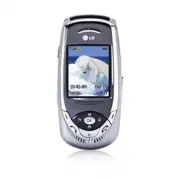
Page 3 - LIMITED WARRANTY STATEMENT
LIMITED WARRANTY STATEMENT 1. WHAT THIS WARRANTY COVERS : LG offers you a limited warranty that the enclosed subscriberunit and its enclosed accessories will be free from defects inmaterial and workmanship, according to the following termsand conditions: 1 . The limited warranty for the product exte...
Page 5 - ENGLISH; User
Page 11 - Unpacking; Check to make sure that you have all the parts shown below.; Handset
9 Unpacking Check to make sure that you have all the parts shown below. Handset Standard Battery Travel Adapter User Guide
Page 12 - Important Information; Safety Instructions; To reduce the possibility of electric shock,; Always store your phone away from heat.; Never store; Safety Information
10 For Your Safety Important Information This user guide contains important information on theuse and operation of this phone. Please read all theinformation carefully for optimal performance and toprevent any damage to, or misuse of, the phone. Anychanges or modifications not expressly approved...
Page 13 - Store the battery in a place out of reach of children.
11 For Your Safety ] Make sure that no sharp-edged items such asanimal’s teeth, nails, come into contact with thebattery. There is a risk of this causing a fire. ] Store the battery in a place out of reach of children. ] Be careful that children do not swallow any partssuch as rubber plugs (earp...
Page 14 - FCC RF Exposure Information; Read this information before operating the; CAUTION
For Your Safety ] Only use the batteries, antennas, and chargersprovided by LG. The warranty will not be applied toproducts provided by other suppliers. ] Only authorized personnel should service the phoneand its accessories. Faulty installation or servicemay result in accidents and consequently...
Page 15 - FCC Part 15 Class B Compliance
For Your Safety and similar accessories containing metalliccomponents should not be used. Body-wornaccessories that cannot maintain be used. Body-wornmaintain 0.6 inches(1.5cm) separation distance betweenthe user's body and the back of the phone, and have notbeen tested for typical body-worn ope...
Page 16 - Phone Components
Your Phone Phone Components 1. Earpiece 7. Display screen 8. Navigation key 2. Left soft key 3. Side keys 4. Send key 9. Confirmation key 10. Right soft key 11. Text messaging key 13. Clear key 12. End / Power key 6. Microphone 5. Alpha numeric keys 14
Page 17 - Your Phone’s Features
Your Phone Your Phone’s Features 1. Earpiece 2,10. Left soft key/Right soft key: Each of these keys perform the functions indicated by the text on thedisplay immediately above them. 3. Side keys: These keys are used to control the volume of ringtone in standby mode and speakervolume during a call....
Page 18 - Display Information; Icon area; Area; Your; Backlight; Backlight Timer; page 73 for further details.
Display Information Icon area Text and graphic area Soft key indicators Area Description First line Displays various icons. See page 17 Middle lines Display messages, instructions and Any information that you enter, such As number to be dialed. Last line Shows the functions currently Assigned to the...
Page 20 - Installing the SmartChip; Note
18 Getting Started Installing the SmartChip When you subscribe to a cellular network, you areprovided with a plug-in SIM card loaded with yoursubscription details, such as your PIN, any optionalservices available and many others. n Important! The plug-in SmartChip and its contacts can be easilydam...
Page 21 - Charging the Battery; To use the travel charger provided with your phone:; Warning
19 Getting Started 5. Press the battery until it clicks into place. Make surethat the battery is properly installed beforeswitching the phone on. 4. Place the battery so that the tabs on the end alignwith the slots at the bottom of the phone. Charging the Battery Use of unauthorized accessories co...
Page 22 - If the battery fails to charge completely:
20 Getting Started n Notice ] If your phone is powered on while charging, you’ll see thebars in the battery indicator icon cycle. When the battery is fully charged, the bars in the batteryindicator icon will flash on and off ] If your phone is powered off, the display will show thecharging status....
Page 23 - Turning Your Phone On and Off; Slide the keypad down.; Access Codes; Change
21 Getting Started Turning Your Phone On and Off 1. Slide the keypad down. 2. Hold down the key until the phone switches on. 3. If the phone asks for a PIN, enter the PIN and pressthe left soft key [OK] . For further details, see page 76. The phone searches for your network and after findingit, th...
Page 24 - Making a Call; Making a Call by Send Key
22 General Functions Making a Call 1. Make sure your phone is powered on. 2. Enter a phone number including the area code. Toedit a number on the display screen, press theright/left navigation keys to move the cursor todesired position or simply press the key to erase one digit at a time. ] Press ...
Page 25 - Adjusting the Volume; Open the Slide and press the; Notice; Using the Speakerphone; Signal Strength; phone’s display screen.
23 General Functions Adjusting the Volume During a call, if you want to adjust the earpiecevolume, use the side keys of the phone. In idle mode, you can adjust the ring volume using theside keys. Answering a Call When you receive a call, the phone rings and theflashing phone icon appears on the sc...
Page 26 - Entering Text; T9 Mode; key; Symbolic Mode; This mode allows you to enter special characters.; Changing the Text Input Mode
24 General Functions Entering Text You can enter alphanumeric characters by using thephone’s keypad. For example, storing names in theAddress Book, writing a message, creating schedulingevents in the calendar all require entering text.The following text input methods are available in thephone. T9 ...
Page 27 - Using the T9 Mode; Good; Using the ABC Mode
25 General Functions Using the T9 Mode The T9 predictive text input mode allows you to enterwords easily with a minimum number of key presses. Asyou press each key, the phone begins to display thecharacters that it thinks you are typing based on a built-indictionary. As new letters are added, the ...
Page 28 - Using the Symbol Mode; General; Characters in the Order Display; Upper Case; Key
26 Using the 123 (Numbers) Mode The 123 Mode enables you to enter numbers in a textmessage (a telephone number, for example). Press the keys corresponding to the required digitsbefore manually switching back to the appropriate textentry mode. Using the Symbol Mode The Symbol Mode enables you to ente...
Page 29 - and
27 Selecting Functions and Options / Address Book Your phone offers a set of functions that allow you tocustomize the phone. These functions are arranged inmenus and sub-menus, accessed via the two soft keysmarked and . Each menu and sub-menu allows you to view and alter the settings o...
Page 30 - Menu; During a Call; Making a Second Call
28 In-Call Menu Your phone provides a number of control functions thatyou can use during a call. To access these functionsduring a call, press the left soft key [Options] . During a Call The menu displayed on the handset screen during acall is different than the default main menu displayedwhen in ...
Page 31 - Multiparty or Conference Calls
29 In-Call Menu Multiparty or Conference Calls The multiparty or conference service provides youwith the ability to have a simultaneous conversationwith more than one caller, if your network serviceprovider supports this feature. A multiparty call canonly be set up when you have one active call an...
Page 32 - Number assigned to each menu option.
30 Menu Tree 1. Recent Calls (see page 32) 1.1 Missed Calls 1.2 Dialed Calls 1.3 Received Calls 1.4 Delete Recent Calls 1.5 Call Duration 1.5.1 Last Call 1.5.2 Dialed Calls 1.5.3 Received Calls 1.5.4 All Calls 1.6 Data Information 1.6.1 Web Data 1.6.2 Data Call 1.6.3 Total Data 2. Messaging (see p...
Page 34 - Missed Calls; Missed
32 Recent Calls You can check the record of missed, received, anddialed calls only if the network supports the CallingLine Identification (CLI) within the service area.The number and name (if available) are displayedtogether with the date and time at which the call wasmade. You can also view call ...
Page 35 - Call Duration; Length of the last call.; Data Information; Recent
33 Call Duration Menu 1.5 Allows you to view the duration of your incoming andoutgoing calls. You can also reset the call times. Thefollowing timers are available: Last Call (Menu 1.5.1) Length of the last call. Dialed Calls (Menu 1.5.2) Length of the outgoing calls. Received Calls (Menu 1.5.3) Leng...
Page 36 - IM; Offline Menu; NotÏe; Messaging
34 IM Menu 2.1 Instant Messaging feature can only be used with thesupport of the network operator or communities suchas AIM, ICQ. For Instant Messaging users, a valid UserID and Password will be required in order to login andexchange messages as well as checking the onlinestatus. There are three way...
Page 37 - IM Information; Online Menu / 1 to 1 conversation; When cursor is located on a Conversations List; When cursor is located on a Conversation
35 Messaging ] Power-on Login: You may start login automatically after 20 seconds or so if you save a valid passwordand then reset your mobile. IM Information Instant Messaging Client Information (Client Name,Version Number) is displayed. Online Menu / 1 to 1 conversation After successful Login, a c...
Page 38 - Online Menu / Group Chat; Menu options available in a Group Chat screen
36 Messaging ] End Conversation: This close the selected conversation. If an unknown contact was selected,that contact is deleted also. ] Block/Unblock Contact: This allows you to block/unblock the selected Conversations Contact. ] Add To List: This allows you to add the Unknown Contact to the Conta...
Page 39 - When cursor is located on a Contact List; When cursor is located on a Contact
37 Messaging ] Delete Group: This deletes the entire active group chat, only if it’s been created by yourself. (This isonly if it’s been created by yourself.) ] Show Members: This displays current members who have joined the active group chat session. ] Save Conversation: This stores currently activ...
Page 40 - Menu options available in the Conversation screen; Text Messages
38 Messaging ] Add Contact: This adds a new contact to the selected contact list, in the meantime this searchescontact on the basis of E-mail Address, First Name,Last Name. ] Delete Contact: This deletes the selected Contact. ] View Information: This allows you to view information. It provides User ...
Page 41 - New Message; Options
39 Messaging flashes and you cannot receive any new messages.Use the Delete option in the Inbox (Menu 2.2.2) to delete obsolete messages. Once there is space in thememory any undelivered SMS messages will bereceived (provided sufficient space is available). New Message (Menu 2.2.1) You can write and...
Page 42 - Inbox; Message Center Number:
40 Messaging Inbox (Menu 2.2.2) Received text messages, page messages, and emaillists may be searched and the contents may be viewed.Received messages are displayed from newest to oldest. The following options are available. ] Reply: Replies to the received message. ] Delete: Deletes the selected me...
Page 43 - Delete All; Multimedia Messages
41 Messaging Delete All (Menu 2.2.6) Allows you to delete all messages. Multimedia Messages Menu 2.3 A multimedia message can contain text, images,and/or sound clips. This feature can be used only if it issupported by your network operator or serviceprovider. Only devices that offer compatiblemultim...
Page 45 - Drafts
43 Messaging you select this menu, you can see the next picture bypressing the left soft key manually. • Previous Slide: View the previous page. • Restart: Allows you to replay current messages. • Save Message: Allows you to save multimedia message in draft or as template. • Save Items: Save the ite...
Page 46 - Settings; Voice Mail; Listen Voice Mail
44 Settings (Menu 2.3.6) Via this menu, you can set up default multimediamessage information.The following options are available: ] Message Subject: Enter the message title. ] Slide Duration: Display the duration of each page when writing the message. ] Alignment: Set the position of a message and t...
Page 47 - Download Messages; Chat; Text; Please call me back
45 Messaging Download Messages Menu 2.5 Inbox (Menu 2.5.1) You can order push messages from WAP serviceproviders. Push messages are notifications of, for example, newsheadlines and they may contain a text message oraddress of a WAP service. For availability andsubscription, contact your WAP service ...
Page 48 - Check Memory
46 Multimedia (Menu 2.7.2) For further details, see page 41. • Send: Support mutiple number and email addresses. • Preview: To see the multimedia message you wrote. • Save: Allows you to save multimedia messages in draft or as templates. • Delete: Deletes the MMS message. • Slide Duration: Allows yo...
Page 49 - Shop Games; This menu option connects to Cingular’s game download site.; Favorites; Selected address in the bookmark is used; Games
47 Java is a technology developed by Sun Microsystems.Similar to the way you would download the Java Appletusing the standard Netscape or MS Internet Explorerbrowsers, Java MIDIet can be downloaded using theWAP enabled phone. Depending on the service provider,all Java based programs such as Java gam...
Page 50 - Information
48 ] Delete: Selected bookmark is deleted. Deleted bookmark cannot be restored so caution is requiredwhen deleting bookmarks. ] Edit: Selected bookmark can be edited. Editing a bookmark is done in the order of URL → Title → Profile(Network Profile) → User ID → Password. When creating a new bookmark,...
Page 52 - My numbers; menu; Navigating with the WAP Browser; MEdia Net Home; MEdia; Key Description
50 You can access various WAP(Wireless ApplicationProtocol) services such as banking, news, weatherreports, and flight information. These services arespecially designed for mobile phones and they aremaintained by the WAP service providers. Check the availability of WAP services, pricing andtariffs w...
Page 53 - Options in the Favorites view; Go to URL
51 Favorites Menu 5.2 Your phone may have some pre-installed favorites forsites not affiliated with LG. LG does not warrant orendorse these sites. If you choose to access them, youshould take the same precautions, for security orcontent, as you would with any site. Options in the Favorites view Opti...
Page 54 - Cache Settings; Clear Cache; Security Certificates
52 ] Activate: Set a current profile as a default. ] Edit: Edit the various items of the current profile. ] Rename: Revise the name of profile. ] New Network Profile: Create new profile. ] Delete: Delete the profile. ] Delete All: Allows all Profiles within the Access Point to be deleted so please t...
Page 55 - Push
53 Welcome to PTT Push to Talk (PTT) from Cingular let's you see whetheryour family, friends, and co-workers are available totalk before you call. You can reach them individually orall at once via a group call, all in an instant. Read on tohear about all of the features Cingular Push to Talk hasto o...
Page 56 - Icon Descriptions
54 Icon Descriptions ] My Availability Your availability icon appears next to the signalindicator on your idle screen. This icon indicates theavailability others will see for you when you arelisted in their PTT Contacts. Available This will be your availability state once you initializeservice and i...
Page 57 - PTT Calls; Release the PTT Key when you are done speaking.
55 • GROUPS: Available At least one member of the group is available to talk. Unavailable Every member has powered down their phone, turnedPTT Off, or moved out of coverage. Do Not Disturb None of the members of the group can be contacted. Silent/Vibrate All members of the group are available to rec...
Page 58 - How a PTT call works; PTT Floor Held tone
56 3. If your status is Vibrate All your phone will vibrate andthen you must accept or reject the call. If set to Silenttheir will be no call notification tone. a. Accepting the call then plays the callers voice overthe earpiece. b. Rejecting the call terminates the call. PTT calls arenot forwarded ...
Page 59 - Error tone; The PTT Key; PTT Contacts; This option allows you to send a
57 Error tone If you attempt to speak by pressing your PTT Key andsomeone else still has the floor you will hear this tone. The PTT Key The gray key on the left hand side of the phone is yourPTT Key. • Pressing and releasing this key while idle displaysyour PTT contacts. • Pressing and holding this ...
Page 61 - This option displays only when you; Add Contact; Select Add Contact in the PTT menu.; Add Group
59 ] Remove Member: This option displays only when you have highlighted a group which you have originated.After removing a member a notification is sent to theindividual. Add Contact Menu 6.2 1. Select Add Contact in the PTT menu. 2. Enter the contact's name and phone number andthen select [Save]. A...
Page 62 - PTT Settings; Contact Alerts; Pending Invitations
60 PTT Settings Menu 6.4 ] My Availability: This option allows you to change your Availability status between Do Not Disturb andAvailable. ] Contact Alerts : This feature allows you to be alerted when the availability status of a contact changesfrom Unavailable or Do Not Disturb to Available orSilen...
Page 63 - My
61 Favorites Menu 7.1 Your phone may have some pre-installed bookmarksfor sites not affiliated with LG. LG does not warrant orendorse these sites. If you choose to access them, youshould take the same precautions, for security orcontent, as you would with any site. For further details,see page 51. G...
Page 64 - Multimedia; Send Via Text Message:; Tools; Alarm Clock; Alarm
62 Multimedia Menu 7.5 The right soft key [Options] will bring up the following options. ] Send Via Text Message: EMS Animation can be sent via SMS. ] Send via Multimedia Message: Downloaded Animation can be sent via MMS. ] Set as Wallpaper: Currently selected Animation can be set as a Wallpaper. ] ...
Page 65 - Calendar
63 7. Press the left soft key [Set] . Off: Cancel the alarm. n Note If this option is set to On , the alarm will ring at the specified time, even when the phone is switched off.To stop the alarm when it rings, open the phoneand press the right soft key [Quit] . Calendar (Menu 7.6.2) When you enter t...
Page 66 - Voice Memo; Calculator; Using the Calculator
64 Voice Memo (Menu 7.6.3) Allows you to record a memo. You can record up to 3voice messages with each message up to 30 seconds. You can use the Voice Memo feature to: • Play the recorded voice memos • Delete one or all voice memos 1. Once recording is started, the message‘ Recording... ’ and the re...
Page 67 - Notepad
65 Notepad (Menu 7.6.5) n Note To include a decimal point, press the key. To write, edit and delete a memo on a specific date,proceed as follows. 1 . Press the left soft key [New]. 2. Input the memo and press the right soft key [Options] . The following options are available. ] Save: Allows you to s...
Page 68 - World Clock; The screen shows the city name, current date and time.; Unit Converter; Length
66 World Clock (Menu 7.6.6) Allows you to check the current Greenwich MeanTime(GMT) and 52 major cities around the world, usingthe left/right navigation keys. The screen shows the city name, current date and time. To select the time zone in which you are located,proceed as follows: 1. Select the cit...
Page 69 - Contacts; Address
67 You can store phone numbers and their correspondingnames in the memory of your SmartChip. In addition,you can store up to 255 numbers and names in thephone memory. The SmartChip and phone memories,although physically separate, are used as if they werea single entity, called the Address Book. Cont...
Page 70 - New Contact; Set Save Location; Speed Dial List
68 New Contact Menu 8.2 You can add a address book entry by using thisfunction. Phone memory capacity is 255 entries.SmartChip memory capacity depends on the cellularservice provider. You can also save 20 characters ofname in the phone memory, and save characters in theSmartChip. The number of chara...
Page 71 - Caller Groups
69 ] Listen: You can play back the voice attached to a phone number. ] Change: You can change the voice attached to a phone number. ] Remove: You can delete the voice attached to a phone number. ] Call: You can call by selecting this submenu. ] Add Voice Dial: You can add a new voice to phone number...
Page 72 - Copy All Contacts; SmartChip to Phone; Delete All Contacts
70 Address Book • Group Icon: Allows you to select the graphic icon to be displayed when you receive a call from aperson in the group. • Add Member: Allows you to add the member to the group. • Remove Member: Allows you to delete the member in the group. • Rename: Allows you to assign a name to th...
Page 73 - Service Dial Number; Select the Service dial number option.; Allows you to display your phone number in the SIM card.
71 Information Menu 8.9 Service Dial Number (Menu 8.9.1) You can view the list of Service Dialing Numbers (SDN)assigned by your network provider(If supported by theSmartChip). Such numbers include the emergency,directory assistance and voice mail numbers. 1. Select the Service dial number option. 2....
Page 74 - Sounds
72 Sounds Menu 9.1 You can use the Sound Settings feature to customize various settings, such as the: ] Ring melody, volume and type ] Sounds made when you press a key, make an error or receive a message Shop Ringtones (Menu 9.1.1) This menu option connects to Cingular’s ringtonedownload site. Ringt...
Page 75 - Display; To change the background image, proceed as follows.; Icon style; or; List style
73 Slider Tone (Menu 9.1.7) This menu option allows you to select a tone that thephone sounds when you open the slide. Voice Memo (Menu 9.1.8) For further details, see page 64 (Menu 7.6.3). Display Menu 9.2 You can change the background image and the displaystyle for Menu Mode according to your pref...
Page 76 - Call
74 Date & Time Menu 9.3 Set Date (Menu 9.3.1) Allows you to enter the day, month and year. You canchange the date format via the Date Format menu option. Format: Allows you to change the time and date formats. Date Format (Menu 9.3.2) YYYY/MM/DD(year/month/day) DD/MM/YYYY(day/month/year) MM/DD/Y...
Page 78 - Auto Redial; Security; Request PIN Code
76 • When recording a voice tag or making a call by using a voice tag, the loudspeaker is in use. Hold the phoneat a short distance away from your mouth and faceso that the proximity sensor does not turn theloudspeaker off. • Very short names are not accepted. Use long names and avoid similar names ...
Page 79 - Auto Key Lock; Fixed Dial Number
77 ] Enable: You must enter the PIN each time the phone is switched on. ] Disable: The phone connects directly to the network when you switch it on. Auto Key Lock (Menu 9.5.2) When you enable Automatic key lock, keypad will belock automatically on an idle screen after selectedseconds without any key...
Page 80 - Connection; GPRS Attach; If you select; Power On; and you are in a network that; When Needed; , the phone will use a packet; Network Profile; Reset Default; Select the Reset Default menu option.
78 Settings Connection Menu 9.6 GPRS Attach (Menu 9.6.1) If you select Power On and you are in a network that supports packet data, the phone registers to the GPRSnetwork and sending short messages will be done viaGPRS. Also, starting an active packet data connection,for example, to send and receive...
Page 83 - Accessories; Travel Adapter; Standard battery is available.; Vehicle Power Adapter; Connects your phone to a PC.
81 Accessories There are a variety of accessories available for yourmobile phone. You can select these options accordingto your personal communication requirements. Consultyour local dealer for availability. Travel Adapter This adapter allows you to charge the battery. It supportsstandard U.S. 120Vo...
Page 84 - TIA Safety Information; Exposure to Radio Frequency Signal
Safety Guidelines 82 TIA Safety Information Provided herein is the complete TIA Safety Informationfor Wireless Handheld phones. Inclusion of the textcovering Pacemakers, Hearing Aids, and OtherMedical Devices is required in the ownerís manual forCTIA Certification. Use of the remaining TIA languag...
Page 85 - Tips on Efficient Operation; For your phone to operate most efficiently:; Driving; Persons with pacemakers:
83 Safety Guidelines Tips on Efficient Operation For your phone to operate most efficiently: ] Do not touch the antenna unnecessarily when thephone is in use. Contact with the antenna affects callquality and may cause the phone to operate at ahigher power level than otherwise needed. Driving Check...
Page 87 - Safety
85 Potentially Explosive Atmosphere Turn your phone OFF when in any area with apotentially explosive atmosphere and obey all signsand instructions. Sparks in such areas could cause anexplosion or fire resulting in bodily injury or even death. Areas with a potentially explosive atmosphere areoften, b...
Page 88 - Keep the battery’s metal contacts clean.
86 ] Keep the battery’s metal contacts clean. ] Replace the battery when it no longer providesacceptable performance. The battery can berecharged several hundred times beforereplacement. ] Recharge the battery after long periods of non-use tomaximize battery life. ] Battery life will vary due to usa...
Page 89 - General Notice; Do not paint your phone.
87 General Notice ] Using a damaged battery or placing a battery in yourmouth may cause serious injury. ] Do not place items containing magnetic componentssuch as a credit card, phone card, bank book orsubway ticket near your phone. The magnetism ofthe phone may damage the data stored in themagnetic...
Page 90 - FDA Consumer Update; Do wireless phones pose a health hazard?
88 FDA Consumer Update The U.S. Food and Drug Administrationís Center forDevices and Radiological Health Consumer Update onMobile Phones. 1.Do wireless phones pose a health hazard? The available scientific evidence does not show thatany health problems are associated with usingwireless phones. There...
Page 91 - What kinds of phones are the subject of this update?
89 The FDA belongs to an interagency working group ofthe federal agencies that have responsibility fordifferent aspects of RF safety to ensure coordinatedefforts at the federal level. The following agencies belong to this working group: ] National Institute for Occupational Safety and Health ] Envir...
Page 96 - Where can I find additional information?; 0 Driver Safety Tips
94 instrumentation (AAMI). The final draft, a joint effortby the FDA, medical device manufacturers, and manyother groups, was completed in late 2000. Thisstandard will allow manufacturers to ensure thatcardiac pacemakers and defibrillators are safe fromwireless phone EMI. The FDA has tested hearinga...
Page 99 - * In the United States and Canada, the SAR limit for
97 evaluation of scientific studies. The standards includea substantial safety margin designed to assure thesafety of all persons, regardless of age and health. The exposure standard for wireless mobile phonesemploys a unit of measurement known as the SpecificAbsorption Rate, or SAR. The SAR limit s...
Page 100 - Glossary; Call Divert; Ability to reroute calls to another number.; Call waiting
Glossary To help you understand the main technical terms and abbreviations used in this booklet and take full advantage of thefeature on your mobile phone, here are a few definitions. 98 Call Divert Ability to reroute calls to another number. Call waiting Ability to inform users that they have an in...
Page 101 - Patent Information
99 Multiparty Calls Ability to establish a conference call involving up tofive additional parties. Phone Password Security code used to unlock the phone when youhave selected the option to lock it automatically eachtime it switches on. Roaming Use of your phone when you are outside your homearea (wh...
Page 102 - Index
100 Index A Access codes . . . . . . . . . . . . . . . . . . . . . . . . . . . . . . . . . 21Accessories . . . . . . . . . . . . . . . . . . . . . . . . . . . . . . . . . 81Add member . . . . . . . . . . . . . . . . . . . . . . . . . . . . . . . . . 70Address book. . . . . . . . . . . . . . . . . . ...
Page 105 - Memo
Page 106 - INFORME SOBRE LA GARANTIA LIMITADA; LO QUE CUBRE ESTA GARANTÍA
INFORME SOBRE LA GARANTIA LIMITADA 1. LO QUE CUBRE ESTA GARANTÍA LG le ofrece una garantía limitada de que la unidad de suscriptoradjunta y sus accesorios incluidos estarán libres de defectos demateriales o mano de obra según los términos y condicionessiguientes: 1. La garantía limitada del producto...
Page 107 - COMO OBTENER EL SERVICIO DE ESTA GARANTÍA:; NO DEVUELVA SU PRODUCTO A LA
6. Esta garantía limitada se otorga en lugar de cualquier otragarantía, explícita o implícita, de hecho o por lo dispuesto en lasleyes, establecido por ellas o implicado, incluso, aunque demanera enunciativa y no limitativa, cualquier garantía implícitade comerciabilidad o adecuación para un uso en ...
Page 108 - Spanish; Guía
Page 109 - Contenido
4 Desempacar ..................................................... 9Por su seguridad ........................................... 10Su teléfono ..................................................... 16 Componentes del teléfono .............................................. 16 Las características de su...
Page 110 - Una llamada privada en una llamada de conferencia 31
5 Poner en espera una llamada de conferencia............. 31 Añadir llamadas a la llamada de conferencia ............. 31 Una llamada privada en una llamada de conferencia 31 Terminar una llamada de conferencia .......................... 31 Árbol de menús ...............................................
Page 114 - Desempacar; Teléfono
9 Desempacar Haga una revísión para cerciorarse de que tiene todos los componentes que se muestran abajo. Teléfono Batería estándar Guía del usuario Adaptador para viajes
Page 115 - Información importante; Instrucciones de seguridad; Para reducir la posibilidad de sufrir; Almacene siempre el teléfono lejos del calor.; Nunca
10 Por su seguridad Información importante Esta guía del usuario contiene información importanteacerca del uso y funcionamiento de este teléfono.Lea toda la información con cuidado para obtener undesempeño óptimo y para evitar cualquier daño o maluso del teléfono. Cualquier cambio o modificación...
Page 116 - Información de seguridad
11 Por su seguridad Información de seguridad Lea estas sencillas instrucciones. Romper las reglaspuede ser peligroso o ilegal. Se ofrece másinformación detallada en esta guía del usuario. ] No use nunca una batería no aprobada, ya queestopodría dañar el teléfono o la batería, y podríaocasionar q...
Page 117 - No desarme el teléfono.
12 Por su seguridad ] No deje caer el teléfono, ni lo golpee o agitefuertemente. Tales acciones pueden dañar lastarjetas de circuitos internas del teléfono. ] No use el teléfono en áreas altamente explosivas, yaque puede generar chispas. ] No dañe el cable de corriente doblándolo,retorciéndolo, ...
Page 118 - Lea esta información antes de hacer; PRECAUCIÓN
13 Por su seguridad Información sobre la exposición aradiofrecuencias de la FCC ¡ADVERTENCIA! Lea esta información antes de hacer funcionar el teléfono.En agosto de 1996, la Comisión federal decomunicaciones (FCC) de los Estados Unidos, con suacción en el informe y orden FCC 96-326, adoptóuna no...
Page 119 - No le provoque un corto circuito.; Eliminación de las baterías; Por
14 fabricantes que tengan componentes metálicos. Esposible que los accesorios usados sobre el cuerpo queno puedan mantener una distancia de separación de 1.5cm(0.6 de pulgada) entre el cuerpo del usuario y la parteposterior del teléfono, y que no hayan sido probadospara el funcionamiento típico en e...
Page 121 - Componentes del teléfono; Su
1. Audífono 7. Pantalla de visualización 8. Tecla de navegación: 2. Tecla suave izquierda 3. Teclas laterales 4. Tecla Send 9. Tecla de confirmación 10. Tecla suave derecha 11. Tecla de mensajes 13. Tecla borrar 12. Tecla End / Energía 6. Micrófono 5. Teclas alfanuméricas Componentes del teléfono Su...
Page 122 - Las características de su teléfono
17 Su teléfono Las características de su teléfono 1. Audífono 2,10. Tecla suave izquierda / tecla suave derecha: Each of these keys perform the functions indicatedby the text on the display immediately above them. 3. Teclas laterales: Estas teclas se usan para controlar el volumen del tono de timb...
Page 123 - Información en la pantalla; Área de iconos; Área; Iluminación; obtener información más detallada.
Información en la pantalla Área de iconos Área de texto y gráficos Indicaciones deteclas suaves Área Descripción Primera línea Muestra varios iconos. Vea la página 19 Líneas intermedias Muestran mensajes, instrucciones y cualquier información que usted introduzca,como el número que debe marcarse. Úl...
Page 124 - Iconos en la pantalla; Icono
19 Su teléfono Iconos en la pantalla La tabla que aparece abajo describe varios indicadores oiconos visuales que aparecen en la pantalla del teléfono. Icono Descripción Indica la fuerza de la señal de la red. Indica que se está realizando una llamada. Indica que está disponible el servicio GPRS. I...
Page 125 - Instalación de la tarjeta SIM; hasta que aparezca la imagen; Nota
20 Para empezar Instalación de la tarjeta SIM Al suscribirse a una red celular, se le proporciona unatarjeta SIM que se conecta al teléfono y que está cargadacon los detalles de su suscripción, como su NIP, serviciosopcionales que tiene disponibles y muchos otros. n ¡Importante! La tarjeta SIM que...
Page 126 - Cargar la batería; Para usar el adaptador de viaje incluido con su teléfono:; Advertencia
21 Para empezar 5. Presione la batería hasta que se bloquee en su sitiocon un clic. Asegúrese de que la batería esté correctamente instalada antes de encender el teléfono. 4. Coloque la batería de modo tal que las lengüetas delextremo se alineen con las ranuras que están en laparte inferior del te...
Page 127 - Si la batería no se carga completamente:
22 Para empezar n Aviso ] Si el teléfono está encendido mientras carga la batería,verá las barras del ciclo de iconos indicadores de la batería. Cuando la batería esté totalmente cargada, las barras delicono indicador de la batería destellarán encendiéndosey apagándose ] Si el teléfono está apagad...
Page 128 - Para encender y apagar el teléfono; Mantenga presionada la tecla; imagen de desactivación.; Códigos de acceso; ’ y se necesita para borrar
23 Para empezar Para encender y apagar el teléfono 1. Mantenga presionada la tecla hasta que se encienda el teléfono. 2. Si el teléfono pide un PIN, introdúzcalo y presione latecla suave izquierda [Acept.]. Para obtenerinformación detallada, vea la página 82. El teléfono busca su red y, al encontr...
Page 129 - Hacer una llamada; Hacer una llamada con la tecla Send
24 Funciones generales Hacer una llamada 1. Cerciórese de que el teléfono esté encendido. 2. Introduzca un número telefónico, con todo y elcódigo de área. Para editar un número en lapantalla, oprima las teclas de navegación izquierday derecha para llevar el cursor a la posicióndeseada. O sino simp...
Page 130 - Ajuste del volumen; Oprima la tecla; Aviso; Utilización del altavoz; Fuerza de la señal; en la pantalla de su teléfono.
25 Funciones generales Ajuste del volumen Durante una llamada, si desea ajustar el volumen delauricular, use las teclas Laterales que están a un ladodel teléfono.En modo de inactividad, puede ajustar el volumen deltimbre con las teclas laterales. Contestar una llamada Cuando alguien le llama, el t...
Page 131 - Introducir texto; Tiene los siguientes modos de entrada de texto.; Modo T9; hasta que aparezca el modo 123.; Modo simbólico; Este modo le permite introducir caracteres especiales.; Cambio de modo de entrada de texto
26 Funciones generales Introducir texto Puede introducir caracteres alfanuméricos con elteclado del teléfono. Por ejemplo, tendrá queintroducir texto par almacenar un nombre en eldirectorio y al escribir mensajes, al crear su saludopersonal o al calendarizar acontecimientos en elcalendario. Tiene ...
Page 132 - Uso del Modo ABC
27 Funciones generales selecciona una letra que forme la palabra que suponeque usted está escribiendo, con base en un diccionariointerconstruido. Conforme se añaden otras letras, la palabracambia en función de la tecla que usted haya oprimido. 1. Cuando está en el modo T9 de entrada predictiva det...
Page 133 - Uso del Modo símbolos; Caracteres en el orden en que aparecen; MayÚsculas MinÚsculas; Funciones
28 Uso del Modo 123 (de números) El modo 123 le permite introducir números en unmensaje de texto (por ejemplo, un número telefónico). Oprima las teclas correspondientes a los dígitos quenecesita antes de cambiar manualmente de nuevo almodo de introducción de texto pertinente. Uso del Modo símbolos E...
Page 135 - Durante una llamada; Hacer una segunda llamada; Intercambiar; Contestar una llamada entrante; Rechazar; Silenciar el micrófono; Silencio
30 Menú en llamada El teléfono le proporciona varias funciones de control quepuede emplear durante una llamada. Para acceder a estasfunciones durante una llamada, oprima la tecla suaveizquierda [Opcs.] . Durante una llamada El menú que aparece en la pantalla del teléfono duranteuna llamada es di...
Page 136 - Llamadas de varios participantes o de conferencia; . Cuando se conecta la segunda llamada, la
31 Menú en llamada Llamadas de varios participantes o de conferencia El servicio de varios participantes o de conferencia le dala capacidad de mantener una conversación simultáneacon más de una persona, si su proveedor de servicio dered telefónica admite esta función. Sólo se puedeestablecer una...
Page 137 - El número asignado a cada opción.
32 Árbol de menús 1. Llam recientes (vea la página 34) 1.1 Llam. Perdid. 1.2 Llam. Realiz. 1.3 Llam. Recib. 1.4 Borrar llamadas 1.5 Dur. de llam. 1.5.1 Última llam. 1.5.2 Llam. Realiz. 1.5.3 Llam. Recib. 1.5.4 Todas llam. 1.6 Información de datos 1.6.1 Datos de Internet 1.6.2 Llamada de datos 1....
Page 139 - Borrar llamadas
34 Llam recientes Puede comprobar el registro de llamadas perdidas,recibidas y marcadas sólo si la red admite la Identificaciónde línea de llamada (ILL) dentro del área de servicio. El número y nombre (si están disponibles) se muestranjunto con la fecha y hora en que se hizo la llamada.También pue...
Page 140 - Información de datos; Datos de Internet; Llam
35 Dur. de llam. (Duración de llamadas) Menú 1.5 Le permite ver la duración de sus llamadas entrantes ysalientes. También puede restaurar los tiempos dellamadas. Están disponibles los siguientes cronómetros: Última llam. (Última llamada) (Menú 1.5.1) Duración de la última llamada. Llam. Realiz. (Lla...
Page 141 - Mediante el Menú principal.; Menú fuera de línea; Sesión; Converciones guardadas; Puede seleccionar el Nombre; Mensajería
36 IM Menú 2.1 La función de Mensajería instantánea sólo puedeusarse con el apoyo del operador de red o decomunidades tales como AIM o ICQ. Para los usuariosde Mensajería instantánea se necesitará una †Id. deusuario y contraseña válidas para iniciar sesión eintercambiar mensajes, así como para compr...
Page 142 - Proveedor de MI; Menú en línea / Conversación de persona a
37 Mensajería ] Disponibilidad: Puede seleccionar su condición de disponibilidad (Disponible a No disponible oviceversa). ] Humor: Puede seleccionar su humor actual, como Alegre, Triste, Enojado, Celoso, Invencible,Enamorado, Somnoliento, etc. ] Texto de estado: Puede establecer su estado actual en ...
Page 144 - Menú en línea / Chat de grupos; Unirse a nuevo grupo:
39 Mensajería Menú en línea / Chat de grupos Cuando el cursor está situado en una lista deconversaciones de grupo ] Ver/ocultar grupos: Puede optar por ver u ocultar la Lista de chats de grupo. ] Unirse a nuevo grupo: Esto le permite unirse a un nuevo Chat de grupo. Para unirse, es necesaria la Id.d...
Page 145 - Cuando el cursor está situado en un Contacto; Establecer o borrar alerta:
40 Mensajería Cuando el cursor está situado en una lista decontactos ] Ver u ocultar contactos: Esto ofrece la opción de ver u ocultar los contactos de la lista seleccionada. ] Cambiar nombre a la lista: Esto cambia el nombre de la lista de contactos seleccionada. ] Agregar lista: Esto agrega una nu...
Page 147 - Mensajes texto; Borrar; Nuevo mensaje; Definir idioma de entrada:
42 Mensajería Mensajes texto Menú 2.2 Su teléfono recibe mensajes de notificación de correo devoz y los mensajes del Servicio de mensajes cortos (SMS).El correo de voz y los SMS son servicios de la red.Comuníquese con su proveedor de servicio para obtenermás información.Cuando aparece el icono , ha ...
Page 148 - Enviado
43 Mensajería ] Imagen: Envíe y reciba mensajes de texto con imágenes, conocidos como Enhanced MessagingService (Servicio de mensajes enriquecido). Variasimágenes prestablecidas están disponibles en elteléfono, y pueden reemplazarse con otras nuevasque obtenga de distintas fuentes. ] Animación: Se p...
Page 149 - Mensajes multimedia
44 ] Editar: Puede editar un mensaje seleccionado. ] Borrar: Le permite borrar el mensaje predeterminado seleccionado. Configuración (Menú 2.2.5) Con este menú puede configurar información de SMSpredeterminada. ] No. centro de mens: Le permite almacenar o cambiar el número de acceso de su portal de ...
Page 151 - • Diapositiva anterior:
46 Buzón salida (Menú 2.3.3) Al oprimir Enviar, el mensaje pasa al Buzón de salida ydesde allí se envía el mensaje. Si el mensaje no puedeenviarse desde el Buzón de salida, se hará otrointento. Después de dos intentos, el mensaje ya no seenviará automáticamente. Para enviar un mensaje queha fallado ...
Page 152 - Borrador
47 Mensajería Borrador (Menú 2.3.5) Con este menú puede predeterminar hasta cincomensajes multimedia que use con más frecuencia.Este menú muestra la lista de mensajes multimediapredeterminados. Incluye las opciones siguientes. • Enviar: admite varios números y direcciones de correo electrónico. • Vi...
Page 153 - Correo de voz; Escuchar correo de voz; Descargar mensajes
48 Mensajería • Encendido: Si selecciona esto, los mensajes sedescargan automáticamente al recibirse. • Apagado: Pospone la descarga de los mensajes. ] URL del centro de mensajes: introducir la dirección del servidor MMS para usar el servicio MMS. ] Perfil de red: Para los detalles adicionales vea l...
Page 154 - Recibir; Texto; Por favor devuelva la llamada
49 Mensajería suscripción, comuníquese con su proveedor deservicio WAP.Los proveedores de servicio pueden actualizar unmensaje Push cada vez que se reciba uno nuevo. Losmensajes se pueden actualizar incluso si los hatrasladado a una carpeta que no sea el Buzón deentrada. Los mensajes Push caducan y ...
Page 155 - Duración de diapositiva:; Tarjeta de visita; Enviar vía; Revisar memoria
50 Multimedia (Menú 2.7.2) Para los detalles adicionales vea la página 44. • Enviar: admite varios números y direcciones de correo electrónico. • Vista preliminar: permite ver el mensaje multimedia que escribió. • Guardar: permite guardar mensajes multimedia como borrador o como plantillas. • Borrar...
Page 156 - Comprar juegos; La dirección seleccionada en el favorito se; Jueg
51 Java es una tecnología desarrollada por Sun Microsystems.De la misma forma en que usted descargaría las Applet deJava con los navegadores estándar Netscape o InternetExplorer de Microsoft, se pueden descargar los MIDlets deJava con el teléfono habilitado para WAP. En función delproveedor de servi...
Page 157 - Información
] Borrar: El favorito seleccionado se borra. Los favoritos borrados no pueden restaurarse, así quedebe tener cuidado al borrar favoritos. ] Editar: El favorito seleccionado puede editarse. La edición de un favorito se hace siguiendo el orden URL → Título → Perfil(Perfil de red) → Id. de usuario → Co...
Page 159 - Mis números; (Vea la página 76 para; Navegación con el navegador WAP
54 Puede acceder a varios servicios WAP (WirelessApplication Protocol, protocolo de aplicacionesinalámbricas) como la banca, noticias, reportes deltiempo y horarios de vuelo. Estos servicios estándiseñados especialmente para los teléfonos celularesy los ofrecen los proveedores de servicio WAP. Compr...
Page 160 - Opciones en la vista de Favoritos; Ir a URL
55 Inicio Media Menú 5.1 Conecte a la página principal. La página principalpuede estar definido en el perfil activado. Si usted nolo hubiera elaborado en el perfil activado, esto serádefinido por el proveedor de servicio. Favoritos Menú 5.2 Su teléfono puede tener preinstalados como favoritosalgunos...
Page 161 - Borrar caché
56 MEdia Net ] Activar: Configurar el perfil actual como predeterminado. ] Editar: Editar los diversos elementos del perfil actual. ] Renombrar: Revisar el nombre de perfil. ] Nuevo perfil de red: Crear nuevo perfil. ] Borrar: Borrar el perfil. ] Borrar todo: Permite que todos los Perfiles del Pun...
Page 163 - Descripciones de los iconos; Mi disponibilidad
58 Descripciones de los iconos ] Mi disponibilidad Su icono de disponibilidad aparece junto al indicadorde señal en su pantalla de espera. Este icono indicala disponibilidad que otros verán para usted cuandose le incluya en sus Contactos PTT. Disponible Éste será su estado de disponibilidad una vez ...
Page 164 - Llamadas PTT
59 •GRUPOS: Disponible Al menos un miembro del grupo está disponible parahablar. No disponible Todos los miembros han apagado el teléfono,desactivado PTT o están fuera de cobertura. No alterar No se puede contactar a ninguno de los miembros delgrupo. Silencio/Vibración Todos los miembros del grupo e...
Page 165 - Recibir una llamada PTT; . Para disfrutar la mejor experiencia, debe ajustar el; Convertir a celular; Cómo funciona una llamada PTT
60 Recibir una llamada PTT 1 . Para disfrutar la mejor experiencia, debe ajustar el timbre al volumen más alto posible. 2. Si su estado es Disponible, escuchará un tono dellamada PTT y, después, la voz de quien le llama. 3. Si su estado es Vibrar todos, su teléfono vibrará yusted debe aceptar o rech...
Page 166 - La tecla PTT; Contactos PTT; Esta opción le permite enviar un
61 Push to Talk (PTT) Tono de palabra ocupada PTT Este tono suena cuando mantiene oprimida la teclaPTT. Indica que usted tiene la palabra y sus voz seráescuchada por los demás participantes de la llamada. Tono de palabra libre PTT Cuando suelta la tecla PTT, escuchará este tono aligual que los...
Page 169 - Configuración PTT; : Esta opción le permite cambiar el; Establecer su nombre:; Cuando inicializó el servicio
64 2. El paso siguiente es elegir a los miembros. Si eligeSeleccionar en contactos, puede elegir entre suscontactos de PTT. Si elige Contacto nuevo, puedeagregar a alguien que no esté en sus contactos PTT. a. Si desea agregar ambos tipos de contactos,tendrá que seleccionar una opción y guardar elgru...
Page 170 - Invitaciones pendientes
65 ] Accpt Invit Automáticamente: Si no desea preseleccionar todas las adiciones a sus ContactosPTT, puede usar este elemento de menú paraaceptar automáticamente sus invitaciones. • Deshabilitar todas le permite revisar previamente todas las invitaciones. • Sólo contacto acepta automáticamente las i...
Page 171 - Favoritos; Gráficos
66 Mis medios Favoritos Menú 7.1 Su teléfono puede tener preinstalados como favoritosalgunos sitios que no están asociados con LG. LG nogarantiza ni respalda esos sitios. Si elige tener accesoa ellos, debe usar las mismas precauciones de seguridady respecto al contenido que con cualquier otro siti...
Page 172 - Env vía mens multim:; Herramientas; Alarma; Mis
67 n Nota Las imágenes que se proporcionan de manerapredeterminada sólo se pueden usar en el modo Configurarcomo tapiz de fondo. Multimedia Menú 7.5 La tecla suave derecha [Opcs.] presentará las opciones siguientes. ] Env vía mens texto: Se puede enviar una animación EMS por SMS. ] Env vía mens mult...
Page 173 - Calendario; Tono de planificador:
68 • Mensual: La alarma suena cada mes el mismo día y a la misma hora. 6. Le permite seleccionar la melodía de alarma,utilizando las teclas de navegaciónderecha/izquierda. 7. Oprima la tecla suave [Sel.] . Apagado: Se desactiva la alarma. n Aviso Si esta opción Encendido, la alarma sonará la hora in...
Page 174 - Nota de voz; Calculadora; Uso de la calculadora
69 ] Borrar todo: Le permite borrar todas las actividades calendarizadas. Se le pide que confirme la acción. n Nota Usted podrá Editar, Borrar, Ver calendarios, Borraranteriores y Borrar todo menús, dependiendo el ajuste deplanificador. Nota de voz (Menú 7.6.3) Le permite grabar un memorándum. Puede...
Page 175 - Memoria; Definir T9
70 n Nota para incluir un punto decimal, oprima la tecla . 3. Para calcular el resultado, oprima la tecla suaveizquierda [Resul.] o tecla . Memoria (Menú 7.6.5) Para escribir, editar y borrar un memorándum en unafecha en particular, haga lo siguiente. 1 . Oprima la tecla suave izquierda [Nuevo]. 2. ...
Page 176 - Horario mundial; Oprima la tecla suave derecha; Hay 4 tipos de unidades que pueden convertirse:; Longitud
71 Mis medios Horario mundial (Menú 7.6.6) Le permite comprobar la hora actual del Horario mediode Greenwich (GMT) y de 52 ciudades importantes delmundo con las teclas de navegación Derecha e Izquierda. La pantalla muestra el nombre de la ciudad, la fechaactual y la hora. Para seleccionar la zona ...
Page 177 - Lista contactos; Direcciones
72 Puede almacenar números de teléfono y sus nombrescorrespondientes en la memoria de su tarjeta SIM.Además, puede almacenar hasta 255 números ynombres en la memoria del teléfono. Las memorias dela tarjeta SIM y del teléfono, aunque físicamenteindependientes, se usan como si fueran una solaentidad, ...
Page 178 - Contacto nuevo; Marcados rápidos; Marcado rápidos; Lista de voz
73 Contacto nuevo Menú 8.2 Con esta función puede agregar una entrada al directorio.La capacidad de la memoria del teléfono es de 255entradas. La capacidad de memoria de la tarjeta SIMdepende del proveedor de servicio celular. Tambiénpuede guardar 20 caracteres del nombre en la memoriadel teléfono y...
Page 180 - Copiar todos los contactos; De tarjeta SIM a teléfono; Eliminar todos los contactos; Tarjeta; Ajustar memoria; Tarjeta SIM
75 • Añadir miembro:: Le permite agregar el miembro al grupo. • Borrar miembro: Le permite borrar al miembro del grupo. • Renombrar: Le permite asignar un nombre al grupo. Copiar todos los contactos Menú 8.6 Puede copiar o mover las entradas de la memoria de latarjeta SIM a la del teléfono y vicever...
Page 181 - Número de marcado de servicio; Seleccione la opción Número de marcado de servicio.; Le permite mostrar su número de teléfono de la tarjeta SIM.
76 Direcciones Información Menú 8.9 Número de marcado de servicio (Menú 8.9.1) Puede ver la lista de números de marcado de servicio(SDN) asignada por su proveedor de red (si lo admitela tarjeta SIM). Dichos números incluyen los deemergencia, consulta de directorios y correo de voz. 1. Seleccione la ...
Page 182 - Sonidos
77 Sonidos Menú 9.1 Puede usar la función Configuración de sonido parapersonalizar varias configuraciones como las de: ] Melodía de timbre, volumen y tipo. ] Los sonidos que se hacen al oprimir una tecla, cometer un error o recibir un mensaje. Comprar tonos (Menú 9.1.1) Esta opción de menú lo conect...
Page 183 - Pantalla; Mi tapiz de fondo; Apagado
78 Nota de voz (Menú 9.1.8) Para obtener información detallada, vea la página 69.(Menú 7.6.3). Pantalla Menú 9.2 Puede cambiar la imagen de fondo y el estilo depantalla del Modo de menú según sus preferencias. Mi tapiz de fondo (Menú 9.2.1) Esta opción le permite cambiar la imagen de fondo(tapiz de ...
Page 184 - Fecha y hora; Le permite cambiar el formato de hora y fecha.; Encendido; Llamar; Para cambiar la configuración de desviación de llamadas:
79 Idioma (Menú 9.2.3) Puede seleccionar el idioma de pantalla. Cuando laopción de idioma se configura en Automático, elidioma se selecciona de manera automática enfunción del idioma de la tarjeta SIM que se estéempleando. Se ajustará en inglés si el idioma de latarjeta SIM no es compatible con el t...
Page 185 - Modo de respuesta
obtener información detallada, comuníquese con suproveedor de servicio. Seleccione una de las opcionesde desviación, por ejemplo, seleccione Si Ocupadopara desviar llamadas de voz cuando su número estéocupado o cuando rechace llamadas entrantes. Las opciones siguientes están disponibles: ] Todas de ...
Page 186 - Serv llam en espera; Activar; Aviso minuto
81 Config. Serv llam en espera (Menú 9.4.4) La red le avisará de una nueva llamada entrantemientras tiene una llamada en curso. Seleccione Activar para solicitar a la red que active la llamada en espera, Cancelar para solicitar a la red que la desactive o Ver estatus para comprobar si la función est...
Page 187 - Seguridad; Solicitud de código PIN; Las opciones siguientes están disponibles:; Bloqueo De Tecla Automático
82 Config. Remarcado automático (Menú 9.4.7) Seleccione Encendido y su teléfono hará un máximode tres intentos de realizar la llamada después de unintento de llamada fallido. Enviar DTMF (Menú 9.4.8) Puede enviar tonos DTMF (dual tone multi-frequency,multifrecuencia de tono doble) del número de lapa...
Page 188 - Marcación Fija; Conexión; Adjunto GPRS
83 n Nota Si desea desbloquear el teclado del teléfono, oprima la teclasuave izquierda [Desbloq.] y luego oprima la tecla suavederecha. Pero si habilitó antes el Bloqueo de teclasautomático, el teclado del teléfono se desbloqueará y sevolverá a bloquear automáticamente después de lossegundos selecci...
Page 189 - Perfil de red; Restaurar configuración; Seleccione la opción de menú Restaurar configuración.
84 n Nota Si no hay cobertura de GPRS y usted ha elegido Encendido,el teléfono tratará periódicamente de establecer unaconexión de datos en paquete. Perfil de red (Menú 9.6.2) Esta función establece el Perfil durante las conexionesWAP y MMS. Vea la página 55 para obtenerinformación más detallada. El...
Page 190 - Preguntas
85 Confirme para ver si hay algún problema que puedahaber tenido con su teléfono y que se describa aquíantes de llevarlo a servicio o de llamar a un ingenierode servicio. P ¿Cómo veo la lista de llamadas salientes, llamadasentrantes y llamadas perdidas? R Oprima la tecla . P ¿Cómo borro todo el hist...
Page 192 - Accesorios; Adaptador para viajes; Conecta su teléfono a una PC.
87 Accesorios Hay diversos accesorios disponibles para su teléfonocelular. Puede seleccionar estas opciones en funciónde sus requisitos personales de comunicación.Consulte a su distribuidor local para conocer cuálesestán a su disposición. Adaptador para viajes Este adaptador, le permitecargar la bat...
Page 193 - Información de seguridad de la TIA; Exposición a las señales de radiofrecuencia; *Instituto de estándares nacional estadounidense,; Cuidado de la antena
Indicaciones de seguridad 88 Información de seguridad de la TIA Aquí se incluye la información completa de seguridadde la TIA (Asociación de la industria de lastelecomunicaciones) sobre teléfonos inalámbricos demano. La inclusión en el manual del usuario del textoreferente a Marcapasos, audífono...
Page 194 - Para que su teléfono funcione con la máxima eficiencia:; Manejo; Use la operación a manos libres, si la tiene; Dispositivos electrónicos; Las personas con marcapasos:; Indicaciones
89 Funcionamiento del teléfono POSICIÓN NORMAL: Sostenga el teléfono comocualquier otro teléfono con la antena apuntando haciaarriba por sobre su hombro. Sugerencias para un funcionamiento más eficiente Para que su teléfono funcione con la máxima eficiencia: ] No toque la antena innecesariamente cua...
Page 195 - No deben llevar el teléfono en un bolsillo del pecho.; Aparatos para la sordera
Indicaciones de seguridad 90 ] No deben llevar el teléfono en un bolsillo del pecho. ] Deben usar la oreja opuesta al marcapasos parareducir al mínimo la posibilidad de interferencia. ] Si tiene cualquier motivo para sospechar que estáocurriendo una interferencia, apague el teléfonoinmediatament...
Page 196 - Aviones
91 Indicaciones de seguridad Aviones Los reglamentos de la FCC prohíben el uso del teléfonoen el aire. Apague el teléfono antes de abordar unanave aérea. Áreas de explosivos Para evitar la interferencia con operaciones deexplosión, apague el teléfono cuando esté en un ‘áreade explosiones’ o en á...
Page 199 - No pinte el teléfono.; ¿Representan un riesgo para la salud los
94 Indicaciones de seguridad ] No sumerja el teléfono en agua. Si esto ocurre,apáguelo de inmediato y extraiga la batería. Si elteléfono no funciona, llévelo a un Centro de servicioautorizado LG. ] El cable de alimentación de este producto loexpondrá al plomo, una sustancia química que elEstado ...
Page 200 - ¿Cuál es el papel de la FDA respecto de la; Apoyar la necesaria investigación sobre los posibles
95 Indicaciones de seguridad Muchos estudios sobre la exposición a RF de bajonivel no han encontrado ningún efecto biológico.Algunos estudios han sugerido que puede haberalgunos efectos biológicos, pero tales conclusionesno se han visto confirmadas por investigacionesadicionales. En algunos caso...
Page 201 - ¿Qué tipos de teléfonos son sujetos de esta
96 Indicaciones de seguridad La FDA pertenece a un grupo de trabajointerinstitucional de dependencias federales quetienen responsabilidad en distintos aspectos de laseguridad de las RF para garantizar la coordinación deesfuerzos a nivel federal. Las siguientes institucionespertenecen a este grup...
Page 202 - ¿Cuáles son los resultados de la
97 Indicaciones de seguridad inalámbricos pueden exponer al usuario a unaenergía de radiofrecuencia (RF) mensurable debidoa la corta distancia entre el teléfono y la cabeza delusuario. Estas exposiciones a RF están limitaras porlos lineamientos de seguridad de la FCC que sedesarrollaron con indi...
Page 203 - ¿Qué investigaciones se necesitan para decidir
98 Indicaciones de seguridad asociación entre el uso de teléfonos inalámbricos ycáncer primario del cerebro, glioma, meningioma oneuroma acústica, tumores cerebrales o de lasglándulas salivales, leucemia u otros cánceres.Ninguno de los estudios demostró la existencia deningún efecto dañino para ...
Page 204 - ¿Cómo puedo averiguar cuánta exposición a
99 Indicaciones de seguridad animales para resolver importantes preguntasacerca de la exposición a la energía deradiofrecuencia (RF). La FDA ha sido un participantelíder del Proyecto de campos electromagnéticos(EMF) internacional de la Organización mundial de lasalud desde su creación en 1996. U...
Page 205 - ¿Qué ha hecho la FDA para medir la energía
100 Indicaciones de seguridad protección y medición de la radiación (NationalCouncil on Radiation Protection and Measurement).El límite de exposición toma en consideración lacapacidad del cuerpo de eliminar el calor de lostejidos que absorben energía de los teléfonosinalámbricos y se ha fijado m...
Page 206 - ¿Qué hay del uso de teléfonos inalámbricos
101 Indicaciones de seguridad Si estos productos presentan un riesgo, cosa que eneste momento no sabemos que ocurra, esprobablemente muy pequeño. Pero si le preocupaevitar incluso los riesgos potenciales, puede darunos pasos sencillos para reducir al mínimo suexposición a la energía de radiofrec...
Page 211 - potencia que se emitirá.
106 para la población general. Estos lineamientos estánbasados en estándares que desarrollaronorganizaciones científicas independientes por mediode una evaluación periódica y exhaustiva de losestudios científicos. Los estándares incluyen unnotable margen de seguridad diseñado para garantizarla segur...
Page 213 - Exclusión de llamadas; Capacidad de restringir llamadas salientes y entrantes.; Desvío de llamada; Capacidad de redirigir las llamadas a otro número.; Llamada en espera; Glosario
108 Aquí hay algunas definiciones para ayudarle acomprender los términos y abreviaciones técnicosprincipales que se utilizan en este folleto y aprovecharal máximo las funciones de su teléfono celular. Exclusión de llamadas Capacidad de restringir llamadas salientes y entrantes. Desvío de llamada Cap...
Page 215 - Indice
Indice A Accesorios . . . . . . . . . . . . . . . . . . . . . . . . . . . . . . . . . . . 87Adaptador para viajes . . . . . . . . . . . . . . . . . . . . . . . . 9,87Adjunto GPRS . . . . . . . . . . . . . . . . . . . . . . . . . . . . . . . . . 83Ajustar memoria . . . . . . . . . . . . . . . . . . ....