Page 3 - Important Safety Precautions; Impor
Important Safety Precautions 1 Impor tantSafety Pr ecautions Read these instructions. Breaking the rules may be dangerous orillegal. Further detailed information is given in this user guide. WARNING! Violation of the instructions may cause serious injury or death. 1. Never use an unapproved battery ...
Page 6 - Table of Contents
Table of Contents 4 Tableof Content s Important Safety Precautions 1 Table of Contents 4 Welcome 9 Technical Details 10 Important Information 10 FCC Part 15 Class B Compliance 10 Technical Details 10 FCC RF Exposure Information 12 Bodily Contact During Operation 12 Vehicle-Mounted the ExternalAntenn...
Page 7 - Phone Menus; Messaging; New Picture Message; Alltel Shop
5 Tableof Content s Text Input 28 Key Functions 28 Contacts in Your Phone’sMemory 29 The Basics of Storing ContactsEntries 29 Phone Numbers With Pauses 29 Storing a Number with Pause orWait 30 Adding Pause or Wait to an ExistingNumber 30 Searching Your Phone’s Memory 31 Scrolling Through Your Contac...
Page 8 - Recent Calls
Table of Contents 6 Tableof Content s Recent Calls 54 1. Missed Calls 54 2. Received Calls 55 3. Dialed Calls 55 4. All Calls 55 5. Call Timer 55 6. Data 55 7. Data Counter 56 Bluetooth 56 1. Paired Devices 57 2. Power 57 3. My Visibility 58 4. My Bluetooth Name 58 5. My Bluetooth Info 58 Tools 59 1...
Page 9 - RealTone JukeBox; Safety; TIA Safety Information
7 Tableof Content s 2.1 Wallpaper 67 2.2 Banner 68 2.3 Backlight 68 2.4 Menu Style 68 2.5 Languages 68 2.6 Clocks & Calendar 69 2.7 Font Settings 69 2.8 Phone Dial Search 69 3. Security 70 3.1 Lock Phone 70 3.2 Restrictions 70 3.3 Emergency #s 71 3.4 Change Lock Code 71 3.5 Reset Default 72 4. C...
Page 10 - Safety Information; Accessories
Table of Contents 8 Tableof Content s Driving 80 Electronic Devices 80 Pacemakers 81 Persons with pacemakers: 81 Hearing Aids 81 Other Medical Devices 81 Health Care Facilities 82 Vehicles 82 Posted Facilities 82 Aircraft 82 Blasting Areas 82 Potentially Explosive Atmosphere 82 For Vehicles Equipped...
Page 11 - Welcome; elcome
Welcome 9 W elcome Thank you for choosing theAX310 cellular phone designedto operate with the latest digitalmobile communicationtechnology, Code DivisionMultiple Access (CDMA). Alongwith the many advanced featuresof the CDMA system, such asgreatly enhanced voice clarity,this compact phone offers: ● ...
Page 12 - Technical Details; Technical; Important Information
Technical Details 10 Technical De tails Important Information This user’s guide providesimportant information on the useand operation of your phone.Please read all the informationcarefully prior to using thephone for the best performanceand to prevent any damage to ormisuse of the phone. Anyunapprov...
Page 14 - FCC RF Exposure Information; information before operating; Bodily Contact During
Technical Details 12 Technical De tails * TSB-74: Protocol between an IS-95A system and ANSI J-STD-008 1xRTT system receives twice asmany subscribers in the wirelesssection as IS-95. Its battery lifeis twice as long as IS-95. High-speed data transmission is alsopossible. The following table lists so...
Page 15 - Vehicle-Mounted the External
13 Technical De tails metallic components should notbe used. Avoid the use ofaccessories that cannot maintain0.79 inches (2.0 cm) distancebetween the user’s body and theback of the phone and have notbeen tested for compliance withFCC RF exposure limits. Vehicle-Mounted the External Antenna (Optional...
Page 16 - Caution
Technical Details 14 Technical De tails Caution Use only the supplied andapproved antenna. Use ofunauthorized antennas ormodifications could impair callquality, damage the phone, voidyour warranty and/or result inviolation of FCC regulations. Donot use the phone with adamaged antenna. If a damagedan...
Page 17 - - Reorient or relocate the
15 W elcome Part 15.105 statement This equipment has been testedand found to comply with thelimits for a class B digital device,pursuant to Part 15 of the FCCRules. These limits are designedto provide reasonable protectionagainst harmful interference in aresidential installation. Thisequipment gener...
Page 18 - Phone Overview; Phone
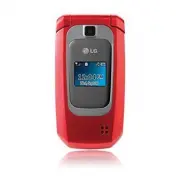
Phone Overview 16 Phone Ov erview 1. Earpiece Lets you hear the caller. 2. LCD Screen Displays messages and indicator icons. When the phone is turned on, PowerSave mode automatically dims the screen andthen darkens it if no keys are pressed. 3. Left Soft Key Use to access the Contacts list from the ...
Page 20 - Menus Overview; Ov; Message; While in standby mode, press
Menus Overview 18 Menus Ov erview Messaging 1. New Text Message 2. New Picture Message 3. Inbox 4. Sent 5. Drafts 6. Voicemail 7. Templates 8. Settings 1. All Messages 2. Text Message 3. Picture Message 4. Edit Voicemail# 9. Delete All 1. Delete Inbox 2. Delete Sent 3. Delete Drafts 4. Delete All Me...
Page 21 - Name; Tools; Tone
19 Menus Ov erview Recent Calls 1. Missed Calls 2. Received Calls 3. Dialed Calls 4. All Calls 5. Call Timer 6. Data 7. Data Counter Bluetooth 1. Paired Devices 2. Power 3. My Visibility 4. My Bluetooth Name 5. My Bluetooth Info Tools 1. Voice Command 1. Start Command 2. Command Mode 3. Announce Ale...
Page 22 - Alltel Navigation
Menus Overview 20 Menus Ov erview 7. Font Settings 8. Phone Dial Search 3. Security 1. Lock Phone 2. Restrictions 3. Emergency #s 4. Change Lock Code 5. Reset Default 4. Call Settings 1. Answer Options 2. Auto Retry 3. One-Touch Dial 4. Voice Privacy 5. Voice Clarity 6. Airplane Mode 7. TTY Mode 5. ...
Page 23 - Getting Started with Your Phone; Ge; The Battery; Installing the Battery; Note
21 Getting Started with Your Phone Ge ttingSt ar ted with YourPhone The Battery The phone comes with arechargeable battery. The batterycharge level is shown at the topof the LCD screen. Installing the Battery Remove the battery cover bypressing down below the LG logoand sliding the cover up. Alignth...
Page 24 - Charging the Battery; Warning! Use only the charger; Battery Charge Level
22 Charging the Battery Use the charger provided withyour phone: Warning! Use only the charger provided with the phone. Using any charger other than the one included with the AX310 may damage your phone or battery. 1. Plug the end of the adapter into the phone’s charger portand the other end into an...
Page 25 - Turning the Phone On and; Turning the Phone On; Install a charged battery or; Turning the Phone Off; until the; Signal Strength
23 Ge ttingSt ar ted with YourPhone Turning the Phone On and Off Turning the Phone On 1. Install a charged battery or connect the phone to anexternal power source. 2. Press for about 3 seconds until the LCD screenlights up. Turning the Phone Off 1. Press and hold until the display turns off. Signal ...
Page 26 - Screen Icons; To see the icon glossary, go to; Making Calls; Enter the phone number
24 Ge ttingSt ar ted with YourPhone Screen Icons To see the icon glossary, go to Menu -> Settings -> Phone Info. -> Icon Glossary on your phone. Making Calls 1. With the phone turned on, open the flip. If the phone is locked, pressthe Left Soft Key Unlock, enter the Lock Code (bydefault, it...
Page 27 - Correcting Dialing Mistakes; Tip; Menu
25 Ge ttingSt ar ted with YourPhone Correcting Dialing Mistakes If you make a mistake while dialing a number, press while once to erase the last digit entered, or hold down while press digit go to the for at least 2 seconds to go back to standby mode. Redialing Calls 1. Press twice to redial the num...
Page 28 - Quick Access to Convenient Features; Lock Mode; Mute; Quick Volume Adjustments
26 Quick Access to Convenient Features Quick Acce ss to Convenient Fea tur es Lock Mode Sets your phone to require a 4-digit password in order to usethe phone. To quickly lock your phone press for three seconds. To unlock, press Left Soft Key Unlock, enter the Lock Code and press . Mute Function The...
Page 29 - Caller ID; Dialing Single Digit Speed Dials
27 Quick Acce ss to Convenient Fea tur es Check with your cellular serviceprovider for information aboutthis function. 1. Press to answer a waiting call. 2. Press again to switch between calls. Caller ID Caller ID displays the phonenumber or name of the incomingcall. If the caller’s identity isstore...
Page 30 - Entering and Editing Information; Ent; Press to change
28 Entering and Editing Information Ent ering andEditing Informa tion Text Input You can customize and enter textin many of the functions in yourphone. Including, but not limitedto: the Banner, Calendar,Contacts and more. Whileentering text, the following areyour options: Key Functions Left Soft Key...
Page 31 - Contacts in Your Phone’s Memory; in; The Basics of Storing
29 Contacts in Your Phone’s Memory Contact s in YourPhone’ s Memory The Basics of Storing Contacts Entries 1. From standby mode enter the phone number you want tosave (up to 48 digits). 2. Press Left Soft Key Save . 3. Select either Save New or Update Existing . 4. Use to highlight a Label and press...
Page 32 - Storing a Number with Pause
30 Contacts in Your Phone’s Memory Contact s in YourPhone’ s Memory Storing a Number with Pause or Wait 1. Press Menu . 2. Press Contacts . 3. Press New Contact . 4. Enter a name (up to 22 characters) and enter anumber. 5. While entering a number, press Right Soft Key Options. 6. Press Wait or Pause...
Page 33 - Searching Your Phone’s; Scrolling Through Your
31 Contact s in YourPhone’ s Memory Searching Your Phone’s Memory The AX310 phone is able toperform a dynamic search of thecontents in your phone’sContact List. A dynamic searchcompares entered letters on theDialpad against the entries inyour Contacts. A matching list isdisplayed in descending order...
Page 34 - Making a Call From Your
32 Contact s in YourPhone’ s Memory Contacts in Your Phone’s Memory Delete : Delete the selected entry in your Contacts. Edit : Edit the selected contact information. Delete Multiple : Choose Selective / All to delete multiple entries at onetime. Send via Bluetooth : Send the contact (as a vCard)via...
Page 35 - From Call History
33 Contact s in YourPhone’ s Memory From Call History 1. Press Menu . 2. Press Recent Calls. 3. Use to highlight the type of recent call, then press . Missed Calls/Received Calls/Dialed Calls/All Calls 4. Use to highlight the phone number. 5. Press to place the call. Speed Dialing For a single-digit...
Page 36 - Me; The Basics of Sending a Text; Send; Options
34 Phone Menus Me ssaging Messaging The phone can store up to 435messages (including a maximumof 100 SMS and 100 MMS inthe Inbox). The informationstored in the message isdetermined by phone model andservice capability. Other limitssuch as available characters permessage may exist, please checkwith y...
Page 38 - Message Icon Reference
36 Messaging Me ssaging Message Icon Reference Inbox New/Unread Text/Picture Message Opened/Read Text/Picture Message New/Unread Notification Message Opened/Read Notification Message Priority High MMS New/Read Priority High Sent Failed Text/Picture Message Failed Multiple Text/Picture Messages Sent ...
Page 41 - Delete
39 Me ssaging View Last Message/ Delete Last Chat/ Delete All/ Save Contact/ Go to Website 4. Sent Up to 100 sent messages (50SMS and 50 MMS) can bestored in the Sent folder. Accessthe Sent message list to viewcontents of sent messages andverify whether the transmissionwas successful or not. 1. Pres...
Page 44 - highlight; Message Settings Sub-Menu; and
42 Messaging Me ssaging 2. Use to highlight All Messages / Text Message / Picture Message/ Edit Voicemail # then press . 3. Use to highlight one of the submenus and press to select it. Message Settings Sub-Menu DescriptionsAll Messages 1. Auto Save (Auto Save/ Prompt/ Do Not Save) With this feature ...
Page 45 - Assign the number 2 as a
43 Me ssaging For example: 1. Assign the number 2 as a speed dial for one of yourcontacts. 2. Compose a new text or picture message. In thedestination address window,hold down the number 2 keyinstead of entering theaddress, and the message willbe automatically sent to thatcontact. Text Message1. Aut...
Page 46 - Shop; to highlight an
44 Alltel Shop Alltel Shop 9. Delete All Allows you to erase the messagesstored in your Inbox, Sent, orDrafts message folders. You canalso erase all messages at thesame time. 1. Press , , . 2. Use to highlight an option: Delete Inbox / Delete Sent / Delete Drafts / Delete All Messages then press . 3...
Page 47 - eb; Incoming Calls; Alltel Web
45 Alltel Web Alltel W eb Incoming Calls While downloading anapplication, incoming calls willautomatically be sent to yourvoice mail, if available. If you donot have voice mail, downloadingwill not be interrupted by anincoming call, and the caller willreceive a busy signal. When using applications, ...
Page 49 - Symbols
47 Alltel W eb Entering Text, Numbers, or Symbols When prompted to enter text,the current text entry methodappears above the Right SoftKey . Press the Right Soft Key to select another Text Entrymode: abc/ ABC/ Sym/ 123/ Emoticons/ word/ WORD Initiating a Phone Call From Alltel Web You can make a pho...
Page 50 - Multimedia; Multimedia
48 Multimedia Multimedia Multimedia View, take, and exchange digitalpictures right from your wirelessphone. 1. Take Photo 1. Press , , . 2. Set the brightness using , zoom using and press Right Soft Key Options to change the followingsettings: View Mode Fit to Screen/ Landscape Resolution 1280X960/ ...
Page 53 - Add
51 Multimedia ● Press Left Soft Key Send to send the selected audio clip to somebody else. ● Press Play to play the selected audio clip. ● Press Right Soft Key Options to access additional options. Use to highlight an option and press . Options for audio files in My Audios : Record Voice/ Delete/ Re...
Page 54 - Contacts; Save
52 Contacts Contact s Contacts The Contacts Menu allows youto store names, phone numbersand other information in yourphone’s memory. When youaccess your Contacts, thenumber in parenthesesrepresents the number of entriesyou have stored (up to 1000). 1. New Contact Allows you to add a new contactto yo...
Page 56 - Recent; Edit
54 Recent Calls Recent Calls 3. Use to highlight the Contact. 4. Use to choose a number, then press . A confirmation message isdisplayed. 5. My Name Card Allows you to view and add toyour personal Contactinformation that can be sent viaBluetooth ® . 1. Press , , . 2. Use to highlight the feature you...
Page 57 - Roam Calls / All Calls
55 Recent Calls 2. Received Calls Allows you to view the list ofincoming calls; up to 40 entries. 1. Press , , . 2. Use to highlight an entry. 3. Dialed Calls Allows you to view the list ofoutgoing calls; up to 40 entries. 1. Press , , . 2. Use to highlight an entry. 4. All Calls Allows you to view ...
Page 58 - to highlight a data call; Bluetooth; wireless technology is
56 Bluetooth Bluetoo th 7. Data Counter Allows you to view the amount ofReceived and Sent data. 1. Press , , . 2. Use to highlight a data call list, then press . Received Data/ Sent Data/ All Data Bluetooth The AX310 is compatible withdevices that support theBluetooth ® headset and hands- free profi...
Page 59 - Search
57 Bluetoo th 1. Paired Devices Pairing is the process that allowsthe handset to locate, establishand register 1-to-1 connectionwith the target device. For pairing new Bluetooth ® device 1. Press , , . 2. Follow the Bluetooth ® accessory instructions to setthe device to pairing mode. 3. Press Left S...
Page 61 - You can check missed alerts.; Shortcut
59 Tools Tools Tools 1. Voice Command Allows you to make phone callsquickly and easily by voice. Yourphone recalls the number fromyour Contacts, displays it briefly,and then dials it. This menuincludes useful features for thosewho may be driving or blind. Itdelivers time information by voiceand allo...
Page 62 - Digit Dial
60 Tools Tools 1.1.6 Help Allows you to check theinformation of Voice Control. 1. Press , , , , . 1.2 Command Mode Allows you to set command modeto Normal or Speed (The Speedsetting allows you to access anduse the Voice Commandfunctions more quickly with afaster non-verbal prompt). 1. Press , , , . ...
Page 64 - New
62 Tools Tools 4. Calendar Allows you to store and accessyour agenda(s). Simply enteryour appointments in theCalendar, and your phone willalert you with a reminder. 1. Press , , . 2. Use to highlight the scheduled day. Moves to the previous day. Moves to the next day. Moves to the previousweek. Move...
Page 67 - ttings; Settings
65 Settings Se ttings Settings 1. Sound Options to customize yourphone's sounds: 1.1 Ringers Allows you to assign ringtonesfor incoming calls. 1. Press , , , . 2. Select All Calls / Caller ID / No Caller ID / Restricted Calls / Shuffle/ Buy ringtones . 3. Select My Audios or Default . 4. Use to high...
Page 68 - to highlight the alert
66 Settings Se ttings 3. Use to select a file/ setting, then press . 1.4 Alert Type Allows you to select the alerttypes. 1. Press , , , . 2. Use to highlight the alert you wish to edit. Call Alert/ Message Alerts/ Schedule Alert/ Alarm Alert 3. Use to scroll through the alert types. Ring Only/ Vibra...
Page 72 - Lock Phone
70 Settings Se ttings 2. Use to select a setting, then press . On/ Off 3. Security The Security menu allows you tosecure the phone electronically. 3.1 Lock Phone Keeps your phone fromunauthorized use. Once thephone is locked, it is in restrictedmode until the lock code isentered. You can still recei...
Page 75 - then press
73 Se ttings 1. Press , , , . 2. Use to select a setting, then press . Off / Every 10 Seconds / Every 30 Seconds / Every 60 Seconds 4.3 One-Touch Dial Allows you to initiate a speeddial call by pressing and holdingthe speed dial digit. If set to Off,Speed Dial numbers designatedin your Contacts will...
Page 77 - or
75 Se ttings 6. Alltel Shop & Web Allows you to set a settings andoptions related to the Alltel Shop& Web application. 1. Press , , . 6.1 Alltel Info Allows you to decide whether ornot your phone displays theAirtime Charges Warning messagewhen you start Alltel Shop. 1. Press , , , . 2. Press...
Page 78 - to highlight
Settings 76 Se ttings 7.1.2 Set NAM Allows you to select the phone’sNAM (Number AssignmentModule) if the phone isregistered with multiple serviceproviders. 1. Press , , , , . 2. Use to highlight NAM1 or NAM2 , then press . 7.1.3 Auto NAM Allows the phone toautomatically switch betweenprogrammed tele...
Page 80 - RealTone JukeBox/ Alltel Navigation/ Wallpaper Universe; RealT; press to; Wallpaper Universe; Access application and
RealTone JukeBox/ Alltel Navigation/ Wallpaper Universe 78 RealT oneJuk eBo x/ Allt el Na viga tion/Wallpaper Universe RealTone JukeBox Allows you to download realmusic ringtones from yourfavorite artists. 1. Press , . 2. Access application and download ringtones. Alltel Navigation Alltel Navigation...
Page 81 - Exposure to Radio Frequency
Safety Safety 79 TIA Safety Information The following is the completeTIA Safety Information forwireless handheld phones. Exposure to Radio Frequency Signal Your wireless handheld portablephone is a low power radiotransmitter and receiver. WhenON, it receives and sends outRadio Frequency (RF) signals...
Page 82 - Phone Operation; For your phone to operate; Driving
Safety 80 Safety could damage the phone andmay violate FCC regulations. Phone Operation NORMAL POSITION: Hold thephone as you would any othertelephone with the antennapointed up and over yourshoulder. Tips on Efficient Operation For your phone to operate most efficiently: Don’t touch the antennaunne...
Page 85 - Violation of the
Safety 83 Areas with a potentially explosiveatmosphere are often, but notalways marked clearly. Potentialareas may include: fueling areas(such as gasoline stations);below deck on boats; fuel orchemical transfer or storagefacilities; vehicles using liquefiedpetroleum gas (such as propaneor butane); a...
Page 86 - Charger and Adapter Safety
Safety 84 Safety to fire, explosion or otherhazard. ● Only use the battery for thesystem for which it isspecified. ● Only use the battery with acharging system that has beenqualified with the system perIEEE-Std-1725-2006. Use ofan unqualified battery orcharger may present a risk offire, explosion, l...
Page 87 - Battery Information and Care
Safety 85 ● Insert the battery packcharger vertically into the wallpower socket. ● Use the correct adapter foryour phone when using thebattery pack charger abroad. ● Only use the approved batterycharger. Otherwise, you maycause serious damage to yourphone. Battery Information and Care ● Please dispo...
Page 88 - Hazards
Safety 86 Safety Explosion, Shock, and Fire Hazards ● Do not put your phone in aplace subject to excessive dustand keep the minimum requireddistance between the powercord and heat sources. ● Unplug the power cord priorto cleaning your phone, andclean the power plug pin whenit’s dirty. ● When using t...
Page 89 - Do not paint your phone.
Safety 87 ● Talking on your phone for along period of time mayreduce call quality due to heatgenerated during use. ● When the phone is not usedfor a long period time, store itin a safe place with the powercord unplugged. ● Using the phone in proximityto receiving equipment (i.e.,TV or radio) may cau...
Page 90 - safety information; Avoiding hearing damage
Safety 88 Safety Warning! Important safety information Avoiding hearing damage Permanent hearing loss mayoccur if you use your phoneand/or headset at a high volume.Set the volume to a safe level.You can adapt over time to ahigher volume of sound that maysound normal but can bedamaging to your hearin...
Page 91 - FDA Consumer
Safety 89 Avoiding hearing damage Permanent hearing loss mayoccur if you use your headset ata high volume. Set the volume toa safe level. You can adapt overtime to a higher volume of soundthat may sound normal but canbe damaging to your hearing. Ifyou experience ringing in yourears or muffled speech...
Page 92 - Do wireless phones pose a
Safety 90 Safety 1. Do wireless phones pose a health hazard? The available scientific evidencedoes not show that any healthproblems are associated withusing wireless phones. There isno proof, however, that wirelessphones are absolutely safe.Wireless phones emit low levelsof Radio Frequency (RF) ener...
Page 94 - What kinds of phones are
Safety 92 Safety with FCC safety guidelines thatlimit RF exposure. The FCC relieson the FDA and other healthagencies for safety questionsabout wireless phones. The FCC also regulates the basestations that the wireless phonenetworks rely upon. While thesebase stations operate at higherpower than do t...
Page 95 - research done already?
Safety 93 research done already? The research done thus far hasproduced conflicting results, andmany studies have suffered fromflaws in their research methods.Animal experiments investigatingthe effects of Radio Frequency(RF) energy exposurescharacteristic of wireless phoneshave yielded conflicting ...
Page 98 - What has the FDA done to
Safety 96 Safety of 1.6 watts per kilogram (1.6W/kg). The FCC limit isconsistent with the safetystandards developed by theInstitute of Electrical andElectronic Engineering (IEEE) andthe National Council onRadiation Protection andMeasurement. The exposure limittakes into consideration thebody’s abili...
Page 100 - What about children using
Safety 98 Safety described above to reduce yourRF exposure from wireless phoneuse. 10. What about children using wireless phones? The scientific evidence does notshow a danger to users ofwireless phones, includingchildren and teenagers. If youwant to take steps to lowerexposure to Radio Frequency(RF...
Page 102 - 0 Driver Safety Tips; Get to know your wireless
Safety 100 Safety Non-lonizing RadiationProtection(http://www.icnirp.de) World Health Organization(WHO) International EMFProject(http://www.who.int/emf) National Radiological ProtectionBoard (UK)(http://www.hpa.org.uk/radiation/) 10 Driver Safety Tips Your wireless phone gives youthe powerful abilit...
Page 104 - Use your wireless phone to call
Safety 102 Safety are distracting and evendangerous when you arebehind the wheel of a car.Make people you are talkingwith aware you are driving andif necessary, suspendconversations which have thepotential to divert yourattention from the road. 8. Use your wireless phone to call for help. Your wirel...
Page 105 - Government’s Requirements for
Safety 103 appears injured or a vehicleyou know to be stolen, callroadside assistance or otherspecial non-emergencywireless number. The above tips are meant asgeneral guidelines. Beforedeciding to use your mobiledevice while operating a vehicle,it is recommended that youconsult your applicablejurisd...
Page 106 - Tests for SAR are conducted
Safety 104 Safety developed by scientific andengineering experts drawn fromindustry, government, andacademia after extensive reviewsof the scientific literature relatedto the biological effects of RFenergy. The exposure Limit for wirelessmobile phones employs a unit ofmeasurement known as theSpecifi...
Page 108 - after searching on FCC ID.; Regulations for Wireless
Safety 106 Safety after searching on FCC ID. To find information that pertainsto a particular model phone, thissite uses the phone FCC IDnumber which is usually printedsomewhere on the case of thephone. Sometimes it may benecessary to remove the batterypack to find the number. Onceyou have the FCC I...
Page 111 - FCC Hearing Aid Compatibility and Volume Control
Safety 109 American National StandardsInstitute (ANSI) C63.19standard. To enter that the Hearing AidCompatibility rating for yourphone is maintained, secondary transmitters such as Bluetoothand WLAN components must bedisabled during a call. See Page52 for instructions to disablethese components. For...
Page 112 - Acce; Battery Charger; Standard battery is available.; Vehicle Power Charger
Accessories 110 Acce ssorie s There are a variety of accessories available for your mobile phone.Consult your local dealer for availability. Optional items are soldseparately. Battery Charger The battery charger allows youto charge your phone. Battery Standard battery is available. Vehicle Power Cha...
Page 113 - Limited Warranty Statement; arr; WHAT THIS WARRANTY
Limited Warranty Statement Limited W arr ant y Statement 111 1. WHAT THIS WARRANTY COVERS: LG offers you a limited warrantythat the enclosed subscriber unitand its enclosed accessories willbe free from defects in materialand workmanship, according tothe following terms andconditions: (1) The limited...
Page 114 - WHAT THIS WARRANTY
Limited Warranty Statement 112 Limited W arr ant y Statement Department of LG. LG shallbear the cost of shippingthe product back to theconsumer after thecompletion of service underthis limited warranty. 2. WHAT THIS WARRANTY DOES NOT COVER: (1) Defects or damages resulting from use of theproduct in ...
Page 115 - published maximum ratings.
Limited W arr ant y Statement 113 including, but not limited toany implied warranty ofmarketability or fitness for aparticular use. (7) Damage resulting from use of non-LG approvedaccessories. (8) All plastic surfaces and all other externally exposedparts that are scratched ordamaged due to normalcu...
Page 116 - HOW TO GET WARRANTY
Limited Warranty Statement 114 Limited W arr ant y Statement LG SHALL NOT BE LIABLE FORTHE LOSS OF THE USE OF THEPRODUCT, INCONVENIENCE,LOSS OR ANY OTHERDAMAGES, DIRECT ORCONSEQUENTIAL, ARISINGOUT OF THE USE OF, ORINABILITY TO USE, THISPRODUCT OR FOR ANYBREACH OF ANY EXPRESS ORIMPLIED WARRANTY,INCLU...
Page 117 - Index
Index Index 115 Index 1 10 Driver Safety Tips100 A Accessories 110Airplane Mode 74Alarm Clock 61Alert Type 66All Calls 55Alltel Info 75Alltel Web 45Altel Shop 44Altel Shop & Web 75Announce Alert 60Answer Options 72Audios 50Auto Retry 72 B Backlight 68Banner 68Battery Charge Level22 Best Match 60...
Page 118 - Making a Call From
Index Index 116 Index G Getting Started withYour Phone 21Groups 53 I Images 49Important SafetyPrecautions 1Inbox 38Index 115 L Languages 68Launch 45Limited WarrantyStatement 111Location 76Lock Mode 26Lock Phone 70 M Making a Call From Your Phone’s Memory32Making Calls 24Memory 77Menu Style 68Menus O...
Page 119 - Unit Converter 64
R RealTone JukeBox 78Received Calls 55Receiving Calls 25Recent Calls 54Record Voice 49Redialing Calls 25Reset Default 72Restrictions 70Ringers 65 S Safety 79Safety Information 83Screen Icons 24Searching Your Phone’sMemory 31Security 70Sent 39Service Alerts 66Settings 41, 65Shuffle 51Signal Strength ...