JBL 300 - User Manual
The JBL QuantumENGINE audio system covers a broad range of setup, compatibility, and performance topics for its headset lineup. This system is designed as a versatile multimedia device supporting multiple platforms–including PCs, gaming consoles (Xbox, PlayStation, Nintendo Switch), mobile devices, VR systems, and even Macs–through adaptable connectivity options like USB audio adapters or 3.5mm jacks. The manual emphasizes software requirements (Windows 7+ with 500MB free space) and highlights specialized features such as advanced audio formats like QuantumSurround and DTS Headphone:X V2.0, though these are Windows-exclusive. Key hardware components include detachable microphones, adjustable boom arms, and ergonomic ear cups, while technical specs detail drivers, frequency response (e.g., 20 Hz–20 kHz), impedance, and weight for precise performance evaluation. The documentation also addresses setup procedures like configuring audio defaults in Windows and troubleshooting connectivity across diverse devices.
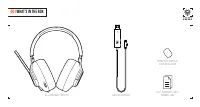
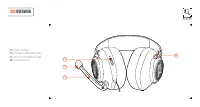
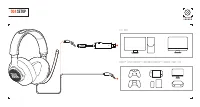
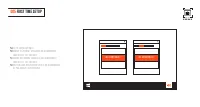
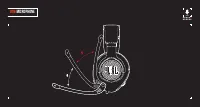

Table of Contents:
- Page 1 – JBL Quantum 300 Quick Start Guide Cover
- Page 2 – Software Requirements and System Compatibility
- Page 3 – Package Contents
- Page 4 – System Compatibility and Software Requirements
- Page 5 – Headset Component Overview
- Page 6 – Device Connection Setup
- Page 7 – Windows Audio Device Configuration
- Page 8 – Microphone Adjustment Mechanism
- Page 9 – Headset Technical Specifications
- Page 10 – Audio Output Technical Specifications
- Page 11 – Audio System Technical Parameters
- Page 12 – DJI Osmo Mobile 3 Specifications
- Page 13 – Gaming Console Hardware Specifications
- Page 14 – Nintendo Switch Setup and Specifications
- Page 15 – JBL Quantum 1000 Speaker Specifications
Q U I C K S T A R T G U I D E
300
"Loading the manual" means you need to wait until the file loads and becomes available for online reading. Some manuals are very large, and the time they take to appear depends on your internet speed.
Was this manual helpful?
About this manual
- Brand
- JBL
- Model
- 300
- Document type
- User Manual
- Category
- Headphones
- Language(s)
- English
- Pages
- 16
- File size
- 1002.3 KB
- Format
Other Manuals for JBL 300
Summary
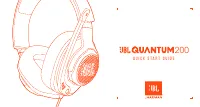
Cover page featuring a line drawing of the headphones and product title.
System requirements for JBL QuantumENGINE, including Windows version and hard drive space. Availability of QuantumSurround, QuantumSphere 360, and DTS Headphone:X V2.0 software on Windows.
Items included in the box for the JBL Quantum 300 headset, such as the headset, USB audio adapter, windshield foam, and warranty card.
Ask a question
Related manuals
Popular JBL Headphones




More JBL Headphones models
 JBL Synchros Reflect BT User Manual
 JBL T205 User Manual
 JBL Under Armour Project Rock Sport Wireless Train (UAROCKOEBTBLM) User Manual
 JBL Under Armour Sport Wireless User Manual
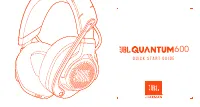 JBL 600 User Manual
 JBL 660 User Manual
 JBL 660NC User Manual
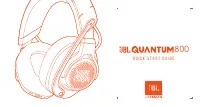 JBL 800 User Manual
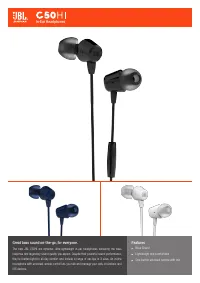 JBL C50 User Manual
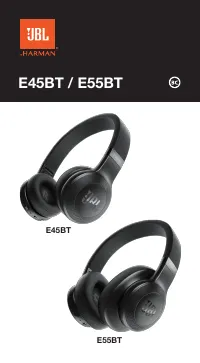 JBL E55BT User Manual
 JBL E55BT Quincy Edition User Manual
 JBL Endurance Dive Blue User Manual