JBL 300 - Manual

JBL 300 Headphones – Manual, read for free online in PDF format. We hope this helps you resolve any issues you may have. If you have further questions, please contact us through the contact form.


Table of Contents:
- Page 2 – Subwoofer Level Control:; unswitched; SUBWOOFER REAR-PANEL CONTROLS AND CONNECTIONS
- Page 3 – PLACING THE SPEAKERS; FRONT LEFT AND RIGHT SPEAKERS
- Page 4 – SPEAKER MOUNTING OPTIONS; Placing the Speakers
- Page 5 – FRONT; W ire with; Amplifier; Speaker; CONNECTING THE SPEAKERS; unplugged from the AC power outlet.; Receiver
- Page 6 – CONNECTING THE SUBWOOFER; Subwoofer; TO A RECEIVER OR PREAMP/PROCESSOR WITH A PREAMP OUTPUTS
- Page 7 – OPERATING THE SUBWOOFER; TURNING THE SUBWOOFER ON AND OFF; green; SUBWOOFER ADJUSTMENTS: CROSSOVER CONTROL; CROSSOVER
- Page 8 – SPECIFICATIONS; CINEMA 300 CENTER SPEAKER; CINEMA 300 SATELLITE SPEAKERS
4X
1X
1X
4X
4X
8X
1X
INCLUDED ITEMS
1X
3X
15 ft (4.5m)
2X
30 ft (9.0m)
THANK YOU FOR CHOOSING THIS
JBL
®
PRODUCT
The Cinema 300 is a complete six-piece home theater speaker
system that includes four identical, two-way, video-shielded satellite
speakers, a dedicated, voice-matched, video-shielded center
speaker with dual midrange drivers an 8-inch (203mm), 150-watt
powered subwoofer and all of the cables you need to connect all of
the speakers to your audio/video receiver or preamp/processor and
ampli
fi
er.
We're con
fi
dent that this JBL system will provide every note
of enjoyment that you expect – and that when you think about
purchasing additional audio equipment for your home, car or of
fi
ce,
you will once again choose JBL products.
This quick-start guide contains all the information you need to set
up, connect and adjust your new speaker system. For more in-depth
information, go to our Web site: www.jbl.com.
CINEMA 300
Home theater speaker system
QUICK-START GUIDE
"Loading the manual" means you need to wait until the file loads and becomes available for online reading. Some manuals are very large, and the time they take to appear depends on your internet speed.
Was this manual helpful?
About this manual
- Brand
- JBL
- Model
- 300
- Document type
- Manual
- Category
- Headphones
- Language(s)
- English
- Pages
- 8
- File size
- 1.5 MB
- Format
Other Manuals for JBL 300
Summary
2 On/Standby LED: When the Power-On Mode Switch is in the “Auto” position, this LED indicates whether the subwoofer is in the On or Standby state: When the LED glows green, the subwoofer is turned on. • • When the LED glows red, the subwoofer is in the Standby mode. When the Power Switch is set to “...
3 www.jbl.com En g lis h PLACING THE SPEAKERS FRONT LEFT AND RIGHT SPEAKERS CENTER SPEAKER SURROUND SPEAKERS AND SUBWOOFER Surround Right Speaker Surround Left Speaker 5 – 6 ft (1.5m – 1.8m) Front Left Speaker Front Right Speaker TV Center Speaker TV 0 – 2 ft (0 – 61cm) Front Left Speaker Front Righ...
4 SPEAKER MOUNTING OPTIONS SHELF-MOUNTING Satellites: Center: 1. 3. 2. WALL-MOUNTING IMPORTANT SAFETY NOTE: The customer is solely responsible for proper selection and installation of mounting hardware not included with the speakers. JBL disclaims any liability for the selection and installation of ...
Ask a question
Related manuals
Popular JBL Headphones







More JBL Headphones models
 JBL Synchros Reflect BT User Manual
 JBL T205 User Manual
 JBL Under Armour Project Rock Sport Wireless Train (UAROCKOEBTBLM) User Manual
 JBL Under Armour Sport Wireless User Manual
 JBL 600 User Manual
 JBL 660 User Manual
 JBL 660NC User Manual
 JBL 800 Manual
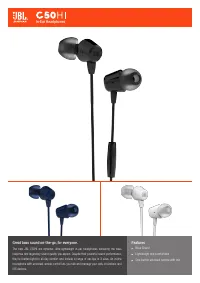 JBL C50 User Manual
 JBL E55BT User Manual
 JBL E55BT Quincy Edition User Manual
 JBL Endurance Dive Blue User Manual