JBL Quantum - User Manual
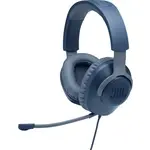
The JBL Quantum 100 headset is primarily a high-quality over-ear audio device designed for immersive listening across multiple platforms, including gaming consoles, PCs, mobile devices, and virtual reality systems. This product emphasizes connectivity, with support for wired connections via a standard 2.5mm jack or wireless compatibility in later iterations, alongside advanced microphone functionality for clear communication. Key focus areas include its technical specifications–such as driver size, frequency response, impedance, and sensitivity–and the inclusion of essential accessories like a detachable boom mic and windshield foam. The documentation also highlights safety, durability, and platform-specific setup requirements to ensure seamless integration with various devices.


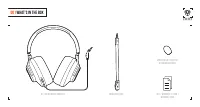
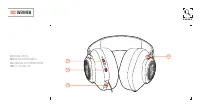
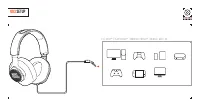

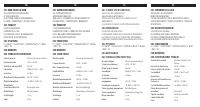
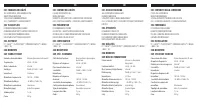
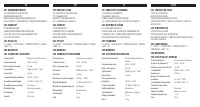
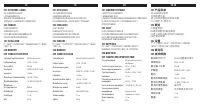
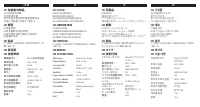
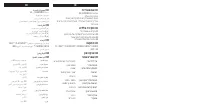


Table of Contents:
- Page 1 – Product Identification and Support Information
- Page 3 – Package Contents for Headset
- Page 4 – Headset Component Overview
- Page 5 – Device Connectivity Setup
- Page 6 – Microphone Component Details
- Page 7 – Headset Technical Specifications
- Page 8 – Multilingual Headset Specifications and Compatibility
- Page 9 – Multilingual Microphone Specifications
- Page 10 – Headphone Technical Specifications and Contents
- Page 11 – Multilingual Headphone Features and Compatibility
- Page 12 – Wireless Earbuds Technical Specifications
- Page 13 – Speaker Technical Specifications
JBL QUANTUM 100
QUICK START GUIDE
JBL
HARMAN
"Loading the manual" means you need to wait until the file loads and becomes available for online reading. Some manuals are very large, and the time they take to appear depends on your internet speed.
Was this manual helpful?
About this manual
- Brand
- JBL
- Model
- Quantum
- Document type
- User Manual
- Category
- Headphones
- Language(s)
- English, Russian
- Pages
- 16
- File size
- 794.2 KB
- Format
Summary
Cover information including product title, line drawing, and support resources.
List of items included in the box for the headset, such as the headset, microphone, windshield foam, and warranty card.
Labeling of key headset components including volume control, mute button, 2.5mm jack, and flat-fold ear cups.
Tips
- For better microphone performance, always use the included windscreen foam.
- Connect the headset via the 3.5mm jack to your device for setup.
- The flat-fold ear cups allow for convenient storage and portability.
- This headset is compatible with PC, Xbox, PlayStation, Nintendo Switch, mobile devices, Mac, and VR systems.
Ask a question
Related manuals
Popular JBL Headphones



More JBL Headphones models
 JBL JBLQUANTUM200BLKAM User Manual
 JBL LIVE 460NC User Manual
 JBL LIVE 660NC User Manual
 JBL Live Free NC User Manual
 JBL Live Free NC+ TWS User Manual
 JBL Live Pro+ User Manual
 JBL QUANTUM 50 User Manual
 JBL QUANTUM 100 User Manual
- JBL QUANTUM100 Quick Guide
 JBL QUANTUM 100P User Manual
 JBL QUANTUM 100X User Manual
 JBL QUANTUM 200 User Manual