JBL 400 - User Manual

This Quick Guide covers the JBL QuantumENGINE software and its companion gaming headset, focusing on setup, customization, and compatibility for Windows-based systems. The guide highlights key features like audio calibration, RGB lighting control via software, and system requirements (Windows 7+ with 500MB free space). It also outlines hardware components–such as the Type-C to Type-A cable, microphone windshield foam, and included accessories–and provides technical specs for audio performance, connectivity, and physical dimensions. Setup instructions emphasize configuring the headset across PCs, consoles, VR systems, and mobile devices, while troubleshooting is implied through compatibility notes on cables and device support.
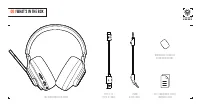
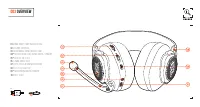
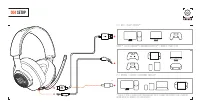
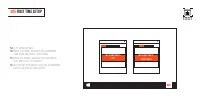
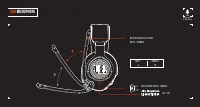
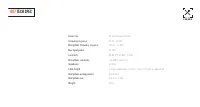
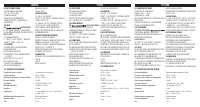
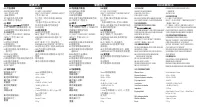
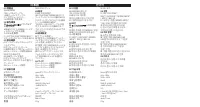
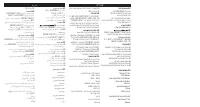


Table of Contents:
- Page 2 – JBL QuantumENGINE Software Requirements and Functionality
- Page 3 – Package Contents
- Page 4 – Software Compatibility and System Requirements
- Page 5 – Headset Component Overview
- Page 6 – Headset Connection Setup Instructions
- Page 7 – Initial Audio Device Configuration
- Page 8 – Microphone and Lighting Controls
- Page 9 – Headset Technical Specifications
- Page 10 – Multi-language Device Specifications
- Page 11 – Microphone Technical Specifications and Connection
- Page 12 – Electrical and Mechanical Parameters Table
- Page 13 – Multi-language Setup and Technical Parameters
- Page 14 – Installation Guidelines and Electrical Requirements
- Page 15 – Gaming Console Hardware Specifications
- Page 16 – Nintendo Switch Hardware Specifications
- Page 17 – Console and Accessory Compatibility Details
- Page 18 – Internet Headphones Product Specification
Q U I C K S T A R T G U I D E
400
"Loading the manual" means you need to wait until the file loads and becomes available for online reading. Some manuals are very large, and the time they take to appear depends on your internet speed.
Was this manual helpful?
Helpful for 3 of 3 readers
About this manual
- Brand
- JBL
- Model
- 400
- Document type
- User Manual
- Category
- Headphones
- Language(s)
- English
- Pages
- 20
- File size
- 1.2 MB
- Format
Summary
Details on the JBL QuantumENGINE software for customizing headsets like audio calibration and RGB lighting. Specifies system requirements of Windows 7 or higher and 500MB of free hard drive space, noting that software versions are Windows-only.
List of items included in the box for the JBL Quantum 400 headset, including the headset, cables (Type-C to Type-A and 3.5mm audio), windshield foam, and a warranty card.
System requirements for the JBL QuantumENGINE software, requiring Windows 7 or higher and 500MB of free hard drive space. Specifies compatibility across PC, Xbox, PlayStation, Nintendo Switch, mobile, Mac, and VR platforms.
Ask a question
Related manuals
Popular JBL Headphones




More JBL Headphones models
 JBL T205 User Manual
 JBL Under Armour Project Rock Sport Wireless Train (UAROCKOEBTBLM) User Manual
 JBL Under Armour Sport Wireless User Manual
 JBL 300 User Manual
 JBL 600 User Manual
 JBL 660 User Manual
 JBL 660NC User Manual
 JBL 800 User Manual
 JBL C50 User Manual
 JBL E55BT Quincy Edition User Manual
 JBL Endurance Dive Blue User Manual
 JBL Everest 110 User Manual