Honeywell TH8320R1003 - Installation Manual

A user manual for the Honeywell Home VisionPRO Series thermostat with RedLINK™ covers essential setup and operation, including time/date management, system mode adjustments, programmable schedules, humidity control, and ventilation settings. The guide also addresses battery replacement and provides quick-reference visual aids for its interface. Safety warnings highlight lithium battery hazards, while presets support energy-efficient scheduling for both residential and commercial use.
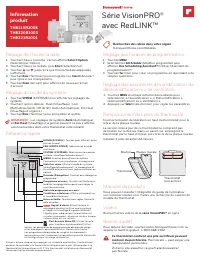

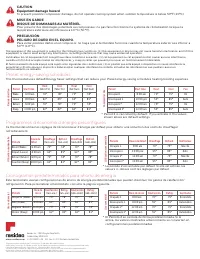
Table of Contents:
- Page 1 – Basic Setup and Operation Instructions
- Page 2 – Configuration Instructions in French
- Page 3 – Configuration Instructions in Spanish
- Page 4 – Energy-Saving Schedules and Operational Limits
VisionPRO® Series
with RedLINK™
Product
Information
TH8110R1008
TH8320R1003
TH8321R1001
Product Manuals
The full user guide is available at customer.resideo.com. Search
for the thermostat model number.
Videos
Search online for
VisionPRO® Series Videos
.
Need Help?
For assistance please visit honeywellhome.com, or call toll-free:
1-800-468-1502.
Setting the time/date
1. Touch the current time. The screen displays
Select Option
.
2. Touch Time or Date, then touch
Select
.
3. Touch
s
or
t
until the proper time/date is displayed.
4. Touch
Done
to save or
Cancel
to ignore changes.
5. Touch
Home
to redisplay the Home screen.
Setting system mode
1. Touch
SYSTEM
to display system settings.
2. Touch desired option: Heat, Cool, Off, Auto, Em Heat.
3. Touch
Done
to save and exit.
NOTE:
The
Auto
and
Em Heat
system settings may not
appear, depending on how your thermostat was installed.
Adjusting program schedules
1. Touch
MENU
.
2. Select
Edit Schedule
to display
Use Scheduling Assistant?
3. Touch
Yes
to create a schedule by answering simple questions.
Adjusting humidification, dehumidification,
or ventilation settings
1. Touch
MENU
and use the down arrow to select Humidification,
Dehumidification, or Ventilation.
2. Touch
Select
to adjust the settings.
Replacing thermostat batteries
Press the release button on top of the thermostat to remove it
from the wall plate.
An updated version of this thermostat doesn’t have a button
on the top. In that case, grip the thermostat along the top and
bottom and pull it straight off the wallplate.
Install 4 fresh AA alkaline batteries.
Button
Thermostat
Wallplate
Thermostat
(back view)
M34071
MCR34000B
This thermostat contains a Lithium battery which may
contain Perchlorate material.
Perchlorate Material—
special handling may apply.
See www.dtsc.ca.gov/hazardouswaste/perchlorate
Quick reference
HOME.
Touch to display Home screen.
FAN.
Select fan mode.
SYSTEM.
Select system mode (Heat/Cool).
MENU.
Touch to display options. Start here to set
a program schedule.
Current status.
Shows system mode (heat/cool),
outdoor temperature and humidity (with optional
outdoor sensor).
Override.
Touch to override program schedule.*
Current schedule.
Touch an arrow to change
temperature setting and set a temporary hold.
Current program status.
*
Indoor conditions.
Shows indoor temperature
and humidity.
Current time.
Touch to set the current time/date.
Alert Light.
On when alert message is
active or system is set to EmHeat. Flashes for
battery-only power; on continuous if system
powered.
Micro SD Card port.
Use card to transfer
ISU settings, alerts, holiday schedule
settings, and custom events from one thermostat
to others. Holiday schedule and custom events
only available when thermostat is set for
commercial application.
The screen lights when you press any button. It stays lit for 16 seconds if the
thermostat is battery powered (45 seconds if the thermostat is powered with a
C-wire). Depending on how your thermostat was installed, the screen light may
always be on.
33-00308EFS-05
Search for local rebates:
HoneywellHome.com/Rebates
"Loading the manual" means you need to wait until the file loads and becomes available for online reading. Some manuals are very large, and the time they take to appear depends on your internet speed.
Was this manual helpful?
About this manual
- Brand
- Honeywell
- Model
- TH8320R1003
- Document type
- Installation Manual
- Language(s)
- English, Spanish, French
- Pages
- 4
- File size
- 1.1 MB
- Format
Other Manuals for Honeywell TH8320R1003
Summary
Instructions for setting time/date, adjusting system mode, modifying program schedules, managing humidity/ventilation settings, and replacing batteries, accompanied by a quick reference diagram.
Guidelines for setting time/date, system mode, scheduling, humidity parameters, battery replacement, and safety warnings regarding lithium batteries.
Guidelines for configuring time and date, system mode, scheduling, humidity settings, battery replacement, and safety warnings regarding lithium batteries.
Ask a question
Related manuals
Popular Honeywell Other




More Honeywell Other models
 Honeywell th7000 User Manual
 Honeywell TH8000 User Manual
 Honeywell TH8110 Manual
 Honeywell TH8110U Manual
 Honeywell TH8110U1003 User Manual
- Honeywell TH8320 Manual
 Honeywell TH8320U Manual
 Honeywell TH8320U1008 Manual
- Honeywell TH8320U1016 Manual
 Honeywell TH8320WF Manual
 Honeywell TH8320ZW Installation Manual
- Honeywell TH8321 Manual