Page 2 - In the box you will find
69-2715EF—01 ii In the box you will find • Quick Start Guide• Thermostat ID Card• User Guide
Page 3 - Welcome
Welcome Congratulations on your purchase of a Honeywell Wi-Fi touchscreen programmable thermostat. When registered to Honeywell’s Total Connect Comfort Solutions, you can remotely monitor and control the heating and cooling system in your home or business—you can stay connected to your comfort syste...
Page 5 - Table of contents
69-2715EF—01 3 About your new thermostat Home screen quick reference ..................... 5Message center messages ......................... 6Connecting to your Wi-Fi network ............... 8 Registering your thermostat online ........... 13Preset energy-saving schedules ............... 17 Operati...
Page 6 - Features of your Wi-Fi thermostat; View and change your heating/cooling system settings; Your new thermostat provides:
69-2715EF—01 4 Features of your Wi-Fi thermostat With your new thermostat, you can: • Connect to the Internet to monitor and control your heating/cooling system • View and change your heating/cooling system settings • View and set temperature and schedules • Receive alerts via email and get automati...
Page 7 - Home screen quick reference
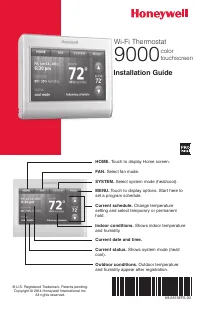
5 69-2715EF—01 Home screen quick reference Once your Wi-Fi thermostat is installed, it will display the home screen. Portions of this display will change depending on how you are viewing it. To change settings, simply press the appropriate area lightly with your finger. Unless you change the lightin...
Page 8 - Message center messages
69-2715EF—01 6 Message center messages The Message Center at the top of the screen communicates Wi-Fi connection and registration status. It also displays the MAC ID and MAC CRC for registering the thermostat at mytotalconnectcomfort.com Displayed before you begin Wi-Fi setup. Displayed while connec...
Page 10 - Connecting to your Wi-Fi network; At any point in this process, restart the thermostat by removing
69-2715EF—01 8 Connecting to your Wi-Fi network Connect your wireless device to your home network. Any of these device types will work: • Tablet (recommended)• Laptop (recommended)• Smartphone If you get stuck... At any point in this process, restart the thermostat by removing the thermostat from th...
Page 11 - Connect to your thermostat.; a Make sure the thermostat message center displays; If you are asked to specify a home, public, or; Message Center
9 69-2715EF—01 Connecting to your Wi-Fi network 1 Connect to your thermostat. 1a Make sure the thermostat message center displays Wi-Fi SETUP 1b On the wireless device (tablet, laptop, smartphone), view the list of available Wi-Fi networks. 1c Connect to the network called NewThermostat_123456 (the ...
Page 12 - Join your home network.; a Open your web browser to access the; Some routers have enhanced features such as; c Complete the instructions for joining your Wi-Fi
69-2715EF—01 10 Connecting to your Wi-Fi network 2 Join your home network. 2a Open your web browser to access the Thermostat Wi-Fi Setup page. The browser should automatically direct you to the correct page; if it does not, go to http://192.168.1.1 2b Find the name of your home network on this page ...
Page 13 - areas with a lot of networks.
11 69-2715EF—01 Connecting to your Wi-Fi network Note: If your Wi-Fi network does not appear in the list on the Thermostat Wi-Fi Setup page: • Try performing a network rescan by pressing the Rescan button. This is helpful in areas with a lot of networks. • If you are connecting to a hidden network, ...
Page 14 - Make sure your thermostat is connected.; a Look at the thermostat display. Verify; If you see CONNECTION
69-2715EF—01 12 Connecting to your Wi-Fi network M31568 MORE Inside 3 Make sure your thermostat is connected. The message center on your thermostat will now display CONNECTING… for up to 30 seconds. 3a Look at the thermostat display. Verify that the message center displays one of the following: CONN...
Page 15 - Registering your thermostat online; Open the Total Connect Comfort web site.
13 69-2715EF—01 Registering your thermostat online M31570 To view and set your Wi-Fi thermostat remotely, you must have a Total Connect Comfort account. Follow the instructions below. View the Wi-Fi Thermostat Registration video at wifithermostat.com/videos 1 Open the Total Connect Comfort web site....
Page 16 - Login or create an account.; If you have an account, click; Login; – or –; Create An Account; Check your email; for a response from; Follow activation instructions; in the
69-2715EF—01 14 Registering your thermostat online 2 Login or create an account. If you have an account, click Login – or – click Create An Account 2a Follow the instructions on the screen.2b Check your email for a response from My Total Connect Comfort. This may take several minutes. Note: If you d...
Page 17 - a Follow the instructions on; MAC ID
15 69-2715EF—01 Registering your thermostat online 3 Register your Wi-Fi thermostat. After you are logged in to your Total Connect Comfort account, register your thermostat. 3a Follow the instructions on the screen. After adding your thermostat location, you must enter the thermostat’s unique identi...
Page 18 - b Notice that when the thermostat
69-2715EF—01 16 Registering your thermostat online 3b Notice that when the thermostat is successfully registered, the Total Connect Comfort registration screen will display a SUCCESS message. In the thermostat message center you will see: CONGRATULATIONS SETUP COMPLETE
Page 19 - Preset energy-saving schedules; Default Heat Settings; WAKE
17 69-2715EF—01 Preset energy-saving schedules This thermostat is pre-set with energy-saving program settings for four time periods. Using the default settings can reduce your heating/cooling expenses by as much as 33% if used as directed. Savings may vary depending on geographic region and usage. D...
Page 20 - CLOCK; Setting the clock
69-2715EF—01 18 MORE 1 Press CLOCK to display setting arrows. 2 Press s or t to adjust the time. (You can advance the time more quickly by holding the s or t buttons.) 3 Press DONE to save and exit (or press CANCEL to exit without changing the time). Note: You should never need to adjust the real-ti...
Page 21 - ON; cooling system is on.; Setting the fan
19 69-2715EF—01 1 Press FAN to select fan operation. 2 Press FAN again to select ON or AUTO (toggle to re-select). The selected option blinks. 3 Press DONE to save setting. Your selection appears under FAN . ON : Fan is always on. AUTO : Fan runs only when the heating or cooling system is on. CIRC: ...
Page 22 - Selecting system mode; AUTO; Possible system modes:; HEAT; depending on the indoor temperature.; EM HEAT
69-2715EF—01 20 Selecting system mode Note: The AUTO and EM HEAT system settings may not appear, depending on how your thermostat was installed. 1 Press SYSTEM to display options. 2 Press SYSTEM again to select an option. You may need to press two or three times to make a selection—the selected opti...
Page 23 - Adjusting program schedules
21 69-2715EF—01 MORE SLEEP SLEEP MCR3158 4 Adjusting program schedules 1 Press SCHED , then EDIT . Screen displays day buttons at top. 2 Press day buttons ( MON – SUN ) to select days. 3 Press s or t to set Wake time for selected day(s). 4 Press s or t to set Heat and Cool temperature for this time ...
Page 24 - Overriding schedules temporarily; CANCEL
69-2715EF—01 22 Overriding schedules temporarily 1 On the home screen, press s or t to immediately adjust the temperature. 2 Adjust the time to when you want the hold to end (the default is the end of the current period). The new setting will be maintained until the time shown under Hold Until. When...
Page 25 - Overriding schedules permanently; Press; HOLD; to permanently adjust the; ) to cancel “Hold” and resume
23 69-2715EF—01 Overriding schedules permanently 1 Press HOLD to permanently adjust the temperature. This will turn off the program schedule. 2 Whatever temperature you set will be maintained 24 hours a day until you manually change it or press CANCEL (or SCHED ) to cancel “Hold” and resume the prog...
Page 26 - Setting vacation hold
69-2715EF—01 24 Setting vacation hold Use this function to suspend the program schedule while you are away for an extended period.1 Press s or t to set the temperature. 2 Press s or t to set the time of day you want the schedule to resume on the day you return. 3 Press HOLD twice. Hold Until appears...
Page 27 - Setting filter reminder intervals
25 69-2715EF—01 Setting filter reminder intervals MCR31559 SLEEP FILTER DAYS CHANGE FILTER Inside RESET MORE If activated during installation, the filter reminder alerts you with a message above the time when it is time to replace your filter.Press RESET after changing the filter, to restart the tim...
Page 28 - Cleaning the screen; SCREEN
69-2715EF—01 26 Cleaning the screen MORE MCR31560 1 Press SCREEN to lock the screen for cleaning. The screen will remain locked for 30 seconds so you can clean the screen without changing any settings. 2 After 30 seconds, press DONE to resume normal operation, or press SCREEN again if you require mo...
Page 29 - Unregistering thermostat; If you remove the thermostat from your
27 69-2715EF—01 Unregistering thermostat If you remove the thermostat from your Total Connect Comfort website account (for example, you’re moving and leaving the thermostat behind), the message center will scroll UNREGISTERED FROM TOTAL CONNECT for 3 minutes.After that, it will alternate displaying ...
Page 31 - Special features
29 69-2715EF—01 Special features Adaptive Intelligent Recovery (AIR)This feature allows the thermostat to “learn” how long the heating/cooling system takes to reach programmed temperature settings, so the temperature is reached at the time you set. For example: Set the Wake time to 6:00 am, and the ...
Page 32 - Setting functions and options; st; DONE
69-2715EF—01 30 Setting functions and options You can change options for a number of system functions. Available functions depend on the type of system you have. The functions, designated with four-digit numbers, along with available options are described on pages 31–35.This thermostat is pre-set fo...
Page 33 - User setup; Function
31 69-2715EF—01 User setup Function Settings & Options 0112 Device NameThis name will identify the thermostat when you view it remotely.If you register multiple thermostats, give each one a different name. 52 = Thermostat 1 Basement 18 Fireplace 35 Media Room 52 Thermostat 2 Bathroom 19 Foyer 36...
Page 38 - Frequently asked questions; Q Will my thermostat still work if I lose my Wi-Fi connection?
69-2715EF—01 36 Frequently asked questions : Q Will my thermostat still work if I lose my Wi-Fi connection? : A Yes, the thermostat will operate your heating and/or cooling system with or without Wi-Fi. : Q How do I find the password to my router? : A Contact the manufacturer of the router or check ...
Page 39 - Q Where can I find my MAC ID and MAC CRC codes?
37 69-2715EF—01 : Q Where can I find my MAC ID and MAC CRC codes? : A The MAC ID and MAC CRC will show in the message center of the thermostat. The numbers are also included on a card packed with the thermostat or on the back of the thermostat (visible when removed from wallplate). Each thermostat h...
Page 40 - Q Is there a way to extend the signal strength?
69-2715EF—01 38 Frequently asked questions : Q I registered on the Total Connect Comfort website but was unable to login using my new account. : A Check your email and ensure that you received an activation email. Follow the instructions to activate your account and then login to the website. : Q I ...
Page 41 - Red light is on; Troubleshooting
39 69-2715EF—01 If you have difficulty with your thermostat, please try the following suggestions. Most problems can be corrected quickly and easily. Display is blank • Check circuit breaker and reset if necessary. • Make sure power switch at heating and cooling system is on. • Make sure furnace doo...
Page 42 - Heating or
69-2715EF—01 40 Troubleshooting Heating or cooling system does not respond • Press SYSTEM to set system to Heat. Make sure the temperature is set higher than the Inside temperature. • Press SYSTEM to set system to Cool. Make sure the temperature is set lower than the Inside temperature. • Check circ...
Page 43 - Glossary
41 69-2715EF—01 Glossary MAC ID, MAC CRCAlphanumeric codes that uniquely identify your thermostat.QR Code ® Quick response code. A two-dimensional,machine-readable image. Your wireless device can read the black and white pattern in the square and link its browser directly to a web site. QR Code is a...
Page 44 - Regulatory information
69-2715EF—01 42 Regulatory information FCC Compliance Statement (Part 15.19) (USA only)This device complies with Part 15 of the FCC Rules. Operation is subject to the following two conditions:1 This device may not cause harmful interference, and2 This device must accept any interference received, in...
Page 46 - -year limited warranty
69-2715EF—01 44 5-year limited warranty Honeywell warrants this product, excluding battery, to be free from defects in the workmanship or materials, under normal use and service, for a period of five (5) years from the date of purchase by the consumer. If at any time during the warranty period the p...




 Honeywell TH8110U1003 Manual
 Honeywell TH8320 Manual
 Honeywell TH8320R1003 Manual
 Honeywell TH8320U Manual
 Honeywell TH8320U1008 Manual
 Honeywell TH8320ZW User Manual
 Honeywell TH9320WF5003 User Manual
 Honeywell Thermostat CM921 User Manual