Honeywell HW-400 Series- User Manual
Honeywell HW-400 Series– User Manual, read for free online in PDF format. We hope this helps you resolve any issues you may have. If you have further questions, please contact us through the contact form.


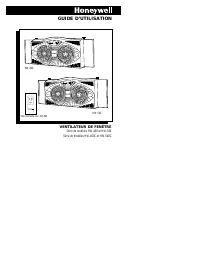
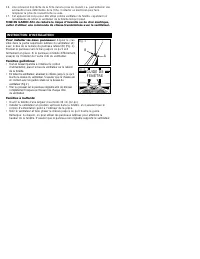
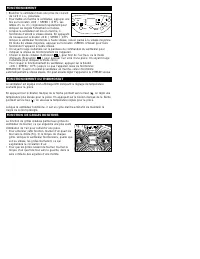
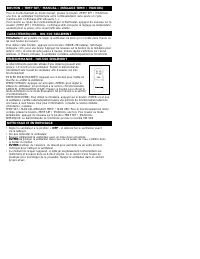


Table of Contents:
- Page 2 – READ AND SAVE THESE SAFETY; When using electrical appliances, basic precautions; ONLY
- Page 3 – INSTALLATION INSTRUCTIONS; during rain, the fan be removed from the window.; WINDOW
- Page 5 – TEMP SET/MANUAL BUTTON; CLEANING AND STORAGE; • Turn fan to the; OFF; position and unplug the fan before cleaning.; immerse the fan in water and never allow water to enter the; DO NOT; use gasoline, paint thinner or other chemicals to clean the fan.
- Page 6 – CONSUMER RELATIONS/REPLACEMENT PARTS; Item
- Page 7 – YEAR LIMITED WARRANTY; HONEYWELL IS
- Page 8 – GUIDE D’UTILISATION; VENTILATEUR DE FENÊTRE
- Page 9 – UNIQUEMENT
- Page 10 – INSTRUCTION D’INSTALLATION; Pour installer les deux panneaux:; Aligner le cran; Fenêtres guillotines:; • Tout en laissant pendre à l’intérieur le cordon; GUIDE DE
- Page 12 – NETTOYAGE ET ENTREPOSAGE
- Page 13 – SERVICE À LA CLIENTÈLE / PIÈCES DE RECHANGE; REMARQUE: EN CAS DE PROBLÈME, PRIÈRE DE RETOURNER LE VENTILATEUR À
- Page 14 – HONEYWELL N'EST NULLEMENT RESPONSABLE POUR LES
- Page 15 – MANUAL DE PROPIETARIO; VENTILADOR DE VENTANA
- Page 16 – Cuando se usen artefactos eléctricos, es importante; SOLAMENTE
- Page 17 – INSTRUCCIONNES DE INTALACÓN; Para conectar los paneles laterales:; GUÍAS DE LA
- Page 19 – LIMPIEZA Y ALMACENAMIENTO
- Page 20 – SERVICIO AL CLIENTE / PIEZAS DE REPUESTO; UNA LESIÓN PERSONAL. SI TIENE ALGUNA PREGUNTA REFERENTE A ESTE
- Page 21 – HONEYWELL NO SE HACE
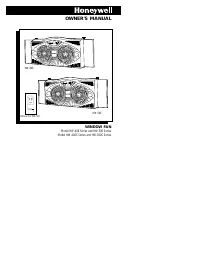
OWNER'S MANUAL
On•Speed •
Off
H
M
L
Temp Set •
Manual
WINDOW FAN
Model HW-400 Series and HW-500 Series
Model HW-400C Series and HW-500C Series
HW-400
On•Speed •
Off
Timer
H
M
L
Temp Set •
Manual
Remote For HW-500
Speed
POWER
Air Flow
Timer
Temp Set •
Manual
HW-500
"Loading the manual" means you need to wait until the file loads and becomes available for online reading. Some manuals are very large, and the time they take to appear depends on your internet speed.
Summary
IMPORTANT SAFETY INSTRUCTIONS READ AND SAVE THESE SAFETY INSTRUCTIONS BEFORE USING THIS FAN When using electrical appliances, basic precautions should always be followed to reduce the risk of fire, electric shock, and injury to persons, including the following: 1. Use this fan only as described in t...
INSTALLATION INSTRUCTIONS 17. This fan is rated for use as a window fan, however, we recommend that during rain, the fan be removed from the window. WARNING: To Reduce The Risk of Fire or Electric Shock, Do Not UseThis Fan With Any Solid-State Speed Control Device. T o attach side panels: line up th...
FEATURES - HW-500 ONLY Timer: You can set your fan to conveniently turn itself off within one to nine hours. To use this feature, press the “TIMER” button, “1H” will be displayed indicatingone hour. Press the “TIMER” button again for “2H”, repeat for up to 9 hours. Thetime you have set will be displ...


