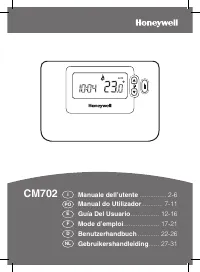
Honeywell cm921 - Manual

Honeywell cm921 – Manual, read for free online in PDF format. We hope this helps you resolve any issues you may have. If you have further questions, please contact us through the contact form.


Table of Contents:
- Page 2 – PLUMBING & HEATING SUPPLIES; SECURE PAYMENTS; shop online with confidence; FREE SHIPPING; on all orders over £100 to mainland UK; FINANCE AVAILABLE; spread the cost with low interest rates; PRICE MATCH; always get the best deals available; H U G E R E D U C T I O N S; we have; CALL US ON; visit our website
- Page 3 – Contents; Controls Layout
- Page 4 – STEP 1: Installing the Batteries
- Page 5 – STEP 2: Setting the Date and Time; STEP 3: Running the Built-in Heating Program
- Page 6 – The Built-in Heating Program
- Page 8 – Disabling / Enabling Time Periods
- Page 10 – Using the Special Functions
- Page 11 – Changing the User Parameters
- Page 13 – Troubleshooting Guide
Honeywell Control Systems Ltd.
Arlington Business Park,
Bracknell
Berkshire
RG12 1EB
Technical Help Desk: 08457 678999
www.honeywelluk.com
CM921 - User Guide
1 day Wireless Programmable Room Thermostat
with LoT technology
42011077-103 R1
© 2006 Honeywell International Inc.
Description
The Honeywell CM921 is a ‘wireless’ programmable room thermostat designed to
control you heating system efficiently, providing comfortable temperatures when you
are at home and energy savings when you are away. With ‘wireless’ communication
there is no need to provide a wired connection between the thermostat and boiler.
The following instructions explain how to set up, program and operate your
Honeywell CM921 Programmable Room Thermostat.
Features
Wireless connection
to the boiler allows you to mount the Chronotherm in your
room without decor disruption
Armchair programming
feature lets you program your Chronotherm while
resting comfortably in your armchair
Ergonomic User Interface
features an ‘
OK-button
’ making the CM921 very
easy to use so you always stay in control.
LoT technology
provides informative ‘on-screen’ feedback and operational
assistance to the user.
Extra Large LCD (Liquid Crystal Display) Screen with Backlight
provides
added user friendliness and clearer viewing – even in the dark.
6 independent temperature levels per day
lets you set any 6 temperatures you
require (from 5 to 35°C) so you can enjoy economical comfort every day
Holiday button
saves energy by letting you reduce the temperature for 1 to 99
days while you are away from home, resuming normal operation on your return.
Automatic Summer/Winter Time Change
will adjust the clock automatically for
‘Daylight Saving Time’.
Built-in Memory
holds the user program indefinitely so that it is never lost –
even if you remove the batteries.
Optimum Start
option is an advanced feature which ensures that the optimum
temperature conditions are achieved at the required times (option set by your
installer).
"Loading the manual" means you need to wait until the file loads and becomes available for online reading. Some manuals are very large, and the time they take to appear depends on your internet speed.
Was this manual helpful?
About this manual
- Brand
- Honeywell
- Model
- cm921
- Document type
- Manual
- Language(s)
- English
- Pages
- 19
- File size
- 527.1 KB
- Format
Other Manuals for Honeywell cm921
Summary
the nation’s favourite for PLUMBING & HEATING SUPPLIES SECURE PAYMENTS shop online with confidence FREE SHIPPING on all orders over £100 to mainland UK FINANCE AVAILABLE spread the cost with low interest rates PRICE MATCH always get the best deals available Boilers Radiators Heating controls Pip...
Contents GETTING STARTED WITH THE CM921 STEP 1: Installing the Batteries ......................................... 3STEP 2: Setting the Date and Time ................................... 4STEP 3: Running the Built-In Heating Program ................ 4 PROGRAMMING THE CM921 The Built-in Heating Progra...
This section shows you how to setup and run the thermostat in 3 simple steps: STEP 1: Installing the Batteries Note: Please follow the instructions in this section only if the thermostat screen is blank (no symbols or digits are displayed). If the screen displays some information move on to STEP 2: ...