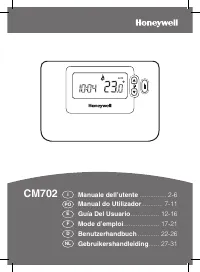
Honeywell CM721 - Manual

Honeywell CM721 – Manual, read for free online in PDF format. We hope this helps you resolve any issues you may have. If you have further questions, please contact us through the contact form.


Table of Contents:
- Page 3 – SETTING-UP THE CM721; Getting Started’; STEP 1: Installing the Batteries; Setting the Date and Time.; To install the Batteries:; STEP 2: Setting the Date and Time; DATE; If this mode is entered accidentally then press the; STEP 3: Running the Built-in Heating Program; Programming
- Page 4 – means the next period will be pushed forward.; Disabling / Enabling Time Periods; ‘Efficient Daily Use’; PROGRAMMING THE CM721
- Page 5 – SERVICE indicator; This option only works if activated by your; ‘Using the Features’
- Page 6 – FAQ’s; Automatic Summer/Winter Time Change; BDR91 Relay Box Controls Layout
- Page 7 – Your installer has set a scheduled maintenance alert; TROUBLESHOOTING THE CM721
- Page 9 – SETTING-UP THE CM727; Setting the Date and Time
- Page 10 – PROGRAMMING THE CM727; The Built-in Heating Program
- Page 11 – Once the target day is confirmed it; Choosing the Operating Mode
- Page 12 – press the green; Using the Special Functions
- Page 13 – Using the Special Features; This option only works if activated by your installer.
- Page 15 – TROUBLESHOOTING THE CM727
- Page 16 – © 2009 Honeywell International Inc.; Honeywell Control Systems Ltd.; WHAT IS A PROGRAMMABLE ROOM THERMOSTAT?; A programmable room thermostat is both a programmer and a room
1
CM721
..................................2-6
CM727
................................7-11
USER GUIDE
"Loading the manual" means you need to wait until the file loads and becomes available for online reading. Some manuals are very large, and the time they take to appear depends on your internet speed.
Was this manual helpful?
About this manual
- Brand
- Honeywell
- Model
- CM721
- Document type
- Manual
- Language(s)
- English
- Pages
- 16
- File size
- 594.3 KB
- Format
Summary
3 SETTING-UP THE CM721 ‘ Getting Started’ This section shows you how to setup and run the thermostat in 3 simple steps: STEP 1: Installing the Batteries Note: Please follow the instructions in this section only if the thermostat screen is blank (no symbols or digits are displayed). If the room tempe...
4 Period 1 2 3 4 Time 6:30 8:00 18:00 22:30 Temperature 21°C 18°C 21°C 16°C The Built-in Heating Program The built-in heating program has 4 temperature level changes that can be set between 3.00am and 2.50am the following day - allowing you to maintain the evening temperature after midnight. Each te...
5 Choosing the Operating Mode The thermostat can operate in three different modes: Automatic, Manual or Off. To set the operating mode press either of the AUTO , MAN or OFF buttons. The screen indicates which mode is currently active by displaying AUTO , MAN or OFF . • AUTO (automatic) mode sets the...