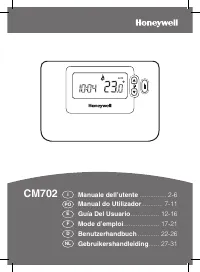
Honeywell CM67 - Manual

Honeywell CM67 – Manual, read for free online in PDF format. We hope this helps you resolve any issues you may have. If you have further questions, please contact us through the contact form.


Table of Contents:
- Page 2 – SPECIFICATIONS
- Page 3 – Specific Applications; In Installer set up we can :
- Page 4 – Special Features
- Page 6 – DIMENSIONS; LOCATION; INSTALLATION
- Page 7 – WIRING
EN0R 8498 R2 11/98
CM
67
CHRONOTHERM
PRODUCT SPECIFICATION SHEET
The
CM
67
Chronotherm is designed to provide automatic
time and temperature control of heating or cooling systems
in villas and apartments. It can be used as part of a system
in conjunction with combi boilers, oil- burners and gas fired
boilers, circulation pumps, thermal actuators, zone valves
and electric heat systems (<8A).
The
CM
67
is designed with the installer in mind and includes
a moulded backplate with trunking guides and wiring
breakouts to make installation quick and easy.
The
CM
67
display, buttons and slider layout are based on
the same simple programming philosophy used on the
acclaimed CM51 product. The unit is ideal for consumers
who want reliable precise temperature control from a simple
to program easy to use product.
FEATURES
•
Attractive slim styling makes it ideal for location in
any home.
•
7-day program
•
6 daily independent time and temperature level
changes let you set 6 time and temperatures pairs to
suit your life style.
•
Temporary programmed temperature override to
temporarily override the programmed temperature
till the next switch point.
•
Party button to temporarily maintain (or adjust)
the current temperature for 1-23 hours.
•
Day Off button copies Sunday’s program into
tomorrow or today to allow a rest day program
without having to re-program the
CM
67
.
•
Holiday button provides energy savings by
reducing the temperature for 1 to 99 days when
people are on holiday, returning to normal operation
(AUTO or MANUAL) on the day of return.
•
EEPROM memory holds the user program
indefinitely.
•
Telephone Interface (optional) can be fitted to the
CM
67
to allow switching between programmed mode
(slider position) and fixed set-point of 21
o
C.
•
24...230V 8A resistive, 3A inductive SPDT relay
provides compatibility with most domestic central
heating systems without stocking many different
models.
•
Surface or wallbox mounting options, trunking
guides and wiring breakouts simplify installation.
•
OFF position on the slider has an integral fixed frost
protection setting at minimum of 5
°°°°
C (installer
adjustable) so that pipes in the house will never
freeze in winter.
•
Installer Set-Up Mode allows extra functions to be
set at the discretion of the installer to match the
consumers applications :
•
Optimisation
•
Pump Exercise
•
Upper / Lower Setpoint Limit Adjust
•
Temperature offset
•
Minimum ON time
•
Cycle rate
•
Heat / Cool Operation
•
Proportional Band Width
•
CM
67
has provision for add-on modules to allow the
installer to sell additional features during or after the
first
CM
67
installation, giving the installer an
additional sale.
•
Outside Temperature Sensor accessory (optional)
can be fitted to the
CM
67
to display the external
temperature.
•
Remote Temperature Sensor (optional) can be fitted
to the
CM
67
to control the temperature from another
room.
"Loading the manual" means you need to wait until the file loads and becomes available for online reading. Some manuals are very large, and the time they take to appear depends on your internet speed.
Was this manual helpful?
About this manual
- Brand
- Honeywell
- Model
- CM67
- Document type
- Manual
- Language(s)
- English
- Pages
- 7
- File size
- 279 KB
- Format
Summary
CM67 CHRONOTHERM EN0R 8498 R2 11/98 2 SPECIFICATIONS CM67 CONTROLS/DISPLAY LAYOUT Batteries : 2 x 1.5 V IEC LR6 (AA) Alkaline cells Battery life : 4 years typical (Duracell MN1500) forapplications with loads <3A : 3 years typical for electric heatapplications (>3A, <8A) Batteryreplacement :...
CM67 CHRONOTHERM 3 EN0R 8498 R2 11/98 INSTALLER SET-UP To enter the installer set-up mode : a) Set the program slider to OFF. b) Press and hold Info i button and press PROG 3,4 together. c) The unit will display the first parameter of the installer parameter group category 1 (from n.1 to n.5). d) Pr...
CM67 CHRONOTHERM EN0R 8498 R2 11/98 4 Special Features Description What to do if we wish thisfeature Optimisation (VariableStart Time)Adaptive Intelligencerecovery TM The Chronotherm will adjust the start time in themorning/ afternoon so the desired temperature isreached by the start of the program ...