Honeywell CL48PM - User Manual

Honeywell CL48PM – User Manual, read for free online in PDF format. We hope this helps you resolve any issues you may have. If you have further questions, please contact us through the contact form.


Table of Contents:
- Page 2 – Quick Start Guide
- Page 3 – INDEX
- Page 4 – THANKYOU; carefully after reading for future reference.
- Page 5 – USER TIPS; NATURAL ENERGY EFFICIENT COOLING
- Page 7 – SAFETY RU LES
- Page 8 – SAFETY RULES
- Page 9 – PARTS DESCRIPTION
- Page 10 – CAUTION
- Page 11 – CONTROL PANEL
- Page 12 – CONTROL KNOBS
- Page 13 – WARNING; CLEANING & MAINTENANCE; CLEANING AND DRAINING THE WATER TANK
- Page 14 – MAINTAINING & CHANGING THE HONEYCOMB
- Page 15 – TROUBLESHOOTING GUIDE:; PROBLEM
- Page 16 – TROUBLESHOOTING GUIDE
- Page 17 – TECH NICAL SPEC IFICA TION S
- Page 18 – ELECTRICAL WIRING DIAGRAM
- Page 19 – SERVICE AND WARRANTY
Portable Evaporative Air Cooler
INSTRUCTION MANUAL
Read and save these instructions before use
Model: CL48PM
www.ushainternational.com
"Loading the manual" means you need to wait until the file loads and becomes available for online reading. Some manuals are very large, and the time they take to appear depends on your internet speed.
Was this manual helpful?
Helpful for 4 of 4 readers
About this manual
- Brand
- Honeywell
- Model
- CL48PM
- Document type
- User Manual
- Language(s)
- English
- Pages
- 19
- File size
- 2.6 MB
- Format
Summary
Fill with water and plug into standardpower outlet. Place near open door or window. Note : Please make sure that the power outlet is set tocorrect settings as per product specifications. Note : Evaporative Air Coolers work on evaporativecooling mechanism which requires cross ventillation. Turn ON an...
SECTION PAGE 1. THANK YOU .........................................................................................................2. USER TIPS ...........................................................................................................3. SAFETY RULES ....................................
THANKYOU 2 COOLER LOCATION (IMPORTANT TO READ) Place the cooler in front of an open door or window. Ensure thatthere is adequate cross - ventillation in the room by leaving adoor or window open opposite from the cooler. Following these rules will ensure your cooler will work aseffectively as possibl...
Ask a question
Related manuals
Popular Honeywell Other




More Honeywell Other models
 Honeywell CHRONOTHERM IV T8665A User Manual
 Honeywell CHRONOTHERM T4700 User Manual
 Honeywell CJ 110MVA Manual
 Honeywell CK65L0N User Manual
 Honeywell CK75 User Manual
 Honeywell CL40PM User Manual
 Honeywell CL60PM User Manual
 Honeywell CL201AE User Manual
 Honeywell Cm51 Manual
 Honeywell CM61NG Manual
 Honeywell CM67 Manual
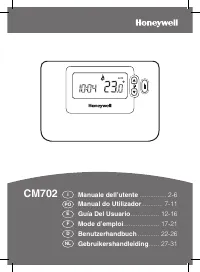 Honeywell CM702 User Manual