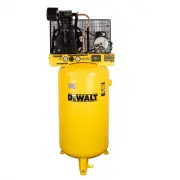
Page 2 - English; WARNING: This product can expose you to chemicals including; SAVE THESE INSTRUCTIONS; Product Overview
2 English WARNING: • Battery acid leakage can cause personal injury and cause damage to the product and surrounding property. If battery leakage occurs, thoroughly wash any affected skin, mak- ing sure to keep battery acid away from eyes, ears, nose and mouth. Immediately wash any clothing or other ...
Page 3 - Air Compressor Monitoring Device; Tools Required; DESCRIPTION; Specifications
3 English B A C D Parts List REF. DESCRIPTION QTY A Air Compressor Monitoring Device 1 B AA batteries 3 C Velcro strips (1 hook, 1 loop) 2 D Alcohol pad 1 Tools Required DESCRIPTION SUPPLIED Smart Phone or Tablet No Internet Connection No Air Compressor No Phillips Head Screwdriver No Specifications...
Page 5 - WARNING: Resetting the device will delete all the data,; Battery life is; Mounting Device to the Compressor
5 English Quick "How To" Guide Turn Device On – Press and hold Device Button for at least 3 sec- onds until light flashes blue 3 times indicating the device is ON. Turn Device Off – Press and hold Device Button for at least 3 sec- onds until light flashes red 3 times indicating the device is...
Page 6 - STRIP 2; Pairing Device to Mobile Application; Download; Android
6 English STRIP 2 VELCRO 5. Peel the backing off the mating Velcro piece and press firmly onto the designated compressor location. 6. Be sure the Air Compressor Monitoring Device is securely mounted to the compressor by firmly, but carefully, pushing on the front of the device with your full hand. 7...
Page 9 - Adding A Compressor
9 English When the "Discovering" box appears, press it. When the "ADD" button appears, press it. Setup is complete! Your compressor will appear in the "Air Compressor Settings" of the COMPRESSOR MANAGER screen. Troubleshooting If no device is found: • Make sure you are within...
Page 10 - Air Compressor Maintenance Settings
10 English 11:53 99% Air Compressor Monitoring System AIR COMPRESSOR SETTINGS Shed (DXCMLA19830A54 20 Gallon) ADD NEW COMPRESSOR MANAGER DASHBOARD FREQUENTLY ASKED QUESTIONS PARTS WEBSITE SERVICE CENTER LOCATOR CALL CUSTOMER SERVICE PRIVACY POLICY TERMS OF USE 1 11:53 99% Air Compressor Monitoring S...
Page 13 - WARNING: Deleting a compressor is permanent. The data; Dashboard
13 English Compressor Manager ( continued) Select a compressor to edit or delete. Edit the setting by tapping on the value you wish to change. Press "UPDATE" after all settings you wish to change have been edited. WARNING: Deleting a compressor is permanent. The data cannot be recovered. Eac...
Page 14 - Air Compressor Maintenance Dashboard
14 English 11:53 99% Air Compressor Maintenance Dashboard Pump Oil: 1/6/2022 6:00 pm UPDATED: NEVER Pump Filter: 2/10/2021 6:00 pm 200 Hours left 20 Hours left 50 Hours left 500 Hours left Pump Belt: 2/10/2021 6:00 pm Fastener Torques: 1/6/2022 6:00 pm Device Battery%: 100 VIEW GRAPH DATA Daily Time...
Page 15 - Retrieving Data From The Device
15 English 11:53 99% Air Compressor Maintenance Dashboard Pump Oil: 1/6/2022 6:00 pm UPDATED: NEVER Pump Filter: 2/10/2021 6:00 pm 200 Hours left 20 Hours left 50 Hours left 500 Hours left Pump Belt: 2/10/2021 6:00 pm Fastener Torques: 1/6/2022 6:00 pm Device Battery%: 100 VIEW GRAPH DATA Daily Time...
Page 16 - Entering Maintenance Note In Log
16 English 11:53 99% Air Compressor Maintenance Dashboard Pump Oil: 1/6/2022 6:00 pm UPDATED: NEVER Pump Filter: 2/10/2021 6:00 pm 200 Hours left 20 Hours left 50 Hours left 500 Hours left Pump Belt: 2/10/2021 6:00 pm Fastener Torques: 1/6/2022 6:00 pm Device Battery%: 100 VIEW GRAPH DATA Daily Time...
Page 17 - To View Compressor Run Time History
17 English 11:53 99% Air Compressor Maintenance Dashboard Pump Oil: 1/6/2022 6:00 pm UPDATED: NEVER Pump Filter: 2/10/2021 6:00 pm 200 Hours left 20 Hours left 50 Hours left 500 Hours left Pump Belt: 2/10/2021 6:00 pm Fastener Torques: 1/6/2022 6:00 pm Device Battery%: 100 VIEW GRAPH DATA Daily Time...
Page 18 - Multi User; Notifications
18 English 11:53 99% Air Compressor Monitoring System AIR COMPRESSOR SETTINGS Shed (DXCMLA19830A54 20 Gallon) ADD NEW COMPRESSOR MANAGER DASHBOARD FREQUENTLY ASKED QUESTIONS PARTS WEBSITE SERVICE CENTER LOCATOR CALL CUSTOMER SERVICE PRIVACY POLICY TERMS OF USE 11:53 99% Pump Oil Pump Filter Pump Bel...
Page 19 - Parts
19 English Graph Data The GRAPH DATA will show the compressor run times and dates along with a cost estimate if electric driven and if you input the cost per kwh for your area during setup. Charts can be zoomed in and out using your fingers and viewed by week or month. An average cost will be displa...
Page 20 - THE NEXT DIMENSION; WALT; Access the Menu on the D
20 English Parts ( continued) 11:53 99% THE NEXT DIMENSION DEWALT POWERSTACK™ BATTERY TECHNOLOGY DEWALT®Power ... dewalt.com Search 11:53 99% DEWALT®Power ... dewalt.com SUPPORT Support Information Contact Us Warranty Information Abrasive Saftey Safety Notices and Recalls Shop Safe TOTAL TRADE SOLUT...
Page 21 - SERVICE; NET; Transferring App And Data To A New Phone
21 English 11:53 99% ServiceNet toolservicenet.com SERVICE NET Hello, Sign In Type Part # Or Model # Or Any Keyword To Search... 0 S E R V I C I N G T H E S E G R E A T B R A N D S BUY PARTS BROWSE PARTS ONLINE REPAIRS FIX MY TOOL TOOL REGISTRATION REGISTER HERE LOCATIONS FIND A LOCATION 11:53 99% D...
Page 22 - Your privacy is important to us, please read our Privacy Policy; Customer own mo; Privacy Policy
22 English Privacy Policy, Terms of Use and Warranty Your privacy is important to us, please read our Privacy Policy and Terms of Use. You can reach these from the main menu by selecting "PRIVACY POLICY" and "TERMS OF USE". 11:53 99% Air Compressor Maintenance Settings Unit Nickname:...
Page 23 - Personal Information; Responding to your requests and communicating with you
23 English Personal Information When you visit or use our Website/Applications/Products/Services, we may collect personal information from or about you that you choose to disclose or share. If you choose to correspond with us through e-mail, we may retain the content of your e-mail messages together...
Page 25 - Addendum For California Residents
25 English access to personal information. This includes device safeguards, secured files and secured buildings, which may be provided by third parties on our behalf. . You have the right at any time to cease permitting personal information to be collected, used or disclosed by us and/or by any thir...
Page 26 - Disclosure of Personal
26 English Disclosure of Personal Information We Collect About You You have the right to know:• The categories of personal information we have collected about you; • The categories of sources from which the personal information is collected; • Our business or commercial purpose for collecting or sel...
Page 27 - Right to Deletion
27 English Personal Information Sold or Used for a Business Purpose • You have the right under the California Consumer Privacy Act of 2018 (CCPA) and certain other privacy and data protection laws, as applicable, to opt-out of the sale of your personal information. If you exercise your right to opt-...
Page 29 - or as otherwise provided under applicable law.; Addendum On The General Data Protection Regulation
29 English How to Exercise Your Rights. To the extent applicable, if you would like to exercise any of your rights as described above, please: • Call us at 888-895-4549; or • Email us at [email protected]. Please note that you may only make a CCPA-related data access or data portability disclosure r...
Page 31 - A. INTRODUCTION TO OUR SERVICES
31 English For further information on each of the rights listed above, includ- ing the circumstances in which they apply, see the guidance from the UK Information Commissioner's Office (ICO) on individual rights under the General Data Protection Regulation. How to Exercise Your Rights. To the extent...
Page 32 - SUBMISSION GUIDELINES
32 English 1. PRIVACY POLICY AND ADDITIONAL TERMS AND CONDITIONS Your use of the Application is subject to our Privacy Policy which is set forth in the Application or otherwise made available to you. The Privacy Policy, as may be amended from time to time, is here- by incorporated by reference. If y...
Page 34 - D. INTELLECTUAL PROPERTY
34 English The Application is licensed, not sold, to you for your use only under the terms of this Agreement. MAT reserves all rights not expressly granted to you. 1. Scope of License: Subject to compliance with all of the terms of this Agreement, MAT grants to you a single, limited, non- exclusive,...
Page 35 - F. THIRD PARTY LINKS AND SERVICES
35 English to use the Application granted by MAT in Section C - End User License Agreement) or assigning nor are you acquiring any copy- rights or other intellectual property rights hereunder. To the extent you provide us with any suggestions, feedback, enhancement requirements or recommendations (“...
Page 36 - I. LIMITATION OF LIABILITY
36 English YOU EXPRESSLY AGREE THAT YOUR USE OF, OR INABILITY TO USE, THE APPLICATION IS AT YOUR SOLE RISK AND EXPENSE. THE APPLICATION AND ALL SERVICES,CONTENT, INFORMATION, DATA, REMINDERS, RECOMMENDATIONS, AND/OR NOTICES DELIVERED TO YOU THROUGH THE APPLICATION ARE PROVIDED "AS IS" AND &#...
Page 37 - J. WAIVER AND INDEMNITY
37 English APPLY EVEN IF THE ABOVE STATED REMEDY FAILS OF ITS ESSENTIAL PURPOSE. YOU AGREE THAT YOUR SUBMISSION OF INFORMATION TO MAT IS AT YOUR SOLE RISK, AND YOU HEREBY RELEASE MAT FROM ANY AND ALL LIABILITY TO YOU FOR ANY LOSS OR LIABILITY RELATING TO SUCH INFORMATION IN ANY WAY. MAT DOES NOT REP...