Page 3 - DellTM PowerEdgeTM; Getting Started
Dell™ PowerEdge™ R300 Systems Getting Started With Your System
Page 5 - System Features
Getting Started With Your System 3 System Features The major hardware and software features of your system include: • 1U/1S rack-mountable chassis with support for static rails and sliding rails. NOTE: Use the System Setup program to view processor information. See "Using the System Setup Progra...
Page 7 - Supported Operating Systems
Getting Started With Your System 5 • Systems management software/circuitry that monitors critical system voltages and temperatures. • Back-panel connectors include video, serial, two USB, and two network adapter connectors. • Front-panel connectors include one VGA and two USB connectors. • One inter...
Page 8 - Other Information You May Need
6 Getting Started With Your System • Microsoft Windows Server 2003 R2 Standard and Enterprise (x64) Editions • Red Hat ® Enterprise Linux ® ES (versions 4 and 5) (x86_32) • Red Hat Enterprise Linux ES (versions 4 and 5) (x86_64) • SUSE ® Linux Enterprise Server 9 (SP4 or later) (x86_64) • SUSE Linux...
Page 9 - Obtaining Technical Assistance; Installation and Configuration; Unpacking the System
Getting Started With Your System 7 • Updates are sometimes included with the system to describe changes to the system, software, and/or documentation. NOTE: Always check for updates on support.dell.com and read the updates first because they often supersede information in other documents. • Release ...
Page 10 - Installing the Rail and System in a Rack
8 Getting Started With Your System Installing the Rail and System in a Rack Install the system in the rack once you have read the “Safety Instructions” located in the rack installation documentation for your system. See your rack installation documentation for instructions on installing your system ...
Page 11 - Connecting the Power
Getting Started With Your System 9 Connecting the Power Connect the system’s power cable(s) to the system (a redundant system is shown in the illustration). For redundant systems, secure the cables with the two Velcro straps that ship with your system, as shown. For non-redundant systems, attach the...
Page 12 - Installing the Bezel; Complete the 0perating System Setup
10 Getting Started With Your System Press the power button on the system and the monitor. The power indicators should light. Adjust the monitor’s controls until the displayed image is satisfactory. Installing the Bezel Install the bezel (optional). Complete the 0perating System Setup If you purchase...
Page 13 - Technical Specifications
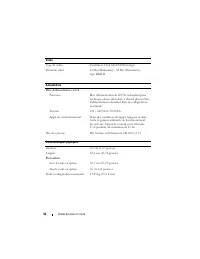
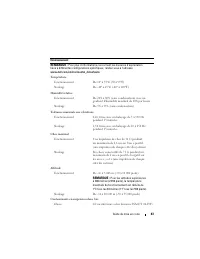
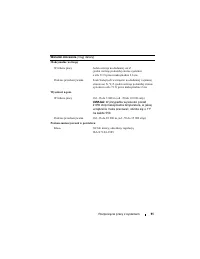
Getting Started With Your System 11 Technical Specifications Processor Processor type Single Core Intel ® Celeron ® 445 processor or Dual-Core Intel Core ™ 2 Duo E6305 or E6405 sequence processor or Quad-Core Intel Xeon ® X3323, X3353, or X3363 serial processor Expansion Buses Bus type PCI-X, PCIe E...
Page 17 - Začínáme
Page 18 - Poznámky, upozornění a varování
Poznámky, upozornění a varování POZNÁMKA: POZNÁMKA označuje důležitou informaci, s jejíž pomocí lépe využijete svůj počítač. UPOZORNĚNÍ: UPOZORNĚNÍ poukazuje na možnost poškození hardwaru nebo ztráty dat a poskytuje návod, jak se danému problému vyhnout. POZOR: VAROVÁNÍ označuje hrozící nebezpečí po...
Page 19 - Systémové funkce
Začínáme se systémem 17 Systémové funkce Hlavní hardwarové a softwarové funkce systému jsou: • Šasi pro montáž do stojanu 1U/1S s podporou pevných a výsuvných kolejniček. POZNÁMKA: K zobrazení informací o procesoru použijte program nastavení systému. Další informace najdete v části Použití programu ...
Page 21 - Podporované operační systémy
Začínáme se systémem 19 • Integrovaný modul TPM (Trusted Platform Module) verze 1.2 používaný pro aplikace zabezpečení s funkcí generování a ukládání klíčů a ukládání hesel a digitálních certifikátů (není k dispozici v Číně). • Okruhy a software systémové správy monitorující kritická napětí a teplot...
Page 22 - Další užitečné informace
20 Začínáme se systémem • Microsoft Windows Server 2003 R2, verze Standard a Enterprise (x64) • Red Hat ® Enterprise Linux ® ES (verze 4 a 5) (x86_32) • Red Hat Enterprise Linux ES (verze 4 a 5) (x86_64) • SUSE ® Linux Enterprise Server 9 (s aktualizací SP4 nebo novější) (x86_64) • SUSE Linux Enterp...
Page 23 - Odborná pomoc; Instalace a konfigurace; Rozbalení systému
Začínáme se systémem 21 • Se systémem jsou někdy dodány také aktualizace, které popisují změny v systému, softwaru nebo dokumentaci. POZNÁMKA: Vždy nejprve zkontrolujte a pročtěte aktualizace uvedené na adrese support.dell.com , protože tyto aktualizace často nahrazují informace v ostatních dokument...
Page 24 - Instalace kolejniček a systému do stojanu
22 Začínáme se systémem Instalace kolejniček a systému do stojanu Nejprve si přečtěte Bezpečnostní pokyny uvedené v dokumentaci k instalaci systému do stojanu a potom proveďte instalaci kolejniček a systému do stojanu. Pokyny k instalaci systému do stojanu naleznete v dokumentaci k instalaci do stoj...
Page 25 - Připojení ke zdroji napětí
Začínáme se systémem 23 Připojení ke zdroji napětí Připojte napájecí kabel(y) k systému (na obrázku je znázorněn systém se záložním zdrojem). V případě systému se záložním zdrojem zajistěte podle obrázku kabely dvěma páskami Velcro dodanými se systémem. V případě systému bez záložního zdroje připevn...
Page 26 - Instalace čelního krytu; Dokončení instalace operačního systému
24 Začínáme se systémem Instalace čelního krytu Nainstalujte čelní kryt (volitelný). Dokončení instalace operačního systému Pokud jste zakoupili předinstalovaný operační systém, prostudujte dokumentaci k operačnímu systému dodanou se systémem. Pokyny k první instalaci operačního systému naleznete v ...
Page 27 - Technické specifikace
Začínáme se systémem 25 Technické specifikace Procesor Typ procesoru Procesor Intel ® Celeron ® 445 (jednojádrový) nebo Dvoujádrový procesor Intel Core ™ 2 Duo řady E6305 nebo E6405 nebo Čtyřjádrový procesor Intel Xeon ® řady X3323, X3353 nebo X3363 Rozšiřovací sběrnice Typ sběrnice PCI-X, PCIe Rozš...
Page 31 - Systèmes DellTM; Guide de mise en route
Systèmes Dell™ PowerEdge™ R300 Guide de mise en route
Page 32 - Remarques, avis et précautions
Remarques, avis et précautions REMARQUE : Une REMARQUE indique des informations importantes qui peuvent vous aider à mieux utiliser votre ordinateur. AVIS : Un AVIS vous avertit d'un risque de dommage matériel ou de perte de données et vous indique comment éviter le problème. PRÉCAUTION : Une PRÉCAU...
Page 33 - Caractéristiques du système
Guide de mise en route 31 Caractéristiques du système Les principales caractéristiques du système sur le plan matériel et logiciel sont les suivantes : • Châssis 1U/1S montable en rack avec support pour rails statiques et rails coulissants. REMARQUE : Utilisez le programme de configuration du systèm...
Page 36 - Systèmes d'exploitation pris en charge
34 Guide de mise en route Les logiciels suivants sont livrés avec le système : • Programme de configuration du système permettant de consulter et de modifier les informations de configuration. Pour plus d'informations, voir “Using the System Setup Program” (Utilisation du programme de configuration ...
Page 37 - Autres informations utiles
Guide de mise en route 35 Autres informations utiles PRÉCAUTION : Le document Product Information Guide (Guide d'information sur le produit) contient d'importantes informations se rapportant à la sécurité et aux réglementations. Les informations sur la garantie se trouvent soit dans ce document, soi...
Page 38 - Obtention d'une assistance technique; Installation et configuration; Déballage du système
36 Guide de mise en route Obtention d'une assistance technique Si vous ne comprenez pas une procédure décrite dans ce guide ou si le système ne réagit pas comme prévu, reportez-vous au document Hardware Owner's Manual (Manuel du propriétaire). Des formations et certifications Dell Enterprise sont di...
Page 39 - Installation des rails et du système dans un rack
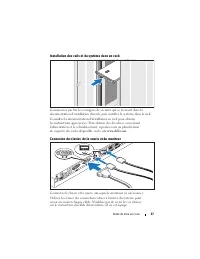
Guide de mise en route 37 Installation des rails et du système dans un rack Commencez par lire les consignes de sécurité qui se trouvent dans la documentation d'installation du rack, puis installez le système dans le rack. Consultez la documentation d'installation en rack pour obtenir les instructio...
Page 40 - Branchement des câbles d'alimentation
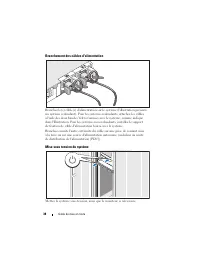
38 Guide de mise en route Branchement des câbles d'alimentation Branchez le(s) câble(s) d'alimentation sur le système (l'illustration présente un système redondant). Pour les systèmes redondants, attachez les câbles à l'aide des deux bandes Velcro fournies avec le système, comme indiqué dans l'illus...
Page 41 - Installation du cadre
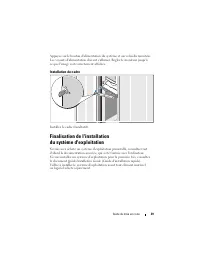
Guide de mise en route 39 Appuyez sur le bouton d'alimentation du système et sur celui du moniteur. Les voyants d'alimentation doivent s'allumer. Réglez le moniteur jusqu'à ce que l'image soit correctement affichée. Installation du cadre Installez le cadre (facultatif). Finalisation de l'installatio...
Page 42 - Spécifications techniques
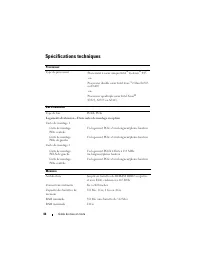
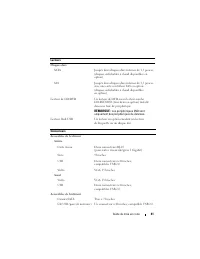
40 Guide de mise en route Spécifications techniques Processeur Type de processeur Processeur à cœur unique Intel ® Celeron ® 445 -ou- Processeur double cœur Intel Core ™ 2 Duo E6305 ou E6405 -ou- Processeur quadruple cœur Intel Xeon ® X3323, X3353 ou X3363 Bus d'extension Type de bus PCI-X, PCIe Log...
Page 47 - Erste Schritte
Dell™ PowerEdge™ R300 Systeme Erste Schritte mit dem System
Page 48 - Anmerkungen, Hinweise und Vorsichtshinweise
Anmerkungen, Hinweise und Vorsichtshinweise ANMERKUNG: Eine ANMERKUNG macht auf wichtige Informationen aufmerksam, die Ihnen die Arbeit mit dem Computer erleichtern. HINWEIS: Ein HINWEIS warnt vor möglichen Beschädigungen der Hardware oder vor Datenverlust und zeigt auf, wie derartige Probleme vermi...
Page 49 - Systemmerkmale
Erste Schritte mit dem System 47 Systemmerkmale Dies sind die wesentlichen Hardware- und Softwaremerkmale des Systems: • Rack-montierbares Gehäuse (1U/1P) mit Unterstützung für feste Schienen und Gleitschienen. ANMERKUNG: Verwenden Sie das System-Setup-Programm, um Informationen zum Prozessor anzuze...
Page 51 - Unterstützte Betriebssysteme
Erste Schritte mit dem System 49 • Auf der Rückseite befinden sich ein Bildschirmanschluss, ein serieller Anschluss, zwei USB-Anschlüsse sowie zwei Anschlüsse für Netzwerk-adapter. • Auf der Vorderseite sind ein Bildschirm- und zwei USB-Anschlüsse vorhanden. • Ein interner USB-Port ermöglicht das An...
Page 52 - Weitere nützliche Informationen
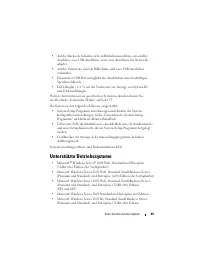
50 Erste Schritte mit dem System • Microsoft Windows Server 2003 Standard und Enterprise x64 Edition • Red Hat ® Enterprise Linux ® ES (Versionen 4 und 5) (x86_32) • Red Hat Enterprise Linux ES (Versionen 4 und 5) (x86_64) • SUSE ® Linux Enterprise Server 9 (SP4 oder höher) (x86_64) • SUSE Linux Ent...
Page 53 - So erhalten Sie technische Unterstützung; Installation und Konfiguration; Auspacken des Systems
Erste Schritte mit dem System 51 • Möglicherweise sind auch aktualisierte Dokumente beigelegt, in denen Änderungen am System, an der Software oder an der Dokumentation beschrieben sind. ANMERKUNG: Wenn auf der Website support.dell.com aktualisierte Dokumente vorliegen, lesen Sie diese immer zuerst, ...
Page 54 - Installation der Schienen und des Systems in einem Rack
52 Erste Schritte mit dem System Installation der Schienen und des Systems in einem Rack Lesen Sie die Sicherheitshinweise in der Dokumentation zur Rack-Installation für das System, und installieren Sie dann das System im Rack. Wie Sie das System in einem Rack installieren, erfahren Sie in der Dokum...
Page 55 - Anschließen der Stromversorgung
Erste Schritte mit dem System 53 Die Anschlüsse auf der Rückseite des Systems sind mit Symbolen gekennzeichnet, mit denen sich die entsprechenden Kabel zuordnen lassen. Denken Sie daran, gegebenenfalls die Schrauben am Stecker des Bildschirmkabels festzuziehen. Anschließen der Stromversorgung Verbin...
Page 56 - Einschalten des Systems
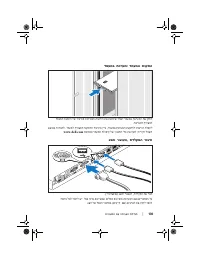
54 Erste Schritte mit dem System Einschalten des Systems Schalten Sie das System und den Bildschirm (optional) ein. Drücken Sie den Netzschalter am System und am Bildschirm. Daraufhin sollten die Betriebsanzeigen aufleuchten. Stellen Sie den Bildschirm ein, bis die Anzeige zufriedenstellend ist. Anb...
Page 57 - Abschließen des Betriebssystem-Setups; Technische Daten
Erste Schritte mit dem System 55 Abschließen des Betriebssystem-Setups Wenn das Betriebssystem vorinstalliert ist, lesen Sie die zusammen mit dem System gelieferte Dokumentation zum Betriebssystem. Wie Sie ein Betriebs-system erstmalig installieren, erfahren Sie in der Kurz-Installationsanleitung . ...
Page 63 - Τα πρώτα βήματα
Dell™ PowerEdge™ Συστήµατα R300 Τα πρώτα βήµατα µε το σύστηµά σας
Page 64 - Σημειώσεις, ειδοποιήσεις και προσοχές
Σηµειώσεις, ειδοποιήσεις και προσοχές ΣΗΜΕΙΩΣΗ: Η ένδειξη ΣΗΜΕΙΩΣΗ υποδεικνύει σηµαντικές πληροφορίες που σας βοηθούν να χρησιµοποιήσετε πιο σωστά τον υπολογιστή σας. ΕΙ∆ΟΠΟΙΗΣΗ: Η ένδειξη ΕΙ∆ΟΠΟΙΗΣΗ υποδεικνύει είτε πιθανή βλάβη του υλικού είτε απώλεια δεδοµένων και σας πληροφορεί πώς να αποφύγετε ...
Page 65 - Χαρακτηριστικά συστήματος
Τα πρώτα βήµατα µε το σύστηµά σας 63 Χαρακτηριστικά συστήµατος Τα κύρια χαρακτηριστικά λογισµικού και υλικού του συστήµατός σας περιλαµβάνουν: • Πλαίσιο 1U/1S που µπορεί να τοποθετηθεί σε ράφι µε στήριγµα για στατικές και ολισθαίνουσες ράβδους ολίσθησης. ΣΗΜΕΙΩΣΗ: Χρησιµοποιήστε το πρόγραµµα Εγκατάσ...
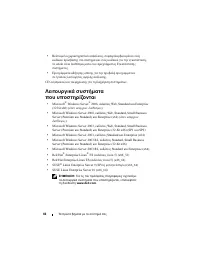
Page 70 - Λήψη τεχνικής βοήθειας; Εγκατάσταση και ρύθμιση παραμέτρων
68 Τα πρώτα βήµατα µε το σύστηµά σας • Μερικές φορές παρέχονται ενηµερωµένες εκδόσεις µαζί µε το σύστηµα, για να περιγράψουν αλλαγές στο σύστηµα, το λογισµικό ή/και την τεκµηρίωση. ΣΗΜΕΙΩΣΗ: Ελέγχετε πάντοτε για ενηµερωµένες εκδόσεις στην τοποθεσία support.dell.com και να διαβάζετε πρώτα τις ενηµερω...
Page 71 - Άνοιγμα της συσκευασίας του συστήματος
Τα πρώτα βήµατα µε το σύστηµά σας 69 Άνοιγµα της συσκευασίας του συστήµατος Ανοίξτε τη συσκευασία του συστήµατός σας και αναγνωρίστε κάθε αντικείµενο. Φυλάξτε όλα τα υλικά που σας αποστάλθηκαν για την περίπτωση που θα τα χρειαστείτε αργότερα. Τοποθέτηση των ραγών και του συστήµατος σε ράφι Τοποθετήσ...
Page 72 - Σύνδεση πληκτρολογίου, ποντικιού και οθόνης
70 Τα πρώτα βήµατα µε το σύστηµά σας Σύνδεση πληκτρολογίου, ποντικιού και οθόνης Συνδέστε το πληκτρολόγιο, το ποντίκι και την οθόνη (προαιρετικά). Οι συζευκτήρες στο πίσω µέρος του συστήµατος έχουν εικονίδια τα οποία υποδεικνύουν το καλώδιο που συνδέεται σε κάθε συζευκτήρα. Πρέπει να σφίξετε τις βίδ...
Page 73 - Ενεργοποίηση του συστήματος
Τα πρώτα βήµατα µε το σύστηµά σας 71 Τοποθετήστε την άλλη άκρη του καλωδίου σε γειωµένο ρευµατοδότη ή σε ξεχωριστή πηγή ηλεκτρικού ρεύµατος, όπως είναι ένα σύστηµα αδιάλειπτης τροφοδοσίας (UPS) ή µια µονάδα διανοµής ρεύµατος (PDU). Ενεργοποίηση του συστήµατος Ενεργοποιήστε το σύστηµα και την οθόνη (...
Page 74 - Τεχνικές προδιαγραφές
72 Τα πρώτα βήµατα µε το σύστηµά σας Ολοκλήρωση της εγκατάστασης του λειτουργικού συστήµατος Εάν έχετε αγοράσει ένα προεγκατεστηµένο λειτουργικό σύστηµα, ανατρέξτε στην τεκµηρίωση του λειτουργικού συστήµατος που συνοδεύει το σύστηµά σας. Για να εγκαταστήσετε ένα λειτουργικό σύστηµα για πρώτη φορά, α...
Page 79 - Rozpoczęcie pracy
Dell™ PowerEdge™ Systemy R300 Rozpoczęcie pracy z systemem
Page 80 - Uwagi, ostrzeżenia i przestrogi
Uwagi, ostrzeżenia i przestrogi UWAGA: UWAGA oznacza ważną wiadomość, która pomoże lepiej wykorzystać komputer. OSTRZEŻENIE: OSTRZEŻENIE wskazuje na możliwość uszkodzenia sprzętu lub utraty danych i informuje o sposobie uniknięcia problemu. PRZESTROGA: PRZESTROGA wskazuje na możliwość zaistnienia sy...
Page 81 - Funkcje systemu
Rozpoczęcie pracy z systemem 79 Funkcje systemu Sprzęt i funkcje oprogramowania zainstalowane w zestawie komputerowym: • Obudowa montowana w stelażu 1U/1S z podporą na szyny statyczne i wysuwane. UWAGA: Informacje dotyczące procesora można znaleźć używając programu konfiguracji systemu. Patrz: „Korz...
Page 84 - Obsługiwane systemy operacyjne; Inne przydatne informacje
82 Rozpoczęcie pracy z systemem Obsługiwane systemy operacyjne • Microsoft ® Windows Server ® 2008 – wersje Web, Standard i Enterprise (32-bitowe x86) ( jeśli dostępne ) • Microsoft Windows Server 2008 – wersje Web, Standard i Small Business Server (Premium i Standard) oraz Enterprise (x64) ( jeśli ...
Page 85 - Uzyskiwanie pomocy technicznej
Rozpoczęcie pracy z systemem 83 • Płyta CD dołączona do systemu zawiera dokumentację i narzędzia do konfiguracji systemu oraz zarządzania nim. • Dokumentacja dołączona do oprogramowania do zarządzania systemem opisuje funkcje, wymagania instalacyjne i podstawowe działanie oprogramowania. • Dokumenta...
Page 86 - Instalacja i konfiguracja; Rozpakowanie zestawu komputerowego
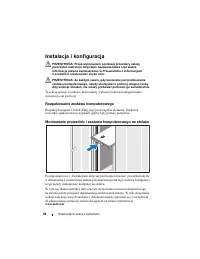
84 Rozpoczęcie pracy z systemem Instalacja i konfiguracja PRZESTROGA: Przed wykonaniem poniższej procedury należy przeczytać instrukcje dotyczące bezpieczeństwa oraz ważne informacje prawne zamieszczone w Przewodniku z informacjami o produkcie i zastosować się do nich. PRZESTROGA: Za każdym razem, g...
Page 87 - Podłączanie klawiatury, myszy i monitora
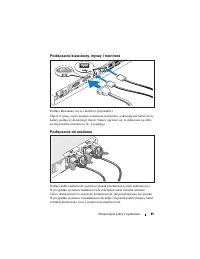
Rozpoczęcie pracy z systemem 85 Podłączanie klawiatury, myszy i monitora Podłącz klawiaturę, mysz i monitor (opcjonalnie). Złącza w tylnej części zestawu oznaczone są ikonami, wskazującymi kabel, który należy podłączyć do każdego złącza. Należy upewnić się, że dokręcone są śruby na złączu kabla moni...
Page 88 - Włączanie komputera
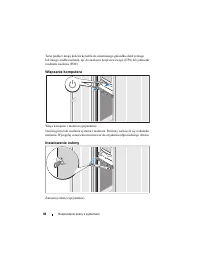
86 Rozpoczęcie pracy z systemem Teraz podłącz drugą końcówkę kabla do uziemionego gniazdka elektrycznego lub innego źródła zasilania, np. do zasilacza bezprzerwowego (UPS) lub jednostki rozdziału zasilania (PDU). Włączanie komputera Włącz komputer i monitor (opcjonalnie). Naciśnij przyciski zasilani...
Page 89 - Skonfiguruj system operacyjny; Parametry techniczne
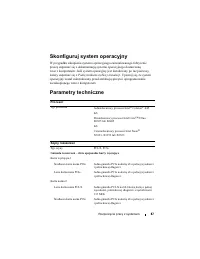
Rozpoczęcie pracy z systemem 87 Skonfiguruj system operacyjny W przypadku zakupienia systemu operacyjnego zainstalowanego fabrycznie proszę zapoznać się z dokumentacją systemu operacyjnego dostarczoną wraz z komputerem. Jeśli system operacyjny jest instalowany po raz pierwszy, należy zapoznać się z ...
Page 95 - Начало работы
Dell™ PowerEdge™ Системы R300 Начало работы с системой
Page 97 - Компоненты системы
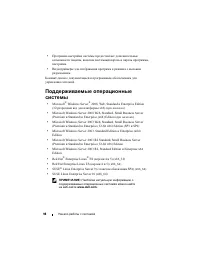
Начало работы с системой 95 Компоненты системы Ниже перечислены основные характеристики аппаратного и программного обеспечения системы. • Корпус для установки в стойку высотой 1U/1S с поддержкой статических и скользящих направляющих. ПРИМЕЧАНИЕ: Воспользуйтесь программой настройки системы, чтобы про...
Page 101 - Прочая полезная информация
Начало работы с системой 99 Прочая полезная информация ПРЕДУПРЕЖДЕНИЕ: В документе Product Information Guide (Информационное руководство по продуктам) приведена важная информация о безопасности, а также нормативная информация. Гарантийная информация может включаться в состав данного документа или в ...
Page 102 - Получение технической поддержки; Установка и конфигурирование
100 Начало работы с системой • Обновления документов иногда прилагаются к системе для предоставления описания изменений, внесенных в систему, программное обеспечение и/или в документацию. ПРИМЕЧАНИЕ: Рекомендуется регулярно проверять наличие обновлений на веб-сайте support.dell.com и в первую очеред...
Page 103 - Распаковка системы
Начало работы с системой 101 Распаковка системы Распакуйте систему и идентифицируйте каждый элемент. Сохраните все поставляемые материалы, так как они могут понадобиться в дальнейшем. Установка направляющего кронштейна и системы в стойку Установите систему в стойку после ознакомления с «Инструкциями...
Page 104 - Подключение клавиатуры, мыши и монитора
102 Начало работы с системой Подключение клавиатуры, мыши и монитора Подключите клавиатуру, мышь и монитор (дополнительно). Разъемы на задней панели системы снабжены значками, позволяющими определить правильное подключение кабелей. На кабельном соединителе монитора необходимо затянуть винты (если он...
Page 105 - Включение системы
Начало работы с системой 103 Подключите другой конец шнура к заземленной розетке или отдельному источнику питания, например, к источнику бесперебойного питания или блоку распределения питания. Включение системы Включите систему и монитор (дополнительно). Нажмите кнопку питания на системе и мониторе....
Page 106 - Спецификации
104 Начало работы с системой Завершение установки операционной системы Если компьютер приобретен с предустановленной операционной системой, см. соответствующую документацию, поставляемую вместе с компьютером. Описание первоначальной установки операционной системы см. в Кратком руководстве по установ...
Page 111 - Sistemas DellTM; Procedimientos iniciales
Sistemas Dell™ PowerEdge™ R300 Procedimientos iniciales con el sistema
Page 112 - Notas, avisos y precauciones
Notas, avisos y precauciones NOTA: Una NOTA proporciona información importante que le ayudará a utilizar mejor el ordenador. AVISO: Un AVISO indica la posibilidad de daños en el hardware o la pérdida de datos, e informa de cómo evitar el problema. PRECAUCIÓN: Un mensaje de PRECAUCIÓN indica el riesg...
Page 113 - Componentes del sistema
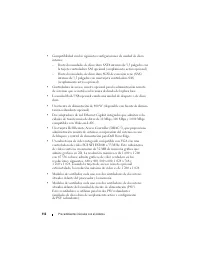
Procedimientos iniciales con el sistema 111 Componentes del sistema Los principales componentes de hardware y software del sistema son: • Chasis montable en rack 1U/1S que admite rieles estáticos y rieles deslizantes. NOTA: Utilice el programa de configuración del sistema para visualizar la informac...
Page 116 - Sistemas operativos admitidos; Otra información útil
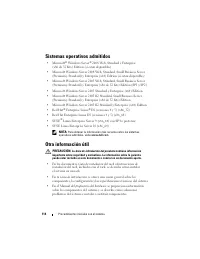
114 Procedimientos iniciales con el sistema Sistemas operativos admitidos • Microsoft ® Windows Server ® 2008 Web, Standard y Enterprise (x86 de 32 bits) Edition (si están disponibles) • Microsoft Windows Server 2008 Web, Standard, Small Business Server (Premium y Standard) y Enterprise (x64) Editio...
Page 117 - Obtención de asistencia técnica
Procedimientos iniciales con el sistema 115 • Los CD que se facilitan con el sistema proporcionan documentación y herramientas para configurar y administrar el sistema. • En la documentación del software de administración de sistemas se describen las funciones, los requisitos, la instalación y el fu...
Page 118 - Instalación y configuración; Desembalaje del sistema
116 Procedimientos iniciales con el sistema Instalación y configuración PRECAUCIÓN: Antes de realizar el procedimiento siguiente, lea y siga las instrucciones de seguridad y la información importante sobre normativas incluidas en la Guía de información del producto . PRECAUCIÓN: Siempre que necesite...
Page 119 - Conexión del teclado, el ratón y el monitor
Procedimientos iniciales con el sistema 117 Conexión del teclado, el ratón y el monitor Conecte el teclado, el ratón y el monitor (opcional). Los conectores de la parte posterior del sistema incluyen iconos que indican qué cable debe enchufarse en cada conector. Asegúrese de apretar los tornillos (s...
Page 120 - Encendido del sistema
118 Procedimientos iniciales con el sistema Conecte el otro extremo del cable a una toma eléctrica con conexión a tierra o a otra fuente de energía, como por ejemplo un sistema de alimentación ininterrumpida (SAI) o una unidad de distribución de alimentación (PDU). Encendido del sistema Encienda el ...
Page 121 - Especificaciones técnicas
Procedimientos iniciales con el sistema 119 Finalización de la configuración del sistema operativo Si ha adquirido un sistema operativo preinstalado, consulte la documentación del sistema operativo que se suministra con el sistema. Para instalar un sistema operativo por primera vez, consulte la Guía...
Page 125 - הרעה
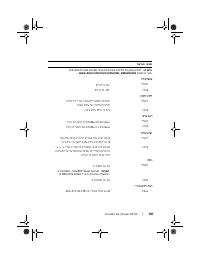
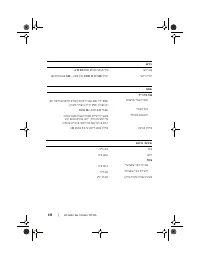
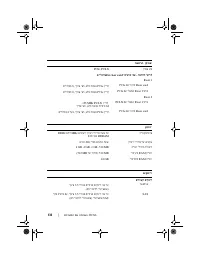
תליחת הדובעה םע תכרעמה | 136 יאנת הביבס הרעה : עדימל ףסונ לע תודידמ תויתביבס רובע תורוצת תכרעמ תויפיצפס , רקב תבותכב www.dell.com/environmental_datasheets . וטרפמט הר הלעפה 10° דע 35°C ןוסחא -40° דע 65°C תיסחי תוחל הלעפה 20% דע 80% ) אלל יוביע ( םע הדירי תיברמ תיתגרדה תוחלב לש 10% העשב ןוסחא 5% דע 9...
Page 129 - תנקתה; ךירדמ
תליחת הדובעה םע תכרעמה | 132 תנקתה חול יוסיכה ןקתה תא חול יוסיכה ) ילנויצפוא .( תמלשה תרדגה תכרעמ הלעפהה םא תשכר תכרעמ הלעפה תנקתומ שארמ , ןייע דועיתב ףרוצמה תכרעמל . ידכ ןיקתהל תכרעמ הלעפה םעפב הנושארה , ןייע ב ךירדמ הנקתהה הריהמה . אדו רעמש תכ הלעפהה תנקתומ ינפל ןיקתתש יביכר הרמוח תונכותו אלש ושכר...
Page 130 - רוביח
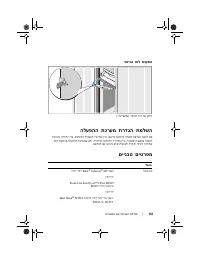
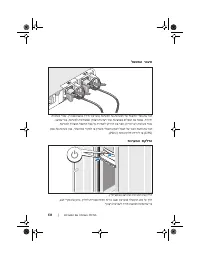
131 | תליחת הדובעה םע תכרעמה רוביח למשחה רבח תא ילבכ למשחה לש תכרעמה לא תכרעמה ) תכרעמ הריתי תגצומ רויאב .( רובע תוכרעמ תוריתי , חטבא תא םילבכה תועצמאב יתש תועוצר ןדמצה תופרוצמש תכרעמל , פכ י גצומש . רובע תוכרעמ אל תוריתי , רבח תא ןתיווזה הרימשל לע לבכ למשחה ףרוצמה תכרעמל . רבח תא הצקה ינשה לש לבכה ...
Page 132 - העדוה; תאצוה
129 | תליחת הדובעה םע תכרעמה • םיתעל םיפרוצמ תכרעמל םינוכדע םיראתמה תא םייונישה ועצובש תכרעמב , תונכותב ו / וא דועיתב . הרעה : תבותכב םישדח םינוכדע םימייק םא דימת קודב support.dell.com , תומידק םהל שי תובורק םיתעלש רחאמ םינוכדעה תא הליחת אורקל דפקהו לע - םירחא םיכמסמב ראותמה עדימ ינפ . • ןכתיי םילול...
Page 133 - עדימ
תליחת הדובעה םע תכרעמה | 128 • Red Hat® Enterprise Linux® ES ) תואסרג 4 ו - 5 ) ( x86_32 ( • Red Hat Enterprise Linux ES ) תואסרג 4 ו - 5 ) ( x86_64 ( • SUSE® Linux Enterprise Server 9 ) SP4 רתוי תרחואמ וא ( ) x86_64 ( • SUSE Linux Enterprise Server 10 ) x86_64 ( הרעה : ל תוכמתנ הלעפה תוכרעמ אשונב ר...
Page 134 - ךירד; תוכרעמ; םא
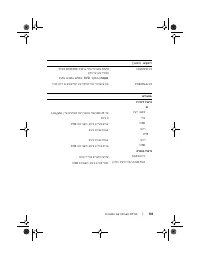
127 | תליחת הדובעה םע רעמה תכ • ירבחמ חולה ימדקה םיללוכ רבחמ ואדיו ינשו ירבחמ USB . • רבחמ USB ימינפ לולכ רובע סיטרכ ןורכיז ןתינ לוחתאל . • גצ LCD 1x5 חולב ימדקה תגצהל ההזמ תכרעמ תועדוהו האיגש . תלבקל עדימ ףסונ לע תונוכת תויפיצפס , ר הא " םיטרפמ םיינכט " דומעב 132 . תונכותה תואבה תולולכ תכרע...
Page 138 - תליחת
תוכרעמ Dell™ PowerEdge™ R300 תליחת הדובעה םע תכרעמה


























 Dell PowerConnect J-EX4200 Quick Guide
 Dell PowerConnect M6220 User Manual
 Dell PowerConnect M6348 User Manual
 Dell PowerConnect M8024-K Manual
 Dell PowerConnect RPS720 User Manual
 Dell PowerEdge 350 User Manual
 Dell PowerEdge 650 User Manual
 Dell PowerEdge 700 User Manual
 Dell PowerEdge 750 User Manual
 Dell PowerEdge 800 User Manual
 Dell PowerEdge 830 User Manual
 Dell POWEREDGE 840 User Manual