Dell D630c - User Manual
Dell D630c – User Manual, read for free online in PDF format. We hope this helps you resolve any issues you may have. If you have further questions, please contact us through the contact form.


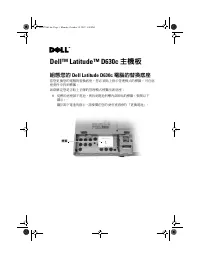
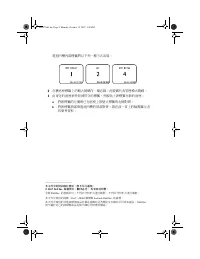


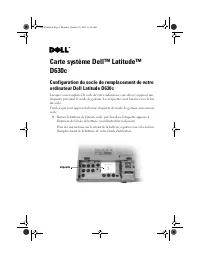


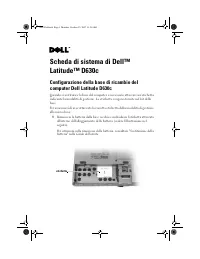
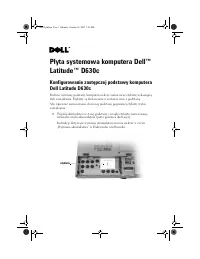


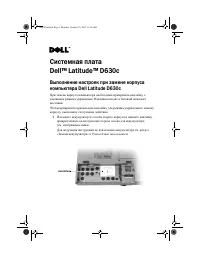


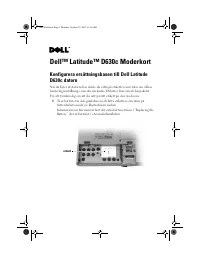

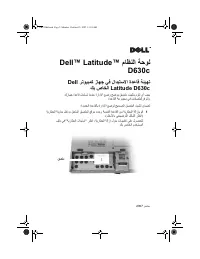
Table of Contents:
- Page 3 – 配置您的; 当您更换您的计算机的机座时,您必须粘贴一个指明管理模式的标签。
- Page 5 – 組態您的; 當您更換您的電腦的替換底座,您必須貼上指示管理模式的標籤。可在底
- Page 7 – DellTM LatitudeTM D630c; システム; お使いの; Dell Latitude D630c; コンピュータの
- Page 9 – 컴퓨터; 사용
- Page 11 – unala Dell Latitude D630c; Korisni
- Page 13 – DellTM LatitudeTM D630c Systemkort; Fjern batteriet fra den gamle
- Page 17 – DellTM LatitudeTM D630c -emolevy; Irrota akku vanhasta
- Page 25 – Podręczniku użytkownika
- Page 33 – DellTM LatitudeTM D630c Moderkort; För att försäkra dig om att du satt på rätt etikett på den nya basen:
- Page 35 – DellTM LatitudeTM ماظنلا ةحول; Dell رتويبمك زاهج يف لادبتسلاا ةدعاق ةئيهت; .كزاهج ةدعاق لدبتست امدنع ةرادلإا عضو حضوي قصلم تيبثتب موقت نأ بجي; قصلم
- Page 36 – .راعشإ نود رييغتلل ةضرع دنتسملا اذه يف ةدراولا تامولعملا
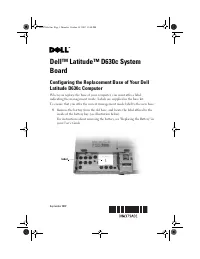
Dell™ Latitude™ D630c System
Board
Configuring the Replacement Base of Your Dell
Latitude D630c Computer
When you replace the base of your computer, you must affix a label
indicating the management mode. Labels are supplied in the base kit.
To ensure that you affix the correct management mode label to the new base:
1
Remove the battery from the old
base
, and locate the label affixed to the
inside of the battery bay (see illustration below).
For instructions about removing the battery, see "Replacing the Battery" in
your
User’s Guide
.
label
September 2007
HW379eb1.fm Page 1 Monday, October 15, 2007 12:40 PM
"Loading the manual" means you need to wait until the file loads and becomes available for online reading. Some manuals are very large, and the time they take to appear depends on your internet speed.
Was this manual helpful?
About this manual
- Brand
- Dell
- Model
- D630c
- Document type
- User Manual
- Language(s)
- German, English, Spanish, French, Italian, Dutch, Polish, Russian, Swedish
- Pages
- 36
- File size
- 3.2 MB
- Format
Summary
Dell™ Latitude™ D630c 系统板 配置您的 Dell Latitude D630c 计算机更换机座 当您更换您的计算机的机座时,您必须粘贴一个指明管理模式的标签。 机座套件提供了标签。要确保您粘贴了正确的管理模式标签到新的机座: 1 从旧的 机座 取出电池,找到粘贴在电池槽内的标签 (请参阅如下的 图例)。关于如何取出电池的说明,请参阅在您的 《用户指南》中的 “替换 电池”。 标签 HW379cb1.fm Page 1 Monday, October 15, 2007 12:42 PM
Dell™ Latitude™ D630c 主機板 組態您的 Dell Latitude D630c 電腦的替換底座 當您更換您的電腦的替換底座,您必須貼上指示管理模式的標籤。可在底 座套件中找到標籤。如欲確定您是否貼上正確的管理模式標籤至新底座 : 1 從舊的 底座 卸下電池,與找到電池凹槽內部所貼的標籤 ( 參閱以下 圖示 )。關於卸下電池的指示,請參閱在您的 使用者指南 的 「更換電池」。 標籤 HW379tb1.fm Page 1 Monday, October 15, 2007 1:50 PM
Dell™ Latitude™ D630c システム 基板 お使いの Dell Latitude D630c コンピュータの 交換用ベースの設定 お使いのコンピュータのベースを交換する場合、管理モードを示すラベルを貼 付する必要があります。ラベルはベースのキットに入っています。新しいベースに正しい管理モードのラベルを確実に貼るには、次の手順を実行 します 。 1 古い ベース からバッテリを取り外し、バッテリベイの内部に貼付されている ラベルを見つけます(下図参照)。バッテリの取り外しに関する手順については、お使いの『ユーザーズガイ ド』の「バッテリの交換」を参照してください。 ラベル HW3...