Page 2 - CONTENTS; recommends safety first; YEAR LIMITED
2 BREVILLE ® RECOMMENDS SAFETY FIRST At Breville ® we are very safety conscious. We design and manufacture consumer products with the safety of you, our valued customer, foremost in mind. In addition we ask that you exercise a degree of care when using any electrical appliance and adhere to the foll...
Page 7 - COMPONENTS
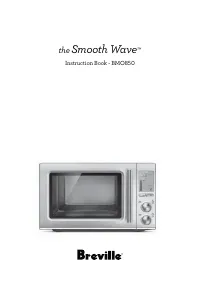
7 EN COMPONENTS Oven Accessories A. 30 cm (12 in) non-stick pizza pan B. Grilling rack C. 28 x 33.5cm enamel roasting pan D. Air fry basket E. Oven rack (2x) H G F I B A C D E F. Door handle G. Oven light H. Crumb tray I. Ventilation slots
Page 8 - CONTROL
8 1. LCD screen2. Function Dial / Rotate Remind / Confirm Button 3. Temperature / Darkness Dial4. Time / Slices Dial5. START | STOP Button 6. Oven Light / Temperature Conversion Button 7. Convection8. Phase Cook Phase Cook Button 9. Frozen / Adjust Volume Button10. A Bit More Button TEMP Darkness TI...
Page 9 - FUNCTIONS; PREPARING THE OVEN
9 EN FUNCTIONS PREPARING THE OVEN Before first use, please run the oven empty for 16 minutes to remove protective substances from the heating elements. Ensure the area is well ventilated as the oven may emit vapours. These vapours are safe and are not detrimental to the performance of the oven.1. Re...
Page 10 - OVEN FUNCTIONS OVERVIEW
10 OVEN FUNCTIONS OVERVIEW Function SUGGESTED RACK POSITION PRESETS PREHEAT RANGE Toast 4 Darkness = 4 Slices = 4 No Darkness = 1 to 7 Slices = 1 to 9 Slices Bagel 4 Darkness = 4 Slices = 4 No Darkness = 1 to 7 Bagels = 1 to 9 Bagels Crumpet 3 Darkness = 3 Slices = 4 No Darkness = 1 to 7 Slices = 1 ...
Page 11 - OPERATING YOUR BREVILLE OVEN; ROTATE
11 EN QUICK START GUIDE OPERATING YOUR BREVILLE OVEN 1. Insert the wire rack into the desired rack position. The rack positions are conveniently printed on the right-hand side of the oven door window. There are four groove positions. The rack can be inserted either facing upwards or downwards to all...
Page 13 - TOAST FUNCTION
13 EN A BIT MORE™ Use A BIT MORE™ when cooking is finished, and your food is not quite cooked or hot enough.For example: Bagel Function1. Turn the CONFIRM dial until the indicator on the LCD screen reaches the BAGEL function. 2. Adjust the darkness setting. 3. Select the number of bagel halves. 4. P...
Page 14 - NOTE; BAGEL FUNCTION; Desired toast colour
14 6. Press the START | STOP button to start the TOAST function. The button backlight will illuminate red, the oven alert will sound, and the LCD screen will illuminate orange. 7. The timer will be displayed and automatically begin to count down. The time can be adjusted during the toasting cycle by...
Page 15 - CRUMPET FUNCTION
15 EN 6. Press the START | STOP button to start the BAGEL function. The button backlight will illuminate red, the oven alert will sound, and the LCD screen will illuminate orange. 7. The timer will be displayed and automatically begin to count down. The time can be adjusted during the bagel cycle by...
Page 16 - BAKE FUNCTION
16 b) The number of crumpet halves is displayed as the bottom figure on the LCD screen. Turn the TIME dial to the left to reduce the number of crumpet halves, or to the right to increase it. The number of crumpet halves ranges from ‘1’ to ‘9’. 6. Press the START | STOP button to start the CRUMPET fu...
Page 17 - BOTTOM BAKE FUNCTION
17 EN 6. Once the oven has finished preheating, an alert will sound, and food can be inserted into the oven. 7. Place food, positioned on the included roasting pan or other oven-proof dish, on the center of the wire rack so air will flow around all sides of the food. Close the oven door. 8. After th...
Page 18 - AIR FRY FUNCTION; IMPORTANT
18 AIR FRY FUNCTION The AIR FRY function combines intense heat and maximized airflow to cook foods crispy and brown.1. Ensure rack position 3, or other desired position for the air fry/dehydrate basket, is empty. 2. Close the oven door.3. Turn the CONFIRM dial until the indicator on the LCD screen r...
Page 20 - PIZZA FUNCTION
20 5. Press the START | STOP button to activate the ROAST function. The button backlight will illuminate red, the oven alert will sound, and the LCD screen will illuminate orange. The LCD screen will indicate a blinking ‘PREHEATING’. 6. Once the oven has finished preheating, an alert will sound, and...
Page 21 - A NOTE ON PIZZA STONES
21 EN 8. After the PREHEATING alert has sounded, the timer will automatically begin to count down. The temperature and time can be adjusted during the PIZZA cycle by turning the corresponding TEMPERATURE and TIME dial. The cycle can be stopped at any time by pressing the START | STOP button. 9. At t...
Page 23 - DEHYDRATE FUNCTION; TIPS
23 EN 6. Press the START | STOP button to activate the KEEP WARM function. The button backlight will illuminate red, the oven alert will sound, and the LCD screen will illuminate orange. 7. The timer will be displayed and automatically begin to count down. The temperature and time can be adjusted du...
Page 24 - SLOW COOK FUNCTION; TIPS FOR SLOW COOKING
24 SLOW COOK FUNCTION The SLOW COOK function has cooking profiles designed for long cook times at low temperatures.1. Insert the wire rack into rack position 8.2. Close the oven door.3. Turn the CONFIRM dial until the indicator on the LCD screen reaches the SLOW COOK function. The top figure on the ...
Page 26 - Cleaning the outer body and door; Cleaning the interior; WARNING; Cleaning the crumb tray; CLEANING
26 Before cleaning, ensure the oven is turned off by removing the power plug from the power outlet. Allow the oven and all accessories to cool completely before disassembling and cleaning. Cleaning the outer body and door 1. Wipe the outer body with a soft, damp sponge. A non-abrasive liquid cleanse...
Page 27 - POSSIBLE PROBLEM EASY SOLUTION; TROUBLESHOOTING
27 EN POSSIBLE PROBLEM EASY SOLUTION Oven will not switch "ON" • Check that the power plug is securely inserted into the outlet.• Insert the power plug into an independent outlet.• Insert the power plug into a different outlet.• Reset the circuit breaker if necessary. The LCD display light h...
Page 29 - NOTES
Page 31 - Breville Service Centre
Breville, the Breville Logo, is trademark of Breville Pty Ltd (“Breville”) and Breville's products are distributed in Australia and New Zealand under license. Copyright Breville Pty. Ltd. 2024. Due to continued product improvement, the products illustrated/photographed in this brochure may vary slig...