Page 2 - Contents
2 BREVILLE RECOMMENDS SAFETY FIRST At Breville we are very safety conscious. We design and manufacture consumer products with the safety of you, our valued customer, foremost in mind. In addition we ask that you exercise a degree of care when using any electrical appliance and adhere to the followin...
Page 4 - WARNING
4 WARNING As with any appliance, close supervision is required when used by children.• Regularly inspect the power cord. Do not operate this appliance if it has a damaged cord or plug, when it is not working properly, or when it has been damaged or dropped. Immediately stop using the appliance and c...
Page 12 - NOTE; SPECIFICATIONS; FOR HOUSEHOLD USE ONLY; GROUNDING
12 • Do not use an extension cord. If the power supply cord is too short, have a qualified electrician or serviceman install an outlet near the appliance. NOTE Do not use an adapter plug with this appliance. SPECIFICATIONS Power Consumption 220–240V 50HzMicrowave Input Power: 1300WOven Input Power: ...
Page 13 - Components; Included accessories:
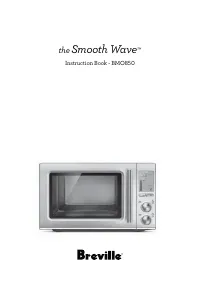
13 Components D F H G E A B C A. Viewing window B. Door handle Pull handle to open. C. LCD screen D. Function buttons FAST COMBI, FROM FROZEN, AIR FRY, OVEN, MICROWAVE, FOOD MENU E. A BIT MORE™ F. Instant +30/START button and TIME/Select dial Each press adds 30 second increments at 100% power. G. TU...
Page 14 - Assembly; BEFORE FIRST USE
14 Assembly BEFORE FIRST USE Before first use, remove all promotional stickers and packaging material. Carefully unpack the microwave oven and keep all the packing material until all the parts of the microwave oven have been found and the appliance has been assembled. It is recommended to keep all t...
Page 16 - Functions; SETTING THE CLOCK -
16 Functions SETTING THE CLOCK - 12 OR 24-HOUR CLOCK DISPLAY Press SET CLOCK on shortcuts panel . The clock can be set as 12- or 24-hour clock display.When entering the SET CLOCK setting, ‘12’ will flash. To select a 12-hour clock display, press START to confirm the selection. START Instant +30 TIME...
Page 18 - TURNTABLE OFF; Turntable; TIME & POWER LEVEL ADJUSTMENT; Turning the TIME Dial
18 SETTING CHILD LOCK This setting allows you to lock the interface of the microwave oven. Press CHILD LOCK on shortcuts panel.The CHILD LOCK symbol will be displayed on the LCD screen To deselect CHILD LOCK, press the CHILD LOCK button again. The CHILD LOCK symbol will disappear from the LCD screen...
Page 19 - Turning the ADJUST Dial; DYNAMIC POWER ADJUSTMENT
19 Turning the ADJUST Dial When the ADJUST dial is turned clockwise HIGH will flash and 100% will be displayed. STOP CLEAR ADJUST When the ADJUST dial is turned counter clockwise the POWER LEVEL % will start to decrease from 100% to 10%, in 10% increments. STOP CLEAR ADJUST DYNAMIC POWER ADJUSTMENT ...
Page 22 - Cooking
22 Depending on the FUNCTION and the FOOD TYPES selected, the MICROWAVE, OVEN, GRILL, AIR FRY or FAST COMBI icons will be displayed on the LCD SCREEN. Oven Grill Microwave Air fry Fast Combi NOTE Go to our website breville.com to discover many recipes created for the Combi Wave™ 3-in-1 Microwave ove...
Page 26 - FOR BEST RESULTS; Popcorn
26 FOR BEST RESULTS • Foods should be cooked in a microwave safe container, either plastic, Pyrex or ceramic. • Moist foods will cook more evenly because microwave energy heats water molecules very efficiently. Add approximately 15mL to 20mL of water per 100g when cooking soft and hard vegetables. •...
Page 27 - Bacon; Cake; Soften butter
27 Bacon The SMART COOK BACON setting is designed to cook bacon slices until crisp, by using the microwave function.Cook times are based on the bacon directly from the refrigerator (approx. 5°C).Arrange bacon slices in a single layer on a plate. Turn the ADJUST dial to select number of slices and pr...
Page 28 - Pizza; Chicken Nuggets
28 The butter should be cut as a whole piece and placed onto a plate. Do not cover. Turn ADJUST dial to select weight and press START button to commence softening. Minimum amount of butter is 125g and maximum is 500g. NOTE The butter should be soft enough to push your finger easily into the centre. ...
Page 29 - Beverage
29 Cook times are based on chicken directly from the refrigerator (approx. 5°C).Minimum amount of chicken to be cooked is 200g and maximum is 800g.• 200g to 500g suitable for chicken fillets and boneless chicken pieces. • 1kg to 1.6kg suitable for chicken pieces with bones and whole chickens. Use th...
Page 30 - Leftovers; SMART DEFROST
30 NOTE Use a ceramic cup or mug. Leftovers The SMART REHEAT LEFTOVERS setting is suitable for reheating a plate of leftovers from the refrigerator (approx. 5°C).For even reheating, place food onto a microwave- safe plate or into a bowl. Cover food with a vented microwave-safe lid or vented microwav...
Page 32 - Soup
32 The SMART DEFROST FISH setting is programmed to gently thaw delicate fish fillets without cooking and heating the edges. Minimum amount of fish to defrost is 200g and maximum is 800g.For best results, place frozen fillets in a single layer into a microwave-safe shallow dish. Halfway through the d...
Page 35 - Troubleshooting; PROBLEM
35 Troubleshooting PROBLEM EASY SOLUTION Microwave oven interfering with radio, TV or similar equipment. • Clean door and sealing surface of the oven. • Reorient the receiving antenna of radio or television. • Relocate the microwave oven with respect to the receiver. • Move the microwave oven away f...
Page 36 - Breville Service Centre
Breville, the Breville Logo, Master Every Moment, Combi Wave, Element iQ, Power Smoothing and A Bit More are trademarks of Breville Pty Ltd (“Breville”) and Breville's products are distributed in the USA and Canada under license. Breville, la Breville Logo, Master Every Moment, Combi Wave, Element i...