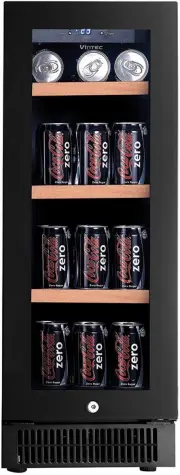
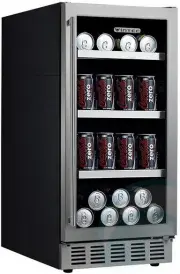
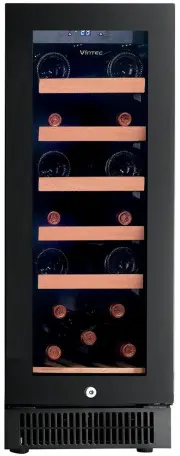
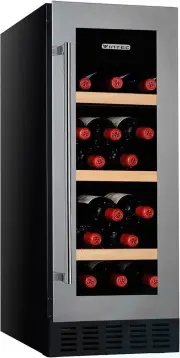
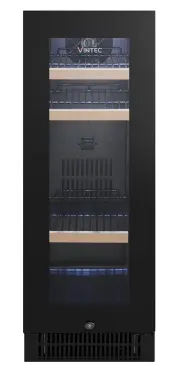
Page 2 - WARNING; any prior notice; VINTEC
code: VIM 201301/S/01 1 WARNING The information in this document is subject to modification without any prior notice . Some models are available in dedicated countries only. VINTEC offers no guarantee for our wine cellar if it is being used for any purpose other than that for which it was specifical...
Page 3 - BEFORE LOADING & PLUGGING IN THE WINE CELLAR
code: VIM 201301/S/01 2 The room for installing the appliance must be at least 1 cubic metre per 8 grams of refrigerant. The refrigerant quantity contained in this appliance is listed above in grams; it is also noted on the Rating Plate of the appliance. It is hazardous for anyone other than an Au...
Page 4 - & V26 models are built-in type as per the drawings thereafter.; Grounding instructions; Wine cellar must be leveled BEFORE loading your wines.
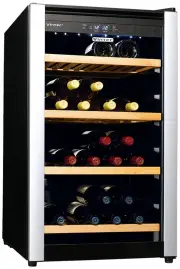
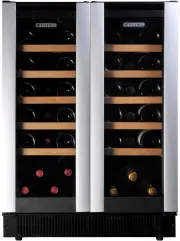
code: VIM 201301/S/01 3 Notes: - V30 models are for free standing ONLY. - V40 & V26 models are built-in type as per the drawings thereafter. The wine cellar should be placed where the ambient temperature is between 5ºC to 35ºC. If the ambient temperature is above or below this range, the perform...
Page 5 - Fixing the Back spacer:; IMPORTANT - THIS SPACER MUST BE ATTACHED TO THE UNIT BEFORE; INSTALLATION INSTRUCTIONS FOR BUILT IN WINE CELLARS:; FRONT VENTING WINE CELLARS ONLY; 0 models are free standing only. Any built in voids the warranty
code: VIM 201301/S/01 4 Fixing the Back spacer: Compressor run appliances require proper ventilation for proper and longer usage. Your Vintec wine cellar is supplied with a back spacer. Affix the back spacer at the back of the cellar for air circulation and heat evacuation. IMPORTANT - THIS SPACER M...
Page 7 - INSTALLATION DRAWINGS FOR BUILT IN WINE CELLARS:
code: VIM 201301/S/01 6 INSTALLATION DRAWINGS FOR BUILT IN WINE CELLARS: (UNDERBENCH OR IN COLUMN) FRONT VENTING WINE CELLARS ONLY . * only 10mm requires for V26 etc. 30 mm * This applies to all V40SG/DG BK&S3 models .
Page 9 - Plug in and switch on the cellar by pressing on the power button
code: VIM 201301/S/01 8 V40’s (85mm recess plinth) V40 S3/BK models TURNING ON YOUR WINE CELLAR Plug in and switch on the cellar by pressing on the power button for a few seconds. When you use the wine cellar for the first time (or restart the wine cellar after having it shut off for a long time), t...
Page 10 - Operating Noises; To reach the desired temperature settings,; wine cellars, like all wine cellars; LOADING YOUR WINE CELLAR; circulation
code: VIM 201301/S/01 9 Operating Noises To reach the desired temperature settings, VINTEC wine cellars, like all wine cellars operating with compressors and fans, may produce the following types of noises. These noises are normal and may occur as follows: - Gurgling sound - caused by the refrigeran...
Page 11 - wine storage; , at a constant recommended temperature; recommends; Two Temperature Serving Wine Cellars: “2e”; V30SG2e, V40SG2e: electronic regulation digital display; white, sparkling wines and champagnes.; The lower chamber; red wines
code: VIM 201301/S/01 10 TYPES OF REGULATION Please note that depending on the loading and settings chosen it takes about 24 hours for the wine cellar to see the temperature stabilizing. During this time LED seems to move erratically in particular for 2e models. It is normal and this process occurs ...
Page 13 - To modify the pre-set temperature; LED will flash when; To modify the pre-set temperature of V30SGe models; Control panel of SG e and DG 2e model wine cellars
code: VIM 201301/S/01 12 To modify the pre-set temperature Adjust the desired cooling temperature by pressing the button(A). Each depression of the button will scroll through the available temperature settings in increments of 1 degree Celsius. The temperature setting can be adjusted from 6 to 18 . ...
Page 14 - LED LIGHT
code: VIM 201301/S/01 13 SG2e models: V30SG2e, V40SG2e AL/S3/BK models The “UPPER CHAMBER LED” displays the upper chamber internal temperature The “LOWER CHAMBER LED” displays the lower chamber internal temperature To view the “set” temperature, press the corresponding button once, the “set” tempera...
Page 18 - While holding the door; take it out
code: VIM 201301/S/01 17 1 Lock screws 2 Lower hinge (Right) 3 Door axis 4 Top hinge (Right) 5 Door 6 Cabinet body 7 Top hinge (Left) 8 Lower hinge (Left) - Remove the lock screws to untied the door axis at the bottom of the door (Fig 1) - While holding the door firmly, pull the door (5) outward , t...
Page 19 - While holding the door firmly
code: VIM 201301/S/01 18 1 Rubber cover 2 Screw 3 Hole cover 4 & 7 Screw 5 Top hinge module 6 Door 8 Lower hinge module-Left 9 Cabinet’s leg-short - Unscrew and remove the decorative cover. (Fig.1) - While holding the door firmly , loosen and remove the top hinge, lift up and remove the door (Se...
Page 21 - While holding the door firmly,
code: VIM 201301/S/01 20 1 Lock screws 2 Lower hinge (Right) 3 Door axis 4 Top hinge (Right) 5 Door 6 Cabinet body 7 Top hinge (Left) 8 Lower hinge (Left) - Unscrew the lock screws (1); (Fig. 1) to remove the door axis located at the bottom. - While holding the door firmly, pull the door (5) outward...
Page 22 - While holding the door firmly,; remove the three lock screws (2) from the lower
code: VIM 201301/S/01 21 1 Lower hinge (Right) 2 Lock screws 3 Top hinge (Right) 4 Lock Screws 5 Top hinge (Left) 6 Lower hinge (Left) 7 Door - While holding the door firmly, remove the three lock screws (2) from the lower right hinge module, and remove it. ( Fig.1) - Remove the three lock screws (4...
Page 23 - Door limit device 11. Screw; Install and aligned the door.; OPERATION ANOMALIES
code: VIM 201301/S/01 22 V40 S3/BK models 1. Lower hinge (Right) 2 . Screws 3 .Door axis 4. Door 5. Top hinge (Right) 6. Hinge Screws 7. Top hinge (Left) 8. Hole cover 9. Lower hinge (Left) 10. Door limit device 11. Screw 1. Open the door to a 90 degrees angle, take out the 2 screws (2) from lower d...
Page 24 - VINTEC’s; the warranty being considered as null and void.
code: VIM 201301/S/01 23 Ensure that there is power to the electrical supply plug by connecting another electrical appliance to it. Check fuse, if any. Make sure that the door is closed properly. If your wine cellar appears to be malfunctioning, unplug it and contact your VINTEC’s after sales servic...