Page 2 - Contents; Safety information; Charging
ENGLISH- 02 Contents 03 Safety information 08 Installation Accessories 10 Charging Automatic charging / Recharging / Low battery 12 Using POWERbot Turning the power on/off / Starting Auto clean mode / Starting Spot clean mode / Recharging / Selecting cleaning modes 14 Using the remote control Power/...
Page 6 - power related; Before use; in use
ENGLISH- 06 WarninG power related f Please prevent any risk of electric shock or fire. – Do not damage the power cord. – Do not pull the power cord too hard or touch the power plug with wet hands. – Do not use a power source other than 100- 240 V~ and also do not use a multi outlet to supply power t...
Page 8 - installation; the docking station must be plugged in and turned on at all times.
ENGLISH- 08 1 Connect the adapter jack to the docking station 2 Connect the power cord to the adapter When using the adapter, the side with the sticker attached must face down. 3 Connect the power plug to the outlet The power indicator lamp (Red) will turn on. installation the docking station must b...
Page 9 - accessories; Note
ENGLISH- 09 accessories remote control Batteries (aaa type) User manual Spare filter Cleaning brush power cord adapter Note f Install the docking station in a place where the floor and wall are level. f It is best to install the docking station along the grain of wooden floors. f If the emergency sw...
Page 11 - Steps to take if recharging not occuring:
ENGLISH- 11 When the battery indicator blinks during cleaning, the poWerbot will return to the docking station to charge itself automatically. automatic charging you can command the poWerbot to recharge at the docking station while it is in cleaning. recharging manually charge the poWerbot by placin...
Page 12 - Using poWerbot; turning the power on/off; Starting auto clean mode; recharging
ENGLISH- 12 Using poWerbot you must turn on the emergency switch on the bottom of the unit before using poWerbot. turning the power on/off press the button for more than 3 seconds Starting auto clean mode Press and release this button. The POWERbot moves and cleans automatically until it cleans an e...
Page 13 - Cleaning method for each modes; Selecting cleaning modes
ENGLISH- 13 cleaning mode How to select Displayed icon Auto clean Spot clean Manual clean ✻ ✻ The movement and direction of the POWERbot is controlled by the remote control. ✻ ✻ When the POWERbot is being charged, you can select the Auto clean mode only. ✻ ✻ If the POWERbot fails to return to the ch...
Page 14 - Using the remote control; Cleaning modes; inserting batteries
ENGLISH- 14 Using the remote control 1 1 2 5 3 4 1 power/recharging Power Turn POWERbot's power on/off Recharging Select to recharge POWERbot at the docking station while it is cleaning. Start/Stop Select to start or stop cleaning 2 Cleaning modes Auto clean Select to automatically clean an entire s...
Page 15 - name of each part; top
ENGLISH- 15 name of each part 1 4 5 3 3 6 7 8 2 3 top 1. Display panel2. Dustbin holder3. Remote control signal receiver4. Obstacle sensor5. Dustbin6. Camera7. Dustbin handle8. Bumper sensor 1 4 2 6 5 5 4 7 4 8 9 3 Bottom 1. Charge pins2. Power brush3. Power brush cover4. Cliff sensor5. Roller6. Bat...
Page 16 - Cleaning and maintaining; Cleaning the dustbin
ENGLISH- 16 Cleaning and maintaining you must turn off the emergency switch before cleaning poWerbot. Cleaning the dustbin 1 Remove the dustbin 2 Remove the dustbin cover 3 Remove dust in the dustbin and cyclone unit "click" 4 Detach the cyclone unit from the dustbin cover, and then wash the...
Page 17 - Cleaning the power brush; Cleaning the Driving wheel
ENGLISH- 17 Cleaning the power brush 1 Remove the Power brush cover 2 Remove the Power brush 3 Clean the Power brush ON OFF ON OFF 4 Reassemble the Power brush 5 Reassemble the Power brush cover Cleaning the Driving wheel 1 Put a soft cloth on the floor and place POWERbot upside-down on the cloth. 2...
Page 18 - notes and cautions
ENGLISH- 18 notes and cautions Charging Note f If the battery overheats during charging, it may take longer to charge. f When automatic charging is not working, do the following: – Turn the emergency switch (on the bottom of POWERbot) off and on again. – Unplug the docking station's power plug and t...
Page 19 - Cleaning and maintenance; caution; about the battery
ENGLISH- 19 Cleaning and maintenance Note f If you washed the dustbin and filter with water – Dustbin: Completely wipe out the water. – Filter: Completely dry it in the shade before using. f Purchase a filter at authorized Samsung service centers if you need more filters. caution f Watch your finger...
Page 20 - information codes; Information codes
ENGLISH- 20 information codes 1 The information codes below appear on the display panel 2 If a code appears, turn off the emergency switch and check the instructions below and take appropriate action 3 The information code will disappear when you turn on the emergency switch Information codes checkl...
Page 21 - troubleshooting; Symptom
ENGLISH- 21 troubleshooting Symptom checklist the PoWERbot is not working at all. f Check if the emergency switch is on. f Check if all the icons are displayed on the display panel. f Check if the POWERbot's battery is depleted. f Replace the batteries (AAA type) if the remote controller is not work...
Page 22 - Warnings about battery; How to remove the battery
ENGLISH- 22 Warnings about battery WARNING You must not remove (or attempt to remove) the battery incorporated in this product on your own. To replace the battery, you must contact your service provider or an independent qualified professional. these instructions have been prepared for the exclusive...
Page 23 - classification
ENGLISH- 23 open Source announcement The software included in this product contains open source software. You may obtain the complete corresponding source code for a period of three years after the last shipment of this product by sending an email to mailto:[email protected]. It is also possib...
Page 25 - POWERbot; imagine
Serie SR20J90 ✴✴ U POWERbot manuale dell'utente imagine the possibilities Grazie per avere acquistato un prodotto Samsung. Italiano ✻ Prima di utilizzare questo prodotto, leggere attentamente le istruzioni. ✻ Solo per uso interno. 2_SR2AJ90@@U_IT_00740E-00_EU.indd 1 2015-09-23 오전 11:56:35
Page 26 - Indice; Informazioni di sicurezza; Ricarica
ITALIANO- 02 Indice 03 Informazioni di sicurezza 08 Installazione Accessori 10 Ricarica Ricarica automatica / Ricarica / Livello batterie basso 12 Uso di POWERbot Accensione e spegnimento / Avviamento della modalità di pulizia Automatica / Avviamento della modalità di pulizia Spot / Ricarica / Selez...
Page 27 - InformazIonI dI sIcurezza
ITALIANO- 03 Informazioni di sicurezza InformazIonI dI sIcurezza AVVERTENZA • Prima di utilizzare il prodotto, leggere attentamente questo manuale e conservarlo per future consultazioni. AVVERTENZA • Dal momento che queste istruzioni coprono diversi modelli di prodotto, le caratteristiche dell’aspir...
Page 30 - alimentazione; prima dell’uso; utilizzo
ITALIANO- 06 aVVerTenza alimentazione f Evitare qualsiasi rischio di incendio o scariche elettriche. – Non danneggiare il cavo di alimentazione. – Non estrarre il cavo di alimentazione con forza eccessiva e non toccare la spina con le mani bagnate. – Utilizzare solo una fonte di alimentazione da 100...
Page 32 - Installazione
ITALIANO- 08 1 collegare la spina dell'alimentatore alla base di ricarica 2 collegare il cavo di alimentazione all'alimentatore Quando si usa l'alimentatore, il lato con l'adesivo deve essere rivolto verso il basso. 3 collegare la spina di alimentazione alla presa di corrente La spia di alimentazion...
Page 33 - accessori; Nota
ITALIANO- 09 accessori Telecomando Batterie (Tipo aaa) manuale dell'utente filtro di ricambio spazzola per pulizia cavo di alimentazione adattatore Nota f Installare la base di ricarica in un luogo che presenti pavimento e pareti a livello. f E' meglio installare la base di ricarica lungo la scanala...
Page 34 - ricarica
ITALIANO- 10 La spia di ricarica diventa verde durante la ricarica. Il tempo per la ricarica completa di POWERbot dopo il primo acquisto è di circa 160 minuti. Una volta caricate le batterie, POWERbot può essere utilizzato per circa 30 minuti. ricarica 1 attivare l'interruttore di emergenza posto su...
Page 35 - azioni da intraprendere se la ricarica non viene eseguita:
ITALIANO- 11 Quando la spia della batteria lampeggia durante la pulizia, poWerbot ritorna alla base di ricarica per eseguire automaticamente la ricarica delle batterie. ricarica automatica e' possibile indicare all'aspirapolvere poWerbot di recarsi alla base di ricarica durante il processo di pulizi...
Page 36 - uso di poWerbot
ITALIANO- 12 uso di poWerbot È necessario attivare l'interruttore di emergenza posto sul fondo prima di usare poWerbot. accensione e spegnimento premere il tasto per più di 3 secondi avviamento della modalità di pulizia automatica Premere e rilasciare questo tasto. POWERbot si sposta e pulisce autom...
Page 37 - metodi di pulizia per ogni modalità; selezione della modalità di pulizia
ITALIANO- 13 Modalità di pulizia Come selezionarla Icona visualizzata Pulizia automatica Pulizia spot Pulizia manuale ✻ ✻ Lo spostamento e la direzione di POWERbot è controllato mediante il telecomando. ✻ ✻ Durante la ricarica di POWERbot, è possibile selezionare solo la modalità di pulizia Automati...
Page 38 - uso del telecomando; accensione/ricarica; Inserimento delle batterie
ITALIANO- 14 uso del telecomando 1 1 2 5 3 4 1 accensione/ricarica Power (Accensione) Per accendere/spegnere POWERbot Ricarica Selezionare per impostare POWERbot per la ricarica alla base durante la pulizia. Start/Stop Per attivare o interrompere la pulizia. 2 modalità di pulizia Pulizia Automatica ...
Page 39 - nomenclatura delle parti; sopra; fondo
ITALIANO- 15 nomenclatura delle parti 1 4 5 3 3 6 7 8 2 3 sopra 1. Display2. Fermo contenitore di raccolta polvere3. Ricevitore segnali telecomando4. Sensore ostacoli5. Serbatoio di raccolta polvere6. Telecamera7. Maniglia del contenitore di raccolta polvere 8. Sensore paracolpi 1 4 2 6 5 5 4 7 4 8 ...
Page 40 - pulizia e manutenzione; pulizia del contenitore di raccolta polvere; pulizia dei sensori e della telecamera
ITALIANO- 16 pulizia e manutenzione e' necessario disattivare l'interruttore di emergenza prima di eseguire la pulizia di poWerbot. pulizia del contenitore di raccolta polvere 1 Rimuovere il contenitore di raccolta polvere 2 Rimuovere il coperchio del contenitore di raccolta polvere 3 Rimuovere la p...
Page 41 - pulizia della spazzola principale; pulizia delle ruote di guida
ITALIANO- 17 pulizia della spazzola principale 1 Rimuovere il coperchio della spazzola principale 2 Rimuovere la spazzola principale 3 Pulire la spazzola principale ON OFF ON OFF 4 Rimontare la spazzola principale 5 Rimontare il coperchio della spazzola principale pulizia delle ruote di guida 1 Appo...
Page 42 - note e precauzioni
ITALIANO- 18 note e precauzioni ricarica Nota f Se la batteria si surriscalda durante la ricarica, il tempo di carica potrebbe essere più lungo. f Se la ricarica automatica non funziona, controllare le seguenti condizioni: – Attivare e riattivare l'interruttore di emergenza (posto sul fondo di POWER...
Page 43 - Informazioni sulla batteria
ITALIANO- 19 – In caso contrario tali azioni possono portare ad una perdita della proprietà. f Non sdraiarsi a terra intorno a POWERBOT mentre è in funzione. – I capelli potrebbero rimanere intrappolati nella spazzola principale causando lesioni. pulizia e manutenzione Nota f Dopo aver lavato il con...
Page 44 - codici informativi; Codici informativi
ITALIANO- 20 codici informativi 1 I codici di errore sotto vengono visualizzati sul display 2 Se viene visualizzato un codice, disattivare l'interruttore di emergenza e consultare le istruzioni fornite sotto per intraprendere l'azione più opportuna 3 Il codice di errore scompare durante l'attivazion...
Page 45 - risoluzione dei problemi; Sintomo
ITALIANO- 21 risoluzione dei problemi Sintomo Checklist PoWERbot non funziona. f Controllare l'attivazione dell'interruttore di emergenza. f Controllare che tutte le icone siano visualizzate sul display. f Verificare che la batteria di POWERbot non sia scarica. f Se il telecomando non funziona, sost...
Page 46 - avvertenza sulla batteria; come estrarre la batteria
ITALIANO- 22 avvertenza sulla batteria AVVERTENZA Non rimuovere o tentare di rimuovere autonomamente la batteria inserita all'interno del prodotto. Per sostituire la batteria, contattare un tecnico qualificato o il centro assistenza di zona. Queste istruzioni sono state preparate ad uso esclusivo de...
Page 47 - Classificazione
ITALIANO- 23 dichiarazione open source Il software incluso in questo prodotto contiene codice open source. E' possibile ottenere il codice sorgente corrispondente completo per un periodo di tre anni dall'ultima spedizione di questo prodotto inviando una email a mailto:[email protected]. E' ino...
Page 49 - manual del usuario
Serie SR20J90 ✴✴ U POWERbot manual del usuario imagine the possibilities Gracias por adquirir un producto Samsung. Español ✻ Antes de poner en funcionamiento la unidad, lea atentamente las instrucciones. ✻ Solo para uso en interiores. 3_SR2AJ90@@U_ES_00740E-00_EU.indd 1 2015-09-23 오후 12:01:18
Page 50 - Índice; Información de seguridad; Carga
ESPAÑOL- 02 Índice 03 Información de seguridad 08 Instalación Accesorios 10 Carga Carga automática / Recarga / Batería baja 12 Uso del POWERbot Encendido y apagado / Inicio del modo de limpieza automática / Inicio del modo de limpieza concentrada / Recarga / Selección del modo de limpieza 14 Uso del...
Page 51 - InformacIón de segurIdad
ESPAÑOL- 03 Información de seguridad InformacIón de segurIdad ADVERTENCIA • Antes de poner el aparato en funcionamiento, lea este manual en su totalidad y consérvelo para futuras consultas. ADVERTENCIA • Ya que las siguientes instrucciones de funcionamiento se aplican a varios modelos, las caracterí...
Page 54 - durante el uso
ESPAÑOL- 06 adVerTencIa alimentación eléctrica f Evite cualquier posible riesgo de descarga eléctrica o incendio. – No dañe el cable de alimentación. – No tire demasiado fuerte del cable de alimentación ni toque el enchufe con las manos húmedas. – Utilice únicamente fuentes de alimentación de 100-24...
Page 56 - Instalación; La estación de carga debe estar siempre enchufada y encendida.
ESPAÑOL- 08 1 conecte el terminal adaptador a la estación de carga 2 conecte el cable de alimentación al adaptador Cuando utilice el adaptador, la cara con el adhesivo debe quedar hacia abajo. 3 conecte la toma de alimentación al enchufe de la pared La lámpara de alimentación (roja) se encenderá. In...
Page 57 - accesorios
ESPAÑOL- 09 accesorios mando a distancia Pilas (tipo aaa) manual del usuario filtro de repuesto cepillo de limpieza cable de alimentación adaptador Nota f Instale la estación de carga en un lugar donde el suelo y la pared sean regulares. f En suelos de madera, es preferible instalar la estación de c...
Page 58 - carga
ESPAÑOL- 10 La luz de carga se enciende de color verde cuando está cargando. El POWERbot tarda unos 160 minutos en cargarse completamente la primera vez que se carga después de la compra. Una vez cargado, el POWERbot puede utilizarse durante unos 30 minutos. carga 1 encienda el interruptor de emerge...
Page 59 - Pasos que deben realizarse si no se efectúa la recarga:
ESPAÑOL- 11 cuando el indicador de la batería parpadea durante la limpieza, el PoWerbot regresa a la estación de carga para cargarse automáticamente. carga automática Puede ordenar al PoWerbot que se recargue automáticamente en la estación de carga mientras está en el proceso de limpieza. recarga ca...
Page 60 - uso del PoWerbot; encendido y apagado; recarga
ESPAÑOL- 12 uso del PoWerbot debe encender el interruptor de emergencia de la parte inferior de la unidad antes de utilizar el PoWerbot. encendido y apagado Pulse el botón durante más de 3 segundos Inicio del modo de limpieza automática Pulse y suelte este botón. El POWERbot se desplaza y limpia aut...
Page 61 - método de limpieza para los distintos modos; selección del modo de limpieza
ESPAÑOL- 13 Modo de limpieza Selección Icono mostrado Limpieza automática Limpieza concentrada Limpieza manual ✻ ✻ El movimiento y la dirección del POWERbot se controlan con el mando a distancia. ✻ ✻ Cuando el POWERbot se está cargando, solo se puede seleccionar el modo de limpieza automática. ✻ ✻ S...
Page 62 - uso del mando a distancia; modos de limpieza; control de dirección; Inserción de las pilas
ESPAÑOL- 14 uso del mando a distancia 1 1 2 5 3 4 1 encendido/recarga Encendido Enciende y apaga la alimentación del POWERbot Recarga Seleccione para recargar el POWERbot en la estación de carga durante la limpieza. Inicio/parada Seleccione para iniciar o detener la limpieza 2 modos de limpieza Limp...
Page 63 - nombre de cada componente; Parte superior; Parte inferior; Pantalla
ESPAÑOL- 15 nombre de cada componente 1 4 5 3 3 6 7 8 2 3 Parte superior 1. Pantalla2. Soporte del contenedor del polvo3. Receptor de la señal del mando a distancia 4. Sensor de obstáculos5. Contenedor de polvo6. Cámara7. Asa del contenedor del polvo8. Sensor de choques 1 4 2 6 5 5 4 7 4 8 9 3 Parte...
Page 64 - Limpieza y mantenimiento; Limpieza del contenedor de polvo
ESPAÑOL- 16 Limpieza y mantenimiento antes de limpiar el PoWerbot tiene que apagar el interruptor de emergencia. Limpieza del contenedor de polvo 1 Quite el contenedor de polvo 2 Quite la tapa del contenedor de polvo 3 Elimine el polvo del contenedor de polvo y de la unidad ciclónica "Clic" ...
Page 65 - Limpieza del cepillo motorizado; Limpieza de la rueda motriz
ESPAÑOL- 17 Limpieza del cepillo motorizado 1 Quite la tapa del cepillo motorizado 2 Extraiga el cepillo motorizado 3 Limpie el cepillo motorizado ON OFF ON OFF 4 Vuelva a montar el cepillo motorizado 5 Vuelva a colocar la tapa del cepillo motorizado Limpieza de la rueda motriz 1 Ponga un paño suave...
Page 66 - notas y precauciones
ESPAÑOL- 18 notas y precauciones carga Nota f Si la batería se sobrecalienta durante la carga, puede tardar más en cargarse. f Si la carga automática no funciona, siga estos pasos. – Apague y vuelva a encender el interruptor de emergencia (en la parte inferior del POWERbot) – Desconecte el enchufe d...
Page 67 - precaución; acerca de la batería
ESPAÑOL- 19 f No se tumbe cerca del POWERBOT cuando está funcionando. – Los cabellos pueden quedar atrapados en el cepillo motorizado y causarle lesiones. Limpieza y mantenimiento Nota f Si ha lavado el contenedor de polvo y el filtro con agua – Contenedor de polvo: Elimine totalmente el agua. – Fil...
Page 68 - códigos de información; Códigos de información
ESPAÑOL- 20 códigos de información 1 Los códigos de información siguientes aparecen en la pantalla 2 Si aparece un código, apague el interruptor de emergencia, lea las siguientes instrucciones y lleve a cabo la acción adecuada 3 Cuando encienda el interruptor de emergencia el código de información d...
Page 69 - solución de problemas; Síntoma
ESPAÑOL- 21 solución de problemas Síntoma Lista de comprobación El poWERbot no funciona. f Compruebe si está encendido el interruptor de emergencia. f Compruebe si en la pantalla aparecen todos los iconos. f Compruebe que la batería del POWERbot no está agotada. f Sustituya las pilas (tipo AAA) si e...
Page 70 - advertencias acerca de la batería; cómo quitar la batería
ESPAÑOL- 22 advertencias acerca de la batería ADVERTENCIA No quite (ni intente quitar) la batería incorporada en este producto. Para reemplazar la batería, póngase en contacto con su proveedor de servicios o con un profesional independiente cualificado. estas instrucciones se han preparado para uso ...
Page 71 - Clasificación
ESPAÑOL- 23 anuncio de código abierto El software incluido en este producto contiene software de código abierto. Puede obtener el código fuente correspondiente completo durante los tres años posteriores al último envío de este producto solicitándolo por correo electrónico a mailto:oss.request@samsun...
Page 73 - manual do utilizador
Série SR20J90 ✴✴ U POWERbot manual do utilizador imagine the possibilities Obrigado por ter adquirido um produto Samsung. Português ✻ Antes de utilizar este aparelho, leia as instruções com atenção. ✻ Apenas para utilização em espaços interiores. 4_SR2AJ90@@U_PT_00740E-00_EU.indd 1 2015-09-23 오후 1:5...
Page 74 - Informações de segurança; Carregamento
PORTUGUÊS- 02 Índice 03 Informações de segurança 08 Instalação Acessórios 10 Carregamento Carregamento automático / Recarregamento / Bateria fraca 12 Utilização do POWERbot Ligar/desligar / Iniciação do modo de limpeza automática / Iniciação do modo de limpeza pontual / Recarregamento / Selecção dos...
Page 78 - Corrente eléctrica; antes da utilização; durante a utilização; Limpeza e manutenção
PORTUGUÊS- 06 aVIso Corrente eléctrica f Evite qualquer risco de choque eléctrico ou de incêndio. – Não danifique o cabo de alimentação. – Não puxe o cabo de alimentação com demasiada força nem toque na ficha com as mãos molhadas. – Não utilize uma fonte de alimentação com uma tensão nominal que não...
Page 80 - Instalação
PORTUGUÊS- 08 1 Ligue a ficha do adaptador à estação de acoplagem 2 Ligue o cabo de alimentação ao adaptador Ao utilizar o adaptador, o lado que tem o autocolante deve ficar virado para baixo. 3 Ligue a ficha de alimentação à tomada O indicador luminoso de corrente (vermelho) irá acender-se. Instala...
Page 81 - acessórios; nota
PORTUGUÊS- 09 acessórios Controlo remoto pilhas (tipo aaa) manual do utilizador filtro de substituição escova de limpeza Cabo de alimentação adaptador nota f Instale a estação de acoplagem num local onde o chão e a parede estejam nivelados. f Será melhor instalar a estação de acoplagem no sentido lo...
Page 83 - passos a executar se o recarregamento não estiver a ocorrer:
PORTUGUÊS- 11 Quando o indicador da bateria piscar durante a limpeza, o poWerbot irá regressar à estação de acoplagem para carregar automaticamente. Carregamento automático pode definir o poWerbot para recarregar na estação de acoplagem durante o processo de limpeza. recarregamento Carregue manualme...
Page 84 - utilização do poWerbot; recarregamento
PORTUGUÊS- 12 utilização do poWerbot Tem de ligar o interruptor de emergência na parte inferior do aparelho antes de utilizar o poWerbot. Ligar/desligar Carregue no botão durante mais de 3 segundos Iniciação do modo de limpeza automática Carregue e liberte este botão. O POWERbot move-se e limpa auto...
Page 85 - método de limpeza de cada modo; selecção dos modos de limpeza
PORTUGUÊS- 13 Modo de limpeza Como seleccionar Ícone apresentado Limpeza automática Limpeza pontual Limpeza manual ✻ ✻ O movimento e direcção do POWERbot são controlados pelo controlo remoto. ✻ ✻ Quando o POWERbot estiver a ser carregado, só é possível seleccionar o modo de limpeza automática. ✻ ✻ S...
Page 86 - utilização do controlo remoto; alimentação/recarregamento; modos de limpeza; Introdução das pilhas
PORTUGUÊS- 14 utilização do controlo remoto 1 1 2 5 3 4 1 alimentação/recarregamento Power (Ligar/ Desligar) Ligue/desligue a alimentação do POWERbot Recarregamento Seleccione a opção de recarregamento do POWERbot na estação de acoplagem durante a limpeza. Start/Stop (Iniciar/ Parar) Seleccione para...
Page 87 - nome de cada peça; parte superior
PORTUGUÊS- 15 nome de cada peça 1 4 5 3 3 6 7 8 2 3 parte superior 1. Visor2. Suporte do reservatório do pó3. Receptor do sinal do controlo remoto4. Sensor de obstáculos5. Reservatório do pó6. Câmara7. Pega do reservatório do pó8. Sensor do amortecedor 1 4 2 6 5 5 4 7 4 8 9 3 parte inferior 1. Pinos...
Page 88 - Limpeza do reservatório do pó; Limpeza dos sensores e da câmara
PORTUGUÊS- 16 Limpeza e manutenção Tem de desligar o interruptor de emergência antes de limpar o poWerbot. Limpeza do reservatório do pó 1 Retire o reservatório do pó 2 Retire a tampa do reservatório do pó 3 Remova o pó do reservatório e do separador ciclone “Clique” 4 Desencaixe o separador ciclone...
Page 89 - Limpeza da escova eléctrica; Limpeza da roda motora
PORTUGUÊS- 17 Limpeza da escova eléctrica 1 Remova a tampa da escova eléctrica 2 Remova a escova eléctrica 3 Limpe a escova eléctrica ON OFF ON OFF 4 Volte a colocar a escova eléctrica 5 Volte a colocar a tampa da escova eléctrica Limpeza da roda motora 1 Coloque um pano macio no chão e coloque o PO...
Page 90 - notas e chamadas de atenção
PORTUGUÊS- 18 notas e chamadas de atenção Carregamento nota f Se a bateria sobreaquecer durante o carregamento, poderá demorar mais tempo para carregar. f Quando o carregamento automático não estiver a funcionar, faça o seguinte: – Desligue o interruptor de emergência (na parte inferior do POWERbot)...
Page 91 - Atenção; Bateria
PORTUGUÊS- 19 Limpeza e manutenção nota f Se tiver lavado o reservatório do pó e o filtro com água – Reservatório do pó: seque completamente a água. – Filtro: seque completamente à sombra antes de utilizar. f Compre um filtro autorizado pelos centros de assistência Samsung se precisar de mais filtro...
Page 92 - Códigos informativos
PORTUGUÊS- 20 Códigos informativos 1 Os códigos informativos abaixo aparecem no visor 2 Se aparecer um código, desligue o interruptor de emergência, consulte as instruções abaixo e aja em conformidade 3 O código informativo irá desaparecer quando ligar o interruptor de emergência Códigos informativo...
Page 93 - resolução de problemas; Sintoma
PORTUGUÊS- 21 resolução de problemas Sintoma Lista de verificação O POWeRbot não funciona. f Verifique se o interruptor de emergência está ligado. f Verifique se todos os ícones são apresentados no visor. f Verifique se a bateria do POWERbot está gasta. f Substitua as pilhas (tipo AAA) se o controlo...
Page 94 - avisos sobre a bateria; Como retirar a bateria
PORTUGUÊS- 22 avisos sobre a bateria AVISO Não deve retirar (ou tentar retirar) sozinho a bateria incorporada no produto. Para substituir a bateria, tem de contactar o seu fornecedor de serviços ou um profissional independente qualificado. estas instruções foram preparadas para a utilização exclusiv...
Page 95 - Classificação
PORTUGUÊS- 23 anúncio de código aberto O software incluído neste produto contém software de código aberto. Pode obter o código aberto correspondente completo durante um período de três anos depois do último envio deste produto, enviando um e-mail para:[email protected]. É igualmente possível o...
Page 97 - Benutzerhandbuch
Serie SR20J90 ✴✴ U POWERbot Benutzerhandbuch imagine the possibilities Vielen Dank, dass Sie sich für ein Gerät von Samsung entschieden haben. Deutsch ✻ Lesen Sie die Anweisungen sorgfältig durch, ehe Sie das Gerät in Betrieb nehmen. ✻ Nur zum Einsatz in geschlossenen Räumen geeignet. 5_SR2AJ90@@U_D...
Page 98 - Inhalt; Sicherheitsinformationen; Laden
DEUTSCH- 02 Inhalt 03 Sicherheitsinformationen 08 Aufstellen der Ladestation Zubehör 10 Laden Automatisches Laden / Aufladen / Niedriger Akkuladestand 12 Verwenden des POWERbot Ein-/Ausschalten / Automatikbetrieb / Punktsaugen / Aufladen / Auswählen des Reinigungsmodus 14 Verwenden der Fernbedienung...
Page 99 - SIcherheItSInformatIonen
DEUTSCH- 03 Sicherheitsinformationen SIcherheItSInformatIonen WARNUNG • Lesen Sie vor der Verwendung des Geräts das Benutzerhandbuch sorgfältig durch, und bewahren Sie sie zum späteren Nachschlagen auf. WARNUNG • Da die folgenden Hinweise zum Betrieb für verschiedene Modelle gelten, können die Eigen...
Page 102 - Vor der Verwendung; Im Betrieb; reinigung und Pflege
DEUTSCH- 06 WarnUnG hinweise zur Stromversorgung f Beugen Sie der Gefahr eines Stromschlags oder Brands vor. – Beschädigen Sie nicht das Netzkabel. – Ziehen Sie niemals am Kabel, um den Netzstecker aus der Steckdose zu ziehen, und berühren Sie den Netzstecker nicht mit nassen Händen. – Schließen Sie...
Page 104 - aufstellen der Ladestation
DEUTSCH- 08 1 Verbinden Sie den Stecker des netzteils mit der Ladestation. 2 Verbinden Sie das netzkabel mit dem netzteil. Verwenden Sie das Netzteil stets so, dass der Aufkleber nach unten weist. 3 Verbinden Sie den netzstecker mit der Steckdose. Die Netzanzeige leuchtet rot. aufstellen der Ladesta...
Page 105 - hinweis
DEUTSCH- 09 Zubehör fernbedienung Batterien (typ aaa) Benutzerhandbuch ersatzfilter reinigungsbürste netzkabel netzteil hinweis f Stellen Sie die Ladestation in einem Raum mit ebenem Untergrund und geraden Wänden auf. f Stellen Sie die Ladestation bei Holzfußböden am besten in Richtung der Maserung ...
Page 107 - Wenn der Ladevorgang nicht ordnungsgemäß durchgeführt wird:
DEUTSCH- 11 Wenn die akkuanzeige beim reinigen blinkt, kehrt der PoWerbot zur Ladestation zurück, um sich automatisch aufzuladen. automatisches Laden Sie können den PoWerbot so einstellen, dass er beim Saugen automatisch die Ladestation anfährt. aufladen Sie können den PoWerbot manuell laden, indem ...
Page 108 - Verwenden des PoWerbot; automatikbetrieb; aufladen
DEUTSCH- 12 Verwenden des PoWerbot Sie müssen den notschalter auf die ein-Position stellen, ehe Sie den PoWerbot verwenden. ein-/ausschalten halten Sie die taste länger als 3 Sekunden lang gedrückt. automatikbetrieb Drücken Sie diese Taste. Der POWERbot fährt und saugt automatisch, bis der gesamte R...
Page 109 - Saugbewegungen in den einzelnen modi; auswählen des reinigungsmodus
DEUTSCH- 13 Reinigungsmodus so wählen sie ihn aus Angezeigtes symbol Automatische Reinigung Punktsaugen handsaugen ✻ ✻ Die Bewegungs- und Richtungssteuerung des POWERbot erfolgt mit Hilfe der Fernbedienung. ✻ ✻ Wenn der POWERbot geladen wird, können Sie ausschließlich den automatischen Reinigungsmod...
Page 110 - Verwenden der fernbedienung; reinigungsmodi; einlegen der Batterien
DEUTSCH- 14 Verwenden der fernbedienung 1 1 2 5 3 4 1 ein-/ausschalten/aufladen ein/Aus Hiermit schalten Sie den POWERbot ein/aus. Aufladen Hiermit können Sie den POWERbot so einstellen, dass er beim Saugen automatisch die Ladestation anfährt. start/stop (start/ stopp) Hiermit starten bzw. beenden S...
Page 111 - Bezeichnung der teile; oberseite
DEUTSCH- 15 Bezeichnung der teile 1 4 5 3 3 6 7 8 2 3 oberseite 1. Display2. Halterung für den Staubbehälter3. Signalempfänger für die Fernbedienung4. Hindernissensor5. Staubbehälter6. Kamera7. Griff des Staubbehälters8. Stoßstangensensor 1 4 2 6 5 5 4 7 4 8 9 3 Unterseite 1. Ladestifte2. Kraftbürst...
Page 112 - reinigen des Staubbehälters; reinigen der Sensoren und der Kamera
DEUTSCH- 16 reinigung und Pflege Sie müssen den notschalter auf die aus-Position stellen, ehe Sie den PoWerbot reinigen. reinigen des Staubbehälters 1 Entfernen Sie den Staubbehälter. 2 Nehmen Sie den Deckel des Staubbehälters ab. 3 Entfernen Sie den Staub aus dem Staubbehälter und dem Zyklonfilter....
Page 113 - reinigen der Kraftbürste; reinigen des antriebsrads
DEUTSCH- 17 reinigen der Kraftbürste 1 Entfernen Sie die Kraftbürstenabdeckung. 2 Entfernen Sie die Kraftbürste. 3 Reinigen Sie die Kraftbürste. ON OFF ON OFF 4 Setzen Sie die Kraftbürste wieder ein. 5 Setzen Sie die Kraftbürstenabdeckung wieder ein. reinigen des antriebsrads 1 Legen Sie ein weiches...
Page 114 - hinweise und Vorsichtsmaßnahmen
DEUTSCH- 18 hinweise und Vorsichtsmaßnahmen Laden hinweis f Wenn der Akku während des Ladevorgangs überhitzt, dauert das Laden möglicherweise länger. f Wenn das automatische Laden nicht funktioniert, gehen Sie wie folgt vor: – Schalten Sie den Notschalter (auf der Unterseite des POWERbot) aus und wi...
Page 115 - Vorsicht; Informationen zum akku
DEUTSCH- 19 f Legen Sie sich nicht auf den Boden, während der POWERbot in Betrieb ist. – Ihre Haare könnten sich in der Kraftbürste verfangen, was zu Verletzungen führen könnte. reinigung und Pflege hinweis f Nach dem Reinigen von Staubbehälter und Filter mit Wasser – Staubbehälter: Wischen Sie das ...
Page 116 - Informationscodes; informationscodes
DEUTSCH- 20 Informationscodes 1 Die nachfolgenden Informationscodes werden auf dem Display angezeigt. 2 Wenn ein Code angezeigt wird, stellen Sie den Notschalter auf die Aus-Position, kontrollieren Sie die folgenden Punkte und ergreifen Sie dann entsprechende Gegenmaßnahmen. 3 Der Informationscode w...
Page 117 - fehlerbehebung; symptom
DEUTSCH- 21 fehlerbehebung symptom checkliste Der PoWeRbot funktioniert überhaupt nicht. f Kontrollieren Sie, ob der Notschalter in der Ein-Position steht. f Überprüfen Sie, ob im Display alle Symbole angezeigt werden. f Überprüfen Sie, ob der Akku des POWERbot leer ist. f Ersetzen Sie die Batterien...
Page 118 - Warnhinweise zur Batterie; entfernen der Batterie
DEUTSCH- 22 Warnhinweise zur Batterie WARNUNG Sie dürfen die in dieses Produkt eingebaute Batterie keinesfalls selbst entfernen oder einen entsprechenden Versuch unternehmen. Wenden Sie sich für einen Austausch der Batterie unbedingt an Ihrem Dienstleister oder eine unabhängige qualifizierte Fachkra...
Page 119 - technische Daten; Klassifikation
DEUTSCH- 23 Informationen über open-Source-Software Die in diesem Produkt verwendete Software enthält Open-Source-Code. Sie können den entsprechenden Quellcode für einen Zeitraum von drei Jahren nach der letzten Auslieferung dieses Produkts vollständig erhalten, wenn Sie eine E-Mail senden an mailto...
Page 121 - gebruiksaanwijzing
SR20J90 ✴✴ U-serie POWERbot gebruiksaanwijzing imagine the possibilities Hartelijk bedankt voor het aanschaffen van een Samsung-product. Nederlands ✻ Lees deze instructies zorgvuldig door voordat u het apparaat in gebruik neemt. ✻ Alleen voor gebruik binnenshuis. 6_SR2AJ90@@U_NL_00740E-00_EU.indd 1 ...
Page 122 - Inhoud; Veiligheidsinformatie; Opladen
NEDERLANDS- 02 Inhoud 03 Veiligheidsinformatie 08 Installatie Accessoires 10 Opladen Automatisch opladen / Opladen / Batterij bijna leeg 12 De POWERbot gebruiken Het apparaat in- en uitschakelen / Automatische reiniging starten / Lokale reiniging starten / Opladen / Reinigingsmodi selecteren 14 De a...
Page 123 - VeIlIgheIdsInformatIe
NEDERLANDS- 03 Veiligheidsinformatie VeIlIgheIdsInformatIe WAARSCHUWING • Voordat u het apparaat gebruikt, dient u deze handleiding zorgvuldig door te lezen. Bewaar de handleiding ter referentie. WAARSCHUWING • Omdat deze gebruiksinstructies gelden voor meerdere modellen, kunnen de eigenschappen van...
Page 126 - stroomtoevoer
NEDERLANDS- 06 WaarsChUWIng stroomtoevoer f Voorkom het risico van een elektrische schok of brand. – Beschadig het netsnoer niet. – Trek niet te hard aan het netsnoer en raak de stekker niet met natte handen aan. – Gebruik alleen een stroombron van 100-240 V en gebruik geen verdeeldoos om meerdere a...
Page 127 - Vóór het gebruik; tijdens het gebruik
NEDERLANDS- 07 f Mors geen vloeistoffen op het dockingstation. – Er bestaat een risico op brand of een elektrische schok. f Gebruik het dockingstation niet voor andere doeleinden dan waarvoor het bedoeld is. – Er bestaat het risico op brand of ernstige schade aan het dockingstation. f Houd voor uw e...
Page 128 - Installatie
NEDERLANDS- 08 1 sluit de adapter aan op het dockingstation 2 sluit het netsnoer aan op de adapter Wanneer u de adapter gebruikt, moet u zorgen dat de zijde met de stikker zich aan de onderkant bevindt. 3 steek de stekker in het stopcontact Het lampje van de voedingsindicator (rood) gaat branden. In...
Page 129 - accessoires; opmerking
NEDERLANDS- 09 accessoires afstandsbediening Batterijen (type aaa) gebruiksaanwijzing reservefilter reinigingsborstel netsnoer adapter opmerking f Installeer het dockingstation op een locatie met een vlakke vloer en wand. f U kunt het dockingstation bij houten vloeren het beste in het verlengde van ...
Page 130 - opladen
NEDERLANDS- 10 Tijdens het opladen wordt het oplaadlampje groen. Het duurt ongeveer 160 minuten om de POWERbot na aankoop de eerste keer volledig op te laden. Nadat de POWERbot is opgeladen, kan deze ongeveer 30 minuten worden gebruikt. opladen 1 schakel de noodstopschakelaar aan de onderzijde in U ...
Page 132 - de PoWerbot gebruiken
NEDERLANDS- 12 de PoWerbot gebruiken schakel de noodstopschakelaar in aan de onderzijde van de unit voordat u de PoWerbot gebruikt. het apparaat in- en uitschakelen houd de toets langer dan 3 seconden ingedrukt. automatische reiniging starten Druk op deze knop en laat los. De POWERbot blijft zich au...
Page 133 - reinigingsmethode voor elke modus; reinigingsmodi selecteren
NEDERLANDS- 13 Reinigingsmodus Selectieprocedure Weergegeven pictogram Automatisch reinigen lokaal reinigen Handmatig reinigen ✻ ✻ De verplaatsing en richting van de POWERbot wordt via de afstandsbediening bediend. ✻ ✻ Wanneer de POWERbot wordt opgeladen, kunt u alleen de automatische reinigingsmodu...
Page 134 - de afstandsbediening gebruiken; reinigingsmodi; Batterijen plaatsen
NEDERLANDS- 14 de afstandsbediening gebruiken 1 1 2 5 3 4 1 aan/Uit/opladen Aan/Uit De POWERbot aan/uit zetten opladen De POWERbot tijdens het reinigingen terug laten keren naar het dockingstation om opnieuw op te laden. Start/Stop Druk op deze toets om het reinigen te starten en te stoppen. 2 reini...
Page 135 - namen van de onderdelen; Bovenzijde
NEDERLANDS- 15 namen van de onderdelen 1 4 5 3 3 6 7 8 2 3 Bovenzijde 1. Display2. Stofbakhouder3. Ontvanger afstandsbediening4. Obstakelsensor5. Stofopvangbak6. Camera7. Stofopvangbakgreep8. Bumpersensor 1 4 2 6 5 5 4 7 4 8 9 3 onderzijde 1. Oplaadcontactpunten2. Zuigborstel3. Klep van zuigborstel4...
Page 136 - reiniging en onderhoud; de stofbak reinigen
NEDERLANDS- 16 reiniging en onderhoud Voordat u de PoWerbot schoonmaakt, moet u de noodstopschakelaar uitschakelen. de stofbak reinigen 1 Verwijder de stofbak 2 Verwijder het deksel van de stofbak 3 Verwijder het stof uit de stofbak en de cycloonunit "klikken" 4 Koppel de cycloonunit los van...
Page 137 - de zuigborstel reinigen; het rijwiel reinigen
NEDERLANDS- 17 de zuigborstel reinigen 1 Verwijder het afdekplaatje van de zuigborstel 2 Verwijder de zuigborstel 3 Reinig de zuigborstel ON OFF ON OFF 4 Plaats de zuigborstel terug 5 Plaats het afdekplaatje van de zuigborstel terug het rijwiel reinigen 1 Leg een zachte doek op de vloer en leg de PO...
Page 138 - opmerkingen en waarschuwingen
NEDERLANDS- 18 opmerkingen en waarschuwingen opladen opmerking f Als u de batterij tijdens het opladen oververhit raakt, kan het opladen langer duren. f Wanneer er niet automatisch wordt opgeladen, gaat u als volgt te werk: – Schakel de noodstopschakelaar (aan de onderzijde van de POWERbot) uit en w...
Page 139 - over de batterij
NEDERLANDS- 19 f Gebruik de POWERbot niet in de buurt van hellende vlakken, schommels, plantenbakken, open haarden of op brandende of vochtige locaties. – Dit kan anders leiden tot materiële schade. f Ga niet in de buurt van de werkende POWERbot liggen. – Uw haar kan verstrikt raken in de zuigborste...
Page 140 - Informatiecodes
NEDERLANDS- 20 Informatiecodes 1 De onderstaande informatiecodes verschijnen op het display 2 Als er een code wordt weergegeven, schakel dan de noodstopschakelaar uit en lees de onderstaande instructies en voer de desbetreffende actie uit. 3 De informatiecode verdwijnt wanneer u de noodstopschakelaa...
Page 141 - Problemen oplossen; Symptoom
NEDERLANDS- 21 Problemen oplossen Symptoom Controleren De poWeRbot werkt helemaal niet. f Controleer of de noodstopschakelaar is ingeschakeld. f Controleer of alle pictogrammen worden weergegeven op het display. f Controleer of de batterij van de POWERbot leeg is. f Vervang de batterijen (type AAA) ...
Page 142 - Waarschuwingen over de batterij; hoe u de batterij verwijdert; open source-kennisgeving
NEDERLANDS- 22 Waarschuwingen over de batterij WAARSCHUWING Verwijder de batterij in dit product niet zelf, en doe er ook geen pogingen toe. Als de batterij moet worden vervangen, neemt u dan contact op met uw serviceprovider of een onafhankelijke, erkende deskundige. deze instructies zijn opgesteld...
Page 143 - specificaties; Classificatie
NEDERLANDS- 23 De software bij dit product bevat open source-software. U kunt tot drie jaar na de laatste verzending van dit product de volledige bijbehorende broncode verkrijgen door een e-mail te verzenden naar mailto:[email protected]. Het is ook mogelijk de volledige bijbehorende code op e...
Page 145 - un
Série SR20J90 ✴✴ U POWERbot manuel d'utilisation un monde de possibilités Merci d'avoir choisi un produit Samsung. Français ✻ Avant d'utiliser cet appareil, veuillez lire attentivement les instructions. ✻ Utilisation en intérieur uniquement. 7_SR2AJ90@@U_FR_00740E-00_EU.indd 1 2015-09-23 오후 2:27:24
Page 146 - Sommaire; Consignes de sécurité; Mise en charge
FRANÇAIS- 02 Sommaire 03 Consignes de sécurité 08 Installation Accessoires 10 Mise en charge Charge automatique / Recharge / Batterie faible 12 Utilisation du POWERbot Mise sous/hors tension / Démarrage du mode Nettoyage automatique / Démarrage du mode Nettoyage localisé / Recharge / Sélection du mo...
Page 147 - ConSigneS de SéCurité
FRANÇAIS- 03 Consignes de sécurité ConSigneS de SéCurité AVERTISSEMENT • Avant d'utiliser cet appareil, veuillez lire attentivement ce manuel et le conserver pour toute référence ultérieure. AVERTISSEMENT • Les instructions d'utilisation suivantes concernent plusieurs modèles; il est donc possible q...
Page 150 - Branchement
FRANÇAIS- 06 AVertiSSeMent Branchement f Veillez à éviter tout risque d'électrocution ou d'incendie. – N'endommagez pas le cordon d'alimentation. – Ne tirez pas sur le cordon d’alimentation et ne touchez jamais la prise d'alimentation avec les mains mouillées. – Veillez à utiliser uniquement une sou...
Page 151 - pendant utilisation
FRANÇAIS- 07 f Ne renversez aucune substance liquide sur la base. – Risque d'incendie ou de choc électrique. f N'utilisez pas la base à d'autres fins que celles prévues pour cet appareil. – Risque d'incendie ou d'endommagement grave de la base. f Pour votre sécurité, veillez à ce que le capteur d'es...
Page 152 - La base doit toujours être branchée et allumée.
FRANÇAIS- 08 1 raccordez le connecteur femelle de l'adaptateur à la base 2 raccordez le cordon d'alimentation à l'adaptateur Lorsque vous utilisez l'adaptateur, le côté comportant l'autocollant doit être face au sol. 3 raccordez la prise d'alimentation à la prise murale Le voyant rouge d'alimentatio...
Page 153 - Remarque
FRANÇAIS- 09 Accessoires télécommande piles (type AAA) guide d'utilisation Filtre de rechange Brosse de nettoyage Cordon d'alimentation Adaptateur Remarque f Installez la base dans un endroit où le sol et le mur sont à niveau. f Il vaut mieux installer la base dans le sens des lames du parquet. f Si...
Page 155 - étapes à suivre si la recharge n'a pas lieu :
FRANÇAIS- 11 Lorsque le voyant de la batterie se met à clignoter en cours de nettoyage, le poWerbot retourne sur sa base pour se charger automatiquement. Charge automatique Vous pouvez ordonner au poWerbot d'aller se recharger sur la base pendant le nettoyage. recharge Mettez le poWerbot en charge m...
Page 156 - utilisation du poWerbot; Mise sous/hors tension; recharge
FRANÇAIS- 12 utilisation du poWerbot Vous devez activer le bouton d'arrêt d'urgence sur le dessous de l'appareil avant d'utiliser le poWerbot. Mise sous/hors tension Appuyez sur le bouton pendant plus de 3 secondes. démarrage du mode nettoyage automatique Appuyez puis relâchez ce bouton. Le POWERbot...
Page 157 - Méthode de nettoyage pour chaque mode; Sélection du mode de nettoyage
FRANÇAIS- 13 Mode de nettoyage Sélection Icône affichée Nettoyage auto Nettoyage localisé Nettoyage manuel ✻ ✻ Le déplacement et la direction du POWERbot sont contrôlés par la télécommande. ✻ ✻ Lorsque le POWERbot est en charge, vous pouvez sélectionner uniquement le mode Nettoyage automatique. ✻ ✻ ...
Page 158 - utilisation de la télécommande; Mise en marche/recharge; insertion des piles
FRANÇAIS- 14 utilisation de la télécommande 1 1 2 5 3 4 1 Mise en marche/recharge Mise sous/hors tension Permet de mettre le POWERbot sous/hors tension Recharge Permet de recharger le POWERbot sur la base pendant le nettoyage Départ/Arrêt Permet de démarrer ou d'arrêter le nettoyage. 2 Modes de nett...
Page 159 - nomenclature des différents composants; partie supérieure; partie inférieure
FRANÇAIS- 15 nomenclature des différents composants 1 4 5 3 3 6 7 8 2 3 partie supérieure 1. Écran2. Support du réservoir de poussière3. Récepteur des signaux de la télécommande 4. Capteur d’obstacles5. Réservoir de poussière6. Caméra7. Poignée du réservoir de poussière8. Capteur antichoc 1 4 2 6 5 ...
Page 160 - nettoyage et entretien; nettoyage du réservoir de poussière; nettoyage des capteurs et de la caméra
FRANÇAIS- 16 nettoyage et entretien Vous devez désactiver le bouton d'arrêt d'urgence avant de nettoyer le poWerbot. nettoyage du réservoir de poussière 1 Retirez le réservoir de poussière. 2 Retirez le couvercle du réservoir de poussière. 3 Videz le réservoir et l'unité cyclone. « Clic » 4 Retirez ...
Page 161 - nettoyage de la brosse principale; nettoyage de la roue d'entraînement
FRANÇAIS- 17 nettoyage de la brosse principale 1 Retirez le cache de la brosse principale. 2 Retirez la brosse principale. 3 Nettoyez la brosse principale. ON OFF ON OFF 4 Réassemblez la brosse principale. 5 Réassemblez le cache de la brosse principale. nettoyage de la roue d'entraînement 1 Étalez u...
Page 162 - remarques et avertissements
FRANÇAIS- 18 remarques et avertissements Mise en charge Remarque f En cas de surchauffe de la batterie pendant la charge, l'opération peut prendre plus de temps que prévu. f Si la charge automatique ne fonctionne pas, effectuez les opérations suivantes : – Appuyez deux fois sur le bouton d'arrêt d'u...
Page 163 - À propos de la batterie
FRANÇAIS- 19 f Essayez de ne pas utiliser le POWERbot dans des zones proches de toboggans, d'une balançoire d'intérieur, de pots de fleurs, de cheminées ou d'endroits avec des flammes ou de l'humidité. – En cas de non-respect de cette instruction, des objets peuvent se casser. f Ne vous allongez pas...
Page 164 - Liste de vérification
FRANÇAIS- 20 Codes d'information 1 Les codes d'information ci-dessous s'affichent à l'écran 2 Si un code apparaît, désactivez le bouton d'arrêt d'urgence et vérifiez les instructions ci-dessous, puis prenez les mesures appropriées 3 Le code d'information disparaît lorsque vous réactivez le bouton d'...
Page 165 - dépannage; Symptôme
FRANÇAIS- 21 dépannage Symptôme Liste de vérification Le PoWERbot ne fonctionne pas du tout. f Vérifiez que le bouton d'arrêt d'urgence est activé. f Vérifiez que toutes les icônes sont affichées à l'écran. f Vérifiez que la batterie du POWERbot est chargée. f Remplacez les piles (type AAA) si la té...
Page 166 - Avertissements concernant la batterie; Comment retirer la batterie
FRANÇAIS- 22 Avertissements concernant la batterie AVERTISSEMENT Ne retirez pas (ou n'essayez pas de retirer) la batterie incorporée dans cet appareil par vous-même. Pour remplacer la batterie, vous devez contacter votre fournisseur de services ou un professionnel qualifié indépendant. Ces instructi...
Page 167 - Classification
FRANÇAIS- 23 Annonce de logiciel open source Le logiciel inclus dans cet appareil contient un logiciel libre. Vous pouvez obtenir le code source correspondant pendant une période de trois ans après la sortie de la dernière version de ce produit en adressant un email à l'adresse suivante : mailto:oss...


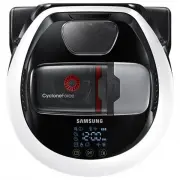 Samsung SR10M7030WW
User Manual
Samsung SR10M7030WW
User Manual
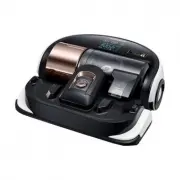 Samsung VR2AJ9250WW
User Manual
Samsung VR2AJ9250WW
User Manual
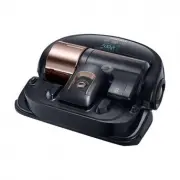 Samsung VR2AK9350WK
User Manual
Samsung VR2AK9350WK
User Manual
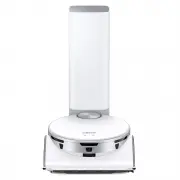 Samsung VR50T95735WSA
User Manual
Samsung VR50T95735WSA
User Manual
 Samsung SR10F71UB
User Manual
Samsung SR10F71UB
User Manual
 Samsung SR10J5010U
User Manual
Samsung SR10J5010U
User Manual
 Samsung SR10J502FU
User Manual
Samsung SR10J502FU
User Manual
 Samsung SR10J503AU
User Manual
Samsung SR10J503AU
User Manual
 Samsung SR10M7019UW
User Manual
Samsung SR10M7019UW
User Manual
 Samsung SR10M701BUW
User Manual
Samsung SR10M701BUW
User Manual
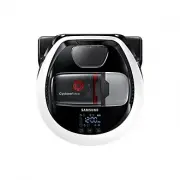 Samsung SR10M703UWW
User Manual
Samsung SR10M703UWW
User Manual
 Samsung SR20H9050U
User Manual
Samsung SR20H9050U
User Manual
 Samsung SR20J9020U
User Manual
Samsung SR20J9020U
User Manual
 Samsung SR20K9350WK
User Manual
Samsung SR20K9350WK
User Manual