Page 2 - safety information; SAFETY INFORMATION; CAUTION/WARNING SYMBOLS USED; OTHER SYMBOLS USED
02_ safety information safety information SAFETY INFORMATION Before operating the appliance, please read this manual thoroughly and retain it for your • reference.Because these following operating instructions cover various models, the characteristics of your • vacuum cleaner may differ slightly fro...
Page 3 - IMPORTANT SAFETY INSTRUCTIONS
safety information _03 IMPORTANT SAFETY INSTRUCTIONS When using an electrical appliance, basic precautions should be observed, including the following: READ ALL INSTRUCTIONS BEFORE USING YOUR VACUUM CLEANING ROBOT. Unplug from outlet when not in use and before conducting maintenance. WARNING: to red...
Page 4 - humidity of any kind to come into contact with the charger.
04_ safety information capacity.Do not unplug by pulling on the cord. To unplug, grasp the plug, not • the cord.Do not mutilate or incinerate batteries as they will explode at high • temperatures.Do not attempt to open the charger. Repairs should only be carried out • by a qualifi ed customer care ce...
Page 5 - contents
contents _05 contents SAFETY INFORMATION 02 06 Power Related 07 Before Use 10 In Use 11 Cleaning and Maintenance PRODUCT FEATURES 13 ASSEMBLING THE CLEANER 15 15 Components16 Name of each part OPERATING THE CLEANER 20 20 Installing the vacuum cleaning robot 20 Installation order 20 Turning the Power...
Page 6 - POWER RELATED
06_ safety information POWER RELATED WARNING Do not bend the power cord forcefully or place a heavy object on it that could break it. This may result in fi re or electric shock. - WARNING Make sure to remove any dust or water from the power plug. Failing to do so may result in a malfunction or electr...
Page 7 - BEFORE USE
safety information _07 01 SAFETY INFORMA TION BEFORE USE CAUTION Before activating the vacuum cleaning robot, make sure that the dust bin is assembled. If the dust bin is not inserted, vacuum cleaning robot will not - operate. CAUTION Never use vacuum cleaning robot in locations with combustible mat...
Page 10 - IN USE
10_ safety information IN USE CAUTION You cannot use the vacuum cleaning robot on thick carpets. This may result in problems with the vacuum cleaning robot. - This may result in damage to carpets. - CAUTION Do not use the vacuum cleaning robot on a table or other high locations. This may result in d...
Page 11 - CLEANING AND MAINTENANCE
safety information _11 01 SAFETY INFORMA TION NOTE Vacuum cleaning Robot may not be able to continue its operation if it is stuck at the entrance or veranda doorsill. Vacuum cleaning Robot stops operating for safety reasons if it - cannot move for more than 5 minutes.To resume operating, turn the Po...
Page 13 - DELICATE CLEANING OF EVERY CORNER; product features
product features _13 What is ceiling shape recognition (Visionary • mapping plus™)? This function recognizes the shape of the ceiling using the camera on top to identify the area to be cleaned and determines the best way to pass over and clean every section of the fl oor. DELICATE CLEANING OF EVERY C...
Page 14 - AUTO CHARGING
14_ product features AUTO CHARGING When the battery is low, the Vacuum cleaning Robot is automatically guided to the charger to enable it to perform a quick auto charge. EDGE-CLEANING SIDE ROTATING BRUSH The edge-cleaning side rotating brush cleans dust from the edges. DOORSILL CROSSING About 1.5 cm...
Page 15 - COMPONENTS; Others Components; assembling the cleaner; Main Body
assembling the cleaner _15 02 ASSEMBLING THE CLEANER COMPONENTS Others Components ■ Option Option ❈ ❈ User Manual Cleaning Brush Remote Control / 2 Batteries assembling the cleaner Main Body ■ Charger (Station) ■ DJ68-00682H.indb 15 DJ68-00682H.indb 15 2013.1.25 9:34:48 AM 2013.1.25 9:34:48 AM
Page 16 - NAME OF EACH PART; Main unit
16_ assembling the cleaner NAME OF EACH PART Main unit ■ Front Bottom Side Remote Control Sensor Remote Control Sensor Dust Bin Eject Button Dust Bin Eject Button Dust Bin Dust Bin Operating Button Operating Button Obstacle Sensor Obstacle Sensor Remote Control Sensor Remote Control Sensor Obstacle ...
Page 18 - Installing the Remote Control Batterise
18_ assembling the cleaner Remote Control (Option) ■ Installing the Remote Control Batterise ■ Batteries are not installed in the remote control when purchasing the product.Install the batteries (type AAA) before use. 1 1 2 2 3 3 Lift the battery compartment cover at the back of the remote control, ...
Page 19 - DISPLAY PART; Display panel
assembling the cleaner _19 02 ASSEMBLING THE CLEANER DISPLAY PART Battery Level Indicator 1. Charging: Shows the charging progress in 3 steps. - In Use: Shows the battery charge level. The battery charge level is reduced by each level from - FULL while operating.Recharging 2. This icon turns on when...
Page 20 - INSTALLING THE VACUUM CLEANING ROBOT; Installation order; operating the cleaner
20_ operating the cleaner INSTALLING THE VACUUM CLEANING ROBOT Installation order Turning the Power Switch on or off 1. To use the vacuum cleaning robot, you must turn on the Power Switch at the bottom of the main unit. Installing the Charger 2. To charge the vacuum cleaning robot, you must fi rst in...
Page 21 - Installing the charger
operating the cleaner _21 03 OPERA TING THE CLEANER Installing the charger Install the charger on a fl at surface. 1. There should be no obstacles and cliffs 0.5m to the left and 2. right and within 1 m of the front. Install the charger in a location where it can be easily accessed by 3. the vacuum c...
Page 22 - Charging
22_ operating the cleaner Charging When the product is initially purchased, the battery is fully discharged, and you must charge the vacuum cleaning robot manually. Turn on the Power Switch at the bottom of the product. After aligning the charge pins of the main unit with the 1. charge pin of the ch...
Page 23 - About the Battery
operating the cleaner _23 03 OPERA TING THE CLEANER NOTE When the product is initially purchased, it will take about 120 minutes to fully charge the • battery and will run for about 90 minutes.When charging the battery while the battery is over-heated, the charging time can increase. • Measures to t...
Page 24 - USING THE VACUUM CLEANING ROBOT; Starting/Stopping Cleaning; Using the main unit
24_ operating the cleaner USING THE VACUUM CLEANING ROBOT Starting/Stopping Cleaning You can run or stop all vacuum cleaning robot functions. Each vacuum cleaning robot function only runs when the ■ Power Switch is turned on. When the robotic vacuum is operating, press the ( ■ ) button to cancel the...
Page 25 - Recharging; Using the remote
operating the cleaner _25 03 OPERA TING THE CLEANER Recharging You can have the Vacuum cleaning Robot return to the charger to charge the battery by using the Recharging button. When the Vacuum cleaning Robot is operating, press the ( ■ ) button to cancel the operation and press the Recharging butto...
Page 26 - Auto Cleaning; While cleaning
26_ operating the cleaner Auto Cleaning The Vacuum cleaning Robot will move by itself and automatically clean the house until cleaning is completed once. If cleaning begins when the Vacuum cleaning Robot is docked with the ■ charger station, the time to return to the charger is decreased since the V...
Page 27 - Spot Cleaning
operating the cleaner _27 03 OPERA TING THE CLEANER Spot Cleaning You can conveniently clean a specifi c area that has a a lot of cookie crumbs, dust, and etc. Move the Vacuum cleaning Robot to the location where you want to ■ perform a spot clean. Main unit button Remote control button (Option) Con...
Page 28 - Max Cleaning
28_ operating the cleaner Max Cleaning The Vacuum cleaning Robot automatically moves and cleans until the battery runs out and the battery level fl ashes only one level. If cleaning begins when the Vacuum cleaning Robot is docked with ■ the charger station, the time to return to the charger is decre...
Page 30 - CLEANING THE VACUUM CLEANING ROBOT; Please keep the cleaning and maintenance methods in mind; Cleaning the Sensor Window and the Camera; maintain tools and fi lters
30_ maintain tools and fi lters CLEANING THE VACUUM CLEANING ROBOT Please keep the cleaning and maintenance methods in mind When the Power Switch is damaged, please contact the service ■ agent so that it does not cause any accidents.Do not use any means or mechanical devices not installed by the ■ m...
Page 31 - Cleaning the Dust Bin and the Filters
maintain tools and fi lters _31 04 MAINT AIN TOOLS AND FIL TERS Cleaning the Dust Bin and the Filters First, empty the dust bin before cleaning it. When separating the dust bin, take care not to spill the dust ■ out of the dust bin.Empty the dust bin in the following cases. ■ When dust has accumulat...
Page 32 - Cleaning the Power Brush
32_ maintain tools and fi lters CLEANING THE VACUUM CLEANING ROBOT Cleaning the Power Brush You must turn off the Power Switch at the bottom of the main unit before cleaning the robotic vacuum. • Because the dust in the dust bin may come out, separate the dust bin fi rst before cleaning the power bru...
Page 34 - Cleaning the Edge-Cleaning Side rotating Brush
34_ maintain tools and fi lters Cleaning the Edge-Cleaning Side rotating Brush You must turn off the Power Switch at the bottom of the main unit before cleaning the robotic vacuum. Check whether the side rotating brush is bent or whether there 1. are any foreign substances stuck on the brush. Wearin...
Page 35 - Cleaning the Driving Wheel
maintain tools and fi lters _35 04 MAINT AIN TOOLS AND FIL TERS Cleaning the Driving Wheel You must turn off the Power Switch at the bottom of the main unit before cleaning the robotic. If the vacuum cleaning robot suddenly starts to zigzag, there may ■ be foreign substances stuck on the driving whe...
Page 36 - CHECKLIST BEFORE SVC CALLS; troubleshooting
36_ troubleshooting CHECKLIST BEFORE SVC CALLS Symptom Checklist Measure to Take Vacuum cleaning Robot does not operate at all before cleaning. Is the dust bin assembled? • Install the dust bin. • Is the Power Switch turned on? • Turn on the Power Switch. • Is cleaning mode ( • ) in the display pane...
Page 38 - TROUBLESHOOTING FOR ERROR CODES
38_ troubleshooting TROUBLESHOOTING FOR ERROR CODES ERROR CODE CAUSE SOLUTION Vacuum cleaning Robot is • caught, stuck or trapped while navigating. Turn off the Power Switch at the bottom • and move the Vacuum cleaning Robot to a different location. Flash Flash A foreign substance (string, • paper, ...
Page 39 - product specifi cation
product specifi cation _39 06 PRODUCT SPECIFICA TION 90 mm (Height) 90 mm (Height) 355 mm (Length) 355 mm (Length) 355 mm (Width) 355 mm (Width) 275 mm (Width) 275 mm (Width) 161 mm (Length) 161 mm (Length) 122 mm (Height) 122 mm (Height) Main Body Charger (Station) Classifi cation Item Detail Mecha...
Page 40 - Contact SAMSUNG WORLD WIDE
Contact SAMSUNG WORLD WIDE If you have any questions or comments relating to Samsung products,please contact the SAMSUNG customer care center. Country Customer Care Center Web Site Switzerland 0848 - SAMSUNG(7267864, CHF 0.08/min) www.samsung.com/ch www.samsung.com/ch_fr/(French) DJ68-00682H.indb 40...
Page 41 - Benutzerhandbuch; imagine
SR8730SR8750 Deutsch Robo-Sauger Benutzerhandbuch imagine the possibilities Vielen Dank, dass Sie sich für ein Gerät von Samsung entschieden haben.Wenn Sie umfassenderen Service wünschen, registrieren Sie Ihr Gerät unter www.samsung.com/register Dieses Handbuch wurde zu 100 % aus Recyclingpapier her...
Page 42 - Sicherheitsinformationen; SICHERHEITSINFORMATIONEN; WEITERE VERWENDETE SYMBOLE
02_ Sicherheitsinformationen Sicherheitsinformationen SICHERHEITSINFORMATIONEN Bitte lesen Sie die Bedienungsanleitung gründlich durch, und bewahren Sie sie zum späteren • Nachschlagen auf.Da die folgenden Hinweise zum Betrieb für verschiedene Modelle gelten, können die • Eigenschaften Ihres Geräts ...
Page 43 - WICHTIGE SICHERHEITSHINWEISE
Sicherheitsinformationen _03 WICHTIGE SICHERHEITSHINWEISE Beim Umgang mit Elektrogeräten sind einige grundlegende Vorsichtsmaßnahmen wie u. a. die folgenden zu beachten: LESEN SIE VOR DER VERWENDUNG IHRES ROBO-SAUGERS SÄMTLICHE ANWEISUNGEN GRÜNDLICH DURCH. Ziehen Sie den Stecker aus der Dose, wenn S...
Page 44 - Saugen Sie keine harten oder scharfen Gegenstände wie Glas, Nägel,
04_ Sicherheitsinformationen Verwenden Sie keine Verlängerungskabel oder Steckdosen mit unzureichender • Leistung.Ziehen Sie zum Ausstöpseln nicht am Netzkabel. Um den Stecker • herauszuziehen, fassen Sie den Stecker an und nicht das Kabel.Beschädigen und verbrennen Sie die Batterien nicht, da sie b...
Page 45 - Inhalt
Inhalt _05 Inhalt SICHERHEITSINFORMATIONEN 02 06 Hinweise zur Stromversorgung07 Vor der erstmaligen Verwendung10 Im Betrieb 11 Reinigung und Wartung PRODUKTMERKMALE 13 ZUSAMMENBAUEN DES GERÄTS 15 15 Komponenten16 Bezeichnungen der Teile BEDIENUNG DES GERÄTS 20 20 Inbetriebnahme des Robo-Saugers 20 R...
Page 46 - HINWEISE ZUR STROMVERSORGUNG
06_ Sicherheitsinformationen HINWEISE ZUR STROMVERSORGUNG WARNUNG Vermeiden Sie übermäßiges Verbiegen des Kabels. Stellen Sie keine schweren Gegenstände darauf ab, sodass es brechen könnte. Andernfalls besteht die Gefahr von Stromschlägen oder eines - Brands. WARNUNG Entfernen Sie Schmutz und Wasser...
Page 47 - VOR DER ERSTMALIGEN VERWENDUNG
Sicherheitsinformationen _07 01 SICHERHEITSINFORMA TIONEN VOR DER ERSTMALIGEN VERWENDUNG VORSICHT Stellen Sie vor dem Aktivieren des Robo-Saugers sicher, dass der Staubbehälter zusammengebaut ist. Wenn der Staubbehälter nicht eingesetzt wurde, kann der Robo- - Sauger nicht funktionieren. VORSICHT Ve...
Page 50 - IM BETRIEB
10_ Sicherheitsinformationen IM BETRIEB VORSICHT Sie können den Robo-Sauger nicht auf dicken Teppichen einsetzen. Andernfalls besteht die Möglichkeit von Störungen des Robo- - Saugers.Dies kann zu Schäden am Teppich führen. - VORSICHT Verwenden Sie den Robo-Sauger nicht auf Tischen oder an anderen e...
Page 51 - REINIGUNG UND WARTUNG
Sicherheitsinformationen _11 01 SICHERHEITSINFORMA TIONEN NOTIZEN Möglicherweise kann der Robo-Sauger seinen Betrieb nicht fortsetzen, wenn er an der Schwelle der Haustür oder der Veranda feststeckt. Der Robo-Sauger stellt aus Sicherheitsgründen den Betrieb ein, - wenn er sich mehr als 5 Minuten lan...
Page 53 - GRÜNDLICHE ECKENREINIGUNG; Produktmerkmale
Produktmerkmale _13 Was ist die Deckenformerkennung • (Visionary mapping plus™)? Diese Funktion erkennt die Form der Decke mit Hilfe der oben eingebauten Kamera, um den Bereich zu bestimmen, der gereinigt werden soll. Sie bestimmt dabei den besten Weg, um jeden Bodenbereich zu reinigen. GRÜNDLICHE E...
Page 54 - AUTOMATISCHE LADEFUNKTION
14_ Produktmerkmale AUTOMATISCHE LADEFUNKTION Wenn die Batterie schwach ist, wird der Robo-Sauger automatisch zum Ladegerät geführt, damit er automatisch eine Schnellladung bekommt. SEITLICH ROTIERENDE KANTENBÜRSTE Die seitlich rotierende Kantenbürste entfernt Staub von den Scheuerleisten. ÜBERQUERU...
Page 55 - KOMPONENTEN; Weitere Komponenten; Zusammenbauen des Geräts; Saugschlitten
Zusammenbauen des Geräts _15 02 ZUSAMMENBAUEN DES GERÄ TS KOMPONENTEN Weitere Komponenten ■ Zubehör ❈ Benutzerhandbuch Reinigungsbürste Fernbedienung / 2 Batterien Zusammenbauen des Geräts Saugschlitten ■ Ladegerät (Station) ■ DJ68-00682H.indb 15 DJ68-00682H.indb 15 2013.1.25 9:35:8 AM 2013.1.25 9:3...
Page 56 - BEZEICHNUNGEN DER TEILE
16_ Zusammenbauen des Geräts BEZEICHNUNGEN DER TEILE Saugschlitten ■ Vorderseite Unten Seite Fernbedienungssensor Fernbedienungssensor Auswerftaste für den Auswerftaste für den Staubbehälter Staubbehälter Staubbehälter Staubbehälter Auswahltaste für Auswahltaste für Saugmodus Saugmodus Hindernissens...
Page 58 - Einsetzen der Batterien in die Fernbedienung
18_ Zusammenbauen des Geräts Fernbedienung (Zubehör) ■ Einsetzen der Batterien in die Fernbedienung ■ Die Fernbedienung wird beim Kauf ohne Batterien geliefert.Setzen Sie die Batterien (Typ AAA) vor Gebrauch ein. 1 1 2 2 3 3 Heben Sie den Batteriefachdeckel auf der Rückseite der Fernbedienung an, wä...
Page 59 - ANZEIGEBEREICH; TASTENBEREICH; Anzeigetafel
Zusammenbauen des Geräts _19 02 ZUSAMMENBAUEN DES GERÄ TS ANZEIGEBEREICH Ladeanzeige 1. Beim Laden: Zeigt den Ladefortschritt in 3 Schritten an. - Im Betrieb: Zeigt der Ladestand der Batterie an. Der Ladestand wird im Betrieb allmählich - immer niedriger angezeigt.Aufl aden 2. Diese Symbol leuchtet a...
Page 60 - INBETRIEBNAHME DES ROBO-SAUGERS; Reihenfolge für die Inbetriebnahme; Bedienung des Geräts
20_ Bedienung des Geräts INBETRIEBNAHME DES ROBO-SAUGERS Reihenfolge für die Inbetriebnahme Ein- und Ausschalten des Geräts 1. Um den Robo-Sauger zu verwenden, müssen Sie das Gerät mit dem Netzschalter unten am Saugschlitten einschalten. Aufstellen des Ladegeräts 2. Um den Robo-Sauger aufzuladen, mü...
Page 61 - Aufstellen des Ladegeräts
Bedienung des Geräts _21 03 BEDIENUNG DES GERÄ TS Aufstellen des Ladegeräts Stellen Sie das Ladegerät auf einer ebenen Fläche auf. 1. Es dürfen sich rechts und links im Abstand von 0,5 m und vorn 2. im Abstand von 1 m keine Hindernisse oder Stufen befi nden. Stellen Sie das Ladegerät an einer Stelle ...
Page 62 - Laden
22_ Bedienung des Geräts Laden Wenn Sie das Gerät erwerben, ist die Batterie vollständig ungeladen, und Sie müssen den Robo-Sauger manuell aufl aden. Schalten Sie ihn mit dem Netzschalter unten am Gerät ein. Nachdem Sie die Ladestifte am Saugschlitten mit dem 1. Ladestift der Ladestation ausgerichtet...
Page 63 - Informationen zur Batterie
Bedienung des Geräts _23 03 BEDIENUNG DES GERÄ TS NOTIZEN Wenn Sie die Batterie nach dem Kauf des Geräts erstmals laden, dauert es etwa 120 Minuten, die • Batterie vollständig aufzuladen, und diese Ladung reicht dann für etwa 90 Minuten.Die Ladezeit kann zunehmen, wenn Sie die Batterie in überhitzte...
Page 64 - VERWENDEN DES ROBO-SAUGERS; Starten/Anhalten des Betriebs; Verwenden der Tasten
24_ Bedienung des Geräts VERWENDEN DES ROBO-SAUGERS Starten/Anhalten des Betriebs Sie können alle Funktionen des Robo-Saugers starten oder anhalten. Die Funktionen des Robo-Saugers stehen erst dann zur ■ Verfügung, nachdem das Gerät mit dem Netzschalter eingeschaltet wurde. Wenn der Robo-Sauger läuf...
Page 65 - Aufl aden; Verwenden der
Bedienung des Geräts _25 03 BEDIENUNG DES GERÄ TS Aufl aden Durch Drücken der Taste „Recharging (Laden)“ können Sie den Robo-Sauger zum Ladegerät zurückkehren lassen, um die Batterie aufzuladen. Drücken Sie während des Saugens die Taste ( ■ ), um den Betrieb zu unterbrechen. Drücken Sie dann die Tas...
Page 66 - Automatikbetrieb; Beim Reinigen
26_ Bedienung des Geräts Automatikbetrieb Der Robo-Sauger bewegt sich selbsttätig und säubert automatisch das Haus, bis der Saugvorgang abgeschlossen ist. Wenn der Saugvorgang gestartet wird, während der Robo-Sauger ■ an die Ladestation angedockt ist, reduziert sich die Zeit für das Zurückfahren zum...
Page 67 - Punktsaugen
Bedienung des Geräts _27 03 BEDIENUNG DES GERÄ TS Punktsaugen Sie können problemlos einen bestimmten Bereich reinigen, in dem sich z. B. viele Krümel, Staub usw. befi nden. Bewegen Sie den Robo-Sauger an die Stelle, an der die ■ Punktreinigung durchgeführt werden soll. Tasten am Saugschlitten Taste ...
Page 68 - Maximalmodus
28_ Bedienung des Geräts Maximalmodus Der Robo-Sauger führt den Saugvorgang selbsttätig durch, bis die Batterie so viel entladen ist, dass nur noch ein Balken in der Batterieanzeige leuchtet. Wenn der Saugvorgang gestartet wird, während der Robo- ■ Sauger an die Ladestation angedockt ist, reduziert ...
Page 70 - REINIGEN DES ROBO-SAUGERS; Beachten Sie die Reinigungs- und Wartungshinweise; Reinigen des Sensorfensters und der Kamera; Pfl ege von Saugaufsätzen und Filter
30_ Pfl ege von Saugaufsätzen und Filter REINIGEN DES ROBO-SAUGERS Beachten Sie die Reinigungs- und Wartungshinweise Wenn der Netzschalter beschädigt ist, wenden Sie sich an einen ■ Servicebeauftragten, damit keine Unfälle passieren.Benutzen Sie keine Hilfsmittel oder mechanischen Vorrichtungen, ■ d...
Page 71 - Reinigen des Staubbehälters und des Filters
Pfl ege von Saugaufsätzen und Filter _31 04 PFLEGE VON SAUGAUFSÄ TZEN UND FIL TER Reinigen des Staubbehälters und des Filters Leeren Sie vor dem Reinigen den Staubbehälter. Wenn Sie den Staubbehälter herausnehmen, achten Sie ■ sorgfältig darauf, den Staub aus dem Behälter nicht zu verschütten.Leeren...
Page 72 - Reinigen der Kraftbürste
32_ Pfl ege von Saugaufsätzen und Filter REINIGEN DES ROBO-SAUGERS Reinigen der Kraftbürste Schalten Sie den Netzschalter unten am Saugschlitten immer aus, ehe Sie den Robo-Sauger reinigen. • Entfernen Sie den Staubbehälter, ehe Sie die Kraftbürste reinigen, da andernfalls der Staub im Staubbehälter...
Page 74 - Reinigen der seitlich rotierenden Kantenbürste
34_ Pfl ege von Saugaufsätzen und Filter Reinigen der seitlich rotierenden Kantenbürste Schalten Sie den Netzschalter unten am Saugschlitten immer aus, ehe Sie den Robo-Sauger reinigen. Kontrollieren Sie, ob die seitlich rotierende Bürste verbogen ist, 1. oder ob Fremdstoffe an der Bürste haften. Zi...
Page 75 - Reinigen des Antriebsrads
Pfl ege von Saugaufsätzen und Filter _35 04 PFLEGE VON SAUGAUFSÄ TZEN UND FIL TER Reinigen des Antriebsrads Schalten Sie den Netzschalter unten am Saugschlitten immer aus, ehe Sie den Robo-Sauger reinigen. Wenn der Robo-Sauger plötzlich im Zickzack zu fahren beginnt, ■ kann es sein, dass Fremdstoffe...
Page 76 - CHECKLISTE VOR DEM ANRUF BEIM KUNDENDIENST; Fehlerbehebung
36_ Fehlerbehebung CHECKLISTE VOR DEM ANRUF BEIM KUNDENDIENST Symptom Checkliste Maßnahme Der Robo-Sauger läuft vor dem Reinigen überhaupt nicht. Ist der Staubbehälter eingesetzt? • Setzen Sie den Staubbehälter ein. • Ist der Netzschalter eingeschaltet? • Schalten Sie den Netzschalter ein. • Wird im...
Page 78 - FEHLERBEHEBUNG UND FEHLERCODES
38_ Fehlerbehebung FEHLERBEHEBUNG UND FEHLERCODES FEHLERCODE URSACHE LÖSUNG Der Robo-Sauger hat sich beim • Fahren verfangen, verklemmt oder hängt fest. Schalten Sie die Stromversorgung mit • dem Schalter auf der Unterseite aus, und bringen Sie den Robo-Sauger an eine andere Stelle. Blinken Blinken ...
Page 79 - Technische Daten des Geräts
Technische Daten des Geräts _39 0 6 TECHNISCHE DA TEN DES GERÄ TS 90 mm (Höhe) 90 mm (Höhe) 355 mm (Länge) 355 mm (Länge) 355 mm (Breite) 355 mm (Breite) 275 mm (Breite) 275 mm (Breite) 161 mm (Länge) 161 mm (Länge) 122 mm (Höhe) 122 mm (Höhe) Saugschlitten Ladegerät (Station) Klassifi kation Katego...
Page 81 - Robot aspirateur
SR8730SR8750 Français Robot aspirateur Manuel d'utilisation imagine the possibilities Merci d'avoir choisi un produit Samsung.Afi n de bénéfi cier d'un service plus complet, veuillez enregistrer votre produit à l'adresse www.samsung.com/register Ce manuel est réalisé à partir de papier 100 % recyclé. ...
Page 82 - Consignes de sécurité; CONSIGNES DE SÉCURITÉ; SYMBOLES DANGER/ATTENTION UTILISÉS; AUTRES SYMBOLES UTILISÉS
02_ Consignes de sécurité Consignes de sécurité CONSIGNES DE SÉCURITÉ • Avant d'utiliser cet appareil, veuillez lire attentivement ce manuel et le conserver pour toute référence ultérieure. • Les instructions d'utilisation suivantes concernent plusieurs modèles ; il est donc possible que les caracté...
Page 83 - CONSIGNES IMPORTANTES DE SÉCURITÉ
Consignes de sécurité _03 CONSIGNES IMPORTANTES DE SÉCURITÉ Lors de l’utilisation d’un appareil électrique, des précautions de base doivent être prises, notamment : LISEZ TOUTES LES INSTRUCTIONS AVANT D’UTILISER VOTRE ROBOT ASPIRATEUR. Débranchez l’appareil de la prise lorsqu’il n’est pas utilisé ou...
Page 84 - contact avec l’humidité.
04_ Consignes de sécurité Maintenez le cordon éloigné des surfaces chauffées.N’utilisez pas de rallonges ni de prises murales ayant une intensité • maximale admissible inadéquate.Ne débranchez pas l’appareil en tirant sur le cordon. Pour débrancher, • tenez la prise et non le cordon.Ne détériorez pa...
Page 85 - Table des matières
Table des matières _05 Table des matières CONSIGNES DE SÉCURITÉ 02 06 Branchement07 Avant l'utilisation 10 En cours d’utilisation11 Nettoyage et entretien FONCTIONS DU PRODUIT 13 MONTAGE DE L'ASPIRATEUR 15 15 Composants16 Nomenclature des piÈces FONCTIONNEMENT DE L'ASPIRATEUR 20 20 Installation du r...
Page 86 - BRANCHEMENT
06_ Consignes de sécurité BRANCHEMENT AVERTISSEMENT Ne pliez pas excessivement le cordon d’alimentation et ne placez dessus aucun objet lourd risquant de l’endommager. Cela pourrait entraîner une électrocution ou un incendie. - AVERTISSEMENT Veillez à éliminer toute trace de poussière ou d’eau de la...
Page 90 - EN COURS D’UTILISATION
10_ Consignes de sécurité EN COURS D’UTILISATION ATTENTION Vous ne pouvez pas utiliser le robot aspirateur sur des tapis épais. Cela entraînera des dysfonctionnements du robot aspirateur. - Cela risquerait d’endommager les tapis. - ATTENTION N’utilisez pas le robot aspirateur sur une table ou autre ...
Page 91 - NETTOYAGE ET ENTRETIEN
Consignes de sécurité _11 01 CONSIGNES DE SÉCURITÉ REMARQUE Le robot aspirateur risque de ne pas pouvoir continuer sa progression s’il est coincé au niveau du seuil de la porte d’entrée ou d’une véranda. Pour des raisons de sécurité, au bout de 5 minutes d’immobilité, le - robot aspirateur interromp...
Page 93 - NETTOYAGE PARFAIT DE CHAQUE RECOIN; fonctions du produit
fonctions du produit _13 Qu’est-ce que c’est le système de • reconnaissance de plafond (Visionary mapping plus™) ? Cette fonction reconnaît la forme du plafond à l’aide de la caméra située sur le dessus afi n d’identifi er la zone à nettoyer et détermine la meilleure méthode pour parcourir et nettoyer...
Page 94 - CHARGEMENT AUTOMATIQUE
14_ fonctions du produit CHARGEMENT AUTOMATIQUE Lorsque la batterie est faible, le robot aspirateur se dirige automatiquement vers le chargeur où il sera rapidement rechargé. BROSSE ROTATIVE LATÉRALE La brosse rotative latérale permet de nettoyer la poussière sur les côtés. FRANCHISSEMENT DES SEUILS...
Page 95 - COMPOSANTS; Autres composants; montage de l'aspirateur; Unité principale
montage de l'aspirateur _15 02 MONT AGE DE L'ASPIRA TEUR COMPOSANTS Autres composants ■ En option ❈ Manuel d’utilisation Brosse de nettoyage Télecommande / 2 piles montage de l'aspirateur Unité principale ■ Chargeur (Station de recharge) ■ DJ68-00682H.indb 15 DJ68-00682H.indb 15 2013.1.25 9:35:29 AM...
Page 96 - NOMENCLATURE DES PIÈCES
16_ montage de l'aspirateur NOMENCLATURE DES PIÈCES Unité principale ■ Face avant Dessous Face latérale Capteur de la Capteur de la télécommande télécommande Bouton d’éjection du Bouton d’éjection du réservoir de poussière réservoir de poussière Réservoir de poussière Réservoir de poussière Bouton d...
Page 98 - Mise en place des piles de la télécommande
18_ montage de l'aspirateur Télécommande (en option) ■ Mise en place des piles de la télécommande ■ Les piles ne sont pas insérées dans la télécommande au moment de l’achat de l’appareil.Insérez les piles (type AAA) avant d’utiliser l’appareil. 1 1 2 2 3 3 Soulevez le couvercle du compartiment à pil...
Page 99 - PARTIE AFFICHAGE; PARTIE COMMANDES; Panneau d’affi chage
montage de l'aspirateur _19 02 MONT AGE DE L'ASPIRA TEUR PARTIE AFFICHAGE Indicateur du niveau de la batterie 1. En cours de charge : indique la progression de la charge en 3 étapes (3 carrés). - En cours d’utilisation : indique le niveau de charge de la batterie. Lorsque l’appareil est en - marche,...
Page 100 - INSTALLATION DU ROBOT ASPIRATEUR; Procédure d’installation; fonctionnement de l'aspirateur
20_ fonctionnement de l'aspirateur INSTALLATION DU ROBOT ASPIRATEUR Procédure d’installation Mise sous/hors tension 1. Pour utiliser le robot aspirateur, vous devez actionner le bouton de mise sous tension situé sur le dessous de l’unité principale. Installation du chargeur 2. Pour charger le robot ...
Page 101 - Installation du chargeur
fonctionnement de l'aspirateur _21 03 FONCTIONNEMENT DE L'ASPIRA TEUR Installation du chargeur Installez le chargeur sur une surface plane. 1. Il ne doit y avoir aucun obstacle et escarpement à 0,5 m sur les 2. côtés et à 1 m devant. Installez le chargeur à un endroit facilement accessible pour le r...
Page 102 - En cours de charge
22_ fonctionnement de l'aspirateur En cours de charge Au moment de l’achat de l’appareil, la batterie est totalement déchargée. Vous devez donc charger manuellement le robot aspirateur. Activez le bouton de mise sous tension situé sur le dessous de l’appareil. Après avoir aligné les broches de charg...
Page 103 - À propos de la batterie
fonctionnement de l'aspirateur _23 03 FONCTIONNEMENT DE L'ASPIRA TEUR REMARQUE Au moment de l’achat de l’appareil, il faut environ 120 minutes pour que la batterie se • charge totalement pour un fonctionnement d’environ 90 minutes.Si la batterie est en surchauffe, le temps de charge peut être plus i...
Page 104 - UTILISATION DU ROBOT ASPIRATEUR; Démarrage/Arrêt du nettoyage; Utilisation des boutons
24_ fonctionnement de l'aspirateur UTILISATION DU ROBOT ASPIRATEUR Démarrage/Arrêt du nettoyage Vous pouvez lancer ou interrompre toutes les fonctions du robot aspirateur. Chaque fonction du robot aspirateur ne fonctionne que si le ■ bouton de mise sous tension est allumé.Lorsque le robot aspirateur...
Page 105 - Utilisation de la
fonctionnement de l'aspirateur _25 03 FONCTIONNEMENT DE L'ASPIRA TEUR Recharging Afi n de renvoyer le robot aspirateur sur le chargeur pour recharger la batterie, appuyez sur le bouton Recharging (En cours de recharge). Lorsque le robot aspirateur est en cours de fonctionnement, ■ appuyez sur le bou...
Page 106 - Nettoyage automatique; En cours de
26_ fonctionnement de l'aspirateur Nettoyage automatique Le robot aspirateur se déplace tout seul et nettoie automatiquement votre intérieur jusqu’à ce que le nettoyage soit terminé. Si le nettoyage démarre alors que le robot aspirateur se situe sur la ■ station de recharge, le temps qu'il lui faudr...
Page 107 - Nettoyage localisé
fonctionnement de l'aspirateur _27 03 FONCTIONNEMENT DE L'ASPIRA TEUR Nettoyage localisé vous pouvez nettoyer une zone spécifi que couverte de miettes de biscuits ou de poussière par exemple. Déplacez le robot aspirateur là où vous souhaitez effectuer un ■ nettoyage localisé. Bouton de l’unité princ...
Page 108 - Nettoyage intensif
28_ fonctionnement de l'aspirateur Nettoyage intensif le robot aspirateur se déplace automatiquement et nettoie jusqu’à ce que la batterie soit épuisée et que le dernier carré de l’indicateur du niveau de la batterie clignote. Si le nettoyage démarre alors que le robot aspirateur se situe sur la ■ s...
Page 110 - NETTOYAGE DU ROBOT ASPIRATEUR; Nettoyage de la lentille du capteur et de la caméra; entretien des outils et des fi ltres
30_ entretien des outils et des fi ltres NETTOYAGE DU ROBOT ASPIRATEUR Veuillez suivre les méthodes de nettoyage et d’entretien spécifi ées Si le bouton de mise sous tension est endommagé, contactez un ■ technicien de maintenance afi n d’éviter tout accident.N’utilisez aucun système ni appareil mécan...
Page 111 - Nettoyage du Réservoir de poussière et des Filtres
entretien des outils et des fi ltres _31 04 ENTRETIEN DES OUTILS ET DES FIL TRES Nettoyage du Réservoir de poussière et des Filtres Videz le réservoir de poussière avant de le nettoyer. Au moment de retirer le réservoir de poussière, prenez garde ■ de ne pas renverser la poussière qui s’y trouve.Vid...
Page 112 - Nettoyage de la brosse principale
32_ entretien des outils et des fi ltres NETTOYAGE DU ROBOT ASPIRATEUR Nettoyage de la brosse principale Vous devez éteindre le bouton de mise sous tension situé sous l’unité principale avant de la nettoyer. • Retirez le réservoir de poussière avant de nettoyer la brosse principale, sinon la poussiè...
Page 114 - Nettoyage de la brosse rotative latérale
34_ entretien des outils et des fi ltres Nettoyage de la brosse rotative latérale Vous devez éteindre le bouton de mise sous tension situé sous l’unité principale avant de la nettoyer. Vérifi ez que la brosse rotative latérale n’est pas tordue et ne 1. présente aucun corps étranger. Munissez-vous de ...
Page 115 - Nettoyage de la roue d'entraînement
entretien des outils et des fi ltres _35 04 ENTRETIEN DES OUTILS ET DES FIL TRES Nettoyage de la roue d'entraînement Vous devez éteindre le bouton de mise sous tension situé sous l’unité principale avant de la nettoyer. Si le robot aspirateur se met soudainement à zigzaguer, cela peut ■ être dû à un...
Page 116 - dépannage
36_ dépannage LISTE DE VÉRIFICATION AVANT D’APPELER LE CENTRE D’ASSISTANCE Symptôme Liste de vérifi cation Mesure à prendre Le robot aspirateur ne fonctionne pas du tout. Le réservoir de poussière est-il en • place ? Remettez le réservoir de poussière • en place. Le bouton de mise sous tension • est...
Page 118 - CODES D’ERREUR : DÉPANNAGE
38_ dépannage CODES D’ERREUR : DÉPANNAGE CODE D'ERREUR CAUSE SOLUTION Le robot aspirateur est coincé, • entravé par quelque chose. Éteignez le bouton de mise sous tension • situé sous le robot et déplacez le robot. Clignotement Clignotement Un corps étranger (fi celle, papier, • jouet, etc.) est coin...
Page 119 - caractéristiques techniques du produit
caractéristiques techniques du produit _39 06 CARACTÉRISTIQUES TECHNIQUES DU PRODUIT 90 mm (hauteur) 90 mm (hauteur) 355 mm 355 mm (longueur) (longueur) 355 mm (largeur) 355 mm (largeur) 275 mm (largeur) 275 mm (largeur) 161 mm (longueur) 161 mm (longueur) 122 mm (hauteur) 122 mm (hauteur) Unité pri...
Page 121 - Robot aspirapolvere
SR8730SR8750 Italiano Robot aspirapolvere manuale dell'utente imagine the possibilities Grazie per avere acquistato un prodotto Samsung.Per ricevere un servizio più completo, si prega di registrare il prodotto all'indirizzo www.samsung.com/register Questo manuale è prodotto interamente con carta ric...
Page 122 - informazioni sulla sicurezza; INFORMAZIONI SULLA SICUREZZA; SIMBOLI DI AVVERTENZA/ATTENZIONE UTILIZZATI; ALTRI SIMBOLI UTILIZZATI
02_ informazioni sulla sicurezza informazioni sulla sicurezza INFORMAZIONI SULLA SICUREZZA Prima di utilizzare il prodotto, leggere attentamente questo manuale e conservarlo per future • consultazioni.Dal momento che queste istruzioni coprono diversi modelli di prodotto, le caratteristiche • dell’as...
Page 123 - IMPORTANTI ISTRUZIONI DI SICUREZZA
informazioni sulla sicurezza _03 IMPORTANTI ISTRUZIONI DI SICUREZZA Durante l’uso di apparecchiature elettriche, è necessario seguire alcune precauzioni di base, tra le quali: LEGGERE COMPLETAMENTE LE ISTRUZIONI D’USO PRIMA DI UTILIZZARE IL ROBOT ASPIRAPOLVERE. Scollegare il prodotto dalla presa di ...
Page 124 - ROBOT ASPIRAPOLVERE
04_ informazioni sulla sicurezza intorno a bordi o angoli taglienti. Tenere il cavo lontano da superfi ci calde.Non utilizzare prolunghe o prese con una capacità di corrente inadeguata • al carico.Non scollegare la spina di alimentazione tirandola per il cavo. Per scollegare • il prodotto, afferrare ...
Page 125 - indice
indice _05 indice INFORMAZIONI SULLA SICUREZZA 02 06 Alimentazione07 Prima dell’uso 10 In Uso 11 Pulizia e manutenzione CARATTERISTICHE DEL PRODOTTO 13 MONTAGGIO DELL'ASPIRAPOLVERE 15 15 Componenti16 Nomenclatura delle parti FUNZIONAMENTO DELL'ASPIRAPOLVERE 20 20 Installazione del robot aspirapolver...
Page 126 - ALIMENTAZIONE
06_ informazioni sulla sicurezza ALIMENTAZIONE ATTENZIONE Non piegare eccessivamente il cavo di alimentazione né posizionarvi sopra oggetti pesanti che potrebbero danneggiarlo. La mancata osservanza di questa precauzione può causare un - incendio o una scarica elettrica. ATTENZIONE Accertarsi di rim...
Page 127 - PRIMA DELL’USO
informazioni sulla sicurezza _07 0 1 INFORMAZIONI SULLA SICUREZZA PRIMA DELL’USO AVVERTENZA Prima di attivare il robot aspirapolvere accertarsi che la vaschetta di raccolta polvere sia inserita. Se la vaschetta di raccolta polvere non è inserita, il robot - aspirapolvere non funziona. AVVERTENZA Non...
Page 130 - IN USO
10_ informazioni sulla sicurezza IN USO AVVERTENZA Il robot aspirapolvere non è idoneo per la pulizia di tappeti molto spessi. La mancata osservanza di questa indicazione può causare - problemi durante l’uso del robot aspirapolvere.Inoltre il tappeto potrebbe subire danni. - AVVERTENZA Non usare il ...
Page 131 - PULIZIA E MANUTENZIONE
informazioni sulla sicurezza _11 0 1 INFORMAZIONI SULLA SICUREZZA NOTA Il robot aspirapolvere potrebbe non essere in grado di continuare a svolgere la sua funzione se bloccato sulla soglia d'ingresso o della veranda. Per motivi di sicurezza, il robot aspirapolvere interrompe il - funzionamento se no...
Page 133 - PULIZIA DELICATA DI OGNI ANGOLO; caratteristiche del prodotto
caratteristiche del prodotto _13 Cosa signifi ca riconoscimento della forma • del soffi tto (Visionary mapping plus™)? Questa funzione riconosce la forma del soffi tto mediante una telecamera posizionata sulla parte superiore dell’apparecchio per identifi care l’area da pulire e il modo migliore per p...
Page 134 - AUTO RICARICA
14_ caratteristiche del prodotto AUTO RICARICA Quando il livello di carica della batteria è basso, il robot aspirapolvere si dirige automaticamente verso la base di ricarica per effettuare una ricarica rapida. SPAZZOLE ROTATIVE LATERALI PER LA PULIZIA DEI BORDI Le spazzole rotative laterali per la p...
Page 135 - COMPONENTI; Altri componenti; montaggio dell'aspirapolvere; Corpo principale
montaggio dell'aspirapolvere _15 02 MONT AGGIO DELL'ASPIRAPOL VERE COMPONENTI Altri componenti ■ Opzione ❈ Manuale dell’utente Spazzola per pulizia Telecomando / 2 batterie montaggio dell'aspirapolvere Corpo principale ■ Base di ricarica ■ (Stazione) DJ68-00682H.indb 15 DJ68-00682H.indb 15 2013.1.25...
Page 136 - NOMENCLATURA DELLE PARTI; Unità principale
16_ montaggio dell'aspirapolvere NOMENCLATURA DELLE PARTI Unità principale ■ Fronte Fondo Lato Sensore telecomando Sensore telecomando Tasto espulsione Tasto espulsione vaschetta di raccolta vaschetta di raccolta polvere polvere Vaschetta di raccolta Vaschetta di raccolta polvere polvere Tasto di fu...
Page 138 - Inserimento delle batterie nel telecomando
18_ montaggio dell'aspirapolvere Telecomando (opzionale) ■ Inserimento delle batterie nel telecomando ■ Le batterie non sono montate nel telecomando al momento dell’acquisto dell’unità.Prima di utilizzare il prodotto, inserire le batterie (tipo AAA). 1 1 2 2 3 3 Sollevare il coperchio del comparto b...
Page 139 - PARTI DEL DISPLAY; Display
montaggio dell'aspirapolvere _19 02 MONT AGGIO DELL'ASPIRAPOL VERE PARTI DEL DISPLAY Indicatore livello batteria 1. Ricarica: Mostra l’andamento della ricarica in tre fasi. - In Uso: Mostra il livello di carica della batteria. Il livello di carica della batteria scende da FULL a - ogni livello indic...
Page 140 - INSTALLAZIONE DEL ROBOT ASPIRAPOLVERE; Ordine di installazione; funzionamento dell'aspirapolvere
20_ funzionamento dell'aspirapolvere INSTALLAZIONE DEL ROBOT ASPIRAPOLVERE Ordine di installazione Accensione e spegnimento 1. Per utilizzare il robot aspirapolvere, è necessario accendere l’unità agendo sull’apposito tasto posto sul fondo dell'apparecchio. Installazione della base di ricarica 2. Pe...
Page 141 - Installazione della base di ricarica
funzionamento dell'aspirapolvere _21 03 FUNZIONAMENTO DELL'ASPIRAPOL VERE Installazione della base di ricarica Installare la base di ricarica su una superfi cie piana. 1. Non devono essere presenti ostacoli entro 0,5 m sulla sinistra e 2. sulla destra ed entro 1 m sul davanti. Installare la base di r...
Page 142 - Ricarica in corso
22_ funzionamento dell'aspirapolvere Ricarica in corso Al momento dell’acquisto del prodotto la batteria è completamente scarica; eseguire manualmente una carica completamente prima di utilizzare il robot. Accendere il prodotto premendo l’interruttore posto sul fondo. Una volta allineati i contatti ...
Page 143 - Informazioni sulla batteria
funzionamento dell'aspirapolvere _23 03 FUNZIONAMENTO DELL'ASPIRAPOL VERE NOTA Al momento dell’acquisto del prodotto, sono necessari circa 120 minuti per effettuare una ricarica completa • della batteria ed avere un'autonomia di funzionamento di circa 90 minuti.Se la ricarica viene effettuata quando...
Page 144 - USO DEL ROBOT ASPIRAPOLVERE; Avvio/Interruzione della pulizia; Uso dei tasti dell’unità
24_ funzionamento dell'aspirapolvere USO DEL ROBOT ASPIRAPOLVERE Avvio/Interruzione della pulizia E’ possibile attivare o disattivare tutte le funzioni del robot aspirapolvere. Ogni funzione viene eseguita solo se l’interruttore di ■ accensione è in posizione On.Quando il robot aspirapolvere è in fu...
Page 145 - Ricarica; Uso del
funzionamento dell'aspirapolvere _25 03 FUNZIONAMENTO DELL'ASPIRAPOL VERE Ricarica Premendo il tasto Ricarica, il robot aspirapolvere torna alla base di ricarica per effettuare la ricarica delle batterie. Quando il robot aspirapolvere è in funzione, premere il tasto ( ■ ) per annullare l’operazione ...
Page 146 - Pulizia automatica; Durante la pulizia
26_ funzionamento dell'aspirapolvere Pulizia automatica Il robot aspirapolvere si muove autonomamente ed esegue la pulizia automatica della casa fi no al suo completamento. Se le operazioni di pulizia hanno inizio quando il robot è inserito nella ■ base di ricarica, il tempo necessario per ritornarv...
Page 147 - Pulizia SPOT
funzionamento dell'aspirapolvere _27 03 FUNZIONAMENTO DELL'ASPIRAPOL VERE Pulizia SPOT E’ possibile effettuare la pulizia di una zona specifi ca in cui sono presenti briciole, polvere o simili. Posizionare il robot aspirapolvere nella zona da pulire. ■ Tasto unità principale Tasto telecomando (opzio...
Page 148 - Pulizia max
28_ funzionamento dell'aspirapolvere Pulizia max Il robot aspirapolvere si sposta automaticamente ed esegue la pulizia fi no ad esaurimento della carica delle batterie e il livello di carica visualizzato è uno. Se le operazioni di pulizia hanno inizio quando il robot è inserito nella ■ base di ricar...
Page 150 - PULIZIA DEL ROBOT ASPIRAPOLVERE; Tenere a mente i metodi di pulizia e manutenzione; manutenzione strumenti e fi ltri
30_ manutenzione strumenti e fi ltri PULIZIA DEL ROBOT ASPIRAPOLVERE Tenere a mente i metodi di pulizia e manutenzione Se l’interruttore di alimentazione è danneggiato, rivolgersi a un ■ tecnico dell’assistenza per evitare eventuali incidenti.Non utilizzare alcuno strumento o dispositivo meccanico n...
Page 151 - Pulizia della vaschetta di raccolta polvere e dei fi ltri
manutenzione strumenti e fi ltri _31 04 MANUTENZIONE STRUMENTI E FIL TRI Pulizia della vaschetta di raccolta polvere e dei fi ltri Per prima cosa, svuotare la vaschetta di raccolta polvere prima di pulirla. Durante l’estrazione della vaschetta, prestare attenzione a ■ non rovesciare la polvere racco...
Page 152 - Pulizia della spazzola PRINCIPALE
32_ manutenzione strumenti e fi ltri PULIZIA DEL ROBOT ASPIRAPOLVERE Pulizia della spazzola PRINCIPALE Spegnere sempre l’unità premendo il tasto di alimentazione posto sul fondo prima di effettuare la manutenzione del robot aspirapolvere. • Dal momento che la polvere raccolta nella vaschetta potrebb...
Page 155 - Pulizia delle ruote di guida
manutenzione strumenti e fi ltri _35 04 MANUTENZIONE STRUMENTI E FIL TRI Pulizia delle ruote di guida Spegnere sempre l’unità premendo il tasto di alimentazione posto sul fondo prima di effettuare la manutenzione del robot aspirapolvere. Se il robot aspirapolvere inizia a procedere a zig zag, verifi ...
Page 156 - CHECKLIST PRIMA DI CHIAMARE L’ASSISTENZA; risoluzione dei problemi
36_ risoluzione dei problemi CHECKLIST PRIMA DI CHIAMARE L’ASSISTENZA Sintomo Checklist Misure da intraprendere Il robot aspirapolvere non risponde prima di avviare la pulizia. La vaschetta di raccolta è inserita • correttamente? Montare la vaschetta di raccolta • polvere. L’interruttore di alimenta...
Page 158 - RISOLUZIONE DEI PROBLEMI MEDIANTE CODICI DI ERRORE
38_ risoluzione dei problemi RISOLUZIONE DEI PROBLEMI MEDIANTE CODICI DI ERRORE CODICE DI ERRORE CAUSA SOLUZIONE Il robot aspirapolvere è rimasto • intrappolato o si è fermato durante il movimento. Spegnere l’unità premendo il tasto • sul fondo del robot e spostarlo in una posizione diversa. Lampegg...
Page 159 - specifi che del prodotto
specifi che del prodotto _39 06 SPECIFICHE DEL PRODOTTO 90 mm (altezza) 90 mm (altezza) 355 mm (lunghezza) 355 mm (lunghezza) 355 mm (larghezza) 355 mm (larghezza) 275 mm (larghezza) 275 mm (larghezza) 161 mm (lunghezza) 161 mm (lunghezza) 122 mm (altezza) 122 mm (altezza) Corpo principale Base di r...


 Samsung SR10M7030WW
User Manual
Samsung SR10M7030WW
User Manual
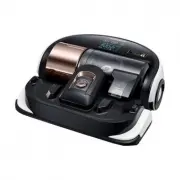 Samsung VR2AJ9250WW
User Manual
Samsung VR2AJ9250WW
User Manual
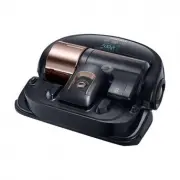 Samsung VR2AK9350WK
User Manual
Samsung VR2AK9350WK
User Manual
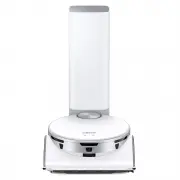 Samsung VR50T95735WSA
User Manual
Samsung VR50T95735WSA
User Manual
 Samsung SR10F71UB
User Manual
Samsung SR10F71UB
User Manual
 Samsung SR10J5010U
User Manual
Samsung SR10J5010U
User Manual
 Samsung SR10J502FU
User Manual
Samsung SR10J502FU
User Manual
 Samsung SR10J503AU
User Manual
Samsung SR10J503AU
User Manual
 Samsung SR10M7019UW
User Manual
Samsung SR10M7019UW
User Manual
 Samsung SR10M701BUW
User Manual
Samsung SR10M701BUW
User Manual
 Samsung SR10M703UWW
User Manual
Samsung SR10M703UWW
User Manual
 Samsung SR20H9050U
User Manual
Samsung SR20H9050U
User Manual
 Samsung SR20J9020U
User Manual
Samsung SR20J9020U
User Manual
 Samsung SR20K9350WK
User Manual
Samsung SR20K9350WK
User Manual