Page 2 - ENGLISH; Dear customer; Thank you for purchasing this product.
GETTING ST AR TED ENGLISH 2 RQT8043 RQTX0029 WARNING: TO REDUCE THE RISK OF FIRE, ELECTRIC SHOCK OR PRODUCT DAMAGE, • DO NOT EXPOSE THIS APPARATUS TO RAIN, MOISTURE, DRIPPING OR SPLASHING AND THAT NO OBJECTS FILLED WITH LIQUIDS, SUCH AS VASES, SHALL BE PLACED ON THE APPARATUS. • USE ONLY THE RECOMME...
Page 3 - Caution for AC Mains Lead; or the BSI mark on the; IMPORTANT; Remove the connector cover.; How to replace the fuse; Open the fuse cover with a screwdriver.; Replace the fuse and close or attach the fuse
ENGLISH 3 RQT8043 RQTX0029 GETTING ST AR TED Caution for AC Mains Lead For your safety, please read the following text carefully. This appliance is supplied with a moulded three pin mains plug for your safety and convenience.A 5-ampere fuse is fi tted in this plug.Should the fuse need to be replaced...
Page 4 - Inside of product; For business users in the European Union; Placement; Do not place heavy items on the unit.; Voltage; Safety precautions
GETTING ST AR TED ENGLISH 4 RQT8043 RQTX0029 Inside of product -If you see this symbol- Information on Disposal for Users of Waste Electrical & Electronic Equipment (private households) This symbol on the products and/or accompanying documents means that used electrical and electronic products s...
Page 5 - GETTING STARTED; Table of contents; II
ENGLISH 5 RQT8043 RQTX0029 GETTING ST AR TED GETTING STARTED DISC OPERATIONS OTHER OPERATIONS REFERENCE Table of contents Caution for AC Mains Lead ............................................................................ 3Safety precautions ..........................................................
Page 6 - Accessories; Please check and identify the supplied accessories.; Preparing the remote control; • Do not use; Use
GETTING ST AR TED ENGLISH 6 RQT8043 RQTX0029 Accessories Please check and identify the supplied accessories. 1 Remote control (N2QAYB000091) 2 Remote control batteries 1 Antenna plug adaptor (K1YZ02000013) 1 Sheet of speaker cable stickers &2/.4 2CH 35" 7//&%2 3522/5.$ 2CH &2/.4 ,CH ...
Page 7 - Placement of speakers; Note
ENGLISH 7 RQT8043 RQTX0029 GETTING ST AR TED Placement of speakers How you set up your speakers can affect the bass and the sound fi eld. Note the following points:• Place speakers on fl at secure bases.• Placing speakers too close to fl oors, walls, and corners can result in excessive bass. Cover w...
Page 8 - Simple setup; Making the connections; Conserving power; Connect to the speakers.; Attach the speaker-cable stickers to make connection easier.; Connect to the power supply.
GETTING ST AR TED ENGLISH 8 RQT8043 RQTX0029 Simple setup Making the connections Making the connections Connect the AC mains lead only after all other connections have been made. • Ensure that you have the complete accessories before making the connections. Conserving power The main unit consumes a ...
Page 9 - Connect to the antenna.; FM indoor antenna; Tape the antenna where reception is the best.; Connect to the television’s SCART terminal.; Do not connect the unit through a video cassette recorder.; Television with SCART terminal
ENGLISH 9 RQT8043 RQTX0029 GETTING ST AR TED Connect to the antenna. 7 FM indoor antenna Tape the antenna where reception is the best. Connect to the television’s SCART terminal. • Do not connect the unit through a video cassette recorder. • Due to copy guard protection, the picture may not be displ...
Page 10 - Other speaker setup options; Attaching to a wall; per; Optional antenna connections; Use outdoor antennas if radio reception is poor.; FM outdoor antenna
GETTING ST AR TED ENGLISH 10 RQT8043 RQTX0029 Simple setup (continued) Other speaker setup options Other speaker setup options 7 Attaching to a wall You can attach the front, surround and center speakers to the wall.• The wall or pillar on which the speakers are to be attached should be capable of s...
Page 11 - The QUICK SETUP screen assists you to make necessary settings.; Performing QUICK SETUP; Details of settings; Menu language; Finish the QUICK SETUP.
ENGLISH 11 RQT8043 RQTX0029 GETTING ST AR TED The QUICK SETUP screen assists you to make necessary settings. To display the picture from this main unit, switch on the television and change the television’s input mode which is connected to this main unit (example : VIDEO 1, AV 1, etc.). To change you...
Page 12 - Discs that can be played; High quality movie and music discs.; Disc handling precautions; page 26, Tips for making; Disc information
GETTING ST AR TED ENGLISH 12 RQT8043 RQTX0029 Discs that can be played Discs that can be played Disc Logo Indicated in these instructions by Remarks DVD - Video High quality movie and music discs. Video CD Music discs with video.Including SVCD (Conforming to IEC62107). CD Music discs. 7 Disc handlin...
Page 13 - Closing the session will also work.; Note about using a DualDisc; Discs that cannot be played; • This unit can play PAL and NTSC, but your
ENGLISH 13 RQT8043 RQTX0029 GETTING ST AR TED * 1 This unit can play CD-R/RW recorded with CD-DA or Video CD format. * 2 Discs recorded on DVD video recorders or DVD video cameras, etc. using Version 1.1 of the Video Recording Format (a unifi ed video recording standard). * 3 Discs recorded on DVD v...
Page 14 - Overview of controls; Main unit; Display
GETTING ST AR TED ENGLISH 14 RQT8043 RQTX0029 Overview of controls Main unit Main unit AC supply indicator [AC IN] This indicator lights when the unit is connected to the AC mains supply. 0 OPEN/CLOSE Open or close the disc tray (16) Display 7 /-TUNE MODE/–FM MODE Stop playback, Select the tuning mo...
Page 15 - Remote control; FM; To cancel
ENGLISH 15 RQT8043 RQTX0029 GETTING ST AR TED (29) (29) (29) (30) (1 8 , 30) (29) Remote control Remote control Adjust the television volume (33) Select the source DVD: DVD/CD (11) FM (28) EXT-IN : AV (33) , AUX (31) , USB (32) Show the current disc’s playback condition (18) Adjust the volume of the...
Page 16 - FL DISPLAY; DVD; Disc — Basic play; Using the main unit; • Load double-sided discs so the label for the side
DISC OPERA TIONS ENGLISH 16 RQT8043 RQTX0029 8 , PAUSE 7 , STOP 3 , PLAY FL DISPLAY 5 , ∞ , 2 , 3 , ENTER 1 , ¡ , SLOW/SEARCH DVD CANCEL 4 , ¢ , 4 , 3 , SKIP Numeric buttons y MENU, PLAY LIST -RETURN TOP MENU, DIRECT NAVIGATOR Disc — Basic play Using the main unit Using the main unit Using the remot...
Page 18 - Advanced play; Program and Random play; To select the items.; To select all the items; Random play; Displaying current playback condition; T I M E
DISC OPERA TIONS ENGLISH 18 RQT8043 RQTX0029 Advanced play Program and Random play (during stop) Example: Program Random Off (Normal play) To exit program or random play mode while stopped. (several times) Some items cannot be played even if you have programmed them. Program play (up to 30 items) 1 ...
Page 19 - Playing data discs using navigation menus; Playing data discs; Select “DATA” in “OTHERS” tab (; Playing from the selected item; Files are treated as contents and folders are; To select the group.; Playing the programs; To select from the program.; To exit the screen; Playing a play list; Applicable only when the disc contains a play list.; To select from the play list.; To exit the screen
DISC OPERA TIONS ENGLISH 19 RQT8043 RQTX0029 Playing data discs using navigation menus Playing data discs Select “DATA” in “OTHERS” tab ( \ page 25) to play WMA, MP3 or JPEG content. Playing from the selected item 1 A T A – D I S C D B a b y B i k e & a r C a r t o oC a t & D g O R O T C n o...
Page 20 - Using on-screen menus; Functions menu; To start from a specifi c item
DISC OPERA TIONS ENGLISH 20 RQT8043 RQTX0029 Using on-screen menus 1 Display the functions screen. 4 Press to exit. Items shown differ depending on the type of disc as well as the recording format. 2 Select the item. Confi rm Select Select 3 Make the settings. Confi rm Select Functions menu TRACK SE...
Page 23 - Changing the player settings; MAIN menu; “DISC” tab; AUDIO
DISC OPERA TIONS ENGLISH 23 RQT8043 RQTX0029 Changing the player settings 1 Display the MAIN menu. (Press and hold) 2 Select the tab. Confi rm Select 3 Select the item. Confi rm Select Select 4 Make the settings. Confi rm Select 5 Press to exit. (Press and hold) • If you have not performed QUICK SET...
Page 24 - Changing the player settings (continued)
DISC OPERA TIONS ENGLISH 24 RQT8043 RQTX0029 MAIN menu (continued) MENUS Choose the language for disc menus.Changing the menu language in QUICK SETUP also changes this setting. • ENGLISH • FRENCH • SPANISH • GERMAN • ITALIAN • SWEDISH • DUTCH • POLISH • OTHER – – – – * 2 RATINGS Set a ratings level ...
Page 26 - Changing the delay time of the speakers; To enter the speaker setting; To exit the setup; Tips for making data discs
DISC OPERA TIONS ENGLISH 26 RQT8043 RQTX0029 Changing the delay time of the speakers Effective when playing multi-channel audio (Center and surround speakers only)For optimum listening with 5.1-channel sound, all the speakers, except for the subwoofer, should be the same distance from the seating po...
Page 28 - Using the radio; Automatic presetting; • “ERROR” is displayed when automatic; Manual tuning; TUNING; Presetting the channel; Up to 30 stations can be set for FM.; To select a 2-digit number; Selecting the preset channels; When a stereo FM broadcast is being; If noise is excessive in FM
OTHER OPERA TIONS ENGLISH 28 RQT8043 RQTX0029 Using the radio Automatic presetting 1 To select “FM”. OR (main unit) (remote control) 2 Press and hold. OR (main unit) (remote control) Release the button when “FM AUTO” is displayed. The tuner tunes to the lowest frequency and starts to preset all the ...
Page 29 - Using sound effects
OTHER OPERA TIONS ENGLISH 29 RQT8043 RQTX0029 Using sound effects Note • The following sound effects may not be available or have no effect depending on the type of source. • You may experience a reduction in sound quality when these sound effects are used with some sources. If this occurs, turn the...
Page 30 - Preparation; To output a test signal.; To stop the test signal; adjust the speaker level for each speaker.
OTHER OPERA TIONS ENGLISH 30 RQT8043 RQTX0029 Adjusting the volume of each speaker: Speaker level adjustments This is one of the ways to get appropriate surround effects. Preparation 1 While stopped and no on-screen display is shown To output a test signal. L: Front left C: Center R: Front right RS:...
Page 31 - Optional connection for set top box; page 15) to select “AUX” as the source to operate the audio input.; SCART cable; • To listen to the sound from the television, select the appropriate; Sound from the television; page 33) to select the “AV” audio input from the; Operating other equipment
OTHER OPERA TIONS ENGLISH 31 RQT8043 RQTX0029 Optional connection for set top box Optional connection for set top box Optional audio connection for video cassette recorder Optional audio connection for video cassette recorder This audio connection will enable you to play audio from your video casset...
Page 32 - Optional USB connection and operation; AV; To return to the previous screen
OTHER OPERA TIONS ENGLISH 32 RQT8043 RQTX0029 Optional USB connection and operation Optional USB connection and operation The USB connectivity enables you to connect and play tracks or fi les from USB mass storage class devices.Typically, USB memory devices. (Bulk only transfer) Preparation Before c...
Page 33 - Compatible devices; Devices which are defi ned as USB mass; Supported Formats; File name; Operating the television; To switch the television on or off
OTHER OPERA TIONS ENGLISH 33 RQT8043 RQTX0029 Compatible devices • Devices which are defi ned as USB mass storage class: – USB devices that support bulk only transfer. – USB devices that support USB 2.0 full speed. Supported Formats File name File extension Still pictures JPG * .jpg .jpeg Music MP3 ...
Page 34 - Troubleshooting guide; Power; Page; Unresponsive or inoperable function; Point B is automatically set.
REFERENCE 34 RQT8043 RQTX0029 ENGLISH Troubleshooting guide Before requesting service, make the following checks. If you are in doubt about some of the check points, or if the solutions indicated in the chart do not solve the problem, consult your dealer for instructions. 7 Power Page No power. • In...
Page 35 - Picture abnormal or unviewable
35 RQT8043 RQTX0029 REFERENCE ENGLISH 7 Menus Page The Setup menu cannot be accessed. • Select “DVD/CD” as the source.• Cancel program and random play.• Cancel JPEG’s playback. — 18 — 7 Sound abnormal or improper Sound is distorted. • Noise may occur when playing WMA. — Effects do not work. • Some a...
Page 36 - “ERROR”; USB; A beat sound is heard.; Language code list
REFERENCE 36 RQT8043 RQTX0029 ENGLISH Troubleshooting guide (continued) 7 Television displays “ ” • The operation is prohibited by the unit or disc. — “ERROR” • You are trying to display an incompatible group or content.• You are trying to play a protected group or content. You cannot play it. —— “C...
Page 37 - Glossary; : Recorded at 25 frames per second (PAL
37 RQT8043 RQTX0029 REFERENCE ENGLISH Glossary Decoder A decoder restores the coded audio signals on DVDs to normal. This is called decoding. Dolby Digital This is a method of coding digital signals developed by Dolby Laboratories. Apart from stereo (2-channel) audio, these signals can also be multi...
Page 38 - Specifi cations
REFERENCE 38 RQT8043 RQTX0029 ENGLISH Specifi cations AMPLIFIER SECTION RMS Output Power: Dolby Digital Mode Front Ch 55 W per channel (5 ), 1 kHz, 10 % THD Surround Ch 55 W per channel (5 ), 1 kHz, 10 % THD Center Ch 55 W per channel (5 ), 1 kHz, 10 % THD Subwoofer Ch 55 W per channel (5 ), 100 Hz,...
Page 39 - Maintenance
39 RQT8043 RQTX0029 REFERENCE ENGLISH Surround speakers SB-HS151 Type 1 way, 1 speaker system (Bass refl ex) Speaker unit(s) Impedance 5 Full range 6.5 cm Cone type Input power (IEC) 55 W * (Max) Output sound pressure 80 dB/W (1.0 m) Frequency range 96 Hz to 25 kHz (–16 dB) 120 Hz to 22 kHz (–10 dB)...
Page 40 - Sales and Support Information; • Or go on line through our Internet Accessory
Matsushita Electric Industrial Co., Ltd.Web Site: http://panasonic.net RQTX0029-B L0107KE0 En Manufactured under license from Dolby Laboratories.Dolby, Pro Logic and the double-D symbol are trademarks of Dolby Laboratories. “DTS” and “DTS Digital Surround” are registered trademarks of DTS, Inc. This...


 Panasonic SC-BFT800
User Manual
Panasonic SC-BFT800
User Manual
 Panasonic SC-BT230
User Manual
Panasonic SC-BT230
User Manual
 Panasonic SC-BT735
User Manual
Panasonic SC-BT735
User Manual
 Panasonic SC-BTT195
User Manual
Panasonic SC-BTT195
User Manual
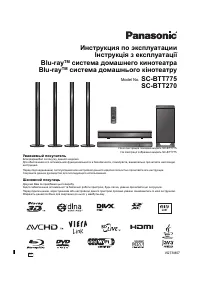 Panasonic SC-BTT270
User Manual
Panasonic SC-BTT270
User Manual
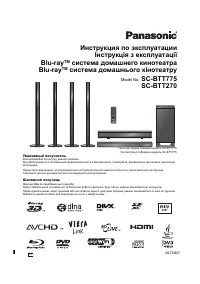 Panasonic SC-BTT775
User Manual
Panasonic SC-BTT775
User Manual
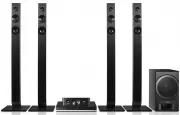 Panasonic SC-BTT785GNK
User Manual
Panasonic SC-BTT785GNK
User Manual
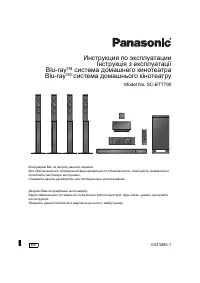 Panasonic SC-BTT790
User Manual
Panasonic SC-BTT790
User Manual
 Panasonic SC-HT15
User Manual
Panasonic SC-HT15
User Manual
 Panasonic SC-HT335
User Manual
Panasonic SC-HT335
User Manual
 Panasonic SC-HT40
Manual
Panasonic SC-HT40
Manual
 Panasonic SC-HT60
Manual
Panasonic SC-HT60
Manual
 Panasonic SC-HT840
User Manual
Panasonic SC-HT840
User Manual
 Panasonic SC-HT880
User Manual
Panasonic SC-HT880
User Manual