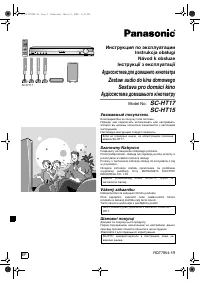
Panasonic SC-HT17 - Manual

Panasonic SC-HT17 Home Theater – Manual, read for free online in PDF format. We hope this helps you resolve any issues you may have. If you have further questions, please contact us through the contact form.


Table of Contents:
- Page 2 – Caution for AC Mains Lead; (For the United Kingdom and the Republic of Ireland); Customer Care Centre; Placement
- Page 3 – Supplied accessories; System; The remote control
- Page 4 – Speaker setup; Step; Front and surround speaker assembly; Thread the speaker cable through the base.; Attach the stand to the speaker.; Speaker height; Front Speakers
- Page 5 – Connect the speaker cables.; Attach the stickers to the speaker cables.
- Page 6 – Placement and connections of speakers; Caution
- Page 7 – Attaching to a wall; Wall or pillar; Connect the speaker cables to the subwoofer.; Subwoofer; Other speaker setup options; Surround speakers
- Page 8 – DVD player; DVD Player; Left; Home theater connections
- Page 9 – Subwoofer and AC mains lead; Notes on digital input
- Page 10 – Other connections; DVD recorder or VCR; DVD recorder or VCR; DVD recorder or VCR; DVD recorder or VCR; and P
- Page 11 – Changing the digital input settings; Use digital connection to enjoy Dolby Digital or DTS.; TV
- Page 12 – For best reception; For the United Kingdom; Antennas; Game machine or other AV equipment; Game machine
- Page 13 – The factory settings are:; DISTANCE; S E T U P; Press at the same time.; Settings; Repeat steps 3 and 4
- Page 14 – Adjusting speaker output level; TEST; Press and hold
- Page 15 – Basic operations; Adding surround effects to stereo sources; TUNER; INPUT SELECTOR; II; II
- Page 16 – Control guide; Main unit; LFE; General display; DIGITAL INPUT; CH MIX; PL; TUNE
- Page 17 – Remote control and Subwoofer
- Page 18 – The radio; Direct tuning; or; Manual presetting; Select the frequency.
- Page 19 – For continental Europe and the United Kingdom; RDS broadcasts; PTY Displays
- Page 20 – Other functions
- Page 21 – Dynamic range compression; Sleep timer
- Page 22 – Making a recording; Follow your recording unit’s operating instructions.; Recording on other equipment; Each time you press the button:; Remote control; Adjusting SFC effects; The RESET function
- Page 23 – Remote control operation guide; Watching DVDs; Switch on; Switch off; Operating the DVD player/DVD recorder; When using a Panasonic DVD recorder
- Page 24 – Watching TV; Operating the TV
- Page 25 – Enter the first digit; Enter the second digit; Code table; Changing the codes
- Page 26 – Troubleshooting guide; Maintenance; If the surfaces are dirty
- Page 27 – Marking sign is located on bottom of the unit.
INPUT SELECTOR
2
2
TUNE
MENU
%
DIGITAL
%
PL
H. BASS
DOWN
VOLUME
PHONES
UP
SC-HT17 for continental Europe and the United Kingdom
EP EB GN
RQT7953-1B
Dear customer
Thank you for purchasing this product.
Before connecting, operating or adjusting this product, please
read the instructions completely.
Please keep this manual for future reference.
Note:
“EB” on the packaging indicates the United Kingdom.
SC-HT17 for continental Europe and the United Kingdom is
used in the illustrations unless otherwise mentioned.
Operating Instructions
Home Theater Audio System
Model No.
SC-HT17
SC-HT15
Table of contents
Before use
Caution for AC Mains Lead ................................... 2
Safety precautions ................................................. 2
Supplied accessories ............................................ 3
The remote control ................................................ 3
Step 1
Speaker setup
4
Step 2
Home theater
connections
8
Step 3
Other connections
10
Step 4
Settings
13
Operations
Basic operations .................................................. 15
Control guide........................................................ 16
The radio ............................................................... 18
Other functions .................................................... 20
Making a recording .............................................. 22
The RESET function ............................................ 22
Remote control operation guide......................... 23
Reference
Troubleshooting guide ........................................ 26
Maintenance ........................................................ 26
Specifications ...................................................... 27
SC-HT17EB-EN.fm Page 1 Wednesday, March 9, 2005 10:57 AM
"Loading the manual" means you need to wait until the file loads and becomes available for online reading. Some manuals are very large, and the time they take to appear depends on your internet speed.
Other Manuals for Panasonic SC-HT17
Summary
2 RQT7 95 3 Befor e use Caution for AC Mains Lead (For United Kingdom) (“EB” area code model only) For your safety, please read the following text carefully. This appliance is supplied with a moulded three pin mains plug for your safety and convenience. A 5-ampere fuse is fitted in this plug. Should...
3 RQT7 95 3 Befor e use (RJA0053-3X) (K2CJ2DA00010) (EUR7722KL0) SC-HT17 (EUR7722KJ0) SC-HT15 (RSA0007-L) (N1DAAAA00002) (K1HA25HA0001) (RQCA1029) SC-HT17 SC-HT15 5 xxxxxx xxx 5 xxxxxx xxx 4 xxxxxx xxx 4 xxxxxx xxx 3 xxxxxx xxx 3 xxxxxx xxx 2 xxxxxx xxx 2 xxxxxx xxx 1 xxxxxx xxx 1 xxxxxx xxx 5 xxxxx...
4 RQT7 95 3 Spea ker se tup S tep 1 1 Speaker setup Step • To prevent damage or scratches, lay a soft cloth and perform assembly on it. • For assembly, use a Phillips-head screwdriver. Front and surround speaker assembly 1 1 3 2 Attach the pipe to the base. Thread the speaker cable through the base....