Page 2 - Caution for AC Mains Lead; (For the United Kingdom and the Republic of Ireland); Customer Care Centre; Placement
2 RQT7 95 3 Befor e use Caution for AC Mains Lead (For United Kingdom) (“EB” area code model only) For your safety, please read the following text carefully. This appliance is supplied with a moulded three pin mains plug for your safety and convenience. A 5-ampere fuse is fitted in this plug. Should...
Page 3 - Supplied accessories; System; The remote control
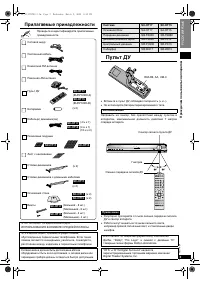
3 RQT7 95 3 Befor e use (RJA0053-3X) (K2CJ2DA00010) (EUR7722KL0) SC-HT17 (EUR7722KJ0) SC-HT15 (RSA0007-L) (N1DAAAA00002) (K1HA25HA0001) (RQCA1029) SC-HT17 SC-HT15 5 xxxxxx xxx 5 xxxxxx xxx 4 xxxxxx xxx 4 xxxxxx xxx 3 xxxxxx xxx 3 xxxxxx xxx 2 xxxxxx xxx 2 xxxxxx xxx 1 xxxxxx xxx 1 xxxxxx xxx 5 xxxxx...
Page 4 - Speaker setup; Step; Front and surround speaker assembly; Thread the speaker cable through the base.; Attach the stand to the speaker.; Speaker height; Front Speakers
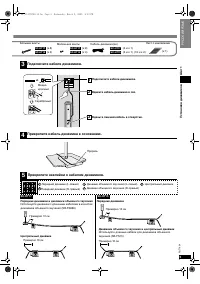
4 RQT7 95 3 Spea ker se tup S tep 1 1 Speaker setup Step • To prevent damage or scratches, lay a soft cloth and perform assembly on it. • For assembly, use a Phillips-head screwdriver. Front and surround speaker assembly 1 1 3 2 Attach the pipe to the base. Thread the speaker cable through the base....
Page 5 - Connect the speaker cables.; Attach the stickers to the speaker cables.
5 RQT7 95 3 Spea ker se tup S tep 1 3 1 2 3 Connect the speaker cables. Connect the speaker cables. Press the speaker cable into the groove. Thread the excess cable. Copper Silver 4 Fasten the speaker cable to the base. Slot 5 xxxxxx xxx 5 xxxxxx xxx 4 xxxxxx xxx 4 xxxxxx xxx 3 xxxxxx xxx 3 xxxxxx x...
Page 6 - Placement and connections of speakers; Caution
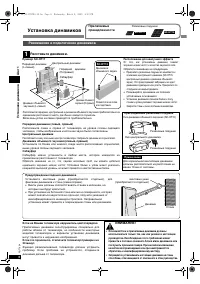
6 RQT7 95 3 Spea ker se tup S tep 1 Speaker setup SC-HT17 SC-HT15 Supplied accessories Rubber pads Placement and connections of speakers 1 SC-HT15 Place the speakers. Center speaker Front speaker (R) Subwoofer Frontspeaker (L) Surroundspeaker (R) Surround speaker (L) Positioning for best effect How ...
Page 7 - Attaching to a wall; Wall or pillar; Connect the speaker cables to the subwoofer.; Subwoofer; Other speaker setup options; Surround speakers
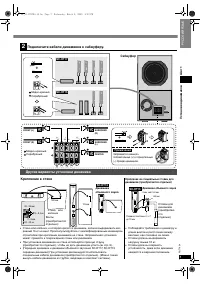
7 RQT7 95 3 Spea ker se tup S tep 1 7.5 - 9.4 mm SC-HT15 3.0 - 4.0 mm 180 mm 174 mm Screw (not included) Attaching to a wall Wall or pillar 30 - 35 mm 7 - 9 mm Surround speakers 2 SC-HT17 SC-HT15 CENTER FRONT (R) FRONT (L) SURROUND(L) 2 1 4 3 5 SURROUND(R) 4 3 1 5 2 6 Ω FRONT 4 Ω CENTER 4 Ω SURROUND...
Page 8 - DVD player; DVD Player; Left; Home theater connections
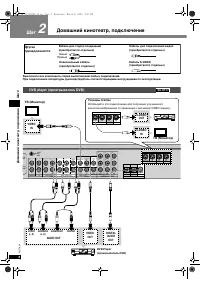
8 RQT7 95 3 Home theater connec tions S tep 2 DVR / VCR TV DVD / DVD 6CH TV OUT IN IN L L L L L L R R R R R R FRONT SURROUND SUBWOOFER DVR / VCR DVD OPT 1 OPT 2 COAXIAL OUT IN IN IN (TV) IN (DVR) IN (DVD) IN CENTER MONITOR OUT IN IN AUDIO VIDEO DIGITAL IN FM ANT AM ANT LOOP ANT GND GAME/AUX GAME/AUX...
Page 9 - Subwoofer and AC mains lead; Notes on digital input
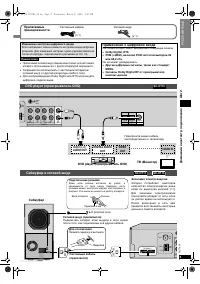
9 RQT7 95 3 Home theater connec tions S tep 2 FRONT (L, R) AUDIO OUT DIGITAL AUDIO OUT VIDEO OUT OPT 1 OPT 2 COAXIAL (TV) IN (DVR) IN (DVD) IN DIGITAL IN FM ANT AM ANT DVR / VCR TV OUT IN IN IN AUDIO LOOP ANT GND GAME/AUX IN DVD L R L R L R R L R L VIDEO IN DVD player DVD player TV (Monitor) Subwoof...
Page 10 - Other connections; DVD recorder or VCR; DVD recorder or VCR; DVD recorder or VCR; DVD recorder or VCR; and P
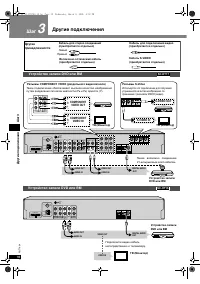
10 RQT7 95 3 Other connections Step 3 3 Other connections Step Stereo phono cable(not included) Video connection cable(not included) Left Right Other accessories Optical fibre cable(not included) S-Video cable(not included) DVD recorder or VCR DVR / VCR TV DVD / DVD 6CH TV OUT IN IN L L L L L L R R ...
Page 11 - Changing the digital input settings; Use digital connection to enjoy Dolby Digital or DTS.; TV
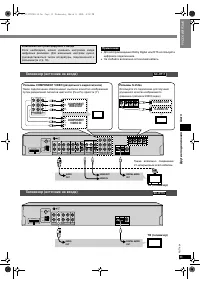
11 RQT7 95 3 Other connections Step 3 Changing the digital input settings You can change the input settings for the digital terminals ifnecessary. Note the equipment you have connected to theterminals, then change the settings ( è page 13). Note • Use digital connection to enjoy Dolby Digital or DTS...
Page 12 - For best reception; For the United Kingdom; Antennas; Game machine or other AV equipment; Game machine
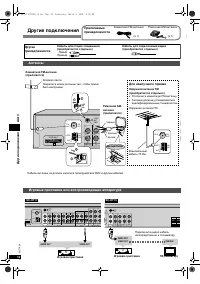
12 RQT7 95 3 Other connections Step 3 DVR / VCR TV DVD / DVD 6CH TV OUT IN IN L L L L L L R R R R R R FRONT SURROUND SUBWOOFER DVR / VCR DVD OUT IN IN IN CENTER MONITOR OUT IN IN AUDIO VIDEO TO SB-WA17 A FM ANT AM ANT 75 Ω LOOP EXT LOOP ANT GND GAME/AUX GAME/AUX OUT IN TV MONITOR DVR COMPONENT VIDE ...
Page 13 - The factory settings are:; DISTANCE; S E T U P; Press at the same time.; Settings; Repeat steps 3 and 4
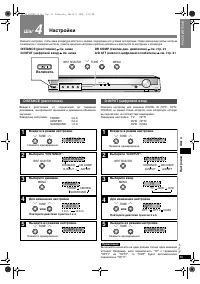
Set tings 13 RQT7 95 3 St ep 4 4 Change the settings to suit your equipment to the environment in which you are using it. Before making any changes, read thedescriptions of the settings, note the factory settings and ranges, and refer to the equipment’s instructions. INPUT SELECTOR 2 2 TUNE MENU % D...
Page 14 - Adjusting speaker output level; TEST; Press and hold
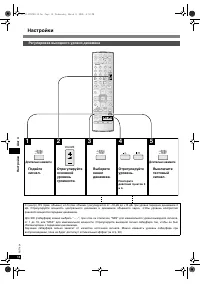
14 RQT7 95 3 Setti ng s S te p 4 Adjusting speaker output level INPUT MODE MUSIC AV/MOVIE SFC EFFECT TONE/ BALANCE ENTER DISC CH VOLUME TOP MENU FUNCTIONS DIRECT NAVIGATOR SUB MENU/ PLAY LIST SUBWOOFER RETURN DIRECT TUNING 1 2 3 7 0 8 9 10 4 5 6 > = u i MUTING q g h % PL TV VOL TV VOL /L /R SKIP ...
Page 15 - Basic operations; Adding surround effects to stereo sources; TUNER; INPUT SELECTOR; II; II
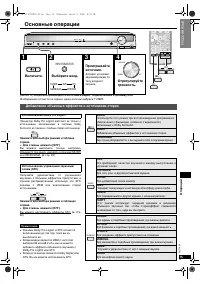
Op eratio ns 15 RQT7 95 3 Basic operations MOVIE Use this mode when playing movie software, especially videotapes, recorded in Dolby Surround. MUSIC Adds surround effects to stereo sources. PANORAMA Sound is spread out more so you feel like you are surrounded bymusic. LIVE Brings you up close for “l...
Page 16 - Control guide; Main unit; LFE; General display; DIGITAL INPUT; CH MIX; PL; TUNE
Op eratio ns 16 RQT7 95 3 Control guide Main unit Display [DIGITAL INPUT] Program format indicatorsShow the channels contained in the digitalinput signal.They do not light when input is analogue. L: Front left channel C: Center channel R: Front right channel LS: Surround left channel S: If the surro...
Page 17 - Remote control and Subwoofer
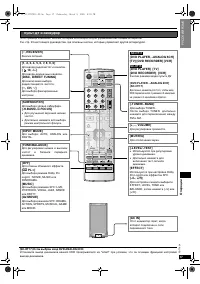
Op eratio ns 17 RQT7 95 3 [DVD PLAYER, –ANALOG 6CH] [TV] [DVD RECORDER] [VCR] [DVD PLAYER] [TV][DVD RECORDER] [VCR] Input mode and remote control modebuttons. [DVD PLAYER, –ANALOG 6CH](SC-HT17) Press and hold and DVD input switches between 6-channel and 2-channel. [-TUNER/–BAND] For selecting TUNER....
Page 18 - The radio; Direct tuning; or; Manual presetting; Select the frequency.
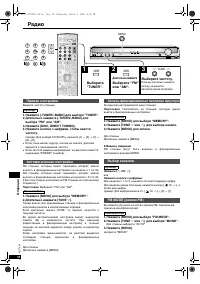
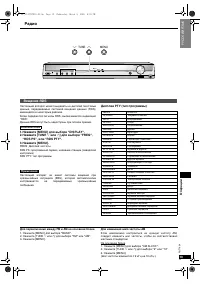
Op eratio ns 18 RQT7 95 3 The radio Input the frequency of the station. Remote control 1. Press [-TUNER/–BAND] to select “TUNER”.2. Press and hold [-TUNER/–BAND] to select “FM” or “AM”. 3. Press [DISC, DIRECT TUNING].4. Press the numbered buttons to enter the frequency. e.g. To select 107.90 MHz, pr...
Page 19 - For continental Europe and the United Kingdom; RDS broadcasts; PTY Displays
Op eratio ns 19 RQT7 95 3 The radio INPUT SELECTOR 2 2 TUNE MENU % DIGITAL % PL H. BASS DOWN VOLUME PHONES UP 2 2 TUNE MENU ( For continental Europe and the United Kingdom ) This unit can display the text data transmitted by the radio datasystem (RDS) available in some areas.“RDS” lights while RDS s...
Page 20 - Other functions
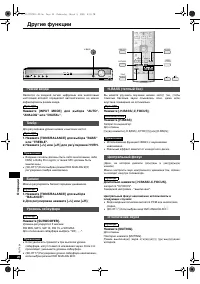
Op eratio ns 20 RQT7 95 3 Other functions INPUT SELECTOR 2 2 TUNE MENU % DIGITAL % PL H. BASS DOWN VOLUME PHONES UP INPUT MODE MUSIC AV/MOVIE SFC EFFECT TONE/ BALANCE ENTER DISC TOP MENU FUNCTIONS DIRECT NAVIGATOR SUB MENU/ PLAY LIST SUBWOOFER RETURN DIRECT TUNING 7 0 8 9 10 > = u i MUTING q g h ...
Page 21 - Dynamic range compression; Sleep timer
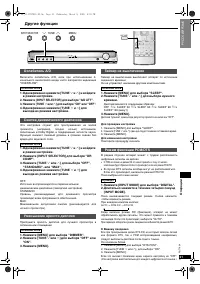
Op eratio ns 21 RQT7 95 3 Other functions INPUT SELECTOR 2 2 TUNE MENU % DIGITAL % PL H. BASS DOWN VOLUME PHONES UP INPUT MODE MUSIC AV/MOVIE SFC EFFECT TONE/ BALANCE ENTER TOP MENU SUB MENU/ PLAY LIST SUBWOOFER RETURN MUTING % PL TV VOL TV VOL /L /R OFF -LEVEL/ - TEST - H.BASS/ - C.FOCUS REC MODE R...
Page 22 - Making a recording; Follow your recording unit’s operating instructions.; Recording on other equipment; Each time you press the button:; Remote control; Adjusting SFC effects; The RESET function
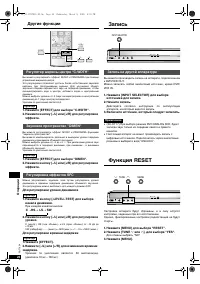
Op eratio ns 22 RQT7 95 3 Other functions Making a recording You can record to a unit connected to DVR/VCR OUT.You can record any analogue source except DVR/VCR IN. 1. Press [INPUT SELECTOR] to select the source to be recorded. 2. Begin recording. Follow your recording unit’s operating instructions....
Page 23 - Remote control operation guide; Watching DVDs; Switch on; Switch off; Operating the DVD player/DVD recorder; When using a Panasonic DVD recorder
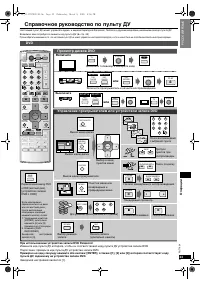
Op eratio ns 23 RQT7 95 3 Remote control operation guide This remote control can operate Panasonic and Technics audiovisual components that have remote control sensors. You may need to change the remote control code. ( è page 25) Note that this remote control cannot operate some equipment and that i...
Page 24 - Watching TV; Operating the TV
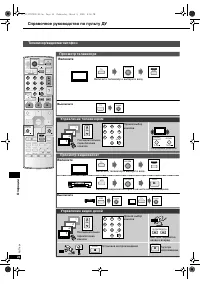
Op eratio ns 24 RQT7 95 3 TV/VCR 4 3 2 1 4 3 2 1 ^ AV SYSTEM 1 2 3 7 0 8 9 10 4 5 6 > = ^ AV SYSTEM ^ AV SYSTEM ^ AV SYSTEM ^ AV SYSTEM 1 2 3 7 0 8 9 10 4 5 6 > = TV ^ AV SYSTEM TV CH SUB MENU/ PLAY LIST RETURN TV VOL TV VOL TV q PLAY VCR TV VCR CH g h SLOW/SEARCH STOP PAUSE t y TV/AV TV TV/AV...
Page 25 - Enter the first digit; Enter the second digit; Code table; Changing the codes
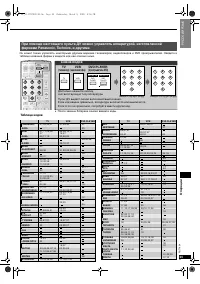
Op eratio ns 25 RQT7 95 3 INPUT MODE MUSIC AV/MOVIE SFC EFFECT TONE/ BALANCE ENTER DISC CH VOLUME TOP MENU FUNCTIONS DIRECT NAVIGATOR SUB MENU/ PLAY LIST SUBWOOFER TV/AV RETURN DIRECT TUNING 1 2 3 7 0 8 9 10 4 5 6 > = u i MUTING q g h % PL TV VOL TV VOL /L /R SKIP SLOW/SEARCH STOP PAUSE PLAY ^ ^ ...
Page 26 - Troubleshooting guide; Maintenance; If the surfaces are dirty
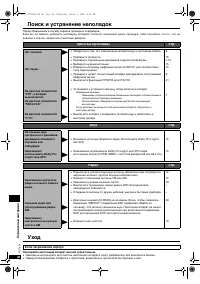
26 RQT7 95 3 Refer enc e Troubleshooting guide Before requesting service, make the below checks. If you can’t fix the unit as described or if something not listed here occurs, contact your dealer. Common problems Pages No power. • Ensure the AC mains lead and system cable are connected. 9 No sound. ...
Page 27 - Marking sign is located on bottom of the unit.
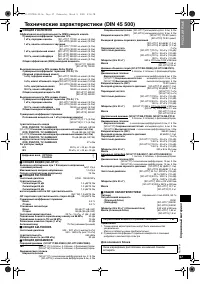
Refer enc e 27 RQT7 95 3 Specifications (DIN 45 500) n AMPLIFIER SECTION RMS output power of each channel driven (at 240 V for areas other than continental Europe) 10 % total harmonic distortion 1 kHz front CH [SC-HT17] 170 W per channel (6 Ω ) [SC-HT15] 60 W per channel (4 Ω ) 1 kHz surround CH [SC...